Disclosure: This article contains affiliate links to amazon.com.au. If you buy through one of these links iFix may earn a small commission at no extra cost to you. It doesn't change which products we recommend: we focus on what actually lasts based on 16 years of repair-shop experience.
Quick summary6 picks
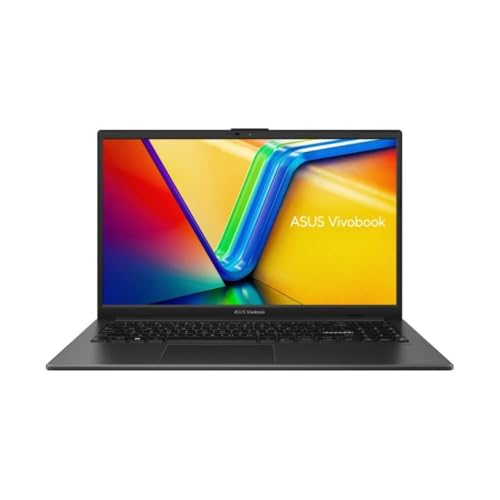
- Best valueASUS Vivobook Go 15 (Ryzen 5, 16GB) about$98916GB RAM, Fast charge, Webcam shutter.
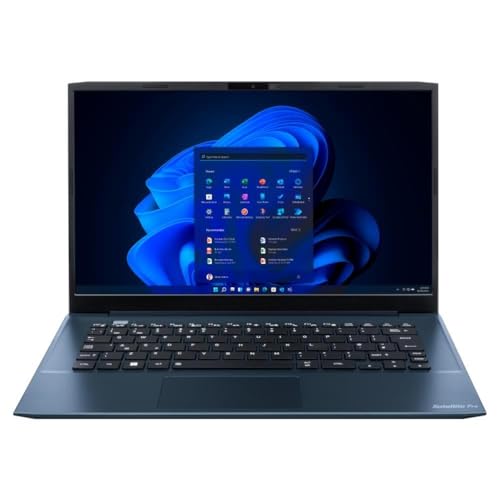
- Dynabook Satellite Pro C40-K 14in about$999Win 11 Pro, Fleet chassis, 14in.
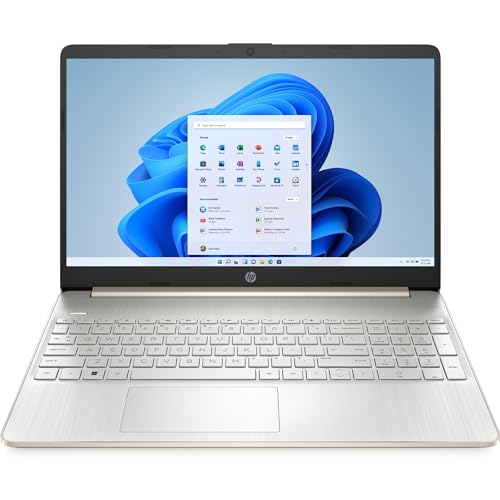
- HP 15in (Ryzen 5 5500U, 16GB) about$1,09716GB RAM, 9.5hr battery, Amazon AU.
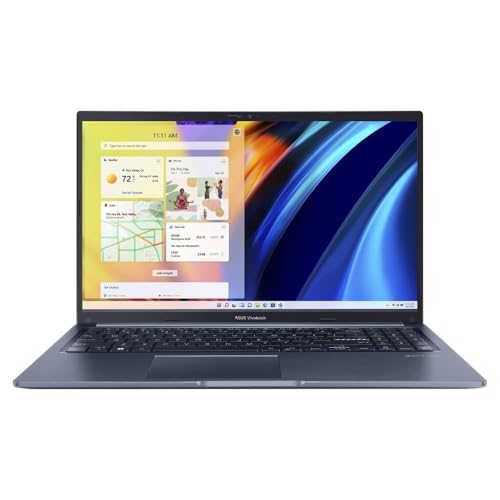
- ASUS Vivobook 15 (Core i7-13620H) about$1,099Core i7, 16GB RAM, 10 cores.
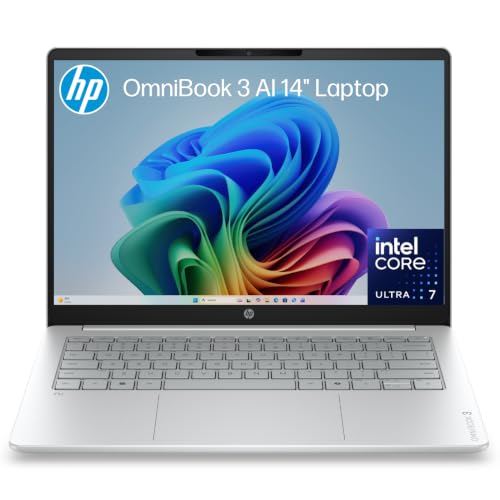
- HP 14in OmniBook 3 (Core Ultra 7) about$1,589.9916:10 screen, Core Ultra 7, 16GB DDR5.
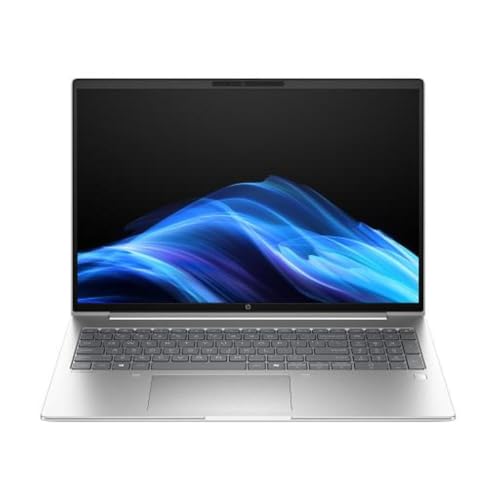
- HP ProBook 4 G1iR 16in about$1,485Upgradeable, 16in WUXGA, Wi-Fi 6E.
Prices from Amazon AU, updated daily. Swipe or use the arrows for more.
Nearly every student laptop we see for a repair comes in with a broken screen. It's rarely the motherboard or the drive that gives up. A bag gets dropped on a step, a pen gets left on the keyboard and the lid comes down on it at the end of a lesson, or a little brother sits on it, and the machine underneath is usually fine while the lid is finished.
Here's the bit most people don't know while they're standing in a shop with a card in their hand. Two laptops at much the same price can be very different to fix. One of them has a plain screen that unclips, comes out and goes back in the same afternoon. The other has a touch layer glued to the front of the screen, so when the glass cracks you're buying the whole lot as one part, and that costs a lot more.
So I picked the six below on that first, and on the specs second. They're all non-touch, all 16GB of RAM and a 512GB SSD, and they run from $989 to $1,485. None of them will win a benchmark, but a kid doing assignments doesn't need one that will. What they need is something that still works in Year 12 and doesn't turn into a big bill the first time it gets knocked off a desk.
What breaks first
Screens are first by a long way, and I'll come back to those. Hinges are second, and they're the ones that quietly cost people the most, because nobody rings up about a hinge until something else goes wrong too.
On a thin plastic laptop the hinge is screwed into a mount that's part of the case, and those mounts crack after enough opening and closing. Once that happens the hinge binds, and every time the lid moves it's dragging on the screen cable that runs through it. You'll get a flicker, or a line that comes and goes, which is the cable being chewed through. If the lid has started to feel stiff or creak, get it looked at then, and you can drop it in to us in Erina while it's still a small job.
Fans are third and they're the easiest thing here to stay on top of. A backpack is basically a bag of lint, and the intake underneath pulls that fluff in all semester. By the end of the year the machine runs hot, slows itself down to cope, and mum or dad decides it's getting old, when most of the time it's just clogged. A clean out once a year gets most of the speed back, and there's more in this piece on why a laptop feels slow.
Spills don't happen as often, but they're the worst of the lot when they do. On most laptops there's nothing much between the keyboard and the board underneath, so a drink bottle that leaks in a bag runs straight onto the electronics, and what usually finishes them off is somebody turning it on to see if it still works. Leave it off and have a read of what liquid actually does inside a laptop before you try anything.
Why I'd skip the touchscreen
Touchscreens sell well because they demo well. You tap the screen in the store and it does what you expect, so it feels like you're getting something extra for the money. On a laptop for a school kid I'd generally leave that box unticked.
It comes down to how it's built. The touch layer is a sheet of glass glued to the front of the screen, and there's no getting the two apart once they've been put together. So a crack in the glass takes the screen with it and you're buying both as one part. A plain screen is a common part suppliers keep on the shelf, while the glued assembly is usually a special order that costs a lot more. I've written up what a normal screen swap involves in the screen replacement guide, and most parents relax a bit once they see it's mostly clips, four screws and one cable.
The other half of it is that hardly anyone uses the touch. Watch a kid do homework and their hands stay on the keyboard and the trackpad. Nine times out of ten the screen gets poked once during the demo and then never again, so you've paid extra for a layer of glass that mainly makes the most breakable part of the laptop dearer to replace.
None of the six below are touch. If it genuinely suits how your kid works, say they're doing art and they draw on it, that's a fair reason to buy one, and I'd just tell you to get a hard case for it.
Why I'd skip OLED as well
OLED screens look lovely and I'm not going to pretend otherwise. Blacks are properly black, colours are rich, and if you're editing photos for a living I understand why you'd want one.
For a school laptop I'd still walk past it. It's a dearer part to start with, it's often glued together the same way a touchscreen is, and it's going in a bag that gets thrown around a few times a day. Then there's what a student does with a screen, which is stare at a white document with the same toolbar across the top for six hours a day, and that's about the hardest thing you can ask an OLED to do without it showing a mark eventually. IPS doesn't mind it at all.
A normal IPS screen at 1920x1080, or 1920x1200 on the taller 16:10 ones, is what I'd buy. It's the most common screen going, so the part is easy to get and quick to fit. The taller ones give you a bit more room for a document once you've lost the top to a ribbon and the bottom to a taskbar, which is worth something if two machines are otherwise close. None of the six here are OLED.
How much RAM and storage you actually need
16GB is where I'd start now. A kid will have a browser with thirty tabs open, plus Word, Teams, Spotify and whatever the school portal insists on installing, all at the same time. 8GB will do it, but only by shuffling things out to the SSD constantly, and that feels exactly like a slow laptop. A fair few of the sluggish machines we get in are just short on memory.
Don't get too hung up on the type. DDR4, DDR5, LPDDR5, it's the number that counts for schoolwork, and 16GB of DDR4 will walk all over 8GB of anything newer. What does matter is whether the memory is soldered to the board, because if it is you can't add any later, and on most thin laptops these days it is. That's why I'd rather you bought 16GB up front than planned to top it up in third year. Of these six, only the HP ProBook says in its listing that the memory and storage can be upgraded.
512GB is the drive size I'd go for. 256GB fills up faster than anyone expects, and then Windows updates start failing because there's no room to unpack them, which is miserable to be sorting out during exams. Going the other way, 1TB is money you probably don't need to spend, since most schoolwork lives in OneDrive or Google Drive and the drive ends up holding Windows, Office and one game they installed once. If your kid edits video or works with big data sets, get the bigger drive by all means.
Once a laptop has a plain non-touch IPS screen, 16GB and 512GB, the processor is mostly a detail, and any of the chips below will handle schoolwork without complaining.
Buying a business laptop
Names like ThinkBook, ProBook, ExpertBook and Satellite Pro come up a lot when parents ask me what to get, and it isn't because they're faster than the consumer models sitting next to them on the shelf.
It's that they're built to be opened up. A company buying two hundred laptops for an office won't put up with a machine that's a nightmare to get into, so the maker publishes a service manual, keeps parts around for years and fits standard screens. That matters three years later, when the consumer model from the same year has been discontinued twice and the only screen anyone can find is a grey import with the cable coming out the wrong side.
They tend to come with Windows 11 Pro too, which gets you BitLocker, and on a laptop a teenager will eventually leave on a bus that's worth having. Two of the picks below are business machines on Pro, the Dynabook and the HP ProBook. The HP OmniBook is the exception, picked for its 14-inch 16:10 screen.
The catch is that they look boring, all grey and square with a logo on the bezel. A 15 year old might be unimpressed for a fortnight, though most get over it.
The six I'd go for
All six are non-touch with 16GB of RAM and a 512GB SSD. Prices are Amazon AU as at 22 September 2026, cheapest first.
ASUS Vivobook Go 15 (Ryzen 5, 16GB)
$989.00 • Sold by Computer Alliance
The starting point: a 15.6-inch FHD non-touch screen, a Ryzen 5, 16GB of RAM and a 512GB SSD, plus a webcam privacy shutter and full-size HDMI. Fast charging to 60% in about 49 minutes helps the third time the charger is left at school.
Watch out for: Plastic build. Fine for a careful student, less so for one who carries it loose in a backpack.
CPU: Ryzen 5 • RAM: 16GB • Storage: 512GB SSD • Screen: 15.6in FHD non-touch • Rank: #70 in Traditional Laptops
View on Amazon AUDynabook Satellite Pro C40-K 14"
$999.00 • Sold by KS Computer
The one I would hand a Year 7 student: 14 inches, Windows 11 Pro, an Intel Core 5 120U and a case from a line built for office fleets, which means it is designed to survive being handled all day.
Watch out for: Sold by a third-party seller, so check warranty details at checkout. Low sales rank.
CPU: Core 5 120U • RAM: 16GB • Storage: 512GB SSD • Screen: 14in FHD non-touch • OS: Windows 11 Pro
View on Amazon AUHP 15" (Ryzen 5 5500U, 16GB)
$1,097.00 • Sold by Amazon AU
The all-rounder, and the best seller here (#24 in Traditional Laptops). A six-core Ryzen 5, 16GB of RAM, an NVMe SSD, HDMI and up to nine and a half hours of rated battery life, sold by Amazon AU directly.
Watch out for: Wi-Fi 5 rather than 6, and an older processor generation. Neither matters much for schoolwork.
CPU: Ryzen 5 5500U • RAM: 16GB • Storage: 512GB NVMe • Screen: 15.6in FHD non-touch • Rank: #24 in Traditional Laptops
View on Amazon AUASUS Vivobook 15 (Core i7-13620H)
$1,099.00 • Sold by Computer Alliance
A ten-core i7 behind the same kind of non-touch 15.6-inch screen, for a student running something heavier than Word: video editing, CAD, coding or big spreadsheets.
Watch out for: The H-series chip uses more power, so battery life is shorter than the HP.
CPU: Core i7-13620H • RAM: 16GB • Storage: 512GB SSD • Screen: 15.6in FHD non-touch • Rank: #70 in Traditional Laptops
View on Amazon AUHP 14" OmniBook 3 (Core Ultra 7)
$1,589.99 • Sold by Amazon AU
A 14-inch 16:10 WUXGA screen with an anti-glare finish, which is the shape I would pick for a uni student working off a train tray table. It pairs a Core Ultra 7 355 with 16GB of DDR5 and a 512GB NVMe SSD, and it ships from Amazon AU itself.
Watch out for: The listing does not say whether Windows 11 Home or Pro is installed, so check before buying if you want BitLocker. It also sits near the top of this price range.
CPU: Core Ultra 7 355 • RAM: 16GB DDR5 • Storage: 512GB NVMe SSD • Screen: 14in WUXGA anti-glare IPS • Rank: #14 in Traditional Laptops
View on Amazon AUHP ProBook 4 G1iR 16"
$1,485.00 • Sold by KS Computer
The only one here whose listing says the memory and storage can be upgraded later, which is why it sits at this end. A 16-inch WUXGA screen, Wi-Fi 6E and Windows 11 Pro in a business chassis.
Watch out for: Sold by a third-party seller, and the dearest pick. Worth it for a student with four or more years of study ahead.
CPU: Core i5 120U • RAM: 16GB (upgradeable) • Storage: 512GB (upgradeable) • Screen: 16in WUXGA • Rank: #93 in Traditional Laptops
View on Amazon AUSide-by-side comparison
| Product | CPU | RAM | Storage | Screen | Windows | Price | Best for |
|---|---|---|---|---|---|---|---|
| ASUS Vivobook Go 15 (Ryzen 5, 16GB) | Ryzen 5 | 16GB | 512GB SSD | 15.6in FHD | Home | ~$989 | Best value |
| Dynabook Satellite Pro C40-K 14in | Core 5 120U | 16GB | 512GB SSD | 14in FHD | Pro | ~$999 | Year 7 |
| HP 15in (Ryzen 5 5500U, 16GB) | Ryzen 5 5500U | 16GB | 512GB SSD | 15.6in FHD | Home | ~$1,097 | Most students |
| ASUS Vivobook 15 (Core i7-13620H) | Core i7-13620H | 16GB | 512GB SSD | 15.6in FHD | Home | ~$1,099 | Heavier software |
| HP 14in OmniBook 3 (Core Ultra 7) | Core Ultra 7 355 | 16GB | 512GB SSD | 14in WUXGA | Not listed | ~$1,589.99 | Uni |
| HP ProBook 4 G1iR 16in | Core i5 120U | 16GB | 512GB SSD | 16in WUXGA | Pro | ~$1,485 | Long degrees |
Scroll the table sideways on a phone. Specifications are taken from the current Amazon AU listings; anything a listing does not state is marked as such.
Cracked screen or a stiff hinge? Bring it in to Erina.
If a student laptop has come home with a broken screen, a hinge that's gone stiff or a keyboard that's had a drink bottle emptied into it, bring it in to our Erina workshop and we'll have a proper look at it. We'll tell you what it needs, what the part is likely to cost and whether it's worth doing at all, before you spend anything on it either way.
Book a laptop repair