Prices from Amazon AU, updated daily. Swipe or use the arrows for more.
Disclosure: This article contains affiliate links to amazon.com.au. If you buy through one of these links iFix may earn a small commission at no extra cost to you. It doesn't change which products we recommend. We focus on what actually lasts based on 16 years of repair-shop experience.
Quick summary8 picks
- Lenovo Chromebook Duet 11 about$477ChromeOS, 10.95in touch, 510g.
- Lenovo Chromebook 14 about$397.00ChromeOS, 14in 1920x1200, 128GB.
- ASUS Chromebook CM14 about$559HDMI, 2x USB-C, 14in FHD.
- Most laptop per dollarDell Latitude 7420 Touch (Refurbished) about$44916GB RAM, Core i5, Win 11 Pro.
- ASUS Vivobook Go 15 (Pentium, 8GB) about$799.008GB RAM, 256GB SSD, 15.6in FHD.
- Lenovo IdeaPad Slim 3x (Snapdragon X) about$1,09816GB RAM, 512GB SSD, All-day battery.
- ASUS Vivobook Go 15 (Ryzen 5, 16GB) about$999.0016GB RAM, 512GB SSD, 15.6in FHD.
- Lenovo IdeaPad Slim 3 (Ryzen 5, 512GB) about$799Ryzen 5, 512GB SSD, 15.6in FHD.
Most cheap laptops that come into our workshop as “broken” are not broken. They have 4GB of RAM, a nearly full 64GB drive and Windows trying to update itself, and they feel slow from the day they are unboxed.
Every pick below avoids that trap. Prices are Amazon AU as at 19 October 2026, from Australian sellers only, and every one is a current seller in its category.
What to look for
- Windows needs 8GB of RAM, ideally 16GB. Below that, it is slow no matter what the processor is.
- A Chromebook is fine on 4GB. For browsing, email and school work it is the best value there is, as long as you do not need Windows software.
- Refurbished business laptops punch above their price. More RAM, better processors and easier to repair than new budget models.
The 8 picks, grouped by type
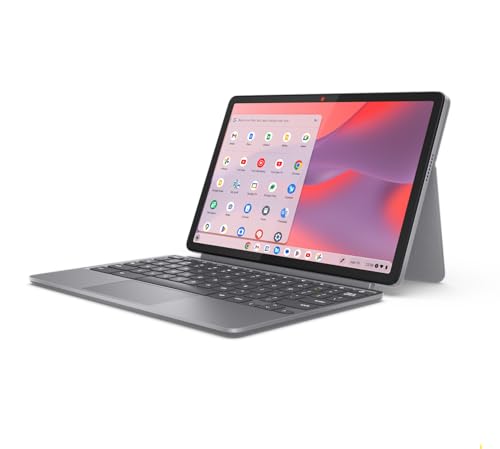
Lenovo Chromebook Duet 11
$477 • Sold by Amazon AU
A 510g tablet with a kickstand and folio that works as a small laptop. A top-10 2-in-1 on Amazon AU, and the right answer for a kid, a couch or a carry-on. ChromeOS means no Windows updates grinding in the background and very little to go wrong.
Watch out for: Too small for all-day typing, and the pen is extra. Check the listing includes the keyboard before you buy.
OS: ChromeOS • Screen: 10.95in FHD touch • Storage: 128GB eMMC • Weight: 510g • Rank: #10 in 2-in-1 Laptops
View on Amazon AULenovo Chromebook 14 (Kompanio 540)
$397 • Sold by Amazon AU
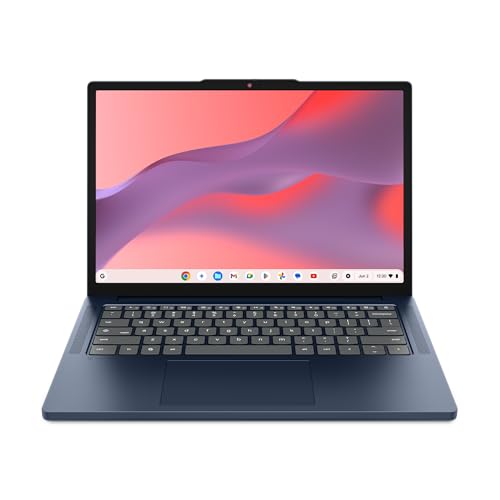
A proper 14-inch laptop at $397, with a 1920x1200 anti-glare screen and military-standard durability testing. 4GB of RAM sounds thin, but ChromeOS is built for it. This is what I point parents to for school work.
Watch out for: Chromebooks run Android and web apps, not Windows software. Check any school or work program you need runs on ChromeOS first.
OS: ChromeOS • Screen: 14in 1920x1200 IPS • RAM: 4GB • Storage: 128GB • Rank: #28 in Traditional Laptops
View on Amazon AUASUS Chromebook CM14
$559 • Sold by Amazon AU
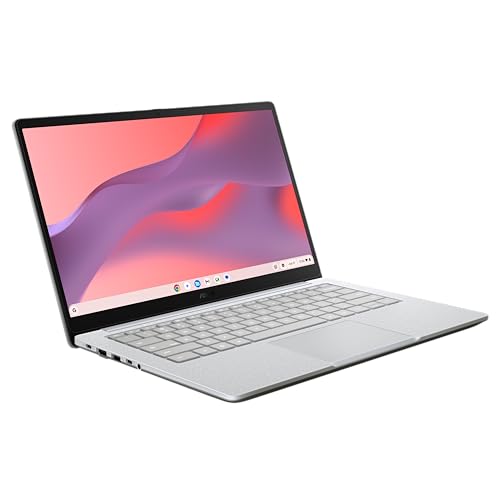
Much the same class as the Lenovo, with one thing it lacks at this price: HDMI, alongside two USB-C and a USB-A port. If it is going to plug into a TV or a monitor at a desk, this is the Chromebook to get.
Watch out for: Same ChromeOS software caveat. Storage is eMMC, fine for ChromeOS but not a Windows machine.
OS: ChromeOS • Screen: 14in FHD • RAM: 4GB • Storage: 128GB eMMC • Ports: HDMI, 2x USB-C • Rank: #643 in Traditional Laptops
View on Amazon AUDell Latitude 7420 Touch (Refurbished)
$449 • Sold by Tech Factory Australia
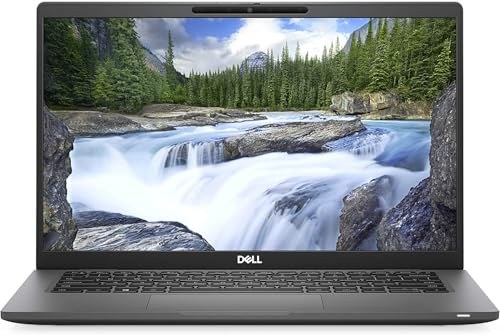
An ex-business Dell with an 11th-gen Core i5, 16GB of RAM and Windows 11 Pro for the price of a new entry-level laptop with a quarter of the memory. Business laptops are built to be serviced, and they come to our workshop with far fewer structural faults than consumer models.
Watch out for: This is refurbished stock: check the battery health and the seller's warranty terms on the listing. 256GB fills quickly.
OS: Windows 11 Pro • CPU: Core i5-1135G7 • RAM: 16GB • Storage: 256GB SSD • Screen: 14in FHD touch • Rank: #216 in Traditional Laptops
View on Amazon AUASUS Vivobook Go 15 (Pentium, 8GB)
$799.00 • Sold by Amazon AU
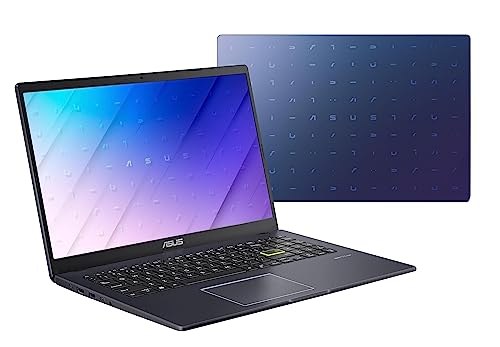
The cheapest new Windows laptop I would put my name to: a 15.6-inch screen, 8GB of RAM and a real SSD. Fine for email, browsing, documents and streaming, and it keeps selling in its category for a reason.
Watch out for: The Pentium Silver chip is slow for anything heavier. It ships in Windows S mode, which only runs Microsoft Store apps; switching out is free but one-way.
OS: Windows 11 Home (S mode) • CPU: Pentium Silver N6000 • RAM: 8GB • Storage: 256GB SSD • Screen: 15.6in FHD • Rank: #224 in Traditional Laptops
View on Amazon AULenovo IdeaPad Slim 3x (Snapdragon X)
$1,098 • Sold by Amazon AU
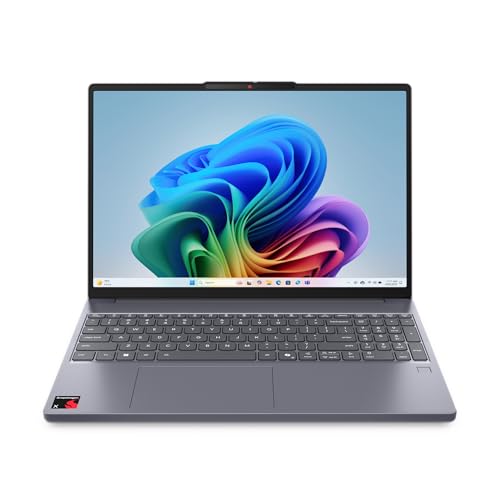
A metal-bodied 15.3-inch laptop with 16GB of RAM, a 512GB SSD and a Qualcomm Snapdragon X chip, which gives it the best battery life on this list by a distance. Windows on Arm is now good enough that most people will never notice.
Watch out for: Some older programs, games and printer or scanner drivers do not run on Arm Windows. If you rely on a specific piece of software, check it first. Amazon AU showed this one as temporarily out of stock on 19 October, so delivery may be a wait.
OS: Windows 11 Home (Arm) • CPU: Snapdragon X • RAM: 16GB • Storage: 512GB SSD • Screen: 15.3in WUXGA • Rank: #487 in Traditional Laptops
View on Amazon AUASUS Vivobook Go 15 (Ryzen 5, 16GB)
$999.00 • Sold by Computer Alliance Pty Ltd
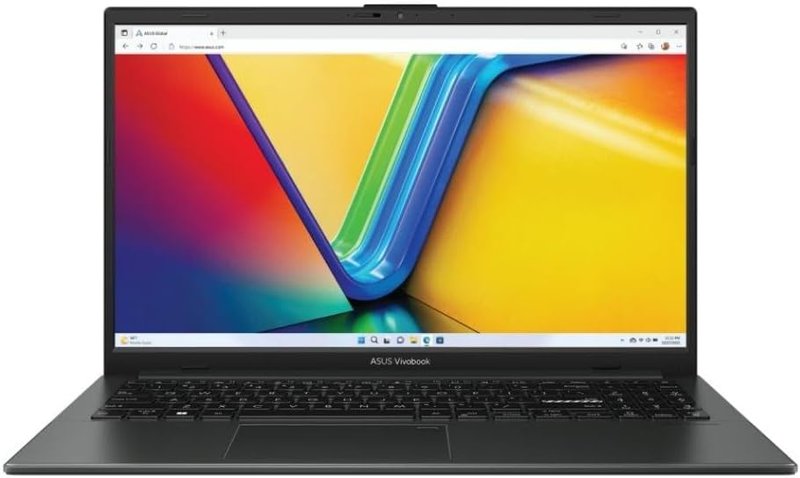
The pick if you want 16GB of RAM in a new Windows laptop without crossing $1,000. A Ryzen 5 7520U, 16GB of RAM and a 512GB SSD behind a 15.6-inch Full HD IPS screen is a comfortable spec for this page, and it is the same chip as the Lenovo IdeaPad Slim 3 below with twice the memory. The listing also quotes WiFi 6E and Windows 11 Home. It sits at #295 in Traditional Laptops on Amazon AU.
Watch out for: It is sold by Computer Alliance Pty Ltd, an Australian seller, rather than by Amazon AU itself, and at $999 it has little room left under $1,000. The listing does not state weight, ports or battery life, and it does not say the memory can be expanded, so check the current listing if any of those matter to you.
OS: Windows 11 Home • CPU: AMD Ryzen 5 7520U • RAM: 16GB • Storage: 512GB SSD • Screen: 15.6in FHD IPS • Wi-Fi: WiFi 6E • Rank: #295 in Traditional Laptops
View on Amazon AULenovo IdeaPad Slim 3 (Ryzen 5, 512GB)
$799.00 • Sold by Amazon AU
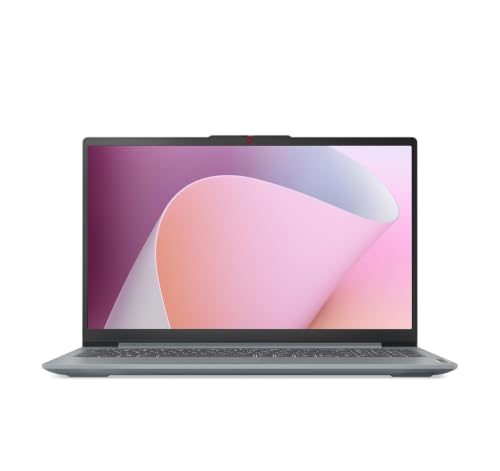
The pick for someone who wants an ordinary Windows laptop with a proper drive in it, not a Chromebook. A Ryzen 5 7520U, 8GB of RAM and a 512GB SSD is a more comfortable spec than most of what this page can offer in new Windows machines. Lenovo lists a 2-in-1 fingerprint sensor, a camera with a privacy shutter and Rapid Charge Boost, which it says gives two hours of use from a 15-minute charge.
Watch out for: At 15.6 inches this is not the small, light option, so it suits a desk and the occasional trip rather than a bag carried every day. 8GB of RAM is the ceiling here and the listing does not say it can be expanded, so buy it as the machine it is. The ASUS Vivobook Go 15 (Ryzen 5, 16GB) above is the same chip with 16GB if memory matters more than price.
OS: Windows 11 Home • CPU: AMD Ryzen 5 7520U • RAM: 8GB • Storage: 512GB SSD • Screen: 15.6in FHD • Model: 82XQ00VCAU • Rank: #35 in Traditional Laptops
View on Amazon AUSide-by-side comparison
| Product | OS | CPU | RAM | Storage | Screen | Price | Best for |
|---|---|---|---|---|---|---|---|
| Lenovo Chromebook Duet 11 | ChromeOS | Kompanio 838 | 4GB | 128GB eMMC | 10.95in FHD touch | ~$477 | Kids, travel, couch |
| Lenovo Chromebook 14 | ChromeOS | Kompanio 540 | 4GB | 128GB | 14in 1920x1200 | ~$397.00 | School work |
| ASUS Chromebook CM14 | ChromeOS | Kompanio 540 | 4GB | 128GB eMMC | 14in FHD | ~$559 | Desk and TV use |
| Dell Latitude 7420 Touch (Refurbished) | Windows 11 Pro | Core i5-1135G7 | 16GB | 256GB SSD | 14in FHD touch | ~$449 | Most laptop per dollar |
| ASUS Vivobook Go 15 (Pentium, 8GB) | Windows 11 (S mode) | Pentium Silver N6000 | 8GB | 256GB SSD | 15.6in FHD | ~$799.00 | Email and browsing |
| Lenovo IdeaPad Slim 3x (Snapdragon X) | Windows 11 (Arm) | Snapdragon X | 16GB | 512GB SSD | 15.3in WUXGA | ~$1,098 | Battery life |
| ASUS Vivobook Go 15 (Ryzen 5, 16GB) | Windows 11 | Ryzen 5 7520U | 16GB | 512GB SSD | 15.6in FHD | ~$999.00 | 16GB for the money |
| Lenovo IdeaPad Slim 3 (Ryzen 5, 512GB) | Windows 11 | Ryzen 5 7520U | 8GB | 512GB SSD | 15.6in FHD | ~$799 | Everyday Windows |
Three mistakes I see in the workshop
Buying Windows with 4GB of RAM. It is the most common “my new laptop is faulty” job we see, and there is nothing to fix. Spend the extra on 8GB, or buy a Chromebook.
Filling a 64GB drive. Windows updates alone can need more space than a small eMMC drive has free. Once it is full, updates fail and the machine crawls.
Not backing up. Budget laptops fail like any other, and a dead drive with no backup turns into a data recovery job. Turn on OneDrive or Google Drive sync on day one.
Frequently asked questions
How much RAM does a budget laptop need?
8GB is the minimum for Windows 11 and 16GB is what I recommend if you want it to last. Windows on 4GB of RAM spends much of its time shuffling memory to the SSD, which is why so many cheap laptops feel slow from day one. Chromebooks are the exception: ChromeOS is light enough that 4GB is genuinely fine for browsing, email and school work.
Is a Chromebook good enough instead of a Windows laptop?
For browsing, email, Google Docs, streaming and most school work, yes, and it is cheaper, faster at that price and far less likely to slow down over time. The limit is software: Chromebooks run web and Android apps, not Windows programs. If you need a specific Windows program, such as accounting software or a particular game, buy Windows.
Is a refurbished laptop worth it?
An ex-business laptop from a reputable refurbisher is often the best value at this price, because you get a much better processor and more RAM than a new budget model. Check the battery health, the warranty length and who you would send it back to. Business models like the Dell Latitude are also easier to repair, which matters once the warranty ends.
What is Windows S mode and should I switch out of it?
S mode is a locked-down version of Windows 11 that only runs apps from the Microsoft Store. It is a little safer and a little faster, but it will stop you installing Chrome, many printer utilities and plenty of everyday software. Switching out is free and takes a couple of minutes in Settings, but you cannot switch back, so it is a decision worth making once.
Why is my cheap laptop so slow?
Usually not enough RAM, a small eMMC drive that is almost full, or Windows updates and background apps fighting for a weak processor. A new laptop can often be fixed by freeing up storage and removing startup programs; our guide to why a laptop gets slow walks through it. If it is an older machine, an SSD upgrade is usually the cheapest meaningful fix.
Related buying guides
Already have a laptop that has slowed down or stopped charging? Our computer repair team on the Central Coast can usually tell you in one visit whether it is worth fixing.