Disclosure: This page contains an affiliate link to amazon.com.au. If you buy through this link we may earn a small commission at no extra cost to you. It does not change which products we recommend, we only suggest gear we’d use ourselves.
ECOWITT
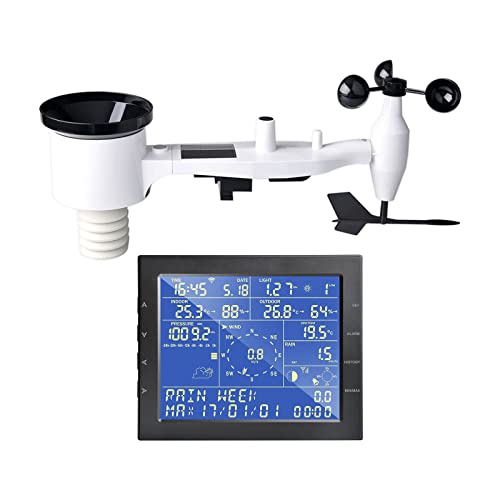
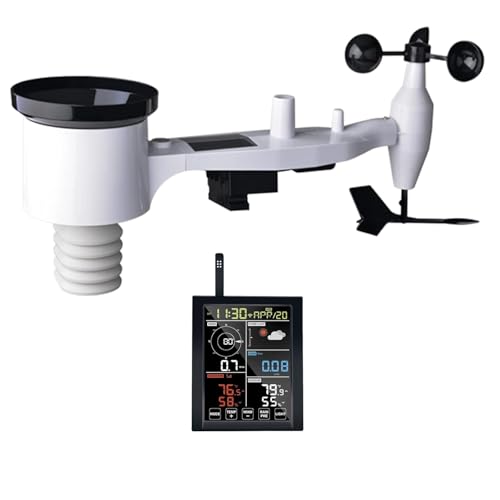
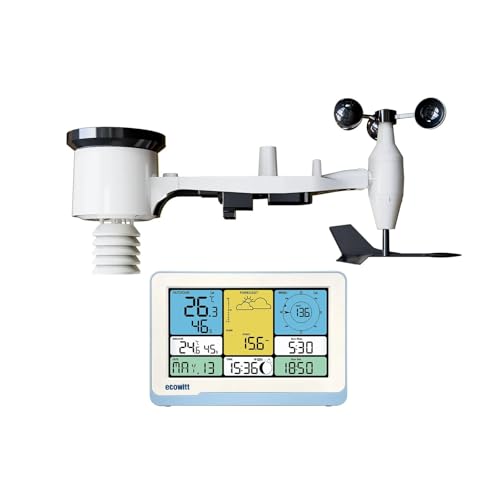
ECOWITT Wi-Fi Weather Station Combo WS3820, Includes WS69 Outdoor Sensor Array and WS3820 Indoor 7.5'' Large Color LCD Display Console, IOT Intelligent Linkage Control, 433 MHz
$199.99
Price from Amazon · may vary
Buy on Amazon ↗
Questions? Ask at our Erina workshop
Key Features
- 【ECOWITT WiFi Weather Station Combo Indoor Outdoor】This weather station kit includes a WS69 outdoor sensor array and a WS3820 indoor 7.5'' color LCD console.
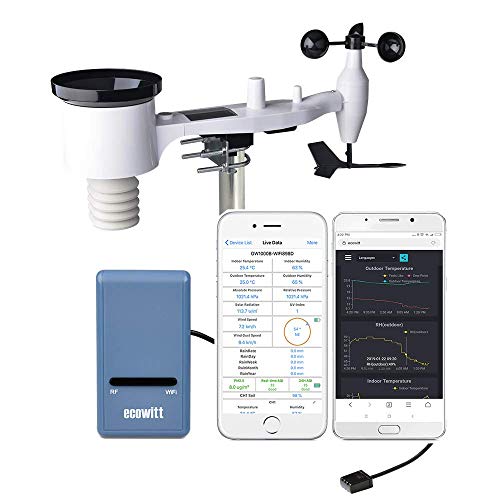
- 【Multi-functional WS69 Wireless Outdoor Sensor】The WS69 outdoor sensor array is equipped with Thermo-hygrometer / Rain Gauge / Wind Speed Sensor/ Wind Direction Sensors / Light and UV sensor / Solar panel. Compared with the WN67 weather sensor, WS69 can be powered by 2 pcs AA batteries(NOT included) and powered by solar energy. Easy to mount. Wireless transmission distance is up to 100m/33ft. The sensor reporting interval is 16 seconds.
- 【7.5'' Color LCD IoT-Supported Console】The WS3820 indoor display console, the Ecowitt latest developed display console, has a built-in indoor temperature/humidity sensor and barometric pressure sensor. WS3820 supports connecting to a 2.4 GHz Wi-Fi network for viewing data from anywhere on your phone, tablet, and computer browser, all for free. The WS3820 can be used not only as a Wi-Fi gateway to support the reception of the Ecowitt sensors' data but also as an IoT gateway to pair with the Ecowitt IoT devices, such as the WFC01 watering timer and the AC1100 smart outlet plug. The WS3820 can pair with up to 16 IoT devices. (The WFC01 and the AC1100 are sold separately.)
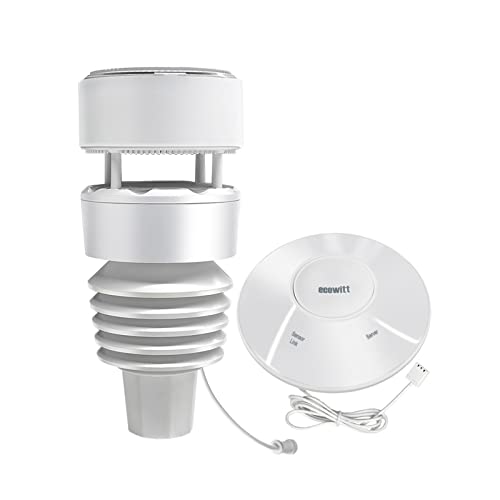
- 【What Sensor Data Can be Displayed on the WS3820】Except for the WS69 outdoor sensor array, the WS3820 display console can also pair with these sensors and display their data on its color display: 1 × WS90 outdoor compact sensor array, 1 × WS80 ultrasonic anemometer sensor, 1 × WS68 anemometer sensor, 1 × WH40 rain gauge sensor, 1 × WN32 outdoor thermo-hygrometer sensor, 1 × WN32P indoor thermo-hygrome-barometric pressure sensor, 1 × WH45/WH46 air quality sensor, 8 × WN31/WN30/WN36 sensors. (These sensors are sold separately.)
- 【About the Display Priority】If you own the WN32 outdoor sensor, WS90, WS80, and WS69 sensors at the same time and all of them connect with the WS3820, the WS3820's outdoor temperature and humidity section display priority is successively WN32, WS90, WS80, and WS69. If you own the WS90, WS80, WS68, and WS69 at the same time, the WS3820's wind speed/direction section display priority is successively WS90, WS80, WS68, and WS69.
- 【These Sensor Data Can Only be Uploaded to the Cloud】The WS3820 display console can pair with these sensors and upload their data to the cloud server, but CAN NOT display their data on screen: 1 × WH57 lightning detector sensor, 4 × WH41/WH43 PM2.5 detector sensors, 4 × WH55 water leak detector sensors, 8 × WH51/WH51L soil moisture sensors, 8 × WN34L/WN34D/WN34S sensors, 8 × WN35 leaf wetness sensors. (These sensors are sold separately.)
- 【Easy to Wi-Fi Configuration & Support Upload the Data to Internet】There are two options to finish Wi-Fi configuration: The Ecowitt APP and the web page(192.168.4.1) (The WS3800/WS3820 user manual will guide you on how to finish the Wi-Fi configuration in detail). Support uploading data to the weather station server after connecting to the Wi-Fi network: ecowitt.net/wunderground/weathercloud/wow.metoffice.gov.uk or customized servers.
- 【RF Frequency】433 MHz
Need help with your tech?
iFix Electronics is a Central Coast (NSW) repair shop with 16+ years' experience. If you need hands-on help, our team can sort it.