Prices from Amazon AU, updated daily. Swipe or use the arrows for more.
Disclosure: This article contains affiliate links to amazon.com.au. If you buy through one of these links iFix may earn a small commission at no extra cost to you. It doesn't change which products we recommend. We focus on what actually lasts based on 16 years of repair-shop experience.
Quick summary8 picks
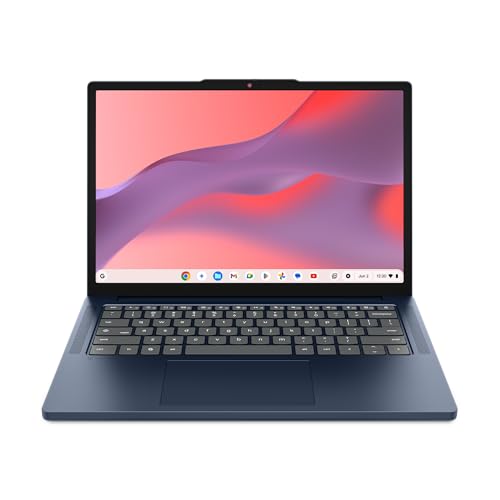
- Entry PickLenovo Chromebook 14M8911 about$6478GB RAM, 128GB storage, 14" touch screen.
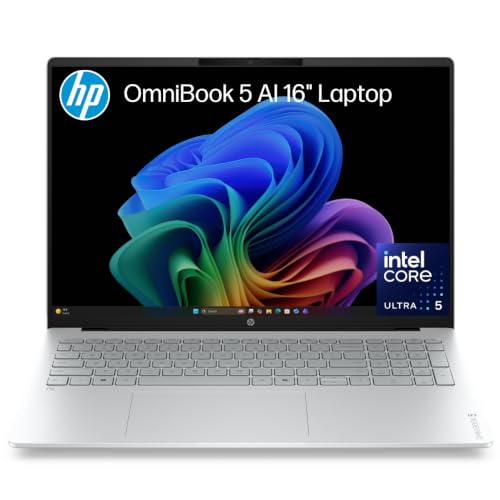
- HP OmniBook 5 16" OLED about$1,49716GB RAM, 512GB SSD, 16" screen.
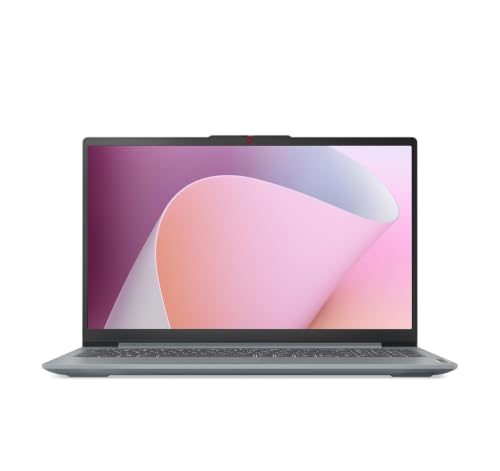
- Lenovo IdeaPad Slim 3 15AMN8 15.6 Inch FHD… about$1,2998GB RAM, 512GB SSD.
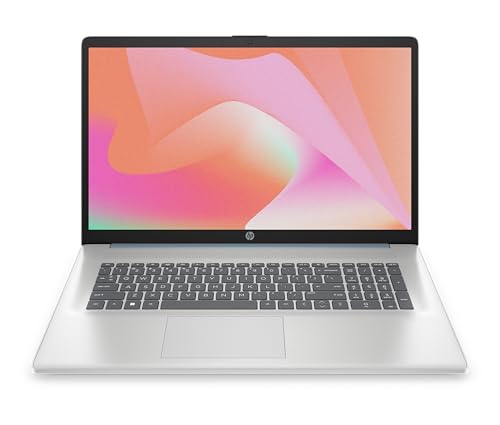
- HP 17.3" Laptop about$1,99916GB RAM, 512GB SSD, 17.3" screen.
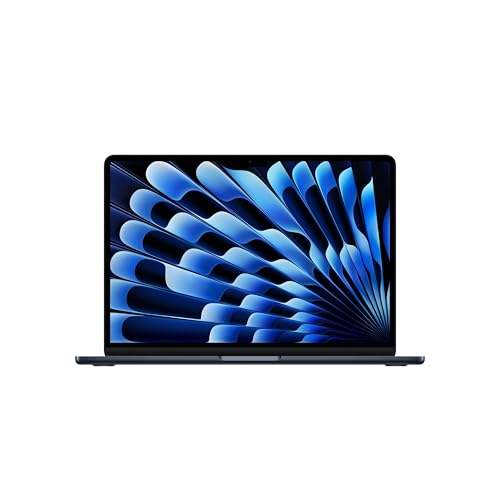
- Apple 2026 MacBook Air about$2,04916GB RAM, 1TB SSD, 13.6" screen.
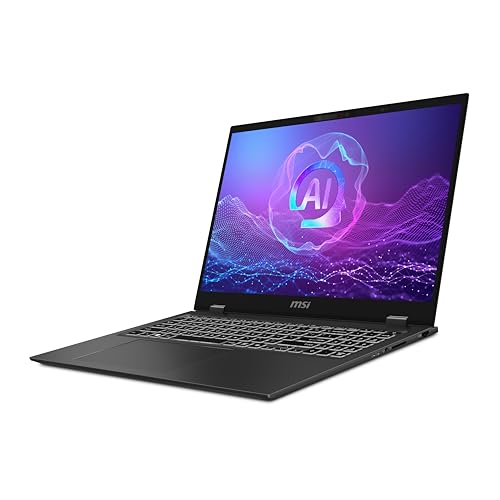
- MSI Prestige 16 AI+ Evo about$3,290.9232GB RAM, 1TB SSD, 16" screen.
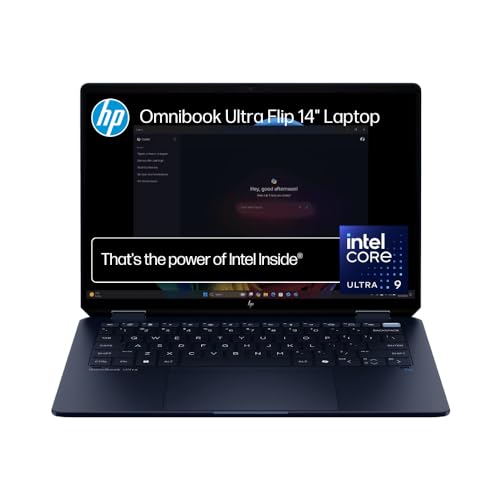
- HP OmniBook Ultra Flip AI 14-inch about$3,348.2132GB RAM, 1TB SSD, 14" screen.
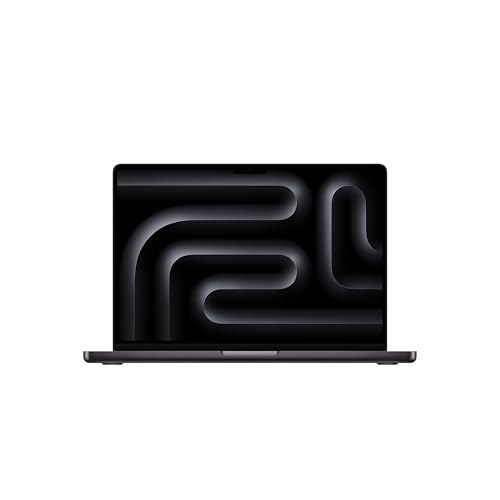
- Most PremiumApple 2026 MacBook Pro about$4,64724GB RAM, 2TB SSD, 14" screen.
Price watch
Prices checked 2 Nov 2026, 4:38amEach pick's Amazon AU price today, next to the lowest price iFix has tracked for that listing. We check every morning, so you can tell a genuine low from a normal price with a sale badge on it.
| Pick | Today | Lowest tracked | Verdict | |
|---|---|---|---|---|
| Lenovo Chromebook 14M8911 | $647 | $487 | Above its recent low | Check price |
| HP OmniBook 5 16" OLED | $1,497 | $1,439.99 | Close to its low | Check price |
| Lenovo IdeaPad Slim 3 15AMN8 15.6 Inch | $1,299 | $764.83 | Above its recent low | Check price |
| HP 17.3" Laptop | $1,999 | $1,659.17 | Above its recent low | Check price |
| Apple 2026 MacBook Air | $2,049 | $2,049 | Lowest we've tracked | Check price |
| MSI Prestige 16 AI+ Evo | $3,290.92 | $2,799 | Above its recent low | Check price |
| HP OmniBook Ultra Flip AI 14-inch | $3,348.21 | $3,058.14 | Above its recent low | Check price |
| Apple 2026 MacBook Pro | $4,647 | $4,647 | Steady price | Check price |
Lowest tracked means the lowest Amazon AU price iFix has recorded for that listing since 15 September 2026, not an all-time low. A verdict appears once a listing has 14 days of history and a live Buy Box offer. Prices change through the day; Amazon's checkout price is the one that counts. Every laptop we track, by price. See every tracked price drop.
Why this matters now
Most "best laptop" lists are written by people who have never opened one after it failed. I have opened thousands. The single most useful thing a repair bench teaches you is which machines come back, and a business laptop that comes back at the wrong moment does not just cost a repair. It costs the work you could not do while it was on my bench.
The timing matters because more Australians than ever are staking an income on that one machine. Company insolvencies hit a record 16,800 in the 2024–25 financial year, up 68% on 2019, and new business registrations are running at record highs as people pivot from a payslip to working for themselves. At the same time real household disposable income sits 3.8% below its 2019 level. The money is tighter, so the temptation to save $1,500 on the low-cost laptop is stronger than ever. Those figures come from ABS and RBA published data, and they sharpen the point rather than soften it: when the buffer is thin, a false economy hurts more, not less. A $900 laptop that dies eighteen months into a contract is the expensive option once you count the replacement, the lost days and the recovery job to get your files back.
This is deliberate counter-programming against our own budget-laptops guide. That guide is honest about where the value floor sits for a student or a second machine. This one is about the tool you run a business on, where the calculus is different: buy the machine that stays working, because the downtime is the real bill.
What separates a business laptop from a consumer one
The price gap is not the badge. It is a handful of things that decide whether the machine is still yours in five years or a warranty claim in two.
- Chassis and hinge. The fault we see most on consumer laptops is a cracked hinge and a wobbling screen by year two, because the plastic around the hinge mount fatigues. Business machines use magnesium, aluminium or carbon fibre with metal hinge mounts that survive a few thousand open-close cycles and a life in a bag.
- Keyboard and spill resistance. A business keyboard is rated for millions of keystrokes, and the better ones drain a spilt coffee out the bottom of the chassis instead of into the board. On a consumer laptop, a spill is often a new logic board.
- Battery quality and swelling. Low-cost cells swell. A swollen battery lifts the trackpad, bows the case and, left long enough, becomes a fire risk. Better cells and better charge management on business machines push that failure out past the useful life of the laptop.
- Soldered versus serviceable memory and storage. On current thin business machines the memory is usually soldered down, which is faster but fixed forever, so you buy your headroom on day one. Storage is more often a standard M.2 drive, and that is the one part you may be able to grow later. Check the exact configuration before you pay, because the same model line often ships both ways.
- Total cost of ownership. Do the division. A $900 laptop replaced at year two is $450 a year. A $2,800 machine that runs five years is $560 a year on paper, but it does not lose you a fortnight of billable work, and it holds resale value, so the real figure lands lower. Sticker price is the worst way to compare laptops you work on.
- Warranty and Australian Consumer Law. All of these ship with a one-year warranty, but Australian Consumer Law guarantees a "reasonable" life for the price paid. For a laptop over $2,600, that reasonable life is measured in years, not months. Keep the invoice.
The four picks, by what you actually do
Prices are checked against Amazon AU every morning and move week to week on premium and imported gear, so treat every figure as "around". The list runs roughly from the most expensive down to the value pick. Two of the four are MacBooks and two are Windows; the split below is by the job, not the logo.
HP OmniBook Ultra Flip AI 14-inch: Core Ultra 9, 32GB, 1TB, 3K OLED touch
Intel Core Ultra 9 · 32GB RAM · 1TB PCIe Gen4 NVMe SSD · 14" 3K OLED touch, 100% DCI-P3 · Wi-Fi 7 · up to 20.5h battery · around $3,348.21 · Ships from Amazon AU
This is the machine I point road warriors at. It is a 14-inch convertible light enough to live in a bag all week, and the parts inside it are the top of HP's current AI PC line rather than the middle of it. The Core Ultra 9 is built around efficiency, which is how HP gets to a claimed 20.5 hours of battery, and on a laptop you fly with, battery hours beat benchmark scores every time. The 3K OLED touch panel covers 100% of DCI-P3, and the machine is verified under Intel's Evo programme, which at least means someone checked how it wakes from sleep and how it charges before it shipped. 32GB of memory and a 1TB PCIe Gen4 NVMe drive are the configuration you want if you are buying once.
The feature that justifies the money. The screen and the hinge, together. A 3K OLED you can fold flat and write on is the difference between marking up a contract in front of the client and emailing it back that night, and the panel is bright and accurate enough to do colour work from a hotel room. The 9MP camera with adaptive lighting matters more than it sounds, because the built-in webcam is the part of almost every laptop that embarrasses people on calls.
What to be sure of. There is no cellular modem in this one, so a dead hotel Wi-Fi still means tethering off your phone. A flip hinge is a moving part, and moving parts are what I see fail, so that is the assembly I would watch across five years. Same for the OLED if you leave one static dashboard on screen at full brightness all day. Run a sensible brightness, let the screen sleep, and it will be fine.
Best for: consultants, executives and anyone billing from airports and client sites, who wants the battery, the panel and a machine that folds flat for signatures and markup.
CPU: Intel Core Ultra 9 with AI acceleration · Memory: 32GB · Storage: 1TB PCIe Gen4 NVMe M.2 SSD · Display: 14" 3K OLED touch, 100% DCI-P3 · Camera: 9MP with adaptive lighting and HDR Auto Switch · Connectivity: Wi-Fi 7, Bluetooth 5.4 · Battery: up to 20.5 hours · Model: B2CP1PA · Warranty: 1 year + Australian Consumer Law
Check current AU price
Apple MacBook Pro 14-inch: M5 Pro (15-core CPU, 16-core GPU), 24GB, 2TB
M5 Pro · 15-core CPU / 16-core GPU · 24GB unified · 2TB SSD · 14.2" Liquid Retina XDR · Thunderbolt 5 · around $4,647 · Ships from Amazon AU
When the work is heavy and sustained, video export, a large codebase, 3D, data science, this is the machine that does not flinch. The M5 Pro pairs a 15-core CPU with a 16-core GPU that now carries a Neural Accelerator in every core, and the active cooling means it holds its performance through a long render rather than sprinting and backing off. The 14.2-inch Liquid Retina XDR panel is a mini-LED display with proper brightness and ProMotion, the six-speaker sound is genuinely good, and battery life on Apple silicon is still class-leading. Three Thunderbolt 5 ports, HDMI and an SD slot mean you are not living in a dongle, and the 2TB drive in this configuration keeps a year of project files local.
From the bench. Everything is soldered, the memory is on the package and the SSD is on the logic board, so nothing upgrades later and, more importantly, a board fault can take your storage with it. The single most useful habit with any MacBook is a Time Machine or cloud backup running in the background. Do that and the reliability is excellent; the faults we see are liquid damage and swollen batteries around year four or five, both fixable at board level.
Best for: creators, developers and analysts who run demanding work for hours at a time and want macOS with headroom, not a machine that throttles under load.
Chip: Apple M5 Pro (15-core CPU, 16-core GPU) · Memory: 24GB unified, soldered · Storage: 2TB SSD, soldered · Display: 14.2" Liquid Retina XDR, ProMotion 120Hz · Ports: 3x Thunderbolt 5, HDMI, SDXC, MagSafe 3 · OS: macOS · Warranty: 1 year + Australian Consumer Law
Check current AU price
MSI Prestige 16 AI+ Evo B2VMG-025AU: Core Ultra 7 258V, 32GB, 1TB, 16" UHD+ OLED
Intel Core Ultra 7 258V · 32GB LPDDR5x · 1TB SSD · 16" UHD+ OLED · Intel Arc graphics · Windows 11 · around $3,290.92 · Ships from Amazon AU
Screen area changes a working day more than any benchmark does, and this is the biggest and by a wide margin the sharpest panel in the list. Prestige is MSI's business and productivity line rather than its gaming one, and a 16-inch UHD+ OLED means you can put two full documents side by side and still read both without leaning in. MSI pairs it with 32GB of LPDDR5x and a 1TB SSD, which is the combination that stops you closing tabs and deleting files to keep working. The Core Ultra 7 258V sits at the efficient end of Intel's current range, and the Evo badge means Intel verified how the machine wakes, charges and holds battery rather than MSI simply asserting it.
Read the spec honestly. The 32GB is LPDDR5x, which is soldered by design, so this is a buy-once decision and 32GB is what you keep. Graphics are Intel Arc integrated with no discrete GPU, so treat it as a documents, spreadsheets and browser machine rather than a rendering or CAD one. It also ships with Windows 11 rather than Windows 11 Pro, which matters if your workplace needs domain join or the Pro-only management tools, so check that before you buy rather than after.
From the bench. A 16-inch laptop mostly lives on a desk, and that is quietly good for how long it lasts. The machines I see with cracked hinges, bowed chassis and worn charge ports are the ones carried open in a bag five days a week, not the ones that sit on a desk and travel occasionally. The thing to watch is the same as on any OLED: a faint ghost of a taskbar or a docked toolbar after thousands of hours in one spot at full brightness. Run a sensible brightness, let it sleep, and the panel will outlast the rest of the machine.
Best for: accountants, analysts, writers and anyone who works across two or three windows at once and wants the screen area and the memory to do it, on a machine that mostly stays at one desk.
CPU: Intel Core Ultra 7 258V · Graphics: Intel Arc integrated, no discrete GPU · Memory: 32GB LPDDR5x, soldered · Storage: 1TB SSD · Display: 16" UHD+ OLED · Platform: Intel Evo verified · OS: Windows 11 · Model: B2VMG-025AU · Warranty: 1 year + Australian Consumer Law
Check current AU price
Apple MacBook Air 13-inch: M5 (10-core CPU, 10-core GPU), 16GB, 1TB
M5 · 10-core CPU / 10-core GPU · 16GB unified · 1TB SSD · 13.6" Liquid Retina · fanless · up to 18h battery · around $2,049 · Ships from Amazon AU
For the large majority of business buyers, this is the machine to default to. The M5 is quick enough for email, documents, a wall of browser tabs, back-to-back video calls and light creative work, and this configuration pairs it with a 1TB drive instead of the small base storage, which is where most people actually run out of room. It sits at the bottom of this list on price and, for what most people do, it will not feel like a compromise. If your budget stretches to a 24GB memory option, take it: the memory is soldered, so 16GB is what you keep for the life of the machine.
The reliability angle nobody markets. The Air is fanless. No fan means no fan to seize and no vent to clog with dust, which removes one of the most common causes of the slow, hot, throttling laptop we see in the workshop. It is a genuine longevity advantage in a dusty office or a home desk near a window.
Where it stops. Fanless also means that under a sustained heavy load, a long 4K export, hours of compiling, it will eventually throttle to manage heat. For that kind of work, step up to the 14-inch Pro above. As with every MacBook, the memory and storage are soldered, so buy the storage you will need up front and keep a backup running. Weighing this against holding onto an older Mac? Our take on upgrading an old MacBook instead of buying new is worth a read first.
Best for: the everyday business machine, owners, managers, admin and knowledge workers, where silence, battery life and a machine that stays fast for years matter more than peak sustained power.
Chip: Apple M5 (10-core CPU, 10-core GPU) · Memory: 16GB unified, soldered · Storage: 1TB SSD, soldered · Display: 13.6" Liquid Retina · Cooling: fanless · Ports: 2x Thunderbolt 4, MagSafe, headphone jack · Battery: up to 18 hours · Warranty: 1 year + Australian Consumer Law
Check current AU priceSide-by-side comparison
Prices are approximate and move week to week. Treat all four as fixed at the configuration you buy, so choose your headroom carefully.
| Product | Price | Best for |
|---|---|---|
| Lenovo Chromebook 14M8911 | ~$647 | ChromeOS only, no Windows apps: web-based work on the smallest budget |
| Lenovo IdeaPad Slim 3 15AMN8 15.6 Inch FHD… | ~$1,299 | A basic Windows desk machine with a fingerprint reader and a camera shutter |
| HP OmniBook 5 16" OLED | ~$1,497 | A 16-inch OLED screen and 16GB of memory without the premium price |
| HP 17.3" Laptop | ~$1,999 | The biggest screen here, 17.3 inches, for desk-bound work |
How to make one of these last
A business laptop earns its price only if you get the years out of it. The habits that matter, from the bench:
- Buy the memory and storage you need now. Assume the configuration you order is the configuration you keep. On a machine you work on daily, 32GB is the difference between one that still feels fast in year four and one that pages to disk. Do not save $200 here.
- Run a backup from day one. On the soldered machines especially, storage failure means data loss. Time Machine, a cloud sync, or both. It is the lowest-cost insurance you will ever buy.
- Mind the battery, do not chase 100%. Leaving a laptop plugged in at full charge and hot all day is what swells batteries early. Use the battery-health or charge-limit setting if the machine has one.
- Keep it out of the bag when it is hot. Sliding a laptop that has just finished a heavy task into a padded sleeve traps the heat against the battery. Let it cool for a minute.
- Use the Consumer Law claim on an import. An overseas brand does not remove your rights. Australian Consumer Law follows the sale, so keep the invoice and use it if something major fails inside a few years.
Common mistakes from the repair shop
The business laptops that end up on my bench early usually got there through a buying or usage decision, not bad luck. The ones worth avoiding:
- Buying on sticker price for a machine you work on. The lowest-cost laptop is rarely the least expensive to own. Cost it per year of use, and count the downtime.
- Skimping on soldered RAM to save a little now. You cannot add it later. A 16GB sealed machine bought to save $200 is the slow laptop of year three.
- No backup on a soldered-storage laptop. When the board fails, the data goes with it. This is the job I most wish people had avoided, because it was avoidable.
- Ignoring a swelling battery. A trackpad that has started to lift or a case that no longer sits flat is a swollen cell. Stop using it and get it replaced. It only gets worse, and it is a fire risk.
- Treating the one-year warranty as the limit. For a machine at this price, Australian Consumer Law reaches well past twelve months. People write off fixable, claimable faults because a card said "one year".
Which one is right for you?
- The everyday business machine most people should buy? MacBook Air 13-inch M5, 16GB and 1TB. Silent, fanless, fast for years.
- Live out of airports and client sites? HP OmniBook Ultra Flip AI 14-inch at around $3,342, for the battery, the OLED panel and the fold-flat hinge.
- Sustained heavy creative or development work? MacBook Pro 14-inch M5 Pro at around $4,647, for cooling that holds performance under load.
- Want the biggest, sharpest screen to work across? MSI Prestige 16 AI+ Evo, a 16-inch UHD+ OLED with 32GB and a 1TB drive.
- Shopping for a student or a second machine instead? Start with the budget-laptops guide or our budget laptop advice, different job, different maths.
- Not sure you even need a laptop? A keyboard-and-pen tablet can stand in for one. See our premium Android tablet picks and where a tablet does and doesn't replace a laptop.
Frequently asked questions
Is a $4,000 business laptop actually worth it over a $900 one?
For a machine you earn a living on, usually yes, and the maths is the reason. A $900 consumer laptop bought for contract work tends to land on our bench inside two years with a swollen battery, a cracked hinge or a worn charge port, and it gets replaced. A business-tier machine that lasts five years costs less per year of use even at four times the sticker price, and it does not fail in the middle of a deadline. The premium buys sustained performance, a chassis rated for daily travel, and a battery and keyboard built to a different standard. If the laptop is a hobby, spend less. If it pays your invoices, buy once.
Can I upgrade the RAM and SSD in these laptops later?
Treat all four as fixed at the configuration you buy. Both MacBooks have the memory and the storage built into the chip and the logic board, so nothing changes after purchase. The MSI's 32GB is LPDDR5x, which is soldered by design, so that is permanent as well. Both Windows machines here ship with 32GB and a 1TB drive, and storage is the one part that is sometimes replaceable later, but never buy on the assumption that it will be. The safe assumption is that what you order is what you keep for five years. Buy the memory you will want in year four rather than the memory that runs today's workload, and put the money there instead of into a faster processor you will never notice.
MacBook Air or MacBook Pro for business use?
For most business users the MacBook Air 13-inch with M5 is the right buy. It handles email, documents, video calls, a wall of browser tabs and light creative work in silence, and being fanless there is no fan to fail and no vent to clog with dust, which is one less failure mode we see. Step up to the 14-inch MacBook Pro with M5 Pro only if you run sustained heavy loads: long video exports, large codebases, 3D or data work. The Pro will not throttle under an hour-long render the way a fanless Air eventually does. Pay for the Pro when your work actually needs it, not by default.
Is a 16-inch laptop too big to carry?
It depends on whether you carry it open or closed, and how often. A 16-inch machine like the MSI Prestige is a desk laptop that travels sometimes, not one you work on from an economy seat, and honestly that is good for how long it lasts. The laptops I see with cracked hinges, bowed chassis and worn charge ports are almost always the ones carried open in a bag five days a week. If you spend most of your week at one desk and want the screen area, buy the 16-inch and accept that it needs a bag with a real sleeve. If you are in a different client office every second day, the 14-inch HP is the one that will still be straight in year five.
Does Australian Consumer Law cover a laptop after the 1-year warranty ends?
Yes. The manufacturer's 1-year warranty is a floor, not a ceiling. Australian Consumer Law guarantees that goods last a reasonable period for the price paid, and for a laptop costing $2,400 to $4,800 a court would expect well more than twelve months before a major component fails. If the motherboard, display or storage dies at eighteen months or two years, you have legitimate grounds for repair, replacement or refund regardless of what the warranty card says. Keep your tax invoice, put any fault in writing, and cite the consumer guarantees when you contact the retailer.
Should I worry about OLED burn-in on these laptops?
It is worth knowing about, not worth losing sleep over. OLED panels can retain a faint ghost of static elements, a taskbar, a docked toolbar, after thousands of hours of the same image sitting in the same spot at high brightness. In practice, over a typical five-year business life with auto-hiding taskbars, a screen that dims and sleeps, and mixed content, we rarely see meaningful burn-in on a laptop. Run the panel at a sensible brightness, let it sleep, and it will be fine. If you leave one static dashboard on screen at full brightness ten hours a day, a non-OLED panel is the safer choice.
Are the MacBooks a problem to repair since everything is soldered?
They are harder to repair than the two Windows machines here, but not unrepairable, and the reliability is high to begin with. Because the storage lives on the logic board, a board fault can take your data with it, so the single most important thing you can do with any MacBook is keep a Time Machine or cloud backup running. The failures we see on MacBooks are mostly liquid damage and swollen batteries around year four or five, and both are fixable at the board level rather than being a write-off. Buy the storage you need up front, back it up, and it will serve you well.
Do you service these laptops if one fails?
Yes, every brand on this list, at our Erina workshop on the Central Coast. We do board-level repair: charge ports, power circuits, failed RAM and storage, liquid damage and swollen batteries, not just parts-swapping, so a fault most shops quote as a new motherboard is often a component-level fix for us. If a laptop is dying mid-contract we prioritise turnaround, because a business machine sitting on a bench for two weeks is its own cost. We diagnose before we quote, and if the data matters we image the drive before touching anything.
Related buying guides
Business laptop dying mid-contract, or need the data off the old one?
Before you write off a failing work laptop, bring it into our Erina workshop. In my experience, most machines are either economically fixable or still hold a fully recoverable drive, and when your income depends on it, we prioritise the turnaround. We diagnose for free, image before we touch anything, and quote before any paid work. See our pricing guide for what common jobs cost, or walk in to our Erina workshop.
Visit our Erina workshop Book Online