

Prices from Amazon AU, checked 12 August 2026. Drag, swipe or use the arrows.
Disclosure: This article contains affiliate links to amazon.com.au. If you buy through one of these links we may earn a small commission at no extra cost to you. It does not change which products we recommend: we only suggest products we’d genuinely use ourselves.
Quick summary
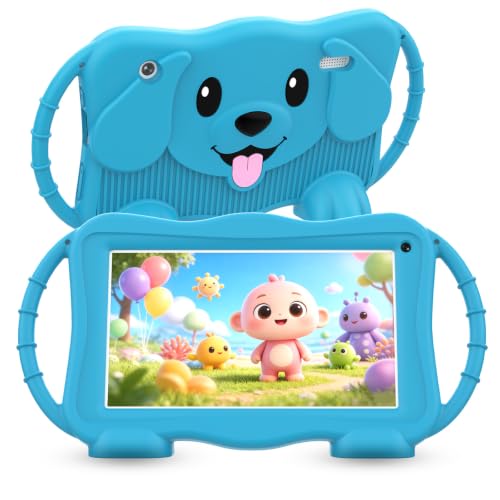
- Ages 3 to 6 who want the character on the lidPebble Gear 7" Disney Frozen Kids Tablet about $89The one small kids ask for by name. Buy it for the bumper and the walled-garden OS, not the performance, and accept it is a two-year device.
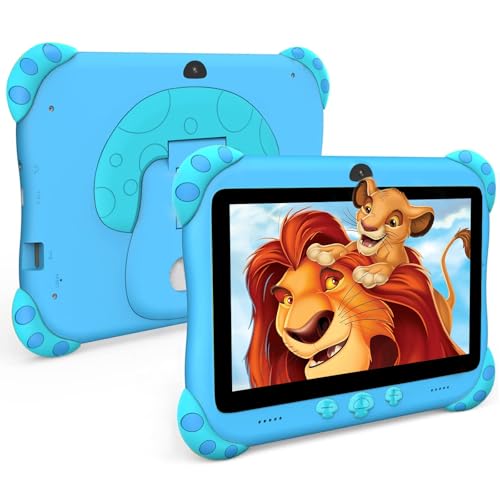
- A first tablet you are willing to see droppedascrecem Kids Tablet 7" Android 15 about $93The best-selling budget kids tablet on Amazon AU and a sensible first device. Running Android 15 rather than a fork matters for app compatibility.
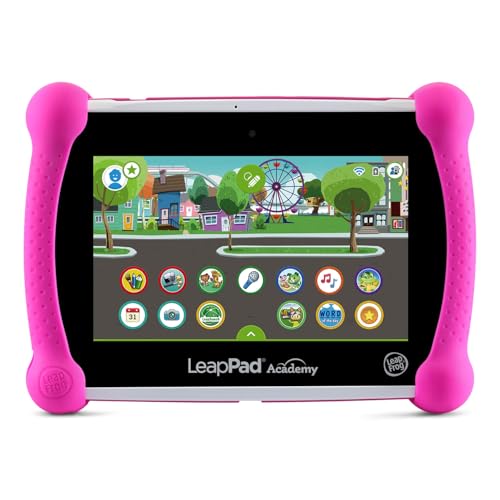
- Structured learning rather than free-range YouTubeLeapFrog LeapPad Academy Kids' Learning Tablet about $190The only true learning tablet in the set and a top-10 seller in Amazon AU's Kids' Tablets category. You are buying the curriculum, not the hardware.
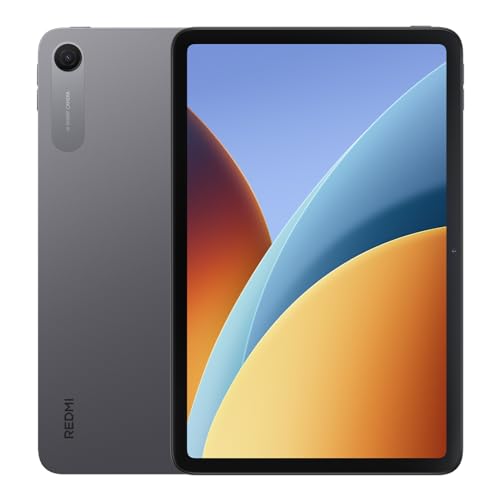
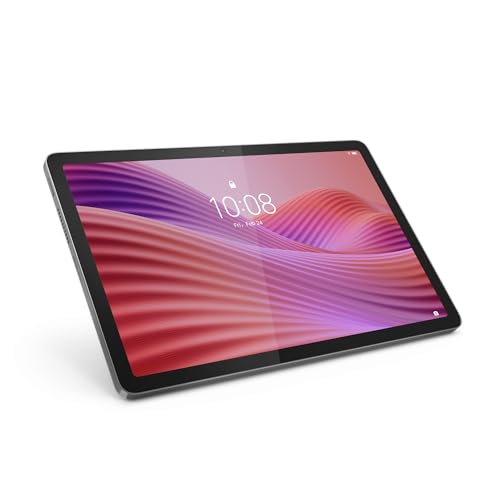
- The step up from a toy tablet to a real oneLenovo Tab One 8.7" 4GB 64GB + Clear Case about $259The pick for most families. A proper Android tablet at a price where a cracked screen is still worth fixing, and Lenovo parts are actually obtainable here.
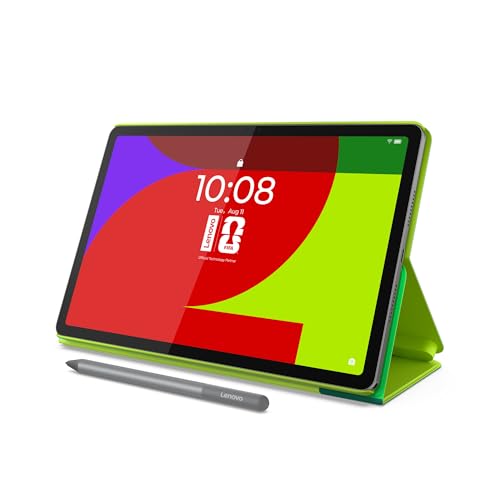
- Football-mad kids who also need a school screenLenovo Idea Tab FIFA Edition 11" 2.5K 90Hz about $298Currently the number two selling tablet on Amazon AU. The FIFA branding is skin deep; underneath it is a genuinely good 11 inch 2.5K panel.
- One tablet shared across a couple of kidsLenovo Tab 10.1" FHD 4GB 128GB + Case about $328Storage and a case in the box, at a size that suits both a seven year old and a teenager. The least compromised choice under $350.
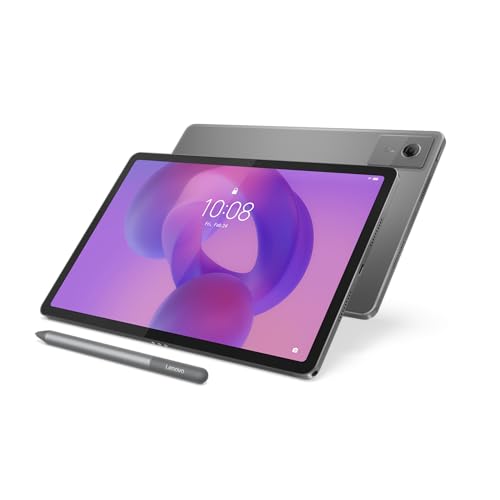
- Handwritten notes, drawing and marking up worksheetsLenovo Idea Tab 11" 2.5K 4GB 128GB + Pen about $377The pen is the point. For a kid who annotates worksheets or draws, an included stylus at this price is unusual and genuinely changes how the tablet gets used.
- Buying once and getting years of updatesSamsung Galaxy Tab A11+ (AU Version) about $449Australian stock with an Australian warranty and Samsung's long software support. Samsung Kids is the best built-in parental mode of anything here.
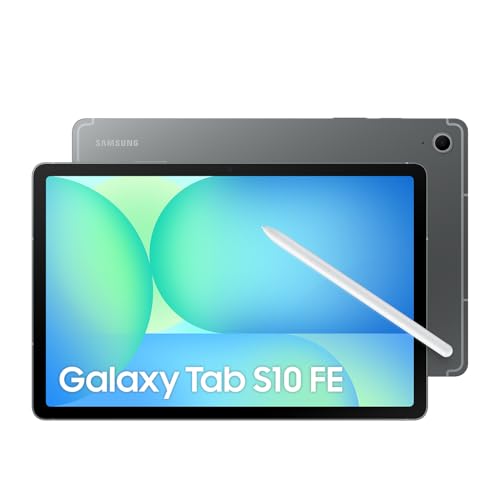
- An older kid who will carry it into high schoolSamsung Galaxy Tab S10 FE (AU Version) about $697Only worth it for a careful older child. Bought at eleven or twelve it can genuinely last through secondary school, which is the only maths that justifies the price.
We fix a lot of tablets at our shop in Erina. A genuinely surprising number of them belong to kids. Cracked screens from being dropped off the couch, digitiser damage from being sat on in a car seat, water damage from a juice box incident at the kitchen table, and we've seen it all. After 16 years of repairing devices and helping families choose replacements, we have strong opinions about which tablets are worth buying for children and which ones are a waste of money.
This guide isn't written by someone who glanced at spec sheets for half an hour. It's written by people who see what actually breaks, what parents bring back for a second repair versus what they replace, and what kids are still happily using a year later. We'll walk you through what matters, what doesn't, and our honest picks at every price point for Australian families in 2026.
What to Look For in a Kids' Tablet
Before you look at any specific model, you need to understand what actually matters in a tablet that's going to be used (and abused) by a child. The priorities are different from buying a tablet for yourself.
- Durability: This is number one and it's not close. A tablet that lives in a child's hands will be dropped, thrown, stepped on, and knocked off tables. You need a device that either has a rugged build or can survive inside a quality case. We see far fewer cracked screens on tablets that shipped with bumper cases than on bare devices handed straight to kids.
- Screen size: For kids under seven, a 7 to 8.7-inch screen is the sweet spot: big enough for educational apps and videos, small enough for little hands. Purpose-built kids tablets are usually 7 inches, and that is fine for the youngest children. For primary school-aged kids (7 to 12) who'll use it for homework and reading, step up to 10 to 11 inches. What we'd steer you away from is a cheap 7-inch general-purpose tablet aimed at adults: the software and support are usually worse than a proper kids tablet of the same size.
- Parental controls: This is non-negotiable. You need the ability to set daily screen time limits, restrict app downloads, filter web content by age, and monitor usage. Both Android (via Google Family Link) and iPadOS (via Screen Time) do this well. Some tablets like Samsung's Kids Edition have an additional dedicated kids mode built in.
- Storage: Kids accumulate apps and downloaded videos fast. 32GB fills up in weeks. We recommend 64GB as a minimum, and ideally look for a microSD card slot so you can expand later without replacing the device. iPads don't have expandable storage, which is their one meaningful downside for kids.
- Battery life: Kids don't think about charging. A tablet that gets 8 to 10 hours of use on a charge means it'll reliably last a full day even if no one remembers to plug it in overnight. Anything under 6 hours of real-world use is going to cause frustration.
The best tablet for a kid isn't the one with the best processor or the sharpest display. It's the one that survives the first year, has proper parental controls, and doesn't need replacing after being dropped on the bathroom tiles.
Our Picks for the Best Kids Tablets in 2026
Best Budget Pick
ascrecem Android 15 Kids Tablet 7"
If you want to spend as little as possible without buying something useless, the ascrecem 7-inch is our pick. It runs Android 15 with 6GB RAM (3GB physical plus 3GB virtual) and 32GB storage, expandable to 128GB via microSD, on a penta-core processor with WiFi 6. That is a lot of tablet for the money, and it is aimed squarely at younger children rather than sold as a shrunken adult tablet.
The stand-out feature for parents is that it ships with a thick, shock-absorbing silicone bumper and a built-in kickstand. We see far fewer cracked screens on tablets with integrated bumper cases, and this one is chunky enough to absorb real impacts. It also loads a dedicated kids space with parental controls, screen-time limits and an eye-protection mode worth enabling on day one.
The trade-offs are predictable at this price: the 7-inch screen suits little hands and younger kids best, the cameras are basic (fine for video calls, not much else), and the processor will struggle with demanding 3D games. But for YouTube Kids, educational apps, e-books, and casual games, it handles the workload without complaint.
Key specs: 7-inch display • Android 15 • 6GB RAM (3GB physical plus 3GB virtual) • 32GB storage (expandable to 128GB) • WiFi 6 • Dual camera • Shock-absorbing bumper case included • AU ~$93
Best for Structured Learning
LeapFrog LeapPad Academy Kids' Learning Tablet
This is the only device in this guide that is a learning tablet first and a tablet second, and that is the whole reason to buy it. It ships with more than twenty educational apps built by LeapFrog's own learning team, a kid-safe browser called LeapSearch that only reaches vetted sites and videos, and a three-month trial of the LeapFrog Academy programme that walks a child through structured learning paths rather than leaving them to wander.
It is aimed at ages three to eight and it shows in the best way. The shell is built to be dropped, the interface does not assume reading fluency, and there is no route out of the walled garden into YouTube or an app store unless a parent puts one there. For a household where the tablet keeps drifting into unsupervised video, that constraint is the feature you are actually paying for.
Be clear about the trade though. This is not a general-purpose Android tablet, and most kids outgrow it somewhere around eight or nine. It cannot be the family tablet or the homework machine, and the wider app library is a paid add-on rather than the open Play Store. If you want one device to cover ages five through twelve, buy one of the Lenovos below instead and put parental controls on it.
From the bench: it is genuinely rugged, which is the point, but at this price a cracked screen is a replacement rather than a repair. Treat it as a three-to-four year device and let the kid be rough with it, because that is what it is designed for.
Key specs: Ages 3 to 8 • 20+ built-in educational apps • LeapSearch kid-safe browser • 3-month LeapFrog Academy trial • 750+ additional apps and videos available separately • Rugged shell • Rechargeable lithium-ion battery • AU ~$190
Best Value for Money
Lenovo Tab One 8.7" 4GB 64GB + Clear Case
This is the tablet I point most parents at for a child aged roughly five to ten. It is the first price point where you stop buying a toy with a screen and start buying an actual Android tablet, and the gap in day-to-day speed between this and the sub-$100 tablets above is obvious within about a minute of use.
The 8.7-inch panel is the right size for smaller hands to hold one-handed on a couch, and Lenovo has put a TUV low blue light certification on it, which is a real tested rating rather than a software slider. A MediaTek Helio G85 with 4GB of RAM is not fast in absolute terms, but it is enough for school apps, streaming and the games kids in this age bracket actually play. Storage is 64GB with a microSD slot, and you will want that card.
The detail that matters most for a child's tablet is the one nobody markets: a clear case is in the box. Most tablets at this price make you buy protection separately, and the tablets that arrive on my bench with cracked glass are almost always the ones that spent their first week uncased.
From a repair perspective, Lenovo is one of the better outcomes for a broken kids tablet. Screens and parts are obtainable in Australia and the repair is usually economic against the replacement cost, which is genuinely not true of most tablets under $150.
Key specs: 8.7-inch 1340x800, 480 nits • TUV low blue light certified • MediaTek Helio G85 • 4GB RAM • 64GB storage, microSD expandable • Dolby Atmos dual speakers • Clear case included • AU ~$259
Best Seller
Lenovo Idea Tab FIFA Edition 11" 2.5K 90Hz 8GB 128GB + Folio with Pen
Ignore the football branding for a second and look at what is in the box, because this is currently the second best-selling tablet on Amazon AU and the spec sheet explains why. You get an 11-inch 2.5K display running at 90Hz, a MediaTek Dimensity 6300, 8GB of RAM, 128GB of storage, quad speakers, and a folio case with a pen already included.
Here is the part worth sitting with. The plain Lenovo Idea Tab 11-inch further down this page costs $377, and for that extra $79 you get half the RAM, no folio case, and the same screen. The FIFA Edition is the better buy on paper by a clear margin, and the only thing you are accepting in return is a football skin on the packaging and wallpaper. If your kid likes football that is a bonus, and if they do not, the skin is cosmetic.
The 8GB of RAM is the spec that matters most for how long this lasts. Most tablets at this price ship with 4GB, and 4GB is what makes a tablet feel slow after two years as apps get heavier. Eight gives it real headroom, which for a device you want to survive from primary school into high school is the difference between keeping it and replacing it.
From the bench: the folio in the box solves the problem that puts most kids tablets on my repair bench, which is bare glass meeting a hard floor. The one honest caveat is availability. Licensed editions are produced in batches, so if you want it, do not sit on it for a month and expect it to still be there.
Key specs: 11" 2.5K (2560x1600) IPS, 90Hz • MediaTek Dimensity 6300 • 8GB RAM • 128GB storage, microSD expandable • Quad speakers • Folio case with pen included • AU ~$298
Best All-Rounder
Lenovo Tab 10.1" FHD 4GB 128GB + Clear Case
If the 11-inch tablets feel like too much device for a smaller child and the 8.7-inch feels like too little, this is the middle. A 10.1-inch Full HD screen is the size most families settle on: big enough to split a worksheet and a video call, small enough that a nine year old can still hold it on a couch without propping it on something.
Lenovo has put hardware-certified low blue light on the panel, which is a tested certification rather than a software warm filter, and it matters on a device that gets used after dinner. Storage is 128GB with a microSD slot, so it will not fill up the first time they discover Roblox. Battery is rated at about 9.5 hours of streaming with 15W fast charging, which in practice means it survives a car trip to Sydney and back.
The clear case in the box has a built-in kickstand, and the kickstand is the detail I would actually pay for. Kids watch video propped up on whatever is nearby, and a tablet leaning against a cereal box is a tablet about to slide onto a tiled floor.
Where it gives ground is raw specification. Four gigabytes of RAM and an FHD rather than 2.5K panel put it behind the FIFA Edition above at a higher price, so choose this one for the 10.1-inch size and the kickstand case rather than for the numbers. From the bench, Lenovo parts are obtainable in Australia and a screen repair on this is economic, which is not something I can say about most tablets under $150.
Key specs: 10.1-inch Full HD, hardware-certified low blue light • MediaTek Helio G85 • 4GB RAM • 128GB storage, microSD expandable • Up to 9.5h streaming, 15W fast charge • Clear case with kickstand included • AU ~$328
Longest Support Window
Samsung Galaxy Tab A11+ 11" 8GB 256GB (AU Version)
If you want to buy once and not think about it again for years, this is the one. It is dearer than the Lenovos, and what the extra money buys is Samsung's software support window rather than raw speed. A tablet bought for an eight year old that still receives updates when they are twelve is a different value proposition to one that stops getting patches in two years.
What makes Samsung stand out for families is Samsung Kids mode. It is a separate, locked-down environment with curated apps, drawing tools and age-appropriate content, and you control what is reachable, how long they get, and when the tablet locks itself. It is the best built-in parental mode of anything in this guide. Google Family Link works here as well, so you can run two layers of control.
The hardware is a step up too: an 11-inch 90Hz display, 8GB of memory, 256GB of storage with microSD expansion up to 2TB, and quad Dolby Atmos speakers. For an older child doing real schoolwork, DeX mode turns it into something closer to a laptop with a keyboard attached.
From a repair perspective, this is Australian stock with an Australian warranty, which matters more than it sounds. A word of warning from the bench: nearly every Samsung Galaxy Tab A11 listed on Amazon AU below about $250 is a German, US or Japanese import, and an import version means no local warranty when the screen goes. Check the seller says Amazon AU and the title says AU Version before you buy.
Key specs: 11-inch 90Hz display • 8GB RAM • 256GB storage, microSD to 2TB • Quad Dolby Atmos speakers • Samsung Kids mode • Google Family Link • DeX mode • AU Version with local warranty • AU ~$449
Best for School and Homework
Lenovo Idea Tab 11" 2.5K 4/128 with Pen
Once kids hit upper primary school and start using tablets for homework, research, and video calls with classmates, they need something with a bigger screen and more storage. The Lenovo Idea Tab 11 delivers exactly that at a price that doesn't sting the way a premium tablet does.
The 11-inch 2.5K (2560 x 1600) display is a genuine step up from the budget tablets: text is sharp, colours are accurate, and it's comfortable for extended reading and writing. Four Dolby Atmos speakers keep video calls and lessons clear, and the 128GB of built-in storage means there's actually room for school apps, documents, downloaded content, and a few games without constantly running out of space.
A bonus that parents and kids both appreciate: Lenovo includes a Tab Pen stylus in the box. For note-taking, drawing, annotating school documents and circling something on screen to search it, it's a useful addition that other tablets in this price range simply don't offer. The MediaTek Dimensity 6300 processor handles multitasking well, and the 7,040mAh battery comfortably gets through a full school day, with up to 12 hours of video on a charge.
The Lenovo runs close to stock Android, which means Google Family Link works smoothly for parental controls. The build quality is solid if unexciting: a well-made tablet that won't impress anyone with its design but will reliably do its job for years.
Key specs: 11-inch 2.5K display • MediaTek Dimensity 6300 • 4GB RAM • 128GB storage • Tab Pen included • 7,040mAh battery • 20W charging • AU ~$300
Best Kids-Ready Package
Pebble Gear 7" Disney Frozen Kids Tablet with Bumper
If you want to buy a tablet that's ready for kids straight out of the box, with no separate case to buy and no parental controls to configure from scratch, the Pebble Gear 7-inch Disney Kids Tablet is the one. It ships inside a chunky Frozen-themed bumper case built to survive drops, spills and the odd tumble off the couch, in colours little kids actually like.
The draw here is the software. It comes preloaded with more than 500 Disney games, apps and eBooks built around Elsa, Anna and Olaf, so there is age-appropriate content ready to go the moment it's unboxed. The 7-inch anti-blue-light display is easy on young eyes, and the whole package is pitched at roughly ages three to eight.
Parental controls are baked in: you set screen-time limits, choose which apps and content are allowed, and keep the experience walled off from the wider internet. Setup is deliberately simple, which is the point for a device aimed at the youngest kids in the house.
This is a purpose-built kids tablet rather than a fast general-purpose one, so don't expect it to run demanding 3D games or last a child into high school. What it does, it does well: it is the most genuinely kids-ready, out-of-the-box package on this list, and the built-in bumper is the kind of protection we wish every child's tablet arrived with.
Key specs: 7-inch anti-blue-light display • Android • 16GB storage • 500+ Disney games, apps and eBooks • Frozen bumper case included • Parental controls built in • AU ~$139
Premium Pick
Samsung Galaxy Tab S10 FE 10.9" WiFi 128GB
The Galaxy Tab S10 FE is the premium option on this list, and whether it's worth the extra cost depends entirely on your family's situation. If you want a tablet that starts as a child's device and grows into a genuine schoolwork and creativity machine for a teenager, this is the one to stretch for. If a child just needs YouTube Kids and a few learning apps, it is more tablet than they need.
What the Tab S10 FE does objectively well: the 10.9-inch 90Hz display is the best screen of any tablet here, smooth and bright enough to read comfortably in any room. The performance is strong enough to handle anything a child or teenager will throw at it for years, and Samsung now backs its tablets with several years of Android and security updates, so a tablet bought today stays current well into a younger sibling's turn with it.
An S Pen is included in the box, which is a real advantage for schoolwork: handwritten notes, drawing, and marking up documents all work with no extra accessory to buy. Samsung Kids mode and Google Family Link both run here too, giving you daily time limits, content restrictions by age, and app approval, so the parental controls are as thorough as anything on this list.
The one thing to plan for is protection: like any premium tablet it is built from glass and aluminium, so it needs a rugged case and a tempered glass screen protector, which Samsung doesn't include. Factor those in and the total is a significant investment, but it buys the dust and water resistance, the S Pen, and the longevity that the cheaper picks can't match.
Key specs: 10.9-inch 90Hz display • 8GB RAM • 128GB storage (expandable via microSD) • S Pen included • IP-rated dust and water resistance • Samsung Kids mode • AU ~$697
Prices shown are from Amazon AU at time of writing and may fluctuate. As an Amazon Associate, iFix Electronics earns from qualifying purchases.
Side-by-side comparison
| Product | Screen | Storage | Case | If the screen cracks | Price | Best for |
|---|---|---|---|---|---|---|
| Pebble Gear 7" Disney Frozen Kids Tablet | 7in 1024x600 | 16GB + microSD | Bumper included | Replace the tablet | ~$89 | Ages 3 to 6 who want the character on the lid |
| ascrecem Kids Tablet 7" Android 15 | 7in HD | 64GB + microSD | Shockproof included | Replace the tablet | ~$93 | A first tablet you are willing to see dropped |
| LeapFrog LeapPad Academy Kids' Learning Tablet | 7in | 16GB | Rugged shell included | Warranty or replace | ~$190 | Structured learning rather than free-range YouTube |
| Lenovo Tab One 8.7" 4GB 64GB + Clear Case | 8.7in HD | 64GB + microSD | Clear case included | Repairable, parts available | ~$259 | The step up from a toy tablet to a real one |
| Lenovo Idea Tab FIFA Edition 11" 2.5K 90Hz | 11in 2.5K 90Hz | 128GB + microSD | Buy separately | Repairable, larger glass costs more | ~$298 | Football-mad kids who also need a school screen |
| Lenovo Tab 10.1" FHD 4GB 128GB + Case | 10.1in FHD | 128GB + microSD | Folio included | Repairable, parts available | ~$328 | One tablet shared across a couple of kids |
| Lenovo Idea Tab 11" 2.5K 4GB 128GB + Pen | 11in 2.5K | 128GB + microSD | Buy separately | Repairable, larger glass costs more | ~$377 | Handwritten notes, drawing and marking up worksheets |
| Samsung Galaxy Tab A11+ (AU Version) | 11in | 128GB + microSD | Buy separately | Repairable, genuine parts | ~$449 | Buying once and getting years of updates |
| Samsung Galaxy Tab S10 FE (AU Version) | 10.9in | 128GB + microSD | Buy separately | Repairable, premium glass cost | ~$697 | An older kid who will carry it into high school |
iPad vs Android Tablets for Kids
This is the question we get asked most often, and the honest answer is: it depends on your family, not the tablets.
Once they outgrow a kids' tablet, or if you're really shopping for yourself as a parent who wants one device instead of a laptop and a tablet, the calculus changes completely. Our guide to the best premium tablets in Australia covers the iPad Pro and Galaxy Tab picks worth stepping up to, and which genuinely replace a laptop.
Choose iPad If:
- Your family already uses iPhones and Macs
- You want the best educational app selection
- Long-term software updates matter to you
- You want smooth Family Sharing and Find My
- Budget isn't the primary concern
Choose Android If:
- You want expandable storage via microSD
- You need a purpose-built kids mode (Samsung Kids)
- Budget is a priority, with better value at every price
- You want more options for rugged/kids cases
- The family uses Android phones
From a pure performance standpoint, a current iPad has an excellent processor and display, and it stays the tablet to beat if your household is already on Apple. But performance isn't everything when the user is a seven-year-old. Samsung's Kids mode is more thoughtfully designed for young children than Apple's Screen Time, and the ability to pop in a $20 microSD card when storage runs out is a practical advantage Apple can't match.
One thing we'll say from the repair bench: iPads hold their value exceptionally well. Even a damaged iPad with a cracked screen is worth something as a trade-in or resale. Budget Android tablets, by contrast, have essentially zero resale value after two years. If longevity and value retention matter to you, the iPad's higher upfront cost starts to look more reasonable.
Cases and Screen Protectors: Don't Skip This
We cannot overstate how important a good case and screen protector are for a child's tablet. We repair cracked tablet screens every week, and the pattern is always the same: no case, or a flimsy case that looked nice but offered no real protection.
Here's what to look for:
- Bumper-style cases with raised edges that extend above the screen level. When the tablet falls face-down, the case hits the ground, not the glass.
- EVA foam or thick silicone cases (the kind that look like they belong on a building site) are the best for kids under eight. They're ugly, but they work.
- Built-in handles or kickstands so small hands can grip the tablet securely. A tablet a child can hold properly is a tablet they're less likely to drop.
- Tempered glass screen protectors, not plastic film. Tempered glass absorbs impact and cracks instead of the display underneath. They cost $15 to $25 and save you hundreds in screen replacements.
Repair tech tip: Apply the screen protector the moment you unbox the tablet. Don't wait. The first drop always happens sooner than you expect, and it's always onto tiles or concrete. If the screen protector cracks instead of the display, you've just saved yourself $150 to $350 in repair costs.
A Note About Screen Time
The Australian Department of Health recommends: No screen time for children under 2. One hour per day maximum for children aged 2 to 5. Less than two hours of recreational screen time per day for children aged 5 to 17. A tablet with good parental controls makes enforcing these limits significantly easier: use the built-in tools (Google Family Link for Android, Screen Time for iPad) rather than relying on willpower alone.
We're not here to lecture you about screen time. Every family is different, and we know tablets are genuinely useful for learning, creativity, and yes, keeping kids occupied during a long car trip. But the parental controls built into modern tablets exist for a reason, and setting them up properly is as important as buying a case. Do it on day one.
Need a Tablet Fixed? We Can Help
Cracked screen? Dead battery? Water damage?
We repair iPads, Samsung Galaxy Tabs, and other tablets at our Erina shop on the Central Coast. We also offer device setup: if you've bought a new tablet and want parental controls properly configured, we'll do it for you.
Frequently Asked Questions
What is the best tablet for a 5-year-old in Australia?
For a five-year-old, we recommend the Pebble Gear 7-inch Disney Kids Tablet or the Lenovo Tab One 8.7-inch paired with a rugged case. Both offer parental controls, durable build quality, and age-appropriate content. The Pebble Gear ships with a bumper case and hundreds of Disney games built in, and is the most affordable option. If you want something that will last into primary school and beyond, the Lenovo Tab One with its larger 8.7-inch screen and the clear case already in the box is worth the extra spend.
Is an iPad worth it for a child in Australia?
An iPad is a strong choice if your family already uses Apple devices, thanks to Screen Time parental controls, a deep library of educational apps, and strong resale value. One catch for Australian shoppers: on Amazon Australia most iPad listings are refurbished rather than new, so a brand-new one is usually bought direct from Apple or a retailer. If you want a premium tablet you can buy new today, the Samsung Galaxy Tab S10 FE covers the same ground on the Android side and includes an S Pen in the box.
How do I set up parental controls on a kids tablet?
On Android tablets (Samsung, Lenovo, Pebble Gear): use Google Family Link to set screen time limits, approve app downloads, filter content, and track location. On iPad: go to Settings then Screen Time to set daily limits, restrict content by age rating, block specific apps, and control purchases. Samsung tablets also have Samsung Kids mode, which creates a separate kid-friendly environment with curated apps and content. The Samsung Galaxy Tab A11+ has Samsung Kids built in.
Do kids tablets need a screen protector?
Absolutely, yes. We repair cracked tablet screens regularly, and the majority come from kids dropping them. A tempered glass screen protector costs $15 to $25 and absorbs impact that would otherwise crack the display. Combined with a bumper-style case, a screen protector can save you hundreds in repair costs. We recommend applying one the moment you unbox the tablet, not after the first drop.
What size tablet is best for kids in Australia?
For children under seven, a 7 to 8.7-inch tablet is generally ideal: large enough to see content clearly but small enough for little hands to hold comfortably. The Lenovo Tab One at 8.7 inches, and purpose-built kids tablets like the Pebble Gear at 7 inches, both sit in this range. For older kids (ages 8 to 12) who use tablets for schoolwork, homework apps, or video calls, a 10 to 11-inch screen is better. The Lenovo Idea Tab and Samsung Galaxy Tab S10 FE are both strong choices in this size range.
Which kids tablets are easiest to repair if the screen cracks?
From the repair bench, this splits cleanly. iPad and Samsung Galaxy Tab screens are stocked parts with known replacement procedures, so a cracked screen is a routine fix that puts the tablet back in a child's hands. Many sub-$200 Android tablets, including some kids-branded models, are bonded together with adhesive and have no parts channel in Australia, so one bad drop often writes off the whole unit. If you expect drops (with kids you should), weigh repairability in: a device that can be fixed for a fraction of its replacement cost is the better long-term buy.
Affiliate disclosure: This article contains links to Amazon Australia. As an Amazon Associate, iFix Electronics earns a small commission from qualifying purchases at no extra cost to you. We only recommend products we'd genuinely suggest to a customer standing in our shop. Our recommendations are based on repair experience, not commission rates.