Prices from Amazon AU, updated daily.
Stop using the card. Now, before you read the rest of this page. A dash cam loop-records for every minute the engine runs, so each extra trip writes fresh video over the oldest video on the card. If the clip you need is on there, switch the camera off and take the card out. On a hardwired camera, pull the fuse feeding it, because parking mode keeps recording after you walk away. Put the card somewhere safe and dry and leave it alone. That single action decides whether this is a recovery job or a lost cause, and the most common reason footage cannot be saved is that the driver drove home first.
Quick answer: Dash cam footage is usually recoverable when the file was deleted, the card was formatted, or the file system went bad, because the video blocks survive until something writes over them. Footage the loop has already overwritten is gone for good. Stop recording, image the card sector by sector, then work only on the copy.
Disclosure: This article contains affiliate links to amazon.com.au. If you buy through one of these links iFix may earn a small commission at no extra cost to you. It doesn't change which products we recommend. We focus on what actually lasts based on 16 years of repair-shop experience.
A dash cam is the only camera most people own that is designed to destroy its own evidence. That is the design, not a fault. Loop recording fills the card with short clips, then writes new clips into the space the oldest ones occupied. It never stops and it never asks. A 64GB card shooting 1080p on one channel holds roughly eight to ten hours of driving before the loop comes all the way around. At 4K on two channels it can be under four. Run that against your own commute and you will see why a Monday incident is often gone by Wednesday.
I get these calls with the panic still in the caller's voice. Someone reversed into them at Erina Fair, or an insurer's letter arrived three weeks after a merge that was clearly not their fault, and the footage that proves it sits on a card that has been recording ever since. Whether I can help depends almost entirely on what happened in the hours after the incident.
Stop the card before you do anything else
The order of operations after anything worth keeping is short. Ignition off. Camera off. Card out. If the camera is hardwired and running parking mode it is still recording with the engine off and the key in your pocket, so pull the fuse on that circuit or unplug the lead at the camera end. Then put the card somewhere it will not get sat on, washed, or plugged into a laptop by a helpful relative.
Most cameras have a G-sensor that locks a clip on impact, moving it into a protected folder the loop is supposed to skip. Useful feature. It also fires on speed humps and potholes, and the protected folder has a size cap, so once that cap is reached the camera starts recycling locked clips too. I have read cards where the protected folder held six weeks of driveway gutters and nothing else.
People who ring the day after and admit they drove home, did the school run, then went to work before the footage crossed their mind are not careless. Nobody thinks about file systems while their bonnet is folded. But that is the difference between me handing back a playable clip and me telling you those blocks now hold Tuesday's drive down the M1.
The card failed, not the camera
When someone brings me a dash cam with no usable footage, the camera itself is fine in the overwhelming majority of cases. The microSD gave up. The reason is duty cycle. A dash cam writes continuously for every minute the engine runs, a workload no ordinary card was designed around. The card in your phone might see a few hundred megabytes on a busy day of photos. The card in your dash cam takes a constant video stream, hours at a time, every day, for as long as you own the car.
Wear levelling, and what happens when it runs out
Flash memory does not wear out the way a tyre does, gradually and visibly. Each cell inside a NAND chip can be erased and rewritten a finite number of times before it stops holding charge reliably. The consumer TLC flash in almost every low-cost card is good for somewhere in the hundreds to low thousands of program and erase cycles per cell. The controller runs wear levelling to spread writes across the whole chip, and holds a pool of spare blocks in reserve to swap in as blocks go bad.
That works until it does not. Wear levelling is a budget, not a magic trick. Once the spare pool is spent and the remaining blocks are worn, the controller has nowhere clean left to put your video. Here is the part that catches dash cam owners: worn cards rarely fail loudly. The card keeps accepting writes and reporting success, and almost no dash cam reads back what it wrote to check that it landed. The recording indicator stays on. Nothing usable is reaching the card.
That is the phone call I take most often. Not "my camera is broken" but "my camera says it has been recording for a year and there is nothing on the card".
Why the file allocation table dies first
Dash cams format cards as exFAT or FAT32. Both keep a file allocation table, a small map at a fixed location recording which blocks belong to which file. Every time a clip is created, extended, closed or deleted, that map gets rewritten. On a camera cutting a new file every one to three minutes, all day, that is thousands of rewrites landing on the same small region.
Static wear levelling would migrate that hot region around the chip to even out the damage. Dynamic wear levelling, which is what inexpensive cards use, does not, because it only levels across blocks that are actively being rewritten. So the map wears out well before the territory does. What lands on my bench is a card holding hours of intact video with a map that no longer points at any of it. Windows sees a raw volume, offers to format it, and at the worst possible moment the customer clicks yes.
The bundled card is the first thing I suspect
If your dash cam came with a card in the box, that card is suspect number one. On a camera selling for under a hundred dollars the bundled card costs the manufacturer a couple of dollars, which buys a standard consumer card with no endurance rating and a controller doing the bare minimum. It is there so the product ships with a full spec list, not because anyone expects it to outlive the camera.
Some are worse than merely inexpensive. Counterfeit and re-badged cards report a capacity they do not physically have, which produces a very particular failure: everything looks fine for a few days, then clips written past the real capacity come back as garbage while the file listing still shows them as present. Run a full write and verify test on any card from an unfamiliar seller before it goes near the windscreen. If you are shopping for the camera as well, my rundown of dash cams worth fitting in Australia covers which models ship with a card worth keeping.
What can be recovered, and what is genuinely gone
This is the part where honesty matters more than sales. There are five states a dash cam card turns up in, and they have very different outcomes. Knowing which one you are in tells you whether to spend money.
Deleted or formatted: usually recoverable
Deleting a file does not erase it. It flips a flag in the file allocation table and marks those blocks as available. A quick format is not much more dramatic: it writes a fresh empty map and leaves the data area untouched. In both cases the video is still physically on the card until something writes over it, which is why the first instruction on this page is what it is.
Recovery here is file carving. The card is read sector by sector and the software scans for the signatures that mark the start of a video file rather than trusting the map. MP4 and MOV clips announce themselves with recognisable atom headers, so an intact clip can be lifted out whole even when nothing in the file system remembers it exists. You lose the filename and often the folder structure, but the timestamp embedded in the clip usually survives, and on GPS cameras the location and speed track comes with it.
Overwritten by the loop: gone, permanently
If the camera has already written new video into those blocks, the old video is not underneath it. Flash does not layer. Erase a block, write a new page into it, and the previous charge state is simply not there any more. No software recovers it and no lab recovers it. Anyone offering to pull the layer underneath from a solid state device is describing something that does not exist in NAND. Time is the whole game.
Corrupted file system with intact data: the best case
A card that mounts as raw, prompts for a format, shows zero bytes used, or lists clips dated 1980 is usually a file system problem sitting on a healthy data area. This is the outcome I like seeing, because full recovery is common. The map is wrecked, the territory is fine. Once the card is imaged, rebuilding the directory or carving straight out of the data area typically brings back everything the loop had not already recycled.
A file that plays as a black screen or refuses to open
This one looks like a disaster and usually is not. MP4 and MOV files keep the picture and sound in one large data chunk and store a separate index telling a player where each frame begins. Plenty of dash cams write that index last, at the moment the clip closes cleanly. Cut the power mid-clip, which is precisely what a collision does when it knocks the plug out or trips the fuse, and you get a file containing all of the video and no map to navigate it. Your player finds nothing to seek with and shows you black.
The repair is to rebuild the index using a reference clip: a healthy file from the same camera, at the same resolution and frame rate, recorded on the same settings. The structure of the good clip tells us how the broken one was laid out, and the video comes back. If you are sending me a card with a black-screen file on it, record a couple of minutes of ordinary footage on that camera with a different card in it and send that too. It genuinely helps.
Worn out or physically damaged flash: lab work, no guarantees
When the card is not recognised at all, or the controller has bricked itself, or the card snapped in the slot, you have left the software world. Modern microSD cards are monoliths, with controller and NAND moulded into a single slab and nothing you can lift off and read separately. Getting data out means locating the test pads on the monolith, wiring directly to them, reading the raw NAND through those pads, then reconstructing the error correction, the XOR scrambling and the page interleave the original controller applied.
Worn-out flash is the same job with worse odds. When cells have lost the ability to hold charge, the bits they held are not somewhere else waiting to be found. Sometimes you get a partial clip with blocky corruption through the middle, and occasionally that is still enough to read a plate. The principles match the ones in my guide to chip-level recovery on a dead phone, because the NAND is the same technology in a different package.
What to do, and what not to do
Print this bit and put it in the glovebox if you like. Everything on the left costs you nothing. Everything on the right is something I have watched destroy footage that was sitting there recoverable an hour earlier.
Do
- Turn the camera off and remove the card the moment you realise the footage matters.
- Pull the fuse or unplug the hardwire lead on a parking-mode camera.
- Slide the lock tab across on the SD adapter before the card touches a computer.
- Take a full sector-level image of the card, then put the original away in a dry, padded spot.
- Run every tool, every scan and every repair attempt against the copy.
Do not
- Do not keep driving with that card in the camera. This is the big one.
- Do not let Windows format the card when it prompts you, however convincing the wording.
- Do not run chkdsk, First Aid, or any "repair drive" tool on the original.
- Do not install recovery software onto the card or save recovered files back to it.
- Do not reformat it in the camera to see whether that clears the fault.
The imaging step is the part most people skip and the part that matters most. A sector-level image reads the card block by block, first sector to last, without caring what the file system claims, and writes the lot into a single file on a healthy drive. Bad sectors get logged and retried on a second pass rather than stalling the job. From then on the original is never touched again, which matters because a dying card gives you a limited number of good reads. Maybe two. Maybe one. Spend those on consumer software that scans, formats, then scans again and the card can be beyond reading by the time it reaches somebody with the right kit. If you want the mechanics of how it runs here, the data recovery service page walks through the imaging and rebuild process.
If you have already plugged the card into a computer, do not panic. Simply mounting a card is a read operation and mostly harmless. What causes damage is what happens next: the format prompt, the automatic repair, the indexing service quietly writing thumbnails. Eject the card properly and stop there. Being one step in is a very different position from being three steps in.
Heat is why cards die faster here
Your dash cam lives on the inside of a windscreen, in direct sun, in a sealed metal box parked in an Australian summer. It is close to the worst thermal environment you could pick for flash memory, and it is one of the reasons cards here fall short of the service life their maker quotes.
The numbers are not subtle. A 35 degree day on the Central Coast puts a closed cabin over 60 degrees within the hour, and the air against the glass where the camera sits runs hotter still. Card makers rate operating range to around 85 degrees, but that figure is survival, not endurance. It means the card should still function at that temperature, not that its rated write endurance holds there.
Two things degrade with heat. The first is retention: charge trapped in a flash cell leaks away faster as temperature rises, and the industry rule of thumb is that retention roughly halves for every 10 degree rise. A card that would hold data for years in a desk drawer holds it for a good deal less on a dashboard. The second is the write path, because the controller throttles and error rates climb when the silicon is hot, which means more retries and more wear per useful megabyte written.
Then there is thermal cycling. Sixty degrees at 3pm, twelve degrees at 5am, every day for a year, which works the contact springs in the card slot and the adhesive on the mount. Intermittent cards that read fine in the workshop and fail in the car are usually a contact problem born of exactly that. Sun shades help. Parking in shade helps more. Choosing a card built for the duty helps most, which brings us to the only shopping advice on this page.
Prevention: the card is a consumable
Here is the most useful sentence on this page. The microSD card in your dash cam is a consumable. It is brake pads. It has a service life, it wears with use, and you replace it on a schedule instead of waiting for it to fail, because the day it fails is the day you needed it. Nobody says this at the point of sale.
Three habits cover almost all of it. Fit a high endurance card rather than whatever came in the box. Format that card in the camera, not on a computer, every couple of months, so the camera lays down the file system it expects and clears the fragmentation the loop leaves behind. And replace the card every twelve to eighteen months if you drive daily, or every two years for a weekend car, regardless of whether it seems fine. Add a fourth if you are thorough: pull a clip off once a month and watch ten seconds of it.
High endurance cards differ from standard cards in ways that matter for this job. They use flash configured for far more write cycles, run controllers with proper static wear levelling and stronger error correction, and are specified around sustained write throughput rather than the burst speeds that flatter a card in a phone. They cost more per gigabyte. They are also the difference between a card that survives two summers on a windscreen and one that quietly stops committing data in month seven.
Size the card for the time you need, not the hours you drive
Capacity is not really about how much footage you can hold, it is about how long the loop takes to come back around to the beginning. That interval is your window to notice something happened and pull the card. Double the capacity and you double the window.
The reason that matters is that plenty of incidents are not obvious at the time. A car park scrape you find the next morning. A stone chip you assume was road debris until an insurer says otherwise. On a 64GB card at 1080p you might have two or three days of commuting before that footage recycles. On a 256GB card at the same settings you have well over a week, and a week is usually enough for the problem to surface. Two channels or 4K roughly double the data rate, so size up again.
All three cards below are Silicon Power high endurance microSDXC, sold on Amazon AU by the Silicon Power AU store. Same flash, same 80MB/s write and 100MB/s read specification, same Class 10, U3, V30 and A1 ratings, same two year warranty, same SD adapter in the box. The only decision is how long a loop you want.
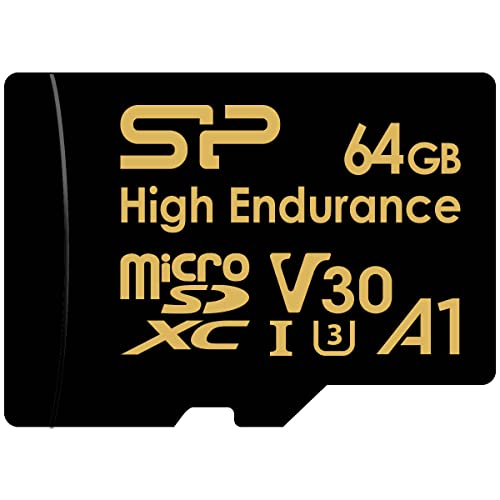
64GB: the minimum I would fit
Silicon Power 64GB High Endurance microSDXC
Entry pickThis is the smallest card I would put in a dash cam and still call it a sensible fit. At 1080p on a single front channel it gives you roughly eight to ten hours of loop, which for a short commute is two or three days of driving before the oldest footage starts recycling. Fit it to a 4K camera or a dual-channel setup and that window shrinks to a single day, which is where it stops being enough.
What you are paying for over a standard 64GB card is the endurance grade. Silicon Power specifies this line for continuous recording rather than occasional photo bursts, with 80MB/s write speed that comfortably clears what any current dash cam produces, and a build rated to survive water, shock, X-ray and temperature extremes. In a car parked on the Central Coast in February, that last one is not a marketing line.
Buy this one for a second car, an older 1080p camera, or a vehicle that does short trips and gets checked often. If the car does highway kilometres or you would rather not think about the card again for a while, spend the extra and move up a size.
Specs: 64GB microSDXC UHS-I • Up to 80MB/s write, 100MB/s read • Class 10, U3, V30, A1 • Rated for 4K UHD and continuous dash cam or security camera recording • Waterproof, shockproof, X-ray-proof, temperature-proof • SD adapter included • 2 year warranty • AU $46

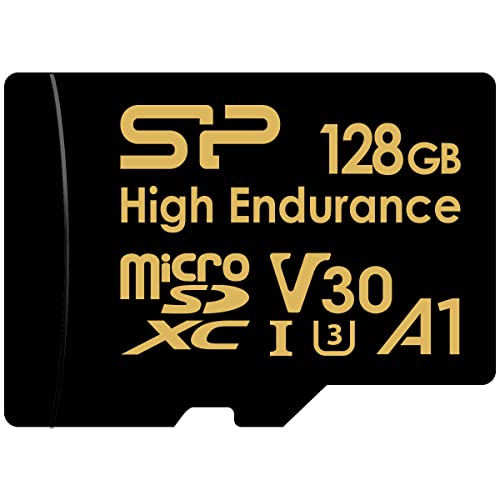
128GB: the one I fit most often
Silicon Power 128GB High Endurance microSDXC
Best all-roundIf you asked me to pick one card for one car without knowing anything else about it, this is the one. At 128GB a single-channel 1080p camera runs somewhere near a fortnight of ordinary commuting before it recycles, and a dual-channel setup or a 4K front camera still gives you several days. That is long enough to cover the gap between an incident happening and you finding out it happened, which is the whole point.
It is also the size where the maths on cost per year starts working in your favour. Replaced on an eighteen month cycle, this card works out to a shade over three dollars a month for the only part of the system that actually holds your evidence. Set against an insurance excess, that is not a number worth optimising.
The specification is identical to the 64GB card apart from capacity, so you are buying loop length rather than speed. Pair it with a monthly ten second check of a clip and a format in the camera every couple of months, and it will see out its service life without drama.
Specs: 128GB microSDXC UHS-I • Up to 80MB/s write, 100MB/s read • Class 10, U3, V30, A1 • Rated for 4K UHD and continuous dash cam or security camera recording • Waterproof, shockproof, X-ray-proof, temperature-proof • SD adapter included • 2 year warranty • AU $64
256GB: for 4K, dual channel, or a long memory
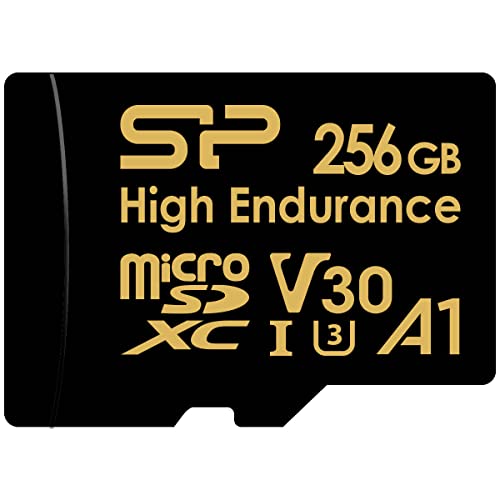
Silicon Power 256GB High Endurance microSDXC
Longest loopThis is the card for a 4K camera, a front and rear pair, or anyone who wants a genuinely long memory in the car. A dual-channel 4K rig chews through storage at a rate that makes 64GB cards look ornamental, and this is the size that keeps a week or more of that footage on hand instead of a day.
There is a second, quieter argument for the biggest card. Spreading the same daily write volume across twice as many flash cells means each cell is erased and rewritten half as often, so a larger card in the same camera does not just hold more, it wears more slowly. You still replace it on schedule, because heat does its own damage regardless of capacity, but the odds of it dying early drop noticeably.
Fit this if the car is a work vehicle, if it does serious highway kilometres, or if you have already lost footage once and do not intend to repeat the experience. It is the version of this card I would put in my own car.
Specs: 256GB microSDXC UHS-I • Up to 80MB/s write, 100MB/s read • Class 10, U3, V30, A1 • Rated for 4K UHD and continuous dash cam or security camera recording • Waterproof, shockproof, X-ray-proof, temperature-proof • SD adapter included • 2 year warranty • AU $112

Prices shown are from Amazon AU at time of writing and may change. As an Amazon Associate, iFix Electronics earns from qualifying purchases. This does not affect which cards I recommend.
Common mistakes from the repair shop
These are the ones that come through the door, in rough order of how often I see them and how much damage they do.
- Driving on it. Hours of ordinary driving between the incident and the phone call. Nothing else on this list is close for damage done.
- Accepting the format prompt. Windows phrases it as though formatting is the fix. It is the opposite of the fix, and it turns a straightforward file system rebuild into a carve with no filenames or timestamps.
- Running a free repair utility on the original. Half of them write a new file system before they scan. By the time the scan reports what it can see, the evidence of what was there has been rewritten.
- Saving recovered files back to the same card. Every clip written during recovery lands on top of a clip still waiting to be recovered.
- Assuming the G-sensor caught it. The lock only fires if the impact crosses the sensitivity threshold. A low-speed car park hit often does not, and the clip stays in the ordinary loop where it gets recycled like everything else.
- Waiting for the insurer to ask. Pull the clip you might need off the card the same week and copy it somewhere else. Recovery you never needed is the outcome to aim for.
When it is worth bringing to us, and when it is not
iFix does data recovery, including cards and drives other shops have already written off, and the forensic side of that work is where I spent a chunk of my career before Erina. That said, not every dash cam card deserves professional money, and I would rather tell you that on the phone than after an invoice.
Do not spend lab money on a $50 card holding a minor scrape, a bumper scuff on a car you are about to sell, or footage you are only curious about. Buy a fresh high endurance card, fit it properly, and put the old one in a drawer in case the matter grows legs. That is genuinely the right call more often than people expect.
Do bring it in when the stakes are real. A collision with injuries. A hit and run where the plate is the only lead. A liability dispute where the insurer has landed on a version of events that is not what happened. In those cases the card is not a $50 piece of plastic, it is the only independent witness, and the cost of recovery is a rounding error against what it decides. The recovery process itself starts the same way every time: an assessment, an image of the card, and a clear answer on what is readable before anyone commits to anything.
If the footage is going into a claim or a police report, the handling matters as much as the recovery. That is the digital evidence side of the work: the original card preserved untouched, everything done against a verified image, file hashes recorded so the exported clip can be shown to be unaltered, and a written report of the method with the embedded timestamp and GPS track where the camera logged one. Handing over a clip that has been through three free tools and a re-encode invites questions you do not want asked.
Bring the card in its adapter or a small container rather than loose in a pocket, and bring the camera too if you can, because the exact model tells me the file structure and the reference clip layout before I start. If the card is stuck in a laptop that will not read anything now, bring the laptop, since a failing card reader chewing cards is a fault we handle under general computer repairs across the Central Coast. If the incident is recent, ring first rather than waiting for a booking slot.
Frequently asked questions
Can you recover dash cam footage that loop recording has overwritten?
No, and be careful of anyone who tells you otherwise. Loop recording does not simply delete the old clip, it writes new video into the same physical blocks. Once that has happened the original data is not sitting there waiting to be found, it has been replaced. No software, no lab and no chip-level work brings it back. That is why the first instruction in this article is to stop recording. If the card has been sitting in a drawer since the incident, your odds are good. If the car has done another week of driving, the odds fall away fast, and on a small card recording two channels they can reach zero inside a day.
My computer says the dash cam card needs formatting. Should I let it?
No. That prompt almost always means the file allocation table is damaged, not that the video is gone. The clips are usually still on the card in full. If you let Windows format it you replace the damaged map with a fresh empty one, which makes the recovery harder and slower, because carving video out of a card with no index loses filenames, folder structure and timestamps. Eject the card, leave it alone, and get a sector level image taken of it first. Accepting that format prompt is the most common self-inflicted wound I see on dash cam cards.
Why does my dash cam clip play as a black screen?
Because the index is missing, not the video. MP4 and MOV files store the picture and sound in one large block and keep a separate index that tells the player where each frame sits. Plenty of dash cams write that index last, at the moment the clip closes cleanly. A collision that cuts power mid-clip leaves the video written and the index never finished, so the player opens the file, finds no map and shows black or an error. That file is usually repairable. We rebuild the index using a healthy clip from the same camera at the same resolution and frame rate as the reference.
How long do I have before my dash cam overwrites the footage?
Less time than most people assume. A 64GB card recording 1080p on a single channel typically holds somewhere around eight to ten hours of driving. Move up to 4K, or add a rear channel, and that can drop under four hours on the same card. For an average commute that is two or three days of driving before the loop comes all the way around and starts writing over the day you care about. If you did not notice the incident until a letter arrived a week later, the card may already have recycled it. Bigger cards buy you more time, and that is the real argument for capacity.
Is professional dash cam recovery worth paying for?
It depends entirely on what is on the card. If the footage covers a serious collision, an injury, a hit and run, a disputed liability claim or anything an insurer or a court will look at, then yes, because the cost of losing it runs into thousands. If it is a trolley ding in a shopping centre car park on a car you were selling anyway, buy a new card and move on. I will tell you which of those two you are in before any work starts. The honest answer is sometimes that a fifty dollar card holding a minor scrape is not worth lab money.
Can free recovery software get my dash cam video back?
Sometimes, and it can also finish the card off. The danger is not the scanning itself, it is that many free tools install to the wrong place, write logs or recovered files back onto the card, or offer to fix the file system before they read it. Any write to a failing card can cost you the thing you were trying to save. If you are going to try it yourself, take a full sector by sector image of the card first, put the original card away, and run the software against the image file. That is what a proper recovery process does, and doing it that way costs you nothing but time.
How often should I replace the microSD card in my dash cam?
For a car driven daily, every twelve to eighteen months. For a weekend car, two years is reasonable. Buy a high endurance card rated for continuous recording rather than a standard card, and format it in the camera itself every couple of months so the camera lays down the file system it expects rather than one a computer decided on. Treat the card as a consumable with a service life, the same way you treat brake pads or wiper blades. It is the least expensive protection in the car, and it is the part nobody mentions at the point of sale.
Will recovered footage still be accepted by an insurer or the police?
Usually yes, provided the recovery is documented properly. What matters to an insurer or an investigator is that the file has not been edited and that there is a clear account of how it was retrieved. We work from a sector level image of the original card, keep the original untouched, and can supply a written report of what was done along with file hashes and the embedded timestamp and GPS data where the camera recorded it. Ask for that report up front if you already know the footage is heading into a claim or a police report.
Card out of the camera? Bring it in before it gets worse.
Dash cam cards are a race against the loop and against the card's own wear. We image the card first, tell you what is readable before any work is committed, and preserve the original untouched if the footage is heading into a claim. Bring the camera, with the card still in it, to our Erina workshop.