Prices from Amazon AU, updated daily. Swipe or use the arrows for more.
Disclosure: This article contains affiliate links to amazon.com.au. If you buy through one of these links we may earn a small commission at no extra cost to you. It does not change which products we recommend. We only suggest products we’d genuinely use ourselves.
Quick summary7 picks
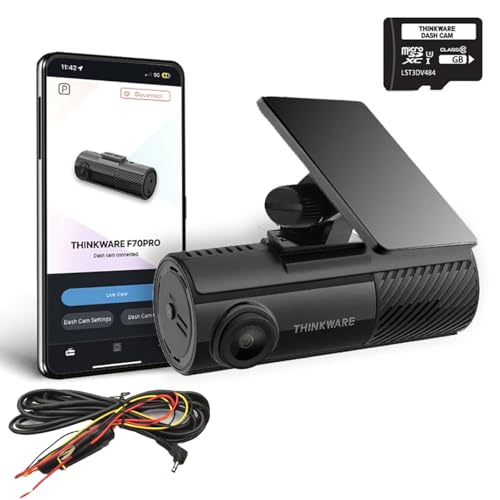
- Cheapest proper camThinkware F70 Pro (Front) about$267.99Supercapacitor, Discreet, Wi-Fi.
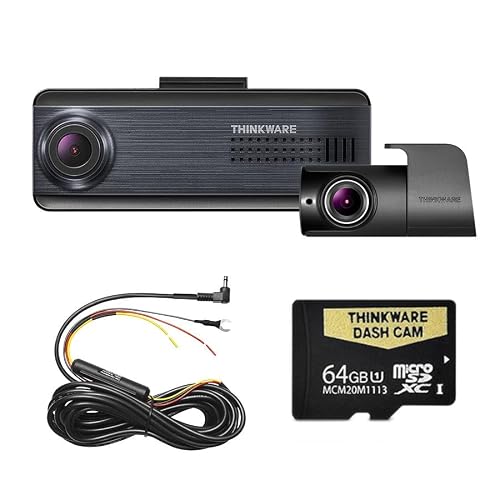
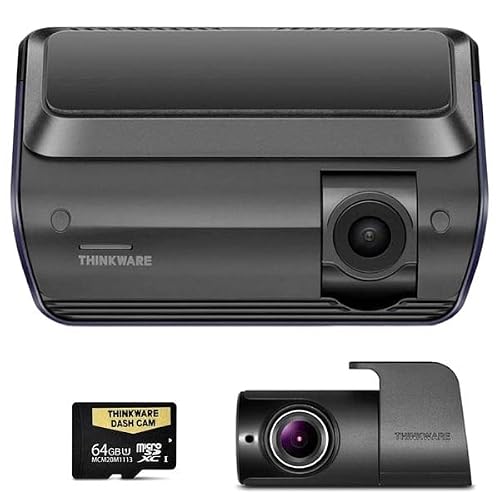
- Thinkware Q200D 2K Front and Rear about$448.992K front, Rear cam, 64GB.
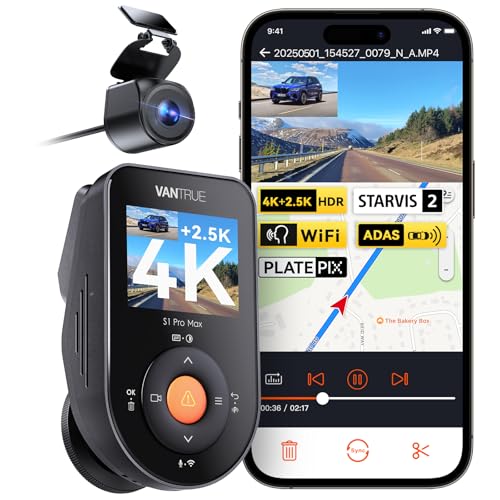
- Budget 4K front and rearVantrue S1 Pro Max 4K Front and Rear about$336.994K front, 2.5K rear, supercapacitor.
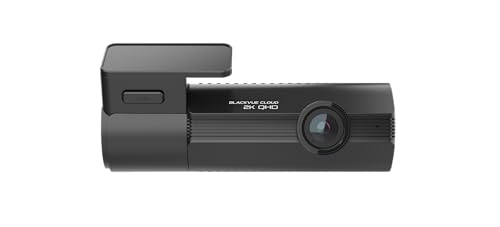
- BlackVue Elite 8 1-Channel about$598.982K HDR, STARVIS 2, GPS.
- Thinkware Q1000D QHD Front and Rear about$749.992K both ends, Night Vision 3.0, GPS.
- Best overallBlackVue Elite 8 2-Channel about$799.002K HDR, Rear cam, STARVIS 2.
- Thinkware U3000D 4K Front and Rear about$1,099.004K front, Rear cam, Auto parking.
Every week at our repair shop, someone comes in with a phone that was recording a dashcam clip when it overheated, fell off the windscreen mount, or simply ran out of storage at the worst possible moment. Meanwhile, the people who invested in a proper dedicated dash cam? They walk into their insurer's office with crystal-clear footage and walk out with a claim settled in days, not months.
If you drive in Australia, a dash cam isn't optional anymore. It's essential. Insurance fraud, road rage incidents, and not-at-fault accidents happen constantly, and your word against theirs isn't enough. A $70 camera can save you thousands in insurance excess and protect your no-claim bonus. We've seen it happen dozens of times with customers at our Erina shop.
We're a tech repair shop, not a dash cam review website. We don't get sent review units and we're not chasing commissions. What we do know is electronics: we fix overheated devices, recover corrupted storage, and deal with the aftermath of cheap tech failures every single day. This guide is about what actually works on Australian roads.
What to Look For in a Dash Cam
Before we get to specific picks, here's what genuinely matters, and what's pure marketing noise.
Resolution: 1080p Minimum, 2K or 4K Ideal
The whole point of a dash cam is capturing evidence. If the footage is too blurry to read a number plate, you've wasted your money. 1080p (Full HD) is the absolute minimum. Anything lower and you'll struggle to read plates beyond a few metres. 2K (1440p) is the current sweet spot: sharp enough to capture plates at reasonable distance, without producing enormous file sizes. 4K (2160p) is the gold standard for evidence quality, but you'll need larger SD cards to store the footage.
Night Vision: Non-Negotiable in Australia
A huge amount of Australian driving happens at dawn, dusk, or at night: commuting in winter, country roads, poorly lit suburban streets. Sony STARVIS and STARVIS 2 sensors are the benchmark for low-light dash cam performance. If the listing doesn't mention the sensor type, assume the night footage will be average at best. WDR (Wide Dynamic Range) or HDR processing also helps manage the contrast between headlights and dark road surfaces.
GPS: Proves Where and When
Built-in GPS stamps your footage with location and speed data. This is incredibly valuable for insurance claims because it proves exactly where an incident happened, what speed you were travelling, and provides a verifiable timestamp. Most mid-range and premium cameras include GPS as standard. Don't skip it.
G-Sensor: Automatic Incident Protection
A G-sensor detects sudden impacts (collisions, hard braking, potholes) and automatically locks that footage so it can't be overwritten by loop recording. This means even if you don't realise something happened to your parked car, the footage is preserved. Every decent dash cam has this, and if one doesn't, avoid it.
Parking Mode: Protection When You're Not There
Parking mode activates the camera when it detects motion or impact while your car is parked. This catches hit-and-run incidents, vandalism, and break-in attempts. It typically requires hardwiring the camera to your car's fuse box (more on that below) rather than relying on the cigarette lighter socket.
Heat Resistance: The Australian Factor
This is where Australian conditions diverge from every international review you'll read. Car interiors in Australia regularly exceed 70–80°C in summer. Cameras with built-in lithium batteries can swell, leak, or fail outright. Look for cameras with supercapacitors instead of lithium batteries. They handle extreme heat far better, last longer, and don't carry the same fire risk. Every camera in this guide uses a supercapacitor rather than a lithium cell, which is exactly why this guide sticks to Thinkware and BlackVue, plus one Vantrue whose listing states a built-in supercapacitor. This isn't a nice-to-have in Australia, it's critical.
SD Card Requirements
Dash cams write data continuously, which is far more demanding than taking photos or recording the occasional video on your phone. You need a high-endurance microSD card specifically designed for continuous recording. Regular phone SD cards will fail within weeks or months in a dash cam. We'll cover this more below: it's one of the most common issues we see.
Our picks
BlackVue and Thinkware, plus one Vantrue that states a supercapacitor on its listing, because supercapacitors survive Australian summer heat. Prices are Amazon AU as at 22 September 2026, cheapest first.
Thinkware F70 Pro (Front)
$267.99 • Sold by Amazon AU
The cheapest dash cam I would actually fit. A small front-only camera with a supercapacitor instead of a lithium battery, which matters in an Australian car: lithium cells swell in summer heat, supercapacitors do not. Connects to your phone over Wi-Fi and Bluetooth for footage.
Watch out for: Front only, no screen, and the hardwire kit for parking mode is sold separately.
Channels: front • Power backup: supercapacitor • Card: 32GB included • Connect: Wi-Fi, Bluetooth
View on Amazon AUThinkware Q200D 2K Front and Rear
$448.99 • Sold by Amazon AU
The pick for most drivers: 2K front, 1080p rear, HDR and Super Night Vision 2.0, with a 64GB card. Rear footage settles the rear-end claims most Australian drivers actually end up making.
Watch out for: Parking mode needs hardwiring. It also adds lane and collision warnings, which some drivers turn off.
Channels: front 2K + rear 1080p • Night: Super Night Vision 2.0 • Card: 64GB • Connect: Wi-Fi, Bluetooth
View on Amazon AUVantrue S1 Pro Max 4K Front and Rear
$336.99 • Sold by VANTRUE AU on Amazon AU
The cheapest front-and-rear camera here, and the one pick outside the BlackVue and Thinkware ranges, which I'm including because its listing states a built-in supercapacitor rated for -20 to 60 degrees. The front camera records 4K and the rear is a 2.5K IP67 waterproof unit that can sit inside the windscreen or outside on the number plate, both on STARVIS IMX678 sensors with dual HDR. It adds built-in GPS, 5GHz Wi-Fi, ADAS collision and lane departure warnings, a rear blind-spot alert, and a 24-hour buffered parking mode with four modes to choose from.
Watch out for: Parking mode needs a hardwire kit, which is sold separately, and the listing doesn't say whether a memory card is included, so budget for a 256GB or larger high-endurance card for 4K front and rear. The quoted operating range tops out at 60 degrees, so use a sunshade in an Australian summer.
Channels: front 4K + rear 2.5K • Sensor: STARVIS IMX678 • GPS: built in • Power backup: supercapacitor • Wi-Fi: 5GHz • Card: not stated
View on Amazon AUBlackVue Elite 8 1-Channel
$598.98 • Sold by Amazon AU
A 2K QHD front camera with HDR and Sony's STARVIS 2 sensor, dual-band Wi-Fi, GPS and a voltage monitor that protects your car battery in parking mode. The discreet, no-fuss front camera.
Watch out for: No rear camera. If rear-end claims are the worry, the 2-channel version is the one to buy.
Channels: front 2K • Sensor: Sony STARVIS 2 • GPS: built in • Card: 64GB
View on Amazon AUThinkware Q1000D QHD Front and Rear
$749.99 • Sold by Amazon AU
True 2K QHD at both ends, a 156-degree lens, Super Night Vision 3.0, dual-band Wi-Fi and GPS. Most dual cameras drop the rear to 1080p; this one does not, which is the difference when you need to read a plate behind you.
Watch out for: Parking surveillance modes need hardwiring to work properly.
Channels: front + rear 2K • Night: Super Night Vision 3.0 • GPS: built in • Card: 64GB
View on Amazon AUBlackVue Elite 8 2-Channel
$799.00 • Sold by Amazon AU
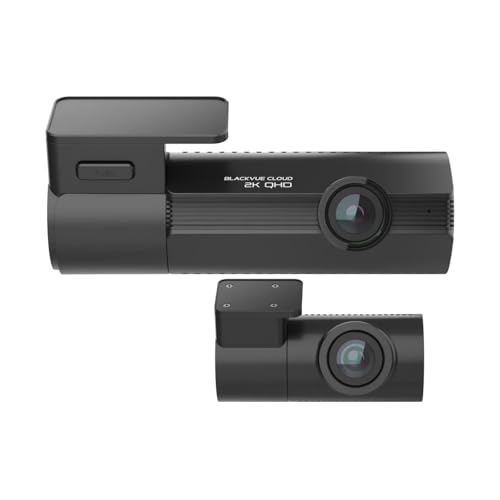
The one I would put in my own car. 2K QHD with HDR and a STARVIS 2 sensor, a rear camera, GPS, dual-band Wi-Fi and a voltage monitor, in BlackVue's tidy, discreet housing.
Watch out for: Premium price. Get it hardwired properly, or parking mode will not work as designed.
Channels: front 2K + rear • Sensor: Sony STARVIS 2 • GPS: built in • Card: 64GB
View on Amazon AUThinkware U3000D 4K Front and Rear
$1,099.00 • Sold by Amazon AU
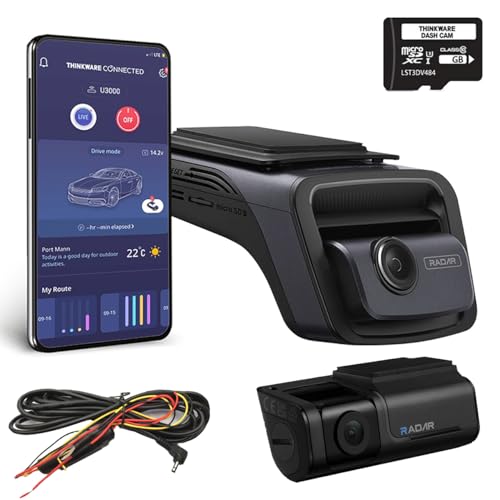
4K UHD at the front with a rear camera, high-bitrate recording, night vision and parking surveillance that switches on automatically when the ignition goes off. The most detail you can buy here.
Watch out for: 4K files fill cards quickly and run the camera hotter. Use a high-endurance card and replace it every year or two.
Channels: front 4K + rear • Parking: automatic • GPS: built in • Card: 64GB
View on Amazon AUSide-by-side comparison
| Product | Cameras | Resolution | Connectivity | Card | Price | Best for |
|---|---|---|---|---|---|---|
| Thinkware F70 Pro (Front) | Front | 1080p | Wi-Fi | 32GB | ~$267.99 | Cheapest proper cam |
| Thinkware Q200D 2K Front and Rear | Front + rear | 2K / 1080p | Wi-Fi | 64GB | ~$448.99 | Most drivers |
| Vantrue S1 Pro Max 4K Front and Rear | Front + rear | 4K / 2.5K | Wi-Fi, GPS | Not stated | ~$336.99 | Budget 4K front and rear |
| BlackVue Elite 8 1-Channel | Front | 2K | Wi-Fi, GPS | 64GB | ~$598.98 | Front only |
| Thinkware Q1000D QHD Front and Rear | Front + rear | 2K / 2K | Wi-Fi, GPS | 64GB | ~$749.99 | Reading rear plates |
| BlackVue Elite 8 2-Channel | Front + rear | 2K | Wi-Fi, GPS | 64GB | ~$799 | Best overall |
| Thinkware U3000D 4K Front and Rear | Front + rear | 4K | Wi-Fi, GPS | 64GB | ~$1,099.00 | Maximum detail |
Front Only vs Dual Camera
This is the most common question we get asked, so let's be direct about it.
Get a dual camera (front + rear) if: You want protection against rear-end collisions (the most common type of accident in Australia), you want to capture tailgaters, you park in public car parks where cars behind you might bump you, or you simply want complete coverage. A rear camera has saved countless customers from being wrongly found at-fault in rear-end incidents.
A front-only camera is fine if: Your budget is tight and you'd rather have one excellent camera than two mediocre ones, you mainly want to capture what's happening ahead of you (red-light runners, merging incidents, road debris), or you want the simplest possible installation. A well-sorted front-only camera like the BlackVue Elite 8-1CH gives you one lens that behaves properly, which beats two that are merely adequate.
Our honest take: if your budget allows it, go dual. Rear-end accidents are extremely common in Australian traffic, and a rear camera is the difference between proving you weren't at fault and hoping the other driver tells the truth.
Australian Legal Considerations
The camera itself is not the contentious part. Recording what is visible from a public road is broadly accepted across Australia and no state asks you to register a dash cam. Where the rules actually bite is audio and mounting, and both are state based rather than national. Mounting falls under the general windscreen obstruction rules rather than any dash cam specific law, so keep the camera out of your line of sight, usually tucked behind or beside the rear-view mirror, and check your own state's road rules if you are unsure.
The main legal considerations are around privacy:
- Passengers: If your camera has a cabin-facing lens (some 3-channel cameras do), it's good practice to inform passengers they're being recorded. In some states, recording audio of private conversations without consent may breach surveillance legislation. If in doubt, disable interior audio recording or let passengers know.
- Dashcam footage as evidence: Australian insurers commonly accept dash cam footage in support of a claim, though each insurer sets its own rules on file format and how you submit it, so ask yours. Footage showing a clear date, time and location stamp is the most useful, and GPS-logged footage is stronger again. We have written up the practical side of this separately in our guide to dash cam footage as evidence.
- Publishing footage: You can provide footage to police or your insurer freely. Publishing footage publicly (e.g., on social media) that identifies other people may have privacy implications, so blur faces and plates if you're posting to YouTube or Facebook.
Installation Tips
There are two ways to power a dash cam: the cigarette lighter socket or a hardwire kit connected to your car's fuse box.
Cigarette Lighter (Easy Setup)
Plug in and go. This is how most people start, and it's perfectly fine for basic use. The camera powers on when you start the car and records until you turn the ignition off. The downside is a visible cable running from your windscreen to the centre console, and no parking mode protection (the camera turns off when the car is off).
Hardwire Kit (Clean & Full-Featured)
A hardwire kit connects the dash cam directly to your car's fuse box, typically tapping into an always-on circuit for parking mode and an accessory circuit for driving mode. The cable routes behind the headliner, down the A-pillar, and behind the dashboard, completely hidden. This gives you parking mode protection, a cleaner installation, and frees up your cigarette lighter.
Most hardwire kits include a low-voltage cutoff that disconnects the camera when your car battery drops below a safe level (usually 11.8V–12.0V), so it won't drain your battery flat. If you're not comfortable working with your car's fuse box, most auto electricians will install a dash cam hardwire kit for $50–$100.
Not keen on pulling your own trim off? Our sister business, Central Coast Dashcams, supplies and hardwire-installs dash cams across the Central Coast: cables hidden behind the headlining and A pillar, a proper fused tap at the box, and parking mode set up so it does not flatten your battery. If you are local and you want it done once and done properly, that is the shortcut. If you are elsewhere in Australia, any auto electrician can do the same job; ask for a hardwire with a voltage cutoff.
Cable Routing Tips
- Tuck the cable into the headliner gap along the top of the windscreen using a trim tool or credit card. Most cars have a gap between the headliner and the windscreen where the cable slots in neatly.
- Run the cable down the A-pillar (the pillar between the windscreen and the front door). On most cars, the A-pillar trim pops off with gentle prying. Tuck the cable behind the trim and snap it back on.
- For rear cameras, run the cable along the headliner across the roof of the car to the rear windscreen. Use cable clips or tuck it into the headliner gap. It takes 20 minutes and looks completely factory once done.
Warning: Cheap SD cards will ruin your dash cam experience. We see this constantly: a customer comes in with "corrupted" or "missing" dash cam footage, and the problem is always the same: they used a regular phone SD card or a no-name brand. Dash cams write data continuously, which is brutally demanding on storage. Use a high-endurance microSD card specifically rated for dash cam or security camera use. Samsung PRO Endurance and SanDisk High Endurance are the two brands we trust. A good 128GB high-endurance card costs $25–$35 and will last years. A cheap card will fail within weeks and you'll have no footage when you need it most.
Check your footage regularly. We recommend reviewing a short clip from your dash cam at least once a month to make sure it's actually recording, the image quality is fine, and the date/time stamp is correct. It takes two minutes and ensures you're not driving around with a camera that stopped working three months ago. Use the WiFi app on your phone, and most cameras let you pull a quick preview without touching the SD card.
Prices shown are from Amazon AU at time of writing and may change. As an Amazon Associate, iFix Electronics earns from qualifying purchases. This does not affect our recommendations. We only recommend products we'd trust in our own cars.
A dash cam protects you on the road; the same footage-is-evidence logic covers the driveway and the front door. If you're securing the house as well as the car, see our guide to the best home security camera systems: the local-storage PoE kits that record to a drive you own, with no monthly subscription.
Need help with a tech install or device issue?
We help customers with dash cam recommendations, phone and laptop repairs, data recovery, and general tech advice at our Erina shop on the Central Coast.
Frequently Asked Questions
Are dash cams legal in Australia?
The camera is not the issue. Recording what is visible from a public road is broadly accepted across Australia and no state requires you to register one. Two things are state based and worth knowing about. Mounting falls under the general windscreen obstruction rules, so keep it out of your line of sight. Audio is the bigger one: recording private conversations is governed by state and territory surveillance and listening device legislation, which differs across the country, so if your camera records cabin audio, find the toggle, tell your passengers, and check your own state's rules or take advice if you are unsure.
What resolution do I need for a dash cam in 2026?
1080p (Full HD) is the minimum useful resolution: it captures number plates at close to medium range in good lighting. 2K (1440p) is the sweet spot for most drivers, offering noticeably sharper detail without massive file sizes. 4K (2160p) is ideal if you want the best possible evidence quality, especially for reading plates at a distance or in low light. For rear cameras, 1080p is generally sufficient since the following car's plates are usually close.
How much storage do I need for a dash cam?
For a 1080p front-only camera, a 32GB card gives you roughly 4–5 hours of continuous recording. A 2K or 4K camera, or a dual-channel setup, will use significantly more storage. We recommend 128GB as the minimum for any dual-channel (front + rear) camera, and 256GB if you're running 4K. All dash cams use loop recording: when the card is full, the oldest footage is automatically overwritten, so you always have the most recent hours of driving saved.
Will a dash cam survive Australian summer heat?
Quality dash cams are designed to handle high temperatures, but Australian summers push them hard. Car interiors can exceed 80°C in direct sun. Look for cameras with supercapacitors instead of lithium batteries. Supercapacitors handle extreme heat far better and don't swell or degrade. Also use a high-endurance microSD card rated for dash cam use, as cheap cards fail much faster in heat. Avoid leaving your car in direct sun for extended periods with the dash cam mounted if possible.
Can I use dash cam footage for insurance claims in Australia?
This is the single best reason to own one. Australian insurers commonly accept dash cam footage in support of a claim, and it is most valuable in exactly the situations where it would otherwise be your word against theirs: the other driver running a red light, merging into your lane, or rear-ending you. Each insurer sets its own rules on file format and how you submit it, so ask yours rather than assuming. Make sure the camera stamps date and time, and if it has GPS, leave that on too. Whatever you do, get the file off the card before the loop overwrites it.
Related Articles
For Central Coast locals, walk in to our Erina workshop, same-day diagnosis on most jobs.