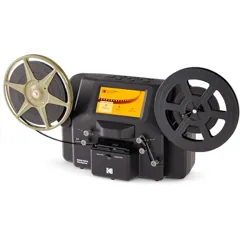
Kodak REELS 8mm and Super 8 Film Digitizer
For Home MoviesScans 8mm and Super 8 home movie reels frame by frame with an 8.08MP sensor and saves 1080p MP4 files you can play back on its 5" screen.
Buying guide · Erina NSW
Film scanners for 35mm negatives and slides,
Photo feeders and flatbeds for old prints,
A reel digitizer for 8mm home movies.
By Ben Nash·16 years·★ 4.9 across 152 Google reviews
Negatives, slides and 8mm reels

Scans 8mm and Super 8 home movie reels frame by frame with an 8.08MP sensor and saves 1080p MP4 files you can play back on its 5" screen.

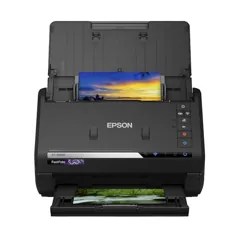
An auto feeder scans up to 30 prints in 30 seconds, then crops, rotates and restores colour. It also scans documents at 45 pages per minute.

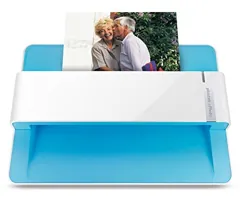
Feeds prints past a CCD sensor at up to 600 dpi optical, about 2 seconds for a 4x6 print at 300dpi, with auto crop and deskew.

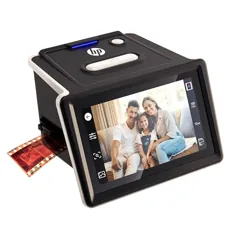
A film and slide scanner with a 5" touch screen that converts 135, 126 and 110 negatives and slides to 22MP JPEG photos.

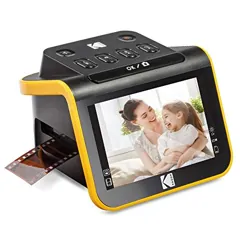
Scans colour and black and white negatives and slides in 135, 110 and 126 formats to an SD card, with a 5" screen to preview each frame and a quick-feed tray.
Price labels compare today's Amazon AU price with the lowest iFix has tracked for that listing since we started checking it, not an all-time low. A label appears after 14 days of history. Prices change through the day, and Amazon's checkout price is the one that counts. See every tracked price drop.
Keep scrolling for 5 photo and flatbed scanners⌄Prints, albums and documents

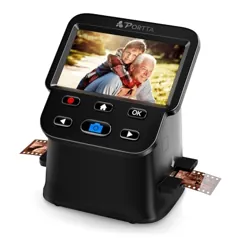
Scans 135, 126, 110 and Super 8 frames (photo only) at 16MP or 22MP, saves to an SD card up to 128GB and plays to a TV over HDMI.

A flatbed with a Z lid that takes books and thick media, runs entirely off USB power and uploads to OneDrive or Dropbox.

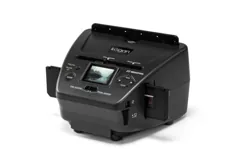
Kogan's all-in-one scanner uses an 8MP CMOS sensor with auto focus and turns photos and film into 22MP images you can view and edit on its screen.

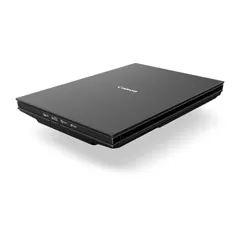
A compact flatbed for documents and photos with 2400 x 2400dpi resolution and an A4 scan in about 10 seconds at 300dpi.

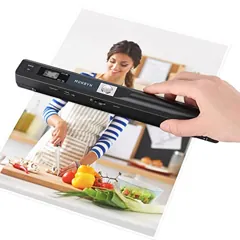
A handheld wand you slide over photos, documents and book pages at up to 900 DPI, saving JPEG or PDF to its 16GB SD card.

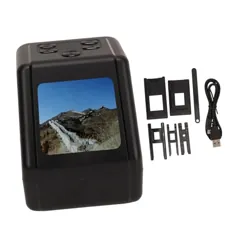
Converts 135, 110, 126 and Super 8 film, slides and negatives to JPEG in about 2 seconds a frame, with a 2.0in screen and TV output.
Price labels compare today's Amazon AU price with the lowest iFix has tracked for that listing since we started checking it, not an all-time low. A label appears after 14 days of history. Prices change through the day, and Amazon's checkout price is the one that counts. See every tracked price drop.
We earn a small commission when you buy through these Amazon links. It doesn't change the price you pay or which products we pick.
A film scanner photographs each negative or slide through a small sensor and saves a JPEG. A flatbed or a photo feeder scans prints. Work out which you have the most of before you pick one.
For 35mm negatives and slides at home, start with the Kodak Slide N SCAN or the PORTTA. Both take 135, 126 and 110 film, preview each frame on a 5" screen and save to an SD card without a computer.
Most can't. The film scanners here take still frames, and the PORTTA and Jelquix scan Super 8 as photos only. To turn 8mm and Super 8 reels into video, the Kodak REELS scans frame by frame and saves 1080p MP4 files, without sound.
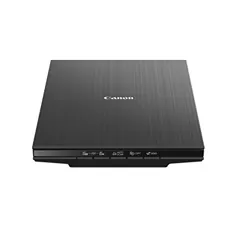
Yes, for a few prints at a time. The Canon LiDE300 scans documents and photos at 2400 x 2400dpi. For a shoebox of prints, a feeder like the Epson FastFoto or the Plustek ePhoto Z300 is far quicker.
For prints, 300dpi keeps the original size for viewing and 600dpi gives room to crop or enlarge. On film scanners, check the sensor size as well as the megapixel figure, since several 22MP figures are stretched from a smaller sensor.
Not for most of the film scanners here. They save straight to an SD card and show each scan on their own screen. The Plustek and the Canon LiDE400 connect to a Windows PC or a Mac.
Yes. If your scanned photos were on an SD card, USB stick or hard drive that no longer reads, bring it in to iFix in Erina for data recovery. Stop using the card first, since writing new files to it can overwrite the old ones.