Prices from Amazon AU, updated daily. Swipe or use the arrows for more.
Disclosure: This article contains affiliate links to amazon.com.au. If you buy through one of these links iFix may earn a small commission at no extra cost to you. It doesn't change which products we recommend. We focus on what actually lasts based on 16 years of repair-shop experience.
Quick summary7 picks
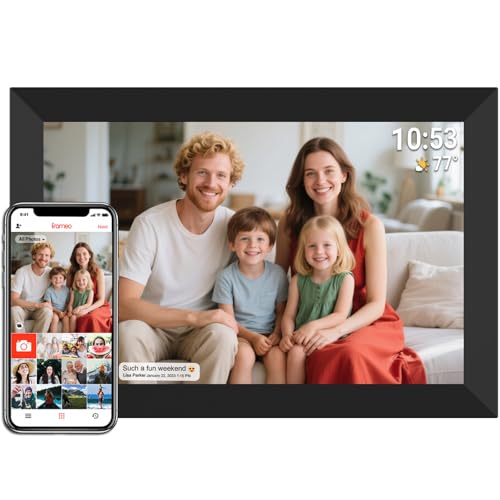
- Entry PickFrameo 10.1 Inch WiFi Digital Picture Frame about$74.99
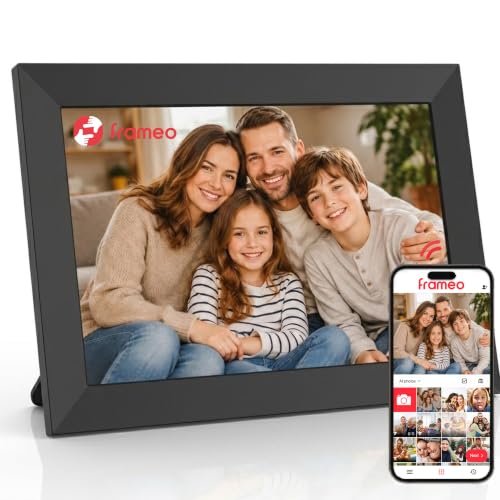
- Frameo Digital Picture Frame VESWWE 10.1… about$89.98
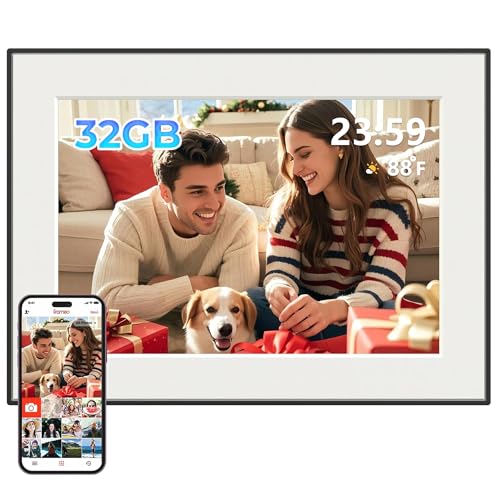
- 32GB Frameo Digital Photo Frame about$89.9910.1" screen.
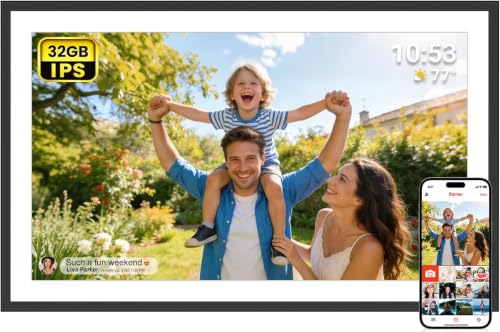
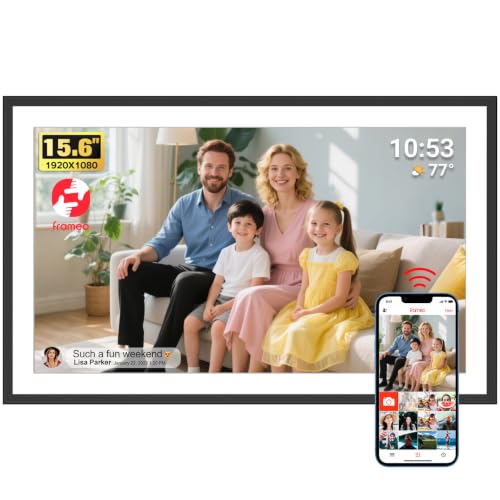
- Frameo 15.6 Inch WiFi Digital Picture Frame about$142.48
- Frameo 15.6 Inch WiFi Digital Picture Frame about$149.99
- Frameo 21.5 Inch WiFi Digital Picture Frame about$249.9921.5" screen.
- Most PremiumAILRINNI 21.5" Frameo Digital Picture… about$399.9921.5" screen.
The present that actually gets used
There are forty thousand photos on your phone and your mum has seen nine of them. That is the whole problem this category solves, and it solves it better than any gadget I recommend for the grandparent end of the family. A Wi-Fi photo frame sits on the kitchen bench, and every time someone in the family sends a photo from their phone, it simply appears there. No account for nan to manage, no app for her to learn, no password to forget. The photos arrive while she is making tea. Of everything I have set up for older customers over the years, nothing else gets the same reaction, and nothing else keeps working with this little maintenance. The whole category costs less than a decent bunch of flowers per year of service, and unlike the flowers it gets better as the album grows.
I spend a fair amount of bench time with the seniors side of tech, enough to have written an honest guide to phones for seniors, and the photo frame is the rare device where the receiving end has to do nothing at all. The giver does the setup, the family does the sending, and the frame does the rest. But the category has a rotten underbelly: half the frames on the market are a screen with a rent-seeking business model behind it. Pick the wrong one and the thoughtful gift starts invoicing the recipient monthly. So before the picks, the trap.
The subscription trap: how photo frames charge rent
The pattern is the printer-ink model wearing a photo album's clothes. The frame is sold near cost, and the sending features live behind a cloud service: free tier limited to a handful of photos or a single sender, full features on a monthly plan. Some brands paywall video sending. Some paywall adding more than one family member. Some hold the photo history hostage when the card lapses. The listing rarely says any of this plainly; you find out after the recipient has grown attached to the thing. On a gift for an older relative it is a genuinely nasty structure, because the person being billed is the person least equipped to evaluate it, and the least likely to mention the charge until it has quietly run for a year.
There is a second, quieter problem: a cloud frame is only as alive as the company behind it. Every photo routes through their servers, and when the service is retired or the startup folds, the frame becomes a picture of nothing. The bench has seen this movie with smart devices many times, which is why this guide only includes frames where the photos live on the frame itself, sending is free, and the slideshow keeps running even if every server involved vanished tomorrow. Local storage is not a nice-to-have in this category. It is the difference between buying a photo album and renting one, and nobody has ever wanted to rent a photo album.
Why every pick here runs Frameo
All four picks run Frameo, and that is deliberate rather than lazy. Frameo is a Danish-built platform used by dozens of frame makers: the family installs a free app, the frame shows a pairing code, and anyone who enters that code can send photos and short videos straight to the frame over the internet. No subscription, no fees, no public gallery. Transfers are private to the people holding the code, and the received photos are stored on the frame's own memory, not in a cloud locker with a meter running. Because many manufacturers build on the same platform, the hardware is competitive and the app does not die with any single brand.
It helps to understand what the hardware actually is: an Android tablet in a picture-frame costume. IPS touchscreen, Wi-Fi radio, a modest processor and a power socket. That is not a criticism. It means the parts are commodity, the failure modes are well understood in the workshop, and the price is set by screen size and resolution rather than by ecosystem lock-in. The three brands here (AKImart, CECGAN, dxmart) are AU-storefront sellers moving Frameo hardware in volume, and the lead pick currently tops Amazon AU's picture frame category outright, which for a $70 gadget in a category that includes ordinary wooden frames says something about how many Australian families have quietly adopted the platform this year.
The 2.4GHz catch, and why setup happens before wrapping
The one technical trap in the category: the 10.1 and 15.6 inch picks connect on 2.4GHz Wi-Fi only. In most houses that is fine, because every router broadcasts 2.4GHz. The snag is modern routers that merge both bands under one network name and steer devices automatically: some frames fail to join while the router insists on steering them to 5GHz. The fixes are simple once you know them. Join the frame closer to the router edge of its range, split the band names in the router settings, or use the 21.5 inch pick, which speaks 2.4GHz, 5GHz and Wi-Fi 6. But know about it before Christmas morning, not during it. Ten minutes of reading now saves an hour of hotline hold music later.
Which leads to the rule I give every customer buying one of these as a gift: do the entire setup at your own house first. Connect the frame to your Wi-Fi, install the app on your phone, pair with the code, and send the first fifty photos so the frame is already alive when it is unwrapped. Add the rest of the family as senders while you are at it. At the recipient's house the only remaining step is joining their Wi-Fi, a two-minute job you do once. A frame that arrives pre-loaded is a gift. A frame that arrives as a setup task for the least technical person in the family is homework, and homework gifts end up in cupboards by Easter.
Screens: size, resolution and where the frame will live
Photo frames are viewed from further away than phones, which forgives a lot of resolution. The 10.1 inch picks run 1280 by 800, roughly 150 pixels per inch, and at arm's length on a kitchen bench that looks like a printed photo. The 15.6 and 21.5 inch picks run 1920 by 1080; more pixels, spread across more glass, so the density is similar and the correct viewing distance simply grows with the screen. All four use IPS panels, which is the spec that actually matters here: the frame is seen from every angle in the room, and IPS holds its colour and contrast off-axis where the older TN panels wash out.
Match size to the room. The 10.1 inch frames suit a bench, a bedside table or a desk, viewed from a metre or so. The 15.6 belongs on a sideboard or shelf and reads clearly from across a lounge room. The 21.5 is furniture: wall-mounted or on a mantel, visible from the whole open-plan area, and at that size the portrait-versus-landscape decision is worth making before you drill. Every pick auto-rotates photos and can be stood or wall-mounted. Check the brightness habit too: all of them have adjustable brightness and a scheduled sleep mode, and a frame in a bedroom should have that schedule set on day one so it goes dark at night. A glowing screen in a dark bedroom is the single most common complaint I hear from frame owners, and it is a thirty-second settings fix.
Storage honesty: what 32GB actually holds
Every pick ships with 32GB on board. The app compresses photos on the way through, so the practical capacity is enormous: the CECGAN listing claims around 80,000 photos, and while I would treat any such figure as a ceiling rather than a promise, the honest version is that a family sending a few photos a week will not fill 32GB in a decade. Video is the exception. App-sent clips are capped at 15 seconds, and a frame full of videos fills storage at many times the rate of stills. The expansion story differs by pick: the AKImart 10.1 takes microSD cards to 32GB, the CECGAN goes to 128GB with SD and USB, and the larger frames add USB import and export, which covers the backup habit described next.
Use that card slot for the thing nobody thinks about: backup. The photos on the frame accumulate into the family's shared album, and the frame is the only place that exact collection exists. Once a year, export to a card or USB stick and drop the copy in a drawer. It is a five-minute habit, and it is the difference between a dead frame being an annoyance and being a small family tragedy. The frames play from the card directly too, so a loaded SD card is also the fastest way to bulk-load an archive of older photos without sending them one by one through the app.
Privacy: who can actually see the photos
The question I get from the careful buyers, and the right question to ask. Frameo's answer is better than the cloud brands' answer. Photos travel from the sender's app to the frame, and only people who have been accepted via the pairing code can send or see anything. There is no public gallery, no social layer, no advertising profile being built from your family album. The code itself is the key, so treat it like one: share it in person or by phone call, not in a public post. The frame's owner can remove a sender at any time from the frame's own settings, which is the control that matters if a code ever travels further than intended. No password resets, no account recovery loops, just a short list of approved senders that the owner controls from the couch.
For the older recipient, the frame is also a safer channel than the alternatives. A frame cannot be talked into clicking a link, and its photo stream carries none of the scam surface of an inbox or a social feed. I have written before about protecting parents from online scams, and the honest summary is that moving the photo-sharing relationship onto a sealed, invite-only device removes one more reason for a less confident user to be navigating apps where the scams live. The frame just shows the grandkids. That is the entire attack surface.
How I picked these four
Screening first. Every pick is condition New from an Australian storefront seller on Amazon AU, in a $60 to $300 band, with the frame's photos stored locally and no subscription anywhere in the model. Ranks are Amazon AU's picture-frame category ranks, checked the same day, and the lead pick holds number one. I excluded cloud-first ecosystem frames on principle for a gift category, and I excluded the no-name single-listing frames with no stated warranty, because after sixteen years of computer repairs across the Central Coast I know exactly what an unsupported Android device looks like three years in. All four picks state a 12-month warranty on the listing.
One honesty note: this corner of the market is white-label hardware, and the same glass and board can wear several brand names. That is fine, and it is priced accordingly, but it means the seller matters as much as the brand, which is why the picks stay with established AU storefronts rather than the week-old listings that orbit this category. If a frame does die, the diagnosis is usually the power supply or the screen rather than the board, and both are fixable: the workshop in Erina sees frames alongside the tablets they secretly are. More on the failure modes below, because knowing them in advance is most of the defence.
The 4 picks, $70 to $255
Prices are Amazon AU at time of writing (26 August 2026) and move week to week. Ranks are Amazon AU category sales ranks, checked the same day.

AKImart Frameo 10.1 Inch Wi-Fi Digital Photo Frame, 32GB
ASIN B0F61WL5GD • $69.97 • Sold by TA010-AU on Amazon AU
The category leader, and the frame I would hand most gift buyers. Ten point one inches of IPS touchscreen at 1280 by 800 in a 16:10 shape, which suits photos better than the widescreen panels on the bigger units, and a 178 degree viewing angle that keeps colour honest from anywhere in the kitchen. The full Frameo platform is here: free app, pairing code, photos and 15-second videos sent from anywhere in the world, all stored on the 32GB onboard memory with no account fees. It auto-rotates between portrait and landscape, stands on a bench or mounts on a wall, and the touchscreen keeps the on-frame controls simple enough that the recipient never needs the manual.
The listing is refreshingly specific about its limits, which I appreciate in the workshop. Wi-Fi is 2.4GHz only, stated outright, so the band-steering caveat from earlier in this guide applies: set it up at your place first and know the workaround before it meets a modern mesh router. The microSD slot expands storage by up to another 32GB, which is smaller headroom than the CECGAN offers, though with compressed sends few families will ever hit either wall. Offline viewing works exactly as it should: once photos are on the frame, the slideshow needs no internet at all, and Wi-Fi is only required when new photos arrive from the family's phones.
At $70 with a 12-month warranty and locally-based support, it is the default answer for a first frame: the birthday and Christmas gift that keeps producing small daily moments for years. The photo-hiding option, adjustable slideshow speeds and sleep timer cover the practical requests I actually hear from frame owners. If the recipient's lounge room is large or the frame will hang on a wall across the room, step up a size; at bench and bedside distances this screen is exactly right, and the money saved buys a card for the backup habit.
Honest caveats: 2.4GHz Wi-Fi only, so expect the band-steering dance on some modern routers. The microSD expansion caps at 32GB where the CECGAN takes 128GB. Resolution is 1280 by 800, honest at bench distance but not a wall-display panel. Videos sent through the app cap at 15 seconds, a platform limit shared by every pick here.
Best for: The first frame for a kitchen bench or bedside table, gifted and pre-loaded.
Price: $69.97 at time of writing • Screen: 10.1 inch IPS touch, 1280 x 800, 16:10 • Storage: 32GB onboard, microSD to 32GB • Wi-Fi: 2.4GHz only • Platform: Frameo, no subscription • Mounting: Stand or wall mount, auto-rotate • Warranty: 12 months • Rank: #1 in Wall & Tabletop Picture Frames (Amazon AU)
View on Amazon AU
CECGAN Frameo 10.1 Inch Wi-Fi Digital Photo Frame, 32GB
ASIN B0DSP23FMZ • $76.49 • Sold by cecgan-au on Amazon AU
Same size, same 1280 by 800 IPS touchscreen, same Frameo platform, six dollars more, and a longer feature list that earns the difference for some households. The storage story is the standout: 32GB onboard like the others, but SD card and USB support to 128GB, plus direct playback from either without importing. That makes the CECGAN the pick for bulk-loading a scanned archive: drop a decade of photos on a USB stick, plug it in, and the frame plays them straight off the stick alongside the app-sent stream. Import, export and backup all run through the same slots, so the yearly backup habit from earlier in this guide is a genuine two-minute job here.
Two features the AKImart lacks are worth naming. Captions: senders can attach a line of text that displays in the corner of the photo, which turns out to matter enormously when the photo is a new baby and the recipient wants to know the name and the weight. And calendar sync, an odd inclusion that some families will love: the frame can show upcoming appointments from Google, Outlook or iCloud calendars beside the slideshow, which quietly turns the kitchen frame into the household noticeboard. Video is more flexible too: the 15-second cap applies only to app sends, and longer videos load fine from SD or USB with no cap beyond the card.
The trade against the AKImart is rank and polish: 26th in the category rather than first, a slightly busier interface, and a brand with a smaller footprint. On hardware the two are close relatives, and the decision comes down to whether the archive-loading, captions and calendar earn $6.50. For a family with boxes of scanned prints, or one that will actually use a shared noticeboard, they do. For a pure send-photos-to-nan frame, the AKImart's simpler experience and stronger sales record win the day. Either way the platform, the app and the no-fee model are identical.
Honest caveats: Also 2.4GHz only, with the same router caveat. The 80,000-photo figure on the listing assumes heavy compression; treat it as a ceiling. The calendar feature needs someone in the family willing to maintain it, or it becomes a permanently empty pane. Brand has a smaller track record than the category leader.
Best for: Families loading a scanned photo archive, or anyone who wants captions and a calendar on the frame.
Price: $76.49 at time of writing • Screen: 10.1 inch IPS touch, 1280 x 800 • Storage: 32GB onboard, SD/USB to 128GB • Wi-Fi: 2.4GHz only • Extras: Captions, calendar sync, direct SD/USB playback • Formats: JPG, BMP, PNG photos; MP4 video • Warranty: 12 months • Rank: #26 in Wall & Tabletop Picture Frames (Amazon AU)
View on Amazon AU
AKImart Frameo 15.6 Inch Wi-Fi Digital Photo Frame, 1080p
ASIN B0F62DJY8M • $149.99 • Sold by TA010-AU on Amazon AU
The step up that changes where the frame can live. Fifteen point six inches is laptop-screen territory, and the panel moves to full 1920 by 1080, so the pixel density holds up even as the glass grows. This is the size that reads clearly from across a lounge room: on a sideboard or a hall table it stops being a desk trinket and starts behaving like rotating wall art. It is the same Frameo platform as the smaller AKImart, the same free app and pairing-code model, the same 32GB of local storage, and the same 12-month warranty, so everything in this guide about setup, privacy and backup applies unchanged. The extra $80 buys screen, and only screen.
Expansion moves from microSD to full-size SD card and USB drive, which suits the way a larger frame tends to be used: as the family's main display, bulk-loaded with the archive rather than fed exclusively by app sends. Wi-Fi remains 2.4GHz only, which deserves emphasis at this price. In the house this frame is most likely destined for, a modern family home with a mesh system, the band-steering workaround is a near certainty rather than a maybe, so do the setup patiently at your own place and write the Wi-Fi steps inside the card. Once connected it holds the network fine; joining the network is the only genuinely fiddly moment it has.
Sixteen by nine is the one aesthetic compromise. Phone photos are 4:3 or portrait, so the frame either letterboxes them with borders or crops them to fill, both options configurable in settings. Photos shot in landscape on a proper camera look superb. At $150 it competes with cloud-ecosystem frames that charge yearly what this costs once, which is the entire argument in one sentence. For a wedding or milestone-birthday gift where the 10.1 inch would look slight, this is the size that matches the occasion, and the one that gets commented on by visitors.
Honest caveats: 2.4GHz only, and the setup catch bites hardest in exactly the mesh-equipped homes likely to buy at this price. The 16:9 panel crops or letterboxes portrait phone photos, configurable but never invisible. At this size fingerprints on the touchscreen show more, worth knowing in a house with grandkids visiting.
Best for: The main family frame on a sideboard, visible from across the lounge room.
Price: $149.99 at time of writing • Screen: 15.6 inch IPS touch, 1920 x 1080, 16:9 • Storage: 32GB onboard, SD card and USB • Wi-Fi: 2.4GHz only • Platform: Frameo, no subscription • Mounting: Stand or wall mount, auto-rotate • Warranty: 12 months • Rank: #1 in Wall & Tabletop Picture Frames (Amazon AU)
View on Amazon AU
AKImart Frameo 21.5 Inch Wi-Fi Digital Photo Frame, Wood Finish
ASIN B0G63N1FQF • $254.99 • Sold by TA010-AU on Amazon AU
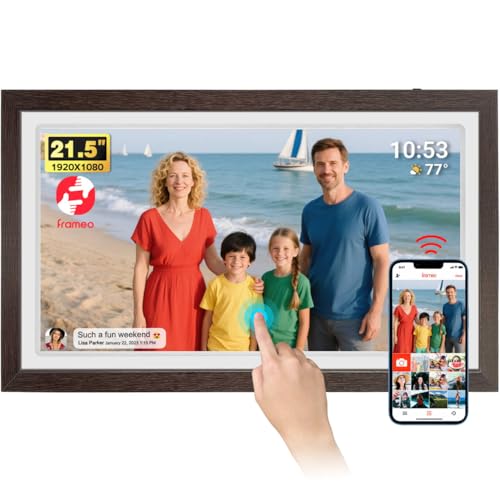
Twenty-one and a half inches is a monitor wearing a wooden frame, and that is precisely the appeal. Wall-mounted in a hallway or standing on a mantel, running the family archive on rotation, it does what people always hoped digital frames would do: replace a printed enlargement with every photo the family has ever loved, at 1920 by 1080 on an IPS panel with the same 178 degree viewing angle as its smaller siblings. The brown wood finish reads as furniture rather than electronics, which matters at this size. Platform is unchanged: Frameo app, pairing code, 32GB local storage, no subscription, photos stored locally and visible offline forever once they have been received.
This is also the only pick that fixes the guide's recurring complaint: the radio. It connects on 2.4GHz, 5GHz and Wi-Fi 6 networks, so the band-steering workaround that shadows the smaller frames simply does not apply. At this price that is how it should be, and for the buyer whose router is a locked-down mesh system, the radio alone may justify the step up. Brightness and viewing schedules matter more at this scale too: 21.5 inches of backlight in a hallway is noticeable at night, so set the sleep schedule during the pre-gift setup, and use the adjustable brightness rather than leaving it at the showroom maximum, which also extends the panel's life.
Honest positioning: at $255 this overlaps genuine cloud-frame territory and the entry end of smart displays, and it wins the comparison on running cost, zero dollars forever, rather than on gloss. The 32GB is not expandable by card on the listing, so lean on the app stream and the export habit. It is the retirement gift, the golden-anniversary gift, the one frame the whole extended family sends into. Number one in its category, wearing a price triple the category norm, and it holds that rank for a reason: nothing else in the band looks this finished on a wall.
Honest caveats: The listing does not state SD expansion for this model, so plan around the 32GB and back up over USB export where offered, or via the app. It is a large, mains-powered wall object: mount it near a power point or budget for a cable-management channel, because a dangling cord undoes the furniture illusion.
Best for: The statement frame for a wall or mantel, in homes where the router rules out 2.4GHz-only picks.
Price: $254.99 at time of writing • Screen: 21.5 inch IPS touch, 1920 x 1080 • Storage: 32GB onboard • Wi-Fi: 2.4GHz, 5GHz and Wi-Fi 6 • Platform: Frameo, no subscription • Finish: Brown wood, stand or wall mount • Warranty: 12 months • Rank: #1 in Wall & Tabletop Picture Frames (Amazon AU)
View on Amazon AUSide-by-side comparison
| Product | Price | Best for |
|---|---|---|
| Frameo 10.1 Inch WiFi Digital Picture Frame | ~$74.99 | |
| Frameo Digital Picture Frame VESWWE 10.1… | ~$89.98 | |
| 32GB Frameo Digital Photo Frame | ~$89.99 | |
| Frameo 15.6 Inch WiFi Digital Picture Frame | ~$142.48 | |
| Frameo 15.6 Inch WiFi Digital Picture Frame | ~$149.99 | |
| Frameo 21.5 Inch WiFi Digital Picture Frame | ~$249.99 | |
| AILRINNI 21.5" Frameo Digital Picture… | ~$399.99 |
What we see fail at the bench: photo frames
A photo frame is a tablet that never sleeps, and it fails like one. The board almost never dies; after sixteen years the pattern in this class of hardware is stable and short. Power supplies fail first, screens fail from accidents rather than age, and storage corruption masquerades as everything else. All three are diagnosable in minutes and two of the three are economically fixable, which is more than can be said for most sealed gadgets at this price.
The plugpack goes first
The frame runs 12 to 16 hours a day, every day, and its wall adapter cooks along with it. The electrolytic capacitors inside a small sealed plugpack dry out with heat and time, and the symptoms arrive before the death: a frame that reboots at random, flickers at full brightness, or shows shimmering lines on the panel is very often describing its power supply, not its board. We test the adapter first on every frame that comes in, because a $15 supply fixes a surprising share of them. Never replace a barrel-jack adapter by guessing: matching voltage exactly and meeting or exceeding the current rating is the whole job, and the sticker tells you both.
Gravity versus glass
Screen failures in this category are almost never spontaneous. They are a frame walked off a bench by a cat, knocked from a shelf by a duster, or wall-mounted into plasterboard with the plastic plugs from the kitchen drawer instead of proper anchors. The touchscreen digitiser and the IPS panel are separate layers, so a cracked frame often still displays perfectly, and the choice becomes cosmetic tolerance versus a screen swap that costs a meaningful fraction of the frame's price. On the 10.1 inch units, replacement is usually uneconomic against a $70 new frame; on the 21.5, it is well worth a quote before anything gets thrown away.
Storage corruption wearing a costume
A frame that freezes mid-slideshow, loses photos, or boot-loops after years of service is often suffering storage trouble rather than logic failure: a worn or counterfeit SD card, or corrupted internal flash from years of power cuts mid-write. The card version is a two-minute fix, and it is why I tell people to buy expansion cards from reputable channels, because the fake-capacity cards that plague marketplaces will happily absorb ten thousand photos into nothing. The internal version is why the yearly export habit matters. Copy the frame's album to a card or USB stick once a year, and no failure mode on this list can take the family's photos with it.
Decision tree: which one should you actually buy?
- First frame for nan's kitchen bench, pre-loaded before gifting? → The AKImart 10.1, $70. Category leader, simplest experience, and the right size for bench and bedside viewing. Set it up at your place first.
- Loading a scanned archive, or want captions and a family calendar? → The CECGAN 10.1, $76. SD and USB to 128GB with direct playback, captions on photos, and calendar sync for the household noticeboard.
- Main family frame, viewed from across the lounge? → The AKImart 15.6, $150. Full 1080p at sideboard scale. Remember it is 2.4GHz only, so do the Wi-Fi join patiently at setup.
- Wall-mounted statement piece, or a house running a locked-down mesh router? → The AKImart 21.5, $255. The only pick with 5GHz and Wi-Fi 6, and the size that replaces a printed enlargement.
- Recipient has no Wi-Fi at all? → Any pick still works as an offline slideshow: load photos by card or USB and skip the app entirely. The CECGAN is best at this, but you lose the remote-sending magic that makes the category special.
- Frame rebooting, flickering or frozen after a couple of years? → Nine times out of ten that is the power adapter or a worn SD card, not the frame. Bring it in to our Erina workshop and we will test the supply, rescue the photos and tell you honestly whether a repair beats replacement.
Frequently asked questions
Do digital photo frames need a subscription?
The frames in this guide do not, and that was the main selection rule. Every pick runs Frameo, where sending photos from the family's phones to the frame is free, storage is on the frame itself, and there is no paid tier gating any feature. Plenty of other brands do charge: cloud-based ecosystems commonly limit senders, photo counts or video features on a free tier and sell a monthly or yearly plan to lift the limits. On a gift, that structure quietly bills the recipient for years. Before buying any frame not on this list, search the listing for the words subscription, premium or plan, and read what happens to the photos if you never pay.
How do photos get onto the frame?
Two ways. The everyday way: relatives install the free Frameo app, enter the frame's pairing code once, and from then on send photos and videos up to 15 seconds straight from their phones, from anywhere, over the internet. The photos arrive on the frame within moments and are saved to its internal storage. The bulk way: load photos onto an SD card or USB stick and either import them or, on picks that support it, play them directly. The bulk path is the right one for scanned archives and for recipients without reliable internet. Most families use both: an initial card-load of the back catalogue, then app sends for everything new.
Will the frame work without Wi-Fi at the recipient's house?
As a slideshow, yes. Photos already on the frame display forever without any connection, so a frame pre-loaded by card or by app sends made at your house keeps working in a home with no internet at all. What stops without Wi-Fi is receiving anything new remotely: app sends need the frame online to arrive. For a recipient without internet, treat the frame as a very good offline album and refresh it with a card when you visit. For a recipient with Wi-Fi, connection is a one-time, two-minute join, and afterwards the frame needs nobody to touch it again.
Why will the frame not connect to my Wi-Fi?
Almost always the band. The 10.1 and 15.6 inch picks connect to 2.4GHz networks only, and many modern routers and mesh systems broadcast both bands under a single name while steering devices to 5GHz, which the frame cannot join. Fixes, in order of ease: move the frame nearer the router during setup and retry, temporarily split the band names in the router settings so a 2.4GHz-only network is visible, or use a phone hotspot set to 2.4GHz to complete setup. The 21.5 inch pick avoids the whole issue by supporting 5GHz and Wi-Fi 6. Once joined, frames hold their connection well; the join is the only hard part.
How many photos fit in 32GB?
More than the family will send. App-sent photos are compressed in transit, and one listing quotes around 80,000 photos for 32GB; treat that as a ceiling, but even a conservative reading puts the realistic capacity in the tens of thousands. A family sending a handful of photos a week would take many years to fill the frame. Video changes the maths: clips consume storage at many times the rate of stills, so a frame receiving lots of video will fill far sooner. Two of the picks expand by SD card or USB, and every pick benefits from a yearly export of the album to a card, which is as much about backup as capacity.
Are the photos on the frame private?
Yes, within the platform's design. Frameo transfers photos from a sender's app to a specific frame, and only people accepted through the frame's pairing code can send to it or interact with it. There is no public gallery, no social feed, and no advertising layer over the family album. The practical security rests on the code, so share it directly with family rather than posting it anywhere public, and know that the frame's settings let you remove any sender later. Photos are stored on the frame's own memory rather than in an open cloud locker, which also means the collection should be backed up to a card occasionally, because the frame is the album.
Related buying guides
When the frame goes dark, the photos are usually fine.
A frame that reboots, flickers or refuses to wake is most often a cooked power adapter or corrupted storage, and the family's photos are still sitting safely in its memory. We test the supply, recover the album and repair at board level where it makes sense. Sixteen years in the workshop in Erina, and frames are just tablets in nicer clothes. Walk it in, or book ahead.
Visit our Erina workshop Book Online