Prices from Amazon AU, updated daily. Swipe or use the arrows for more.
Disclosure: This article contains affiliate links to amazon.com.au. If you buy through one of these links iFix may earn a small commission at no extra cost to you. It doesn't change which products we recommend. We focus on what actually lasts based on 16 years of repair-shop experience.
Quick summary8 picks
- Entry PickTapo L510B B22 Smart Smart Light about$11
- Tapo L530E E27 about$1260W.
- Tapo L535B Multicolour Matter B22 Smart… about$1586W.
- WiZ Color A60 E27 Color Smart LED Bulb about$17
- meross Smart Light Bulb E27 Apple HomeKit… about$1760W.
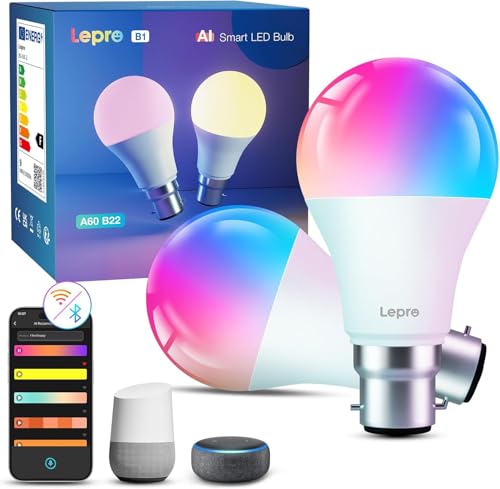
- Lepro AI Smart Bulb B22 about$2760W.
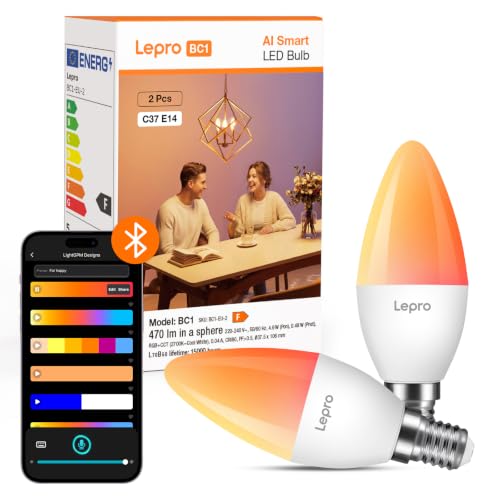
- Lepro AI Smart Bulb E14 about$309W.
- Most PremiumPhilips Hue White and Colour Ambience 470… about$79
Why a repair shop is writing about smart bulbs
A smart bulb is an LED, a small mains power supply and a radio chip squeezed into a lamp shape. It joins your home network like a phone or a laptop, and most of the trouble people have with smart bulbs isn't the bulb at all. It's the Wi-Fi it talks over, the app it depends on and the wall switch it's wired behind, which is the part of the job we sort out every week.
The faults are predictable. Bulbs that drop off the network when the router is swapped, bulbs that flicker or buzz on a dimmer switch, apps that stop working after a phone update, and bulbs that go dark because someone flicked the wall switch off. Most of that is decided before you buy, by the bulb's radio, its cap and where it's going.
The six picks run from $11 to $79 at time of writing: three from Tapo and one each from WiZ, meross and Philips Hue. All six are sold by Amazon AU, and each passed our AU retail check. I've read every listing and said plainly where one leaves out brightness, a warranty or which voice assistants it works with.
If the phone you control them from stops connecting to anything, or the screen gives up while you're mid-setup, bring it into our Erina workshop and we'll tell you what it needs before you spend anything on it.
Wi-Fi, Zigbee, Bluetooth and Matter, in plain terms
Wi-Fi bulbs talk straight to your router, with no hub. You screw them in, open the maker's app and join them to your network. The Tapo and meross listings state Wi-Fi with no hub, and the WiZ uses its own app the same way. They're the easiest place to start. The trade-off is that every bulb is another device on your Wi-Fi, and a house full of them can crowd a basic router.
Zigbee bulbs talk to a small hub, called a bridge, which plugs into the router. Philips Hue is the best-known Zigbee system. The bridge runs the bulbs on their own low-power mesh, so they don't load up your Wi-Fi, and each bulb can pass signal to the next. The Hue pick also has Bluetooth, so it works from a phone without a bridge, for up to 10 Hue lights per the listing.
Matter is a newer standard meant to let bulbs from different brands work with Apple Home, Google Home, Alexa and SmartThings through one setup. The Tapo L535B is the pick whose title names Matter. A Matter bulb still talks over Wi-Fi or Thread underneath, so the network questions don't go away, but it lowers the risk of being stuck with one maker's app.
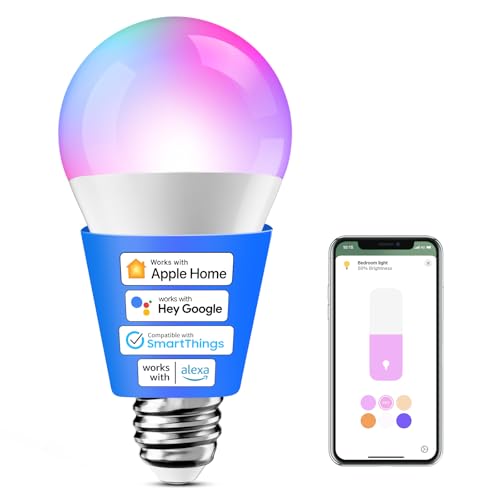
Apple Home users have the narrowest choice. The meross pick states Apple HomeKit compatibility, from iOS 13, alongside Alexa, Google and SmartThings. Tapo's Matter bulb works with Apple Home through Matter. The other picks don't name HomeKit on their listings, so check before buying if your home runs on an iPhone and a HomePod.
Hub lock-in and the app question
Every smart bulb lives or dies by its app. Tapo bulbs use the Tapo app, WiZ the WiZ app, meross the meross app and Hue the Hue app. If a maker stops updating its app, or a phone update breaks it, a bulb with no other way in becomes a plain light. That's the lock-in, and it's worth thinking about before you put twenty of one brand in the house.
The best hedge is a bulb that also works through a voice assistant or a shared standard. Matter is the clearest example. Voice assistants are the next: the meross listing names Alexa, Google and SmartThings as well as HomeKit, and the Hue listing names Alexa and Google over Bluetooth. Tapo's listings name voice control without naming the assistants on every listing.
A hub adds a second kind of lock-in and a second kind of resilience. Hue's bridge ties you to Hue's ecosystem, but it also keeps routines running when your phone is off and holds up to 50 lights, per the listing. Wi-Fi bulbs keep their schedules in the maker's cloud or on the bulb, depending on the brand, which is worth checking in the app before you rely on one.
Our smart home on a budget guide covers which parts of a smart home are worth paying for and which aren't, and it's a good read before you commit the whole house to one system.
The dimmer switch trap
A smart bulb needs constant power to keep its radio alive. Put one behind an ordinary wall dimmer and the dimmer chops the power the bulb's electronics expect, which is why smart bulbs on dimmers flicker, buzz, drop off the network or fail early. The fix is simple: run smart bulbs on a plain on-off switch left on, and do the dimming in the app.
The wall switch is the other trap. Turn a smart bulb off at the wall and it's off the network, so schedules, voice control and the app all stop working until someone turns the switch back on. That's the most common complaint with smart bulbs in a family house, and it's a habit problem rather than a fault. A strip of tape or a switch cover over the wall switch sorts it.
If you want the wall switch to keep working, that's a job for a smart switch fitted by a licensed electrician, not a bulb. In Australia, any work on fixed wiring has to be done by a licensed electrician. A smart bulb is the no-wiring option, which is why it suits renters and anyone who doesn't want to open a wall plate.
Lamps are the easy win. A smart bulb in a table or floor lamp sits behind a plug-in switch you can leave on, so the trap mostly goes away. For lamps you'd rather not change the bulb in, a smart plug does the same job, and our smart plugs guide covers the ones with energy metering.
Caps and brightness: E27, B22 and E14
The cap is the metal end that goes into the light fitting, and Australian homes use two common ones. B22 is the bayonet cap you push in and twist; E27 is the large screw cap. Check the old bulb before you buy. Of the six picks, the Tapo L530E, the WiZ and the meross are E27, the Tapo L535B and L510B are B22, and the Hue is E14, the small screw cap used in candle-style fittings and some lamps.
Brightness is stated in lumens. Around 800 lumens matches an old 60 watt globe, which is right for most lamps and pendants. The Tapo L530E states 806 lumens, the WiZ up to 806, the meross 810 and the Tapo L535B 1,055, about a 75 watt equivalent. The Hue candle states 470 lumens, a soft light for a feature fitting rather than a main room light.
The Tapo L510B listing doesn't state lumens at all, only that it's dimmable warm white at 2,700K. Colour temperature is the other number to read. Around 2,700K is a warm, yellow-white for living rooms, and 5,000K to 6,500K is a cool daylight white for kitchens and desks. The colour bulbs among the picks offer tunable white across that range as well as colours.
None of the six listings prints a voltage. All six are sold by Amazon AU, the meross model code ends in AU, and B22 is the bayonet cap Australian fittings use. Read the box for 220 to 240V before fitting any smart bulb, and leave anything marked 110 or 120V in the box, since it's a different market's product.
Your Wi-Fi decides how well they work
Almost every Wi-Fi smart bulb runs on 2.4GHz only, which the meross listing states outright. That band reaches further through walls than 5GHz, which is why bulbs use it, but it's also the crowded band. A router that hides both bands behind one network name can confuse a bulb during setup, which is the most common reason a new bulb won't pair.
If setup keeps failing, stand near the router, make sure your phone is on 2.4GHz, and try again. Some routers let you give 2.4GHz its own network name for setup, then join the bulb to that. Once paired, the bulb keeps working on the shared name in most homes, so the split can be undone later.
Device count matters too. A basic ISP router can struggle past a few dozen devices, and every bulb, plug, camera and speaker counts. Bulbs that drop off at random, or take seconds to respond, are often a sign of a router at its limit rather than faulty bulbs. Our home Wi-Fi routers guide covers routers that handle a busy smart home.
Distance is the last piece. A bulb in a back shed or a far bedroom may be at the edge of the router's reach, and a metal light fitting can shield it further. A Zigbee system like Hue gets around this by passing signal bulb to bulb; on Wi-Fi, the answer is a mesh system, which our mesh Wi-Fi guide covers.
Energy, schedules and away mode
LED smart bulbs draw little power when on, but they also draw a small standby load around the clock to keep the radio listening. On one bulb that's trivial. On thirty, it adds up to a few watts all year. The meross listing states 9 watts of power for 810 lumens. The Tapo L535B listing states its consumption in a garbled line that reads 86W and 04W, which looks like a typo for 8.6W and 0.4W.
Two of the Tapo picks name energy monitoring in the Tapo app, the L535B and L510B, so you can see what each bulb uses. It's more useful as a curiosity than a saving on bulbs, which use little to begin with, but it's handy if you're tracking a whole house of smart devices in one app.
Schedules are where smart bulbs earn their keep. Five of the six listings name schedules or timers, through the app or a hub; the WiZ listing doesn't mention them. The Tapo L530E and L510B listings name sunrise and sunset modes that switch lights with your local times, and the L510B and meross name an away mode that turns lights on and off at random to make a house look lived in while you're on holidays.
For waking up, a bulb on a sunrise schedule does part of the job of a wake-up light, ramping up in the morning. A dedicated wake-up light does it better, with a proper sunrise curve and sounds, and our wake-up lights guide covers the clocks built for it.
Choosing between the six
For most E27 fittings, the Tapo L530E is the one to buy at $12: 806 lumens, colour and tunable white, 1 to 100 percent dimming, schedules and a 2-year warranty, with no hub. For B22 fittings, the Tapo L535B at $15 adds Matter and a brighter 1,055 lumens. Both share the #1 spot in LED Bulbs on Amazon AU when I checked.
If you just want warm white on a schedule, the Tapo L510B at $11 is the lowest-priced of the six, B22, dimmable 2,700K, with energy monitoring and an away mode. The WiZ A60 at $17 is a simple colour E27 bulb with a thin listing, and the meross at $17 is the pick for Apple Home, with HomeKit, Alexa, Google and SmartThings named.
The Philips Hue candle at $79 is the step into a Zigbee system: E14, 470 lumens, Bluetooth for up to 10 lights without a bridge and up to 50 with one. It costs several times the Wi-Fi bulbs, so it suits someone building a Hue home, not someone after one colour bulb.
Whichever you choose, the habits decide how well they work: check the cap, keep them off dimmers, leave the wall switch on, pair them on 2.4GHz near the router, and don't fill the house with one brand until you've lived with its app for a month.
The 6 picks, $11 to $79
Prices are Amazon AU at time of writing (2026-11-22) and move week to week. Ranks are Amazon AU category ranks in LED Bulbs, checked the same day. The two Tapo colour bulbs return one shared rank, so their overall rank isn't quoted; the others show their overall Amazon AU rank in the write-up.

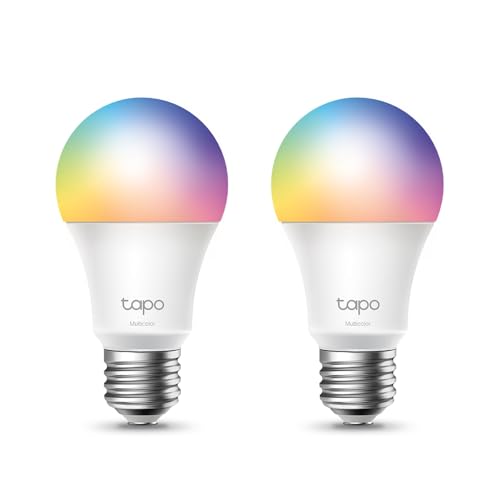
Tapo L530E E27 Smart Wi-Fi Colour Bulb
ASIN B08GDC99PX • $12.00 • Ships from Amazon AU
The Tapo L530E costs $12 at time of writing, sold by Amazon AU, and returns #1 in LED Bulbs on Amazon AU when I checked, a rank shared with the Tapo L535B listing. It's an E27 screw-cap Wi-Fi bulb with no hub required, stating 806 lumens, about a 60 watt equivalent, 16 million colours plus tunable white, and dimming from 1 to 100 percent. Amazon AU sells it directly, so a dead bulb on arrival is an Amazon return rather than a marketplace dispute. Tapo also sells it in a 2-pack and as the B22 L530B, so match the cap and the pack size to what you need. It's sold and shipped by Amazon AU.
The listing names saved presets for scenes like movie nights, schedules and countdown timers that switch the bulb with the brightness and colour you set, and sunrise and sunset modes in the title. Voice and app control run through the Tapo app. TP-Link states a 2-year warranty and 24/7 technical support, and the warranty field on the listing says the same. Presets are the feature that gets used: one tap for a warm evening light or a bright cleaning light, instead of dragging a colour wheel every time. Schedules run the bulb on its own once set, with no phone needed. It joins the Tapo app beside Tapo plugs and cameras.
This is the one I'd buy for most E27 lamps and pendants, since it's bright enough for a main light, low-priced enough to try and backed by a stated 2-year warranty and 24/7 support. Pair it close to the router on 2.4GHz, name it by room in the app, and leave the wall switch on. If it drops off after a router change, give the new router the old network name and password before resetting the bulb. Start with one bulb in the room you use most, live with the app for a few weeks, then add more once you know it suits the household. That beats filling the house on day one and finding the app isn't for you.
Honest caveats: E27 only, so it won't fit a B22 bayonet fitting. It runs on Wi-Fi, so it needs a decent 2.4GHz signal. The listing doesn't name Matter or HomeKit. No voltage is printed. The rank is shared with the L535B listing. It won't work properly on a wall dimmer.
Best for: Most E27 lamps and pendants wanting colour with no hub.
Cap: E27 screw • Brightness: 806 lumens (stated) • Colour: 16 million colours + tunable white • Dimming: 1 to 100 percent • Connection: Wi-Fi, no hub • Warranty: 2 years (stated) • Model: L530E • Seller: Amazon AU • Rank: #1 in LED Bulbs (Amazon AU, listing shared with L535B)
View on Amazon AU
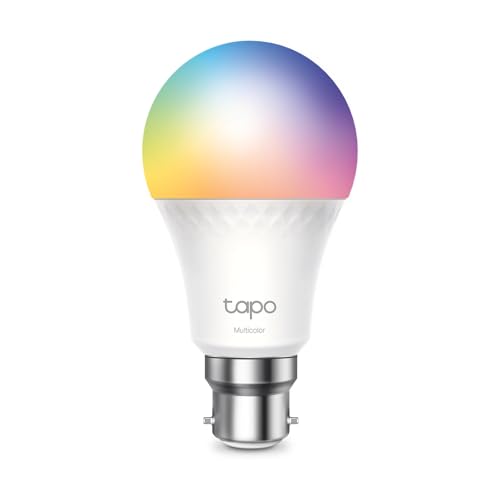
Tapo L535B B22 Matter Smart Colour Bulb
ASIN B0CMCXCJLW • $15.00 • Ships from Amazon AU
The Tapo L535B, part HETL-TCL535B, costs $15 at time of writing, sold by Amazon AU, and returns #1 in LED Bulbs on Amazon AU when I checked, a rank shared with the L530E listing. It's a B22 bayonet bulb, the cap most Australian ceiling fittings use, stating 1,055 lumens, about a 75 watt equivalent, the brightest of the six picks. Amazon AU sells it directly, so a dead bulb on arrival is an Amazon return. B22 is the cap in most Australian ceiling battens, so it's the pick that fits the most main lights without an adapter. It's sold and shipped by Amazon AU.
The title names Matter compatibility, multicolour and tunable white, schedules and timers, voice and app control and no hub needed, and the features add real-time power monitoring in the Tapo app. Part of the feature text is boilerplate, including a Christmas decoration line and a power line that reads 86W and 04W, which looks like a typo for 8.6W and 0.4W. The warranty field states 2 years. Matter means it can be added to Apple Home, Google Home or Alexa from those apps, using the setup code, rather than only through Tapo's own app. That's the best hedge of the six against one maker's app going stale.
This is the one for B22 fittings, and for anyone who wants Apple Home, Google Home or Alexa through Matter rather than the maker's app alone. Pair it once in your main smart home app rather than several, so schedules don't fight each other. Leave the wall switch on, keep it off dimmers, and give the router the same name and password if it's ever replaced. If you pair it in the Tapo app first, add it to Matter from there as the app directs. Start with one bulb in the most-used fitting, check it holds its connection for a week, then add the rest of the room.
Honest caveats: Some feature text is generic or garbled, including the power figures. Matter is named in the title, not explained in the features. No voltage is printed. The rank is shared with the L530E. It won't work properly on a wall dimmer, and a switched-off wall switch takes it off the network.
Best for: B22 ceiling fittings, and Matter homes across Apple, Google and Alexa.
Cap: B22 bayonet • Brightness: 1,055 lumens (stated) • Colour: Multicolour + tunable white • Standard: Matter (named in title) • Extras: Energy monitoring in app • Warranty: 2 years (stated) • Model: Tapo L535B • Seller: Amazon AU • Rank: #1 in LED Bulbs (Amazon AU, listing shared with L530E)
View on Amazon AU
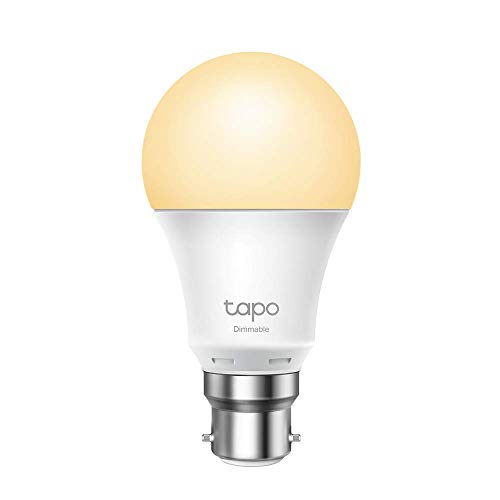
Tapo L510B B22 Smart Dimmable Warm White Bulb
ASIN B08BX5FBV1 • $11.40 • Ships from Amazon AU
The Tapo L510B, part 23188, is the lowest-priced of the six at $11, sold by Amazon AU, and returns #7 in LED Bulbs and #204 overall on Amazon AU when I checked. It's a B22 bayonet Wi-Fi bulb with no hub, and it does one colour: dimmable warm white at 2,700K, with no colour or tunable white. Amazon AU sells it directly, so a fault on arrival is an Amazon return. Its overall rank of #204 is the best of the four picks whose overall rank isn't shared, which says plenty of Australian homes use one. It's sold and shipped by Amazon AU.
The listing names dimming, saved presets, schedules, sunrise and sunset modes that switch the light with your time zone, an away mode and energy monitoring in the title, with voice and app control through the Tapo app. The warranty field states 2 years, and TP-Link names 24/7 technical support. The listing doesn't state lumens or a watt equivalent, which is the main gap. Away mode switches the light on and off at varied times while you're travelling, which is the job a warm white bulb does better than a colour one. The sunrise and sunset modes follow your time zone, so a porch light tracks the seasons on its own.
This is the one for a bedroom, a hallway or a porch light on a schedule, where warm white and a timer are the whole job. Fit it in a lamp or a plain-switched ceiling light, never on a dimmer, and test its brightness in the room before buying more, since no lumen figure is given. Leave the wall switch on so the schedule keeps running. If you later want colour in the same fitting, the Tapo L535B shares the B22 cap and the Tapo app, so the two can sit side by side in one home. Name each bulb by room in the app so schedules stay easy to follow.
Honest caveats: No lumens or watt equivalent are stated, so brightness is a guess. Warm white only, with no colour or cool white. B22 only. No Matter or HomeKit is named. No voltage is printed. A wall dimmer or a switched-off wall switch stops it working as a smart bulb.
Best for: Warm white on a schedule in B22 fittings, at the lowest price.
Cap: B22 bayonet • Light: 2,700K warm white, dimmable • Brightness: Not stated on the listing • Connection: Wi-Fi, no hub • Extras: Away mode, energy monitoring • Warranty: 2 years (stated) • Model: Tapo L510B • Seller: Amazon AU • Rank: #7 in LED Bulbs (Amazon AU)
View on Amazon AU
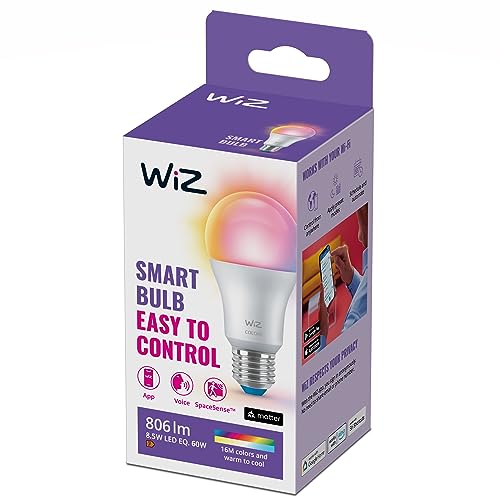
WiZ Color A60 E27 Smart LED Bulb
ASIN B0C6QKPFQ6 • $16.99 • Ships from Amazon AU
The WiZ Color A60, part 929003601001, costs $17 at time of writing, sold by Amazon AU, and returns #13 in LED Bulbs and #303 overall on Amazon AU when I checked. It's an E27 full-colour smart bulb stating up to 806 lumens, the same brightness as the Tapo L530E, in the standard A60 bulb shape. Amazon AU sells it directly, so a fault on arrival is an Amazon return. It uses the WiZ app rather than Hue's bridge or Tapo's app, so it doesn't join either system. It's sold and shipped by Amazon AU, so a fault on arrival is an Amazon return. Its overall rank is the second best of the four picks with their own overall rank.
The listing is short. It names full colour, up to 806 lumens, easy plug and play setup, control from your smartphone wherever you are, and bright daylight for when you want to focus. It doesn't state the radio, a warranty, dimming range, colour temperature range or which voice assistants it works with, so those come from WiZ's own app and documentation rather than this listing. Plug and play setup is the listing's main promise, and for a single lamp that's often enough. A thin listing isn't a sign of a poor bulb, but it does mean reading WiZ's own app notes before buying several.
This is the one for a single colour lamp where plug and play setup matters more than a long feature list. Check the box for 220 to 240V and the warranty terms before fitting, since the listing states neither. Pair it on 2.4GHz near the router, and keep it in an open lamp rather than a sealed shade so its electronics stay cool. Buy one first and read the WiZ app's setup and warranty notes before adding more, since the listing leaves so much out. If a bulb won't pair, reset it from the app's instructions and pair it again close to the router.
Honest caveats: The listing is the thinnest of the six: no warranty, connection type, voice assistants or colour temperature range are stated. E27 only. No voltage is printed. It costs more than the Tapo L530E for the same stated brightness. Keep it off wall dimmers.
Best for: One colour lamp with plug and play setup.
Cap: E27 screw • Shape: A60 • Brightness: Up to 806 lumens (stated) • Colour: Full colour • Warranty: Not stated on the listing • Voice: Not stated on the listing • Model: 929003601001 • Seller: Amazon AU • Rank: #13 in LED Bulbs (Amazon AU)
View on Amazon AU
meross Smart Light Bulb E27, HomeKit Compatible (MSL120HK-AU)
ASIN B0DPK2GSVR • $16.99 • Ships from Amazon AU
The meross smart bulb, model MSL120HK-AU, costs $17 at time of writing, sold by Amazon AU, and returns #43 in LED Bulbs and #776 overall on Amazon AU when I checked. It's an E27 Wi-Fi bulb stating 810 lumens, a 60 watt equivalent from 9 watts, 16 million colours and tunable white from 2,700K to 6,500K. The AU suffix on its model code marks an Australian-market unit. Amazon AU sells it directly, so a fault on arrival is an Amazon return. Its overall rank sits behind the WiZ and the Tapo L510B but ahead of the Hue candle. It's sold and shipped by Amazon AU.
The listing names Apple HomeKit from iOS 13, Alexa, Google Home and SmartThings, the widest assistant list of the six, and remote control with no distance limit. It connects over 2.4GHz Wi-Fi, which it states plainly, and adds schedules, an away mode, preset scenes and sunrise and sunset modes. It states a lifespan in the tens of thousands of hours, and the warranty field says 2 years. HomeKit support means it shows up in the Apple Home app and works with Siri and a HomePod, without needing the meross app day to day. The four named assistants are the widest choice of the six listings.
This is the one for an iPhone household, since HomeKit is named outright and the other assistants come along too. Add it to Apple Home with its setup code and keep the code card somewhere safe, since a reset needs it again. Pair it on 2.4GHz, leave the wall switch on and keep it off dimmers. If a HomePod or Apple TV is in the house, it acts as the home hub that runs schedules while you're out. Name the bulb by room in Apple Home so Siri commands are simple, and keep a spare setup code photo on your phone in case of a reset.
Honest caveats: E27 only. 2.4GHz Wi-Fi only, so pair it on that band. Matter isn't named. No voltage is printed beyond the AU model code. The lifespan figure is the maker's. Its rank sits behind the Tapo and WiZ picks. Keep it off wall dimmers.
Best for: Apple Home users, with Alexa, Google and SmartThings named too.
Cap: E27 screw • Brightness: 810 lumens from 9W (stated) • Colour: 16M colours, 2,700 to 6,500K • Connection: 2.4GHz Wi-Fi • Assistants: HomeKit, Alexa, Google, SmartThings • Warranty: 2 years (stated) • Model: MSL120HK-AU • Seller: Amazon AU • Rank: #43 in LED Bulbs (Amazon AU)
View on Amazon AU
Philips Hue White and Colour Ambience Candle Bulb E14, 470 lm
ASIN B08CJN74PS • $79.00 • Ships from Amazon AU
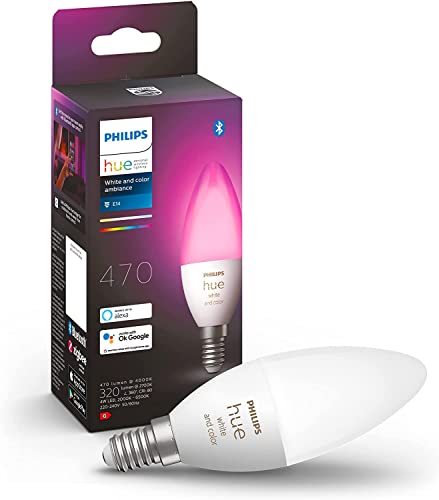
The Philips Hue White and Colour Ambience candle, part 929002294206, costs $79 at time of writing, sold by Amazon AU, and returns #59 in LED Bulbs and #921 overall on Amazon AU when I checked. It's an E14 candle-shape bulb stating 470 lumens and 16 million colours, for chandeliers, wall lights and lamps that take the small screw cap. Amazon AU sells it directly, so a fault on arrival is an Amazon return. The listing notes that earlier Hue customers can add it to an existing bridge, so it slots into an older Hue system without a rebuild. It's sold and shipped by Amazon AU.
It works two ways, per the listing. Over Bluetooth, the Hue app controls up to 10 Hue Bluetooth and Zigbee lights with no bridge. With a Hue Bridge, it joins a Zigbee system of up to 50 lights, with timers, routines, wake and sleep schedules and away-from-home control. It works with Alexa and Google Assistant, and the warranty field states 2 years. Zigbee's advantage shows in a big house: each mains-powered Hue bulb can pass signal along to the next, so lights far from the router still respond. Bluetooth is fine for a few lights in one room, and the bridge can come later.
This is the one for building a Hue system or finishing a feature fitting, where its Zigbee link and the Hue ecosystem matter more than the price. Fit it in open fittings where its candle shape is visible, and keep it off dimmers like any smart bulb. If you add a bridge, plug it into the router by cable, as Hue intends, and leave the wall switch on. Start on Bluetooth with the Hue app, and add a bridge once you pass a handful of lights or want routines while you're out. Keep every Hue bulb on a switch that stays on, since a bulb with no power can't relay signal to the next one.
Honest caveats: It costs several times the Wi-Fi picks. 470 lumens is soft, for a feature fitting, not a main light. E14 only. Most routines and the 50-light limit need a Hue Bridge, sold separately. HomeKit and Matter aren't named on the listing. No voltage is printed.
Best for: Hue systems and E14 feature fittings.
Cap: E14 small screw, candle shape • Brightness: 470 lumens (stated) • Colour: 16 million colours • Connection: Bluetooth + Zigbee • Without bridge: Up to 10 lights (stated) • With bridge: Up to 50 lights (stated) • Warranty: 2 years (stated) • Seller: Amazon AU • Rank: #59 in LED Bulbs (Amazon AU)
View on Amazon AUSide-by-side comparison
What we see fail in the workshop: smart bulbs
A smart bulb is a small mains power supply, an LED and a radio, packed into a hot, sealed shape and run on a home network. The faults we see come from power, heat and Wi-Fi more than from the bulb itself, and each of the three below has a habit that prevents it.
Flicker and early death on dimmer switches
A wall dimmer chops the mains waveform to dim an old filament globe, and a smart bulb's power supply hates it. The bulb flickers, buzzes, resets or drops off the network, and over months the power supply wears out early. Run smart bulbs on a plain on-off switch left on, and dim them in the app instead. If a smart bulb has to sit on a dimmed circuit, the dimmer needs replacing with a standard switch, which is a job for a licensed electrician, not a DIY swap.
Bulbs lost after a router change
Wi-Fi bulbs remember the network name and password they were set up on. Swap the router, change the password or let the ISP send a new modem, and every bulb drops off at once. Before changing a router, give the new one the same network name and password as the old one, and most bulbs reconnect on their own. If they don't, each bulb needs a reset, usually by flicking the power on and off a set number of times, which the maker's app explains.
Heat in enclosed fittings
An LED bulb's electronics sit in its base, and heat is what ages them. In a sealed oyster light or an enclosed outdoor fitting, the heat has nowhere to go, and a smart bulb runs hotter than a plain LED because of its radio. The first signs are a bulb that resets on hot evenings or dims on its own. Use smart bulbs in open fittings and lamps where you can, and check the box for an enclosed-fitting rating before putting one in a sealed shade.
Decision tree: which one should you actually buy?
- Want one colour bulb for an E27 lamp? → The Tapo L530E at $12, 806 lumens with colour and no hub.
- B22 ceiling fitting, or a Matter home? → The Tapo L535B at $15, the brightest of the six at 1,055 lumens.
- Just warm white on a schedule? → The Tapo L510B at $11, B22 with an away mode.
- iPhone and Apple Home household? → The meross at $17, with HomeKit, Alexa, Google and SmartThings named.
- Building a Philips Hue system? → The Hue E14 candle at $79, Bluetooth now and Zigbee with a bridge later.
- Phone you run the lights from is playing up? → Bring it into our Erina workshop. We'll check it and tell you what it needs before you spend anything.
Frequently asked questions
Do smart bulbs need a hub?
Not most of them. Wi-Fi bulbs like the Tapo, WiZ and meross picks connect straight to your router and are set up in the maker's app. Zigbee bulbs like Philips Hue use a small bridge plugged into the router, which runs the bulbs on their own mesh and holds up to 50 lights with routines. The Hue pick also has Bluetooth, so it works from a phone without a bridge, for up to 10 Hue lights.
Why does my smart bulb flicker?
The usual cause is a dimmer switch. A wall dimmer chops the power that a smart bulb's electronics need to run steadily, so the bulb flickers, buzzes or resets. Replace the dimmer with a plain switch, which is a job for a licensed electrician in Australia, or move the bulb to a lamp, and dim it in the app instead. Flicker on a plain switch can also come from a loose fitting or a bulb at the edge of Wi-Fi range.
Will a smart bulb work if the light switch is off?
No. Turning the wall switch off cuts power to the bulb, so it drops off the network and won't respond to the app, voice or schedules until the switch goes back on. Leave the wall switch on and control the light from the app or a voice assistant. If people in the house keep using the switch, a switch cover helps, or a licensed electrician can fit a smart wall switch instead of using smart bulbs.
What is Matter and do I need it?
Matter is a shared standard that lets smart home devices from different makers work with Apple Home, Google Home, Alexa and SmartThings through one setup. You don't need it, but it lowers the risk of being stuck with one brand's app. Of the six picks, the Tapo L535B names Matter in its title. A Matter bulb still uses Wi-Fi or Thread underneath, so a good home network still matters, and you still set it up once in the app you plan to use.
Should I buy E27 or B22 smart bulbs?
Buy whatever your fitting takes, so check the old bulb first. B22 is the bayonet cap you push in and twist, used in most Australian ceiling battens and pendants. E27 is the large screw cap, common in lamps and newer fittings. E14 is the small screw cap in candle-style fittings. Of the six picks, the Tapo L535B and L510B are B22, the Tapo L530E, WiZ and meross are E27, and the Hue candle is E14.
Why won't my smart bulb connect to Wi-Fi?
Most smart bulbs only work on 2.4GHz Wi-Fi, and a router that hides 2.4GHz and 5GHz under one name can confuse them during setup. Stand close to the router, make sure your phone is on 2.4GHz, and try again. Some routers let you give 2.4GHz its own name for setup. Also check the bulb isn't behind a dimmer, and reset it per the maker's app if it was set up on an old network.
Related buying guides
Phone won't connect to anything?
If the phone you run your smart home from won't hold a Wi-Fi connection, charge properly or keep its screen working, don't keep resetting your bulbs. Bring the phone into our Erina workshop and we'll look at the antenna, the battery and the screen and tell you what it needs before you spend anything.
Visit our Erina workshop Book Online