Prices from Amazon AU, updated daily. Swipe or use the arrows for more.
Disclosure: This article contains affiliate links to amazon.com.au. If you buy through one of these links iFix may earn a small commission at no extra cost to you. It doesn't change which products we recommend. We focus on what actually lasts based on 16 years of repair-shop experience.
Quick summary6 picks
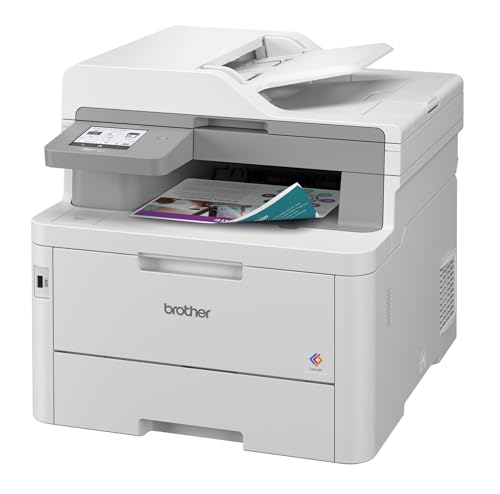
- Entry PickBrother HL-L3280CDW Colour Laser Printer -… about$435
- Brother MFC-L3755CDW Colour Laser… about$459
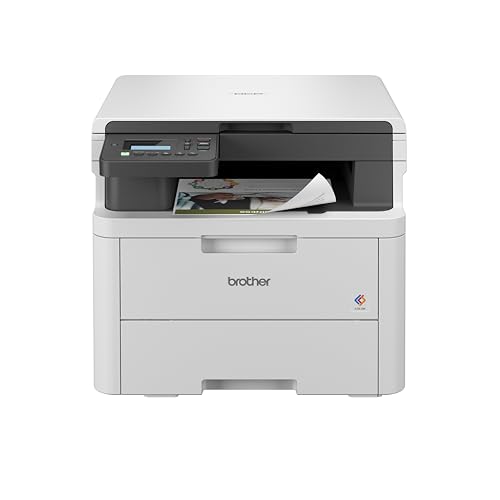
- Brother DCP-L3520CDW Compact Colour Laser… about$488
- Brother HL-L8240CDW Colour Laser Printer -… about$515.10
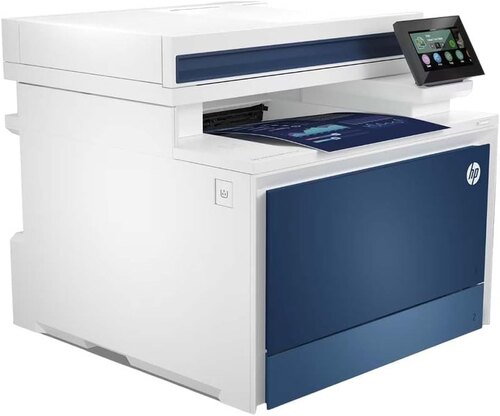
- HP Color LaserJet Pro MFP 4301fdw Wireless… about$619
- Most PremiumBrother MFC-L8390CDW Colour Laser… about$689.95
Who a colour laser actually suits
A colour laser makes the most sense for people who print a bit of colour every week but not every day: school projects, invoices with a logo, flyers for a club, charts for a meeting. The big win over an inkjet is that toner is a dry powder, so it doesn't dry out and clog a printhead when the printer sits for a month. You can leave one alone over the school holidays and it'll usually print the first page when you come back.
It's not a photo printer. Colour lasers fuse powder onto plain paper with heat, so photos come out flatter and less detailed than on a good inkjet, and most won't take glossy photo paper at all. If your colour printing is mostly photos of the kids, an inkjet or a photo printer does that job better. If it's documents, charts, labels and the odd poster for the shop window, a colour laser is generally the better long-term printer.
They're also bigger and heavier than people expect. Every pick here weighs between about 15.6 and 20.4kg according to the listings, because a colour laser carries four toner cartridges and a fuser inside, and the all-in-ones add a scanner on top. Measure the shelf or desk before you order, leave room at the front for the paper tray to slide out, and leave a gap at the back and sides so the vents can breathe.
If you only ever print black text, you don't need any of these. a mono laser costs less to buy and less per page, and our home office printer guide covers those. Colour lasers make sense once colour is a regular part of what you print, or when you share one printer across a household or a small office and you'd rather not fight clogged heads.
Laser or ink tank for colour
The honest competitor to a colour laser isn't a cartridge inkjet, it's an ink tank printer. Ink tank printers use bottled ink that costs very little per page, and for heavy colour use they usually beat a colour laser on running cost by a wide margin. Where they lose is reliability for people who print rarely. An ink tank that sits unused for weeks can still dry its printhead, and a blocked head is the most common printer fault people complain about.
A colour laser trades higher running cost for less fuss. There's no printhead to clog, no cleaning cycles eating ink every time you switch it on, and no waste ink pad filling up from those cleans. Text is sharper, pages come out dry, and they don't smudge if you run a highlighter over them. For a household that prints in bursts, or a small office where nobody wants to be the printer person, that's usually worth the extra few cents a page.
The rough rule I use is simple enough. If you print more than a few hundred colour pages a month, look hard at an ink tank. If you print in bursts, leave the printer for weeks at a time, or mostly print text with a bit of colour, a colour laser usually ends up the less annoying machine. The picks below are for that second group.
What a colour page really costs
Toner pricing is where colour lasers get you, so I priced the genuine Brother TN258 cartridges on Amazon AU the same day as the printers. The two Brother bundle listings for the HL-L3280CDW and MFC-L3755CDW name the TN258XLBK cartridge as the one that fits, so that's the range I used. Standard cartridges are $130 for black and $150 for each colour, each rated at about 1,000 pages to the ISO/IEC 19798 test.
The high-yield XL cartridges are $177 for black, rated at 3,000 pages, and about $188 for each colour, rated at 2,300 pages. On XL cartridges that works out to about 5.9c for black and 8.2c for each colour, so a full-colour page at the test coverage costs roughly 30c. On standard cartridges it's about 13c for black plus 15c per colour, or nearly 58c for a full-colour page, which is close to double the XL figure.
Those are test-page numbers, and the ISO test page is mostly white space with a bit of text and some colour blocks. A page with a big photo or a solid background uses far more toner, so real-world costs on heavy colour pages are higher than the figures above. Treat the numbers as a fair way to compare printers, not a promise of what your own pages will cost.
The printers ship with starter cartridges, and the listings don't say how many pages those starters give, so budget for a full set of XL toner sooner than you'd think. Amazon AU also sells the HL-L3280CDW and MFC-L3755CDW bundled with an XL black cartridge, and both bundles cost exactly the printer price plus the cartridge price on the day I checked. There's no discount in the bundle, it just saves a second order.
The parts that wear out besides toner
Toner gets the attention, but a colour laser has other wear parts that decide how long it lasts and what it costs to run past the first few years. Most designs have a drum, which takes the toner image, a transfer belt that carries it to the paper, a fuser that melts it on with heat and a waste toner box that collects what doesn't make it onto the page. Which of those you can replace yourself varies by model.
The listings for these four don't give drum, belt or fuser life, so check the manual on Brother's or HP's site before you buy if you print a lot. On many colour lasers the drum is a separate part that lasts several toner sets, and the printer tells you when it's due. When a drum or belt is close to the end, you'll usually see faint streaks, repeating marks down the page or colours that don't line up any more.
The fuser is the part that runs hot, and it's what usually fails in a laser that's done a lot of pages. A worn fuser leaves toner that rubs off with your thumb, creased pages or a paper jam right at the exit. Most home users never reach fuser life, but hard-working printers in busy small offices can, so it's worth knowing the part exists and roughly what it costs before you commit to a brand.
Paper handling is the other wear point. The pickup rollers that grab each sheet from the tray harden and glaze over time, and that's behind most of the "it grabs two sheets" or "it won't feed" complaints. Keep paper in its wrapper until you load it, don't overfill the tray, fan the stack before loading, and wipe the rollers with a lint-free cloth and a little water every so often. It costs nothing and fixes a lot of feed faults.
Wi-Fi, drop-outs and setting it up properly
"Printer offline" is the fault we hear about most with any wireless printer, and nine times out of ten it's the network, not the printer. Routers hand out addresses that change, printers go to sleep and wake up on a different one, and the laptop goes looking at the old address. The fix is to give the printer a fixed address with a DHCP reservation in your router, which takes five minutes and stops most of the drop-outs.
The HP 4301fdw lists dual-band Wi-Fi, Wi-Fi Direct and Gigabit Ethernet, and the three Brothers list wireless and USB 2.0. If the printer sits near the router, a network cable is the most reliable link you can give it. If it's at the other end of the house, put it where the Wi-Fi signal is solid, because a printer on one bar of signal drops out at the worst moment. Sometimes the real fix is a decent router rather than a new printer.
Set up the printer's own app or web page on day one, turn on automatic firmware updates only if you're happy with the trade-offs, and note the admin password somewhere safe. On the HP, the listing says its dynamic security is designed to work only with cartridges using an original HP chip, so a firmware update can stop some third-party toner working. That's worth knowing before you plan on non-genuine cartridges.
Power, powerboards and UPS units
None of the four listings state power draw, but every laser printer works the same way: the fuser heats up fast when it wakes, and that pulls a big burst of current for a short time. Plug it straight into a wall socket or a good surge-protected powerboard, and don't share that powerboard with a heater, a kettle or anything else that draws a lot. That's how powerboards overheat, and a 10A socket tops out at 2,400W.
Don't run a laser printer from the battery outlets on a UPS. The fuser's warm-up surge is often more than a small UPS can supply, and it can trip the UPS or shorten its battery life. Most UPS makers say this in their manuals. If you want the computer and router on a UPS, plug the printer into a surge-only outlet or a separate powerboard instead.
Running cost on power is small next to toner. If you assume a laser pulls around 1,000W while it's warming and printing for ten minutes a day, that's about 0.17kWh, or roughly 5.5c a day at the AU average tariff of about 33c per kWh. That figure is an assumption, not a listing number, and in sleep mode a modern laser draws only a few watts. The toner costs more than the power by a long way.
Single function or all-in-one
Two of the picks are printers only and two are all-in-ones. The HL-L3280CDW and HL-L8240CDW just print, with automatic two-sided printing. The MFC-L3755CDW adds a scanner, copier and fax with a document feeder that scans one side at a time, and the HP 4301fdw adds a 50-sheet feeder that scans both sides automatically. If you scan a lot of two-sided paperwork, that HP feature saves a surprising amount of time.
An all-in-one is heavier, taller and has more to go wrong, because the scanner lid, the feeder rollers and the flatbed glass all wear or get damaged. If you already have a scanner or you only scan a few pages a year with your phone, a single-function printer is the simpler, lighter machine. If you scan receipts, contracts or school forms every week, the all-in-one earns its place on the desk.
Speed is less important than most listings suggest. The Brothers list 26 or 30 pages per minute and the HP lists 33, but home print jobs are usually a few pages, and the time to first page matters more than pages per minute. The HP is the only listing here that states a first page time, at 9.5 seconds. For most homes, any of these is quick enough.
How I picked these four
I searched Amazon AU for colour laser printers and colour laser all-in-ones between about $150 and $1,000, kept new listings sold by Amazon AU or shipped from Amazon's Australian warehouses, and sorted by sales rank in the Laser Printers category. Then I read each listing's model and part numbers against its title, and dropped toner bundles that were the same printer with a cartridge added. Mono lasers are covered in our home office printer guide, so they're not here.
Three of the four are Brother, sold by Amazon AU itself, because Brother's colour lasers were the best-ranked colour models in range on the day. The fourth is the HP Color LaserJet Pro 4301fdw, sold by KS Computer through Amazon's own warehouse, with a delivery date about a week out to Erina when I checked. Other HP and Canon colour models I searched for didn't turn up new from Amazon AU or an Australian warehouse in range on the day, so they're not here.
The HL-L3280CDW has the best category rank of the four at #17 in Laser Printers. Prices run from $435 to $619 at time of writing, and I've stuck to what each listing states. Where a listing leaves something out, like drum life or power draw, I've said so on the card instead of guessing. If one of these breaks down out of warranty, computer repairs on the Central Coast and our Erina workshop can tell you whether it's worth fixing.
The 4 picks, $435 to $619
Prices are Amazon AU at time of writing (2026-11-06) and move week to week. Ranks are Amazon AU category sales ranks, checked the same day.

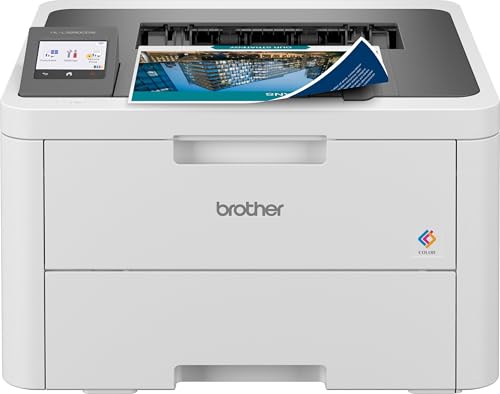
Brother HL-L3280CDW Wireless Colour Laser Printer, 2-Sided Printing
ASIN B0CJT1GLY5 • $435 • Ships from Amazon AU
The Brother HL-L3280CDW is #17 in Amazon AU's Laser Printers category at time of writing, the best category rank of any colour model here. It's $435, sold and shipped by Amazon AU. The part number and model are both HL-L3280CDW, matching the title. It's a print-only machine with automatic two-sided printing and a listed speed of up to 26 pages per minute in black and in colour. It has a 6.8cm colour touchscreen and a 250-sheet paper tray. It ranks #3,044 across the whole Amazon AU site, which is strong for a printer in this price range. The listing colour is white with a black top. It's the model I'd point most households at first, because it's the simplest of the four and the best-ranked.
It connects over wireless or USB 2.0, according to the title, and the listing doesn't mention Ethernet, so plan on Wi-Fi or a USB cable. It weighs about 15.6kg and measures roughly 40 by 40 by 27cm, which makes it the smallest and lightest pick here. Brother's own bundle listing for this printer names the TN258XLBK high-yield black cartridge, so it takes the TN258 range I priced above. On XL cartridges that's about 30c for a full-colour test page and under 6c for black. The listing gives a 12 month warranty. It's been on sale since October 2023, so toner and parts are easy to find. The box contents beyond the printer and starter toner aren't listed, so don't count on a USB cable being included.
Drum, belt and fuser life aren't stated on the listing, so look them up in Brother's manual if you print a lot. Give it a fixed address on your router so it doesn't drop off the network. Keep paper wrapped, fan the stack before loading and wipe the pickup roller now and then. It's a good fit for a household that prints colour in bursts and doesn't need to scan. Leave it switched on in sleep mode rather than turning it off at the wall every day, because each cold start runs a warm-up and calibration. Keep it out of direct sun, which can warp paper in the tray. For most homes, it's the colour laser I'd start with.
Honest caveats: Honest caveats: it doesn't scan or copy. Ethernet isn't mentioned on the listing. Starter toner yield isn't stated, so budget for a set of XL cartridges early. Drum and fuser life aren't listed. The bundle with XL black toner costs exactly the printer plus the cartridge.
Best for: A household that prints colour in bursts and wants the smallest, best-selling colour laser.
Type: Colour laser, print only • Speed: Up to 26 ppm black and colour • Duplex: Automatic 2-sided printing • Paper tray: 250 sheets • Connectivity: Wireless, USB 2.0 • Toner: TN258 range (TN258XLBK named on Brother's bundle listing) • Weight: About 15.6kg • Seller: Amazon AU • Rank: #17 in Laser Printers (Amazon AU)
View on Amazon AU
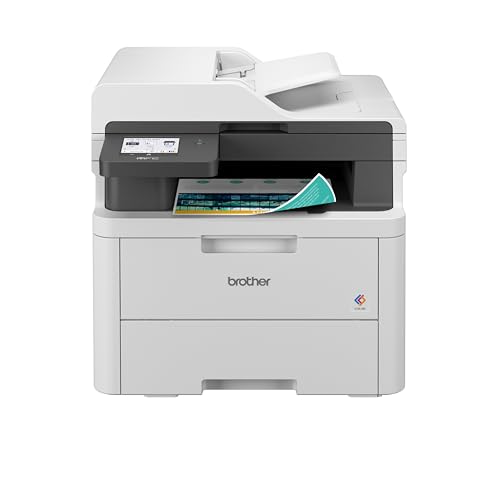
Brother MFC-L3755CDW Wireless Colour Laser Multi-Function, Print, Scan, Copy, Fax
ASIN B0CJT8GRS6 • $459 • Ships from Amazon AU
The Brother MFC-L3755CDW is #29 in Amazon AU's Laser Printers category at time of writing and ranks #5,301 across the whole site. It's $459, sold and shipped by Amazon AU. The part number and model are MFC-L3755CDW, which matches the title. It's the all-in-one version of the HL-L3280CDW, so it prints, scans, copies and faxes. It lists the same 26 pages per minute in black and colour, with automatic two-sided printing. It's only $24 more than the print-only model at time of writing, which is a small step up for a scanner and copier. The listing colour is white with a black top, the same as the print-only model. It's the one I'd point people at when the household or home office scans paperwork every week.
The document feeder on top scans one side at a time, and the listing calls it a single-sided ADF, so two-sided paperwork has to be flipped by hand. It has a larger 8.8cm colour touchscreen and the same 250-sheet tray. It connects over wireless or USB 2.0 according to the title. It weighs about 20kg and stands around 40cm tall, so it needs a sturdy desk or shelf. Brother's bundle listing names the TN258XLBK cartridge, so it shares toner with the HL-L3280CDW and costs the same to run. The warranty is 12 months on the listing, and it's been on sale since October 2023. Box contents beyond the printer aren't listed in detail, so check for a USB cable before you need one.
Drum and fuser life aren't stated, and neither is power draw, so check the manual before you commit to heavy use. Keep the scanner glass clean with a soft cloth, because a speck there leaves a line down every copy. Don't stack things on the lid. Give it a fixed address on your router. It suits a home office or a family that scans school forms and receipts every week. Leave the feeder tray clear of staples and paper clips, which scratch the glass and jam the rollers. The scan quality and resolution aren't stated on the listing. Fax needs a landline, so most people won't use it. If you need a scanner, it's the pick I'd buy over the print-only Brother.
Honest caveats: Honest caveats: the document feeder scans one side at a time, so two-sided pages need flipping. It's about 20kg and tall. Ethernet isn't mentioned on the listing. Drum, fuser and starter toner life aren't stated. Fax needs a phone line most homes no longer have.
Best for: A home office that scans and copies every week and wants the TN258 toner running cost.
Type: Colour laser all-in-one: print, scan, copy, fax • Speed: Up to 26 ppm black and colour • Duplex: Automatic 2-sided printing, single-sided ADF • Paper tray: 250 sheets • Connectivity: Wireless, USB 2.0 • Toner: TN258 range (TN258XLBK named on Brother's bundle listing) • Weight: About 20kg • Seller: Amazon AU • Rank: #29 in Laser Printers (Amazon AU)
View on Amazon AU
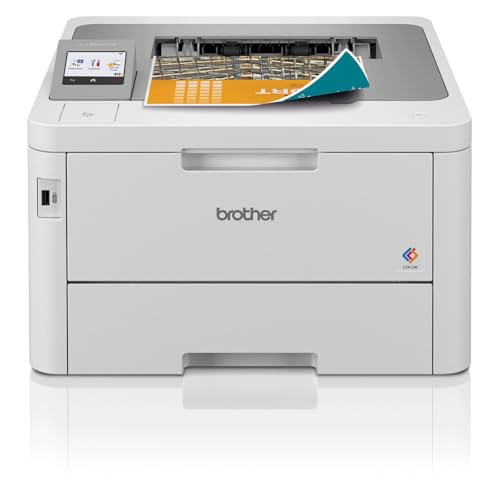
Brother HL-L8240CDW Wireless Colour Laser Printer, 2-Sided Printing
ASIN B0CJTFY81R • $515.10 • Ships from Amazon AU
The Brother HL-L8240CDW is #51 in Amazon AU's Laser Printers category at time of writing and ranks #8,864 across the whole site. It's $515, sold and shipped by Amazon AU. The part number and model are both HL-L8240CDW, matching the title. It's a print-only colour laser with automatic two-sided printing and a listed speed of up to 30 pages per minute in black and colour. That's four pages a minute faster than the HL-L3280CDW. It has the same 6.8cm colour touchscreen and 250-sheet tray as the smaller Brother. The listing colour is white with a black top. It's also the lowest-ranked pick here at #51. It sits in the range as the faster print-only option for people who print longer jobs.
It connects over wireless or USB 2.0, according to the title, and Ethernet isn't mentioned on the listing. It weighs about 16.6kg and measures roughly 45 by 40 by 27cm, so it's a little deeper than the HL-L3280CDW but much the same height. The listing doesn't name its toner cartridges, so look up the toner on Brother's site and price a set before you buy. That's the single biggest gap in this listing, because the running cost depends on it. The warranty is 12 months, and it's been on sale since October 2023. Brother's site lists toner by model number, so search HL-L8240CDW there and add the four cartridge prices to the printer price. If the toner works out much dearer than the TN258 range, the HL-L3280CDW is the better long-term buy for most homes.
It's $80 more than the HL-L3280CDW for a bit more speed, so it makes sense in a small office printing longer jobs. For a home printing a few pages at a time, you won't notice the difference much. Drum and fuser life aren't stated. Wipe the pickup roller now and then, and give it a fixed address on the router. Keep the paper tray topped up rather than overfilled, because a packed tray is a common cause of double feeds. Leave it in sleep mode between jobs so it doesn't warm up from cold each time. The extra speed only shows on jobs longer than a handful of pages. If you print long colour jobs, it's the faster Brother to buy.
Honest caveats: Honest caveats: the listing doesn't name its toner, so the running cost can't be checked from it. It doesn't scan. Ethernet isn't mentioned. Drum and fuser life aren't stated. For short home jobs, the extra speed over the HL-L3280CDW is hard to notice.
Best for: A small office printing longer colour jobs that wants a faster print-only Brother.
Type: Colour laser, print only • Speed: Up to 30 ppm black and colour • Duplex: Automatic 2-sided printing • Paper tray: 250 sheets • Connectivity: Wireless, USB 2.0 • Toner: Not stated on the listing • Weight: About 16.6kg • Seller: Amazon AU • Rank: #51 in Laser Printers (Amazon AU)
View on Amazon AU
HP Color LaserJet Pro MFP 4301fdw Wireless Colour Laser All-in-One (4RA82F)
ASIN B0C4RZYY1L • $619 • Sold by KS Computer on Amazon AU
The HP Color LaserJet Pro MFP 4301fdw is #24 in Amazon AU's Laser Printers category at time of writing and ranks #4,798 across the whole site. It's $619, sold by KS Computer and shipped from Amazon's Australian warehouse. The model code 4RA82F matches the title. It prints, copies, scans and faxes, and the listing says it's built for small offices of up to 10 users. It lists 33 pages per minute in black and colour, the fastest here, with the first page out in as little as 9.5 seconds. The listing also gives a 50,000-page monthly duty cycle. It's been on sale since April 2023, the oldest model here. The listing colour is white.
The 50-sheet document feeder scans both sides automatically, at up to 1,200 by 1,200 dpi, which is the main reason to pay the extra over the Brother all-in-one. Paper input is 300 sheets in total, a 250-sheet tray plus a 50-sheet multipurpose tray. It lists dual-band Wi-Fi, Wi-Fi Direct, Bluetooth setup, Gigabit Ethernet and USB, plus HP Smart, AirPrint and Mopria. The touchscreen is 4.3 inches. It takes HP 210A and 210X toner. It weighs about 20.4kg, the heaviest pick here, and the listing gives a one year warranty. The delivery date to Erina was about a week out when I checked, so it's not next-day stock. It's the only pick with Ethernet stated on the listing, which matters in an office where the printer sits on a wired network.
The listing says its dynamic security is designed to work only with cartridges using an original HP chip, so plan on genuine HP toner. Genuine 210A and 210X cartridges weren't sold by Amazon AU when I checked, so price them elsewhere first. Use the Ethernet port if it's near the router. Keep the feeder rollers clean. Give it a fixed address on the router even when it's wired, so every computer in the office finds it. Leave it in sleep mode between jobs. The listing doesn't state drum or fuser life, so check HP's support page for the parts list. Firmware updates can change which toner it accepts, so read the release notes first. For a small office scanning two-sided paperwork, it's the one I'd buy.
Honest caveats: Honest caveats: it's sold by a marketplace seller, though shipped from Amazon's warehouse. Dynamic security means third-party toner may not work. Genuine HP toner wasn't on Amazon AU when checked. It's the heaviest and dearest pick. Drum and fuser details aren't stated.
Best for: A small office that scans two-sided paperwork and wants Ethernet and the fastest printing.
Type: Colour laser all-in-one: print, copy, scan, fax • Speed: Up to 33 ppm black and colour, first page 9.5s • Duplex: Automatic 2-sided printing and scanning, 50-sheet ADF • Paper input: 300 sheets (250 tray + 50 multipurpose) • Connectivity: Dual-band Wi-Fi, Wi-Fi Direct, Gigabit Ethernet, USB • Toner: HP 210A and 210X, original HP chip required • Weight: About 20.4kg • Seller: KS Computer (shipped by Amazon AU) • Rank: #24 in Laser Printers (Amazon AU)
View on Amazon AUSide-by-side comparison
What we see fail in the workshop: colour laser printers
Colour lasers are generally tougher than inkjets, but they still come in with the same handful of faults. Most of them start with paper, power or the network rather than the electronics, and most can be fixed without opening the case. These are the three I'd check first before deciding a printer is finished, and before spending money on a replacement or a new set of toner.
Feed faults and paper jams
The most common fault is paper that won't feed, feeds two sheets at once or jams in the same spot every time. Usually it's glazed pickup rollers, damp paper or a torn scrap stuck in the paper path. Pull the tray, check for scraps with a torch, wipe the rollers with a damp lint-free cloth and load fresh paper fanned out. If a jam keeps happening right at the exit, the fuser area is the next place to look. Fuser faults are a parts job, and on an older printer the part can cost a fair share of a new printer, so get a price first.
Streaks, smears and faded colour
Streaks down the page, repeating marks or colours that don't line up usually point to a drum, transfer belt or toner cartridge near the end of its life, or a cartridge that's been knocked. Toner that rubs off with a thumb points to the fuser. Run the printer's own cleaning and colour calibration first, reseat each cartridge, and check the drum and toner life in the printer's menu before buying parts you might not need. A printer that's been moved or carried on its side can also shake toner loose inside, which shows up as smudges until it clears.
Power and network faults
A laser that resets mid-job, won't wake up or trips a powerboard is often plugged into the wrong thing: a UPS battery outlet, a crowded powerboard or a thin extension lead. Plug it straight into the wall and try again. A printer that keeps going offline is usually a changing network address, so give it a fixed one in the router. If it still won't power up, that's a power supply fault and worth getting looked at. Don't open the case yourself, because the fuser and power board can stay hot and live for a while after unplugging.
Decision tree: which one should you actually buy?
- You want a colour laser for home that you can leave for weeks? → The Brother HL-L3280CDW at $435 is the smallest, best-ranked pick and uses TN258 toner.
- You need to scan and copy as well as print? → The Brother MFC-L3755CDW at $459 adds a scanner, copier and fax for $24 more.
- You print long colour jobs in a small office? → The Brother HL-L8240CDW at $515 prints up to 30 pages a minute.
- You scan a lot of two-sided paperwork and want Ethernet? → The HP Color LaserJet Pro 4301fdw at $619 has a 50-sheet two-sided feeder and Gigabit Ethernet.
- You mostly print photos or a lot of heavy colour? → An ink tank printer will cost far less per page than any colour laser here.
- Your printer jams, streaks or won't power up? → Bring it into our Erina workshop. We'll check it and tell you if it's worth fixing before you spend anything.
Frequently asked questions
Is a colour laser printer worth it for home use?
It is if you print some colour every week but leave the printer alone for days or weeks at a time. Toner is a dry powder, so it doesn't dry out and clog a printhead the way inkjet ink can. Text is sharp and pages don't smudge. If you print lots of photos or heavy colour, an ink tank printer costs much less per page. If you only print black text, a mono laser is the better buy.
How much does a colour laser cost per page?
On the genuine Brother TN258 cartridges I priced on Amazon AU, high-yield XL toner works out to about 5.9c for a black page and roughly 30c for a full-colour page at the ISO test coverage. Standard cartridges cost close to double that per colour page. Real pages with photos or solid backgrounds use more toner, so your own costs will usually be higher than the test figures. Buying XL cartridges roughly halves the colour cost per page against standard ones.
Can colour laser printers print photos?
They can print images, but they're not photo printers. A colour laser fuses toner onto plain paper with heat, so photos look flatter and less detailed than on a good inkjet, and most colour lasers won't take glossy photo paper. They're very good for documents, charts, flyers and anything with logos or colour text. For family photos, an inkjet or a dedicated photo printer does a better job, and it'll cost less per print as well.
Can I use non-genuine toner in these printers?
It depends on the brand and firmware. The HP 4301fdw listing says its dynamic security is designed to work only with cartridges using an original HP chip, so third-party toner may be refused, especially after a firmware update. The Brother listings don't say either way. Non-genuine toner can work, but quality varies and a leaking cartridge can make a mess inside the printer, so weigh the saving against that risk.
Can I plug a laser printer into a UPS?
Not into the battery outlets of a typical small UPS. A laser printer's fuser pulls a big burst of power when it warms up, which can overload the UPS or wear its battery faster. Most UPS makers warn against it in their manuals. Plug the printer into the wall or a surge-only outlet instead, and keep the UPS for the computer, router and network storage. If the printer resets or the UPS beeps when a job starts, that's the surge doing it, so move the plug.
Why does my wireless printer keep going offline?
Usually because its network address changes. Routers hand out addresses that can change after a restart or when the printer wakes from sleep, and the computer keeps looking at the old one. Set a DHCP reservation for the printer in your router so it always gets the same address. Also check the Wi-Fi signal where the printer sits, and use a network cable if the printer has Ethernet and sits near the router. Restarting the router and printer fixes it for a day, but the reservation fixes it for good.
Related buying guides
Printer jamming, streaking or dropping off the network?
Most colour laser faults we see come down to worn pickup rollers, tired drums or fusers, the wrong power setup or a network address that keeps changing. Bring it into our Erina workshop and we'll check it over and tell you what it'll cost and whether it's worth fixing before you spend anything.
Visit our Erina workshop Book Online