Prices from Amazon AU, updated daily. Swipe or use the arrows for more.
Disclosure: This article contains affiliate links to amazon.com.au. If you buy through one of these links iFix may earn a small commission at no extra cost to you. It doesn't change which products we recommend. We focus on what actually lasts based on 16 years of repair-shop experience.
Quick summary8 picks
- Entry PickBelkin 6-Outlet Surge Strip 2M Cord about$352400W.
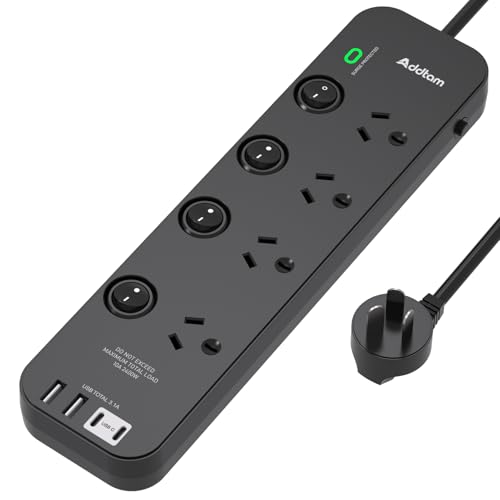
- Addtam Power Board Individual Switch about$33.242400W.
- Addtam Surge Protector Power Board about$32.292400W.
- Most PremiumAddtam Power Board Surge Protected about$47.992400W.
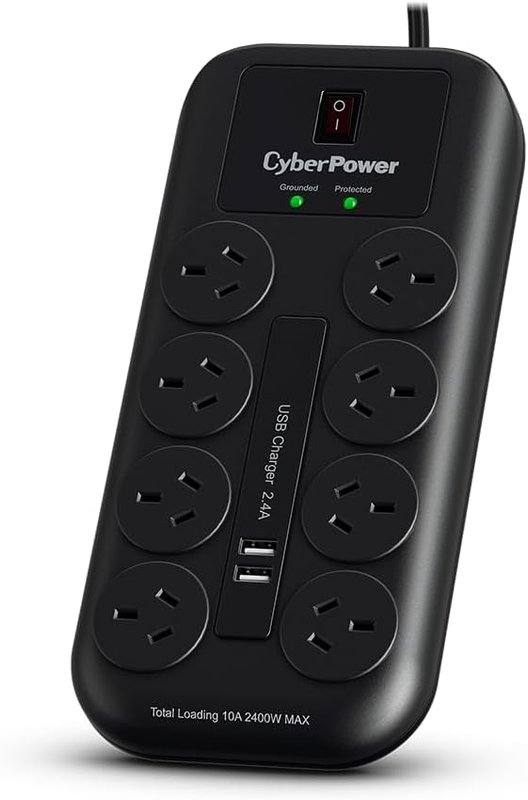
- CyberPower 8 Outlet Power board with 2 USB… about$35.00
- Addtam Power Board Individual Switch about$36.082400W.
- Addtam Power Board Surge Protector about$40.84
- Belkin 8-Outlet Surge Protection Strip with 2 about$43.75
Storm season fills the intake shelf
The Tuesday after a decent electrical storm crosses the Coast, the intake shelf at our shop tells the story. Routers that will not boot. TVs stuck on a standby light. A desktop with a power supply that clicks and gives up, in for assessment alongside the week's ordinary computer repair work. Most of the storm casualties were plugged straight into the wall. Some were plugged into powerboards that had the word surge printed on them and nothing left underneath the printing, which is the specific failure this article exists to prevent. The gap between protected and printed-on costs less than a family pizza order to close, and closing it properly takes about ten minutes of reading. This is that reading.
A surge is not just lightning. Grid switching events, a fault up the street, the neighbour's welder, air conditioners and pool pumps cycling on the same transformer: all of it pushes short spikes of overvoltage down the line, most lasting microseconds, none of them announced. Electronics die from these the way tyres die from kerbs, either dramatically in one hit or quietly over hundreds of small ones. The cumulative damage lands in power supplies and charging circuits, ages capacitors before their time, and eventually presents on my bench as gear that just stopped one day for no visible reason. A decent surge board is the sacrificial buffer between the grid and everything you own with a chip in it, and the operative word there is sacrificial.
A MOV dies a little every time it does its job
Open a surge-protected board and the protection is usually a handful of coin-shaped discs called MOVs, metal oxide varistors. A MOV sits across the line doing nothing until the voltage passes its threshold, then it conducts hard, clamping the spike and turning the excess energy into heat inside itself. This is a genuinely elegant trick with one built-in catch: every clamping event burns away a little of the disc's capacity to do it again. It is a sacrificial part by design. The board does not shield your gear so much as it volunteers to absorb damage on your gear's behalf, one spike at a time, until the day it has nothing left to volunteer.
That is what the joule rating on the box actually is: the size of the sacrifice budget. A 900 joule board can soak up roughly 900 joules of spike energy across its whole service life, whether that arrives as one large event or as years of small ones. It is a fuel tank, not a strength rating, and nothing refills it. This is also why a surge board that survived a nearby strike should be replaced even though every socket still works. The sockets, the switch and the LED will all outlive the protection by a decade, which is precisely the trap: nothing about a spent surge board looks spent, feels spent, or behaves differently at the wall.
What 900 joules buys you over 350
Three of the five picks state their budget plainly. The Belkin and the 8-outlet Addtam are rated at 900 joules; the Addtam tower and the 4-outlet desktop board are 350 joule devices. The difference is lifespan under identical conditions. Same suburb, same storms, same background grid noise: the 900 joule boards simply take longer to spend their budget and retire. For the board behind a TV cabinet or a desk full of computers, buy the bigger number and stop thinking about it. The 350 joule boards earn their place where the connected load is phone chargers and lamps, and where the board itself costs so little that replacing it every few years is simply the plan.
The CyberPower is the honesty test in this list: its listing advertises surge and overload protection with EMI and RFI filtering, but does not state a joule figure at all. I kept it anyway, for reasons covered in the picks, but the principle stands and it is worth saying twice. A stated number you can compare beats an adjective every time, and when a listing gives you no number, you price the board as if the number were modest. What you should never do is assume a big socket count implies a big protection budget. The two are entirely unrelated engineering decisions, and the 12 sockets on the Addtam tower share a budget less than half the size of the Belkin's.
The protection LED matters more than the power switch
Both Addtam listings describe it the same way: a green LED that shows your devices are under surge protection. Read that sentence from the other direction, because that is where it earns its place in this article. When the MOVs have spent their budget, the light goes out, and the board keeps working as an ordinary powerboard: sockets live, gear running, protection gone, nothing else changed. The LED is the only witness to the difference. Nobody looks at a powerboard behind a TV cabinet for years at a time, which is exactly how homes end up full of boards that are surge-protected in ink only, still faithfully multiplying sockets years after their actual job ended.
So build the one habit this category asks for: after any serious storm, and once every few months otherwise, look at the light. Thirty seconds, torch optional, dust the board while you are down there and check the plug is seated firmly. If the protection indicator is dark on a board that has power, that board is done as a protector. Retire it to the shed for the drill charger and buy its replacement the same week, not eventually. A $34 replacement on a known schedule beats a $340 power supply repair on a surprise schedule, and after sixteen years of the second kind arriving in the workshop, I can tell you which schedule people actually enjoy less.
The USB ports are for phones, not laptops
Three of the five boards here carry USB-C, and the numbers deserve a plain reading before anyone plans a desk around them. The Addtam boards state USB-C output at 5 volts and 3 amps maximum, which is 15 watts, with USB-A ports at 2.4 amps and a shared total across the cluster. That charges phones, earbuds and a Kindle overnight without occupying a socket, and that is the whole job description. None of these listings claim USB Power Delivery wattages, so treat the ports as convenient trickle chargers rather than a charging station. A modern laptop wants 60 watts or more through a proper charger, which is a different product and a different guide: the GaN wall charger picks cover exactly that, plugged into one of these boards' protected sockets.
There is a quality angle too, learned the slow way at the bench. The 5 volt module inside a powerboard is a small switch-mode supply built to a price, and a worn or poorly made one delivers its 5 volts with noise and ripple riding on top. Phones tolerate a surprising amount of this until one day they do not; the mechanism is the same one behind why bad chargers kill phones, just delivered from a socket strip instead of a counterfeit wall wart. My rule is simple: board USB for the low-value overnight gear, a proper charger for the phone you depend on. And if you need real wattage away from a wall entirely, that is what the power bank picks are for.
One socket, 2,400 watts, no chains
A standard Australian socket is a 10 amp circuit at 240 volts, which is 2,400 watts, and every board here inherits that ceiling no matter how many outlets it offers. Eight sockets do not multiply the supply; they divide it. The Addtam boards make the limit physical: an overload button pops out and cuts the circuit when the total draw passes 2,400 watts, and pressing it back in restores power once the load drops. That is good engineering, and it is also a number worth respecting before the button does it for you. A heater is 2,000 of those watts on its own. A kettle is much the same. Appliances with heating elements go straight into the wall socket, always, and everything in this guide is for the electronics around them.
The other rule is older than any product on this list: never plug one powerboard into another. Daisy-chaining stacks the combined load onto the first board's cable and plug, the contact resistance of every junction in the chain adds up, and the warm plug you can smell is the early warning most people ignore until the plastic browns. Between the socket ceiling and the chain rule sits the boring fix: buy a board with enough outlets in the first place, sized to the corner it serves. That is why four of these five picks carry eight or more ways to connect something, and why the tower format exists at all. Count your wall warts before you order, then add two, because there are always two more.
What a surge board will not save you from
Honesty section. A very close lightning strike carries energy in a range no $45 board meaningfully absorbs; the realistic defence for a direct hit is unplugging sensitive gear while the worst of it passes overhead, and insurance for the genuinely unlucky case. Sustained overvoltage events, where the line sits high for whole seconds rather than microseconds, are also outside the MOV's job description, and so is anything arriving through lines the board does not sit on, like an antenna feed. What these boards genuinely handle is the everyday population of spikes: switching transients, nearby strikes rather than direct ones, grid faults, and the accumulated electrical grit that ages power supplies before their time. That population is what actually kills most of the gear that crosses my bench.
I will not promise you that a $34 board underwrites a $3,000 television, because it does not, and marketing that implies otherwise deserves your suspicion. What I can tell you is where the risk concentrates: anything with a switching power supply and a mains plug, which means your TV, computer, console, router and NAS, plus every charger feeding something expensive. Put the stated-joule boards behind those first. Keep receipts, and keep a simple note of what was plugged in where, which makes any conversation after a storm event considerably simpler, whoever that conversation ends up being with. Then check the LED occasionally, and this whole unglamorous category quietly does its job for years at a stretch.
How I picked these five
The gates are the same as every guide in this series. Every pick is sold new on Amazon AU, two shipped by Amazon itself and three by an established Australian storefront, all priced between $34 and $45. All five held genuine Amazon AU sales ranks on the day I checked, four of them inside the top 100 of the entire Electronics category, which for powerboards is remarkable company to be keeping. I favoured boards with a stated joule rating and a visible protection indicator, wide socket spacing so adjacent wall warts do not fight for territory, and honest USB numbers over marketing wattage. Individual switches and mounting points earned bonus marks because they solve real desk problems rather than photographing well.
What I skipped: boards from overseas storefronts, anything without surge circuitry pretending otherwise, unbranded listings with joule figures that looked invented for the thumbnail, and boards whose safety story could not be squared with an RCM-marked, Australian-plug product. The five that remain cover four different jobs, entertainment unit, home office, bedside charging and small-desk control, rather than being five versions of the same strip. Prices are checked at time of writing and will drift week to week. If a board has already taken a hit and something attached to it stopped working, the device side of that problem is what our Erina repair bench deals with daily, and the decision tree below routes you there.
The 5 picks, $34 to $45
Prices are Amazon AU at time of writing (25 August 2026) and move week to week. Ranks are Amazon AU category sales ranks, checked the same day.

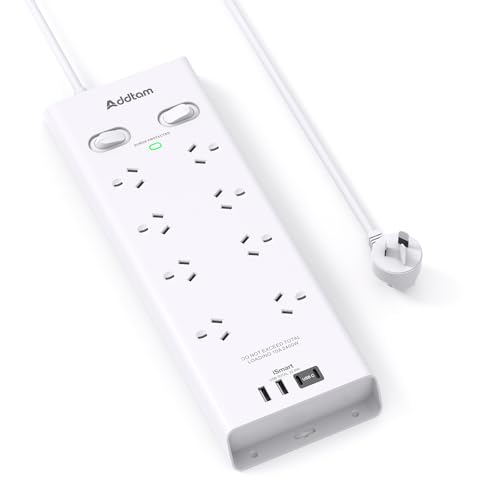
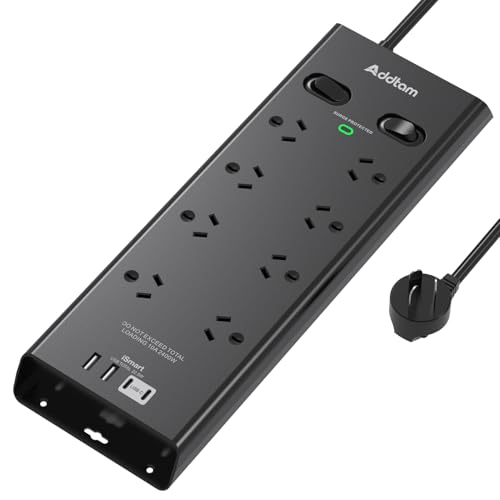
Addtam 8-Outlet Surge Powerboard with 4 USB Ports (2 USB-C)
ASIN B0CMCR9NPT • $33.98 • Sold by AddtamDirect AU on Amazon AU
This is the board I would put behind most desks, and the market seems to agree: it sat at #46 in Amazon AU's Electronics ranking on the day I checked, remarkable placement for a powerboard. The layout is eight wide-spaced sockets rated at the full 10 amps and 2,400 watts, plus four USB ports, two USB-A at up to 2.4 amps each and two USB-C at up to 3 amps, sharing a 4.5 amp total. Twelve devices connected through one wall socket, with the spacing to actually fit chunky wall warts side by side, which is the everyday problem that lesser strips fail at. The stated 900 joule surge budget matches the Belkin's, on a board costing $11 less.
The details show someone thought about real placement rather than the product photo. The 1.8 metre lead reaches a wall socket that is never where the desk is. Screw-fixation points at both ends let you mount it to the desk underside or a skirting board, which keeps it off the floor and away from vacuum cleaners, chair castors and spilled coffee. A switch on each side controls power in two independent halves rather than all-or-nothing, so the monitor side can sleep overnight while the charging side works nights. None of this is exotic engineering. All of it is the difference between a board you route cables around once and then forget, and a board you fight with monthly for the life of the desk.
The warranty is six months, which is short, and I read it as an honest signal about where this product sits: built to a price, competent, not an heirloom. At $34 with a 900 joule budget and a protection LED to tell you when that budget is spent, the value case is comfortable anyway. Treat it the way this whole article suggests treating the category, as a consumable with a service life and a warning light. Check the LED after storms, replace it when the light goes dark, and it earns its keep several times over.
Honest caveats: Six-month warranty is the shortest here. USB-C tops out at 15 watts, so no laptop charging despite the connector. The two switches control banks, not individual sockets, and the 4.5 amp shared USB total means four devices charging at once all slow down. Protection budget is consumed invisibly; the LED is your only indicator.
Best for: Desks and entertainment units that need many sockets, USB top-up charging and a stated 900J budget for the least money.
Price: $33.98 at time of writing • Outlets: 8 wide-spaced, 10A / 2,400W • USB: 2x USB-A (2.4A max), 2x USB-C (3A max), 4.5A shared • Surge rating: 900 joules, green protection LED • Lead: 1.8 m, double bank switches • Mounting: Screw-fixation points both ends • Warranty: 6 months • Rank: #46 in Electronics (Amazon AU)
View on Amazon AU
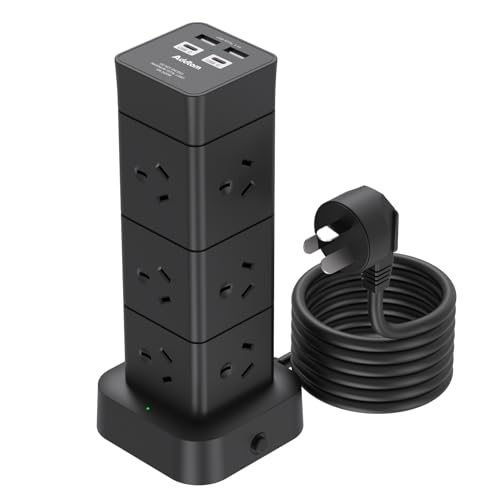
Addtam Tower Powerboard, 12 Outlets and 4 USB Ports (2 USB-C)
ASIN B0GF644KH1 • $39.99 • Sold by AddtamDirect AU on Amazon AU
The tower format solves a specific and very modern problem: the household charging pile. Sixteen connections in the footprint of a coffee mug, with twelve sockets spread across four faces at 5.5 centimetre spacing so bulky plugs do not block their neighbours, plus the same four-USB cluster as its flat sibling, two USB-A and two USB-C. The listing pitches it at offices, homes and dorms, and that is exactly the shape of its use: a bedside table, a study desk, the kitchen bench corner where every device in the family ends up overnight. The flat right-angle plug, 2.5 centimetres deep, tucks in behind furniture where a standard plug would lever itself half out of the socket and stay there.
The protective stack reads well for the money. A 350 joule surge rating with the green protection LED, a 2,400 watt overload cutout with a reset button that pops when the total passes the limit, and the listing further claims short-circuit, overheat, over-current and over-voltage protection inside a shell it rates as fire-resistant to 750 degrees. The overload cutout matters more on a tower than on any strip format, because sixteen connection points make it genuinely easy to stack load without ever noticing you have done it. The button turns an overload from a slow-cooking hazard into a mild interruption and a lesson, which is the correct failure mode for a device living beside someone's bed.
Know what it is not, though. The 350 joule budget is the small tank, less than half the 8-outlet board's, and its Electronics rank of #433 reflects a narrower audience than the strip formats enjoy. Chargers, lamps, routers and the bedside ecosystem are its natural load, and at that duty it is excellent. The TV cabinet and the computer desk deserve one of the 900 joule boards instead. Placed correctly, the tower removes the daisy-chain temptation from the most crowded corner of the house, which is a real safety win dressed up as a convenience purchase.
Honest caveats: 350 joules is the small budget in this list, and 12 sockets makes it tempting to overload, which is what the 2,400W cutout is for. USB-C is 15 watts maximum, phone-charging speed only. Six-month warranty. Tall format means a knock can tip it if the cable run is taut, so give the lead slack.
Best for: Bedside tables and charging corners where many small loads need sockets and USB in a tiny footprint.
Price: $39.99 at time of writing • Outlets: 12 across 4 sides, 5.5 cm spacing • USB: 2x USB-A, 2x USB-C, smart charging detection • Surge rating: 350 joules, green protection LED • Overload: 2,400W auto shutoff with reset button • Plug: Right-angle flat plug, 2.5 cm depth • Warranty: 6 months • Rank: #433 in Electronics (Amazon AU)
View on Amazon AU
CyberPower 8-Outlet Powerboard with 2 USB Ports and Surge Protection
ASIN B07CNLS5Z1 • $35.00 • Ships from Amazon AU
CyberPower's day job is UPS units and power infrastructure, and this board reads like it was specified by a company that thinks about mains power professionally. Eight surge-protected sockets, two USB-A ports at 2.4 amps for top-up charging, a two metre lead with a master switch, and EMI and RFI filtering, which quietly matters for the AV rack: filtering knocks down the electrical noise that mains-borne interference feeds into audio gear and antenna amplifiers, the stuff you hear as hum and see as sparkles. The listing states Australian regulatory approval with the RCM mark by name, which I wish more powerboard listings bothered to do, and it ships from Amazon AU directly, sitting at #53 in Electronics on the day I checked.
It is the right shape for the job I am recommending it for. An entertainment unit collects exactly the devices that deserve protection and never get looked at again: TV, soundbar, console, streaming box, powered antenna, the subwoofer nobody remembers plugging in. Set this board behind the cabinet, fill its eight sockets, and the two metre lead comfortably reaches the wall socket that is always behind the heaviest piece of furniture in the room. The USB pair handles a remote-control charger or a streaming stick without giving up a socket to a wall wart. Unglamorous, correctly specified, from a brand whose core business fails loudly and publicly if it gets mains behaviour wrong. That incentive structure is worth something.
The gap in the listing is the number this whole article is about: no stated joule figure. The word surge appears; the budget does not. I kept it on the list because the brand pedigree, the stated RCM approval and the Amazon AU stock line all check out, but if you want a number printed next to your protection, the Belkin below is the stated-rating alternative at $10 more. One more wrinkle: the warranty field says one year while a feature line mentions a limited lifetime guarantee. Take the one year as the enforceable floor and treat anything beyond it as a pleasant surprise.
Honest caveats: No stated joule rating on the listing, so the protection budget cannot be compared directly against the 900J boards. No USB-C at all. The listing shows both a lifetime guarantee line and a 1-year warranty field; assume the shorter one. No individual socket switches, one master switch for the lot.
Best for: TV cabinets and AV setups where EMI filtering, an RCM statement and a two metre lead matter more than USB-C.
Price: $35.00 at time of writing • Outlets: 8 surge-protected • USB: 2x USB-A, 2.4A max • Filtering: EMI and RFI • Compliance: RCM approval stated on listing • Lead: 2 m with master switch • Warranty: 1 year (lifetime guarantee also claimed) • Rank: #53 in Electronics (Amazon AU)
View on Amazon AU
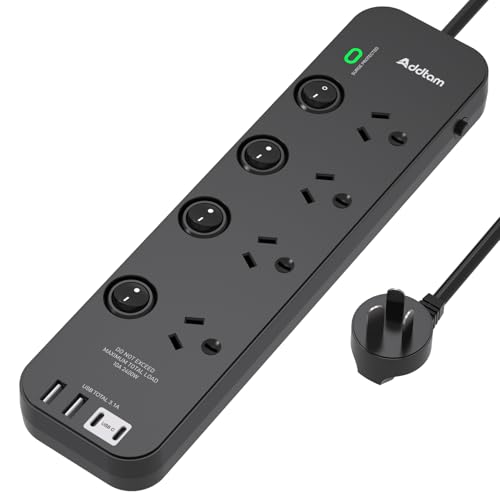
Addtam 4-Outlet Powerboard with Individual Switches and 4 USB Ports
ASIN B0GTMX1WVW • $37.97 • Sold by AddtamDirect AU on Amazon AU
Individual switches are the feature this board is built around, and they are worth more than they look. Each of the four sockets gets its own switch, so the monitor, the desk lamp, the speakers and the printer can each be killed without unplugging anything and without dropping the lot. That is partly about standby power, and partly about the small daily frictions of a desk: the printer that misbehaves until power-cycled, the fairy lights that should not run all night, the soldering iron you want positively, visibly off before you leave the room. Four AC sockets at the full 2,400 watt rating plus the standard Addtam USB cluster, two USB-A and two USB-C, covers what a workstation actually needs rather than what a photo suggests.
The rest of the sheet is familiar from its siblings, which is a compliment. A 350 joule surge budget with the green protection LED, the 2,400 watt overload cutout, and a two metre lead the listing describes as pure copper wire for better heat behaviour and conductivity, a claim I note rather than verify, since cutting one open voids more than the warranty. It ranked #75 in Amazon AU's Electronics category at time of writing, so the format clearly has an audience beyond me. The black finish is the one Addtam variant here that will not show desk grime, a genuinely minor point that anyone who has owned a white powerboard for two years already understands completely.
Its natural home is a desk with a handful of mains devices and a phone to charge, where the individual switches replace a tangle of permanent standby loads with four deliberate decisions made once. If your desk hosts a gaming PC, dual monitors and a NAS, skip up to the 8-outlet, 900 joule board instead and take the bigger budget. Four sockets fill faster than anyone expects, and this board's job is control, not capacity. Buy it for the switches, keep it for the tidiness, and let the protection LED do its quiet work in the background.
Honest caveats: Only four AC sockets, and the 350 joule budget is the smaller tank shared with the tower. USB total output is 3.1 amps shared, so a full set of four charging devices divides that between them. Pure copper cable claims are from the listing, not something I have cut one open to confirm. Six-month warranty.
Best for: Small desks where per-socket switching and USB-C convenience matter more than raw socket count.
Price: $37.97 at time of writing • Outlets: 4, individual switches, 10A / 2,400W • USB: 2x USB-A (2.4A max), 2x USB-C (3A max), 3.1A shared • Surge rating: 350 joules, green protection LED • Overload: 2,400W cutout with reset • Lead: 2 m, copper claim per listing • Warranty: 6 months • Rank: #75 in Electronics (Amazon AU)
View on Amazon AU
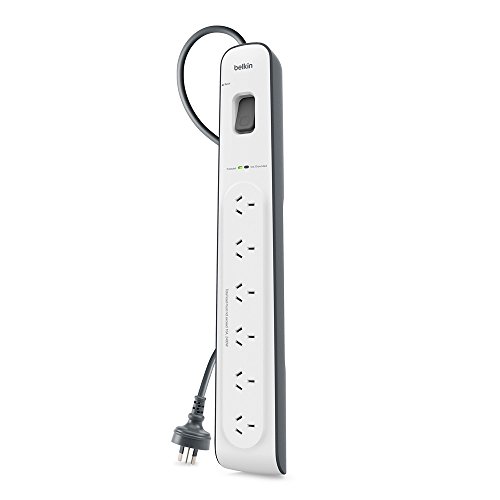
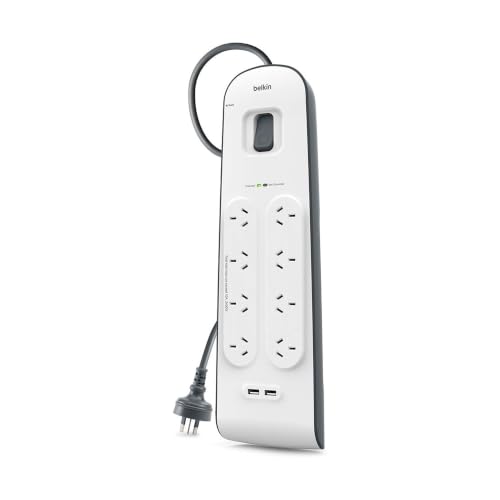
Belkin 8-Outlet Surge Protection Strip with USB Charging
ASIN B074843GXQ • $44.90 • Ships from Amazon AU
The Belkin costs the most here at $45, ranks the highest at #30 in Amazon AU's Electronics category, ships from Amazon AU directly, and states its numbers without being asked twice: 900 joules of surge budget, eight sockets, 2.4 amp USB charging, a two metre lead and a two year manufacturer warranty. That last figure quietly separates it from the rest of the field. Two years is four times the Addtam coverage, offered by a brand that has been making exactly this product since before some of its competitors existed as companies. When someone asks me for one board for the expensive corner of the house and does not want a comparison table read to them, this is the answer I give.
The spec sheet reads as balanced rather than flashy, which suits the job. The 900 joule budget matches the best in this list. The listing pitches it at home offices, desks and entertainment setups, which aligns with where I would put it: the sockets feeding a work-from-home computer, the monitor pair, and the external drive that holds the backups. The white and grey finish sits inoffensively in an office in the way black AV gear does not. There is no per-socket switching and no USB-C, and I read the omissions charitably: Belkin left those features out entirely rather than implementing them at 15 watts and printing charging station on the box, and I find that easier to respect than the alternative.
Priced $11 above the 8-outlet Addtam with the same stated joule budget and fewer USB tricks, the case for the Belkin comes down to the warranty, the brand's long track record with this exact product category, and Amazon AU handling the box and any return. The case against is that the $11 difference buys the Addtam's USB-C ports and mounting points, which are real features. Both positions are defensible and I will not pretend otherwise. For the board protecting the computer I earn a living with, I take the longer warranty and sleep on it.
Honest caveats: No USB-C, only 2.4 amp USB-A charging, and no individual socket switches. The listing states 900 joules and a 2 year warranty but is light on detail beyond that; no EMI filtering claim, no mounting points mentioned. At $45 it is the most expensive board here for the fewest bells.
Best for: The home office and anywhere the computer that earns your living plugs in: stated 900J, 2 year warranty, no gimmicks.
Price: $44.90 at time of writing • Outlets: 8 • Surge rating: 900 joules • USB: 2.4A USB charging • Lead: 2 m • Colour: White/grey • Warranty: 2 year manufacturer • Rank: #30 in Electronics (Amazon AU)
View on Amazon AUSide-by-side comparison
What we see fail at the bench: powerboards
Powerboards themselves rarely arrive in the workshop. What arrives is the gear that was plugged into them, and the board's part in the story only emerges when you ask the right question at intake. Working backwards from dead electronics to the socket strip that fed them turns up the same three patterns year after year, and all three are avoidable with the habits this article keeps banging on about.
MOVs that fail silently
The common end for a surge board's protection is quiet. The MOVs absorb their last spike, fail open, and the board carries on delivering unprotected mains with every socket live. The protection LED is the one witness, and it spends its life facing the skirting board. The rarer, uglier end is a MOV failing short after a big hit, which is what thermal fuses inside decent boards exist to contain. Boards with scorch marks near the plug or a warm smell at idle are done regardless of what any light says. When a client brings in storm-killed gear, my first question is what it was plugged into, and the answer is usually a board nobody had looked at since installation.
Heat at the contacts: the heater tax
Heaters on powerboards produce a failure signature we see every winter: melted socket faces, browned plug pins, and boards that smell like hot plastic long before anything trips. A 2,000 watt element pulls over 8 amps continuously, and every slightly-worn contact in the chain, board socket, plug pins, the wall connection, becomes a small resistive heater at that current. The damage is cumulative and invisible until the plastic deforms. Elements go straight into the wall, every time. The related habit worth keeping is retiring boards with loose sockets: if a plug no longer grips firmly, that contact resistance is heat waiting for a load to express itself through.
The 5V module is the first thing to drift
The USB section of a powerboard is a small switch-mode supply built to a price, and it ages faster than the board around it. As the filter capacitors dry out, the 5 volt rail picks up ripple, and devices left charging on it get a dirtier feed year over year. Phones tolerate this for a long time, then present as charge-port faults or the flaky-charging behaviour that brings a lot of handsets through our door. The same failure economics as counterfeit wall chargers, on a slower clock. Charge the disposable gear from board USB. Charge the phone you depend on from a proper charger, and if it is already misbehaving on charge, that diagnosis is bench work we do daily.
Decision tree: which one should you actually buy?
- One board for the home office where your income lives? → Belkin 8-outlet, $45. Stated 900 joules, 2 year warranty, shipped by Amazon AU. Boring in the way protection should be.
- Behind the TV cabinet with the console, soundbar and streaming box? → CyberPower 8-outlet, $35. EMI and RFI filtering for the AV chain, stated RCM approval and a 2 metre lead that reaches the far socket.
- Most connections and a stated 900J budget for the least money? → Addtam 8-outlet, $34. Twelve devices across eight sockets and four USB ports, wide spacing, mounting points, and the same joule rating as the Belkin.
- Bedside or dorm charging corner overflowing with plugs? → Addtam tower, $40. Sixteen connections in a mug-sized footprint with a 2,400W cutout for when enthusiasm outruns arithmetic.
- Small desk, standby loads you want properly off? → Addtam 4-outlet, $38. A switch per socket plus USB-C top-up, which turns four always-on devices into four decisions.
- A storm already got something, or gear on an old board has started failing? → The board is a $34 replacement; the gear is diagnosable. Power supply faults, charge problems and storm-damaged electronics are daily work, so bring the device to our Erina workshop and we will tell you what died and what is saveable.
Frequently asked questions
What does the joule rating on a powerboard actually mean?
It is the total spike energy the board's protective components can absorb across their whole service life, not per event. Think of it as a fuel tank. Every surge the board clamps burns some of the budget, whether that is one big nearby strike or years of small switching spikes. When the budget is spent, the board still works as a powerboard but protects nothing, which is why the higher stated numbers here, the 900 joule Belkin and Addtam 8-outlet, are worth having behind expensive gear. A board with no stated rating cannot be compared, so treat its budget as modest.
Should I replace a surge board after a big storm?
Check it, and if in doubt, yes. First look at the protection indicator: on the Addtam boards a green LED shows the surge circuit is still in the game, and a dark indicator on a powered board means the protection is spent. But a single close strike can consume a large slice of the budget without killing the indicator, so a board that took a serious nearby hit is reasonable to retire on principle. At $34 to $45, replacement is the cost of one takeaway dinner. The gear behind it costs more, which is the entire arithmetic of this category.
Is a surge powerboard different from an ordinary powerboard?
Yes, and the difference is invisible from the outside. An ordinary board is sockets, a switch and usually an overload cutout: it multiplies a socket and does nothing about voltage spikes. A surge board adds clamping components, typically MOVs, that absorb overvoltage events before they reach your devices. Both look identical on a shelf, and a spent surge board behaves exactly like an ordinary one, which is the trap. Check the packaging or listing for a stated surge or joule claim, and prefer boards with a protection indicator light so the difference stays visible after installation.
Can I plug a heater or kettle into one of these?
Into the board, no. Heating appliances belong directly in the wall socket. A 2,000 watt heater draws over 8 amps continuously, which is most of a standard Australian socket's 2,400 watt capacity on its own, and continuous high current through a powerboard's contacts generates heat at every slightly worn junction. The melted socket faces we see each winter almost always trace back to a heater or kettle on a multi-way board. Boards in this guide are for electronics: TVs, computers, chargers, routers, lamps. The overload cutout on the Addtam boards is a backstop, not a licence.
Will a surge board protect my gear from a direct lightning strike?
No, and be suspicious of anything that implies it will. A direct or extremely close strike delivers energy far beyond what any consumer board absorbs, and the honest defence is unplugging sensitive gear when a severe storm sits overhead, plus insurance for the genuinely unlucky case. What these boards do well is the common case: nearby strikes, grid switching events and the constant background of small spikes that age electronics prematurely. That everyday population of surges is what actually kills most of the gear we see, and it is exactly what a healthy 900 joule board soaks up for years.
Can I charge my laptop from the USB-C port on a powerboard?
Not at any useful speed from the boards in this guide. The Addtam USB-C ports are 5 volts at 3 amps maximum, which is 15 watts, and none of these listings claim USB Power Delivery. A modern laptop wants 60 to 100 watts through a proper USB-C charger, so the board's port would at best trickle-charge a sleeping machine. Use the board's USB for phones, earbuds and small devices overnight, and give the laptop a dedicated GaN charger plugged into one of the board's AC sockets. The socket is protected by the board either way, which is the part that matters.
Related buying guides
The board takes the hit. We fix what gets through.
When a spike gets past the protection, the damage lands in power supplies, charge circuits and mains boards, and that is component-level work we do every week. Sixteen years of board-level repair in Erina: TVs that will not wake, computers that click instead of booting, phones that stopped charging after a storm. Walk it in and get a straight answer on what is saveable.
Visit our Erina workshop Book Online