Prices from Amazon AU, updated daily. Swipe or use the arrows for more.
Disclosure: This article contains affiliate links to amazon.com.au. If you buy through one of these links iFix may earn a small commission at no extra cost to you. It doesn't change which products we recommend. We focus on what actually lasts based on 16 years of repair-shop experience.
Quick summary6 picks
- Entry PickEpson EcoTank ET-2910 Multifunction Printer about$3994" screen.
- Brother Tankbenefit DCP-T580DW about$409
- Epson EcoTank ET-4810 Wireless… about$449
- HP Smart Tank 6005 All-in-One Wireless… about$449
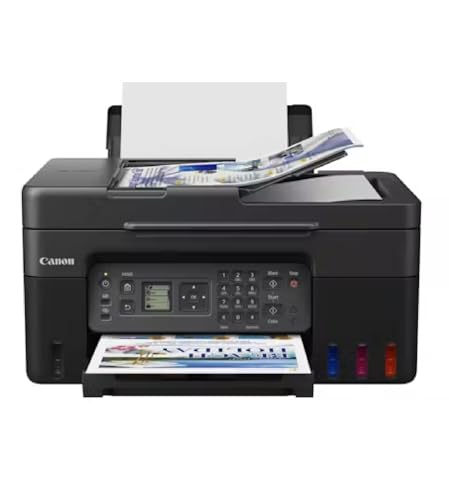
- Canon G4670 MegaTank Colour Ink Tank… about$459
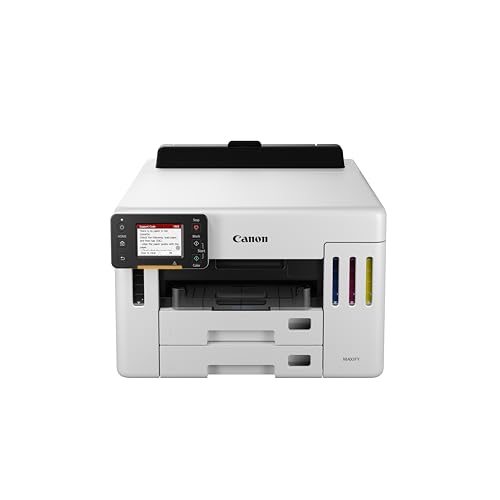
- Most PremiumCanon Maxify GX5560 Inkjet Printer [AU… about$549
Why an ink tank printer costs more up front
A cartridge inkjet is sold for less than it costs to make because the money is in the ink. An ink tank printer flips that around. You pay more for the printer, often three or four times as much as a basic cartridge model, and then the ink comes in bottles you pour into tanks on the side, and the bottles last a very long time. Most of the boxes in this guide include enough ink for thousands of pages.
That trade suits a lot of households. If you print school notes, forms, kids' craft sheets and the odd photo every week, a cartridge printer ends up costing you more in ink every year than the printer did. A tank printer front-loads that cost, and in my experience the people who swap to one rarely go back, mostly because they stop rationing colour pages.
Where people get caught is buying a tank printer for a desk that prints twice a year. Ink sitting in the printhead for months can dry out and clog it, and the printer then burns ink on cleaning cycles to clear it. If you hardly print at all, the home office printer guide has mono lasers that sit idle for months without complaint.
Power use isn't a big factor either way. An inkjet on standby draws very little, and I'd rather it stayed on standby than got switched off at the wall each night, for reasons I'll get to in the waste ink section. If you're tidying up standby loads around the house, our smart home power savings guide covers where the real watts go, and a printer usually isn't one of them.
Reading bottle yields honestly
Every tank printer quotes a page yield for the ink in the box, and those figures are measured on a standard test page with light coverage, usually around five per cent of the page. A page of plain text sits about there. A page with a big colour logo, a photo or a heavy spreadsheet uses much more, so your real yield is often well below the box figure if you print a lot of colour.
Use the yields to compare printers against each other, not to predict your own page count. The Brother DCP-T580DW listing quotes up to 7,500 black and 5,000 colour pages from the included bottles. The HP Smart Tank 6005 quotes up to 6,000 black or 8,000 colour pages. The Canon MAXIFY GX5560 quotes up to 6,000 black and white A4 prints and 14,000 colour prints per set of bottles. The Epson listings say high-yield ink is included without giving a page figure in the listing data.
The other thing to price before you buy is the replacement bottle set for the model you're looking at. Bottles are model-specific, and a brand's bottles for one tank printer won't always fit another, even from the same range. I'd look up the bottle part numbers on the maker's page and check that they're stocked locally, because an ink tank printer is only worth having if its bottles are easy to get.
One more thing on yields: the first fill in a new printer usually goes partly into priming the printhead, so the first set of bottles rarely reaches the number on the box. After that, the yields from each new set of bottles tend to sit closer to what the listing promises, as long as the printer isn't running extra cleaning cycles to clear clogs.
Printheads: fixed, replaceable and why it matters
Every inkjet has a printhead, the part with hundreds of tiny nozzles that fire ink onto the paper. On a cartridge printer the head is often part of the cartridge, so you get a new one every time you replace the ink. On a tank printer the head stays in the machine for its whole life, which is why printhead care matters so much more.
Some tank printers use a printhead you can replace yourself, and some have one built into the carriage that's a workshop job to swap. The HP Smart Tank 6005 listing includes an HP Smart Tank Printhead in the box contents, which tells you HP treats it as a separate part. The other listings here don't say either way, so check the maker's page if a user-replaceable head matters to you.
In my experience a replaceable head is a real advantage on a printer you plan to keep for five years or more. When a fixed head clogs badly enough that cleaning cycles won't clear it, the repair can cost a fair chunk of a new printer. When a replaceable head clogs, you order one part and you're printing again the same week.
Either way, the head lasts longest when it's used regularly and kept out of the heat. A printer sitting in a sunny study or beside a heater dries its nozzles out faster, and ink that's been through a few hot summers in a garage often doesn't print well again.
The waste ink pad nobody mentions
Every time an inkjet runs a cleaning cycle or primes its head, it pushes ink through the nozzles and into a waste area inside the printer, usually a set of absorbent pads or a small box. Tank printers clean themselves regularly, and the printer keeps count of how much ink has gone into that waste area. When the count reaches its limit, many printers stop and show a service message, even if everything else is fine.
That's the part of the running cost most buyers never hear about. On some printers the waste area is a maintenance box you can swap yourself in a few minutes. On others the pads sit deep inside and need a service. The Canon MAXIFY GX5560 listing says it's designed with a user-replaceable maintenance cartridge, and that's one of the main reasons it's in this guide despite costing more than the others.
You can slow the waste count down. Don't switch the printer off at the wall every night, because many of them run a cleaning cycle each time they power up, and don't run manual head cleans unless a test page actually shows missing lines. Printing a nozzle check page once a week costs very little ink and usually tells you about a blocked nozzle before it becomes a bad one.
Wi-Fi, apps and printer offline
"Printer offline" is the most common printer complaint we hear, and nine times out of ten it's a network problem rather than a printer fault. A printer on a crowded 2.4GHz band, or one that's been given a new address by the router after a restart, drops off the network and the computer can't find it. Giving the printer a fixed address in the router settings usually fixes it for good.
The Brother DCP-T580DW listing says it supports both 2.4GHz and 5GHz Wi-Fi, and the HP listing mentions dual-band Wi-Fi with self-healing connections, which helps on busy home networks. If your Wi-Fi is patchy where the printer sits, plugging it into the computer with USB is still the most dependable connection there is. Our home Wi-Fi router guide covers what helps when the whole house is flaky.
Watch the apps too. Some brands want you to sign up to an account to use phone printing or scanning features, and the HP listing mentions advanced scanning for 12 months, which suggests a feature that's included for a year and then needs a plan. None of that stops the printer printing from a computer, but it's worth knowing before you set it up.
Feeders, duplex and paper handling
For a home printer, the paper path is the part that wears first. Pick-up rollers glaze over with paper dust and stop gripping, so pages feed crooked or two at a time. A wipe with a slightly damp lint-free cloth often brings them back. Thin, flimsy paper and damp paper both make it worse, and on the Central Coast a ream left open in a humid room will curl and jam more than you'd expect.
The Epson ET-4810 and Canon GX5560 suit more office work. The ET-4810 has a 30-page automatic document feeder for copying, scanning and faxing a stack of pages, and a small screen for setting it up. Automatic two-sided printing is listed on the Brother and the HP, which saves paper on school notes and long documents.
The Epson ET-2910 is the simplest machine here, with a 100-sheet rear feed and borderless 4x6 photo printing according to its listing. A rear feed is fine for a household that prints a few pages at a time, but a front tray is easier to keep dust out of, and dust in the paper path is what ends up on the rollers.
Card and photo paper go through better from a straight paper path, so if you print a lot of craft card for school projects, use the manual or rear feed rather than the main tray. The Brother lists media up to 300g/m², which covers most card stock, and its manual feed slot is the place to load it one sheet at a time.
Ink, bottles and filling without the mess
The tanks are filled from bottles with nozzles shaped to fit each colour's tank, so you can't put magenta in the yellow tank by mistake on most modern models. The Epson ET-2910 listing describes exclusive auto-stop ink bottles that are uniquely keyed for each colour. Fill on a flat surface, take your time, and wipe the tank cap seal before you close it, because dried ink there is what causes slow leaks.
I'd stick with the brand's own ink, at least while the printer is under warranty. Third-party ink can be fine, but it can also be thinner or thicker than the head was designed for, and if a head clogs or the waste pads fill early, a warranty claim gets harder when the tanks are full of someone else's ink.
Store spare bottles upright, sealed, out of the sun and away from heat, and use them within the dates printed on the box. Ink that's been cooked in a hot garage can separate and block the head on its first pass through.
Buying on Amazon AU: model numbers and warranty
Every pick here is sold and shipped by Amazon AU at time of writing, from $399 to $549. Warranty is listed as 12 months on the Epsons and the Brother, one year on the HP and two years on the Canon. Always match the model number on the listing, like ET-2910, DCP-T580DW or 2H1W1A, against the maker's spec page before you buy, because printer ranges have a lot of similar-looking models with different features.
Check the box contents line as well. The HP listing is the most specific, naming the bottles and the printhead in the box. Make sure your model comes with a full set of bottles rather than a starter fill, because that's the difference between printing for a year or two before you buy ink and buying ink in the first month.
If a tank printer you already own is clogged, leaking or showing a service message, bring it in before you replace it. A blocked head or a full waste pad is often a repair job rather than a reason for a new printer, and our computer repair team can tell you which one you're looking at.
The 5 picks, $399 to $549
Prices are Amazon AU at time of writing (24 October 2026) and move week to week. Ranks are Amazon AU category sales ranks, checked the same day.

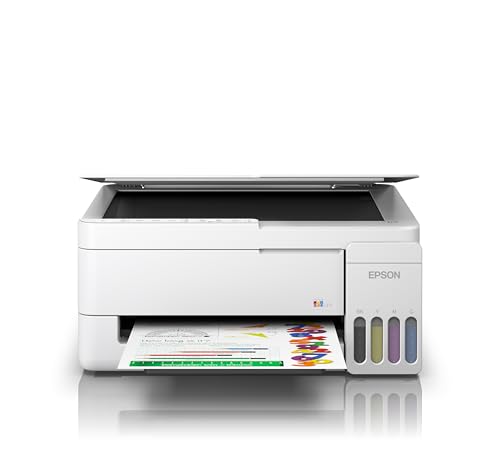
Epson EcoTank ET-2910 Multifunction Printer
ASIN B0H2LDVMR1 • $399.00 • Ships from Amazon AU
This is the ink tank printer I'd point most households to first, and it's the best-ranked printer in this guide. It's $399 at time of writing, sold and shipped by Amazon AU, and it was ranked #56 in Amazon AU's Computer Printers category on the day I checked. It's a multifunction printer, so it prints, copies and scans, and the listing says the ink tank system is built in and cartridge-free. High-yield ink is included in the box, though the listing data doesn't give a page figure for it. The listing says it went up in May 2026, so it's the newest model here. Warranty is listed as 12 months. It comes in white.
The listing focuses on the basics. Paper loads from a 100-sheet rear feed, and it does borderless 4x6 photos, which is handy for school projects and fridge photos. The ink bottles are what Epson calls auto-stop bottles, uniquely keyed for each colour, so they only fit the right tank and stop flowing when the tank is full. That's the best design I've seen for avoiding spills, and spills on the tank seal are what cause slow leaks later. The listing data doesn't state Wi-Fi or two-sided printing, so check Epson's page for the ET-2910 before you count on either. The model number on the listing is simply ET-2910. Epson's EcoTank range has been around long enough that bottles are easy to find in Australian stores.
The trade is that it's the simplest printer here. There's no document feeder, no stated duplex, and a rear feed tray lets more dust into the paper path than a front cassette. For a household that prints school notes, forms and the odd photo every week, that's fine. Print a nozzle check once a week and leave it plugged in so it isn't running a power-up clean every day. Price the replacement bottle set before you buy. For most homes spending around $400, this is the one I'd buy. If you need two-sided printing or a document feeder, look at the ET-4810 or the Brother instead.
Honest caveats: The listing data doesn't state Wi-Fi, two-sided printing or a page yield for the included ink, so confirm all three on Epson's page. There's no document feeder. The 100-sheet rear feed is smaller than the Brother's 150-sheet tray. The dimensions on the listing are given in inches.
Best for: Households that print a few colour pages every week and want the simplest tank printer to live with.
Type: Ink tank multifunction (print, copy, scan) • Ink: Integrated tank, high-yield ink included • Bottles: Auto-stop, keyed per colour (listing) • Paper: 100-sheet rear feed • Photo: Borderless 4x6 • Model: ET-2910 • Warranty: 12 months • Seller: Amazon AU • Rank: #56 in Computer Printers (Amazon AU)
View on Amazon AU
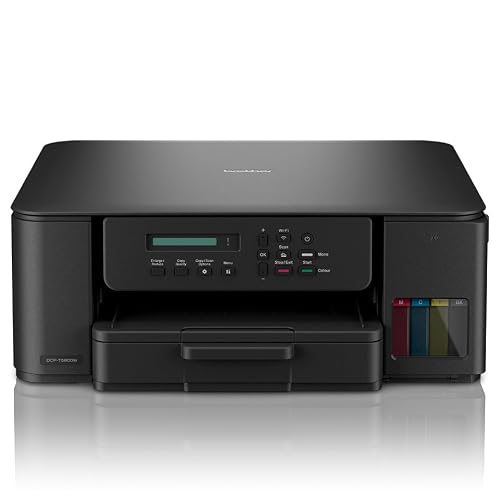
Brother DCP-T580DW Colour Ink Tank All-in-One, Wireless, Auto 2-Sided
ASIN B0FPLM1QBL • $409.00 • Ships from Amazon AU
This is the one I'd buy if you print a lot of black text. It's $409 at time of writing, sold and shipped by Amazon AU, and it was ranked #94 in Amazon AU's Computer Printers category on the day I checked. It's a 3-in-1 that prints, copies and scans, in colour and mono, at up to 1200 x 6000 dpi according to the listing. The included ink bottles are quoted at up to 7,500 pages in black and 5,000 pages in colour, which is the highest black yield stated in this guide. Brother sells it as part of its Tankbenefit range. Warranty is listed as 12 months, and the model is DCP-T580DW.
The listing is one of the most detailed here. It prints up to 16 images per minute in mono, with automatic two-sided printing and a first black page in 6.2 seconds. It connects over both 2.4GHz and 5GHz Wi-Fi, Hi-Speed USB 2.0, Brother's Mobile Connect app and AirPrint for iPhones and iPads. Paper loads from a 150-sheet standard tray plus a manual feed slot, and it takes A4 paper and media from 64 to 300g/m², so card stock for school projects goes through the manual slot. It has 128MB of internal memory. The front tray keeps paper covered, which helps keep paper dust off the rollers. AirPrint means an iPhone can print to it without installing Brother's app.
The trade is that there's no document feeder, so copying or scanning a stack of pages means doing them one at a time on the glass. The listing doesn't say whether the printhead is user-replaceable, and it doesn't mention a replaceable maintenance box either. Dual-band Wi-Fi is a real help if your 2.4GHz band is crowded. Keep it plugged in and print a nozzle check weekly. If most of what you print is school notes and forms, this is the one I'd buy. The 150-sheet tray also means fewer reloads than the Epson's rear feed.
Honest caveats: There's no automatic document feeder for copying or scanning stacks. The listing doesn't say whether the printhead or waste ink area can be replaced by the owner. The stated yields assume light page coverage, so heavy colour printing will use ink faster.
Best for: Households and students who print mostly text and want two-sided printing and dual-band Wi-Fi.
Type: Ink tank 3-in-1 (print, copy, scan) • Speed: 16 ipm mono and colour (listing) • Duplex: Automatic two-sided printing • Yield (in box): Up to 7,500 black, 5,000 colour pages • Paper: 150-sheet tray plus manual feed, 64 to 300g/m² • Connectivity: 2.4GHz and 5GHz Wi-Fi, USB 2.0, AirPrint • Model: DCP-T580DW • Warranty: 12 months • Rank: #94 in Computer Printers (Amazon AU)
View on Amazon AU
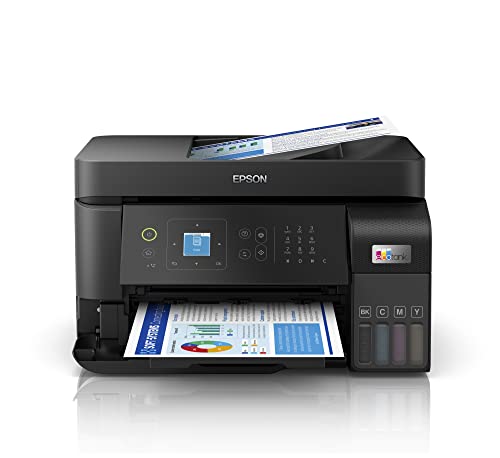
Epson EcoTank ET-4810 Wireless Multifunction Printer with Fax
ASIN B0C4D2L7QP • $449.00 • Ships from Amazon AU
If you scan or copy stacks of paper, this is the Epson I'd look at. It's $449 at time of writing, sold and shipped by Amazon AU, and it was ranked #86 in Amazon AU's Computer Printers category on the day I checked. It prints, copies, scans and faxes, and the headline feature is a 30-page automatic document feeder on top. Like the ET-2910, the ink tank system is built in and cartridge-free. The listing confirms it's wireless and has a 1.44-inch LCD screen for setting it up. The part number is C11CK57501, and warranty is listed as 12 months return to base. It shares the EcoTank bottle system with the ET-2910, so the filling and care are the same.
The document feeder is what sets it apart from the ET-2910 and the Brother. You drop in a stack of up to 30 pages and it copies or scans them in one go, which makes a real difference for tax paperwork, school forms and anything you need to send off as a PDF. Fax is there too, which still matters for a few medical, legal and government offices. The small screen is basic, but it's enough to connect Wi-Fi without a phone app. It comes in black. The listing data doesn't give a page yield for the ink in the box, so look it up on Epson's page before you compare.
The trade is the listing itself, which is short. It doesn't state two-sided printing, paper capacity or the speed, so check Epson's spec page for the ET-4810 before you buy. Return to base warranty means sending it away for repairs under warranty rather than getting a swap. A document feeder has its own rollers that glaze with paper dust over time, so give them a wipe every few months. For a home office that scans and copies a lot, this is the one. If you don't need the feeder or fax, the ET-2910 does the same printing for $50 less.
Honest caveats: The listing doesn't state two-sided printing, paper capacity, print speed or the page yield of the included ink, so check them on Epson's page. Warranty is return to base, so a fault means sending the printer away rather than a swap. The document feeder's rollers need a wipe every few months.
Best for: Home offices that copy and scan multi-page documents and still need fax.
Type: Ink tank multifunction (print, copy, scan, fax) • Feeder: 30-page automatic document feeder • Screen: 1.44-inch LCD • Connectivity: Wireless • Ink: Integrated tank, cartridge-free • Model: ET-4810 (part C11CK57501) • Warranty: 12 months return to base • Seller: Amazon AU • Rank: #86 in Computer Printers (Amazon AU)
View on Amazon AU
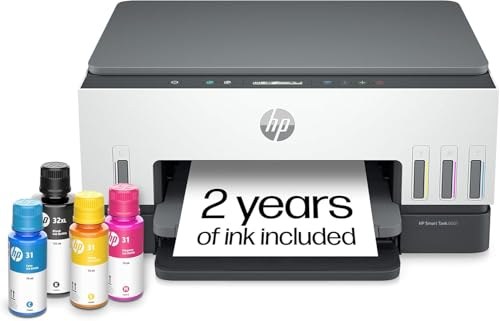
HP Smart Tank 6005 All-in-One Wireless Colour Printer (2H1W1A)
ASIN B0FT2X3SVZ • $449.00 • Ships from Amazon AU
This is the pick for anyone who wants the most detail on what's in the box. It's $449 at time of writing, sold and shipped by Amazon AU, and it was ranked #98 in Amazon AU's Computer Printers category on the day I checked. It prints, scans and copies, at up to 12 pages per minute in black and 7 in colour, with automatic two-sided printing according to the listing. The included ink is quoted at up to 8,000 colour pages or up to 6,000 black pages. It connects over dual-band Wi-Fi, Bluetooth and USB. The model is 2H1W1A, and warranty is listed as one year from HP. It's the same printer I picked for colour in the home office guide, and it suits a tank-only shortlist too.
The box contents line is the most specific of any listing here. It names an HP 32XL 135-ml black bottle, three HP 31 70-ml bottles in cyan, magenta and yellow, and an HP Smart Tank Printhead. That printhead line matters, because it tells you HP treats the head as a separate part rather than something built into the printer for life. The listing also mentions dual-band Wi-Fi with self-healing connections, and buttons that light up to guide you through jobs. It's also the pick in the home office printer guide for anyone who wants colour. HP's bottle sizes are stated in millilitres on the listing, which makes it easier to compare bottle prices later.
The trade is HP's app. The listing mentions advanced scanning for 12 months with HP Smart Tank, which reads like a feature that's included for a year and then becomes part of a plan. Printing and basic scanning from a computer don't depend on it, so it's worth knowing rather than a reason to avoid it. The listing gives the weight as about 14 pounds, roughly 6.4 kg. For a household that wants a clear answer on bottles and printheads, this is the one I'd buy. Set it up with a fixed address on your router and the self-healing Wi-Fi has less work to do.
Honest caveats: Some of the phone scanning features are listed as included for 12 months, so expect HP's app to ask about a plan later. Print speed in colour is the slowest stated here at 7 pages per minute. The weight on the listing is in pounds, roughly 6.4 kg.
Best for: Households that want two-sided colour printing and a printhead HP sells as its own part.
Type: Ink tank all-in-one (print, scan, copy) • Speed: Up to 12 ppm black, 7 ppm colour • Duplex: Automatic two-sided printing • Yield (in box): Up to 6,000 black or 8,000 colour pages • In the box: HP 32XL 135-ml black, 3x HP 31 70-ml colour, printhead • Connectivity: Dual-band Wi-Fi, Bluetooth, USB • Model: 2H1W1A • Warranty: 1 year manufacturer • Rank: #98 in Computer Printers (Amazon AU)
View on Amazon AU
Canon MAXIFY GX5560 Ink Tank Printer [AU Version]
ASIN B0DPWR82BD • $549.00 • Ships from Amazon AU
This is the one I'd buy if you print a lot and want the printer to last. It's $549 at time of writing, sold and shipped by Amazon AU, and it was ranked #384 in Amazon AU's Computer Printers category on the day I checked, well behind the others. It's the AU Version, which matters for warranty and the power supply. Canon pitches it at small offices, and the listing quotes up to 6,000 black and white A4 prints and up to 14,000 colour prints per set of ink bottles. It has a 2.7-inch colour touch screen. Warranty is listed as two years, the longest here, and the model is GX5560.
The detail that put it in this guide is one line on the listing: it's designed with a user-replaceable maintenance cartridge. That's the waste ink area I wrote about further up, and on this printer you can swap it yourself in a few minutes when it fills, rather than taking it in for a service or retiring a printer that still works. If you print hundreds of pages a month, that one design choice can decide whether the printer lasts three years or seven. The 14,000 colour page figure is also the highest colour yield quoted in this guide. The touch screen is also the biggest here, which makes setting up Wi-Fi and checking ink levels easier.
The trade is the price and the listing. At $549 it's the most expensive here, and the listing data is short, with no stated print speed, duplex, paper capacity or connectivity, so check Canon's spec page for the GX5560 before you buy. Price the maintenance cartridge and bottles at the same time, so you know the running cost up front. The lower rank means fewer buyers, not a weaker printer. For a busy home office or a small business that prints every day, this is the pick. If you print less than a ream a month, one of the lower-priced picks will do the job.
Honest caveats: The listing data doesn't state print speed, two-sided printing, paper capacity or connectivity, so confirm all of them on Canon's page first. It's the most expensive pick and the lowest ranked in this guide. Price the replacement maintenance cartridge and a set of ink bottles before you buy.
Best for: Busy home offices and small businesses that print every day and want a maintenance part they can swap themselves.
Type: Ink tank printer, small office • Yield: Up to 6,000 black and white, 14,000 colour per bottle set • Maintenance: User-replaceable maintenance cartridge (listing) • Screen: 2.7-inch colour touch LCD • Version: AU Version • Model: GX5560 • Warranty: 2 years • Seller: Amazon AU • Rank: #384 in Computer Printers (Amazon AU)
View on Amazon AUSide-by-side comparison
What we see fail in the workshop: ink tank printers
Ink tank printers are simple machines, and they fail in a handful of predictable ways. Most of them come down to ink drying where it shouldn't, ink ending up where it shouldn't, or paper dust on the rollers. Here's what each one looks like when it comes in, and what you can do so it doesn't get that far. None of these need a new printer if they're caught early.
Clogged printheads from long idle spells
A tank printer that sits unused for a month or two often comes back printing streaks, missing lines or the wrong colours, because ink has dried in some of the nozzles. A couple of cleaning cycles usually clear it, but every cycle burns ink and adds to the waste count. If three or four cycles haven't fixed it, stop running them and get the head looked at, because more cycles at that point just fill the waste pads. Printing a test page weekly is the easiest prevention there is. Keep the printer out of the sun as well, because heat dries the nozzles faster.
Full waste ink pads and service messages
When the printer's waste ink count reaches its limit, many models stop and show a service required message. The printer may be fine in every other way. On models with a user-replaceable maintenance box, like the Canon MAXIFY GX5560, you swap the box and carry on. On others the pads are inside the printer and need a service. Either way, it's usually a repair rather than a reason to throw a working printer out. Ask for a quote on the pads before you decide, because a working printer with a full pad is often worth keeping. Cutting back on manual head cleans and power-up cycles is the best way to put it off.
Leaking tanks and ink on the board
Overfilling, a dried-up cap seal or carrying a printer on its side can push ink where it shouldn't go, and ink on the main board or the power supply causes short circuits. If you see ink under the printer or around the tanks, unplug it straight away and don't switch it back on. Moving house is the usual cause, so check the maker's instructions for transport mode or locking the tanks before you pack it. Ink is mostly water, so a quick, careful clean-up and a proper drying out often saves the board if it's caught before power goes back on.
Decision tree: which one should you actually buy?
- You print a few colour pages a week at home? → The Epson EcoTank ET-2910 at $399, the best-ranked printer here, with keyed auto-stop bottles.
- You print mostly black text, school notes and forms? → The Brother DCP-T580DW at $409, with the highest stated black yield and two-sided printing.
- You copy and scan stacks of pages, or still need fax? → The Epson EcoTank ET-4810 at $449, with a 30-page document feeder.
- You want the printhead sold as its own part? → The HP Smart Tank 6005 at $449, which lists the printhead in the box.
- You print every day and want a maintenance part you can swap? → The Canon MAXIFY GX5560 at $549, with a user-replaceable maintenance cartridge and two-year warranty.
- Your tank printer is streaking, leaking or showing a service message? → Bring it to our Erina workshop, and we'll tell you whether it's a clog, a full waste pad or a board fault before you spend anything.
Frequently asked questions
Is an ink tank printer worth it over a cartridge printer?
If you print every week, usually yes. A tank printer costs more up front, but the ink comes in bottles that last for thousands of pages, so the running cost is far lower than buying cartridges. If you print only a few pages a year, a tank printer is a worse choice, because ink can dry in the printhead between jobs and the printer wastes ink clearing it. For rare printing, a mono laser is the better buy.
How long does the ink in an ink tank printer last?
The listings quote thousands of pages from the included bottles, for example up to 7,500 black and 5,000 colour pages on the Brother DCP-T580DW. Those figures assume light page coverage on a standard test page. Real pages with photos, logos or heavy colour use more ink, so treat the yields as a way to compare printers rather than a promise. Sealed bottles also have a use-by date printed on the box, so don't stockpile years of spares.
What is a waste ink pad and why does it matter?
Every time an inkjet cleans or primes its printhead, it pushes ink into a waste area inside the printer, usually absorbent pads or a small box. The printer keeps a count, and when it reaches the limit many models stop and show a service message. On some printers, like the Canon MAXIFY GX5560, the waste area is a user-replaceable maintenance cartridge you can swap yourself. On others it needs a service. Fewer cleaning cycles slow the count down.
Can I use third-party ink in an ink tank printer?
You can, and some third-party inks work fine, but I'd stick with the brand's own ink while the printer is under warranty. Ink that's thinner or thicker than the printhead was designed for can cause clogs, and if the head blocks or the waste pads fill early, a warranty claim is harder when the tanks are full of another brand's ink. If you do switch later, flush with care and run a test page before big jobs.
Why does my ink tank printer keep saying it's offline?
In most cases it's the network, not the printer. Printers often drop off when the router gives them a new address after a restart, or when the 2.4GHz Wi-Fi band is crowded. Giving the printer a fixed address in your router settings usually fixes it. A printer with dual-band Wi-Fi, like the Brother DCP-T580DW or the HP Smart Tank 6005, copes better with a busy network. A USB cable to the computer is still the most dependable connection.
How do I stop an ink tank printer from clogging?
Print something every week, even just a nozzle check page, so ink keeps moving through the printhead. Leave the printer plugged in and on standby rather than switching it off at the wall every night, because many models run a cleaning cycle each time they power up. Keep it out of direct sun and away from heaters. Only run a manual head clean when a test page shows missing lines, because every clean uses ink and adds to the waste count.
Related buying guides
Tank printer streaking, leaking or showing a service message?
Most tank printer faults come down to a clogged printhead, a full waste ink pad or ink where it shouldn't be. Bring it to our Erina workshop and we'll tell you which one it is and what it costs to fix before you spend anything, so you're not replacing a printer that only needs a service.
Visit our Erina workshop Book Online