Prices from Amazon AU, updated daily. Swipe or use the arrows for more.
Disclosure: This article contains affiliate links to amazon.com.au. If you buy through one of these links iFix may earn a small commission at no extra cost to you. It doesn't change which products we recommend. We focus on what actually lasts based on 16 years of repair-shop experience.
Quick summary8 picks
- Entry PickNIIMBOT D110 Label Maker with Tape… about$32.991500mAh.
- NIIMBOT B1 Label Maker 2inch Label Printer… about$49.991500mAh.
- Brother P-Touch Cube PT-P300BT Label Maker about$78
- Phomemo-M110 Label Printer - Portable… about$54.99
- NIIMBOT B21 Label Maker about$85.49
- Brother QL-800 Label Maker about$130
- Brother Ptouch Cube PT-P710BT Label Maker about$141.30
- Most PremiumMUNBYN Bluetooth 4x6 Thermal Shipping Label… about$169.9957" screen.
The workshop runs on labels
Every parts bin on my bench has a label on it, every customer machine gets a labelled bag for its screws, and every cable in the rack has a flag on each end telling me where the other end goes. That's not tidiness for its own sake; it's the difference between a ten second lookup and a twenty minute hunt while a customer waits. A label printer is one of those tools that costs less than a takeaway dinner and quietly pays for itself for years, which is why I'm happy to see them selling in the volumes the Amazon AU charts suggest. The NIIMBOT D110 is currently the #1 seller in the country's portable thermal printer category at $32.99, which tells you how many pantries, toy boxes and home offices are getting organised right now. That chart position is recent money too, driven by exactly the sort of buyers this guide is written for.
Here's the thing the product photos won't tell you: the printer is the least important part of the purchase. All five picks in this guide print perfectly acceptable labels on day one. What separates them is everything around the printing: what the rolls cost and who controls them, whether the label survives sunlight and solvents or fades to a blank strip by Christmas, whether the app still matters in three years, and whether the battery inside is a serviceable part or a countdown timer. Those are the questions I'd ask about any consumable-driven device, and label printers are consumable-driven devices wearing a friendly plastic shell.
So this guide works through the roll systems first and the hardware second. All five picks are New condition from AU storefronts on Amazon, $33 to $136 at time of writing, with every spec pulled from the listing rather than from memory or marketing. Two are NIIMBOT pocket units, three are Brother machines of increasing seriousness, and between them they cover everything from jam jars to a small business shipping desk.
Price the rolls before the printer
A label printer is sold on the same business model as a cartridge inkjet: the hardware is priced to get you in the door, and the money is in the consumable. I've written about that model before in the home office printer guide, where the trap is ink; here the trap is rolls, and it's better disguised because each roll seems inexpensive on its own. The arithmetic that matters isn't the price of the printer, it's the price per label of the rolls you'll feed it for the next three years, multiplied by however many bins, jars, cables and parcels your household or business actually generates. For a home organiser that's a few rolls a year and the maths barely matters. For a business printing shipping labels daily, the roll price is the whole game and the printer price is a rounding error.
The lock-in mechanisms deserve a plain description. NIIMBOT's listing for the D110 asks you not to tear or damage the printing sensor chip on the side of the roll, which tells you the printer reads its rolls; assume you're buying NIIMBOT-brand labels for the life of the unit and price them before you commit. Brother's system is older and runs the other way: the P-touch machines take TZe tape cassettes, which the P710BT listing says come in more than 60 colour and size combinations, and the QL desktop machines take DK rolls. Whichever ecosystem you enter, the honest move is the same one: open the consumable listing next to the printer listing, work out a per-label or per-metre figure, and buy the system whose refills you can stomach, not the printer with the nicest product photos. Ten minutes with a calculator before you order beats three years of quiet resentment at the refill counter.
Thermal paper fades, laminated tape doesn't
The five picks split across two printing technologies, and the split matters more than any spec number on either listing. The NIIMBOT units and the Brother QL-800 print on direct thermal media: the material darkens where the print head heats it, no ink involved. It's the same technology as a supermarket receipt, and it ages the same way. Heat, sunlight and friction all push thermal media back towards grey, so a direct thermal label on a spice jar in a dark pantry can look fine for years, while the same label on a windowsill or near an oven can fade badly inside months. That's not a defect, it's the chemistry you bought, and for shipping labels that only need to survive a week in a courier van it's completely fine.
Brother's P-touch cubes print on TZe tape instead, which the listings describe as durable laminated tape: the printed layer sits underneath a clear laminate rather than on the surface. That's the stuff I use in the workshop and in switchboards, because it shrugs off the things that kill thermal paper, and it's why an electrician's labeller and a pantry labeller shouldn't be the same purchase. My rule from the workshop: anything outdoors, anything near heat, anything you'll still need to read in five years gets laminated tape; anything indoors, temporary or shipping-related can go direct thermal and save money per label. Decide which camp most of your labelling falls into and half this guide's decision is already made. If you're not sure which camp you're in, count the labels you'd have to replace: re-printing faded labels every winter is the ongoing tax on choosing the wrong chemistry.
Width decides what the label can say
Label width is the spec people skip, and it's the one that determines whether the tool actually does your job. The D110 tops out at 15mm wide, which suits cable flags, jar lids and one clean line of text with a small second line under it. The P300BT tops out at 12mm, similar territory in laminated form. The B1 prints up to 50mm wide, which is where storage tubs, product packaging and proper multi-line labels live. The P710BT runs TZe tape from 6mm to 24mm, and 24mm is the width where a switchboard label or a shelf-edge label becomes readable from a standing position rather than a crouch. The QL-800 goes to 62mm, which is address label and parcel territory, and its listing quotes up to 93 labels per minute, a figure that only makes sense once you picture a market-stall seller processing the weekend's orders on a Sunday night.
My advice is to buy for the widest label you genuinely print monthly, not the widest you can imagine ever wanting. Wide-capable machines happily print narrow tape, so the P710BT covers the whole 6 to 24mm range in one unit, but a narrow machine can never print wide, and that's how people end up owning two labellers. If most of your labelling is cables and jars, the small units are honestly the better tool as well as the smaller spend; a 15mm label on a 15mm printer beats a 15mm label rattling through a machine three times its size. The width conversation is also a consumables conversation, because wide rolls cost more per label, and printing a wide label where a narrow one would do is just burning roll.
Apps, Bluetooth, and what happens when the phone moves on
Every pick here except the QL-800 is designed around a phone app. The NIIMBOT app drives both the D110 and B1 and the listings say it ships with a large template and font library; Brother's cubes use their Design and Print app over Bluetooth. It's a genuinely good workflow, better than the rubber-keyboard labellers of a decade ago, right up until it isn't: an app-dependent device is only as durable as the app's support life, and that's a risk you manage rather than eliminate. I reckon the sensible hedge is PC support. The B1's listing states a PC driver is available from NIIMBOT's site, the P710BT is PC connectable with Brother's P-touch Editor software, and the QL-800 is a desktop machine by design. The D110 and P300BT are phone-only, so buy them as what they are: brilliant small tools with a dependency attached.
Two app-adjacent notes from the listings that are easy to miss. The B1 is stated as not compatible with iPads, oddly enough, so tablet-based businesses should look at the Brother side of the guide. And none of these are network printers: no Wi-Fi queues, no sharing between five staff computers. For a one-person operation none of that matters, and for a bigger office it's worth knowing before you buy, not after. If your business is choosing hardware more broadly at the same time, my business laptop picks apply the same buy-once thinking to the bigger boxes on the desk. It's the same discipline as any other business tool purchase: know the dependency, know the fallback, and buy with both eyes open.
The battery is a consumable too
Three of the five picks carry built-in lithium batteries: 1500mAh packs in both NIIMBOTs, and a rechargeable li-ion cell in the P710BT that tops up over USB. That's convenient, and it's also a wear item with a service life, the same as the pack in your phone. A labeller is a sometimes-tool; it lives in a drawer for a month, comes out for a burst of organising, then goes back. Lithium cells dislike exactly that pattern when they're stored empty, because a pack left flat for months can drift below the voltage where its protection circuit allows charging, at which point a working printer becomes e-waste over a $4 cell nobody will replace economically. The fix costs nothing: put the labeller away at half charge and top it up every couple of months, the same advice I give for power banks and every other lithium-powered thing in the drawer.
The B1's listing includes a detail I like: it shuts itself down after 15 minutes idle to protect the charge, and NIIMBOT states about five hours of printing per charge. The QL-800 sidesteps the whole question by being mains powered; a shipping desk machine plugged into the wall has no pack to age, which is part of why desktop machines survive so long in small businesses. Charge all the others through a decent USB brick rather than the mystery cube from the bottom drawer; I've covered why in the bad chargers explainer, and a labeller's little pack deserves clean power as much as a phone's does.
How I picked these five
Same screen as every guide in this series: condition New, sold by AU storefronts on Amazon AU, no import listings, no grey-market sellers, prices inside the $30 to $250 band I set for the category, then sorted by Amazon AU category sales rank and read against the listings. The two NIIMBOTs are the #1 and #2 portable thermal printers in the country at time of writing, sold through NIIMBOT's own AU storefront. The three Brothers are all sold by Amazon AU directly, and Brother has earned its place the boring way: the P-touch machines that come through our Central Coast repair bench attached to office clean-outs are routinely a decade old and still printing.
What I skipped tells you as much as what I kept. No-name thermal printers with unbrandable roll systems and app-store apps of unknown lifespan didn't make the cut, however strong their ranks, because a proprietary consumable from a brand with no track record is a bet I wouldn't make with my own money. I also left out the industrial handhelds that electricians buy through trade suppliers; they're excellent and they're a different market at a different price. What's left is five machines that cover the realistic spread: two pocket organisers, two laminated-tape units for labels that must last, and one desktop for the parcel pile. Between them the five cover every labelling job I can picture short of an industrial cable plant.
The 5 picks, $33 to $136
Prices are Amazon AU at time of writing (30 August 2026) and move week to week. Ranks are Amazon AU category sales ranks, checked the same day.

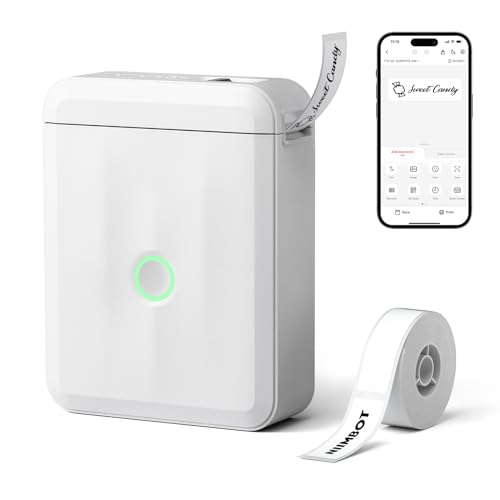
NIIMBOT D110 Label Maker, Bluetooth, with Tape
ASIN B0CZ6WCHGF • $32.99 • Sold by NIIMBOT AU on Amazon AU
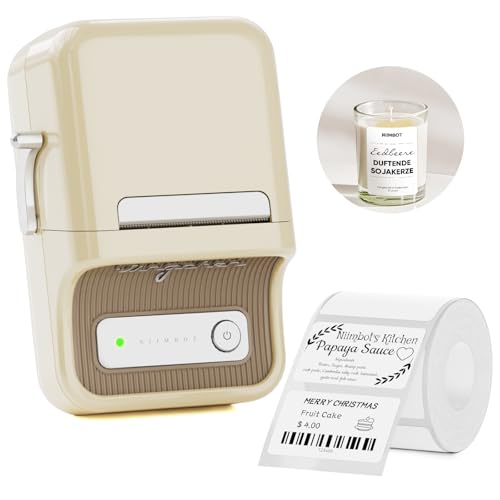
The D110 is the country's best selling portable thermal printer at time of writing, and at $32.99 with a roll of labels in the box it's easy to see why. It's a 146 gram direct thermal unit that genuinely fits in a pocket, prints labels up to 15mm wide at 203dpi, and drives entirely from the NIIMBOT phone app over Bluetooth. For pantry jars, toy tubs, freezer bags, school supplies and cable flags it's exactly the right amount of tool: small enough to live in the kitchen drawer, simple enough that everyone in the house actually uses it, and inkless, so there's never a dried-out cartridge waiting to disappoint you after six months of sitting idle.
The listing includes some details that matter more than they look. The roll carries a printing sensor chip on its side that NIIMBOT warns you not to tear or damage, which is your confirmation that this printer reads its own brand of rolls; price NIIMBOT refills before you buy, because that's the ongoing cost of the system. On the positive side, the auto calibration feature positions the first label when the unit powers on, so you don't sacrifice a label to alignment every session, and the 1500mAh built-in battery recharges rather than eating AAAs. Print quality at 203dpi is crisp at the sizes this machine prints; nobody is examining a jar lid with a loupe.
Remember what the technology is: direct thermal, the receipt-paper family. Labels in dark cupboards last for years; labels in sunlight or near the oven fade towards grey in months. Buy it for indoor organising and it's the best $33 in this guide. Buy it expecting switchboard labels that read clearly in 2031 and you've bought the wrong half of this article. The app matters here too: label sizing, fonts and templates all live in it, so spend ten minutes inside the NIIMBOT app before your first roll runs out and you'll waste far fewer labels learning the sizing quirks.
Honest caveats: Phone-only operation, no PC path, so the app is a hard dependency. Rolls carry a sensor chip, so assume NIIMBOT-brand refills for the life of the unit and check their price first. Direct thermal output fades with heat, sunlight and friction, which rules it out for outdoor and high-wear labelling.
Best for: Home and office organising at $32.99, where labels live indoors and the phone is always nearby.
Technology: Direct thermal, no ink, 203dpi • Label width: Up to 15mm • Connection: Bluetooth to iOS and Android app • Battery: 1500mAh built-in rechargeable • Weight: 146g • Rolls: NIIMBOT rolls with printing sensor chip • Seller: NIIMBOT AU • Rank: #1 in Portable Thermal Printers (Amazon AU)
View on Amazon AU
NIIMBOT B1 Label Maker, 2 Inch Label Printer
ASIN B0BCW4YMR8 • $49.99 • Sold by NIIMBOT AU on Amazon AU
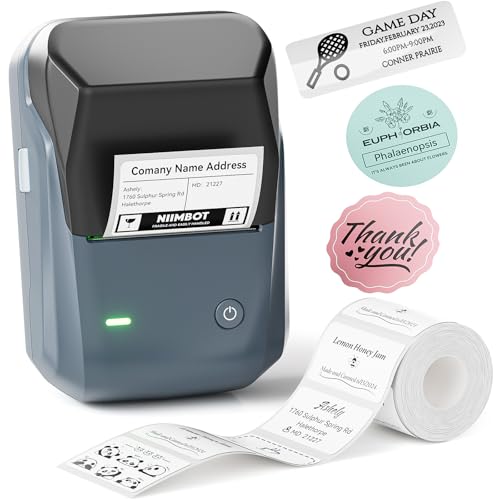
The B1 is the D110's bigger sibling and the #2 portable thermal printer in the AU charts at $49.99. The step up buys width: it prints labels from 20mm to 50mm across, with a 50x30mm roll included in the box, and that extra real estate changes what a label can be. Where the D110 writes a line, the B1 prints a proper block: product name, date, contents list, even a barcode for a small seller tracking stock. For storage tubs in the garage, boxes of parts, market-stall packaging and anything that needs reading from a few steps away, this is the size that works, and it's still a direct thermal machine, so there's no ink and nothing to dry out between sessions.
The listing's practical details hold up well. The 1500mAh battery gives a stated five hours of printing per charge, the unit shuts itself off after 15 minutes idle to save the pack, and NIIMBOT backs it with a stated 12-month replacement service if a unit can't be fixed. The app brings the same template library as the rest of the range, and unlike the D110 there's a stated PC path, with a driver downloadable from NIIMBOT's site, which softens the app dependency for anyone running it in a business. One stated quirk to note: the listing says it's not compatible with iPads, so tablet-first setups should shop the Brother half of this guide instead.
Same chemistry caveat as its sibling: direct thermal fades where heat, sun and friction get at it, so this is an indoor tool. Within that boundary it's the most label per dollar in the guide, and the pick I'd point most home businesses at first. It's also the unit I'd point a market seller at first, because barcodes and multi-line product labels are exactly what the 50mm width and the template library are for, and the included roll gets you printing the day the box arrives, before you've bought a single refill. Run the refill maths first all the same.
Honest caveats: Direct thermal media, so the fading rules apply: indoors and away from heat. Not compatible with iPads per the listing, and the PC driver comes from NIIMBOT's own site rather than the app stores. Wider proprietary rolls cost more than the small ones, so run the per-label maths for your volume before committing.
Best for: Storage tubs, packaging and small-seller labels up to 50mm wide at $49.99.
Technology: Direct thermal, no ink • Label width: 20mm to 50mm • Connection: Bluetooth to iOS/Android, PC driver available • Battery: 1500mAh, about 5 hours per charge • Auto power-off: After 15 minutes idle • Support: 12-month stated replacement service • Seller: NIIMBOT AU • Rank: #2 in Portable Thermal Printers (Amazon AU)
View on Amazon AU
Brother P-Touch Cube PT-P300BT Label Maker, Up to 12mm Labels
ASIN B077DRX3YS • $78 • Ships from Amazon AU
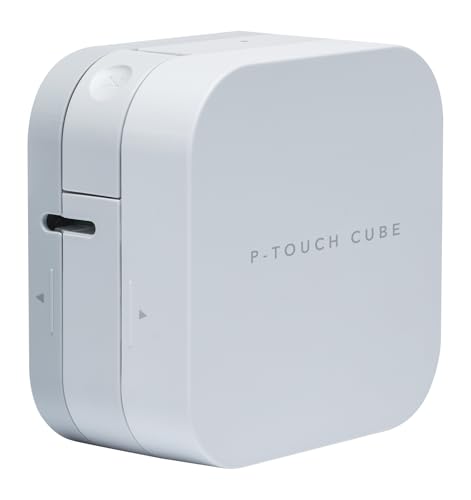
The P300BT Cube is the least expensive way into Brother's laminated TZe tape system at $79 and that system is the reason to buy it. TZe is the tape I trust in the workshop: the print sits under a clear laminate instead of on the surface, so it survives handling, moisture and time in a way no direct thermal label can. If the labels you're planning need to outlive the thing they're stuck to, a cable loom, a power supply, a tool chest, the contents of a garage, then the technology choice matters more than any feature on the box, and this is where the guide's laminated half begins. It's sold by Amazon AU directly, sitting at #55 in the Label Tapes chart at time of writing.
Operationally it's a phone-first machine like the NIIMBOTs: Bluetooth to Brother's Design and Print 2 app, with print-ready templates and frames on tap, and a stated print speed of up to 20mm per second, which is unhurried and fine for the short runs this class of machine exists for. Tape width tops out at 12mm, enough for cable flags, switch labels and one or two clean lines of text. The listing doesn't state the power arrangement, so check the current listing for what it runs on before you order rather than assuming a built-in pack; Brother's smaller cubes have varied on this over the years and the listing is the source of truth.
The trade-off against the NIIMBOTs is straightforward: you pay more per unit and more per metre of tape, and in exchange the label is still legible when the direct thermal alternative has gone grey. For household organising that's usually money wasted. For anything technical, outdoor-adjacent or long-lived, it's the whole point. That's why this cube earns a bench spot despite the modest spec sheet: the labels I stuck on test jigs years ago are still legible today, and no thermal-paper unit in this guide can make that claim. Buy it as the durable-label starter and step up to wider tape only when a job demands it.
Honest caveats: Phone-only via the Design and Print 2 app, with no stated PC path on the listing. 12mm maximum width rules out big storage labels. The listing doesn't state the power source, so confirm it on the page before ordering. TZe cassettes cost more per metre than thermal rolls, which is the price of print that lasts.
Best for: Cable flags and long-lived small labels in laminated tape at $79.
Technology: Laminated TZe tape cassettes • Label width: Up to 12mm • Connection: Bluetooth to Design and Print 2 app • Print speed: Up to 20mm per second • Templates: Print-ready templates and frames in app • Power: Not stated on the listing • Seller: Amazon AU • Rank: #55 in Label Tapes (Amazon AU)
View on Amazon AU
Brother QL-800 Label Maker, Desktop, Up to 62mm Wide Labels
ASIN B077G4XSN8 • $130 • Ships from Amazon AU
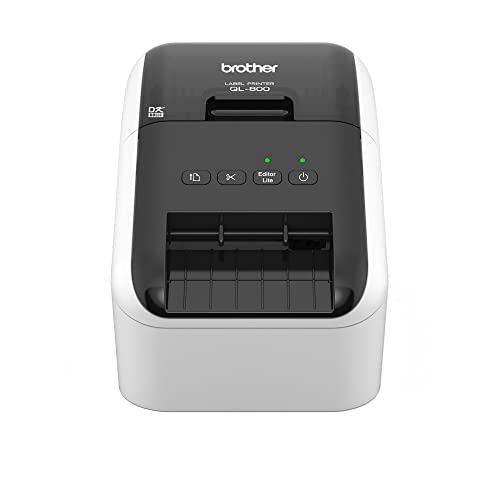
The QL-800 is a different species from everything above it in this guide: a mains-powered desktop machine built for volume rather than portability, at $130 from Amazon AU. It prints on Brother's drop-in DK rolls up to 62mm wide, no ink or toner, at a stated rate of up to 93 labels per minute and up to 300 x 600 dpi resolution. Those numbers describe a machine for a small business that posts things: the eBay seller, the Etsy shop, the office that couriers samples out every day. If your current process involves handwriting addresses or printing sheets of A4 sticker paper through an inkjet, this is the upgrade that makes the shipping pile a five minute job instead of an evening.
The party trick is two-colour printing: with the appropriate roll loaded it prints in red and black together, per the listing, which is more useful than it sounds. FRAGILE in red on a parcel label, due dates highlighted on file labels, warnings on workshop items, all without an ink system anywhere in the machine. Being mains powered, there's no battery to age in a drawer, and being a desktop unit it connects to the computer that runs the business rather than depending on a phone app; it's the machine in this guide most likely to still be at its post in a decade, because that's exactly what the older QL units we see in offices have done.
Know what it isn't: it's not portable, and its DK rolls are direct thermal, so the addresses it prints are built to survive a courier run, not five years on a switchboard. For durable labelling you want TZe tape and the pick below. For the parcel pile, this is the tool. The two machines aren't rivals so much as colleagues, and offices that post things usually end up owning both. If you're only going to own one and parcels are the daily reality, this is the machine that removes the most drudgery per dollar, and it starts doing that the first morning it's plugged in.
Honest caveats: Desktop and mains powered, so it's not coming to the garage shelf with you. DK rolls are direct thermal media, fine for shipping and filing, wrong for long-life outdoor labels. Two-colour printing needs the appropriate roll type loaded, so factor that into your per-label price when you run the numbers.
Best for: Small businesses posting parcels daily: 62mm address labels at speed for $130.
Technology: Direct thermal DK drop-in rolls, no ink or toner • Label width: Up to 62mm • Print speed: Up to 93 labels per minute • Resolution: Up to 300 x 600 dpi • Two-colour: Red and black printing per the listing • Power: Mains desktop unit • Seller: Amazon AU • Rank: #45 in Laser Printers (Amazon AU)
View on Amazon AU
Brother P-Touch Cube PT-P710BT Label Maker, Up to 24mm Labels
ASIN B07D1LGPHD • $141.30 • Ships from Amazon AU
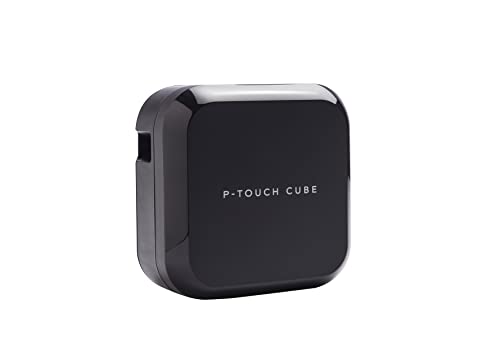
This is the labeller I'd buy for a workshop, a switchboard, a server cabinet or any small business that wants one machine to do every label properly, at $135.80 from Amazon AU. The P710BT runs the full TZe range from 6mm to 24mm, and 24mm laminated tape is the width where labels become signage: readable across a room, tough enough for years of handling, available in the listing's stated 60-plus colour and size combinations, with a 24mm black-on-white sample cassette in the box to start you off. It sits at #34 in the Label Tapes chart at time of writing, ahead of its smaller sibling, and it earns the position.
It's also the most flexible machine here on the connection front, and that flexibility is future-proofing. Bluetooth to the iPrint and Label app covers the quick jobs from a phone; USB to a computer with Brother's free P-touch Editor covers the serious ones, with barcodes, logos, frames and batch layouts. A built-in lithium battery recharges over USB from a PC, laptop or standard USB mains adapter per the listing, so it roams the site cordless and comes home to the desk. The usual lithium storage rules apply, half charge and a top-up every couple of months, but unlike app-only units this machine keeps working from the PC even if phones and apps drift on.
Against the QL-800 the choice is clean: that machine wins the shipping desk on speed and width, this one wins everywhere a label has to endure. Plenty of small businesses genuinely need one of each, and at these prices that's still less than one industrial handheld. And because the PC path runs through Brother's desktop software rather than a phone app, this is the unit I'd trust to still be doing its job when the phone it first paired with is three phones ago. Workshops keep tools that keep working, and this reads like one of them. That's the buy-once logic in a nutshell.
Honest caveats: The steepest tape cost in the guide per metre, which is the standing price of laminated print. Print head width means 24mm is the ceiling, so parcel-width labels stay with the QL-800. The built-in lithium pack is a wear item like any other, so store it half charged rather than flat in a drawer.
Best for: The one-machine answer for workshops and businesses whose labels must last, $135.80.
Technology: Laminated TZe tape cassettes • Label width: 6mm to 24mm • Connection: Bluetooth app plus USB PC with P-touch Editor • Battery: Built-in li-ion, USB rechargeable • In the box: 24mm black-on-white sample tape • Tape range: 60+ TZe colour and size combinations stated • Seller: Amazon AU • Rank: #34 in Label Tapes (Amazon AU)
View on Amazon AUSide-by-side comparison
| Product | Price | Best for |
|---|---|---|
| NIIMBOT D110 Label Maker with Tape… | ~$32.99 | |
| NIIMBOT B1 Label Maker 2inch Label Printer… | ~$49.99 | |
| Brother P-Touch Cube PT-P300BT Label Maker | ~$78 | |
| Phomemo-M110 Label Printer - Portable… | ~$54.99 | |
| NIIMBOT B21 Label Maker | ~$85.49 | |
| Brother QL-800 Label Maker | ~$130 | |
| Brother Ptouch Cube PT-P710BT Label Maker | ~$141.30 | |
| MUNBYN Bluetooth 4x6 Thermal Shipping Label… | ~$169.99 |
What we see fail at the bench: label printers
Label printers are simple machines, and the failures that reach us are correspondingly simple: batteries that died in a drawer, print heads printing stripes, and charging problems that were never the printer's fault. The encouraging news is that most of what people describe as a broken labeller is either a consumable, a cleaning job or a charging habit, and all three are avoidable once you know the pattern.
The drawer-flat lithium pack
A labeller's built-in battery spends most of its life in storage, and lithium packs stored flat are the ones that die. Leave a discharged pack in a drawer for six months and it can drift below the voltage where its protection circuitry will accept a charge, at which point the printer appears completely dead. On a phone we'd swap the pack; on a $40 labeller the repair maths rarely works and the unit becomes e-waste. Put it away half charged, top it up every couple of months, and the pack lasts years. It's the easiest maintenance schedule in this whole article.
Stripes, faint print and gunked heads
A thermal print head is a row of tiny heating elements pressed against the media, and anything between them and the label degrades the print: dust, adhesive residue from a mis-fed roll, or grit from a unit that lives on a workbench. The symptom is a faint band or a clean white stripe running the length of every label. Nine times out of ten a gentle clean of the head with isopropyl on a swab, with the unit off, brings it back. The other times, someone's used damaged or wrong rolls and scored the head, and that's usually the end of an inexpensive unit.
Charging faults that aren't the printer
A steady share of dead labellers that reach the bench charge perfectly from the first known-good cable and brick we try. Worn micro-USB and USB-C leads, sockets full of pocket lint, and no-name chargers that sag under load all present as a printer that won't take charge. Before assuming the worst, try the cable and brick from a phone that charges reliably, and look in the socket with a torch. When the socket itself is loose on an otherwise good unit, that's a repairable fault on machines worth the labour, and a two minute diagnosis either way.
Decision tree: which one should you actually buy?
- Organising the pantry, toy boxes and home office? → The NIIMBOT D110 at $32.99. Pocket-sized, inkless and simple enough that the whole household uses it.
- Bigger labels for tubs, packaging or a market stall? → The NIIMBOT B1 at $49.99 prints up to 50mm wide with a stated five hours per charge, and has a PC driver as a fallback.
- Cable flags and labels that must still read in five years? → The Brother PT-P300BT is the entry to laminated TZe tape, which holds up where thermal paper fades.
- Posting parcels every day from a small business? → The Brother QL-800: 62mm address labels at up to 93 per minute, mains powered, with red and black printing on the appropriate roll.
- One serious machine for a workshop or switchboard? → The Brother PT-P710BT at $135.80 covers 6 to 24mm laminated tape with both phone and PC control.
- Labeller dead, won't charge, or printing stripes? → Often it's the cable, the battery's storage habits or a dirty head rather than the machine. Bring it in to our Erina workshop and we'll tell you in minutes whether it's worth fixing or replacing.
Frequently asked questions
Do label printers need ink?
None of the five picks do. They're all thermal printers: the print head heats the media and the media itself darkens, so there's no cartridge, no toner and nothing to dry out while the unit sits in a drawer. The consumable is the label roll or tape cassette instead, which is where the real running cost lives. That's the trade to understand before buying: the hardware is inexpensive and the maker earns its margin on the rolls, so price the refills for your expected volume before you pick a system.
How long do thermal labels last before fading?
Direct thermal labels, the receipt-paper family used by the NIIMBOT units and the QL-800's rolls, are the vulnerable ones. Kept indoors in the dark they can stay readable for years; exposed to sunlight, heat or constant rubbing they can fade noticeably within months. Laminated tape like Brother's TZe prints under a clear protective layer and holds up dramatically better, which is why it costs more per metre. Match the technology to the label's life: shipping and pantry labels can fade harmlessly, switchboard and cable labels can't.
Can I use third-party rolls in these printers?
Plan around the maker's own consumables. NIIMBOT's listings describe a printing sensor chip on the side of their rolls and warn against damaging it, which tells you the printer identifies its media, so NIIMBOT-brand rolls are the safe assumption for the D110 and B1. Brother's TZe cassette and DK roll systems have been running for decades with pricing that's easy to check on Amazon AU before you buy. Whatever system you choose, do the per-label arithmetic on genuine consumables first; if the refill price annoys you now, it'll annoy you more every month you own the machine.
Which label printer works without a phone?
The QL-800 is the clean answer: it's a desktop machine that runs from a computer, no app involved. The PT-P710BT is the flexible one, offering both Bluetooth app control and USB to a PC or Mac running Brother's P-touch Editor software. The NIIMBOT B1 has a stated PC driver available from the maker's site as a fallback. The D110 and PT-P300BT are phone-first by design, so buy those only if a nearby phone is a permanent feature of your workflow rather than an occasional one.
What's the real difference between the NIIMBOT and Brother systems?
Chemistry and ecosystem. NIIMBOT units print on direct thermal paper rolls: lower cost per label, no ink, and output that fades with sunlight, heat and friction, which is fine for indoor organising. Brother's P-touch machines use laminated TZe cassettes where the print is sealed under clear film, so labels survive outdoors, on tools and in switchboards for years, at a higher price per metre. Brother's QL desktop line sits in between, using wide direct thermal rolls built for shipping volume. Pick by how long the label has to survive, then by width, and the brand choice mostly makes itself.
My labels print with a white stripe or very faint. Is the printer dying?
Usually not. A stripe or faint band means something is sitting between the print head's heating elements and the media: dust, adhesive residue or grit. Power the unit off and clean the head gently with isopropyl alcohol on a cotton swab, let it dry, and test again; that fixes most of them. Persistent stripes after cleaning suggest a scored head, often from damaged or incorrect rolls, and on entry-level machines that's typically the end economically. Faint print across the whole label can also just be a low battery, so charge it before diagnosing anything.
Related buying guides
Dead labeller, or a small business setup that needs sorting?
Half the dead label printers we see are a flat lithium pack, a worn cable or a dirty print head rather than a failed machine. Bring it in to Erina and we'll tell you inside a few minutes whether it's a two dollar fix, a worthwhile repair or honestly time to replace it, before you spend anything. We set up small business kit too, so if the shipping desk needs to talk to the laptop properly, that's a job we do.
Visit our Erina workshop Book Online