Prices from Amazon AU, updated daily. Swipe or use the arrows for more.
Disclosure: This article contains affiliate links to amazon.com.au. If you buy through one of these links iFix may earn a small commission at no extra cost to you. It doesn't change which products we recommend. We focus on what actually lasts based on 16 years of repair-shop experience.
Quick summary8 picks
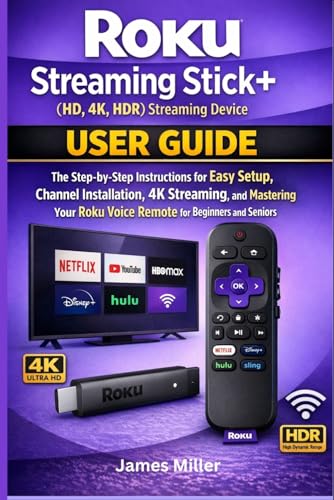
- Entry PickRoku Streaming Stick+ about$24.54
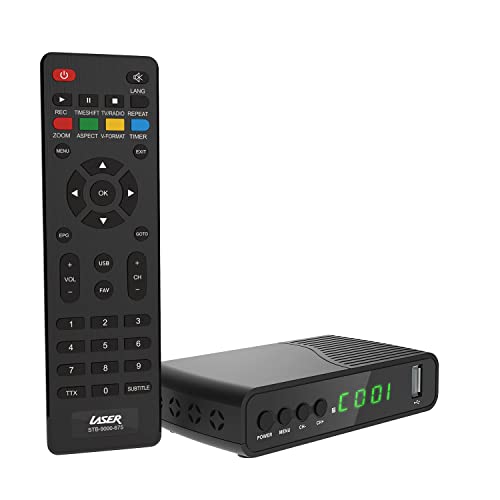
- Laser HD Digital Set Top Box with USB… about$45
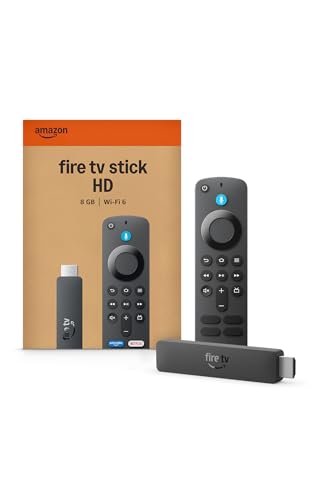
- Amazon Fire TV Stick HD about$97
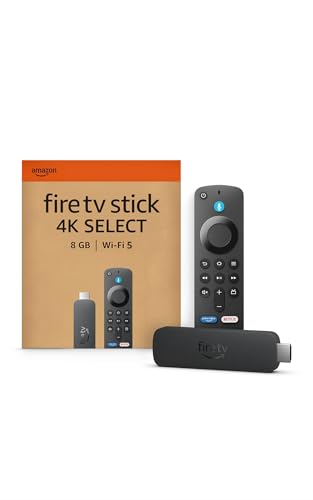
- Amazon Fire TV Stick 4K Select about$107
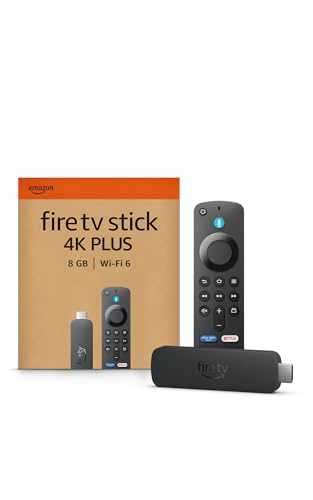
- Amazon Fire TV Stick 4K Plus streaming device about$137
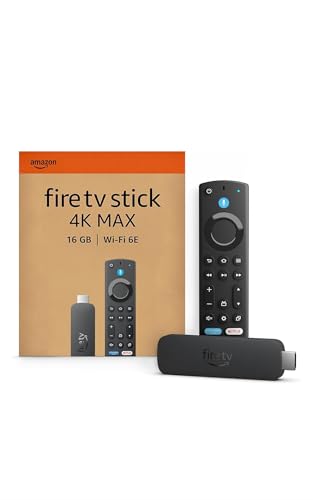
- Amazon Fire TV Stick 4K Max | Our most… about$147
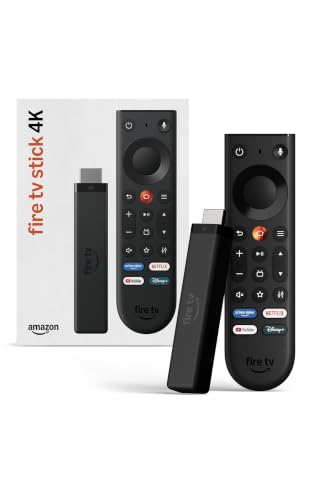
- Amazon Fire TV Stick 4K about$129
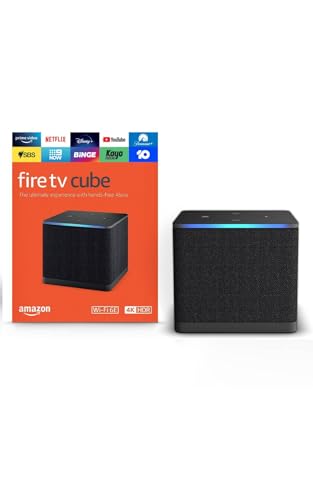
- Most PremiumAmazon Fire TV Cube | Hands-free streaming… about$299
Your TV is not broken. Its processor is just old
The call comes in most weeks and it is always phrased the same way: my smart TV has gotten slow. Netflix takes the best part of a minute to open. The home screen stutters when you scroll sideways. Sometimes an app has simply disappeared from the TV's store and will not come back. By the time someone rings us they have usually already decided the television is on the way out, and they want to know whether it is worth fixing before they spend two thousand dollars on a replacement.
Almost none of those televisions have a fault.
Here is what actually happened. A television is sold on its panel. That is where the margin sits, that is what the demo loop in the shop is showing off, and that is what the review scores are built on. The system-on-chip and the RAM bolted behind the panel get specced to the absolute minimum that will run the launcher smoothly on release day, because nobody walks into a store and compares televisions on memory. Then the clock starts. App developers ship heavier updates every year for the next three or four years. The manufacturer quietly stops optimising for a platform that is two model generations old. Eventually the app gets dropped from that model's store entirely, and a set that cost $1,800 in 2019 can no longer run the service it was advertised with.
The panel is fine. The backlight is fine. The picture processing is fine. The computer strapped to the back of them is what aged, and it aged on a schedule the manufacturer chose.
A $69 stick hands that television a current processor, a current app catalogue and a remote that answers when you press it. That is the entire repair. Pound for pound it is the best-value upgrade left in consumer electronics, and in most of the cases that reach our bench it is the correct alternative to replacing a working television. There is one clear exception and I will come back to it: if the panel or the backlight is genuinely failing, a stick fixes nothing at all, and you should be reading the 65-inch TV picks instead of this page.
Sort these four things out before you order
A spare HDMI port, and CEC switched on
Count your HDMI ports first. Most sets from 2016 onwards have three or four, and on a lot of family televisions every one of them is already occupied by a soundbar, a console and a set-top box. If you are full, an HDMI switch will do the job for about $30, but it adds another box and another remote to the shelf, which is the opposite of what you came here for. Better to work out whether the old Blu-ray player under the TV has been used since 2021.
While you are in the settings menu, find HDMI CEC and turn it on. CEC is the control channel that rides inside the HDMI cable, and it is what lets the stick wake the television, switch it to the right input and hand volume control to one remote. Every manufacturer renamed it: Anynet+ on Samsung, Simplink on LG, Bravia Sync on Sony, Viera Link on Panasonic. It is usually off from the factory. Turn it on and the two-remote problem disappears.
Power: use the adapter in the box
The temptation is obvious. There is a USB port on the back of the TV, the stick has a USB power lead, and running it that way means the stick sleeps when the television sleeps. It works on some sets and it causes trouble on plenty of others. A lot of TV USB ports are specified for service and firmware updates only, supplying 500mA at 5V, which is 2.5 watts total. A 4K stick pulling hard through a decode spike wants more than the port will give. What you get is not an honest failure but an intermittent one: black screens after an hour, reboots that land in the middle of a bright HDR scene, a device that seems faulty and tests perfectly on a proper adapter. Use the mains supply that came in the box, and let CEC handle the switching off.
The stick's radio is usually better than the TV's
This surprises people. The Wi-Fi module in a television is another minimum-spec part, and sets from around 2016 to 2019 frequently shipped with a single-band or heavily 2.4GHz-biased radio that was adequate for 1080p and struggles now. The 4K Plus supports Wi-Fi 6 and the 4K Max supports Wi-Fi 6E, both of which will hold a 4K stream far more reliably in a house where fifteen other devices are connected. If your current TV drops out at 8pm on a Sunday and works fine at 10am on a Tuesday, that is congestion and the stick will help. If it drops out at every hour of the day, the problem is upstream and a stick will not save you, so start with the home Wi-Fi router guide before you spend money here.
4K only counts if the panel counts
A 4K stick plugged into a 1080p television outputs 1080p. There is no hidden benefit, no upscaling magic, nothing you can see. Check what your set actually is before you spend the extra $28, because a surprising number of 2015 to 2017 "Full HD Smart" sets are still in Australian living rooms and doing fine. The same logic runs through the audio side: both 4K picks pass Dolby Atmos out over HDMI, which only means something if there is a device downstream to decode it, and our Atmos soundbar comparison covers that end of the chain. If the screen in question is a projector rather than a panel, everything on this page still applies, and the 4K laser projector picks cover the display half of that setup.
The three picks, from $69 to $117
Prices are Amazon AU at time of writing (10 August 2026) and move week to week. Sales ranks were checked the same day.

Amazon Fire TV Stick 4K Plus (Newest Gen)
ASIN B0F7Z4LF41 • $137 • Ships from Amazon AU
Sitting at #2 in Streaming Devices on Amazon AU, this is the newest generation of Amazon's 4K stick and the one I would put on a 4K television without thinking about it much. The format support is complete for the money: 4K Ultra HD with Dolby Vision, HDR10+ and Dolby Atmos audio, which means it will hand your panel whatever HDR flavour that panel prefers rather than forcing a fallback. Sets that support one HDR standard and not the other are common enough that having both matters.
Wi-Fi 6 is the specification that quietly does the heavy lifting. A 4K stream is roughly four times the bitrate of a 1080p one, and the living room is usually the worst-served corner of a house for signal. Wi-Fi 6 holds up better when the other devices in the house are all awake, which is precisely the 8pm scenario where the old built-in TV app used to spin. The Alexa Voice Remote has preset app buttons plus TV power and volume on one handset, and Xbox Game Pass Ultimate runs here over cloud gaming if you want Forza or Starfield on the television without a console under it.
Honest caveats: $28 more than the HD stick, and worth exactly nothing if your panel is 1080p. Amazon does not state a storage figure for this model on the listing, and the 4K Max does state 16GB, which tells you where the gap probably sits if you install a lot of apps. If your household plays cloud games seriously or you install everything you ever hear about, step up.
Best for: Any 4K TV whose built-in interface has gone slow. The default answer for most Australian living rooms in 2026.
Max resolution: 4K Ultra HD • HDR: Dolby Vision, HDR10+ • Audio: Dolby Atmos • Wi-Fi: Wi-Fi 6 • Remote: Alexa Voice Remote, preset app buttons, TV power and volume • Gaming: Xbox Game Pass Ultimate cloud gaming • Rank: #2 in Streaming Devices (Amazon AU)
View on Amazon AU
Amazon Fire TV Stick 4K Max
ASIN B0CW4F344C • $147 • Ships from Amazon AU
Amazon's most powerful streaming stick, #3 in the Fire TV category on Amazon AU, and the pick for people who keep things a long time. The numbers on the listing are the ones that matter for longevity: a 2.0 GHz quad-core processor and 16GB of storage. Read that second figure again in the context of everything above. The reason your television slowed down is that its chip and its memory were specced for launch day and never had headroom for what came later. Sixteen gigabytes and a quad-core at 2.0 GHz is headroom. This is the model most likely to still feel quick in 2031.
Wi-Fi 6E adds the 6GHz band, which is the least congested spectrum in a suburban street and the one your neighbours' routers are least likely to be sitting in. Dolby Vision, HDR10+ and Dolby Atmos are all here, as is Xbox cloud gaming, and the Ambient Experience turns the television into a display for over 2,000 pieces of art and photography when nothing is playing. That last one sounds like filler until you have a 65-inch black rectangle dominating a living room wall all day.
Honest caveats: $48 more than the HD stick, and the picture on screen is identical to the 4K Plus. You are buying speed, storage and a future-proofed radio, not image quality. Wi-Fi 6E only pays off if your router supports 6GHz, which most Australian households still do not. If the router is more than three years old, the Max's headline radio advantage is dormant until you replace it.
Best for: Households that keep devices for years, heavy app installers, cloud gaming, and anyone with a Wi-Fi 6E router already in place.
Max resolution: 4K Ultra HD • HDR: Dolby Vision, HDR10+ • Audio: Dolby Atmos • Wi-Fi: Wi-Fi 6E • Processor: 2.0 GHz quad-core • Storage: 16GB • Remote: Alexa Voice Remote Enhanced, preset buttons, TV power and volume • Extra: Fire TV Ambient Experience • Rank: #3 in Fire TV (Amazon AU)
View on Amazon AUSide-by-side comparison
Why all three picks are Fire TV, and the trade you are accepting
Three Amazon products in a three-product guide looks like a thumb on the scale, so here is the reasoning out in the open. These three sticks hold the top three places in the streaming category on Amazon AU. When a list is built from what Australians are actually buying and what a repair shop actually sees plugged into elderly televisions, this is the list that falls out. Google TV and Apple TV hardware is good, and the Apple box is genuinely faster and better built than anything here, but it starts at roughly three times the price of the entry Fire stick, which puts it in a different conversation to the one this article is having.
The trade is real and you should know it before you commit. The Fire TV home screen pushes Amazon's own content harder than Google TV or Apple TV do. Prime Video rows sit above rows for services you already pay for elsewhere, sponsored tiles take the top banner, and the interface keeps offering you things to rent. Netflix, Disney+, Stan, BINGE, Kayo and all the free catch-up apps are present and behave normally once you open them; you just walk past the shop window on the way in. If that will irritate you every night for the next five years, buy a Google TV device instead and accept a slower cold start. If you launch straight into one or two apps and ignore the rest, it costs you nothing at all. That is the honest version, and it is the reason I would rather write this paragraph than pretend the ranking is the whole story.
What we see fail at the bench: sticks, ports and the heat behind the panel
Streaming sticks are simple devices and they fail in a small number of predictable ways. Two of the three are about where the stick lives rather than what it is, and one of them can turn a $69 accessory into a board-level repair on a $1,800 television.
Heat, because there is no airflow back there
A stick plugged flush into the back of a wall-mounted television is sitting in the hottest, stillest air in the room. The panel's own driver boards and power supply are radiating into that gap, the wall is a few centimetres behind, and nothing is moving. Sticks throttle when they get hot, and a throttled streaming device presents exactly like a slow one: stuttering menus, apps that take longer to open, the occasional drop back to the home screen. People replace the stick and get the same behaviour from the new one, because the fault was never the hardware. Use the short HDMI extender cable in the box. It costs nothing, it gets the stick out of the dead-air pocket and into a spot where it can shed heat, and it also improves Wi-Fi reception by moving the antenna away from a large earthed metal plate. There is no reason not to use it.
The HDMI port is taking the strain, and that is the expensive one
An HDMI socket is soldered directly to the mainboard, and the design assumption is a cable lying in it, not a rigid dongle hanging off it. Plug a stick flush into a wall-mounted set and you have created a lever. Gravity pulls down on the far end, the socket takes the moment, and over a couple of years the solder joints on the port's retention tabs and pins fatigue and crack. The symptoms are familiar to us: intermittent signal loss, no-signal messages with a known-good source, or a picture that returns when you push the plug slightly upward. That is a board-level job, and it is real work with hot air and a microscope rather than a parts swap. HDMI port repair is something we do regularly on consoles with cracked HDMI sockets, and the failure mechanism on a television is identical. Our pricing guide will give you a sense of what board-level work costs before you decide. The prevention, again, is the extender cable: let the stick hang from a short lead instead of cantilevering off the socket.
Power connector wear on the stick itself
The micro-USB or USB-C power socket on a streaming stick is the weakest mechanical point on the device. It gets plugged and unplugged every time the TV is moved, the lead gets tugged when someone reaches behind the unit, and the connector is soldered to a board about the thickness of a credit card. Once the port goes intermittent you get random reboots that look like a software fault, and on a device at this price it is not economic to repair. Leave slack in the power lead, tape it to the back of the TV bracket if the run is tight, and do not use the stick as the thing you yank to unplug everything.
Decision tree: which stick should you buy?
- 1080p smart TV that has gone slow or lost apps? → Fire TV Stick HD at $69. It matches the panel's resolution and it is the whole fix.
- 4K TV that has gone slow? → Fire TV Stick 4K Plus at $97. Dolby Vision, HDR10+, Atmos passthrough and Wi-Fi 6.
- You keep devices until they die, install everything, or already run a Wi-Fi 6E router? → Fire TV Stick 4K Max at $117. Quad-core at 2.0 GHz and 16GB of storage buys years.
- Dark patches, vertical lines, half-brightness picture or colour gone wrong? → No stick fixes a panel or a backlight. Read the TV guide linked in the intro and budget for a replacement set.
- Buffering every night between 7pm and midnight? → That is a network problem, not a streaming device problem. Fix the Wi-Fi first, or run an Ethernet adapter to the stick.
- Stick already installed and rebooting at random? → Check it is on the supplied mains adapter and not the TV's USB port, and get it out of the dead-air gap behind the panel with the extender.
- Picture drops out unless you wiggle the plug? → That is a cracked HDMI socket, not a cable. Bring the TV in to our Erina workshop for a board-level assessment before you write it off.
Frequently asked questions
Will a streaming stick actually make my old smart TV faster?
Yes, because you are not speeding the television up, you are bypassing it. The stick brings its own processor, its own memory and its own app store, and the TV becomes a panel with an HDMI input. A 2018 set whose built-in Netflix app takes 40 seconds to open will load the same app in a few seconds once that work moves to a current chip. The one thing that does not change is input switching, which the TV's own firmware handles, so the first couple of seconds after you press power still belong to the old hardware. Everything after that belongs to the stick. Set the TV to boot straight to the stick's HDMI input and you will barely remember the old launcher exists.
Can I run the stick from the TV's USB port instead of the wall adapter?
Sometimes, and getting this wrong is the most common cause of random reboots I hear about. Plenty of TV USB ports are specified for service and firmware updates only, and supply 500mA at 5V, which is 2.5 watts. A 4K stick pulling hard through a decode spike wants more than that. The failure is not clean either: you get a stick that runs for an hour then drops to a black screen, or reboots every time a bright HDR scene starts. Use the mains adapter in the box. If the goal was having the stick switch off with the television, use HDMI CEC for that instead of starving it of current, or run the adapter into a switched outlet on the same board as the TV.
Do I need the 4K model if my TV is only 1080p?
No. A 4K stick feeding a 1080p panel outputs 1080p, and you have paid for a decoder you will never see. Buy the HD stick at $69 and put the difference somewhere it shows. There is one argument the other way: if you expect to replace the television within a couple of years, the 4K Plus at $97 moves across to the new set and is still current when it gets there. That is a real reason, but it is a forecast rather than a spec. If the panel in front of you is 1080p and you are keeping it, the HD stick is the honest answer.
Will I still need two remotes?
Usually not. All three picks ship with an Alexa Voice Remote that sends TV power and volume commands, and the sticks also talk to the television over HDMI CEC, the control channel built into the HDMI cable itself. CEC is what makes the TV wake and switch to the right input when you press play. The catch is naming. Every manufacturer calls it something different: Samsung calls it Anynet+, LG calls it Simplink, Sony calls it Bravia Sync, Panasonic calls it Viera Link. It is frequently switched off from the factory, so go through the TV's settings menu and turn it on before deciding the feature does not work on your set.
My picture has dark patches and the colours look wrong. Will a stick fix that?
No, and this is the case where I tell people not to bother. A stick replaces the computer in your television. It cannot touch the panel, the backlight or the picture processing. Dark patches, a band of shadow along one edge, vertical lines, a picture that fades to half brightness after ten minutes, colour gone green in one corner: those are panel and backlight faults, and no HDMI device changes them. Torch test a suspected backlight failure. Power the TV on, hold a torch flat against the screen in a dark room, and if you can see a faint ghost of the menu then the panel is alive and the backlight is dead. At that point you are shopping for a television, not a streaming device.
The stick buffers on Netflix every night. Is the stick faulty?
Almost never. Buffering that starts around 7pm and clears by midnight is congestion, either on your Wi-Fi or on your connection, and it follows the household rather than the device. Test it properly before blaming the hardware: run a speed test on a phone held where the TV sits, not where the router sits. A living room television is often the worst spot in the house for signal, because it is low to the floor, tucked behind a metal-backed panel and frequently on the far side of a brick wall. The Wi-Fi 6 and Wi-Fi 6E radios in the two 4K picks help, but they cannot invent signal that never reaches the room. A USB Ethernet adapter on the stick, or a better router, fixes it properly.
Related buying guides
Not sure whether it is the computer or the panel?
A slow interface is a $69 fix. Dark patches, vertical lines and a picture that dims after ten minutes are not, and no stick will touch them. If your television drops signal unless you wiggle the plug, that is a cracked HDMI socket and it is a board-level repair, not a write-off. Sixteen years of board-level work means the diagnosis takes minutes, and our pricing guide is public before you commit to anything.
Visit our Erina workshop Book Online