![Samsung Galaxy Tab A11+ [AU Version]](/images/affiliate-products/B0FW9MWVBM.jpg)
Prices from Amazon AU, updated daily. Swipe or use the arrows for more.
Disclosure: This article contains affiliate links to amazon.com.au. If you buy through one of these links iFix may earn a small commission at no extra cost to you. It doesn't change which products we recommend. We focus on what actually lasts based on 16 years of repair-shop experience.
Quick summary8 picks
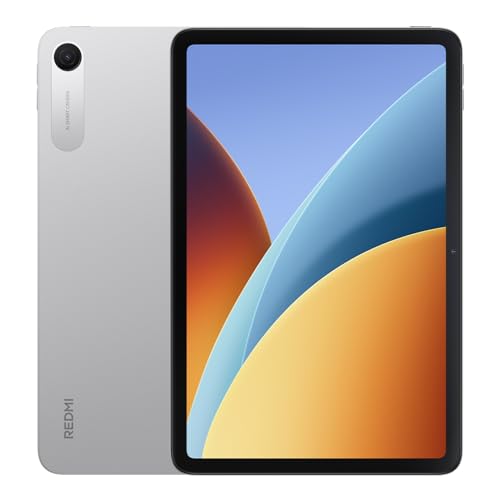
- Entry PickXIAOMI REDMI Pad 2 9.7'' about$289120Hz refresh, 9.7" screen, 7600mAh.
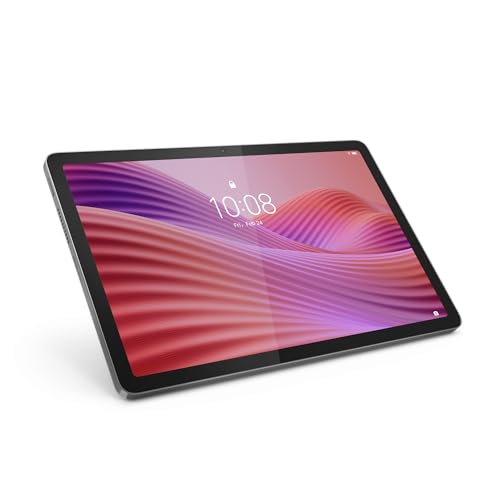
- Lenovo Tab 10.1' FHD Tablet 4/64+ Clear… about$327.014 GB RAM, 15W.
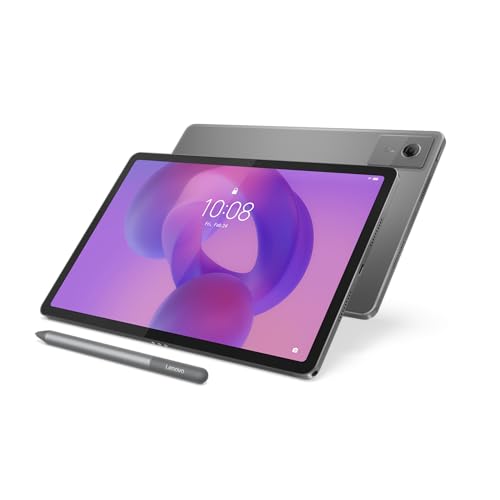
- Lenovo IdeaTab 11-inch Tablet with Pen 4/128 about$376.9890Hz refresh, 11.0" screen.
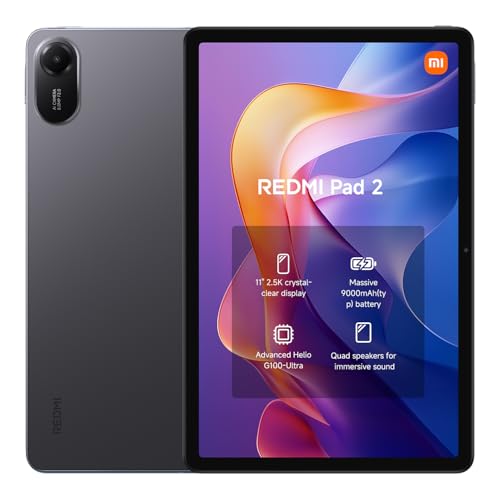
- XIAOMI REDMI Pad 2 about$347.9911" screen, 9000mAh.
- Lenovo Idea Tab 5G 11" 2.5K 90Hz Touch… about$659.8590Hz refresh, 11" screen.
- Lenovo Idea Tab 11" + 5G + Lenovo Tab Pen… about$39511" screen, 7040mAh, 20W.
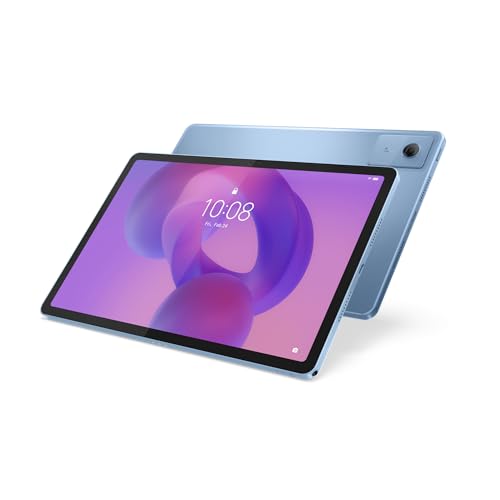
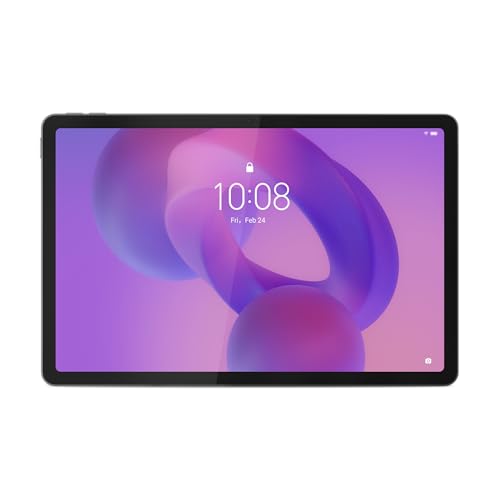
- Samsung Galaxy Tab A11+ [AU Version] about$62790Hz refresh, 11.0" screen.
- Most PremiumApple iPad about$696
Why the $300 tablet stopped being a gamble
The tablet in the workshop this morning was a no-name 10-incher, bought online for $149, with a cracked digitiser, a battery starting to lift the frame, and a charge port hanging on by two solder joints. Replacement screen: $95 plus freight, brand unknown, fit not guaranteed. I told the owner to pull the microSD card and recycle the rest. For most of the last decade, that conversation covered nearly every Android tablet under $400.
It doesn't any more. The $300 band has quietly inherited hardware that lived in the $600-$800 tier three years ago: laminated 2.5K screens, quad speaker arrays tuned for Dolby Atmos, batteries past 7,000mAh, and in several of the picks here, a pen, a keyboard or a case already in the box. The market has noticed: several of the tablets in this guide sit consistently among the best sellers on Amazon AU.
Just as important from where I sit: these are tablets worth repairing. A mainstream Lenovo or Xiaomi has a real parts supply chain behind it. A $150 no-name doesn't. When the glass cracks in year two, that difference decides between a new screen and the e-waste bin.
What to look for at this price, and the traps to avoid
Screens: lamination is good news and bad news
The better tablets in this band use laminated displays: glass and LCD bonded into one assembly, which kills the hollow air-gap look older tablets had. The trade sits on my side of the counter. Crack the glass and the whole assembly gets replaced, a job that typically lands between a third and a half of the tablet's purchase price, exactly the zone where repair-versus-replace gets decided. It's the same maths we walk customers through on iPad screen replacement, with smaller numbers on both sides. A $15 case shifts those odds more than any spec on the sheet.
Update windows: the spec nobody prints on the box
Flagship tablets advertise update windows out to seven years. Mid-range Android is shorter: typically one or two OS upgrades and three to four years of security patches, varying by model, so check the manufacturer's support page before you commit. Patches are the part that matters. A tablet gets used for banking, email and kids' accounts, and it shouldn't do any of that on patches that dried up two years ago. Buy a current model, like the ones below, not a two-year-old model whose clock is half run down.
The grey-import trap, or why those two letters matter
The Xiaomi pick carries an (AU) suffix in its listing title, and that's not decoration. It marks the Australian-market version: Australian-plug charger, warranty honoured locally under Australian Consumer Law, firmware set up for this region. The grey-import version usually sits $30 to $60 lower and looks identical in the photos. What turns up is a foreign-plug charger with a loose adapter, firmware that can miss regional updates, and a warranty that means posting your tablet overseas and hoping. A few times a month one lands in the workshop, three months old, faulty, seller unreachable. The saving evaporates the first time anything goes wrong.
The picks in detail
Amazon AU pricing moves week to week, so the live prices sit in the summary above and the comparison table below rather than in these write-ups. Treat the picks as the shape of the market rather than a promise.

Lenovo Idea Tab 11" 2.5K Tablet (8GB/256GB) with 5G and Tab Pen
ASIN B0FGH7GHWF • Ships from Amazon AU
The pick if you want to write on the screen rather than only watch it. The 11-inch 2560 x 1600 display is the headline, backed by four speakers tuned for Dolby Atmos, a MediaTek Dimensity 6300 that Lenovo rates at up to 70% faster than the previous generation, and a 7,040mAh battery good for up to 12 hours of video. This configuration carries 8GB of RAM with 256GB of storage, and the listing is the 5G version.
The Tab Pen in the box is the quiet win. Pen support usually means tracking down the accessory separately afterwards; here it ships in the carton, with latency Lenovo claims is 40% improved, plus circle-to-search and translation without switching apps. For note-taking, PDF markup or a kid who draws, that is real capability you are not buying twice.
Honest caveats: at 7,040mAh this is the smallest battery capacity any listing in this guide states, and the 20W charger takes its time refilling it. Lenovo bundles the pen but not a keyboard, so if typing matters more than handwriting, look at the Idea Tab 5G configuration that ships with a folio keyboard as well as a pen.
Best for: Note-taking, PDF markup, study, and anyone who wants pen input included rather than sold separately.
Display: 11" 2.5K (2560 x 1600) • Chip: MediaTek Dimensity 6300 • RAM/Storage: 8GB/256GB • Battery: 7,040mAh, 20W charging, up to 12h video • Speakers: 4, Dolby Atmos tuned • Connectivity: 5G • In the box: Lenovo Tab Pen
View on Amazon AU
Lenovo Tab 10.1" FHD Tablet (4GB/128GB) with Clear Case
ASIN B0DTKKJ72N • Ships from Amazon AU
On a spec sheet this is the plainest tablet in the guide, and it keeps selling anyway. What sells it is the absence of friction: a 10.1-inch Full HD screen with hardware-certified low blue light, a MediaTek Helio G85 with 4GB of RAM that gets through streaming and homework without drama, 128GB expandable via microSD, and a clear kickstand case in the box.
That case matters. Most of the shattered tablets that reach the workshop were being carried around naked; bundled protection changes the odds, which is why this is the model I point parents toward, alongside our guide to tablets that survive kids.
Honest caveats: the Full HD panel is the trade against the 2.5K picks here, though at 10.1 inches it holds up fine. Battery runs up to 9.5 hours of streaming with 15W charging.
Best for: Kids, kitchens, grandparents, and anyone who wants a tablet working with zero extra purchases.
Display: 10.1" Full HD, certified low blue light • Chip: MediaTek Helio G85 • RAM/Storage: 4GB/128GB + microSD • Battery: up to 9.5h streaming, 15W charging • In the box: clear kickstand case
View on Amazon AU
Xiaomi Redmi Pad 2 (AU) 11" 2.5K Tablet (128GB)
ASIN B0FSQBKTDC • Ships from Amazon AU
The pick for anyone who doesn't want a Lenovo, and a consistent seller on Amazon AU: it has the largest battery capacity any listing in this guide states, at 9,000mAh. The 11-inch 2.5K display claims 1.07 billion colours, the quad speakers carry Dolby Atmos and Hi-Res Audio support, and the listing describes Xiaomi's matte AG glass, which cuts 97% of light interference. In practice: far less glare by a window, and a paper-like surface if you add a stylus.
The two letters in the title are the other reason it's here: (AU). This is the Australian-market Redmi Pad 2, with local warranty, an Australian charger and region-correct firmware. Global versions float around marketplaces for less; they're the ones that reach the workshop with adapter-plug chargers and no warranty path. If you buy the Xiaomi, buy this version.
Honest caveats: the AU listing doesn't state the chipset or RAM, so treat it as a media and reading tablet first, and check the full spec sheet yourself if raw performance is the point.
Best for: Readers, glare-prone rooms, and long days away from a charger.
Display: 11" 2.5K, matte AG glass, 1.07 billion colours • Battery: 9,000mAh • Storage: 128GB • Speakers: quad, Dolby Atmos + Hi-Res Audio • Version: Australian market (AU)
View on Amazon AU
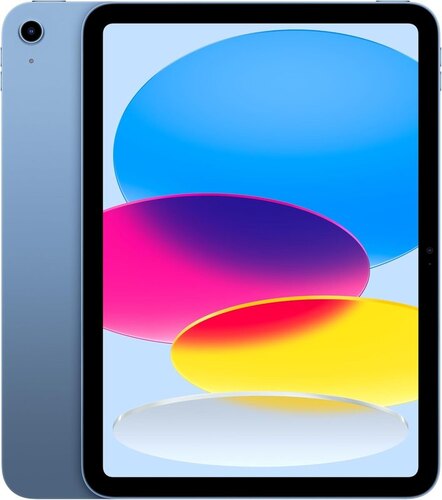
Apple iPad (A16) Wi-Fi Tablet (128GB)
ASIN B0DZ8JZRXK • Ships from Amazon AU
The only iPadOS device in this guide, and consistently among the best-selling tablets on Amazon AU. It pairs an all-screen design and an 11-inch Liquid Retina display, with True Tone matching the screen to the light in the room, to Apple's A16 chip. iPadOS is the real difference: running several apps at once, writing into any text field with Apple Pencil and Scribble, and over a million apps built for the larger screen rather than stretched up from a phone.
The rest of the hardware is sensible rather than showy. A 12MP Center Stage front camera for video calls, a 12MP Wide rear camera with True Tone flash that handles document scanning and 4K video, Touch ID built into the top button for unlocking and Apple Pay, and USB-C for connecting an external display. Storage starts at 128GB, which is what this listing carries.
Honest caveats: this is the Wi-Fi configuration, so there is no mobile data in it, while other picks here list 5G on the box. Apple's spec list does not mention expandable storage either, so what you buy is what you keep, where several of the Android picks take a microSD card. And iPadOS means the apps, accessories and files you already own only come with you if they were Apple's to begin with.
Best for: Anyone already living in Apple's ecosystem, and anyone who wants the widest choice of tablet-native apps.
Display: 11" Liquid Retina, True Tone • Chip: Apple A16 • Storage: 128GB, no expansion listed • Cameras: 12MP Center Stage front, 12MP Wide rear with 4K video • Security: Touch ID in the top button • Connectivity: Wi-Fi, USB-C to external displays • OS: iPadOS
View on Amazon AUSide-by-side comparison
| Product | Price | Best for |
|---|---|---|
| XIAOMI REDMI Pad 2 9.7'' | ~$289 | Smooth 120Hz on a compact 9.7in screen |
| Lenovo Tab 10.1' FHD Tablet 4/64+ Clear… | ~$327.01 | Kids, kitchens and grandparents |
| Lenovo IdeaTab 11-inch Tablet with Pen 4/128 | ~$376.98 | Pen input on a tighter budget |
| XIAOMI REDMI Pad 2 | ~$347.99 | Readers, glare-prone rooms, long days off the charger |
| Lenovo Idea Tab 5G 11" 2.5K 90Hz Touch… | ~$659.85 | Typing, with a keyboard folio and pen kit |
| Lenovo Idea Tab 11" + 5G + Lenovo Tab Pen… | ~$395 | Note-taking, PDF markup and study |
| Samsung Galaxy Tab A11+ [AU Version] | ~$627 | Multitasking with 8GB of RAM and 256GB on board |
| Apple iPad | ~$696 | Apple ecosystem and the widest tablet-native app choice |
What we see fail in the workshop: tablets after year two
Some weeks tablets outnumber laptops in the workshop at Erina. The failure list is short and predictable.
Charge ports go first, and it's rarely the port's fault
USB-C ports on tablets live a hard life: cables yanked sideways off couch arms, lint packed in from schoolbags. The early symptom is a charger that only works at an angle. About half the "dead charge port" tablets I see just need the connector cleaned, five minutes and no parts. Genuine port failures on mainstream Lenovo and Xiaomi models are routine board-level work with parts we can actually get, which is what separates these picks from the no-name imports.
Glass cracks start at the corners
Tablets rarely die from flat face-down drops the way phones do. They die from corner impacts, usually off a bed or a car seat, that flex the chassis and run a crack from the edge inward. Tablets in this class use bonded assemblies, so the fix is a full glass-and-LCD unit. On a $300-$350 tablet from a brand with a parts channel, the repair usually still makes sense. The tablets that avoid it almost all have one thing in common: a case. The Tab 10.1 ships with one; buy one for the others the same day.
Batteries swell around year three
The pattern is a screen lifting at one edge or a back panel that no longer sits flat. Heat is the accelerant; the classic cause is overnight charging under a pillow or doona. A swollen battery is not a wait-and-see problem. The expanding pack presses on the display from behind and will crack it from the inside, turning one repair into two. If your tablet is bulging, stop charging it and bring it into our Erina workshop.
Worth repairing, or bin it?
My working rule after 16 years: repair when the quote is under half the replacement cost and the rest of the tablet has life left. The Android picks above clear that bar for a screen or a battery. What doesn't: no-name imports with no parts supply, water damage stacked on the original fault, or a unit where port, glass and battery have all let go at once.
Decision tree: which tablet should you buy?
- Want pen input for notes and PDFs? → Lenovo Idea Tab 11" with Tab Pen. 2.5K screen, four tuned speakers, pen in the box.
- Buying for a child, or want it protected from day one? → Lenovo Tab 10.1". Low blue light certification, kickstand case included.
- Want the biggest battery, a matte anti-glare screen, or simply not a Lenovo? → Xiaomi Redmi Pad 2 (AU), and only the (AU) version.
- Want 120Hz, OLED, keyboard accessories or flagship update windows? → Step up a tier. See our premium tablet picks for 2026.
- Set on an iPad? → Skip the marketplace gamble. Buy one with a graded battery and a local warranty; our refurbished stock is where I'd start.
- Tablet already broken? → Get a repair quote before spending $300 on a new one.
Frequently asked questions
Are $300 tablets actually worth buying in 2026?
In this band, yes, and that's recent. The Lenovo Idea Tab gives you a 2.5K screen, four tuned speakers and a pen in the box, hardware that sat in the $600-$800 tier three years ago. Below about $200 the compromises stack up: dim screens, 3GB of RAM, no update commitment, and repair economics that collapse the first time the glass cracks. The $300-$350 band is currently the floor where a tablet is worth keeping for four or five years and worth fixing when something breaks.
Can a cracked tablet screen be repaired, and is it worth it?
Usually yes on the repair, sometimes no on the maths. Mid-range tablets use a glued display assembly, so a crack means replacing the glass and LCD as one unit. On a mainstream Lenovo or Xiaomi the part is generally available and the job typically lands between a third and a half of the tablet's purchase price. My rule: if the quote passes half the cost of replacement and the battery is already two years old, put the money toward a new unit. On a no-name import, parts are often unobtainable at any price.
What does the (AU) in the Xiaomi listing actually mean?
It flags the Australian-market version: Australian-plug charger, warranty covered locally under Australian Consumer Law, and firmware set up for this region. Grey-import versions of the same tablet often appear $30 to $60 lower. They arrive with foreign-plug chargers and a loose adapter, can miss regional firmware updates, and a warranty claim means posting the tablet overseas at your own cost. I see the aftermath in the workshop a few times a month. The (AU) suffix is worth the difference every time.
How long will a mid-range Android tablet get updates?
Shorter than a flagship. Premium tablets now advertise up to seven years of updates; in the mid-range, one or two Android version upgrades plus three to four years of security patches is the common pattern. Policies vary by model, so check the manufacturer's support page before you buy. Patches are the part that matters: a tablet used for banking, email and kids' apps shouldn't run on patches that stopped two years ago. Bought new in 2026, these picks should see you toward the end of the decade.
Which of these tablets is best for kids?
The Lenovo Tab 10.1. It's among the smallest and lightest here, the display carries a hardware low blue light certification, and the bundled kickstand case means it's protected from day one. Most smashed tablets that reach the workshop were being used without a case, so protection in the box genuinely changes the odds. Add a tempered glass protector and set up Google Family Link before you hand it over, and it will survive primary school.
Should I buy one of these or a secondhand iPad?
It depends on who's selling the iPad. A used iPad from a private seller is a gamble: you can't see the battery's cycle count, iCloud activation lock can turn it into a paperweight, and iPad screens cost more to replace than Android equivalents. A refurbished unit with a graded battery and a warranty is a different story, and Apple's long update support is a real point in the iPad's favour. For streaming, browsing and light work around $300, these do the job new, with full warranty, no gamble.
Related buying guides
Broken tablet sitting in a drawer at home?
Before you spend $300 on a new one, get a quote. If the screen or charge port is the only fault, repair is often the smarter spend, and I'll tell you straight if it isn't. Same-day turnaround on most tablet screens and charge ports at Erina.
Visit our Erina workshop Book Online