Prices from Amazon AU, updated daily. Swipe or use the arrows for more.
Disclosure: This article contains affiliate links to amazon.com.au. If you buy through one of these links iFix may earn a small commission at no extra cost to you. It doesn't change which products we recommend. We focus on what actually lasts based on 16 years of repair-shop experience.
Quick summary8 picks
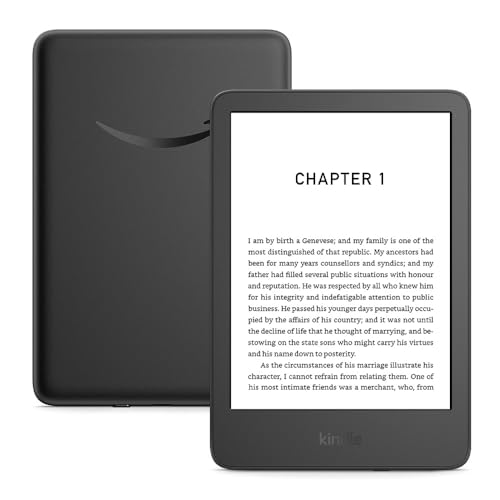
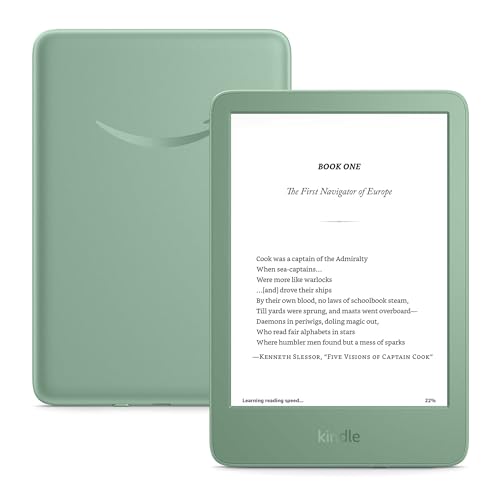
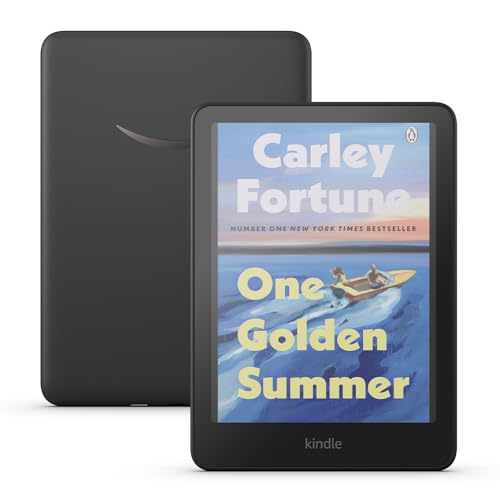
- Entry PickAmazon Kindle 16GB about$267
- Amazon Kindle 16GB about$267
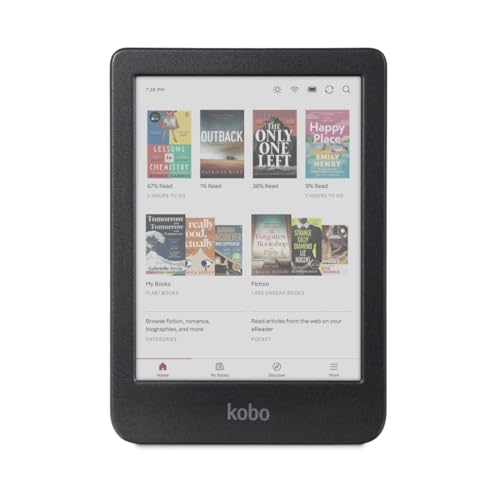
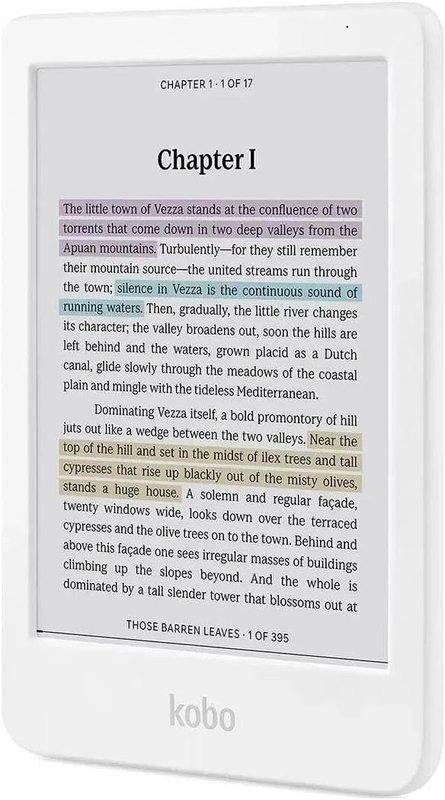
- Kobo Clara Colour | Colour eReader | 6”… about$284.656" screen.
- Kobo Clara Colour | Colour eReader | 6”… about$2896" screen.
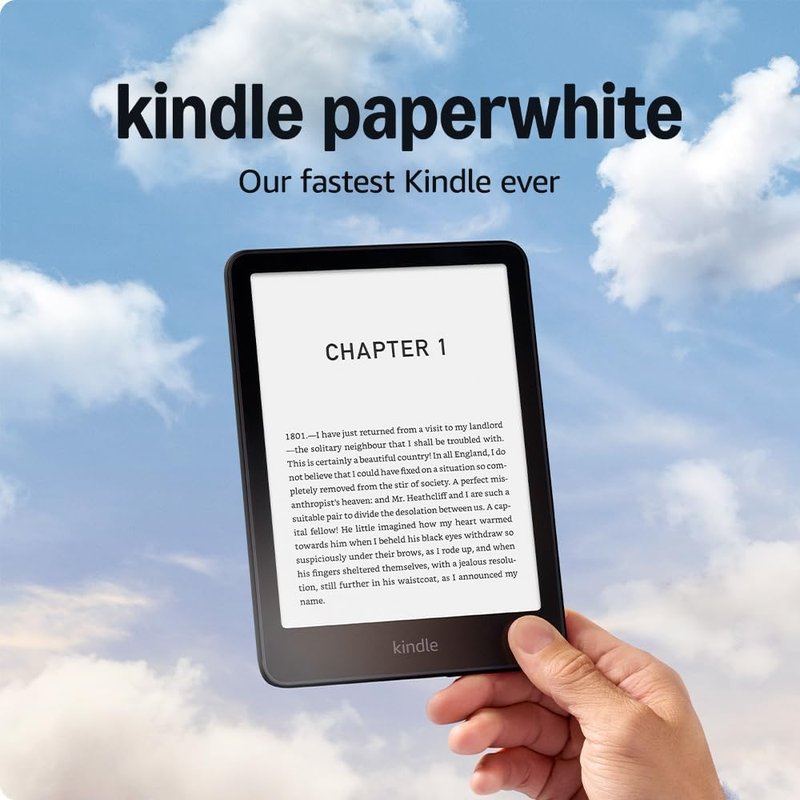
- Amazon Kindle Paperwhite about$3677" screen.
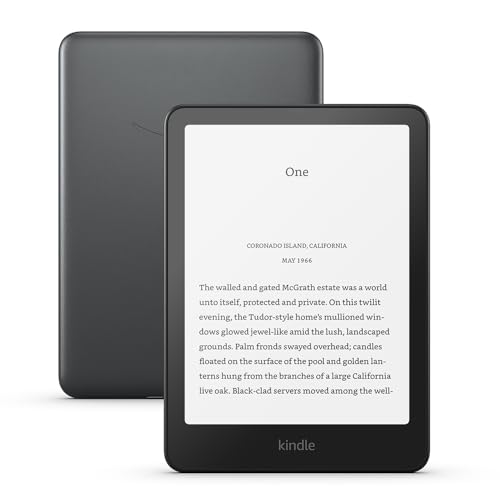
- Amazon Kindle Paperwhite Signature Edition… about$397
- Amazon Kindle Colorsoft 16GB about$4477" screen.
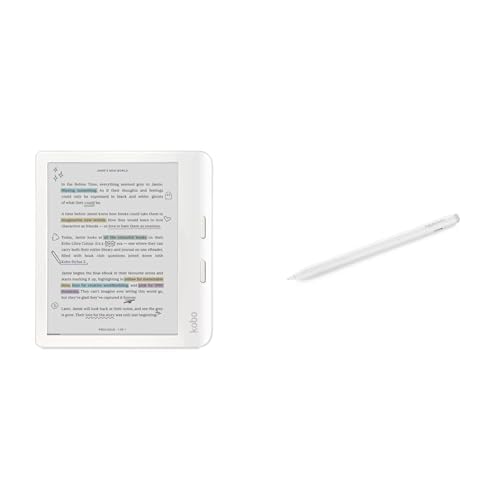
- Most PremiumKobo Libra Colour with Stylus 2 about$476.027" colour screen, stylus.
The one screen technology that almost never fails on my bench
In 16 years of board-level repair I can count the e-ink displays that died of natural causes on one hand. Phone OLEDs with burn-in, laptop panels with dead backlights, tablets with flickering LCDs: they queue up every week. Kindles arrive cracked, or with a decade-old battery, and that is close to the whole list. Nobody talks about this, and it is the single best reason to own one.
The engineering explains it. An LCD needs a backlight blasting through the panel every second the screen is on, and that backlight is the part I replace most often on monitors and laptops. E-ink has no backlight at all. The page is made of pigment capsules that hold their position without power, so the display only draws current at the moment it turns a page. The reading light is a strip of small LEDs along the bezel edge, lighting the surface the way a lamp lights paper, at a tiny fraction of the current a backlight demands. I have effectively never seen one fail.
The battery wins twice from the same design. A charge lasts weeks because the screen barely draws anything, and because you only top it up every month or so, the cell sees maybe ten to fifteen charge cycles a year against three hundred-plus for a phone. Cycle wear, the thing that kills phone batteries in three years, barely touches a Kindle. The worn-out ones I see are eight to ten years old.
Phone, tablet or e-ink: the honest comparison
You already own a phone that displays books, so the fair question is why buy another device. Three reasons hold up. Glare: a phone is unreadable in full sun, e-ink gets easier to read the brighter it gets, which matters on a continent where a fair slab of summer reading happens outdoors. Eyes: an emissive screen shines light at you, e-ink reflects it like paper, and the difference at hour three of a novel is not subtle. Battery: a phone at 6 percent by dinner ends the reading session; a Kindle does not have that conversation.
The honest other side: e-ink is greyscale on these models, page refresh is slow, and there are no apps. If your reading is colour textbooks, comics, illustrated PDFs or anything interactive, a tablet is the better buy, and our premium tablet picks for 2026 cover that job properly. For younger readers drop survival beats screen quality; the kids tablet guide ranks devices on exactly that. But for long-form reading and nothing else, e-ink wins on every axis that matters and costs less doing it.
The three picks, from $269 to $397
All three picks are Amazon's own Kindle range. No loyalty to Amazon here; the practical reality is that Kindle owns the Australian ebook ecosystem, ships locally, and holds the top spots in its category on merit. Prices are everyday Amazon AU prices at time of writing (25 October 2026). Ranks are Amazon AU's Kindle E-readers category, checked the same day.

Amazon Kindle 16GB (newest generation)
ASIN B0CP31QS6R • $267 • Ships from Amazon AU
The #2 seller in Kindle E-readers. The current generation fixed the old base-model compromises: the front light is 25% brighter at maximum, contrast is up, page turns are quicker, and the 300 ppi panel is as sharp as the Paperwhite's. At 158 grams it is lighter than most phones, and one-handed reading on a train actually works. Six weeks of claimed battery assumes half an hour a day, but even a heavy reader charges it monthly.
Sixteen gigabytes holds thousands of books, effectively infinite for text, and USB-C means it shares a cable with everything else in the house.
Honest caveats: the front light is cool-white only, with no warmth adjustment, so late-night reading is colder light than the Paperwhite offers. There is no waterproofing at all, and the 6-inch screen fits noticeably less text per page than the 7-inch Paperwhite.
Best for: First e-reader, commuters, anyone who mostly reads indoors and dry.
Screen: 6-inch e-ink, 300 ppi, glare-free • Front light: Adjustable, no warmth control • Waterproof: No • Storage: 16 GB • Charging: USB-C • Battery: Up to 6 weeks • Rank: #2 in Kindle E-readers (Amazon AU)
View on Amazon AU
Amazon Kindle Paperwhite 16GB
ASIN B0CFPL6CFY • $367 • Ships from Amazon AU
The #3 seller in the category, and the $98 step up buys the three things that genuinely change the experience. First, the 7-inch panel: same 300 ppi sharpness but meaningfully more words per page. Second, warmth adjustment: the front light slides from white to amber, and once you have read in bed on the amber setting the base Kindle's cool light feels clinical. Third, IPX8 waterproofing, rated for two metres of fresh water for an hour, which turns the bath, the pool edge and the esky-side deck chair into reading spots.
It is also the fastest Kindle yet: page turns 25% quicker than the previous Paperwhite, and a higher contrast ratio that sits text blacker on the page. Claimed battery stretches to twelve weeks; in practice you will charge it less than any other device you own.
Honest caveats: the front light still needs manual adjustment as rooms change, and at 211 grams it is noticeably heavier in one hand than the base model.
Best for: Nightly readers, bath and beach readers, anyone upgrading from an older Kindle.
Screen: 7-inch e-ink, 300 ppi, glare-free • Front light: Adjustable, white-to-amber warmth • Waterproof: IPX8 (2 m fresh water, 60 min) • Storage: 16 GB • Charging: USB-C • Battery: Up to 12 weeks • Rank: #3 in Kindle E-readers (Amazon AU)
View on Amazon AU
Amazon Kindle Paperwhite Signature Edition 32GB
ASIN B0CFPHTMDX • $397 • Ships from Amazon AU
The #4 seller in the category is the Paperwhite with the option boxes ticked: 32 GB of storage, an auto-adjusting front light, Qi wireless charging and a metallic finish, for $30 over the standard model. The panel, waterproofing and battery are identical, so this is a convenience purchase rather than a performance one.
The auto-adjusting light is the feature that earns its money: an ambient sensor matches the front light to the room, so the reader that was comfortable on the verandah at noon is not a floodlight in a dark bedroom at 11pm. The doubled storage is irrelevant for text but real for audiobooks, which run to hundreds of megabytes and pair to Bluetooth headphones directly.
Honest caveats: wireless charging on a device you plug in monthly is close to pointless, and the dock is sold separately. If neither auto-brightness nor audiobook storage moves you, buy the standard Paperwhite and put the $30 towards a case, which does more for lifespan than any feature on this list.
Best for: Audiobook listeners, readers who move between bright and dark rooms daily, buyers who never want to think about settings.
Screen: 7-inch e-ink, 300 ppi, glare-free • Front light: Auto-adjusting, white-to-amber warmth • Waterproof: IPX8 (2 m fresh water, 60 min) • Storage: 32 GB • Charging: USB-C + Qi wireless (dock sold separately) • Battery: Up to 12 weeks • Rank: #4 in Kindle E-readers (Amazon AU)
View on Amazon AUSide-by-side comparison
| Product | Price | Best for |
|---|---|---|
| Amazon Kindle 16GB | ~$267 | First e-reader, commuters |
| Amazon Kindle 16GB | ~$267 | First e-reader, commuters |
| Kobo Clara Colour | Colour eReader | 6”… | ~$284.65 | Colour comics, bath reading |
| Kobo Clara Colour | Colour eReader | 6”… | ~$289 | Colour comics, bath reading |
| Amazon Kindle Paperwhite | ~$367 | Nightly readers, bath and beach |
| Amazon Kindle Paperwhite Signature Edition… | ~$397 | Audiobooks, bright-to-dark rooms |
| Amazon Kindle Colorsoft 16GB | ~$447 | Colour covers and highlights |
| Kobo Libra Colour with Stylus 2 | ~$476.02 | Apps, PDF and DOCX |
Read the table bottom-up and the pricing logic is clear. The $98 between A and B buys a bigger screen, warm light and waterproofing: features you will use every week. The $30 between B and C buys conveniences, not capabilities. That is why the middle pick is the sweet spot for anyone who reads most nights, and the base model is the right call for anyone not yet sure they will stick with it.
What we see fail at the bench: Kindles and e-readers
E-readers cross the bench far less often than phones, which is the point of this article. When they do come in, it is nearly always one of three faults, all preventable or at least predictable.
Cracked e-ink panels: the number one killer, and it is never a drop onto carpet
The e-ink panel is a thin sheet of glass with no gorilla-glass toughening and, on a naked Kindle, nothing between it and the world but a recessed bezel. The cracked units I see almost never hit the floor. They went into a stuffed backpack next to a laptop charger, or a back pocket, and the glass flexed until it gave. The screen keeps showing a frozen, fractured ghost of the last page, which is e-ink holding its pigment without power, working perfectly right up to the crack. A $20 folio case stiffens the whole assembly and is the single best accessory purchase for any e-reader. Buy it in the same order as the device.
USB-C port wear: rare, slow, and mostly self-inflicted
A Kindle port sees a dozen insertions a year, so unlike phones the connector rarely wears out on its own. What damages it is charging in bed with the cable levering sideways, and pocket lint compacted into the socket so the plug never seats. If the cable only charges at an angle, clean the port with a wooden toothpick before assuming the worst. And use a sane charger: a Kindle draws under 10 watts, and the no-name 65-watt brick is a false economy I have written about in what counterfeit chargers actually do. Any genuine phone charger from the last five years is ideal.
Swollen batteries on decade-old units: age gets them in the end
Because Kindle batteries cycle so rarely they outlive phone batteries by years, but lithium chemistry still ages. The pattern is a 2014-2016 unit that suddenly will not hold charge, or a back cover bowing outward: the pouch cell has swollen and is pressing on the panel from behind. Do not squeeze it, do not puncture it, and do not bin it in household waste. Swollen cells need safe handling and proper disposal, and on dearer models a battery swap can be worth doing. Get it looked at rather than leaving it in a hot car or on a sunny windowsill.
Decision tree: which Kindle should you buy?
- First e-reader, mostly reading indoors, watching the spend? → Kindle 16GB at $269, plus a $20 case in the same order.
- Read in bed every night, or anywhere near water? → Kindle Paperwhite 16GB at $367. Warm light and IPX8 are the two features you will actually feel.
- Audiobooks over Bluetooth, or moving between bright and dark rooms daily? → Paperwhite Signature Edition at $397. Otherwise the standard Paperwhite and a case is the smarter $397.
- Colour textbooks, comics, PDFs or apps? → E-ink is the wrong tool. The premium tablet guide linked earlier is where to start.
- A major Amazon sale within a few weeks? → Wait. Kindles are among the most reliably discounted items in those events, and these everyday prices are the ceiling.
- Old Kindle that will not charge, or a back cover starting to bow? → A swollen cell should not sit in a drawer. Walk it into our workshop at Erina for safe assessment before you buy anything.
Frequently asked questions
Is an e-reader actually better for your eyes than reading on a phone?
For most people, yes, but not for the reason the marketing says. A phone or tablet is a backlight shining straight at your eyes; at night you are staring into a torch. E-ink is reflective: light bounces off the display the way it bounces off paper, and the front light is aimed across the screen surface, not out at you. The practical differences are zero glare in full sun, no flicker, and a matte surface your eyes focus on like print. The blue light research is genuinely mixed, so I will not oversell it. But nobody reads three hours straight on a phone without feeling it, and plenty of people do on e-ink.
Can you repair a Kindle with a cracked e-ink screen?
Sometimes, but the maths is tight. E-ink panels are thin glass laminated to the front light and touch layer, and on recent Kindles the assembly is glued into the frame, so a screen job means careful heat-and-pry disassembly plus a panel that costs a meaningful chunk of the device price. On a $269 base Kindle a cracked panel is usually a write-off; on a $329 Signature Edition it can be worth a quote. Prevention is the better answer: the glass flexes when the reader is shoved into a stuffed bag or back pocket, and a $20 folio case is the single best accessory for any of these three.
How long does a Kindle battery actually last?
Two answers. Per charge: weeks, because e-ink only draws meaningful power when it changes the page, and the front light LEDs sip a few milliamps. Per battery: years longer than a phone. Lithium cells wear through charge cycles and age. A phone gets cycled essentially every day, three hundred-odd cycles a year; a Kindle charged every four to six weeks sees maybe ten to fifteen, so cycle wear is close to irrelevant and the cell mostly just ages. The tired Kindles that reach my bench with flat or swollen batteries are usually eight to ten years old. The battery will not be the reason you replace one of these.
Is the base Kindle waterproof?
No, and it is the clearest dividing line in the range. The $269 Kindle has no ingress rating at all, so a dunk in the bath or a splash at the pool is a gamble on where the water reaches first. Both Paperwhites are IPX8 rated: up to two metres of fresh water for up to sixty minutes, which covers the bath, the pool edge and the beach towel. Two caveats: IPX8 is tested in fresh water, so rinse the reader under the tap after salt exposure, and let the USB-C port dry before plugging in. If you read near water, the Paperwhite earns its step up on this feature alone.
Is the Paperwhite Signature Edition worth the extra $30?
It is the most marginal step in the range. The extra $30 buys an auto-adjusting front light, Qi wireless charging and 32 GB of storage instead of 16. None of that changes the core reading experience: same 7-inch panel, same 300 ppi, same waterproofing, same battery claim. Wireless charging is a strange fit on a device you plug in once a month, and the dock is sold separately anyway. Spend the $30 if you move between bright and dark rooms daily or load audiobooks over Bluetooth. Otherwise the $30 step from base Kindle to the standard Paperwhite is the one that changes how the thing reads.
Do Kindle prices drop during Amazon sale events?
Reliably. Kindles are Amazon's own hardware and among the most consistently discounted items on the site during Prime Day, Black Friday and the mid-year events. The prices in this guide are everyday Amazon AU prices, not sale prices, so treat them as the ceiling rather than the floor. If a major sale is inside the next few weeks and you are not in a hurry, waiting is rational. But I would not buy a secondhand Kindle of unknown age to close the gap: you inherit a battery that has been ageing for years, and on older models a swollen battery is the most common fault I see.
Related buying guides
Old Kindle with a cracked screen or a bowing back cover?
Bring it in before you bin it or replace it. A swollen battery needs safe handling, not a spot in the kitchen drawer, and on the dearer models a screen or battery quote can beat buying new. Sixteen years of board-level repair means the diagnosis takes minutes, not days.
Visit our Erina workshop Book Online