Prices from Amazon AU, updated daily. Swipe or use the arrows for more.
Disclosure: This article contains affiliate links to amazon.com.au. If you buy through one of these links iFix may earn a small commission at no extra cost to you. It doesn't change which products we recommend. We focus on what actually lasts based on 16 years of repair-shop experience.
Quick summary8 picks
- Entry PickKobo Elipsa 2E eReader Glare-Free… about$612.8810.3" screen.
- Amazon Kindle Scribe without Front Light 16 GB about$69811" screen.
- BOOX Tablet Go 10.3 Gen II Lumi ePaper E… about$729
- BOOX Tablet 10.3" Note Air 5 C 6G 64G E Ink… about$79910.3" screen, 700mAh.
- BOOX Tablet 10.3" Note Air6 C 6G 64G E Ink… about$82910.3" screen, 700mAh.
- Amazon Kindle Scribe 32 GB about$84911" screen.
- Most PremiumAmazon Kindle Scribe Colorsoft 32 GB about$99911" screen.
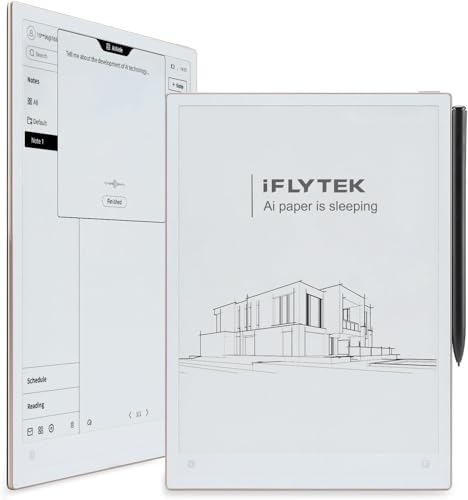
- Australia iFLYTEK AINOTE 2 AI Digital Notebook about$999
Who actually needs a writing tablet
A writing tablet is an e-reader with a pen and a much bigger screen, and that sounds like a small change until you've used one for a week. Most people who buy one are replacing paper notebooks, printed PDFs and a pile of sticky notes, not a phone or an iPad. If you mostly read novels, a standard Kindle or Kobo is the better buy, and I'd point you at our e-reader guide instead. Here the pen is the reason to spend the money, so it has to feel right.
The people who get the most out of these are uni students marking up lecture slides, site managers who annotate plans, and anyone who reads long reports and wants to scribble in the margins without printing anything. A writing tablet won't replace a laptop for typing or a normal tablet for video, and none of the five picks here pretends to. What I can talk about with some confidence is the hardware: the screen stack, the pen, the battery and the charge port, because those are the parts that end up on our workshop counter.
All five picks are sold by Amazon AU itself, which matters more than usual in this category, because a writing tablet with a cracked screen is usually a warranty conversation rather than a home repair. Prices run from $613 to $999 at time of writing. That's a lot for something that does less than an iPad, so the rest of this guide is about working out which compromises you can live with before you hand over the money, and which ones you'll regret in month three.
Kindle, BOOX and Kobo work very differently
The Kindle Scribe is the closed option. It runs Amazon's own software, with a built-in notebook that the listing says can search your handwriting, summarise notes and convert them to text, and it imports documents from Google Drive and Microsoft OneDrive and exports notebooks to OneNote. You also get Active Canvas, which lets you write straight into Kindle books. The listing doesn't mention third-party apps, and in my experience you shouldn't count on adding any, so what Amazon gives you is what you get.
BOOX goes the other way. The Note Air6 C runs Android 16, the listing says it supports third-party apps, and it opens a long list of formats including PDF, DJVU, CBZ, EPUB, DOCX and PPTX. It's basically an Android tablet with an E Ink screen, a microSD slot and a fingerprint power button. That flexibility is the appeal, but it also means more settings to fiddle with, more apps that weren't designed for a slow-refreshing screen and more ways to drain the battery without noticing.
Kobo sits in the middle. The Elipsa 2E is a Kobo e-reader first, with the Kobo Store, Kobo Plus, Instapaper and OverDrive library borrowing built in, and the listing says you can write directly on eBooks and PDFs with the bundled Kobo Stylus 2. It's less clever than the Scribe's notebook and far less open than the BOOX, but if you already borrow library books through OverDrive it fits into a routine you've got, which counts for more than most spec sheets let on.
Screen size, colour and the resolution trade
All five screens sit between 10.3 and 11 inches. The Kindle Scribe models are 11 inch, the BOOX and the Kobo are 10.3 inch. That's smaller than an A4 page, so a full A4 PDF shows a little smaller than it would printed. Most body text stays readable at that size, but small print on technical drawings, data sheets and some textbooks usually needs a zoom, and zooming on E Ink is slower than on a phone because the screen redraws in steps rather than scrolling smoothly.
Colour is the big decision this year. The BOOX listing is upfront about the trade: its Kaleido 3 screen shows black and white at 300 ppi but colour at 150 ppi, because the colour filter layer sits over the panel and halves the detail. The Scribe Colorsoft listing describes a custom oxide-based display with high contrast and no distracting flashes when writing, but it doesn't publish resolution figures, so I won't guess them. Colour helps with highlighted PDFs and coloured diagrams, and does much less for plain text.
The other screen choice is the front light. The Scribe without front light is $698 against $849 for the 32GB model with one, so it's $151 less but you also drop to 16GB. Without a front light the screen behaves like paper, which is fine at a desk under a lamp and annoying in a dim lecture theatre, on a plane or in bed. I'd only skip the light if you know the tablet will live on a well-lit desk most of the time.
The pen matters more than the screen
Every pick here writes with a pen, but the pens aren't the same. The Kindle Scribe's Premium Pen needs no charging, according to all three Kindle listings. The Kobo Stylus 2 is rechargeable, which the listing states plainly. The BOOX listing quotes 4,096 levels of pressure sensitivity but doesn't say clearly whether a stylus comes in the box for this model, so check the current listing's box contents before you order rather than finding out on delivery day.
A pen with no battery is one less thing to go flat at the wrong moment, and it's the pen I'd rather own. A rechargeable pen is workable, but it's another small lithium cell that ages, and a flat stylus in the middle of a meeting is exactly the sort of thing that makes people give up on these and go back to a paper pad. If you go Kobo, get into the habit of topping the pen up when you charge the tablet itself.
Pen nibs are a consumable, and textured screens wear them faster. The Scribe's listing talks about a textured surface for a paper-like feel, and that texture is what gives the pen some drag. Budget for replacement nibs and check they're sold locally before you buy the tablet. I'd also skip glossy screen protectors, because they change the feel and add a layer that can trap grit. If you want a case, sleeve or spare nibs, our e-reader accessories picks cover the basics.
PDFs, notes and getting your work out
The real test of a writing tablet isn't how nice the pen feels in the shop, it's how easily your files get on and your notes get off. The Kindle Scribe handles this through Google Drive and OneDrive imports and OneNote exports, which suits anyone already living in Microsoft or Google at work or uni. Handwriting conversion to text is listed too. If your workplace uses something else entirely, check how you'd get files in before you commit to the Kindle route.
The BOOX is the most flexible here because it's Android. If the listing's third-party app support covers the cloud or note app you already use, you can install it and keep your existing workflow, and the format list means odd files like DJVU scans or PowerPoint decks open without converting. The catch is that you're relying on the maker to keep updating the software, so I'd check how long BOOX has supported earlier models before treating Android 16 as a long-term promise.
The Kobo listing is clear about markup on eBooks and PDFs and Kobo's patented markup technology, but it doesn't detail which cloud services the Elipsa 2E can pull files from. That's worth checking before you buy if PDFs are your main use, because loading files by cable every time gets old quickly. For book-first readers who add notes in the margins it's fine, and for people who live in shared documents all day it's the weakest of the three systems.
Battery life and charging
E Ink only draws power when the screen changes, which is why these last so long between charges. The Kindle Scribe listings claim weeks of reading and writing on one charge, and Kobo says up to several weeks. The BOOX listing gives a 3,700mAh battery but no hours, and in my experience an Android E Ink tablet with Wi-Fi and a few apps running in the background goes flat noticeably faster than a dedicated Kindle or Kobo, so plan on charging it more often.
They all charge over USB-C, and they draw very little, so a decent phone charger is plenty. The problem is the no-name brick from a servo or a market stall. A bad charger can put noise and spikes onto the charge circuit, and that's one of the faults we see on small devices that otherwise looked fine. If you're not sure what's safe to plug in, our guide to dodgy chargers covers what to look for and what to avoid.
The lithium pack inside ages whether you use the tablet or not. The worst thing you can do is leave one flat in a drawer for six months, because a fully discharged cell can drop below the point where the charge circuit will wake it up. If you're putting it away for a while, leave it around half charged. Heat is the other killer, so don't leave it on a car dashboard or a sunny windowsill in an Australian summer.
What a writing tablet won't do
None of these is a laptop. Typing on an E Ink screen is slow and the keyboards are an afterthought, and while the BOOX has Bluetooth 5.1, which should let a keyboard pair, the listing doesn't promise it. If you need to write long documents rather than handwrite notes, a light laptop or a tablet with a keyboard cover suits better, and our 2-in-1 laptop picks are the place to start.
They're also no good for video, quick web browsing or colour artwork. E Ink redraws in steps, so scrolling smears and video is out of the question, even on the Android BOOX. The colour screens are muted compared with an LCD, which is fine for highlighting a PDF and disappointing if you wanted to paint. If drawing in colour or watching lectures is the main job, an iPad with a pencil will do it far better for similar money.
Water is the last limit. None of the five listings mentions water resistance, so treat them like a laptop around coffee, drink bottles and rain. A spill that seeps under the bezel can corrode the board in days, even if the tablet keeps working at first, and that delay is what catches people out. Our water damage explainer covers what to do in the first hour, and the short version is power it off and don't try to charge it.
How I'd choose between the five
If you read Kindle books and want to take handwritten notes in the same place, the Kindle Scribe 32GB at $849 is the one I'd buy. It has the front light, a pen that never needs charging, and the Google Drive, OneDrive and OneNote hooks that cover most work and uni setups. It's also the best-ranked plain Scribe on Amazon AU at time of writing, which tells you plenty of people have gone the same way.
If colour matters, you've got two routes. The Scribe Colorsoft at $999 keeps the Kindle software and adds a colour screen, which helps with highlighted PDFs and diagrams. The BOOX Note Air6 C at $829 is the pick if you want colour plus Android apps and a long format list, and you don't mind more setup and more frequent charging. I'd lean Kindle for people who want it to just work, and BOOX for people who enjoy tinkering.
If you'll mostly write at a desk under good light and want to keep the outlay down, the Scribe without front light at $698 gives you the same pen and the same notebook software. The 16GB storage is plenty for notes and PDFs, though big comic or textbook libraries will fill it sooner. Just be honest with yourself about where you'll use it, because a screen without a light is hard to love in a dim room.
If you borrow library books through OverDrive or already own a Kobo library, the Kobo Elipsa 2E at $613 is the lowest-priced way into a 10.3 inch pen tablet here, with a stylus in the box. It's the oldest design of the five and its Amazon AU rank data is thin, so treat it as a reading tablet that takes good notes, not a full notebook replacement. For most people who are mainly writing, I'd still spend the extra on a Scribe.
The 5 picks, $613 to $999
Prices are Amazon AU at time of writing (30 October 2026) and move week to week. Ranks are Amazon AU category sales ranks, checked the same day.

Amazon Kindle Scribe 32GB with Front Light (newest generation)
ASIN B0FC1PBJRB • $849 • Ships from Amazon AU
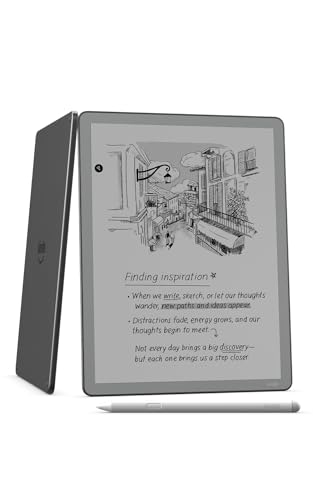
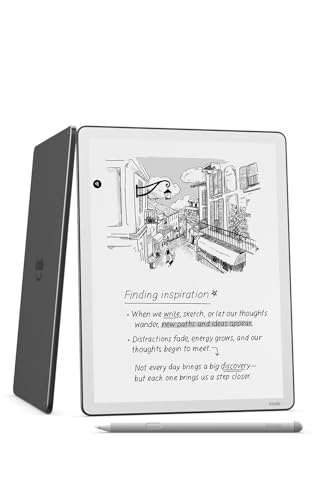
This is the writing tablet I'd hand most people, because it does the core job well without asking you to set anything up. The listing describes an 11 inch glare-free display with a front light, a built-in notebook, AI tools and support for popular cloud services. The included Premium Pen needs no charging, which is the single feature I'd rate highest after living with pen tablets that have flat styluses. Amazon says the screen has a textured surface and fast response for a paper-like feel. The front light adjusts its own brightness to the room, and you can change the warmth for night use. It's sold and shipped by Amazon AU, so returns and warranty go through a local channel. At $849 it isn't a small spend, but it's the middle of this list, not the top.
The software is where the Scribe earns its spot. The notebook can search your handwriting even if you don't remember the exact words, generate summaries and chat about your notes, according to the listing. It can also tidy handwriting or convert it to text, which matters if you hand notes on to other people. Documents come in from Google Drive and Microsoft OneDrive, and notebooks export to OneNote, which covers most uni and office setups I see. Active Canvas lets you write straight into Kindle books, and the margins expand when you need more room and collapse to show the original text. The 32GB storage is enough for years of notes and a decent PDF library. None of that needs an app store, which keeps the whole thing simple.
The listing gives the model as PA2MA4 and part number 53-101991. It weighs about 400 g according to the listing's shipping data and it's roughly 5.4 mm thick. Battery life is quoted as weeks of reading and writing per charge, which fits what we'd expect from an E Ink screen. Keep it in a case with a hard front, because a cracked 11 inch screen is the expensive fault on these. Charge it from a proper USB-C charger, not a servo brick. Don't leave it flat in a drawer for months. For a Kindle reader who wants a notebook in the same device, this is the one I'd buy.
Honest caveats: You can't add third-party apps, so you're limited to Amazon's notebook and the cloud services it supports. The listing doesn't state the screen resolution, water resistance or the battery capacity. The rank is shared with the 16GB no-light model at #16. Replacement nibs are a running cost, so check they're in stock locally. Warranty details aren't on the listing, so read the product page before ordering.
Best for: Kindle readers who want handwritten notes, PDF markup and Google Drive or OneDrive files in one simple device.
Screen: 11 inch glare-free E Ink with front light • Storage: 32GB • Pen: Premium Pen included, no charging needed • Cloud: Google Drive, OneDrive import; OneNote export • Battery: Weeks per charge (listing) • Weight: About 400 g (listing) • Model: PA2MA4 • Seller: Amazon AU • Rank: #16 in Kindle E-readers (Amazon AU)
View on Amazon AU
Amazon Kindle Scribe Colorsoft 32GB (newest generation)
ASIN B0FC217W9L • $999 • Ships from Amazon AU
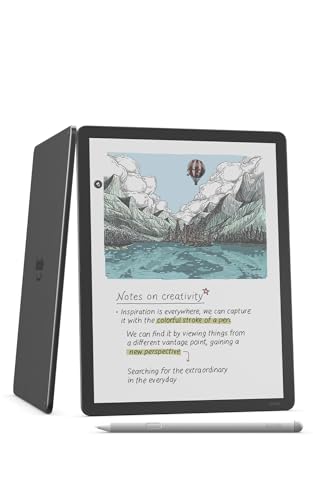
The Scribe Colorsoft is the same idea as the standard Scribe with a colour screen added, and it's the best-ranked writing tablet on Amazon AU at time of writing. The listing calls it Amazon's most advanced Kindle Scribe, with an 11 inch Colorsoft display, front light, built-in notebook, AI tools and cloud support. Amazon describes a custom oxide-based display with high-contrast, paper-like colour and no distracting flashes when writing. The pen is the same Premium Pen that needs no charging. The textured surface and fast response carry over from the standard model. It's sold by Amazon AU and costs $999, which makes it the dearest pick here. You're paying $150 over the standard 32GB Scribe for colour alone, so it's worth being clear about what colour does for you.
Colour earns its keep in a few specific jobs. Highlighted PDFs read far better when the highlights are actually yellow and green rather than grey bands, and coloured diagrams, charts and maps make more sense in colour. If you colour-code notes by subject or by client, it helps there too. For plain text and novels it adds very little, and some people find colour E Ink a touch muted next to the crisp black of a monochrome screen. The notebook software, AI search and summaries, handwriting conversion, Google Drive and OneDrive import and OneNote export are the same as the standard Scribe. Active Canvas for writing in books carries over as well. So the decision is purely about the screen, not the features.
The listing gives the model as PA2MA5 and part number 53-101975, in Graphite. The shipping data suggests about 400 g, the same as the standard Scribe. Battery life is quoted as weeks of reading and writing, though colour screens and a front light used at full brightness will usually cut that a bit in practice. Treat the screen with the same care as any large E Ink panel, which means a hard-fronted case and no loose pens in the same bag pocket. Use a decent USB-C charger. Don't store it flat for long periods. If you'll use colour every day, it's the better Scribe.
Honest caveats: It's $999, and the listing doesn't publish the colour or monochrome resolution, so you can't compare sharpness against the BOOX on paper. There's no third-party app support listed. Water resistance isn't stated. The listing doesn't give battery capacity or warranty terms, so check the product page. A colour screen won't help much if you mostly read plain text.
Best for: People who mark up colour PDFs, diagrams or colour-coded notes daily and want Kindle's simple software.
Screen: 11 inch Colorsoft colour E Ink with front light • Storage: 32GB • Pen: Premium Pen included, no charging needed • Cloud: Google Drive, OneDrive import; OneNote export • Battery: Weeks per charge (listing) • Model: PA2MA5 • Colour: Graphite • Seller: Amazon AU • Rank: #12 in Kindle E-readers (Amazon AU)
View on Amazon AU
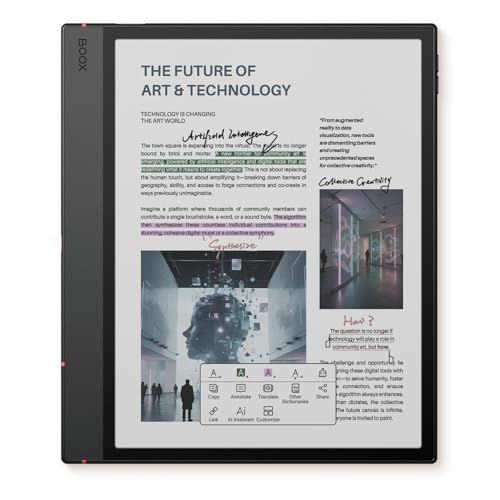
BOOX Note Air6 C 10.3-inch Colour E Ink Tablet (6GB, 64GB)
ASIN B0FR4L5XMV • $829 • Ships from Amazon AU
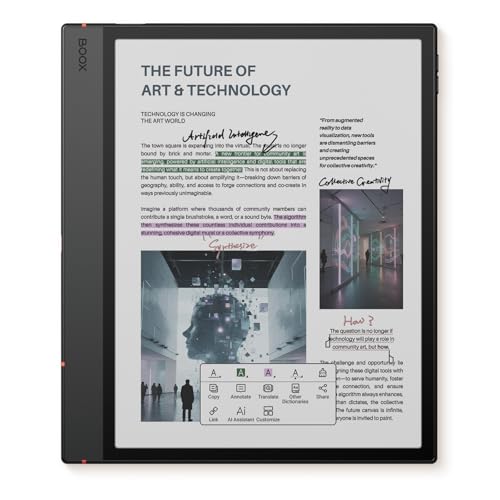
The BOOX Note Air6 C is the pick for people who want an E Ink tablet that behaves more like a normal Android device. The listing gives a 10.3 inch Kaleido 3 colour screen on Carta 1200 glass with a flat cover lens, showing 300 ppi in black and white and 150 ppi in colour. It runs Android 16 on an octa-core chip with 6GB of RAM and 64GB of storage, plus a microSD slot. Touch is both stylus, with 4,096 pressure levels, and finger. There's a warm and cold front light and a G-sensor for auto-rotation. It's sold by Amazon AU at $829, and it ranks #15 in Amazon AU's Tablets category, which is a big category to rank in. The release date on the listing is September 2026, so it's current.
The format list is where it pulls ahead of the Kindles. The listing names PDF, CAJ, DJVU, CBR, CBZ, EPUB, EPUB3, AZW3, MOBI, TXT, DOC, DOCX, FB2, CHM, RTF, HTML, ZIP, PRC, PPT and PPTX, plus common image and audio formats. It also supports third-party apps, so if your note app or cloud storage has an Android version you can usually install it. The power button doubles as a fingerprint reader, the USB-C port supports OTG or an audio adapter, and there are dual speakers and a microphone. That makes it handy for recording a lecture while you take notes. The catch is that Android apps weren't built for E Ink, so some will feel slow and smeary. Expect to spend an evening setting it up properly.
The listing gives a 3,700mAh battery, 225 x 192 x 5.8 mm and about 430 g, with a one year warranty. It doesn't quote battery life in hours, and an Android tablet with Wi-Fi left on will go flat sooner than a Kindle. The model code on the listing is 10.3 cun 5C-01, which is BOOX's own naming rather than a region code. Check the box contents for a stylus before ordering, because the listing doesn't spell it out. Turn Wi-Fi off when you're only writing. A hard case is still the best insurance for the screen. For tinkerers who want colour and apps, this is the one.
Honest caveats: Colour drops to 150 ppi, half the black and white sharpness, so colour text looks softer. The listing doesn't clearly state that a stylus is included or quote battery hours. Android support length isn't stated, so long-term updates aren't guaranteed. Water resistance isn't mentioned. Setup takes longer than a Kindle, and some apps behave poorly on E Ink.
Best for: People who want colour, Android apps, microSD and a long list of file formats, and don't mind setting it up.
Screen: 10.3 inch Kaleido 3 colour, Carta 1200 glass • Resolution: 300 ppi B/W, 150 ppi colour • Chip and memory: Octa-core, 6GB RAM, 64GB plus microSD • OS: Android 16, third-party apps • Pen: 4,096 pressure levels (stylus in box not stated) • Battery: 3,700mAh • Weight: About 430 g • Warranty: 1 year (listing) • Rank: #15 in Tablets (Amazon AU)
View on Amazon AU
Amazon Kindle Scribe without Front Light 16GB (newest generation)
ASIN B0FBSC6CPR • $698 • Ships from Amazon AU
The Scribe without front light is the same writing tablet as the lead pick with two things taken out: the light and half the storage. The listing describes an 11 inch glare-free display, built-in notebook, AI tools and support for popular cloud services, and the Premium Pen that needs no charging comes in the box. The textured surface and fast pen response are listed the same way as the dearer models. At $698 from Amazon AU it's $151 less than the 32GB Scribe with a light. That gap is real money, and for some people it's money well kept. The question is simply where you'll be using it. If the answer is a desk with a decent lamp, you'll rarely miss the light. If it's a lecture theatre, a train or the couch at night, you'll miss it often.
Everything else matches the standard Scribe. The notebook still searches your handwriting, summarises notes and lets you chat about them, according to the listing. Handwriting can be tidied or converted to text. Google Drive and OneDrive imports work the same way, and notebooks still export to OneNote. Active Canvas still lets you write in the margins of Kindle books, with margins that expand and collapse as you need. The 16GB of storage is plenty for notes and a working library of PDFs, though it'll fill sooner if you keep large comics, scanned textbooks or audiobooks on it. For the typical student or office user, I doubt they'd hit the limit in the first few years.
The listing gives the model as PA2MA3 and part number 53-101959, in Graphite. It shares its shipping weight of about 400 g with the other Scribes, and battery life is quoted as weeks of reading and writing. Without a front light it'll likely stretch that further, though Amazon doesn't quote a separate figure. Treat the screen with care, since the panel is the same size and just as easy to crack in an overstuffed bag. Use a proper USB-C charger and keep it out of hot cars. Check you've got good light where you'll write. For desk-bound note takers, it's the sensible Scribe.
Honest caveats: There's no front light, so you need room light to read or write, which rules out dim rooms, planes and late nights. Storage is 16GB against 32GB on the lead pick. No third-party apps are listed. The rank is shared with the 32GB model. Water resistance, battery capacity and warranty terms aren't stated, so check the product page.
Best for: Students and office workers who write at a well-lit desk and want the Scribe's pen and notebook for less.
Screen: 11 inch glare-free E Ink, no front light • Storage: 16GB • Pen: Premium Pen included, no charging needed • Cloud: Google Drive, OneDrive import; OneNote export • Battery: Weeks per charge (listing) • Model: PA2MA3 • Colour: Graphite • Seller: Amazon AU • Rank: #16 in Kindle E-readers (Amazon AU)
View on Amazon AU
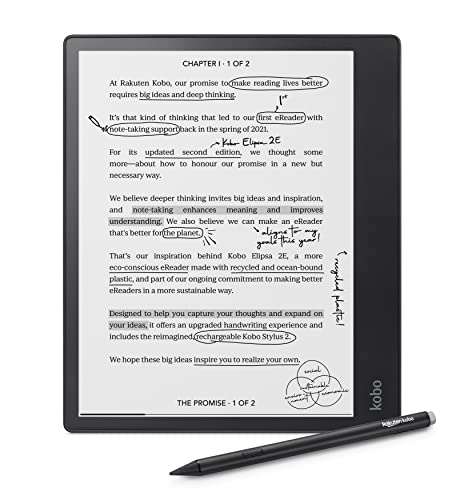
Kobo Elipsa 2E 10.3-inch eReader with Kobo Stylus 2 (32GB)
ASIN B0C15G7J3V • $612.88 • Ships from Amazon AU
The Kobo Elipsa 2E is the pick for people who read first and write second, especially if they borrow library books. The listing gives a 10.3 inch E Ink Carta 1200 touchscreen with ComfortLight PRO, which adjusts both brightness and colour temperature. It comes bundled with the Kobo Stylus 2, which is rechargeable and ergonomically redesigned according to the listing. You get 32GB of storage, which Kobo says holds up to 24,000 eBooks, and battery life of up to several weeks on a charge. The exterior is made from recycled and ocean-bound plastic. It's sold by Amazon AU at $613, the lowest price on this list. It's also the oldest design here, which is part of why it costs less than the Scribes.
The Kobo software is built around reading. The Kobo Store, Kobo Plus subscription, Instapaper for saved articles and OverDrive for library borrowing are all built in, according to the listing. That last one is the reason I'd look at it, because plenty of Australian libraries lend eBooks through OverDrive, and reading those on a big screen with a pen is a pleasant way to study. The listing says you can write directly on eBooks and PDFs, underline, highlight and write in the margins, using Kobo's patented markup technology. It doesn't describe a notebook system as deep as the Scribe's, or AI search. It also doesn't list which cloud services it pulls PDFs from, so check that if PDFs are your main use.
The listing gives the model and part number as N605-KU-BK-K-BU, in black, with a one year warranty, and the shipping weight is about 386 g. Amazon AU doesn't publish a category rank for it right now, only a website-wide rank of #30,411, so it isn't a big seller. The pen needs charging, so top it up whenever you charge the tablet. Replacement nibs are worth tracking down early. Keep it in a hard-fronted case, because the screen is the costly part. Don't charge it from a no-name brick. For library readers who want a pen and a big screen, it's a sensible buy.
Honest caveats: It's the oldest design here and its Amazon AU sales rank is weak, at #30,411 overall. The stylus is rechargeable, so it's another battery to keep topped up. The listing doesn't name the cloud services it supports for PDFs. There's no colour screen and no third-party apps. Water resistance isn't stated on the listing.
Best for: Kobo and library readers who want a 10.3 inch screen and a stylus for margin notes at the lowest price here.
Screen: 10.3 inch E Ink Carta 1200, ComfortLight PRO • Storage: 32GB • Pen: Kobo Stylus 2 included, rechargeable • Services: Kobo Store, Kobo Plus, OverDrive, Instapaper • Battery: Up to several weeks (listing) • Weight: About 386 g (listing) • Model: N605-KU-BK-K-BU • Warranty: 1 year (listing) • Rank: #30411 overall on Amazon AU
View on Amazon AUSide-by-side comparison
What we see fail in the workshop: E Ink tablets
E Ink tablets are mostly tough little things, and the faults that bring them in are fairly predictable. They come from pressure on the screen, wear on the charge port and lithium packs left to sit flat or cook in a hot car. The bigger the screen, the more expensive the first one gets, so it's worth knowing what to watch for.
Cracked screens from pressure, not drops
Most cracked E Ink screens we see weren't dropped. They were squashed, usually in a backpack with a laptop charger, a drink bottle or a set of keys pressing on one spot. E Ink panels are thin layers glued together, often with the pen sensor and front light in the same stack, so a crack usually kills the display and the writing at once. A screen replacement on an 11 inch tablet can cost a big chunk of a new one. A case with a hard front cover and its own bag pocket does more to protect it than anything else you can buy.
Worn and loose USB-C ports
Charge ports wear when the tablet gets used while charging on a lap or a bed, with the cable bending in the socket every time it moves. Over months the solder joints crack or the port's spring contacts loosen, and the tablet starts charging only at a certain cable angle. Lint packed into the port does the same thing. Check for lint first, gently, with a wooden toothpick and a torch, before assuming the port's gone. If it's still dodgy, it's usually a port repair rather than a new tablet, but don't keep wiggling it, because that's how a loose port becomes a lifted pad.
Batteries left flat or cooked
The other common one is a tablet that won't turn on after months in a drawer. Lithium cells slowly self-discharge, and once one drops far enough the charge circuit may refuse to wake it, which looks like a dead tablet. Leave a few hours on a proper charger before giving up. Heat is worse, because a tablet left on a dashboard in summer can swell its battery, and a swollen pack pushes on the screen from behind. If the screen lifts, bulges or shows a pressure mark, stop charging it and get it looked at.
Decision tree: which one should you actually buy?
- You read Kindle books and want handwritten notes in the same device? → The Kindle Scribe 32GB at $849 gives you the front light, a pen that never needs charging and Google Drive, OneDrive and OneNote support.
- You mark up colour PDFs and diagrams every day? → The Kindle Scribe Colorsoft at $999 keeps Kindle's simple software and adds a colour screen for highlights and charts.
- You want Android apps, microSD and every file format going? → The BOOX Note Air6 C at $829 runs Android 16 with third-party apps, though colour drops to 150 ppi and setup takes longer.
- You'll mostly write at a well-lit desk? → The Kindle Scribe without front light at $698 has the same pen and notebook for $151 less, with 16GB of storage.
- You borrow library eBooks and want margin notes? → The Kobo Elipsa 2E at $613 has OverDrive built in and the Kobo Stylus 2 in the box, at the lowest price here.
- Your tablet has a cracked screen, a loose charge port or won't turn on? → Bring it to our Erina workshop and we'll test the battery, port and screen and tell you whether it's worth fixing before you spend anything.
Frequently asked questions
Is a Kindle Scribe worth it over a normal Kindle?
Only if you'll use the pen. A normal Kindle or Paperwhite is a better reader for novels, because it's smaller, lighter and far less money. The Scribe earns its price when you take handwritten notes, mark up PDFs or write in the margins of books, because its 11 inch screen and Premium Pen are built for that. If you're unsure, think about how often you print documents to scribble on them or carry a paper notebook. If the answer is most weeks, a Scribe will probably replace both. If it's rarely, save the money and buy a standard e-reader.
Kindle Scribe or BOOX, which is better for PDFs?
That comes down to where your PDFs live and how much setup you'll put up with. The Kindle Scribe imports from Google Drive and OneDrive and exports notes to OneNote, which covers most work and uni setups with no fiddling. The BOOX Note Air6 C runs Android 16 with third-party apps and opens many more formats, including DJVU scans and PowerPoint files, so it suits people with unusual files or a cloud service the Kindle doesn't support. The Kindle is simpler and the BOOX is more flexible. Colour PDFs look better on either colour model than on the monochrome Scribes.
Do I need a front light on a writing tablet?
Most people do. Without a front light the screen behaves like paper, so you need a lamp or daylight to read or write. That's fine at a desk and frustrating in dim rooms, lecture theatres, planes and at night. The Kindle Scribe without front light costs $151 less than the 32GB model with one, but it also halves the storage to 16GB. I'd only skip the light if the tablet will live on a well-lit desk most of the time and you're sure you won't take it to bed or on a trip.
Does the Kindle Scribe pen need charging?
No. All three Kindle Scribe listings say the included Premium Pen requires no charging, which is one of the best things about it. The Kobo Stylus 2 that comes with the Elipsa 2E is rechargeable, so it's another battery to keep topped up. The BOOX listing quotes 4,096 pressure levels for its stylus but doesn't clearly state whether one is in the box for the Note Air6 C, so check the product page before you order. Whichever pen you end up with, the nibs wear over time and need replacing, so check local stock of spare nibs.
Can a cracked E Ink screen be repaired?
Usually yes, but on large writing tablets it's often not worth it. The screen is a stack of thin layers glued together, often including the pen sensor and front light, so a crack normally means replacing the whole assembly. On an 11 inch tablet that part can cost a big share of a new device, and genuine parts aren't always easy to get. If it's still under warranty, start there. If not, get a quote before deciding, and check the battery and charge port at the same time, because there's no point fitting a new screen to a tablet with a tired battery.
Can I use an E Ink writing tablet as a laptop replacement?
Not really. These are built for handwriting, reading and marking up documents, not typing long reports, browsing the web or watching video. E Ink redraws slowly, so scrolling smears and video doesn't work, even on the Android BOOX. The BOOX has Bluetooth 5.1, which should let a keyboard pair, but typing on E Ink is still slow compared with a laptop. Most people who buy one keep their laptop for typing and use the tablet to replace paper notebooks and printed PDFs. If you need one device for everything, a laptop or a 2-in-1 is the better buy.
Related buying guides
Cracked screen, loose port or a tablet that won't wake up?
E Ink tablets mostly fail through squashed screens, worn USB-C ports and batteries left flat or cooked in a hot car. Bring yours into our Erina workshop and we'll check the battery, port and screen, then tell you what it'll cost and whether it's worth fixing before you spend anything.
Visit our Erina workshop Book Online