Prices from Amazon AU, updated daily. Swipe or use the arrows for more.
Disclosure: This article contains affiliate links to amazon.com.au. If you buy through one of these links iFix may earn a small commission at no extra cost to you. It doesn't change which products we recommend. We focus on what actually lasts based on 16 years of repair-shop experience.
Quick summary8 picks
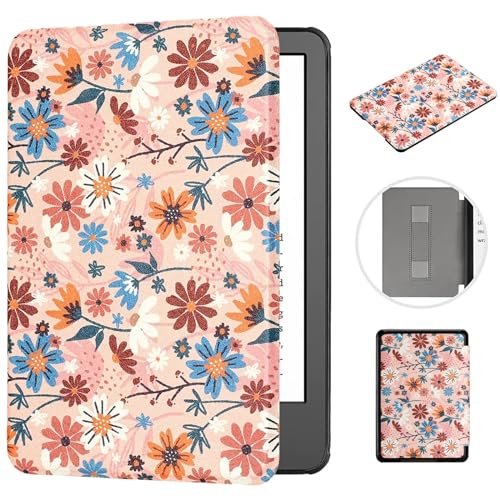
- Entry PickCase for 7" Kindle Paperwhite 12th 2024… about$16.997" screen.
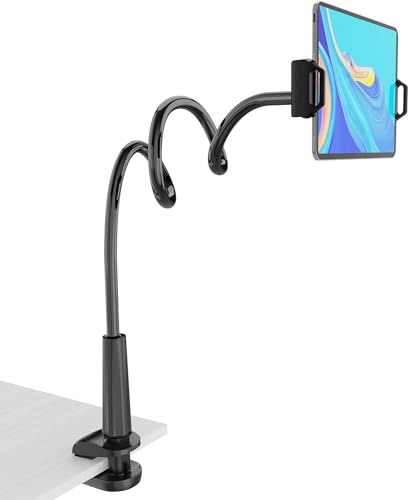
- Tablet Stand Holder about$16.99
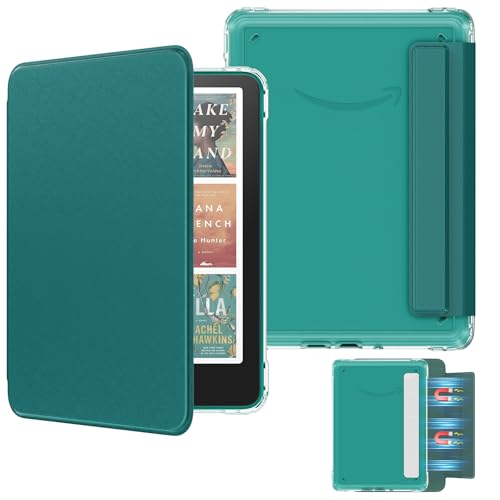
- MoKo Magnetic Case for 7-inch Kindle Paperwhite 12th Gen about$19.947" screen.
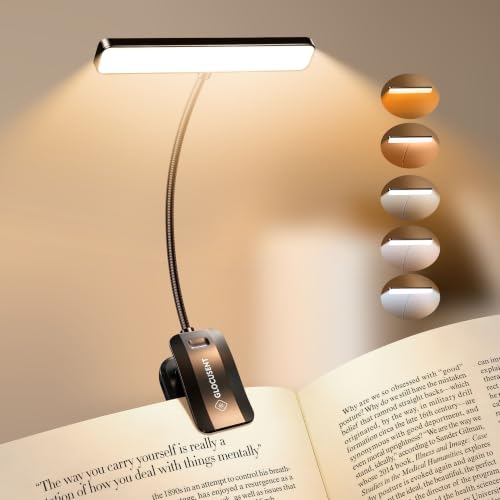
- Glocusent 26 LED Rechargeable Book Light… about$18.991200mAh.
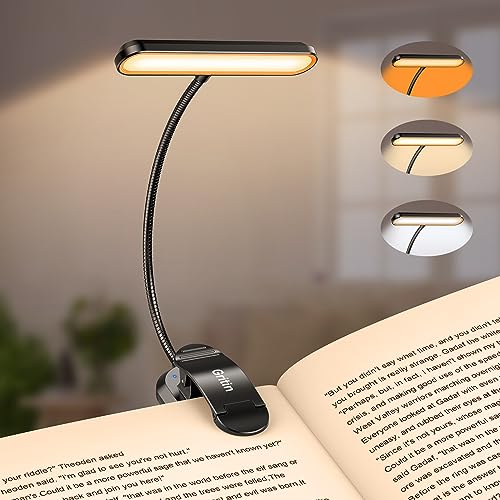
- Gritin 19 LED Rechargeable Book Light for… about$21.991200mAh.
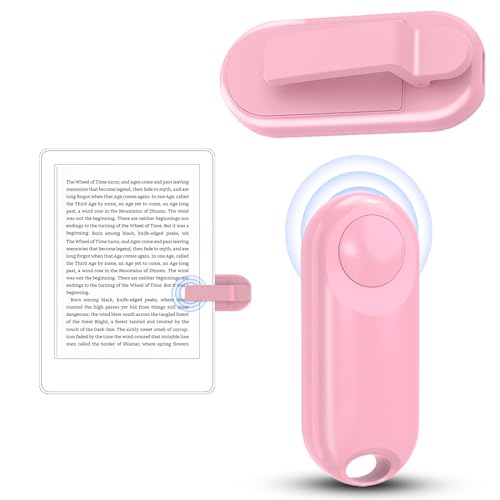
- Remote Control Page Turner for Kindle about$29.99
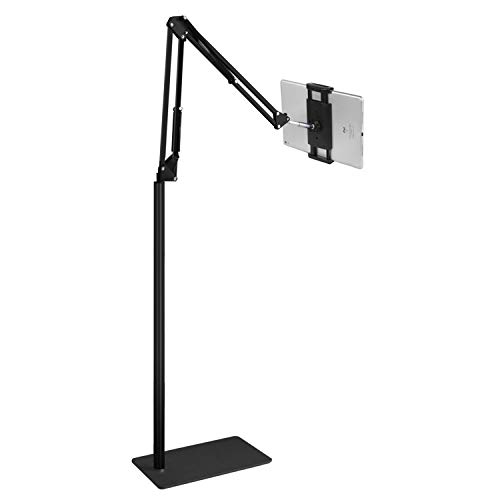
- Tablet Floor Stand about$39.99
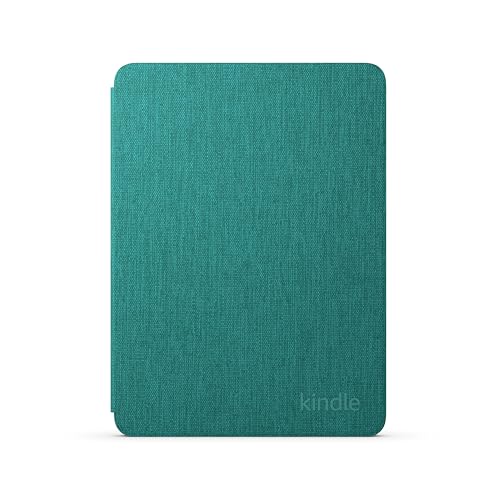
- Most PremiumAmazon Kindle Paperwhite and Kindle Colorsoft Case about$59.95
The maths on protecting a $250 e-reader
A new Kindle Paperwhite lands somewhere between $249 and $327 in Australia depending on the storage and whether you go for the Signature Edition, and the screen on it is a sheet of glass thinner than the one on your phone. When that glass cracks, the panel usually costs so much as a spare part that the repair quote sits uncomfortably close to the price of a replacement device. I've had to deliver that news across the counter more than once, and it never goes down well. So the case isn't an accessory in the usual sense. It's the difference between a $20 spend now and a $250 spend later, and unlike most insurance it's a one-off premium. If you're still deciding which device to put in the case, my Kindle buying guide covers the current models. And unlike a phone, there's no army of shops competing to do the job for less, because so few places touch E Ink at all.
This guide covers the two accessories I reckon actually earn their spot: a case that fits properly, and a clip-on reading light. Three of the five picks are cases for the 2024 Paperwhite and Colorsoft generation, from $16.99 for a MOKASE folio with a hand strap up to $59.95 for Amazon's own fabric cover. The other two are rechargeable clip lights from Gritin and Glocusent, both around the $20 mark, both with their own lithium cells and their own failure modes worth understanding before you buy. Everything here is condition New from Amazon AU or an Australian storefront seller, and every pick was sitting inside the top hundred of its Amazon AU subcategory when I checked. The whole band runs $17 to $60, which is modest money against what it protects.
What actually breaks on a Kindle
E Ink screens don't fail the way phone screens do. There's no dramatic spiderweb most of the time. The glass substrate cracks, usually from a corner impact or from pressure in a bag, and the display keeps showing a page but stops updating in one region, or freezes entirely with a ghost of the last page burned across it. The panel itself is genuinely fragile because it's built thin to keep the device light, and there's a front-light diffuser layered over it that doesn't tolerate flex either. The classic story we hear is a Kindle loose in a handbag or backpack with keys and a drink bottle, sat on once, and that's the end of it. A folio case spreads that point load across the whole face, which is most of the job right there. I've seen panels crack from nothing more dramatic than a hardcover pressing on the screen through a soft sleeve, which is why I keep pushing folios with a rigid front over pouches that only protect against scratches.
The other repeat offenders are smaller. USB-C ports pack up with pocket and bag lint until the cable needs a suspicious amount of wiggling, buttons get gritty, and salt water gets into everything at the beach. The 2024 Paperwhite is rated to survive fresh water dunks, but salt is another matter entirely, and once it dries inside a connector the corrosion keeps working long after the holiday ends. I've written up what water actually does inside electronics if you want the full picture. A closed case won't seal the device, but it keeps the worst of the sand and lint out of the port and buttons, and that alone saves a surprising number of visits. Think of the case as a lid for the port as much as armour for the glass.
Folio, strap or nothing: picking a case style
All three cases here are folios, and that's deliberate. A folio opens and closes like a book cover, and a magnet in the lid tells the Kindle to wake or sleep, so you stop pressing the power button entirely. That matters more than it sounds, because the power button is one of the mechanical parts that wears. The differences between the three are in the details. Amazon's own cover is fabric over a rigid shell and folds flat behind the device for one-handed reading. The MOKASE adds an elastic hand strap on the back, which is the single best feature for anyone who reads lying down, because the grip no longer depends on your thumb clamping the bezel. The MoKo is the straight-down-the-middle folio: a PU leather front cover over a soft TPU case with a clear back, no strap. None of the three needs tools or fingernail-risking prying to fit; the device clips or slides in once and stays there.
Weight is the spec nobody lists honestly, and with a device this light it matters. A Paperwhite is around 211 grams bare, and a heavy case can add half that again, which you'll notice after an hour of holding it up. The fabric Amazon cover and both third-party folios are all light enough that this isn't a problem, but it's why I'd steer away from the chunky zip-around cases entirely. One more detail worth checking: all three picks leave the USB-C port open, so the case never comes off for charging. The MOKASE listing also says it supports wireless charging through the case, which only matters on the Signature Edition models, because the standard Paperwhite doesn't have a wireless coil at all. If a listing doesn't say which generation it fits, assume it fits neither of yours and move on.
Why buy a light when the Kindle lights itself
Fair question, and for a lot of people the answer is don't. The Kindle's built-in front light is even, adjustable and warm-tintable, and it's one of the main reasons to buy a Paperwhite over a tablet. The clip light earns its place in three situations. First, paper books, which remain stubbornly unlit. Second, shared beds, where a light clipped to the book or headboard and aimed at the page spills less across the room than you'd expect, and less than a bedside lamp. Third, keeping the e-reader's own brightness low, which stretches its battery from days into weeks. Both lights here clip onto a headboard, a book spine or the desk, and both run off their own internal battery rather than stealing charge from anything else. The clip lights also survive being dropped far better than any lamp, which matters when the whole point is using them half asleep.
The spec sheets on these things need translating. Both picks quote colour temperature ranges from 1800K, which is a deep amber, up to 6000K, which is cool white, and both step through brightness levels rather than offering one fixed output. The Glocusent quotes its output honestly at 3 to 100 lumens, and 100 lumens is plenty for a page at arm's length while being nothing for lighting a room. Treat any runtime figure as the minimum-brightness number, because that's how they're all quoted. If you're already thinking about the bedside as a system, my sunrise alarm clock guide covers the other half of it, and the same hardware-first thinking applies there too. Flicker is the last thing to think about: the worst lights dim by pulsing the LEDs slowly enough to notice, and neither of these two showed that complaint pattern in the listings I compared.
The battery inside the light is the whole product
Both clip lights run a 1200mAh lithium polymer cell, the same pouch-style cell that lives in earbuds cases and cigarette-lighter gadgets, and that cell is what actually determines how long the product lives. The LEDs themselves will outlast everything; decent LEDs run tens of thousands of hours. The cell won't. Expect a few hundred full charge cycles before runtime drops noticeably, which for a light used an hour a night still works out to years, so this isn't a reason to avoid them. It is a reason to charge them sensibly. Both charge over USB-C from any phone charger, and neither ships with a wall adapter, which is fine because you already own several. A spare cell isn't a thing at this price, so when the battery finally goes, the light goes with it; the goal is simply making that day arrive years later rather than months.
The habit that kills pouch cells is heat plus a full charge held for weeks, so don't leave the light permanently plugged in on the headboard. Charge it when it dims, unplug it when it's done. And charge it from a known-good charger, because the no-name plug packs that come free with other gadgets are the ones we see cook small devices. I've covered dodgy USB chargers separately and everything in that article applies double to anything with a small cell and no thermal headroom. If a clip light ever puffs up, splits its casing or gets hot while charging, stop using it and take it to a battery recycling drop-off rather than the bin. Lithium in the kerbside bin is how trucks catch fire.
Clips, goosenecks and the moving parts that wear
A clip light has exactly two mechanical parts, and both wear out before the electronics do. The gooseneck is a steel spiral that holds position by friction, and after a few thousand adjustments the friction goes and the head starts drooping under its own weight. There's no fixing that, so the trick is to buy a light you don't have to re-bend constantly. Set the angle once on the headboard and leave it. The clip spring is the other one. The rubber pads on the jaws keep it from sliding and from marking furniture, and once those pads peel off, the bare plastic clamps poorly. Both picks here use wide jaws with pads, and both hold a book spine or a bedhead rail without drama.
Cases wear differently. The fold line of a folio is the hinge, and on fabric and PU covers it's the first thing to look tired, though it usually keeps working long after it looks worn. Magnet closures weaken slightly with time but I've never seen one fail outright. The part that does fail is the corner moulding on the loose-fitting cases, where the shell grips the device by tension alone and eventually stops gripping. All three cases here mount the Kindle in a proper shell rather than corner straps, which is one of the reasons they made the list. The Gritin's small party trick deserves a mention too: a memory function, so it wakes at the brightness and colour you last used instead of blasting full white at midnight. Give the hinge a look every few months and you'll know the case is due for replacement long before it stops protecting anything.
How I picked these five
The gate was the same one I run for every guide in this series. Condition New, sold by Amazon AU or an Australian storefront seller, priced inside the $15 to $80 band, and ranked well inside its Amazon AU subcategory on the day I checked. The official Amazon cover was sitting at number two in Amazon Device Accessories, the Gritin at number two in its lighting subcategory, and nothing here sat outside the top hundred. I dropped the import-version listings, the sellers shipping from overseas warehouses, and the no-name lights with sealed batteries and no compliance markings at all. The Glocusent listing at least states its certifications, C-Tick among them, which is more than most lights at this price will tell you. That last cut mattered: a lithium cell strapped centimetres from your pillow is exactly the product where compliance markings earn their keep.
If you want the short version: the MoKo case and the Glocusent light together land under $40 and cover the two real risks, drops and dark rooms. Add $40 if you want the official Amazon cover instead, which is mostly a fit-and-finish upgrade rather than a protection upgrade. The same buy-it-once logic runs through everything we recommend on the computer repair side of the bench: the accessory that stops a repair is nearly always the best value item on the invoice. None of these five will transform the reading experience. They just make sure the thing doing the transforming survives the handbag, the bedside table and the beach house. Buy once, buy the right size, and let the case quietly do nothing for five years. That's the job.
The 5 picks, $17 to $60
Prices are checked against Amazon AU every morning. Ranks are Amazon AU category sales ranks, checked the same day.

Amazon Kindle Paperwhite & Colorsoft Fabric Case (2024 Release)
ASIN B0CM7RF1KR • $59.95 • Ships from Amazon AU
Amazon's own cover is $59.95, which is three times the price of the third-party folios below, and the honest question is what that buys you. Mostly it buys certainty. The case is made by the same company that made the device, so the fit is exact, the magnets sit precisely where the Kindle's sensors expect them, and wake and sleep behave perfectly every time. It's compatible with the Kindle Paperwhite, the Paperwhite Signature Edition, the Kindle Colorsoft and the Colorsoft Signature Edition, with the listing careful to note it fits the 2024 release only. The outer shell is fabric made from 100 percent recycled polyester, it opens and closes like a book, and it folds back flat for one-handed reading. It was sitting at number two in Amazon Device Accessories when I checked on 12 October, which for a $60 accessory says something.
The feel is where it separates from the $17 to $20 cases. The fabric finish is grippier in the hand than PU leather, the whole thing stays thin and light enough that hours of reading don't turn into a forearm workout, and the magnetic closure holds the lid shut properly in a bag rather than flapping open around whatever else is in there. Amazon calls it water-safe rather than waterproof, which is the right amount of honesty: it'll shrug off splashes and a rainy walk to the car, and the device inside carries its own water rating anyway. Charging works with the cover on, so once the Kindle goes in, there's no reason it ever comes out. It's available in Black, Raspberry and Jade if you want the device findable on a dark bedspread.
Buy this one if the Kindle is a daily companion rather than an occasional read. The fit-and-finish gap over the third-party cases is real but modest, so the value case rests on how often the device leaves the house. Check your model generation before ordering: the 2024 Paperwhite is the 12th generation with the 7-inch screen, and this cover doesn't fit the older 6.8-inch 11th generation at all. If you're not sure which you own, Settings then Device Info settles it in ten seconds. And keep the receipt with the device; the cover outlasting the Kindle's warranty is the expected outcome, not the exception.
Honest caveats: Fits the 2024 release only, and the listing says so plainly, so owners of the 2021 Paperwhite need the previous version instead. There's no hand strap for lying-down reading. And at $59.95 it costs three MoKo cases, so the premium is for fit and fabric, not extra protection.
Best for: Anyone who wants the exact-fit option from the device maker and reads out of the house often.
Fits: Kindle Paperwhite, Paperwhite Signature, Colorsoft, Colorsoft Signature (2024 release only) • Material: Fabric, 100% recycled polyester • Wake and sleep: Opens and closes like a book • Closure: Magnetic • Reading: Folds back for one-handed use • Charging: Works with the case on • Colours: Black, Raspberry, Jade • Seller: Amazon AU • Rank: #2 in Amazon Device Accessories (Amazon AU)
View on Amazon AU
MOKASE Case for 7-inch Kindle Paperwhite 12th Gen & Colorsoft (2024)
ASIN B0DLWHFS35 • $16.99 • Sold by MOKASE AU on Amazon AU
The MOKASE is the least expensive case here at $16.99, and it's the one I'd point at anyone who reads in bed. The reason is the elastic hand strap across the back cover. Slide four fingers under it and the Kindle hangs off your hand with no grip effort at all, which is exactly what you want when you're reading on your side and your thumb would otherwise be doing all the work. The rest is standard folio kit done properly: a synthetic leather exterior, a soft lining inside so nothing rubs the screen, magnetic closure, and automatic wake and sleep when the lid opens and closes. It's built for the 7-inch 2024 Paperwhite, the Signature Edition and the Colorsoft Signature, and it was ranked sixth in Tablet Cases when I pulled the data.
The cutouts are the detail worth checking on any case at this price, and this one gets them right according to the listing: the USB-C port and the power button stay accessible with the case on, so charging doesn't mean undressing the device. The listing also claims wireless charging works through the back cover. Take that with the obvious footnote that only the Signature Edition models have a wireless coil to charge in the first place, so on a standard Paperwhite the claim is true but irrelevant. At under $17 the material won't fool anyone into thinking it's leather, but it doesn't need to. Its job is absorbing the corner impact that would otherwise crack an E Ink panel, and a synthetic shell does that as well as a fancy one.
Buy it if the Kindle mostly lives at home and the bed is where the reading happens. The strap genuinely changes long sessions, and at this price the case pays for itself the first time the device slides off the doona onto a hard floor. Pair it with one of the clip lights below and the whole bedside setup still lands under $40, which is a fair way short of one panel replacement quote. If the strap ever loses its stretch after a few years, the case still works as a plain folio, so nothing about the design fails all at once. It's the most case per dollar in this guide by a distance.
Honest caveats: MOKASE isn't a brand with a long record, and elastic straps do lose tension over a few years of stretching. The wireless charging claim only means anything on Signature Edition models. Like every case in this guide it fits the 2024 generation only, so check your model before ordering.
Best for: Side-sleepers and bed readers who want the strap, at the lowest price in the guide.
Fits: 7-inch Kindle Paperwhite and Signature (12th gen, 2024), Colorsoft Signature (2024) • Material: Synthetic leather exterior, soft lining • Wake and sleep: Automatic via magnetic lid • Grip: Elastic hand strap on rear • Charging: Port stays accessible; wireless claimed through cover • Closure: Magnetic • Seller: MOKASE AU • Rank: #6 in Tablet Cases (Amazon AU)
View on Amazon AU
MoKo Magnetic Case for 7-inch Kindle Paperwhite 12th Gen & Colorsoft (Jade Green)
ASIN B0FLY42HT3 • $19.94 • Sold by MOKO-AU on Amazon AU
This MoKo is $19.94 and it's the straightforward case in the guide: no strap, no stand, no extras. The build is a soft TPU case with reinforced corners for shock absorption, a PU leather front cover and a soft liner so the screen doesn't touch anything abrasive. The cover is magnetic and detachable, so you can leave it on for full protection or click it off when you want the Kindle slim in the hand. Wake and sleep happen automatically when the lid opens and closes, and the cutouts leave the buttons, ports and sensors accessible, so the Kindle charges with the case on. It's listed for the 7-inch 2024 Paperwhite, the Paperwhite Signature Edition and the Colorsoft Signature Edition, and it was sitting at number 72 in Tablet Cases when I checked, which for a category this crowded is a solid showing.
The detail that sets it apart from the other two folios is the back. It's a transparent, non-yellowing panel, so the Kindle's own design shows through, and the listing says you can personalise it with stickers, photos or drawings. That's a cosmetic bonus rather than a protection feature. The listing leans on the words slim and lightweight, and that matters on a device you hold up for an hour at a time: a heavy case defeats the point of an e-reader. The reinforced TPU corners are the part doing the structural work, because corners are where a bag-drop lands.
This is the default pick for most people. It's $40 less than the official cover and does the same core job: full-face protection, automatic wake and sleep, charging with the case on. The gap between them is materials and exactness of fit, not safety. If you can't decide between the three cases in this guide, buy this one, and spend the difference on one of the reading lights below or a few books. Boring choice, right choice.
Honest caveats: PU leather at this price can wear at the fold line and corners with a couple of years of daily handling, and unlike the fabric Amazon cover it can look tired before it stops working. No hand strap for bed reading. Rank was #72 in Tablet Cases when checked, behind the MOKASE.
Best for: <strong>Best for:</strong> Most Kindle owners: full-cover protection, a slim profile and a clear back at a third of the official price.
Fits: 7-inch Kindle Paperwhite and Signature (12th gen, 2024), Colorsoft Signature (2024); not older generations • Material: PU leather front cover, soft TPU case, clear PC back • Corners: Reinforced for shock absorption • Cover: Magnetic, detachable • Wake and sleep: Automatic when the lid opens and closes • Charging: Works with the case on • Seller: MOKO-AU • Rank: #72 in Tablet Cases (Amazon AU)
View on Amazon AU
Gritin 19 LED Rechargeable Book Light with Memory Function
ASIN B0CBPL4RKH • $21.99 • Sold by Blukar Products AU on Amazon AU
The Gritin was the number two seller in its Amazon AU lighting subcategory when I checked, and at $21.99 it's the light I'd clip to a headboard in a shared bedroom. The head is the reason: instead of a round torch-style lamp, it's a horizontal bar of 19 LEDs, which throws a wide, even band of light across a page or an open paperback without a hot spot in the middle. You get three colour temperatures, a 1800K amber, a 3400K mixed warm white and a 6000K cool white, each stepping through five brightness levels, so the low amber settings put usable light on the page while spilling very little across the room. The 360-degree metal gooseneck bends to whatever angle the bedhead demands, and the clip has non-slip pads so it grips without marking furniture.
The battery is a 1200mAh cell charged over USB-C, with a cable in the box, and the listing quotes 12 to 90 hours of runtime. Read that spread the way it's written: 90 hours is the dimmest setting, 12 hours is everything turned up, and real bedtime use at a low amber level sits much closer to the top of the range than the bottom. The feature that makes this one live on a headboard happily is the memory function. It comes back on at whatever brightness and colour you last used, so you're not blasted with full 6000K white at 11pm and then fumbling through settings with your eyes shut. It's a small thing on the spec sheet and a big thing in practice.
Buy it for the shared-bed situation it's clearly designed for, or for paper books anywhere dark. It's compact enough to live in a travel bag, and because it clips to the book itself, it works in a tent or an aeroplane seat where there's nothing else to aim a light at. Charge it every few weeks with the same USB-C charger as your phone and it asks nothing else of you. For travel it beats a head torch for reading comfort by a wide margin, and it won't blind whoever's sharing the tent when you look up. The clip also grips an aeroplane tray table edge, for what that's worth on a night flight.
Honest caveats: The 90-hour runtime claim is the minimum-brightness figure, so plan around a fraction of that at useful levels. No wall adapter is included, only the cable, which is standard at this price. And like all clip lights, the gooseneck loses its stiffness after enough re-bending, so set the angle and leave it.
Best for: Reading next to a sleeping partner, with the widest spread of warm settings at the price.
Light source: 19 LEDs in a horizontal bar head • Colour temperatures: 1800K amber, 3400K mixed, 6000K white • Brightness: 5 levels per colour, with memory function • Battery: 1200mAh, built in • Charging: USB-C, cable included • Runtime claim: 12 to 90 hours depending on setting • Mounting: 360-degree gooseneck, padded clip • Seller: Blukar Products AU • Rank: #2 in Specialty & Decorative Lighting (Amazon AU)
View on Amazon AU
Glocusent 26 LED Rechargeable Clip-On Book Light
ASIN B0FB3KRPWR • $18.99 • Sold by Glocusent-au on Amazon AU
The Glocusent takes the same idea as the Gritin and pushes the head wider: 26 LEDs in a dual-row layout across a 4.25-inch bar, quoted at up to 100 lumens. That's the most honest brightness number in this whole product category, because most competitors quote nothing at all, and 100 lumens is exactly right for what this does: plenty to light a page or a full open hardback evenly at arm's length, nowhere near enough to annoy the room. It runs five colour temperatures from 1800K amber through to 6000K cool white with five brightness levels, so between the two dials you can find a setting for midnight reading, needlework or checking a fuse box. At $19.99 from the brand's own AU storefront, it was ranked fifth in its lighting subcategory when I checked.
Inside is the same 1200mAh lithium cell arrangement as the Gritin, charged over USB-C, with the same honestly-quoted runtime spread: up to 90 hours at the lowest setting, around 12 hours flat out, and the listing points out that's roughly half as long again as the smaller lights in the same range. The gooseneck rotates the full 360 degrees and the clip jaws carry grippy pads, so it holds a book spine, a bunk rail or a desk edge without sliding. One more thing the listing states that almost nothing at this price does: certifications, including C-Tick for Australia. A $20 light with paperwork beats a $12 light with none, and after enough swollen no-name cells across the bench, I'll take the paperwork every time.
Pick this one over the Gritin if you read large-format books, sheet music or anything wider than a paperback, because the dual-row head covers the full spread without re-aiming. It's also the one I'd hand to a uni student for a shared room desk. Between the two lights there's no wrong answer; it's a $2 difference and a question of beam width versus the Gritin's memory function. The wider head also means fewer re-aims as you move down a page, which is one of those things you only notice once you've used a narrow light for a month. At $19.99 it's the strongest all-rounder of the two lights here.
Honest caveats: 100 lumens maximum means it lights a page, not a room, so it won't replace a desk lamp for actual work. The runtime spread carries the same fine print as every rechargeable light: 90 hours only happens at minimum brightness. No memory function is stated on the listing, which is the one convenience the Gritin holds over it.
Best for: Wide books, shared desks and anyone who wants stated lumens and stated certifications at $20.
Light source: 26 LEDs, dual-row 4.25-inch head • Brightness: 3 to 100 lumens, 5 levels • Colour temperatures: 5 settings, 1800K to 6000K • Battery: 1200mAh lithium, built in • Charging: USB-C • Runtime claim: Up to 90 hours low, about 12 hours maximum brightness • Certifications: FCC, UKCA, C-Tick stated on listing • Seller: Glocusent-au • Rank: #5 in Specialty & Decorative Lighting (Amazon AU)
View on Amazon AUSide-by-side comparison
| Product | Price | Best for |
|---|---|---|
| Case for 7" Kindle Paperwhite 12th 2024… | ~$16.99 | |
| Tablet Stand Holder | ~$16.99 | |
| MoKo Magnetic Case for 7-inch Kindle Paperwhite 12th Gen | ~$19.94 | |
| Glocusent 26 LED Rechargeable Book Light… | ~$18.99 | |
| Gritin 19 LED Rechargeable Book Light for… | ~$21.99 | |
| Remote Control Page Turner for Kindle | ~$29.99 | |
| Tablet Floor Stand | ~$39.99 | |
| Amazon Kindle Paperwhite and Kindle Colorsoft Case | ~$59.95 |
What we see fail at the bench: e-readers and their add-ons
E-readers come through the shop far less often than phones, partly because there are fewer of them and partly because people baby them. When one does come in, the fault is nearly always one of three things: a cracked panel, a port full of debris, or a battery problem in something clipped to it. All three cost less to prevent than to fix, which is the whole argument for the $40 worth of accessories in this guide.
Cracked E Ink, usually from a bag
A cracked E Ink panel rarely looks cracked. The screen freezes on the last page, or one corner stops refreshing and shows a ghost image that never clears. The glass inside is thinner than phone glass and it fails under flex, not just impact, so the classic cause is pressure: a Kindle at the bottom of a bag under a laptop, or sat on through a coat pocket. By the time we see it, the panel needs replacing, and the part price on a current-generation E Ink display sits close enough to a refurbished device that the repair often doesn't make sense. A rigid folio spreads the load and prevents most of these outright.
USB-C ports full of pocket lint
Intermittent charging on an e-reader is almost never the battery and almost always the port. Lint packs into the bottom of the USB-C socket a little more each time the cable goes in, until the plug no longer seats and the connection drops with every bump of the bedside table. People then push harder, which is how bent pins happen. We clear ports and check them under the microscope routinely, and the fix is usually minutes, not money. A closed folio case keeps most of the debris out in the first place, and a soft brush around the socket every few months does the rest.
Swollen cells in clip-on gadgets
The lithium pouch cells inside $20 clip lights, and inside plenty of other bedside gadgets, fail by swelling. The casing bulges, the seams open up, and sometimes the light still works, which convinces people it's fine. It isn't. A swollen cell is a damaged cell, and continuing to charge it is the risk. The pattern we see behind most of them is the light living permanently on a charger, often a no-name plug pack, holding the cell at full charge and warm for months. Charge these things when they dim, unplug them after, and when one swells, retire it to a battery recycling point, never the kerbside bin.
Decision tree: which one should you actually buy?
- Kindle rides in a work bag or handbag every day? → Case first, light later. The MoKo folio at $19.94 covers the real risk, and the official Amazon cover at $59.95 is the same protection with nicer materials and exact fit.
- Read lying down or on your side in bed? → The MOKASE at $16.99 is the only pick with a hand strap, and the strap is worth more than any material upgrade for bed reading.
- Partner asleep half a metre away? → The Gritin at $21.99 on its low amber setting, clipped to the headboard. The memory function means it comes back on gently instead of at full white.
- Big books, sheet music or a shared desk? → The Glocusent at $19.99. The 4.25-inch dual-row head lights a full spread evenly, and it states its lumens and certifications where most $20 lights state nothing.
- Gift for a parent who just got a Kindle? → The MoKo case and the Glocusent light together, about $40. Protection plus a light for the paperbacks they haven't given up on, and nothing to configure.
- Kindle already cracked, frozen or refusing to charge? → Stop buying accessories and get it looked at. Bring it to our Erina workshop and we'll tell you whether it's a port clean, a battery or a panel before you spend anything.
Frequently asked questions
Will these cases fit my older Kindle Paperwhite?
No. All three cases in this guide fit the 2024 release, which is the 12th generation Paperwhite with the 7-inch screen, plus the matching Signature and Colorsoft models. The 2021 Paperwhite is an 11th generation device with a 6.8-inch screen and slightly different dimensions, so these shells won't clip onto it properly. Check Settings then Device Info on your Kindle before ordering any case, because the model names Amazon uses are confusingly similar from one generation to the next. If you have the older device, the same brands make equivalents for it; just make sure the listing names your generation explicitly rather than saying it fits all Paperwhites.
Do magnetic case closures damage the Kindle?
No. The magnets in these folios are the mechanism the Kindle is designed around: a sensor inside the device detects the lid closing and puts the screen to sleep, which is why wake and sleep work automatically. E Ink screens and flash storage aren't affected by magnets this small. The only sensible precaution is keeping the closed case away from things that genuinely dislike magnets, like the magnetic stripe on an older hotel key card sharing the same bag pocket. The Kindle itself is entirely comfortable living its whole life inside a magnetic folio, and the wear on the power button it saves is a real benefit.
Can I charge the Kindle without taking the case off?
Yes, on all three cases here. Each leaves the USB-C port open through a cutout, so the cable plugs in with the case fitted and the case never needs to come off in normal use. The MOKASE listing also claims wireless charging works through the back of the case, which is only relevant if you own a Paperwhite Signature Edition or Colorsoft Signature Edition, because those are the only current models with a wireless charging coil inside. The standard Paperwhite charges by cable only, case or no case, so don't buy any case expecting it to add wireless charging to a device that doesn't have it.
How long does a clip-on reading light really last per charge?
Far less than the headline number, and that's fine once you know how the number is made. Both lights here quote up to 90 hours, and that figure is measured at the dimmest setting, which is dimmer than most people ever use. At the brightest setting the same battery gives roughly 12 hours. Realistic bedtime use, at a low-to-middle warm setting for an hour or so a night, lands you somewhere in between, which in practice means charging every few weeks rather than every few days. Both charge over USB-C from any phone charger, so topping them up costs nothing in effort. Runtime will shorten gradually over a few years as the lithium cell ages, which is normal.
Is a clip light better than the Kindle's built-in front light?
For reading the Kindle itself, no, and I wouldn't pretend otherwise. The built-in front light is even, dimmable and warm-adjustable, and it's one of the best reasons to own a Paperwhite. The clip light earns its keep everywhere the front light can't go: paper books, magazines, a shared bed where you want light on the page and not on the ceiling, or keeping the Kindle's own brightness right down to stretch its battery. Most of the people buying these read both formats, and the light covers the half of the bookshelf the Kindle doesn't. If you read exclusively on the Kindle in your own room, skip the light and just buy the case.
Can a cracked Kindle screen be repaired?
Technically yes, economically sometimes. The E Ink panel can be replaced, and we've done them, but the panel is the single most expensive part in the device, and on current models the part cost plus labour can land close to the price of a good refurbished replacement. That's not a reason to bin it without asking. Older devices, sentimental devices and models with paid-off ad-free status can still be worth doing, and occasionally the fault turns out to be the front-light layer or a connector rather than the panel itself, which changes the maths completely. We'll quote it honestly before any work happens, and if the numbers don't favour repair, we'll say so and tell you what to do with the data and the device.
Related buying guides
Kindle cracked, frozen or not charging?
E-reader faults are usually one of three things: a port that needs clearing, a battery that's given up, or a panel that's cracked under pressure in a bag. Two of those are quick fixes and one is a maths problem, and we'll tell you which yours is before you spend a dollar. Bring it in to Erina and we'll quote it straight, including when the honest answer is a refurbished replacement.
Visit our Erina workshop Book Online