Prices from Amazon AU, updated daily. Swipe or use the arrows for more.
Disclosure: This article contains affiliate links to amazon.com.au. If you buy through one of these links iFix may earn a small commission at no extra cost to you. It doesn't change which products we recommend. We focus on what actually lasts based on 16 years of repair-shop experience.
Quick summary8 picks
- Entry PickApple iPad (A16) 128GB about$696
- Apple iPad (A16) 256GB about$889
- Apple 2026 11-inch iPad Air 128GB about$987
- Apple 2026 11-inch iPad Air 256GB about$1,187
- Apple 2026 13-inch iPad Air 128GB about$1,287
- Apple 2026 13-inch iPad Air 256GB about$1,487
- Apple 2025 11-inch iPad Pro 512GB about$2,348
- Most PremiumApple 2025 13-inch iPad Pro 256GB about$2,497
Price watch
Prices checked 27 Oct 2026, 6:15pmEach pick's Amazon AU price today, next to the lowest price iFix has tracked for that listing. We check every morning, so you can tell a genuine low from a normal price with a sale badge on it.
| Pick | Today | Lowest tracked | Verdict | |
|---|---|---|---|---|
| Apple iPad (A16) 128GB | $696 | – | Building history | Check price |
| Apple iPad (A16) 256GB | $889 | – | Building history | Check price |
| Apple 2026 11-inch iPad Air 128GB | $987 | – | Building history | Check price |
| Apple 2026 11-inch iPad Air 256GB | $1,187 | – | Building history | Check price |
| Apple 2026 13-inch iPad Air 128GB | $1,287 | – | Building history | Check price |
| Apple 2026 13-inch iPad Air 256GB | $1,487 | – | Building history | Check price |
| Apple 2025 11-inch iPad Pro 512GB | $2,348 | – | Building history | Check price |
| Apple 2025 13-inch iPad Pro 256GB | $2,497 | – | Building history | Check price |
Lowest tracked means the lowest Amazon AU price iFix has recorded for that listing since 27 October 2026, not an all-time low. A verdict appears once a listing has 14 days of history and a live Buy Box offer. Prices change through the day; Amazon's checkout price is the one that counts. See every tracked price drop.
Why the $696 iPad outsells the rest
Right now the plain iPad (A16) sits at #1 in Amazon AU's Tablets category, and the 11-inch iPad Air is right behind at #2, with the 13-inch Air at #4 and the Pros much further down. That ordering tells you something. Most people don't need what the dearer models add, and they've worked that out for themselves. They still end up spending more than they planned, though, usually at the storage step on the order page, and that's the bit I want to slow you down on before you click anything.
I've picked five iPads from $696 to $2,497, all sold and shipped by Amazon AU, so returns and warranty go through a local seller rather than a marketplace trader you've never heard of. They run from the base iPad up through both sizes of iPad Air to the 11-inch and 13-inch iPad Pro. The iPad mini isn't in the list because Amazon AU had no live offer for it when I checked. I've judged them on the things I can speak to from a repair bench: how each screen is built, what it'll cost you when it cracks, how much storage you're locking in for good, and which chip is more than you'll actually use.
What I'm not going to do is pretend the listings say more than they do. Apple's Amazon pages are heavy on adjectives and light on numbers, so where a spec isn't stated I'll say so, and you can check it on Apple's own spec pages before you order. Battery hours and weights are the usual gaps.
One more option before you spend $696 or more. If the iPad is for a kid's schoolwork, a recipe screen for the kitchen or a grandparent who mostly wants video calls, a refurbished one is often the smarter buy. We sell graded refurbished iPads from our own stock, checked and warrantied by us, and an older model with a healthy battery does those jobs perfectly well.
Storage is the one choice you can't undo
An iPad's storage is a flash chip soldered to the logic board. There's no card slot and no way to add more later, so whatever you tick on the order page is what you'll live with for the life of the device. It's the same story on a modern Mac, and if you want the long version of why Apple builds them that way, I've written about Apple's soldered and proprietary SSDs.
Here's what the step up costs at time of writing. The base iPad goes from $696 at 128GB to $889 at 256GB, about $190 more. The 11-inch Air goes from $987 at 128GB to $1,187 at 256GB, about $200 more. The 13-inch Pro starts at 256GB and the 11-inch Pro here is the 512GB model, which is one of the quieter reasons they cost what they do.
So who needs 256GB? In my experience it's people who download films for long flights, students who keep a semester of lecture recordings, anyone who edits video on the iPad itself, and kids with a few big games installed. For email, browsing, streaming, notes and photos that sync to iCloud, 128GB is usually plenty, as long as you're happy paying for iCloud storage. That's the real trade: a one-off $200 or so now, or a monthly iCloud fee that a lot of households are already paying anyway.
The problem I see most often is the full iPad. Once free space drops under a few gigabytes, updates won't install, apps get sluggish and photos stop backing up properly, and people bring it in thinking something's broken. Usually nothing is, it's just full. If you're unsure, buy the bigger one, because you can't fix that later the way you can fix a screen or a battery.
Which chip you actually need
The five picks run on three different Apple chips: the A16 in the base iPad, the M4 in both iPad Airs and the M5 in both iPad Pros. For browsing, streaming, video calls, schoolwork and note-taking, the A16 is more than enough today. The M-series chips start to matter when you're editing video, running drawing apps with huge canvases and lots of layers, or using the iPad as a laptop replacement with a keyboard and an external display.
The other thing to weigh is how long it'll keep getting updates. Apple doesn't publish a cut-off date, but newer chips generally get supported for longer. Apple Intelligence is listed on the Air and Pro pages, and it isn't mentioned on the base iPad's listing at all. If you keep tablets for six or seven years, that's a fair reason to spend more. If you replace them every three or four, it probably isn't.
Heat is worth a thought too. None of these have fans, so under a long, heavy load they slow themselves down to stay cool. That's normal and it isn't a fault. It does mean a quick benchmark doesn't tell you much about how a 40-minute video export will go, and it's part of what you're paying for with the bigger chips.
My honest read is that most households should buy the base iPad or the 11-inch Air and put the difference into storage and a decent case. The Pro is for people who already know exactly why they want it, and if you're reading this wondering, you're probably not one of them.
How the screen is built, and what a crack costs
This is the part nobody prints on the box, and for a lot of families it matters more than the chip. On most iPads the glass, the touch layer and the display are glued together into one laminated part. It looks better because there's no air gap, but when the glass cracks you're replacing the whole display assembly. The base iPad has generally been built the other way, with the touch glass separate from the LCD underneath, and in my experience that makes a cracked front a smaller repair.
Both iPad Airs and both iPad Pros use laminated screens. The Pro's Ultra Retina XDR display is the costliest part on any of these five, and the 13-inch one is the one I'd most want protected. If you've got young kids, a ute that doubles as an office, or a habit of reading in the bath, factor the repair in before you buy, and have a read about what an iPad screen replacement involves so the number doesn't surprise you later.
The Pro also comes with an option for nano-texture glass, but according to the listing it's only on the 1TB and 2TB versions. Both Pro picks here have standard glass. Nano-texture cuts glare under office lights and outdoors, though it needs gentler cleaning, so it isn't a straight upgrade for everyone.
Whatever you buy, a case with a raised lip around the screen does more than any screen protector. Most cracked iPads I see came off a bench, a bed or a couch arm and landed on a corner, and the corner is exactly what a good case covers. A screen protector on its own doesn't stop the frame flexing on impact.
The accessories that change the total
An iPad on its own is a screen for reading and watching. Add a keyboard and a pencil and it becomes something closer to a laptop, and the price moves a lot. The Air and Pro listings all name Apple Pencil Pro and Apple Pencil (USB-C) support. The base iPad's listing talks about using Apple Pencil with Scribble but doesn't say which model, so check Apple's compatibility page first, because pencils aren't interchangeable across every iPad.
The Magic Keyboard is named on the Air and Pro listings, and each one is made for its own model and size. A keyboard for the 11-inch Air won't fit the 13-inch, and a keyboard for an older Pro won't necessarily fit the M5 one. I'd buy the keyboard after you've settled on the iPad, not before, and price the two together.
Every pick here charges over USB-C. That makes life easier, but it also means people grab whatever brick is in the kitchen drawer, and a poor charger is one of the more common reasons a charging circuit gets damaged. I've written about what a bad charger does to a device, and if you need a new one, any of our GaN charger picks will charge an iPad properly.
All five picks are Wi-Fi models. Cellular versions cost more and need their own data plan, and most people just hotspot from their phone. If the iPad will live in a car, a caravan or on a job site, cellular is worth having. Otherwise I'd skip it and keep the money.
Matching the iPad to who's using it
- Kids and school: the base iPad at $696 in a thick case. Check the school's BYOD list first, because some ask for a specific model or storage size.
- Reading, video calls and the couch: the base iPad again, which does all three well.
- Uni and note-taking: the 11-inch iPad Air at $987, with 256GB at $1,187 if you record lectures.
- Drawing and photo work: the 13-inch Air at $1,287 for the bigger canvas, or the 11-inch Pro at $2,348 or the 13-inch Pro at $2,497 for the better screen.
- A laptop replacement: the Air or the Pro with a Magic Keyboard. Price the whole setup before you decide, because by then you're close to MacBook money.
A quick word on second-hand iPads from marketplaces, because a lot of people go that way to stretch the budget. The ones that turn up in the workshop have usually got one of three problems: an iCloud activation lock the seller never removed, a battery that's well past its best, or a screen that's been replaced with a low-grade part that doesn't respond properly to a pencil. If you buy used, meet in person, check it's been erased and signed out, and test the screen edge to edge before money changes hands.
If you're weighing it up against Android, our iPad Pro vs Galaxy Tab guide covers the top end, and the mid-range tablet guide covers options under $700. Plenty of people are happier on Android, especially if their phone is already Android, and I'd rather you buy the right tablet than an iPad you don't need.
How to make an iPad last
The battery is the part that wears out. It's glued in under the screen, so replacing it means lifting the display off, and on a laminated iPad that's slow, careful work. You can slow the wear down, though. Don't leave it sitting flat at 0% for weeks, don't leave it charging on a hot windowsill or in a parked car, and if it's going in a drawer for a few months, store it at around half charge.
Watch for a screen that starts lifting at one edge, or a back that doesn't sit flat on the table anymore. That's usually a battery swelling, and it only gets worse. Stop charging it and get it looked at, because a swollen battery pushing on a laminated screen can crack it from the inside.
Water's the other one. Apple doesn't give iPads a water rating the way it does phones, and a spilt drink on the keyboard case or a splash in the bathroom can get in around the speaker grilles and the port. If that happens, switch it off, don't charge it, and read up on how liquid damage spreads on a board before you reach for the rice.
And if one does crack, bend or stop charging, bring it to the workshop in Erina before you go shopping for a replacement. We'll tell you what it'll cost to fix and whether it's worth it, and quite often it is.
The 5 picks, $696 to $2,497
Prices are Amazon AU at time of writing (22 October 2026) and move week to week. Ranks are Amazon AU category sales ranks, checked the same day.

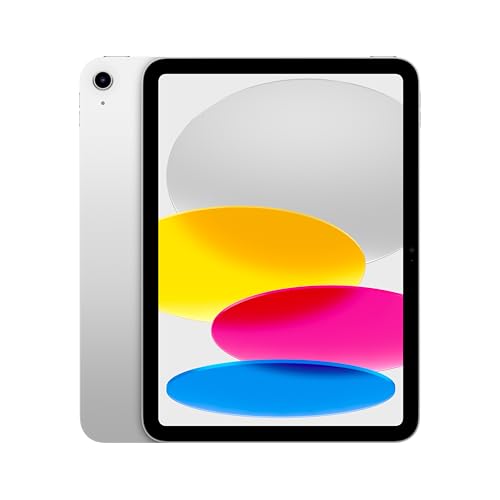
Apple iPad (A16), 11-inch, Wi-Fi, 128GB, Silver
ASIN B0DZ83GRYX • $696 • Ships from Amazon AU
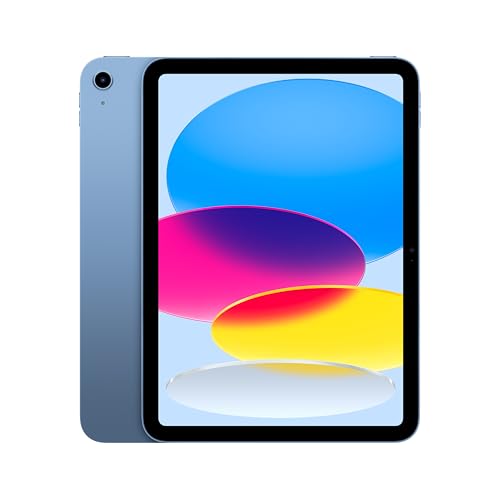
The plain iPad (A16) is #1 in Amazon AU's Tablets category at time of writing, and at $696 for the 128GB Wi-Fi model it's the lowest price of the five. It's sold and shipped by Amazon AU. The listing gives you an 11-inch Liquid Retina display with True Tone, the A16 chip, a 12MP Center Stage front camera, a 12MP Wide rear camera that records 4K video, and Touch ID in the top button. It charges and connects to external displays over USB-C. It comes in four colours, and the silver, blue, pink and yellow 128GB versions are all the same price at the moment. For most people this is the iPad, and the sales rank backs that up.
From the bench side, this is the one I'd most like people to buy. The A16 is plenty for streaming, browsing, video calls, school apps and light photo editing, and it'll stay that way for a good while yet. More to the point, the base iPad has generally used a screen where the touch glass is separate from the display underneath, so a cracked front tends to be a smaller repair than on the laminated Air and Pro. That's worth real money in a house with kids. Storage is the catch. 128GB is fine for streaming and school, but the 256GB version is $889 at time of writing, and you can't add storage later.
The listing is a bit muddled on wireless, mentioning both Wi-Fi 6 and Wi-Fi 6E, and it talks up 5G even though this is the Wi-Fi model. Neither matters much at home, but don't buy it expecting cellular. It's also the only pick whose listing doesn't mention Apple Intelligence, which matters if you want those features or plan to keep it for seven years. If you're not sure where to start, I'd still start here. Put it in a proper case with a raised edge and it'll handle most of what a family throws at it.
Honest caveats: the listing mixes Wi-Fi 6 and Wi-Fi 6E and mentions 5G on a Wi-Fi-only model, so confirm the details on Apple's site. Apple Intelligence isn't mentioned on this listing. Battery hours, weight and which Apple Pencil it works with aren't stated. 128GB fills up quickly with downloaded films or big games.
Best for: Families, students and anyone who mostly streams, browses and makes video calls.
Display: 11-inch Liquid Retina, True Tone • Chip: Apple A16 • Storage: 128GB (256GB version $889) • Connectivity: Wi-Fi (listing mentions Wi-Fi 6 and 6E), USB-C • Cameras: 12MP Center Stage front, 12MP Wide rear, 4K video • Security: Touch ID in top button • Seller: Amazon AU • Rank: #1 in Tablets (Amazon AU)
View on Amazon AU
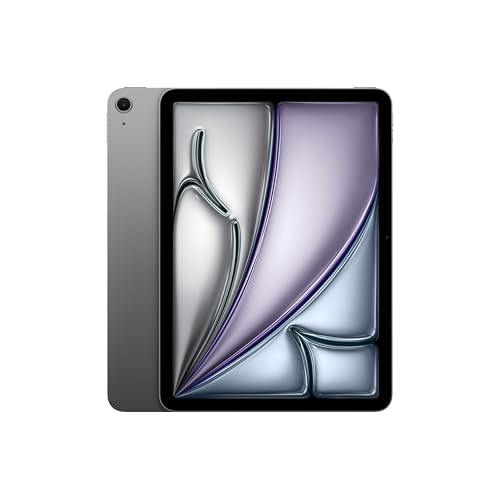
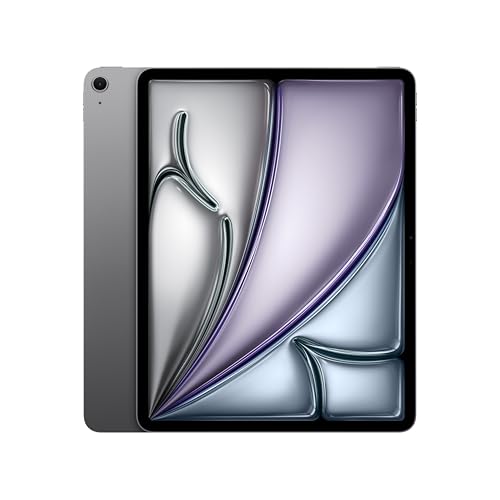
Apple iPad Air 11-inch (M4, 2026), Wi-Fi, 128GB, Space Grey
ASIN B0GQX144FP • $987 • Ships from Amazon AU
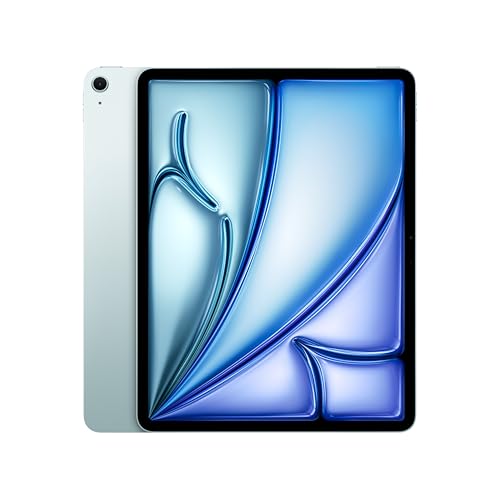
The 2026 11-inch iPad Air with the M4 chip is #2 in Amazon AU's Tablets category, at $987 for 128GB Wi-Fi in starlight, sold by Amazon AU. The listing gives it an 11-inch Liquid Retina display with P3 wide colour, True Tone and ultra-low reflectivity, Wi-Fi 7 through Apple's N1 chip, 12MP front and rear cameras, Touch ID, and support for Apple Pencil Pro, Apple Pencil (USB-C) and the Magic Keyboard. Storage options run up to 1TB. The blue version is listed at the same $987, so colour makes no difference to the price, but I've seen listings that bundle an Apple Pencil Pro at around $1,154, so check you're on the $987 one.
This is the iPad I'd point most uni students and home-office users towards. The M4 is a big step up from the A16 for anything that leans on the chip, like editing video, recording multitrack audio or drawing on big canvases, and it gives you more headroom for future iPadOS updates. With a Magic Keyboard it'll handle email, documents and video calls all day. What you give up against the Pro is the screen, which is a very good LCD rather than the Pro's XDR display. Most people won't miss it. The screen is laminated, so think about repair cost, and get a case on it before it leaves the box.
The storage question bites hardest here. At 128GB it's $987, and 256GB is $1,187 at time of writing. If you're going to put a keyboard on it and use it for real work, I'd take the 256GB. If it's mostly for notes and streaming, 128GB will do. This one is Wi-Fi only, so hotspot from your phone when you need it on the road, which is easy enough with any recent phone and costs nothing extra.
Honest caveats: 128GB is tight for a work machine and can't be upgraded. Battery life is described only as all-day, with no hours stated. The Magic Keyboard and Apple Pencil Pro are extra costs. Prices for the same Air vary between listings, so check the ASIN.
Best for: Uni students and home-office users who want an iPad that can stand in for a laptop with a keyboard.
Display: 11-inch Liquid Retina, P3, True Tone, ultra-low reflectivity • Chip: Apple M4 • Storage: 128GB (options to 1TB) • Connectivity: Wi-Fi 7 (Apple N1) • Cameras: 12MP Center Stage front, 12MP Wide rear, 4K video • Accessories: Apple Pencil Pro, Apple Pencil (USB-C), Magic Keyboard • Security: Touch ID • Rank: #2 in Tablets (Amazon AU)
View on Amazon AU
Apple iPad Air 13-inch (M4, 2026), Wi-Fi, 128GB, Space Grey
ASIN B0GQW5W6NQ • $1,287 • Ships from Amazon AU
The 13-inch iPad Air with the M4 chip is $1,287 for 128GB Wi-Fi in space grey, sold by Amazon AU, and it's #4 in Amazon AU's Tablets category. On the listing it's the same tablet as the 11-inch Air with a bigger screen: a 13-inch Liquid Retina display with P3 wide colour, True Tone and ultra-low reflectivity, the M4 chip, Wi-Fi 7 through the N1 chip, 12MP front and rear cameras, Touch ID and support for both current Apple Pencils and the Magic Keyboard. Storage runs up to 1TB. The extra $300 over the 11-inch buys you screen area and not much else, which is fine if screen area is what you need.
So who needs it? People who draw, people who mark up big PDFs and building plans, and people who want two apps side by side without squinting. If your iPad lives on a desk with a keyboard, the 13-inch makes a lot of sense. If it travels in a backpack every day, I'd think twice. A bigger sheet of laminated glass is a bigger target, and the bigger the iPad, the more the frame flexes when it's sat on or squashed in a bag. We see bent iPads come in from overfilled bags more often than you'd think, and a bend usually takes the screen with it. A rigid case helps a lot.
Against the 11-inch Pro at $2,348, this is the one I'd usually pick for drawing if you want to stay under $2,000. You give up the Pro's XDR screen and its 512GB of storage, so if you work with big files, the 256GB version of this Air ($1,487 at time of writing) closes some of that gap. Price the keyboard in before you choose, and keep in mind the Magic Keyboard for the 13-inch is its own size and won't fit the 11-inch, or the other way round, so don't buy one second-hand until you've checked the model.
Honest caveats: 128GB is small for a drawing or work machine and can't be upgraded. The listing doesn't state weight or battery hours. A larger laminated screen costs more to replace and is easier to bend in a crowded bag. The Magic Keyboard for this size is a separate, size-specific purchase.
Best for: Artists, students and desk workers who want a big screen and two apps side by side without paying Pro money.
Display: 13-inch Liquid Retina, P3, True Tone, ultra-low reflectivity • Chip: Apple M4 • Storage: 128GB (256GB version $1,487) • Connectivity: Wi-Fi 7 (Apple N1) • Cameras: 12MP Center Stage front, 12MP Wide rear, 4K video • Accessories: Apple Pencil Pro, Apple Pencil (USB-C), Magic Keyboard • Security: Touch ID • Rank: #4 in Tablets (Amazon AU)
View on Amazon AU
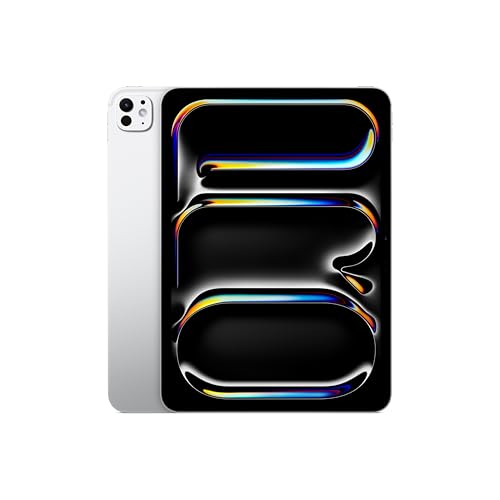
Apple iPad Pro 11-inch (M5, 2025), Wi-Fi, 512GB, Standard Glass, Silver
ASIN B0FWDR6NRN • $2,348 • Ships from Amazon AU
The 2025 11-inch iPad Pro with the M5 chip is $2,348 for 512GB Wi-Fi with standard glass in silver, sold by Amazon AU, and it's #85 in Amazon AU's Tablets category. It stands in for the 256GB space black model I'd picked for this slot, which has no live Amazon AU offer at the moment, so this is the same iPad with double the storage. The listing describes an 11-inch Ultra Retina XDR display with ProMotion, P3 wide colour and True Tone, and says the Pro range goes up to 2TB of storage and 16GB of memory, with nano-texture glass only on the 1TB and 2TB versions. It supports Apple Pencil Pro, Apple Pencil (USB-C) and the Pro's own Magic Keyboard, and it runs iPadOS 26. The listing doesn't say how much memory this 512GB version has, so check Apple's spec page if that matters for your apps.
The screen is the reason to buy a Pro. ProMotion makes scrolling and drawing smoother, and the XDR display is a real step up for photo and video work. The M5 is more chip than most people will ever push, though it does buy you headroom if you keep tablets for a long time. From the repair side, this is one of the two costliest screens of the five to replace, and the Pro is thin enough that bending is a real risk if it's carried loose in a bag or sat on. I wouldn't let one out of the house without a rigid case, and I'd seriously look at AppleCare or adding it to your contents insurance.
At 512GB it takes away the storage trap the other picks have, and it's the only pick here with that much space. If you're a photographer, a video editor or an illustrator who needs colour you can trust, this is the one to buy. If you mostly want a nice tablet for the couch, the Air or the base iPad will do the job and leave you money for a case and a decent charger. It's a lot of money for a tablet, so be honest with yourself about which of those people you are before you order.
Honest caveats: memory for this 512GB version isn't stated on the listing, and neither are battery hours, weight or port details. Nano-texture glass is only listed on the 1TB and 2TB versions, so this one has standard glass. The XDR screen is among the costliest of the five to replace, and the thin body bends more easily than you'd expect without a rigid case.
Best for: Photographers, video editors and illustrators who need the best screen Apple puts in a tablet.
Display: 11-inch Ultra Retina XDR, ProMotion, P3, True Tone • Chip: Apple M5 • Storage: 512GB • Glass: Standard (nano-texture only on 1TB and 2TB) • Colour: Silver • Connectivity: Wi-Fi • Accessories: Apple Pencil Pro, Apple Pencil (USB-C), Magic Keyboard for iPad Pro • Software: iPadOS 26 • Rank: #85 in Tablets (Amazon AU)
View on Amazon AU
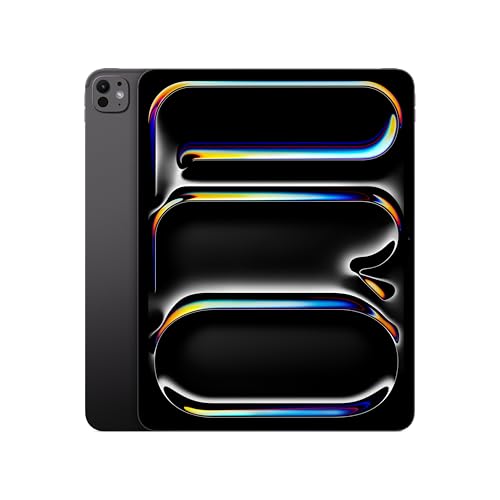
Apple iPad Pro 13-inch (M5, 2025), Wi-Fi, 256GB, Standard Glass, Space Black
ASIN B0FWF1GCLZ • $2,497 • Ships from Amazon AU
The 2025 13-inch iPad Pro with the M5 chip is $2,497 for 256GB Wi-Fi with standard glass in space black, sold by Amazon AU, and it's #184 in Amazon AU's Tablets category. It steps in because the iPad mini I'd picked for the one-handed slot has no live Amazon AU offer at the moment, and no other new iPad mini was listed when I searched. The 13-inch Pro is the other end of the range: the largest and dearest iPad here. The listing describes a 13-inch Ultra Retina XDR display with ProMotion, P3 wide colour and True Tone, and says the Pro range goes up to 2TB of storage and 16GB of memory, with nano-texture glass only on the 1TB and 2TB versions. It supports Apple Pencil Pro, Apple Pencil (USB-C) and the Pro's own Magic Keyboard, and it runs iPadOS 26 with Apple Intelligence. The listing doesn't say how much memory this 256GB version has, so check Apple's spec page if that matters for your apps.
The screen is the reason to buy one. ProMotion makes scrolling and drawing smoother, and the XDR display is a real step up for photo and video work, with more canvas than the 11-inch Pro or the 13-inch Air. From the repair side, a bigger sheet of laminated glass is the costliest screen of the lot to replace, and a big, thin iPad bends more easily if it's carried loose in a bag or sat on. I wouldn't let one out of the house without a rigid case, and I'd seriously look at AppleCare or adding it to your contents insurance.
At $2,497 it's about $150 more than the 512GB 11-inch Pro for the extra screen size, though you get 256GB rather than 512GB, and about $1,200 more than the 13-inch Air. It starts at 256GB, which takes away the storage trap the less costly picks have. If you're an illustrator, photographer or video editor who works on big canvases and timelines at a desk, this is the one. If you mostly want a nice tablet for the couch, the base iPad or the 11-inch Air will do the job and leave you money for a case and a decent charger. It's a lot of money for a tablet, so be honest with yourself about which of those people you are before you order.
Honest caveats: memory for this 256GB version isn't stated on the listing, and neither are battery hours, weight or port details. Nano-texture glass isn't offered at this storage size. The XDR screen is the costliest of the five to replace, and the large, thin body bends more easily than you'd expect without a rigid case. The Magic Keyboard for this size is a separate purchase and is made for its own size.
Best for: Illustrators, photographers and video editors who want the biggest, best screen Apple puts in a tablet and have the budget for it.
Display: 13-inch Ultra Retina XDR, ProMotion, P3, True Tone • Chip: Apple M5 • Storage: 256GB • Glass: Standard (nano-texture only on 1TB and 2TB) • Connectivity: Wi-Fi • Accessories: Apple Pencil Pro, Apple Pencil (USB-C), Magic Keyboard for iPad Pro • Software: iPadOS 26 with Apple Intelligence • Seller: Amazon AU • Rank: #184 in Tablets (Amazon AU)
View on Amazon AUSide-by-side comparison
| Product | Price | Best for |
|---|---|---|
| Apple iPad (A16) 128GB | ~$696 | Families, students, streaming and video calls |
| Apple iPad (A16) 256GB | ~$889 | The same iPad with 256GB for films and big games |
| Apple 2026 11-inch iPad Air 128GB | ~$987 | Uni students and home-office users |
| Apple 2026 11-inch iPad Air 256GB | ~$1,187 | The same Air with 256GB for lectures and video work |
| Apple 2026 13-inch iPad Air 128GB | ~$1,287 | Drawing, big documents and two apps side by side |
| Apple 2026 13-inch iPad Air 256GB | ~$1,487 | The same 13-inch Air with 256GB for bigger files |
| Apple 2025 11-inch iPad Pro 512GB | ~$2,348 | Photo, video and colour-critical work |
| Apple 2025 13-inch iPad Pro 256GB | ~$2,497 | Illustrators and editors who want the biggest Pro screen |
What we see fail at the bench: iPads
iPads come in for a handful of reasons, and they repeat. Most are cracked screens, followed by batteries that have aged or swollen and charge ports that have stopped working properly. Very few iPads die of old age. Most get retired because one part failed and the owner assumed it wasn't worth fixing, which often isn't true. Here's what to watch for, and what usually causes it.
Cracked glass and what it takes with it
A cracked screen is the most common iPad job by a long way, and the cost depends on how the screen is built. On laminated models the glass and display are one part, so even a hairline crack in a corner means a new display assembly. On the base iPad the glass is usually a separate part, so the display underneath often survives. Either way, don't keep using a badly cracked iPad for months. Glass splinters work into fingers, the touch layer starts registering ghost touches, and moisture gets in through the cracks. A $30 case with a raised lip prevents most of these, and it's the best money you'll spend on an iPad.
Swollen batteries lifting the screen
An iPad battery is a large lithium-ion pouch glued into the back of the case. As it ages it can swell, and the only way it can go is up into the screen. The first sign is usually a screen that sits proud at one edge, a gap you can see light through, or pressure marks on the display. Stop charging it as soon as you notice, because a swollen cell is already under strain and charging adds heat. Replacing it means lifting the screen off, which needs heat, patience and the right tools, so it isn't a job for a kitchen knife. Most of the time the iPad's fine once the new battery's in.
Charge ports, lint and no-name chargers
USB-C ports pack up with lint from pockets and bags, and after a while the plug stops seating fully and charging gets patchy. A lot of iPads that come in with a dead port just need careful cleaning. The ones that worry me more have been charged on no-name bricks and cables, where the charging circuit on the board has taken damage. Those can need board-level work, not just a clean or a new port. Use a decent charger from a known brand, don't charge it on the bed under a pillow, and if the cable only works at a certain angle, stop and get it checked before it gets worse.
Decision tree: which one should you actually buy?
- Mostly streaming, school and video calls? → The iPad (A16) at $696. Put what you'd have spent on a bigger model into a good case.
- Uni, notes and some work with a keyboard? → The 11-inch iPad Air (M4) at $987, or $1,187 for the 256GB version if you record lectures.
- Drawing or big documents, and staying under $2,000? → The 13-inch iPad Air (M4) at $1,287.
- Photo, video or colour-critical work? → The 11-inch iPad Pro (M5) at $2,348 in the 512GB model.
- Want the biggest, best screen and have the budget? → The 13-inch iPad Pro (M5) at $2,497, which starts at 256GB.
- Cracked, swollen or won't charge? → Stop charging it and bring it to our Erina workshop. We'll check the screen, battery and port and quote you before any work starts.
Frequently asked questions
Is 128GB enough on an iPad?
For streaming, browsing, email, schoolwork and photos that sync to iCloud, 128GB is usually enough. It gets tight if you download films for flights, record lectures, edit video on the iPad or install a few big games. iPad storage is soldered to the board, so you can't add more later and there's no card slot. If you're unsure, I'd pay the extra for 256GB, which is about $190 to $200 more on the base iPad and the 11-inch Air at time of writing. The alternative is paying for iCloud storage every month, which plenty of people already do.
Should I buy an iPad from Amazon AU or straight from Apple?
All five picks here are sold and shipped by Amazon AU, so you're buying a new, Australian-stock iPad and Apple's warranty applies the same way it would from Apple. The main differences are price and returns. Amazon AU prices move week to week and are sometimes lower than Apple's own store. Apple's store offers engraving and its own return process. What I'd avoid is marketplace sellers you don't recognise, import versions and anything that isn't listed as new, because warranty claims get messy fast.
Is the iPad Air worth it over the base iPad?
It depends on what you'll use it for. If it's mostly streaming, browsing, video calls and school apps, the base iPad at $696 does those jobs well and its screen tends to be a smaller repair when it cracks. The 11-inch Air at $987 makes sense if you'll use a keyboard and pencil for real work, edit video or photos, or keep it for six or seven years, because the M4 chip leaves a lot more headroom. Its laminated screen looks better but costs more to replace.
Can you replace an iPad battery?
Yes. The battery is glued into the back of the case under the screen, so the screen has to come off first, which takes heat, patience and the right tools. On laminated iPads that's careful work because the display is fragile once it's lifting. Most iPads are worth a new battery if the rest of the device is in good shape, especially the M-series models. If the screen is lifting at one edge, stop charging it, because that usually means the battery is swelling.
Is a refurbished iPad a good idea?
For a lot of people it is. If the iPad is for a child, a kitchen screen, reading or video calls with family, an older model with a healthy battery does the job for a lot less money. The things to check are battery condition, whether the screen is original, whether it still gets iPadOS updates, and who's backing the warranty. We sell graded refurbished iPads from our own stock in Erina, checked and warrantied by us. For heavy work or long-term use, a new model with a newer chip is still the better buy.
Do I need the cellular version of an iPad?
Most people don't. All five picks here are Wi-Fi models, and you can hotspot from your phone when you're out. Cellular versions cost more up front and need their own data plan or an eSIM. They make sense if the iPad lives in a car, a caravan, a truck or on a job site, or if it's used for navigation or work away from Wi-Fi a lot. Some listings mention 5G even on Wi-Fi models, so check the title says Wi-Fi + Cellular before you buy.
Related buying guides
Cracked, swollen or not charging?
On an iPad, a screen lifting at one edge usually means a swelling battery, and a crack that's left alone lets moisture in and spreads. Both get worse with time. Stop charging a swollen iPad and bring it into Erina. We'll check the screen, battery and charge port, and tell you what it'll cost and whether it's worth fixing before you spend anything.
Visit our Erina workshop Book Online