Prices from Amazon AU, updated daily. Swipe or use the arrows for more.
Disclosure: This article contains affiliate links to amazon.com.au. If you buy through one of these links iFix may earn a small commission at no extra cost to you. It doesn't change which products we recommend. We focus on what actually lasts based on 16 years of repair-shop experience.
Quick summary6 picks
- Entry PickLenovo IdeaPad 5 2-in-1 Notebook 14IRH9 14'… about$1,69416GB RAM, 512GB SSD, 14" screen.
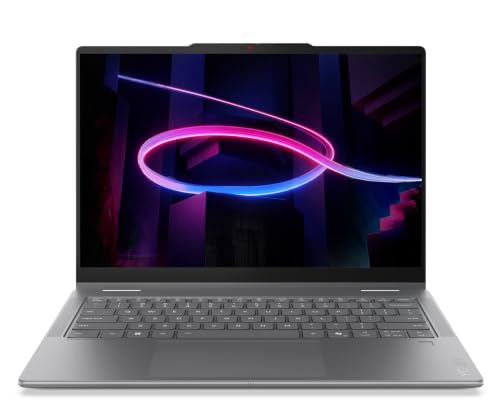
- Lenovo IdeaPad 5 2-in-1 14Q8X9 Co-Pilot+… about$1,297512GB SSD, 14" screen, OLED.
- Lenovo 14" OLED IdeaPad 5 2-in-1 Laptop: AI… about$1,8981TB SSD, 14" screen, OLED.
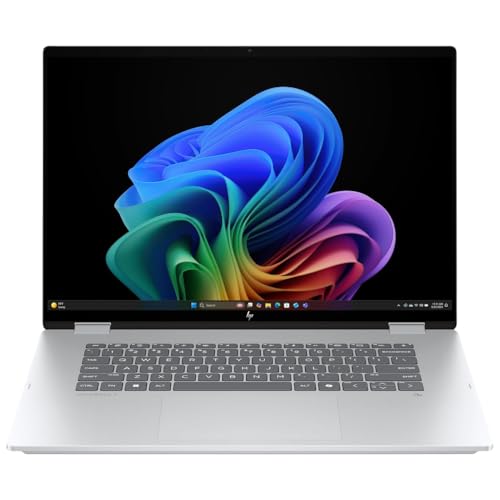
- HP OmniBook X Flip Next Gen AI 16" 2-in-1… about$2,390.8116GB RAM, 512GB SSD, 16" screen.
- HP OmniBook X Flip AI Laptop about$2,29932GB RAM, 1TB SSD, 16" screen.
- Most PremiumLenovo Yoga 7i 2-in-1 14IPH11 Aura Edition… about$1,99916GB RAM, 60Hz refresh, 14" screen.
A laptop that folds has more to go wrong
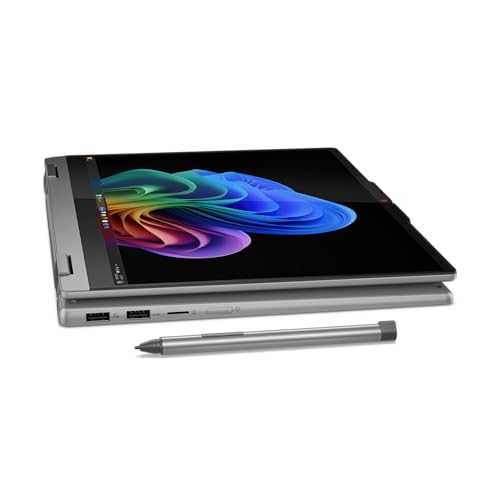
A 2-in-1 is a laptop with a hinge that swings the screen right round behind the keyboard, so it folds into a thick tablet or stands up like a tent. That hinge, and the thin cable that runs through it to the screen, are the parts that take the punishment. A normal laptop lid moves through about 130 degrees. A convertible's moves through 360, often several times a day, with a touchscreen on the front that people press on while it's open. It's no surprise the hinge and screen cable are where most of the faults on these turn up.
I've picked four from $1,597 to $2,299, all sold and shipped by Amazon AU. Two are HP OmniBook X Flip 16-inch models that differ in chip, memory, storage and screen. Two are Lenovo IdeaPad 5 2-in-1s at 14 inches, one with an Intel Core i7 and a pen in the box, and one with a Snapdragon X Plus. The lead pick, the 16-inch OmniBook X Flip with the 3K OLED, is #13 in Amazon AU's 2 in 1 Laptops category at time of writing.
Every pick has a touchscreen and folds a full 360 degrees, and three of the four have OLED screens. The differences are in size, chip, memory, storage and whether a pen comes with it. I've been strict about the listings: where a maker leaves out the weight, battery capacity or port list, I've said so rather than guessing, and two popular listings were left out entirely for reasons I'll explain at the end.
If you'll rarely use tablet mode, you don't need a 2-in-1. A regular laptop is lighter for the same money, has a simpler hinge and is usually thinner. The thin and light laptops guide covers those, and they're what I'd steer most people towards unless they'll really use the pen or the fold.
Who actually uses tablet mode
In my experience the people who get real value out of a convertible fall into a few groups. Students who handwrite notes and annotate PDFs with a pen. People who sketch, mark up drawings or sign documents. Anyone who watches a lot of video in bed or on a plane and likes tent mode. And people who present to one or two others across a table and like flipping the screen round. If you don't see yourself in any of those, you're paying for a hinge you won't use.
Tablet mode on a Windows laptop isn't an iPad. A 14-inch convertible folded flat is still a laptop with a keyboard on the back, and a 16-inch one is heavy to hold one-handed for more than a few minutes. It works best resting on a desk, your lap or a knee. If what you mainly want is a tablet that sometimes does laptop jobs, a proper tablet with a keyboard case is usually the better tool, and the premium tablets guide is the place to start.
Where a 2-in-1 beats a tablet is software. It runs full Windows, so Office, Chrome extensions, accounting packages and anything your workplace or uni installs will run as it would on any laptop. That's the reason to buy one.
Size matters more on a convertible than on a regular laptop. A 14-inch one is the sweet spot for holding and writing on. A 16-inch one gives you a big screen for spreadsheets and video, but it's a laptop you fold rather than a tablet you carry around the house. Be honest with yourself about which way you'll use it before you pick a size.
Pens: check what's in the box
Only one of these four, the IdeaPad 5 2-in-1 with the Core i7, says on its listing that a digital pen is included. The others don't mention a pen at all, which usually means you'll be buying one separately. Before you order, check which pen standard the laptop supports on the maker's page and price the pen in, because a second-hand or generic pen that uses the wrong standard won't work at all.
A pen is also a small thing that goes missing. Most of the ones I see clip magnetically to the side of the laptop, and that's exactly where they get knocked off in a bag. If the pen matters to you, a sleeve with a pen loop costs very little and saves replacing it. Rechargeable pens have a small battery that ages like any other, so a pen that won't hold a charge after a couple of years is wear, not a fault.
Palm rejection, which stops your hand smudging lines while you write, varies by app more than by laptop. OneNote and most PDF apps handle it well. If you're buying mainly for handwriting, try the exact app you'll use before deciding a laptop is bad at it.
Hinges and the screen cable
Every time a convertible folds, the screen cable flexes through the hinge. On a well-made machine it's routed so the bend is gentle and spread out. On a poorly made one, or one that's been dropped and twisted, the cable rubs or kinks at the same point fold after fold, for years, and the first symptom is a screen that flickers or goes blank at a certain angle. If you see that, stop folding it and get it looked at. A cable is a much smaller repair than a screen.
Hinges loosen too. A lid that flops back, or a screen that wobbles when you tap it in laptop mode, is a hinge that's lost tension or a mount that's started to crack out of the plastic or metal around it. Catching it early often means a hinge or a few screws. Leaving it often means the mount breaks out of the lid, and then you're replacing the whole lid or screen assembly.
The habits that help are simple. Open and fold it from the middle of the lid, not one corner, so both hinges share the load. Don't pick the laptop up by the screen, and don't carry it folded halfway. In tablet mode, don't press hard on the keyboard side resting on a soft surface, because the keys and hinge take that pressure.
Touchscreens crack differently
A touchscreen adds a touch layer bonded to the glass, and on most convertibles the glass, touch layer and display are replaced together as one assembly. That's dearer than a non-touch laptop screen, and the laptop screen replacement costs guide shows the gap. Three of these four have OLED screens, which look great and add a little more to the replacement price again.
The cracks I see on convertibles mostly come from tablet mode. The laptop gets put down screen-up on a bench, something lands on it, or it gets sat on while it's folded on a couch. A laptop in laptop mode has the lid closed over the screen. A convertible folded into a tablet has the screen exposed on the outside, and keys pressing into the base on the other side. A slim case or sleeve that covers the screen when it's folded is worth more on a 2-in-1 than on any other laptop.
Touch faults also happen without a crack: ghost touches, dead strips or a screen that doesn't respond near one edge. Liquid is the usual cause, followed by pressure damage. What liquid does inside a laptop covers why a spill can show up weeks later.
If you do crack one, don't keep using it with the touch layer misbehaving. Phantom taps can open apps, delete files or send messages on their own, and broken glass on a touchscreen can cut a fingertip. Turn touch off in Device Manager or just shut it down and get it quoted.
Memory, storage and the chip
The two HPs use Intel Core Ultra 200V chips, the 226V and the 258V. On that chip family the memory sits on the processor package itself, so it's fixed for the life of the laptop. The IdeaPads don't name the memory type on their listings, but on a thin 14-inch convertible I'd assume it's soldered unless Lenovo's spec sheet says otherwise. Three of the four have 16GB, which is fine for office work, study and browsing. The 32GB OmniBook is the one to buy if you keep laptops for many years or multitask heavily.
Storage is 512GB on the two lower-priced picks and 1TB on the other two. 512GB is enough if your files live in OneDrive or Google Drive, but it fills faster than people expect once photos and downloads build up. The Snapdragon IdeaPad 5x gives you 1TB for $101 more than the Core i7 IdeaPad, which is a sensible trade if you'll keep files locally.
The Snapdragon X Plus in the IdeaPad 5x is an Arm chip. Most mainstream software runs fine on it, but older printer drivers, some workplace VPNs, specialist work software and many games with anti-cheat can trip it up. Check your important programs before you buy. If you're unsure, any of the three Intel picks avoids the question.
Charging, ports and looking after it
The HPs list Thunderbolt, with 40Gbps and support for two 4K displays from one cable, which is handy for a desk setup. The IdeaPad 5x lists USB-C and USB-A, HDMI and a card reader. Neither IdeaPad 5 nor the HPs list a full port count, so check the maker's page if you need a particular port. A USB-C hub for the desk fills most gaps.
Charging ports on a convertible get extra strain because the laptop gets picked up and turned while it's plugged in. A cable yanked at an angle is how USB-C sockets work loose. Use a right-angle cable if you charge on the couch, and stick with the original charger or a good GaN one. If yours has started charging only at certain angles, the laptop won't charge checklist walks through what to try first.
A few minutes of care each month makes a real difference on a convertible. Blow dust out of the vents, wipe the screen with a microfibre cloth rather than a paper towel, and check that both hinges feel equally firm. If one side has started to feel looser than the other, that's the time to get it looked at.
If you're on the Central Coast and an older 2-in-1 has a flickering screen or a loose hinge, Central Coast laptop repairs covers what we can fix, and it's often worth a look before you replace the whole machine.
Which one I'd buy
If you want one 2-in-1 for work or study and you'll use tablet mode on a desk or lap, the 16-inch OmniBook X Flip with the 3K OLED at $1,889 is the pick. It has the best screen of the four on paper and Thunderbolt for a desk setup. If you handwrite notes, the IdeaPad 5 2-in-1 at $1,597 is the one I'd choose instead, because the pen is in the box and the 14-inch size is far easier to hold.
The 32GB OmniBook at $2,299 is for people who keep laptops for years, though it has a 2K screen rather than OLED. The IdeaPad 5x is the battery-and-storage option if your software runs on Arm. I left out the 14-inch HP OmniBook 5 Flip, which is #1 in the category this week, because at $2,199 it has a Core 5 120U, 512GB and an IPS screen, and the 16-inch OmniBook below it gives you more for less. A 14-inch OmniBook X Flip with a Ryzen chip was also left out because its bullets contradicted its title on both chip and screen.
Whatever you buy, look after the hinge and screen and it'll last. If an older one is playing up, drop into the Erina workshop and we'll tell you whether it's worth fixing.
The 4 picks, $1,597 to $2,299
Prices are Amazon AU at time of writing (8 October 2026) and move week to week. Ranks are Amazon AU category sales ranks, checked the same day.

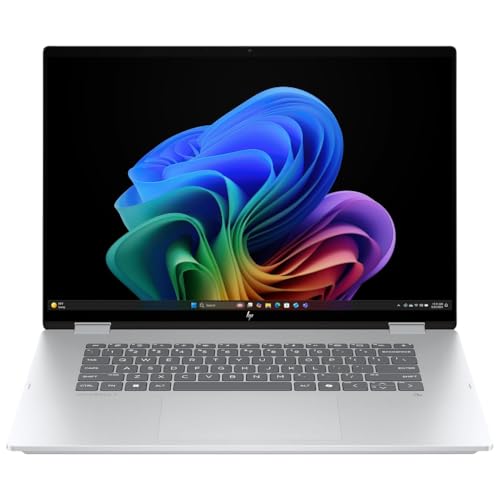
HP OmniBook X Flip 16-inch 3K OLED Touch, Core Ultra 5 226V, 16GB, 512GB (BD5Q9PA)
ASIN B0FNMGW6DY • $2,390.81 • Ships from Amazon AU
The HP OmniBook X Flip 16-inch (BD5Q9PA) is $1,889 at time of writing, sold and shipped by Amazon AU, and #13 in Amazon AU's 2 in 1 Laptops category. The title gives a 16-inch 3K OLED touch display, an Intel Core Ultra 5 226V, 16GB of memory, a 512GB SSD and Windows 11 Home. The bullets add a 16:10 screen, Thunderbolt at 40Gbps with support for two 4K displays from one cable, audio tuned by Poly Studio, and Copilot+ PC status with an NPU rated at 40+ TOPS. It's a convertible, so the screen folds right back into tablet or tent mode. The colour is Glacier Silver. HP sells it with Windows preinstalled and ready to set up.
This is the one I'd buy for most people who want a 2-in-1 for work or study. A 3K OLED at 16 inches is the best screen of the four on paper, and 16:10 gives you more height for documents and spreadsheets than an old 16:9 laptop. Thunderbolt is a real plus if you dock at a desk, since one cable can run power, two monitors and your peripherals. The Core Ultra 5 226V is an efficient chip that's comfortable with Office, browsers, Teams and light photo work. The size works best as a laptop that sometimes folds, used in tent mode for video or flat on a desk for markup, rather than as a tablet you hold up.
There are trade-offs. 512GB is the smaller storage option, and on this chip family the 16GB of memory sits on the processor package, so it can never be upgraded. Weight isn't stated on the listing, and a 16-inch convertible is not light in the hand, so try one in a store if you can. No pen is mentioned, so price one in if you'll write on it, and check HP's page for the pen it supports. Battery capacity isn't stated either. If storage or memory is a worry, the 32GB, 1TB version below is the step up, though it has a different screen.
Honest caveats: Honest caveats: weight, battery capacity and a full port list aren't stated on the listing. No pen is mentioned as included. The 16GB is on the processor package and can't be upgraded. 512GB fills up if you keep photos locally. A 16-inch convertible is heavy to hold as a tablet.
Best for: Workers and students who want a big OLED 2-in-1 for desk work, tent-mode video and occasional markup.
Display: 16-inch 3K OLED touch, 16:10 • Processor: Intel Core Ultra 5 226V • Memory: 16GB • Storage: 512GB SSD • Ports: Thunderbolt (40Gbps, up to two 4K displays) • Pen: Not stated as included • OS: Windows 11 Home, Copilot+ PC • Rank: #13 in 2 in 1 Laptops (Amazon AU)
View on Amazon AU
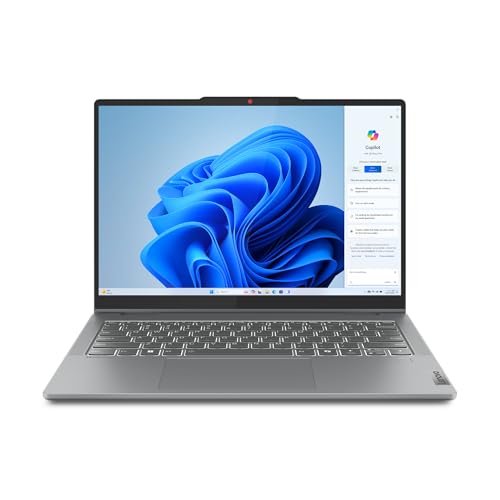
Lenovo IdeaPad 5 2-in-1 14-inch OLED Touch, Core i7-13620H, 16GB, 512GB, with Pen
ASIN B0DXK4LLZM • $1,694 • Ships from Amazon AU
The Lenovo IdeaPad 5 2-in-1 (14IRH9, model 83KX0009AU) is $1,597 at time of writing, sold and shipped by Amazon AU, and #19 in Amazon AU's 2 in 1 Laptops category. The title lists a 14-inch WUXGA OLED touch display, an Intel Core i7-13620H, 16GB of memory, a 512GB SSD, a digital pen and Windows 11 Home, in Luna Grey. The bullets add Dolby-optimised stereo speakers and an FHD webcam for video calls. It's the lowest price of the four and the only listing here that includes a pen, which matters because buying one separately adds to the cost of every other pick. It's the most compact of the four and the easiest to hold folded.
For handwriting notes, annotating lecture slides or signing documents, this is the one I'd choose. At 14 inches it's far easier to hold folded than a 16-inch machine, and an OLED touchscreen is lovely to write on. The Core i7-13620H is an H-series chip, which means more performance headroom than the low-power chips in the HPs when you're doing heavier work. The flip side is that H-series chips run warmer and use more power, so expect the fans to be more active and battery life to be shorter than the Core Ultra models, though the listing doesn't state a battery figure. For a uni student who wants one device for notes, essays and the odd bit of photo editing, it's a strong buy.
The things to keep in mind are storage and heat. 512GB is fine if your notes and files sync to the cloud. The memory type isn't stated on the listing, so assume 16GB is permanent. Keep the vents clear, since an H-series chip in a slim body is the kind of laptop that clogs and throttles first if it's used on a doona. Weight and ports aren't listed, so check Lenovo's page for the 83KX0009AU. If you'll be carrying it between classes, a padded sleeve with a pen loop is the first accessory I'd add, because both the screen and the pen are the parts that get damaged or lost.
Honest caveats: Honest caveats: the H-series Core i7 runs warmer and uses more power than the Core Ultra chips in the HPs. Battery life, weight and ports aren't stated on the listing. Memory type isn't stated, so assume 16GB is fixed. 512GB is the smaller storage tier.
Best for: Students and note-takers who want a pen in the box and a 14-inch size that's easy to hold folded.
Display: 14-inch WUXGA OLED touch • Processor: Intel Core i7-13620H • Memory: 16GB • Storage: 512GB SSD • Pen: Digital pen included (per title) • Webcam: FHD • OS: Windows 11 Home • Rank: #19 in 2 in 1 Laptops (Amazon AU)
View on Amazon AU
HP OmniBook X Flip 16-inch 2K Touch, Core Ultra 7 258V, 32GB, 1TB (BD5Q8PA)
ASIN B0FK8ZQZTV • $2,299 • Ships from Amazon AU
The HP OmniBook X Flip 16-inch (BD5Q8PA) is $2,299 at time of writing, sold and shipped by Amazon AU, and also #13 in Amazon AU's 2 in 1 Laptops category. The title gives a 16-inch 2K touch display, an Intel Core Ultra 7 258V, 32GB of memory, a 1TB SSD, Intel graphics and Windows 11 Home, in silver. The bullets match the 3K model: a 16:10 screen, Thunderbolt at 40Gbps with support for two 4K displays from one cable, Poly Studio audio and Copilot+ PC status with an NPU rated at 40+ TOPS. It folds into tablet and tent modes like the others, and it's the dearest of the four.
This is the pick for people who keep a laptop for five years or more, or who multitask hard. The memory on a Core Ultra 200V chip sits on the processor package, so the 32GB you buy is what you'll always have, and doubling it from 16GB is the upgrade that matters most over a long life. The jump to 1TB also means you're less likely to run out of room for photos, downloads and offline files. The Core Ultra 7 258V has more graphics and processor headroom than the 226V, which helps with photo editing, big spreadsheets and plenty of browser tabs open at once, and it should stay comfortable for years.
The odd part is the screen. The title says 2K touch, not OLED, so you're paying $410 more than the 3K OLED model above and getting a lower-resolution display. I'd only buy this one if memory and storage matter more to you than the screen, and for a lot of long-term owners they should. A good screen is nice every day, but running out of memory at year four is what pushes people into replacing a laptop early. Weight, battery capacity and the full port list aren't stated on the listing, and no pen is mentioned, so budget for one if you'll write on it.
Honest caveats: Honest caveats: the title says 2K touch, not OLED, so the screen is a step down from the lower-priced 3K OLED model. No pen is mentioned. Weight, battery capacity and a full port list aren't stated on the listing. The 32GB is on the processor package and can't be changed.
Best for: Buyers who keep laptops for years and want 32GB and 1TB more than the best possible screen.
Display: 16-inch 2K touch, 16:10 • Processor: Intel Core Ultra 7 258V • Memory: 32GB • Storage: 1TB SSD • Graphics: Intel Graphics • Ports: Thunderbolt (40Gbps, up to two 4K displays) • Pen: Not stated as included • Rank: #13 in 2 in 1 Laptops (Amazon AU)
View on Amazon AU
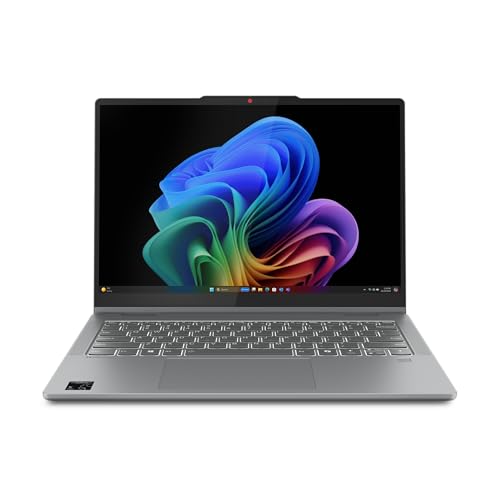
Lenovo IdeaPad 5x 2-in-1 14-inch OLED, Snapdragon X Plus, 16GB, 1TB (83GH000RAU)
ASIN B0DGX7XTZF • $1,898 • Ships from Amazon AU
The Lenovo IdeaPad 5x 2-in-1 (83GH000RAU) is $1,698 at time of writing, sold and shipped by Amazon AU, and #186 in Amazon AU's Laptops category. It runs a Qualcomm Snapdragon X Plus with 16GB of memory and a 1TB SSD as a Copilot+ PC. The 14-inch OLED is 16:10, with 400 nits brightness and 100% DCI-P3 colour according to the listing. Lenovo gives the thickness as 17.5mm, quotes MIL-STD 810H testing and a metal lid, and lists USB-C and USB-A ports, HDMI and a card reader. It also mentions long battery life and rapid charging, without a figure for either. The memory type isn't named anywhere on the listing, so check Lenovo's page.
This one's for the buyer who wants 1TB and good battery life in a 14-inch convertible, and whose apps run on Arm. Snapdragon chips usually run cooler and quieter than Intel's H-series doing the same light work, which suits a laptop that spends time on your lap or folded in your hands. HDMI and USB-A on the side save carrying adapters to a lecture theatre or meeting room, and the card reader is handy for anyone pulling photos off a camera. The metal lid helps a bit with flex, which is good news for the screen behind it. For $101 more than the Core i7 IdeaPad, you get double the storage.
Two things hold it back. It's an Arm laptop, so check every program you rely on, especially printer drivers, workplace VPNs, specialist software and games with anti-cheat. And the listing doesn't mention a pen, so you'll likely need to buy one, and you should check Lenovo's page for which pen it supports first. The Snapdragon X Plus is a step below the X Elite, which is fine for everyday work, study and video. Weight isn't stated, and 17.5mm is a little thicker than the 14mm-class thin laptops, which is normal for a convertible.
Honest caveats: Honest caveats: it's an Arm laptop, so some drivers, VPNs and games with anti-cheat may not run. No pen is mentioned on the listing. Battery life and charging speed are described without figures. Weight and memory type aren't stated. Its rank is in the broader Laptops category, not 2 in 1 Laptops.
Best for: Buyers whose apps run on Arm and who want 1TB, HDMI and USB-A in a 14-inch convertible.
Display: 14-inch OLED, 16:10, 400 nits, 100% DCI-P3 • Processor: Qualcomm Snapdragon X Plus • Memory: 16GB • Storage: 1TB SSD • Ports: USB-C, USB-A, HDMI, card reader • Thickness: 17.5mm • Pen: Not stated as included • Rank: #186 in Laptops (Amazon AU)
View on Amazon AUSide-by-side comparison
| Product | Price | Best for |
|---|---|---|
| Lenovo IdeaPad 5 2-in-1 Notebook 14IRH9 14'… | ~$1,694 | |
| Lenovo IdeaPad 5 2-in-1 14Q8X9 Co-Pilot+… | ~$1,297 | |
| Lenovo 14" OLED IdeaPad 5 2-in-1 Laptop: AI… | ~$1,898 | |
| HP OmniBook X Flip Next Gen AI 16" 2-in-1… | ~$2,390.81 | |
| HP OmniBook X Flip AI Laptop | ~$2,299 | |
| Lenovo Yoga 7i 2-in-1 14IPH11 Aura Edition… | ~$1,999 |
What we see fail at the bench: 2-in-1 laptops
Convertibles fail in the places a normal laptop doesn't get tested: the 360-degree hinge, the cable that runs through it, and a touchscreen that spends half its life exposed on the outside. These are the three faults that come up most, and the early signs are easy to spot if you know what to watch for. Most of them start small and get expensive only when they're ignored.
Screen cables worn through at the hinge
The display cable runs through or beside one hinge and flexes every time the laptop folds. Over a few years, or quickly after a drop that twists the lid, the cable starts to rub or crack at the bend. The first sign is usually a flicker, lines across the screen or a blank display at one particular angle, with the screen fine at others. That's the moment to stop folding it. Replacing a cable is a far smaller job than replacing a screen, but a damaged cable left in use can short and take the screen or the board connector with it.
Hinges that loosen or break out of the lid
A 360-degree hinge has to hold the screen at any angle while someone taps on it. The tension wears over time, and the small mounts the hinge screws into can crack, especially if the laptop is opened from one corner or picked up by the screen. A lid that flops back, creaks, or lifts away from the base at one side is the warning. Caught early, it's often a hinge or new screws and inserts. Left alone, the mount breaks out of the lid shell and the lid or whole screen assembly has to be replaced.
Cracked touchscreens and ghost touches
In tablet mode the screen is on the outside, so it's the part that hits the bench, the floor or whatever gets dropped on it. On most convertibles the glass, touch layer and display come as one assembly, so a crack means replacing all three. Touch problems also happen without a visible crack: phantom taps, dead strips or no response near one edge. Liquid and pressure are the usual causes. If the touch layer goes haywire after a spill, switch it off and get it checked, because corrosion keeps spreading after the screen dries.
Decision tree: which one should you actually buy?
- You want one 2-in-1 for work or study with the best screen? → The HP OmniBook X Flip 16-inch with the 3K OLED and Core Ultra 5 at $1,889.
- You handwrite notes or annotate a lot? → The Lenovo IdeaPad 5 2-in-1 with the Core i7. The pen is in the box and the 14-inch size is easier to hold.
- You keep laptops for years and multitask hard? → The HP OmniBook X Flip 16-inch with 32GB and 1TB at $2,299, if you can live with a 2K screen instead of OLED.
- You want 1TB and long battery in a 14-inch, and your apps run on Arm? → The Lenovo IdeaPad 5x 2-in-1 with Snapdragon X Plus.
- You'll rarely use tablet mode? → Skip the 2-in-1 and look at the thin and light laptops guide instead. You'll get a lighter laptop with a simpler hinge for similar money.
- Your current 2-in-1 flickers at certain angles or the hinge is loose? → Stop folding it and bring it into our Erina workshop. A cable or hinge caught early is a much smaller job than a new screen.
Frequently asked questions
Are 2-in-1 laptops less durable than normal laptops?
They have more moving parts to wear, so in practice the hinge and screen cable fail more often than on a regular laptop. A 360-degree hinge moves further and more often, and the display cable flexes every time the laptop folds. The screen is also exposed in tablet mode. A well-made convertible treated sensibly will still last years. Open it from the middle of the lid, don't lift it by the screen, keep it in a sleeve that covers the screen when folded, and get any flicker at certain angles checked early.
Do 2-in-1 laptops come with a pen?
Some do and many don't. Of the four picks here, only the Lenovo IdeaPad 5 2-in-1 with the Core i7 lists a digital pen in its title. The two HP OmniBook X Flip models and the IdeaPad 5x don't mention one, so expect to buy it separately. Pens use different standards, and a pen built for one standard won't work on a laptop that uses another, so check the maker's page for the supported pen before you buy one. Price it into your comparison.
Is a 16-inch 2-in-1 too big to use as a tablet?
For holding in your hands, mostly yes. A 16-inch convertible folded flat is large and heavy compared with a real tablet, and most people only hold it like that for short stretches. It works well in tent mode for video, flat on a desk for drawing or markup, or resting on your lap. If you want to hold it often, a 14-inch convertible such as the IdeaPad 5 2-in-1 is far more comfortable. If you mainly want a tablet, buy a tablet with a keyboard case instead.
Should I get a 2-in-1 laptop or an iPad with a keyboard?
Get the 2-in-1 if you need full Windows software, such as desktop Office, university or workplace apps, or anything that only installs on a PC. Get a tablet with a keyboard if your work lives in apps and a browser and you want something lighter that's a better tablet first. A convertible is a laptop that can fold. A tablet with a keyboard is a tablet that can type. Think about which one you'll be using more of the time and buy for that.
Can a flickering 2-in-1 screen be fixed?
Usually, yes, and often more easily than people expect. On a convertible, a screen that flickers or goes blank at certain angles is very often the display cable wearing where it passes through the hinge, not the screen itself. Replacing the cable is a much smaller job than replacing the screen assembly. The important thing is to stop folding it as soon as you notice the fault, because a damaged cable that keeps flexing can short and damage the screen or the board connector.
Is a Snapdragon 2-in-1 a good choice for uni?
It can be, if your course software runs on Arm. Snapdragon laptops usually run cooler and last longer on battery than many Intel laptops, which suits long days on campus. Most mainstream apps, Office and browsers run fine. The risks are specialist course software, some exam or lockdown browsers, older printer drivers, some VPN clients and games with anti-cheat. Check your course's software list and ask the uni's IT help desk before you buy. If in doubt, an Intel 2-in-1 avoids the question.
Related buying guides
Screen flickering at certain angles or a hinge gone loose?
On a 2-in-1 that's usually the screen cable wearing in the hinge or a hinge mount starting to crack, and both are far easier to fix early. Stop folding it and bring it into Erina. We'll check the cable, hinges and touch layer and tell you what it needs and what it'll cost before you spend anything.
Visit our Erina workshop Book Online