Prices from Amazon AU, updated daily. Swipe or use the arrows for more.
Disclosure: This article contains affiliate links to amazon.com.au. If you buy through one of these links iFix may earn a small commission at no extra cost to you. It doesn't change which products we recommend. We focus on what actually lasts based on 16 years of repair-shop experience.
Quick summary8 picks
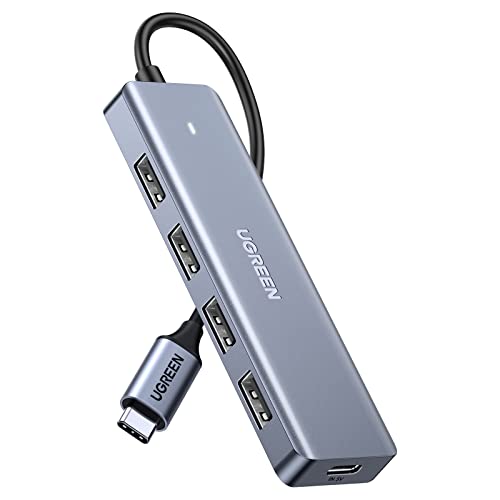
- Entry PickUGREEN USB C Hub with 4×USB 3.0 Data and… about$18.50
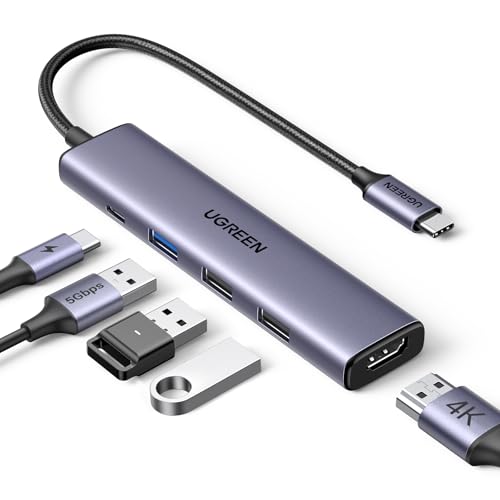
- UGREEN Revodok USB C Hub 5 in 1 with 4K HDMI about$25.4930Hz refresh, 100W.
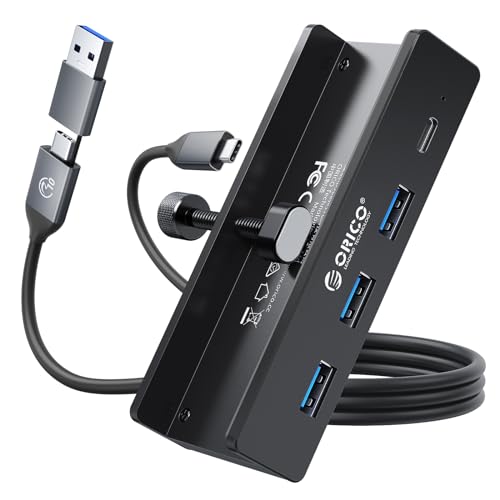
- ORICO USB Hub 3.0 about$39.99
- UGREEN Uno USB C Hub 6-in-1 about$33.9760Hz refresh, 100W.
- UGREEN USB C Hub about$33.21100W.
- Most PremiumUGREEN 10Gbps USB C Hub 8 in 1 with 4K@60Hz… about$45.9960Hz refresh, 100W.
- Anker USB C Hub about$35.9930Hz refresh, 90W.
- UGREEN Revodok Pro 207 USB C Docking… about$40.8460Hz refresh, 100W.
One soldered port carries everything
Most laptops sold in the last few years put charging, video and data through one or two USB-C ports, and those ports are soldered straight to the motherboard. There's no socket module you can swap in five minutes like the old barrel jacks, and there's no spare: lose the port and you've mostly lost the machine. When a USB-C port gets rocked loose, the repair is board-level work with a hot air station and a microscope, and on some thin machines the port sits so close to other components that it's a genuinely delicate job even for someone who does it all the time. That's the frame I want you to hold while shopping for a hub, because the hub is the thing that hangs off that port for eight hours a day, every day, for years.
We see the aftermath at the bench every week. A laptop comes in that won't charge, or charges only when the cable is held at a particular angle, and there's a hub in the bag with it. The hub usually still works fine. What failed is the port it was plugged into, levered by the weight of a hub dangling off the side of the machine, or stressed by someone picking the laptop up and walking to a meeting with the hub still attached and swinging. A hub with a short pigtail cable concentrates that force on the connector; a hub that sits flat on the desk with a bit of slack in the cable mostly doesn't cause trouble at all, which is why cable length gets its own line in every spec table below.
So this guide is less about which hub has the most ports and more about which hubs behave well: honest pass-through wattage, honest HDMI refresh numbers, and build details that don't punish the port. All five picks are New condition from AU storefronts on Amazon, $34 to $43 at time of writing, and every spec I quote comes off the listing rather than out of my head. Where a listing goes quiet on a number that matters, I say so, because the silences on a product page are usually as informative as the claims.
Pass-through charging: where the missing watts go
Every hub here advertises a 100W USB-C power input, and none of them delivers 100W to your laptop. UGREEN's listings are upfront about it: the Uno reserves 15W for the hub itself and passes up to 85W through, and the 7-in-1 card reader model reserves 5W and passes up to 95W. Anker states 90W passed through from a 100W input. Those reserved watts run the hub's own electronics, and most of them end up as heat in the case. That's normal, and stating the number is honest engineering. What I don't like is the hubs you'll find elsewhere that just print 100W on the box and let you discover the real figure when your laptop starts slowly discharging under load, usually in the middle of something that mattered.
The passthrough is only as good as the brick behind it, because a hub is a middleman, not a power source. Feed a 100W hub from a 30W charger and your laptop gets scraps, mostly while complaining about slow charging. If you're building a desk setup around one of these, put a proper charger behind it; I've covered which ones hold their rated output in the GaN charger guide, and pairing the right brick with a hub is half the job. And a warning from the bench: a bad third-party brick pushing dirty power through a hub can take the hub and sometimes the laptop's charging circuit with it. I've written up how that failure looks in the piece on bad chargers, and everything in it applies double when a hub sits in the middle of the chain.
HDMI honesty: 4K at 30Hz is not 4K at 60Hz
The word 4K on a hub listing tells you the resolution and hides the refresh rate, and the refresh rate is the difference between a monitor you enjoy and one that feels faintly wrong. At 4K 30Hz the mouse pointer smears, scrolling judders, and most people can't say why the setup feels off; they just reach for their laptop's own screen more than they should. At 60Hz it simply feels like a monitor. Of the five picks, the four UGREEN units all state 4K at 60Hz on the listing, in plain text where you can hold them to it. The Anker 5-in-1 states 4K at 30Hz, which is fine for a slide deck on a meeting room telly and not fine as the screen you work on all day.
If you're pairing a hub with a screen, buy the screen first and match the hub to it; my monitor picks under $300 are mostly 1440p and 4K panels that deserve a 60Hz feed. One more listing detail worth reading twice: the dual-HDMI Revodok Pro 207 drives two external screens with different content on Windows, but on a MacBook both external screens mirror the same image. That's a macOS limitation UGREEN states plainly on the listing, and it catches Mac owners constantly, usually after they've bought the second monitor. If you want two independent external screens on an Apple Silicon MacBook Air, a standard hub can't do it no matter what it costs, and that's Apple's doing rather than the hub maker's.
Data ports: 5Gbps, 10Gbps, and the USB 2.0 surprise
Port count is the headline number on every hub listing, and it's mostly noise. What matters is the speed behind each port, and that's where the listings separate. The Uno and the 8-in-1 run 10Gbps on their data ports, the 7-in-1 runs 5Gbps, and the Anker mixes one 5Gbps USB-A with two 480Mbps USB 2.0 ports. That last figure isn't a misprint: plenty of hubs pad the port count with USB 2.0, which is fine for a keyboard, a mouse or a headset dongle, and painful for anything that actually moves files. A 5-in-1 label tells you how many holes are in the case, not what any of them can do. Count the fast ports on the listing, not the holes in the case, and the field narrows very quickly.
The practical difference shows up the first time you plug in a portable SSD. A drive like the ones in my Samsung T7 versus T9 comparison can saturate a 10Gbps port; put it on USB 2.0 by mistake and a backup that should take four minutes takes over an hour, and most people blame the drive. UGREEN also notes that 10Gbps needs a cable rated for it, which is true and routinely ignored: an old 5Gbps lead silently downshifts the whole link. If your speeds look wrong, suspect the cable before the hub. And check what your laptop's own port supplies, because a 10Gbps hub on a 5Gbps laptop port runs at 5Gbps. The hub can't invent bandwidth the machine doesn't have.
Heat is the ageing accelerant
A hub doing real work is a small space heater. It's dropping 85W of charging through its circuitry, encoding a 4K 60Hz video stream, and shuffling data to an SSD, all inside a case smaller than a chocolate bar. Warm is normal and expected. The reason four of these five picks have aluminium cases is that the metal is doing an actual job, pulling heat off the chips and spreading it into the desk air; it's not there for the look. Plastic-cased hubs run their silicon hotter at the same load, and heat is the main thing that ages electronics: solder joints, capacitors and regulators all drift and degrade faster when they spend their lives cooking, which is why the same design in two different cases can have two very different lifespans.
You can help more than you'd think. Don't park the hub in the stream of the laptop's exhaust vent, don't coil the pigtail cable tightly against the case where it traps heat, and if the hub is too hot to hold comfortably while charging and driving a monitor, take some load off it rather than assuming that's fine forever. In my experience the hubs that die electrically, as opposed to mechanically at the cable, are usually the ones that spent their lives hot: the HDMI output goes flaky first or the card reader starts dropping out, while the simple charge pass-through soldiers on. A hub that runs cool is generally a hub that lasts, and it costs nothing to give it airflow. The same logic says don't run a hub jammed into the gap between the laptop and a wall, because trapped air does nothing for anyone.
The built-in cable is the consumable
Every pick here has a captive pigtail cable, 20cm on the Uno and the 7-in-1, 30cm on the Revodok Pro and the 8-in-1. That cable is the part that fails first, and it can't be replaced. The wires flex at the strain relief every time you plug in, every time the hub gets shoved into a bag, every time the laptop shifts on the desk. When the conductors finally fatigue, you get the classic symptoms: the external monitor blinks black for a second when you bump the desk, or the hub disconnects and reconnects in that maddening USB chime loop. At that point the hub is done, because nobody economically repairs a moulded pigtail, and the whole unit goes in the drawer of shame with the old phone cables.
Before you bin anything, though, work out which side is actually at fault, because a worn laptop port produces identical symptoms and a new hub won't fix it. The test is simple: wiggle the cable gently at the hub end and then at the laptop end and watch which one triggers the dropout. If it's the laptop end, the port is the patient, and it's worth having it inspected before it fails outright; our computer repair bench on the Central Coast runs exactly this diagnosis daily on machines people were about to write off. Mostly it's a quick look under magnification to tell you which part is dying, and that beats guessing wrong twice at forty dollars a guess.
How I picked these five
The screen was the same one I use for every guide in this series. Condition New only, sold by AU storefronts on Amazon AU, no import listings, no grey-market sellers shipping from overseas warehouses, price inside the $30 to $200 band I set for the category. Then I sorted by Amazon AU category sales rank, because rank reflects what people actually buy and keep rather than what gets promoted, and cross-checked every listing for the specs that matter: stated pass-through wattage with the reserve number, stated HDMI refresh at 4K, stated per-port speeds. A listing that goes vague on any of those three usually has a reason, and it's rarely a flattering one. It's a boring filter, and it works.
Four of the five ended up being UGREEN, and I'm comfortable with that. At time of writing they hold the top of the AU rank charts in both the USB Hubs and Docking Stations categories, the listings state their reserve wattages instead of hiding them, and the units that cross our bench attached to broken laptops have been well behaved; it's nearly always the laptop we're fixing, not the hub. The Anker earns its spot as the simple option from another established brand with an 18-month stated warranty behind it. What I skipped: every no-name hub with an inflated port count, anything that says 4K without a refresh rate, and anything where the seller looked like a drop-shipper with a randomly generated name. There's not much sense saving eight dollars on the device that hangs off the most expensive-to-repair port on your laptop.
The 5 picks, $34 to $43
Prices are Amazon AU at time of writing (30 August 2026) and move week to week. Ranks are Amazon AU category sales ranks, checked the same day.

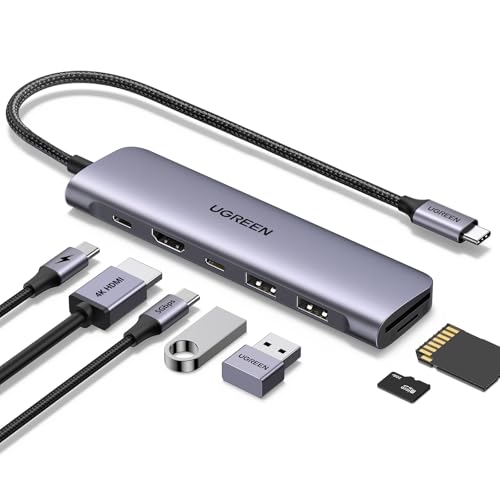
UGREEN USB C Hub 7-in-1, 4K HDMI, 100W PD, SD/TF Card Reader
ASIN B0BLNDNBG1 • $33.21 • Sold by UGREEN GROUP LIMITED AU on Amazon AU
This is the sensible default: HDMI, a 5Gbps USB-C data port, two USB-A ports, SD and microSD card slots, and 100W power delivery in one small slab at $33.99. It's the one I'd hand to someone who asked for a hub without wanting a spec sheet conversation, because it quietly covers the photographer pulling cards off a camera, the office worker on one external screen, and the person who just needs their old USB-A mouse dongle and a thumb drive to work at the same time. The card reader is the quiet hero here; the other UGREEN picks either skip it entirely or charge more for a faster version, and cameras haven't stopped using SD cards just because laptop makers stopped fitting readers years ago.
The listing is more honest than most about power: 100W in, up to 95W passed through to the laptop, 5W reserved for the hub's own electronics, all stated in plain text. That's the best pass-through ratio of the five picks by a clear margin. Data runs at 5Gbps rather than the 10Gbps of its newer siblings, which matters if you move big video files every day and matters not at all for a keyboard, a mouse and the odd photo import. UGREEN asks you to hang at most two 2.5 inch hard drives off it for stable transfers, which is fair advice for any bus-powered hub, not just this one. The built-in cable is 20cm, so let it lie flat rather than dangle.
At #7 in Amazon AU's USB Hubs category it's one of the biggest selling hubs in the country, and that mostly matches what crosses our bench: these low-profile UGREEN units turn up attached to broken laptops, still working fine themselves. One honest gap in the listing: the HDMI port is described as 4K without a stated refresh rate, so treat it as a 30Hz port at 4K and plan around that. At 1080p or 1440p, which is what most people actually plug into a $34 hub, refresh isn't an issue and the point is moot.
Honest caveats: The listing says 4K HDMI but doesn't state the refresh rate at 4K, so assume 30Hz and be pleasantly surprised if you get more. Data ports top out at 5Gbps. The 20cm captive cable is short enough that the hub can hang in the air off a desk edge, which is exactly the strain you don't want on the port.
Best for: The default choice for one screen, card slots and legacy USB-A gear at $33.99.
Ports: 7-in-1: HDMI, USB-C data, 2x USB-A, SD, microSD, USB-C PD • HDMI: 4K (refresh rate not stated on the listing) • Data speed: 5Gbps USB-C and USB-A • Pass-through: Up to 95W to the laptop from 100W input • Card reader: SD and microSD • Cable: 20cm built-in • Seller: UGREEN GROUP LIMITED AU • Rank: #7 in USB Hubs (Amazon AU)
View on Amazon AU
UGREEN Uno USB C Hub 6-in-1, 4K@60Hz HDMI, 10Gbps Data Ports
ASIN B0D2Q5XJY9 • $33.97 • Sold by UGREEN GROUP LIMITED AU on Amazon AU
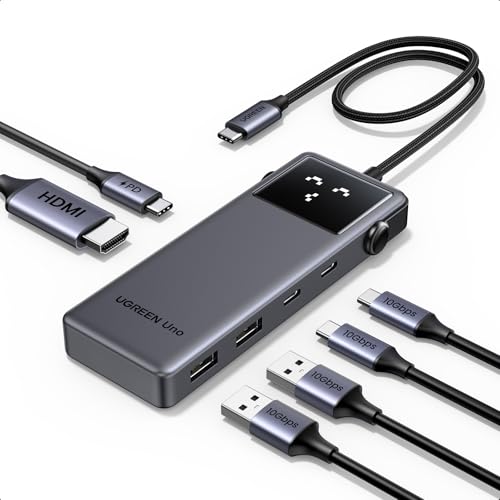
The Uno is the odd one out visually: a little robot-faced hub that shows status emojis while it works, which is not something I ever expected to type in a buying guide. Ignore the styling and read the port list, because at $33.98 this is the least expensive path to proper 10Gbps data in the whole guide. You get two USB-C and two USB-A data ports, all four rated 10Gbps on the listing, plus 4K at 60Hz HDMI and a 100W PD input. That's a spec sheet that embarrasses hubs at twice the money, and it's why this thing sits at #8 in Amazon AU's USB Hubs chart despite looking like it escaped from a toy shop. The buyers worked out what it was.
The honest numbers: 100W in, up to 85W through to the laptop, 15W reserved for the hub, all stated on the listing rather than left for you to discover. UGREEN also spells out the usual catches plainly, which I appreciate more the more listings I read. The 10Gbps ports are data only, no video out through them, and you'll need cables actually rated for 10Gbps to see 10Gbps, because the rating on the port means nothing through an old 5Gbps lead. The HDMI at 4K 60Hz makes this a legitimate daily driver for a single good monitor, and four fast data ports cover an SSD, a capture device and two more things at once without anything sharing a slow lane.
From a durability angle the Uno's 20cm captive cable is the part I'd watch, same as every hub in this guide: short cables mean the hub hangs when the desk is crowded, and hanging is what kills ports. The status display adds a component that can theoretically fail, but it's cosmetic; the hub keeps working whether or not the face does. For a student, or anyone whose whole setup is one screen plus fast storage, this is the pick I'd make, and I say that as someone whose tolerance for cute hardware sits close to zero.
Honest caveats: No card reader, so photographers should look at the 7-in-1 or 8-in-1 instead. The 10Gbps ports need 10Gbps-rated cables to deliver, and they don't carry video. Pass-through tops out at 85W, so a big workstation laptop under full load may still drain slowly while it charges.
Best for: Fastest data per dollar in the guide: one 4K 60Hz screen plus 10Gbps storage at $33.98.
Ports: 6-in-1: HDMI, 2x USB-C data, 2x USB-A data, USB-C PD • HDMI: 4K at 60Hz • Data speed: 10Gbps on all four data ports • Pass-through: Up to 85W to the laptop, 15W reserved • Cable: 20cm built-in • Extras: Status display • Seller: UGREEN GROUP LIMITED AU • Rank: #8 in USB Hubs (Amazon AU)
View on Amazon AU
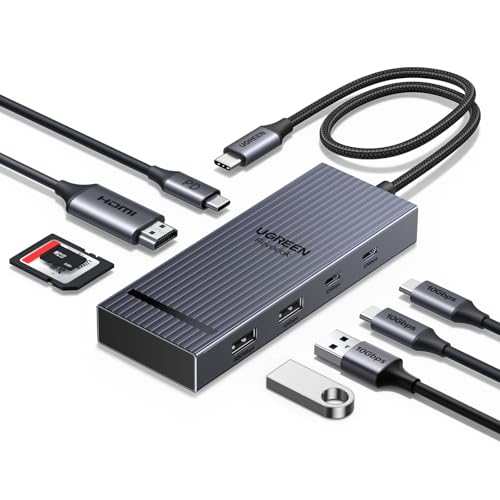
UGREEN 10Gbps USB C Hub 8-in-1, 4K@60Hz HDMI, 170MB/s SD/TF Reader
ASIN B0DY1BD3T2 • $45.99 • Sold by UGREEN GROUP LIMITED AU on Amazon AU
This is the one that does everything on the list: 4K at 60Hz HDMI, two 10Gbps USB-C data ports, two USB-A ports, SD and microSD slots rated at 170MB/s, and 100W PD, for $34.95. If you can't decide between the card-reader hub and the fast-data hub, this is both of them in one aluminium case with a 30cm cable, for a dollar more than either. For a working photographer or a drone pilot it's the obvious pick of the five, because the 170MB/s reader spec means a full 128GB card offloads while you make coffee rather than while you eat lunch, and the fast USB ports mean the SSD you're offloading to isn't the new bottleneck.
The listing states both card slots work at the same time, which sounds like a minor footnote until the day you're moving footage from two cards after a shoot and it halves the job. Power is the standard UGREEN arrangement, 100W in and up to 85W passed through with 15W reserved, and the same cable caveat applies as everywhere else in this guide: 10Gbps arrives only through 10Gbps-rated leads. The port mix means you can run a monitor, an external SSD, a card offload and a keyboard receiver all at once, which covers just about any desk I can picture short of full docking-station territory with ethernet and dual screens, and that costs a lot more than $35.
It sits at #15 in USB Hubs on Amazon AU, a few places behind its simpler siblings, which is what you'd expect for the more specialised unit; card readers narrow the audience. The 30cm cable is the right length to let the hub lie flat on the desk instead of hanging mid-air off the port, and flat on the desk is where a hub should live if you want the connector on your laptop to grow old gracefully. Of the five picks this is the one I'd buy for my own bag.
Honest caveats: Single HDMI only, so dual-screen people need the Revodok Pro instead. The 170MB/s reader figure is the listing's peak; a slow card is still a slow card, and no-name cards won't get near it. As with the rest of the range, the 100W port is charge input only, no data or video through it.
Best for: Photographers and anyone who wants every port covered in one $34.95 unit.
Ports: 8-in-1: HDMI, 2x USB-C data, 2x USB-A, SD, microSD, USB-C PD • HDMI: 4K at 60Hz • Data speed: 10Gbps ports for storage and devices • Card reader: SD + microSD, up to 170MB/s, simultaneous use • Pass-through: Up to 85W to the laptop • Cable: 30cm built-in • Case: Aluminium alloy • Seller: UGREEN GROUP LIMITED AU • Rank: #15 in USB Hubs (Amazon AU)
View on Amazon AU
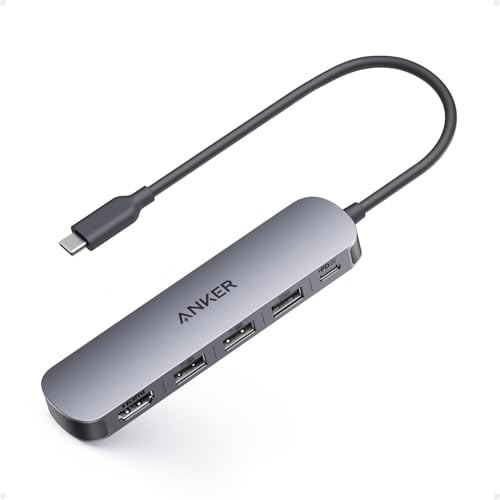
Anker USB C Hub 5-in-1, 4K HDMI, 90W Max Power Delivery
ASIN B0DKT8BB4M • $35.99 • Sold by AnkerDirect AU on Amazon AU
The Anker 5-in-1 is here for the person who wants a hub from a second established brand and whose needs are genuinely modest: one HDMI screen, a few USB-A accessories, and charging through a single cable. At $39.99 it's a tidy compact unit with Anker's stated 18-month warranty behind it, sold through AnkerDirect AU rather than a marketplace mystery seller. The honest description is that it's the least capable hub in this guide on paper, and still perfectly adequate for the majority of actual buyers, who are plugging in a mouse receiver, a webcam and a monitor, not building an editing rig. Sometimes the right tool is the plain one, and Anker has built a very plain, very tidy tool here.
Read the spec sheet before you click, because Anker is unusually upfront about the limits and they matter. HDMI is 4K at 30Hz, in mirror or extend modes, so at 4K desktop resolution the pointer will feel syrupy; at 1080p or 1440p it's business as usual and perfectly pleasant. The data side is one 5Gbps USB-A port plus two USB 2.0 ports at 480Mbps, which are for peripherals rather than drives, so put the mouse dongle there and the storage on the fast port. Pass-through is the strongest of the five on paper, 90W to the laptop from a 100W input with 10W reserved. The listing also states it isn't compatible with Linux, an unusual and genuinely useful admission.
Where this pick makes sense is the meeting room drawer, the travel bag, or the parent's laptop that needs exactly three things to work forever without anyone thinking about them. Anker's build quality on these small units has been consistent on our bench over the years, and the warranty period is stated on the listing rather than implied by reputation. Its #419 rank in USB Hubs reflects a crowded category rather than a problem with the product. Just don't buy it to drive a 4K monitor you'll stare at for eight hours a day, because 30Hz will wear on you.
Honest caveats: 4K output is 30Hz, which is not comfortable as a daily desktop; treat this as a 1080p and 1440p hub. Two of the three USB-A ports are 480Mbps USB 2.0, hopeless for external drives. The listing states no Linux support. Wall charger not included, so budget for a proper brick.
Best for: A simple, warrantied hub for one modest screen and a few accessories at $39.99.
Ports: 5-in-1: HDMI, 1x USB-A 3.0, 2x USB-A 2.0, USB-C PD input • HDMI: 4K at 30Hz, mirror and extend • Data speed: 5Gbps on one port, 480Mbps on two • Pass-through: Up to 90W to the laptop from 100W input • OS support: Windows 10/11, macOS 12+, ChromeOS; not Linux • Warranty: 18 months stated • Seller: AnkerDirect AU • Rank: #419 in USB Hubs (Amazon AU)
View on Amazon AU
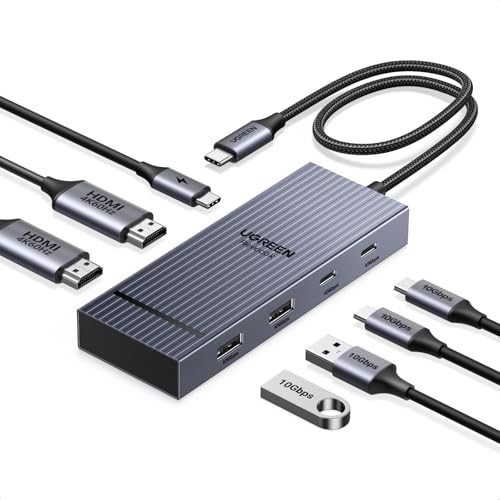
UGREEN Revodok Pro 207 USB-C Dock 7-in-1, Dual 4K@60Hz HDMI
ASIN B0D1XSKZRJ • $40.84 • Sold by UGREEN GROUP LIMITED AU on Amazon AU
The Revodok Pro 207 is the current #1 seller in Amazon AU's Docking Stations category, and at $42.98 it's the only pick here that drives two external screens. Two HDMI ports, both rated 4K at 60Hz on the listing, plus two 10Gbps USB-C data ports, two USB-A ports and the 100W PD input, all in an aluminium case with a status light. For a Windows laptop user who wants a proper two-screen desk running from one cable, this is the guide's answer, and the price is frankly startling for what docking stations with this output cost only a couple of years ago. The rank tells you the market has noticed: this is what Australia is currently buying when it buys a dock.
The big print to read before you order: on Windows machines with DisplayPort multi-stream support you get two independent extended screens, which is the whole point. On a MacBook, both HDMI outputs mirror the same image, a macOS limitation UGREEN states plainly on the listing rather than burying in a footnote, and I'll repeat it here because it generates so many disappointed returns. Power is the familiar 100W in, up to 85W through to the laptop. The aluminium case earns its keep here more than on any other pick, because dual 4K 60Hz streams plus 85W of charging make this the hardest-working hub in the guide, and it runs warm doing it. The 30cm cable gives it enough slack to sit flat while it works.
The 10Gbps ports carry data only, no video, and UGREEN notes they don't charge devices either, so your phone tops up from a wall charger rather than from the dock. Those are reasonable engineering trade-offs stated honestly on the page, which is the pattern I keep rewarding in this guide. If your laptop is your office and your office has two screens, spend the extra nine dollars over the entry picks and get this one; the second screen changes how you work more than any other thirty-something-dollar upgrade I can name.
Honest caveats: MacBooks mirror the same image on both HDMI outputs, so Mac users wanting two independent screens need DisplayLink dock hardware instead, which this isn't. The USB data ports don't charge devices or carry audio. It works hard and runs warm under dual-screen load, so give it desk space and airflow rather than a drawer.
Best for: Two-screen Windows desks from one cable, $42.98, and the category's #1 seller.
Ports: 7-in-1: 2x HDMI, 2x USB-C data, 2x USB-A, USB-C PD • HDMI: Dual 4K at 60Hz (MacBooks mirror both outputs) • Data speed: 10Gbps USB-C and USB-A • Pass-through: Up to 85W to the laptop from 100W input • Cable: 30cm built-in • Case: Aluminium alloy with status light • Seller: UGREEN GROUP LIMITED AU • Rank: #1 in Docking Stations (Amazon AU)
View on Amazon AUSide-by-side comparison
| Product | Price | Best for |
|---|---|---|
| UGREEN USB C Hub with 4×USB 3.0 Data and… | ~$18.50 | |
| UGREEN Revodok USB C Hub 5 in 1 with 4K HDMI | ~$25.49 | |
| ORICO USB Hub 3.0 | ~$39.99 | |
| UGREEN Uno USB C Hub 6-in-1 | ~$33.97 | |
| UGREEN USB C Hub | ~$33.21 | |
| UGREEN 10Gbps USB C Hub 8 in 1 with 4K@60Hz… | ~$45.99 | |
| Anker USB C Hub | ~$35.99 | |
| UGREEN Revodok Pro 207 USB C Docking… | ~$40.84 |
What we see fail at the bench: USB-C hubs
The hubs themselves are usually the survivors. What arrives broken is the laptop port they hung off, the charging chain they sat in the middle of, or the captive cable that finally fatigued. The pattern is consistent enough that I can often tell what happened from the symptoms described over the phone, before the machine is even in the workshop.
Charge ports levered loose by hanging hubs
The most expensive failure a hub causes costs the hub nothing. A short-cabled hub left dangling off the side of a laptop, or squashed against it in a bag, works the port's solder joints like a crowbar on a nail. First the connection gets fussy about cable angle, then charging becomes intermittent, then the port lets go of the board entirely. On machines where the port is soldered to the main board this is proper microsoldering work to put right. Let the hub lie flat on the desk with slack in the cable and this failure mostly never happens.
Bad bricks flowing through the hub
A hub passes through whatever the wall charger gives it, including the garbage. We've had laptops in with cooked charging circuitry where the culprit was a no-name 100W brick feeding a perfectly good hub. The hub's electronics sometimes die in the same event, which at least makes diagnosis easy. A genuine branded charger with real output regulation protects everything downstream of it, and it's the item people most often skimp on after paying full price for the laptop. Match the brick's wattage to the hub's input rating and buy it from a brand that will still exist next year.
Flicker, dropouts and the dying pigtail
The screen-blink-when-the-desk-bumps symptom is nearly always a fatigued conductor, and the only question is which end. Captive hub cables fail at the strain relief after a year or two of daily flexing, and worn laptop ports produce the same show. The test takes thirty seconds: hold the hub still, wiggle at the laptop end, then hold the laptop cable still and wiggle at the hub body. Whichever end triggers the dropout is your failure. If it's the hub, replace the hub. If it's the port, get it looked at before it becomes a no-charge fault.
Decision tree: which one should you actually buy?
- One monitor, mouse dongle, occasional photo card? → The UGREEN 7-in-1 at $33.99. It covers HDMI, USB-A and both card slots, and its 95W pass-through is the best ratio in the guide.
- One good 4K screen and fast external storage? → The UGREEN Uno at $33.98. Its 4K 60Hz HDMI and four 10Gbps data ports are the strongest data spec here at any price.
- Want every port covered in a single unit? → The UGREEN 8-in-1 at $34.95: 4K 60Hz, 10Gbps data and the 170MB/s dual card reader. The photographer's pick.
- Two external screens off a Windows laptop? → The Revodok Pro 207, dual 4K 60Hz HDMI and the #1 seller in AU docking stations. MacBook owners should note both outputs mirror on macOS.
- Just need simple and warrantied for a modest setup? → The Anker 5-in-1. Only 4K 30Hz and slower data ports, but a stated 18-month warranty and it does the basics without fuss.
- Laptop only charges at certain cable angles, or the screen drops out when the desk bumps? → That's usually a failing charge port rather than the hub, and it gets worse until it's a dead laptop. Bring it in to our Erina workshop and we'll tell you which side is at fault before you spend anything on new gear.
Frequently asked questions
Will a USB-C hub damage my laptop?
A decent hub used sensibly won't. The damage we see comes from two habits: letting a hub hang off the port so its weight levers the solder joints, and feeding the hub from a poor quality wall charger that passes dirty power downstream. Keep the hub flat on the desk with slack in the cable, power it from a genuine branded brick, and the port will outlast the laptop. The hubs in this guide all state their power reserves honestly, which is a reasonable proxy for the rest of the engineering being done properly too.
Why does my laptop discharge while plugged in through the hub?
Add up the numbers. A hub with a 100W input passes through 85 to 95W depending on the model, and it can only pass through what the wall charger supplies. A 45W brick into a hub that reserves 15W leaves about 30W for a laptop that might want 65W under load, so the battery quietly makes up the difference. The fix is usually a bigger charger rather than a different hub. Check the brick's output label first; it's the most commonly undersized part of the whole chain.
Is 4K at 30Hz really that bad for a monitor?
For film on a telly, no. For a desktop you work on, yes. At 30Hz the mouse pointer trails, scrolling stutters, and the whole machine feels slower than it is, even though nothing is actually broken. Most people can't name the problem but feel it within a minute. If the monitor is 4K and you'll sit at it daily, insist on a hub that states 4K at 60Hz on the listing, and if the listing only says 4K with no refresh number, assume 30Hz and shop accordingly.
Why are my file transfers slow through the hub?
Three usual suspects, in order. First, the port you plugged the drive into: many hubs mix fast and slow ports, and USB 2.0 ports at 480Mbps will crawl with an SSD. Second, the cable: a 10Gbps port only delivers through a cable rated for 10Gbps, and old leads silently downshift the link. Third, the laptop's own port: a hub can't go faster than the port feeding it. Test the drive plugged straight into the laptop; if it's fast there and slow through the hub, the hub port or cable is your bottleneck.
Can a hub drive two monitors on a MacBook?
Not independently with a standard hub like these. Apple Silicon MacBook Air models and the base Pro chips limit external displays over the USB-C port, so a dual-HDMI hub such as the Revodok Pro 207 will mirror the same image on both screens rather than extending. UGREEN states this on the listing. Getting two independent screens on those Macs needs DisplayLink dock hardware, which uses compression and its own driver, and that's a different product category with different trade-offs. Windows laptops with DisplayPort multi-stream drive both screens independently from the same dock.
Do I need to unplug the hub when I'm not using it?
No, but where you leave it matters. A hub left connected on a desk is fine. A hub left plugged in while the laptop goes into a bag is how ports and cables die, because every knock transfers force into the connector. The other habit worth building is unplugging by gripping the plug body rather than yanking the cable, since the strain relief on captive cables is the first thing to fatigue. Nine times out of ten the hubs we see with flaky connections belong to people who commute with them attached.
Related buying guides
Laptop fussy about charging, or a port that only works at an angle?
That's how charge port failures start, and they don't improve on their own. Bring the laptop in to Erina before it stops charging altogether. We'll tell you whether it's the port, the hub or the charger at fault, what the repair actually involves, and whether it's worth doing on your machine, all before you spend anything.
Visit our Erina workshop Book Online