Prices from Amazon AU, updated daily. Swipe or use the arrows for more.
Disclosure: This article contains affiliate links to amazon.com.au. If you buy through one of these links iFix may earn a small commission at no extra cost to you. It doesn't change which products we recommend. We focus on what actually lasts based on 16 years of repair-shop experience.
Quick summary8 picks
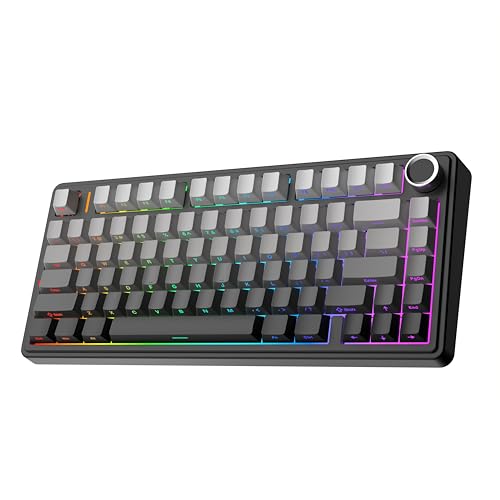
- EPOMAKER x Aula F75 Gasket Mechanical Keyboard about$94.994000mAh.
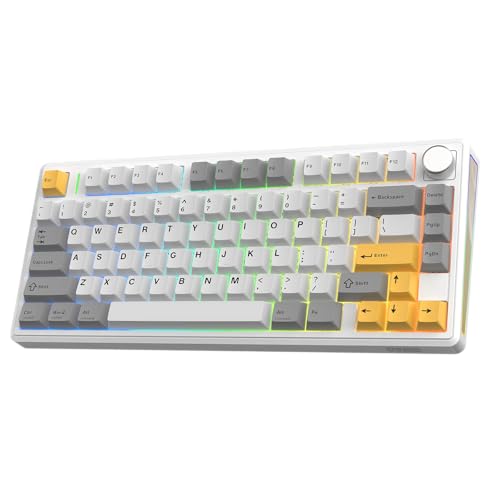
- EPOMAKER TH80 V2 75% Wireless Mechanical… about$96.898000mAh.
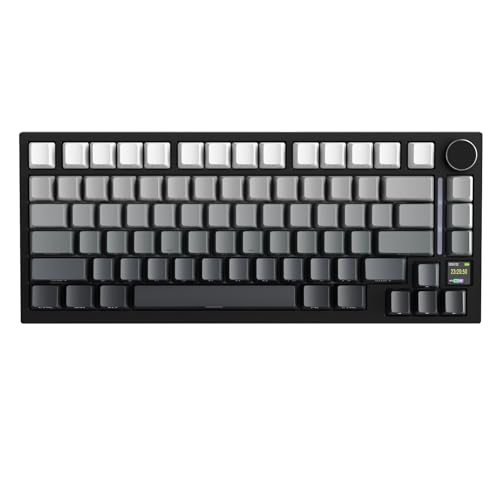
- Entry PickAttack Shark X820 Ultra 75% Wireless Keyboard about$84.044000mAh.
- EPOMAKER X Aula F75 MAX Tri-Mode Wireless… about$116.44
- MechLands AJAZZ AK980 V2 Mechanical Gaming… about$125.9910000mAh.
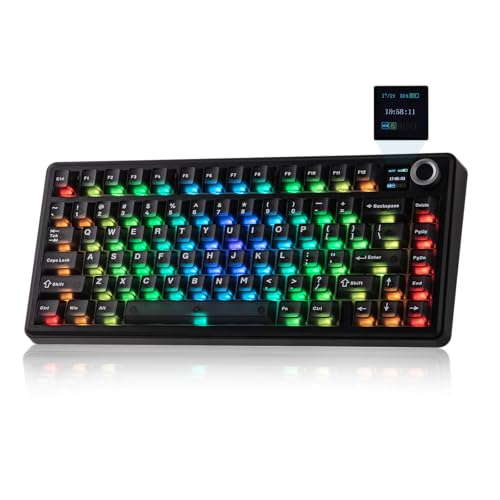
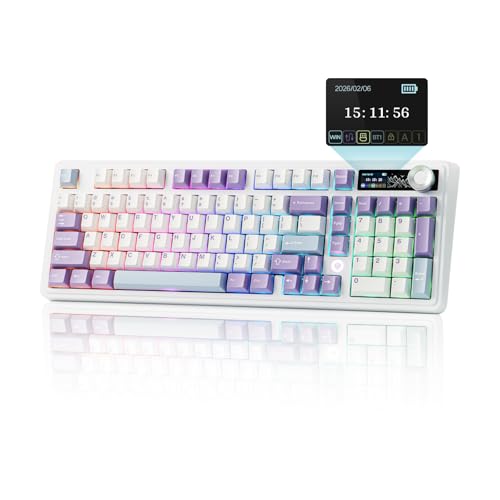
- EPOMAKER TH99 PRO 96% Mechanical Keyboard with Screen & Knob about$126.6410000mAh.
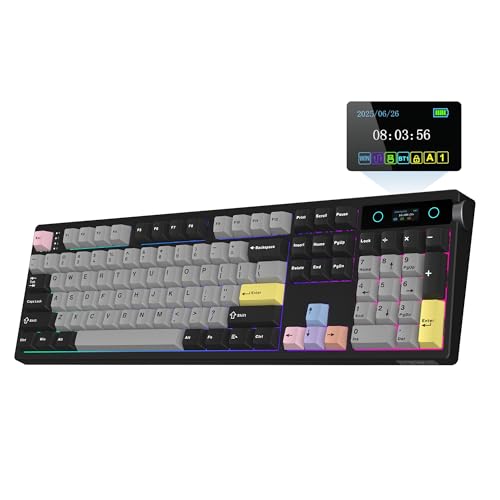
- Most PremiumEPOMAKER TH108 PRO Full Size Mechanical… about$164.9910000mAh.
- Keychron K3 Ultra 8K QMK Wireless about$152.15
The socket that decides if it's repairable
Every keyboard in this guide is hot-swappable, and that's not a preference, it's the filter I applied before price or looks got a say. On a hot-swap board each key switch pushes into a socket on the circuit board, so when one switch dies, and eventually one will, you pull it out with a $2 tool and press a new one in. Thirty seconds, no soldering iron, no skill required. On a soldered board that same dead switch means desoldering the old one and soldering in a replacement, which is board-level work most people will never do and most shops will charge real money for. The difference between those two outcomes is a socket that costs the manufacturer almost nothing, which is why I've got no patience for boards at this price that still skip it. Ask one question of any keyboard listing before you look at anything else: do the switches come out? If the answer isn't a clear yes, keep scrolling, because everything else on the page is decoration.
This matters more on a mechanical keyboard than on the throwaway membrane boards it replaces, because the whole pitch of mechanical is longevity. The switches are rated for tens of millions of presses, the keycaps on all four picks are PBT plastic that doesn't shine and wear smooth the way ABS does, and the cases are heavy enough to survive being knocked off a desk. Build a board like that and then solder the one component that fails most often, and you've built a paradox. Sockets fix it. It's the same logic I apply to everything on the computer repair side: the product that lets you replace the wearing part is worth more than its spec sheet says. A keyboard is also the rare gadget where the wearing part is user-serviceable by design, so there's no excuse for buying one where it isn't.
Switch types in three sentences, not thirty
Here's the whole switch conversation without the hobbyist forum detour. Linear switches move smoothly all the way down, tactile switches give a little bump partway so your fingers feel the keypress register, and clicky switches add an audible click your housemates will learn to hate. That's it, that's the taxonomy. Everything else, the spring weights, the colour names, the boutique brands, is refinement on those three, and you don't need any of it to make a good first purchase. Two of the picks here ship with silent variants, the Sea Salt Silent option in the EPOMAKER PRO boards, which use dampened switches to knock the noise down to something an open-plan office or a sleeping household can live with. Ignore anyone who tells you there's a correct answer here; there's only the answer your fingers and your household will tolerate.
The practical advice I give at the counter is this: if you type all day, start tactile or silent linear; if you game, start linear; if you live alone and love the noise, clicky is your business. Then stop worrying, because on every board in this guide the decision isn't permanent. That's the quiet superpower of hot-swap: your first switch choice is a starting point, not a marriage. A set of different switches later costs less than a takeaway dinner, and swapping the lot is a rainy afternoon job with the puller that comes in the box. The pre-lubricated switches EPOMAKER fits to the F75 out of the box are already smoother than anything a $40 board has ever shipped with, so the floor here is high.
Gaskets, foam and why keyboards suddenly sound expensive
The reason modern mechanical boards sound so much better than the office keyboards of a decade ago is construction, not magic. All three EPOMAKER picks use a gasket mount, which means the plate holding the switches floats on rubbery gaskets instead of being screwed rigidly to the case, so typing lands with a slight cushion and the impact doesn't ring through the housing. Under that plate they stack layers of damping, the F75 runs five of them, two Poron foam layers, an IXPE pad under the switches, a PET sheet and silicone at the bottom, and each layer exists to soak up a different resonance. The result is the deeper, quieter, more solid sound the marketing calls creamy or thocky. Silly words, real difference. You don't have to care about any of this to benefit from it, the same way you don't have to understand suspension to prefer a car that has some.
Why should a repair tech care about acoustics? Because the same construction that deadens sound also deadens vibration and flex, and rigid, rattly boards are the ones that crack solder joints and develop intermittent keys over years of pounding. Mass helps too. The TH99 PRO weighs over 1.2 kilograms according to its listing, which is triple a membrane board, and that weight means it doesn't skate around the desk or flex when you lean into it. A keyboard that doesn't move doesn't stress its internals. If your desk setup is due for the same treatment, my monitor arm guide makes the matching argument about the other thing that shouldn't wobble while you work. Ten years of typing is a lot of hammering, and the boards built like this are the ones that will still be doing it.
Wireless, batteries and the dongle question
All four picks run three ways: Bluetooth for tablets and laptops, 2.4GHz wireless over a USB dongle for low-latency desktop use, and wired USB-C, which always works and charges the battery while you type. The batteries are where the spec sheets earn a closer look. The F75 carries a 4000mAh cell, respectable for a 75 percent board, but the TH99 PRO and TH108 PRO both fit a 10000mAh battery, which is power-bank territory and the largest I've seen quoted at this price. Runtime depends almost entirely on the RGB lighting: full rainbow effects can drain in days what a dark board sips over weeks. Turn the lights down or off and the big-cell EPOMAKER boards will go a very long time between charges. All the quoted capacities come straight from the listings, and as always with batteries, treat them as tank size rather than range; the lighting decides the range.
Two habits keep these batteries healthy for years. Charge from a known-good USB-C charger, not the mystery plug pack from a drawer, because bad chargers hurt small electronics in ways that don't show up until later. And don't store a wireless board flat for months; lithium cells parked at zero degrade fastest. On the dongle side, one practical note from the bench: 2.4GHz receivers plugged into the back of a PC next to USB 3 ports can stutter from interference, and the fix is a short extension or a front port. If your dongles live in a hub, my USB-C hub guide covers which ones behave. None of this is unique to keyboards, it's just lithium being lithium, and the habits transfer to every battery you own.
Layouts: 75, 96, full size and low profile
Layout is the decision you'll live with every day, so get it right before worrying about switches. The F75 is a 75 percent board: everything a laptop keyboard has, including the function row and arrows, squeezed tight with no number pad. It's the right default for most desks and easily the best fit for a small one. The TH99 PRO is a 96 percent layout, which keeps the full number pad but shaves the dead space between key clusters, so accountants and spreadsheet people give up almost nothing while saving real desk width. The TH108 PRO is the full-size option, every key where muscle memory from thirty years of office keyboards expects it, plus a small screen and volume knob up in the corner the standard layout leaves empty. If you're not sure which camp you're in, count how often your right hand actually types numbers in a row; be honest, and the layout picks itself.
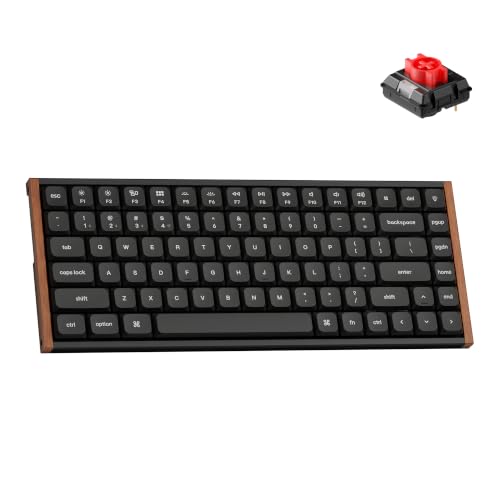
The Keychron K3 Ultra is the different animal: a low-profile board, roughly half the height of the others, with correspondingly shorter key travel. If you're coming from a laptop keyboard and every full-height mechanical feels like typing on a staircase, low profile is the bridge, and the K3 Ultra still keeps hot-swap sockets for its slim Keychron switches, which most low-profile boards sacrifice. It ships in a Mac-first layout with the multimedia keys Apple users expect while remaining fully compatible with Windows and Linux, so it's also the pick for anyone who swaps between a MacBook and a PC. Pair any of these with a decent mouse from my desk sets guide and the upgrade is complete.
Software: QMK beats another app you'll forget
Every board here can remap keys, record macros and adjust lighting, but how they do it differs in a way that matters years from now. The EPOMAKER boards use the vendor's own driver software, which works fine today and covers the things most people actually change, like swapping Caps Lock for something useful and binding the knob. The Keychron runs QMK, the open-source keyboard firmware, configured through the Launcher web app in a browser with nothing to install. The distinction sounds academic until a vendor loses interest. Proprietary apps go stale, stop getting updates, or vanish with the company; QMK is maintained by a community that outlives any single brand, and a QMK board bought today will still be configurable in a decade.
My advice is to spend twenty minutes with whichever software your board uses on day one, set your layers and shortcuts, then close it and let the keyboard remember. The settings live in the board's own memory on all four picks, so your remaps follow the keyboard to any computer without installing anything, including a locked-down work laptop. Once that's done, the honest truth is you'll never open the software again, which is exactly why I weight the firmware question toward the option that doesn't need a living company behind it. The screen on the two PRO boards is the same story: set it to show something useful like battery percentage, then forget it's there. Gimmick on the box, mildly handy in practice. That's not a criticism of the screens so much as a note on where the value actually lives on these boards: sockets, cells and keycaps, in that order.
How I picked these four
Same gate as every guide in this series. Condition New, shipped by Amazon AU or an Australian storefront seller, priced between $60 and $200, and ranked properly in its Amazon AU subcategory on the day I pulled the data. The F75 was the second-ranked seller in PC Gaming Keyboards, the TH99 PRO sat at tenth and the TH108 PRO at seventeenth, and the Keychron came through its brand's own Australian storefront. I dropped the overseas-warehouse listings and the boards with soldered switches, and I also threw out the thin membrane and scissor-switch boards that turn up in every mechanical keyboard search wearing the word mechanical like a costume. If the switches don't come out, it didn't make the list. The band here runs $95 to $152, comfortably under the $200 ceiling, and every board earns its place on layout rather than gimmicks.
The four that survived cover the layouts that matter at prices from $95 to $152, and there's no dud among them; the differences are shape and feel, not quality tiers. One honest note on brand concentration: three of the four are EPOMAKER boards, and that's simply what the AU-retail filter left standing, because most of the competition at this price ships from overseas warehouses with the warranty headaches that brings. Buying local storefront stock means a return goes through Amazon AU instead of a slow boat to Shenzhen, and after enough warranty stories across the counter, I weight that heavily. A keyboard is a ten-year purchase when the switches are replaceable. Buy the layout your work needs and it'll outlast the computer it's plugged into.
The 4 picks, $95 to $152
Prices are Amazon AU at time of writing (28 October 2026) and move week to week. Ranks are Amazon AU category sales ranks, checked the same day.

EPOMAKER x Aula F75 Gasket Mechanical Keyboard (75%, Wireless, Hot-Swap)
ASIN B0D3F69XSP • $94.99 • Sold by EPOMAKER AU on Amazon AU
The F75 is $94.99 and it was the second-ranked seller in Amazon AU's PC Gaming Keyboards subcategory when I checked, which is the market quietly agreeing with what reviewers have said about this board for a while: it's the value benchmark. It's a 75 percent layout, so you keep the function row and arrow keys in a footprint barely wider than a laptop keyboard, and it connects three ways, Bluetooth, 2.4GHz dongle or wired USB-C. The construction is the headline at the price: a gasket-mounted plate over five layers of damping, two Poron foams, an IXPE switch pad, a PET sheet and bottom silicone, which is the exact recipe boards twice this price advertise. The switches are pre-lubricated LEOBOG Reaper linears, and every socket is full-key hot-swappable.
The spec sheet keeps going in a way that would have been absurd at this price three years ago: double-shot PBT keycaps in Cherry profile that won't wear shiny, tuned stabilisers so the big keys don't rattle, a multimedia volume knob, and 16.8 million colour RGB if you want it. The 4000mAh battery is the smallest in this guide but still solid for a board this size, and it charges over the same USB-C cable it can run on. The 1.2mm circuit board is single-key slotted, a flex cut that softens the landing under each key. None of this is boutique-keyboard exotic anymore, but getting all of it in one board at about $95 with an AU storefront behind it is exactly why it ranks where it does.
Buy the F75 if you're new to mechanical boards, short on desk space, or buying for a teenager who'll want to tinker. It's the lowest-risk $95 in the category: if the linears turn out not to be your feel, the sockets take any 3-pin or 5-pin switch you fancy trying next. For most people this is the only keyboard on this list they need to read about. The black gradient colourway with the Reaper switches is the configuration priced here; other combinations exist on the same listing at slightly different money. Whichever you pick, the bones of the board are identical, and the bones are the point.
Honest caveats: No number pad, which rules it out for heavy spreadsheet work. The 4000mAh battery is less than half what its bigger siblings carry, so RGB fans will charge it noticeably more often. And the Reaper linears, nice as they are, are one specific feel; budget a switch set into the price if you know you prefer tactile.
Best for: First mechanical keyboard, small desks, and anyone who wants the category's best value without research.
Layout: 75% with function row and arrows • Hot-swap: Full-key, per the listing • Switches: Pre-lubricated LEOBOG Reaper linear • Mount: Gasket, five damping layers • Keycaps: Double-shot PBT, Cherry profile • Connectivity: Bluetooth, 2.4GHz, wired USB-C • Battery: 4000mAh • Seller: EPOMAKER AU • Rank: #2 in PC Gaming Keyboards (Amazon AU)
View on Amazon AU
EPOMAKER TH99 PRO 96% Mechanical Keyboard with Screen & Knob
ASIN B0G4LFXPYM • $126.64 • Sold by EPOMAKER AU on Amazon AU
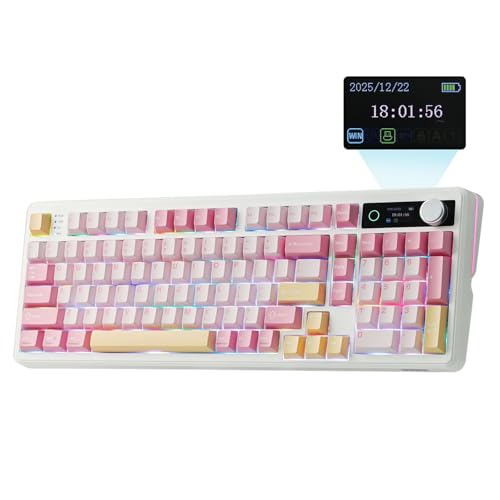
The TH99 PRO is $126.64 and answers the question the F75 can't: what if you actually need the number pad? Its 96 percent layout keeps every key of a full-size board and deletes only the empty space between the clusters, so it's a couple of centimetres narrower than a traditional full-size while giving up nothing you'd notice. It ranked tenth in PC Gaming Keyboards when I pulled the data, a few places clear of the TH108 PRO below. The build follows the same multi-layer gasket recipe, Poron, latex, IXPE and silicone in the stack, and the listed weight is over 1.2 kilograms with an adjustable kickstand, which translates to a board that plants itself on the desk and stays planted through anything.
The PRO features are the screen and the battery. A small display up in the corner shows status information like battery level and connection mode, driven by the customisation software, and next to it sits a proper volume knob, the feature that converts more sceptics than any other. The 10000mAh battery is the standout number: that's phone-battery capacity twice over, and with the RGB kept modest it means weeks between charges rather than days. Connectivity is 2.4GHz and Bluetooth with wired USB-C, switches are hot-swappable throughout, keycaps are PBT, and the configuration sold here ships with Sea Salt Silent switches in a pink colourway, the dampened option that makes this board quiet enough for an open office or a sleeping house.
Buy it if numbers are part of your day, invoices, spreadsheets, accounts, but desk space still matters. The silent switch option makes it the most office-appropriate board in this guide as configured, and the battery makes it the one you'll forget needs charging at all. Between this and the full-size TH108 below, the choice is purely how much desk you're willing to spend on nostalgia for the old layout. It's also the board I'd point small business owners at for the front counter, where the numpad earns its keep daily and the silence stops the keyboard being the loudest thing in the room. At $126.64 it undercuts most boards with half its battery.
Honest caveats: The 96 percent layout crowds keys together, so touch typists coming from full-size boards will fumble Home and End for a week or two. The screen is a nice-to-have, not a reason to buy. Silent switches trade some tactile crispness for the quiet, which is the point, but linear purists should pick a louder variant.
Best for: Spreadsheet and numbers people who want the numpad without the full-size footprint, quietly.
Layout: 96% with number pad • Hot-swap: Yes, per the listing • Switches: Sea Salt Silent (this configuration) • Colour: Pink • Extras: Status screen and volume knob • Battery: 10000mAh • Weight: Over 1.2kg, adjustable kickstand • Keycaps: PBT • Connectivity: 2.4GHz, Bluetooth, wired USB-C • Rank: #10 in PC Gaming Keyboards (Amazon AU)
View on Amazon AU
EPOMAKER TH108 PRO Full Size Mechanical Keyboard with Screen & Knob
ASIN B0FVLS8Z9B • $164.99 • Sold by EPOMAKER AU on Amazon AU
The TH108 PRO is $148.49 and it's the board for people whose hands learned to type on proper full-size keyboards and see no reason to relearn anything. Every key is exactly where three decades of office muscle memory expects it, number pad included, and the modern additions, a status screen and a volume knob, sit up in the top corner that traditional layouts always left bare. It ranked seventeenth in PC Gaming Keyboards when I checked, which for a full-size board in a market obsessed with compact layouts says plenty about how many people quietly still want this shape. Like its 96 percent sibling it comes configured here with Sea Salt Silent switches, hot-swap sockets throughout, and EPOMAKER's custom driver for remapping.
Construction is the same five-layer gasket-mount stack as the rest of the PRO family, and the listing pitches the acoustic result in the usual creamy terms, which decodes to a soft, deep keystroke without hollow ringing. The battery is the same 10000mAh monster as the TH99 PRO, and on a board this size there's room for it without compromise, so wireless full-size finally makes sense; the old objection that big boards had to stay wired died with cells this large. RGB backlighting is adjustable per the listing, connectivity covers 2.4GHz, Bluetooth and wired USB-C, and the PBT keycaps and hot-swap sockets carry the same decade-plus outlook as everything else wearing the PRO badge.
Buy it if the number pad is non-negotiable and the desk is deep enough to host it. Data entry, accounting, point-of-sale backends, anywhere the right hand lives on the numpad, this is the correct tool, and the silent switches mean the whole office doesn't have to hear it. If you're torn between this and the TH99, measure your desk; that's genuinely the entire decision. There's something quietly sensible about paying $148.49 for the layout every office standardised on decades ago, executed with modern internals and switches you can replace yourself. It's not fashionable, and it's completely correct for the people it's for.
Honest caveats: It's the biggest board here and it owns the desk space accordingly; measure before ordering. About twenty-two dollars over the TH99 PRO buys layout spacing, not extra capability. And as with all screen-equipped boards, treat the display as a battery readout rather than a feature you'll interact with daily.
Best for: Full-size loyalists and numpad-heavy work, with the quiet switches an office demands.
Layout: Full size, 100% • Hot-swap: Yes, per the listing • Switches: Sea Salt Silent (this configuration) • Extras: Status screen and volume knob • Battery: 10000mAh • Mount: Five-layer gasket • Keycaps: PBT • Connectivity: 2.4GHz, Bluetooth, wired USB-C • Rank: #17 in PC Gaming Keyboards (Amazon AU)
View on Amazon AU
Keychron K3 Ultra 8K QMK Wireless Low-Profile Mechanical Keyboard
ASIN B0GTT5KJ9B • $152.15 • Sold by KeychronAustralia on Amazon AU
The K3 Ultra is $152 through Keychron's Australian storefront and it solves a specific problem: you want mechanical switches and hot-swap repairability, but full-height boards feel like typing on scaffolding after years of laptop keyboards. It's a low-profile board, dramatically slimmer than everything else in this guide, with correspondingly short key travel that laptop-trained fingers adapt to in minutes rather than weeks. The switches are Keychron's own low-profile Milk POM units, and critically they're hot-swappable, which most slim boards abandon; the listing makes the point that they change in seconds without soldering. Connectivity runs 2.4GHz at a 1000Hz polling rate, Bluetooth for up to three devices, and wired, with the 8K in the name referring to its top polling specification.
The firmware is the quiet differentiator. This board runs QMK, the open-source keyboard firmware, configured through Keychron's Launcher app in a web browser, so there's no installed software, no vendor app to go stale, and a remapping ecosystem that will outlive every brand in this article. The layout is Mac-first, with the same multimedia and function key behaviour as an Apple keyboard, while remaining fully compatible with Windows and Linux; keycaps for both systems are the norm with Keychron. Acoustics get real attention despite the thin case, with EPDM foam in the body and more in the bottom case, and the keycaps are PBT rather than the shiny-prone ABS that slim boards usually wear.
Buy it if you work across a MacBook and a desktop, if your wrists prefer low boards, or if the QMK ecosystem matters to you, and for a keyboard you'll keep ten years it probably should. It's $57 over the F75 and that gap buys the slim form factor, the open firmware and the Mac-native layout rather than more keyboard per se. For the right person it's the only board here worth considering. Keychron's Australian storefront also means local stock and Amazon AU returns rather than an overseas shipping argument, which at this price tier is worth folding into the value maths alongside the hardware itself.
Honest caveats: Low-profile switch choice is narrower than full-height, so the tinkering ceiling is lower even with hot-swap. The 75 percent layout has no number pad. Battery capacity isn't stated on the listing, and thin boards have less room for cells, so expect more frequent charging than the 10000mAh EPOMAKER boards.
Best for: Mac-and-PC switchers and laptop-keyboard converts who want repairable switches in a slim board.
Layout: Low-profile 75% • Hot-swap: Yes, low-profile Keychron Milk POM switches • Firmware: Open-source QMK, Launcher web app • Polling: 1000Hz on 2.4GHz, 8K rated per the name • Compatibility: Mac layout, Windows and Linux supported • Acoustics: EPDM foam, bottom case foam • Keycaps: PBT • Seller: KeychronAustralia • Rank: #640 in Keyboards (Amazon AU)
View on Amazon AUSide-by-side comparison
| Product | Price | Best for |
|---|---|---|
| EPOMAKER x Aula F75 Gasket Mechanical Keyboard | ~$94.99 | First mechanical board, small desks |
| EPOMAKER TH80 V2 75% Wireless Mechanical… | ~$96.89 | 75% layout with a metal knob |
| Attack Shark X820 Ultra 75% Wireless Keyboard | ~$84.04 | Lowest-priced 75% with screen and knob |
| EPOMAKER X Aula F75 MAX Tri-Mode Wireless… | ~$116.44 | 75% with a TFT status screen |
| MechLands AJAZZ AK980 V2 Mechanical Gaming… | ~$125.99 | Numpad layout with screen and 10000mAh |
| EPOMAKER TH99 PRO 96% Mechanical Keyboard with Screen & Knob | ~$126.64 | Numpad in a compact 96% footprint |
| EPOMAKER TH108 PRO Full Size Mechanical… | ~$164.99 | Full-size loyalists, numpad-heavy work |
| Keychron K3 Ultra 8K QMK Wireless | ~$152.15 | Mac and PC switchers who want a slim board |
What we see fail at the bench: keyboards
Keyboards arrive at the shop attached to two kinds of stories: something spilled into them, or some keys stopped working and the rest didn't. Both endings are decided by choices made on the day the keyboard was bought, which is exactly why this guide filters for hot-swap sockets and solid construction before anything else. Here's what the failures actually look like from our side of the counter.
Coffee, tea and what stays behind
Liquid kills keyboards in two stages. The splash shorts things immediately, which is dramatic but sometimes survivable, and then whatever was dissolved in the liquid stays behind as the residue that kills slowly. Black coffee and water are the survivable ones; anything with sugar or milk turns into a conductive, corrosive film between contacts that keeps eating after everything looks dry. A standalone keyboard soaking up the spill is the best-case version of this story, because it's a $100 casualty instead of a $2,000 laptop with the same drink inside it. Unplug it, tip it out, don't cook it in rice, and get the sticky ones cleaned properly before the residue settles in.
One dead switch shouldn't total a board
A single switch failing, going intermittent, double-typing or dying outright, is the most common non-spill keyboard fault we see, and it's a wear item doing what wear items do. On a hot-swap board this is a thirty-second fix with a switch puller and a spare, and spares cost a dollar or two each. On a soldered board the same fault needs desoldering equipment and a steady hand, which turns a trivial part into a real repair bill or, more often, into a whole keyboard in landfill. That asymmetry is the entire reason every pick in this guide has sockets. Keep two or three spare switches in the desk drawer and the fault stops being a fault.
Wireless boards stored flat
The lithium cells in wireless keyboards fail the same way they fail in everything else: from being parked at the extremes. A board left on a shelf for six months with the battery flat can refuse to wake at all, and a board living permanently at 100 percent on a charging cable ages its cell faster than it needs to. Neither habit shows damage immediately, which is why the pattern keeps repeating. The fix costs nothing: charge it when it asks, unplug it when it's done, and if a board is going into storage, leave the battery somewhere in the middle first. The 10000mAh cells in two of these picks make the whole question nearly monthly rather than weekly.
Decision tree: which one should you actually buy?
- First mechanical keyboard, or a small desk? → The EPOMAKER x Aula F75. Category best-seller, hot-swap, and a construction recipe from boards twice the price. This is the default answer.
- Live in spreadsheets but tight on desk width? → The TH99 PRO at $126.64. Full number pad in a 96 percent footprint, silent switches, and a battery you'll forget exists.
- Want every key exactly where it's always been? → The TH108 PRO at $148.49. Proper full size with the same silent switches and 10000mAh battery. Measure the desk first.
- Split your week between a MacBook and a PC? → The Keychron K3 Ultra at $152. Mac-first layout, Windows compatible, low profile, and QMK firmware that outlives vendor apps.
- Typing next to colleagues or a sleeping household? → Either PRO board in its Sea Salt Silent configuration. Dampened switches are the difference between a keyboard and a complaint.
- Current keyboard misbehaving, or worse, wearing a spilled drink? → Don't bin it yet. Bring it to our Erina workshop and we'll tell you whether it's a clean, a switch swap or genuinely done before you spend anything on a replacement.
Frequently asked questions
What does hot-swappable actually mean on a keyboard?
It means the individual key switches plug into sockets on the circuit board instead of being soldered to it. When a switch wears out or starts double-typing, you pull it out with a small included tool and push a replacement in, no soldering, no disassembly beyond removing a keycap. It also means you can change the entire feel of the keyboard later by swapping all the switches, which turns your first switch choice into an experiment rather than a commitment. On a soldered board, one dead switch means board-level rework that costs more than most keyboards are worth. Every pick in this guide is hot-swappable, and I'd treat that as non-negotiable at any price above about $60.
Are silent mechanical switches really quiet enough for an office?
Quiet enough for most offices, yes, with the honest note that no mechanical keyboard is truly silent. Silent switches build small dampeners into the switch itself so the harsh clack at the top and bottom of each press turns into a muffled thud, and the gasket mounting and foam layers in these boards absorb most of what's left. The result is comparable to a decent laptop keyboard in volume, just deeper in tone. The Sea Salt Silent configurations of the two PRO boards here are the ones I'd put in a shared space. What I wouldn't do is bring a clicky-switch board into an open plan office, because that's how keyboards end up banned.
Do I need to worry about 3-pin versus 5-pin switches?
Barely, and here's the whole issue. Mechanical switches come with either three or five contact points on the bottom, where the extra two on a 5-pin are plastic alignment legs rather than electrical contacts. Most modern hot-swap boards, including the full-key hot-swap EPOMAKER picks here, accept both types directly. In the rare case a board only takes 3-pin, the fix is clipping the two plastic legs off a 5-pin switch with nail clippers, which sounds barbaric and is completely routine. When you buy replacement or experimental switches, check the board's listing for which it accepts, and when in doubt buy 5-pin, since they fit everything one way or another.
How long do these keyboards last between charges?
It depends almost entirely on the lighting. The 10000mAh cells in the TH99 PRO and TH108 PRO are enormous for keyboards, and with RGB off or dim they'll run for weeks of full-time use between charges; with full brightness rainbow effects running, days. The F75's 4000mAh cell follows the same rule at smaller scale. The Keychron doesn't state a battery capacity on its listing, and slim boards have less internal room for cells, so expect to charge it more often than the others. All four charge over USB-C while you keep typing, so a flat battery is an inconvenience measured in seconds. Turn the lights down and battery life simply stops being a thing you think about.
Is a mechanical keyboard actually worth it over a $40 membrane board?
For anyone who types most of the day, I think so, and the argument is lifespan rather than feel. A membrane board uses a rubber sheet that goes mushy and inconsistent over a couple of years, and when it fails, the whole board is landfill because nothing inside is replaceable. Mechanical switches are rated for tens of millions of presses, the PBT keycaps on these picks resist the shine that makes old keyboards look greasy, and hot-swap sockets mean the one part that wears is a dollar fix. Spread $95 over the eight to ten years a good board lasts and it beats replacing membrane boards every two. The feel improvement is real too, but it's the bonus, not the case.
Can a keyboard survive a spilled drink?
Often, if you act fast and the drink was boring. Unplug it or power it off immediately, turn it upside down over a towel, and let it drain and dry for a day or two before trying it. Plain water treated this way usually leaves no lasting damage on a standalone keyboard. Sugary and milky drinks are the problem children, because the residue they leave conducts and corrodes long after drying, and keys start sticking or ghost-typing weeks later. Those boards need proper disassembly and cleaning, which is worth doing on a $150 keyboard and not on a $30 one. The real win is that the keyboard took the hit instead of the laptop behind it.
Related buying guides
Keyboard dead, sticky or typing letters you didn't press?
Most keyboard faults are one worn switch, a port problem or a spill that needs proper cleaning, and all three cost far less than people expect, when they're worth fixing at all. Bring it in to Erina and we'll tell you straight which one you've got, what it costs, and when the honest answer is putting the money toward a board with sockets so the next fault is a thirty-second job you do yourself.
Visit our Erina workshop Book Online