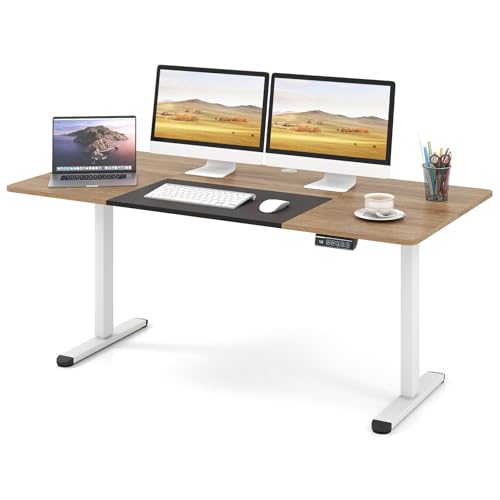
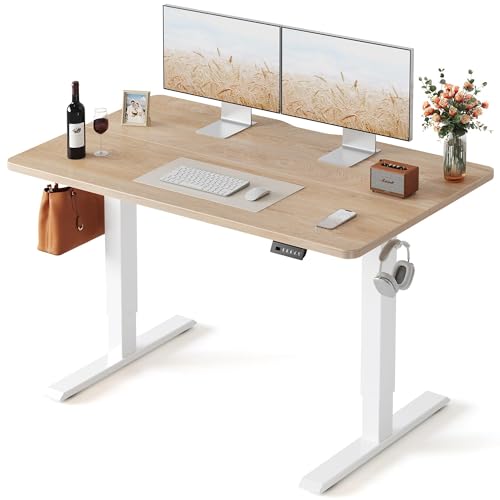
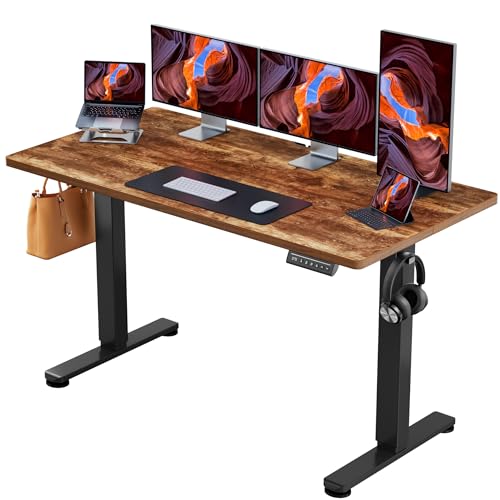
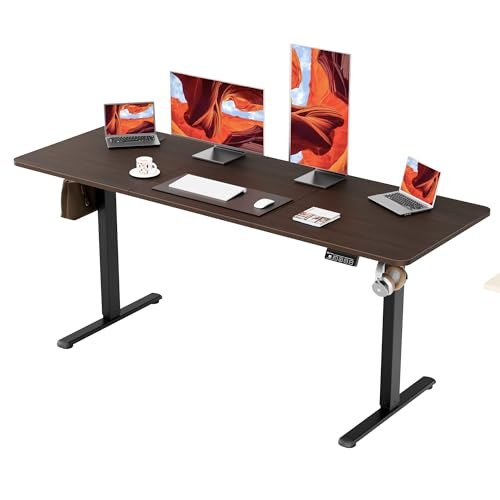
Prices from Amazon AU, updated daily. Swipe or use the arrows for more.
Disclosure: This article contains affiliate links to amazon.com.au. If you buy through one of these links iFix may earn a small commission at no extra cost to you. It doesn't change which products we recommend. We focus on what actually lasts based on 16 years of repair-shop experience.
Quick summary11 picks
- BilySen Electric Standing Desk about$126
- Entry PickHUANUO 80 * 48cm Small Sit Stand Desk Electric about$119.99
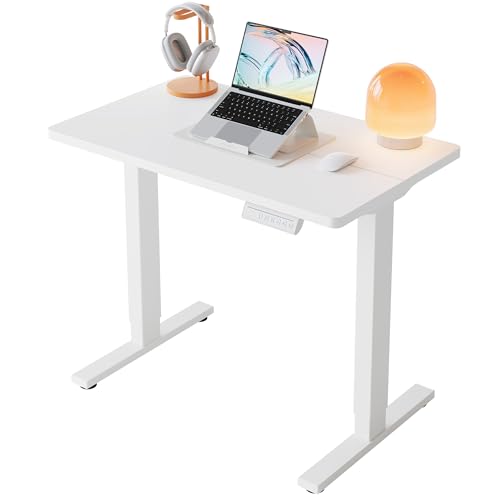
- ERGOMAKER Electric Standing Desk 110x60cm (White Frame) about$159Holds 65kg, 5yr frame warranty, under 50dB.
- FEZIBO Standing Desk 120 x 60 cm about$179.99
- C: Best Value, Smallest FootprintERGOMAKER Electric Standing Desk 140 x 60 cm about$199
- Giantex 140 x 70cm Large Electric Standing… about$199.95
- Giantex 140 x 70cm Large Electric Standing… about$199.95
- ErGear Electric Standing Desk about$209.99
- B: The Balanced PickFEZIBO Plus 140 x 70 cm Electric Standing Desk about$203.99
- A: Best Overall, Biggest SurfaceFEZIBO Standing Desk 160 x 70 cm Height… about$239.99
- Most PremiumERGOMAKER Electric Standing Desk 170x60cm about$249
The desktop is not the part that fails
A standing desk has never been carried into my workshop. What gets carried in is the gear that was sitting on one: the monitor that shows no picture on HDMI but works on DisplayPort, the dock that only holds a connection if you push the cable sideways and leave it there, the laptop with a USB-C port that has been rocked loose. Somewhere in the drop-off conversation the customer mentions they put in a sit-stand desk a few months back. That detail explains the fault far more often than it should.
Strip a sit-stand desk down to what it actually is and the furniture almost disappears. You have a steel frame, one or two motors, a gearbox in each leg, a hall-effect sensor counting rotations so the controller knows where the top is, and a control box about the size of a paperback screwed underneath. The laminate top is the least expensive, most replaceable part of the whole assembly, and it is the only part the product photography wants to talk about. Everything with a failure mode lives underneath it.
So the buying question is not which finish you like. It is how many motors are driving the columns, what the controller is doing when it senses resistance, how long the warranty runs on the electronics rather than the frame, and whether your cables can survive 45 cm of vertical travel several times a day. Those four things separate a desk that is still working in year six from one that starts drifting, then stalls, then throws a fault code and stops at 90 cm forever.
The market has grown up around working from home. Just over a third of employed Australians now regularly work from home according to ABS working arrangements data, and the spare-room desk that got bought in a hurry is now a five-day-a-week workstation. A sit-stand frame under $250 is a reasonable answer to that. Just buy it the way you would buy a power tool, on the motor and the controller, not on the colour of the top.
What actually decides whether a sit-stand desk lasts
Four specifications matter, and only one of them is printed in large type on the listing.
Single motor versus dual motor
A single-motor desk has one motor and gearbox driving both legs through a cross shaft that runs between the columns under the top. It works. It is also doing twice the job with half the hardware, which is why single-motor frames run hotter, lift slower, and are the ones I hear about when someone tells me their desk has started travelling unevenly or grinding on the way up. When the shaft or its couplings wear, one column leads the other, the top racks slightly, and the binding accelerates the wear. Dual-motor frames put a motor and gearbox in each column and let the control box keep them in step, which means less heat, faster travel, better load tolerance and one more thing that can be replaced individually.
None of the three listings in this guide states motor count in plain language. The FEZIBO and ERGOMAKER listings describe the lifting columns, connectors or a quiet motor without naming a motor count at all. That is normal for this bracket and it is not a reason to avoid these desks, but do check the current listing or ask the seller before you buy, especially if you are planning a heavy load. If nobody will put it in writing, budget as though it is single-motor and treat the weight limit conservatively.
Duty cycle, and what a 10% rating means for a real desk
Duty cycle is the spec nobody reads and everybody misunderstands. A 10% duty cycle does not mean ten uses. It means the motor is rated to run about one minute in every ten before it needs to cool. Full travel on a desk in this class takes roughly 30 seconds, so if you stand up six times in a working day you are asking the motor for about six minutes of work spread across eight hours. That is not remotely close to any sensible limit.
Where duty cycle bites is the first hour of ownership, when people run the desk up and down a dozen times in a row setting presets and showing the family, and in shared offices where a hot desk cycles every 20 minutes all day. Heat is cumulative in a small plastic gearbox. If the motor note changes pitch or you smell warm plastic, stop and leave it for half an hour. None of these three listings publishes a duty cycle number, so if you need one, ask before ordering rather than assuming.
Weight capacity is a marketing number until you add it up
Rated capacity is measured static, with the load spread evenly across the frame, on a test rig, once. Your desk is not that. Two 27-inch monitors come to about 10 kg, a dual arm adds 5 kg and puts all of it at the back edge as a lever, a mid-tower PC is 12 kg, a laptop and dock another 3 kg, then there is a speaker pair, a UPS, a printer that would not fit anywhere else and a stack of paper. Fifty kilograms on a desk is easier to reach than most people expect.
The ERGOMAKER is the only pick here that publishes a figure, 65 kg, and I would treat around two thirds of any rated capacity as the working number. That is not because manufacturers lie, it is because the rating describes a balanced static load and real desks are neither balanced nor static. A clamp-mounted arm concentrates its load into a 60 mm strip of the rear edge, and every time you raise the desk the gearbox lifts it from a standstill. Under-loading a frame is the single easiest thing you can do to make it last, and it costs nothing.
Wobble at standing height is geometry, not price
Every review of every standing desk mentions wobble, and most of them blame the price. It is mostly geometry. A raised desk is an inverted pendulum: the higher the top goes, the longer the lever between your hands and the feet, and the more any slack in the column telescope shows up as sway. Three things control it. Foot depth front to back, because side-to-side sway is resisted by the frame but front-to-back sway is resisted only by the feet. The overlap of the telescoping sections at full extension, which is why low-cost two-stage columns feel worse at the top of their range. And how rigidly the top is bolted to the frame, which is entirely in your hands during assembly.
The practical version: use every mounting hole the frame gives you, torque the bolts properly and re-check them after a fortnight, and if you type hard, set your standing preset a couple of centimetres lower than the maximum. FEZIBO's T-shaped foot structure is a real advantage here rather than a marketing line, because a deeper foot is exactly what resists the sway direction that bothers people. Pushing a monitor onto an arm helps too, since it moves several kilograms off the top surface and closer to the frame. Our 2026 monitor arm picks went up the same day as this guide for that reason: an arm on a moving desk is what turns a height-adjustable table into an ergonomic workstation.
The three picks, from $199 to $240
Prices are Amazon AU at time of writing (26 October 2026) and move week to week. Category ranks are Amazon AU's, checked the same day. Where a specification is not stated on the listing I have said so rather than guessed, because the difference between a stated 65 kg capacity and an assumed one is somebody's monitor on the floor.

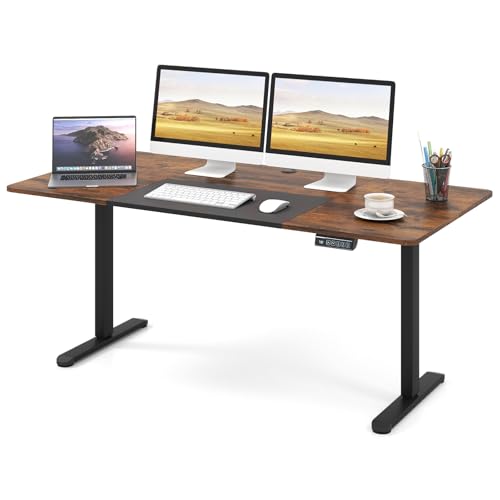
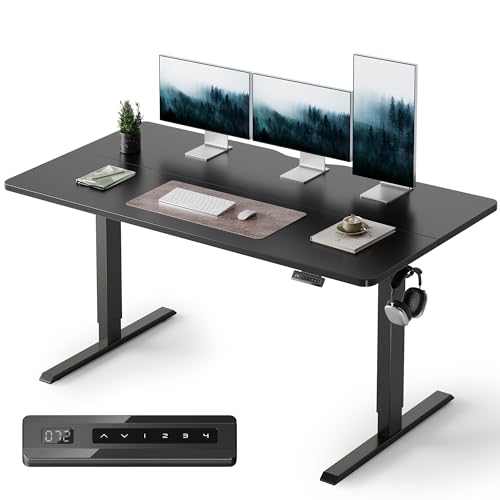
FEZIBO Standing Desk 160 x 70 cm Height Adjustable Electric Sit Stand Desk
ASIN B0F2DR6XQ8 • $239.99 • Ships from YOUNIVERSE-AU
Sixth in Amazon AU's Home Office Desks category, and the desktop is why. At 160 x 70 cm this is 20 cm wider than either alternative here, which in practice is the difference between fitting a monitor, a laptop on a riser and something to write on, or fitting two of those three. Listed travel is 28.3 to 46.5 inches, roughly 72 to 118 cm, which covers a shorter user sitting through a tall user standing. Three programmable memory presets is the right number: sit, stand, and one for whoever else shares the desk.
FEZIBO quotes noise under 50 dB, a heavy-duty steel frame with what it calls aerospace-grade lifting column connectors, and testing to 100,000 lifts. The specification I would actually pay for is the T-shaped foot structure, because front-to-back sway at standing height is resisted by foot depth and almost nothing else. The extra width also earns its keep for cable work: more room under the top means a longer, gentler service loop for the cables that have to travel with it.
Honest caveats: the top is a splice board, two pieces joined rather than a single slab, which is normal at this price but worth knowing before it arrives. Motor count, duty cycle and weight capacity are not stated on the listing, so check the listing or ask the seller if you intend to load it heavily. And 160 cm is a lot of desk. Measure the wall before you order, including the swing of the door.
Best for: Dual-monitor setups, anyone who works with paper as well as screens, shared home offices with two users at different heights.
Top: 160 x 70 cm splice board, midnight black • Travel: 28.3 to 46.5 in (about 72 to 118 cm) • Controller: 3 programmable memory presets • Frame: Heavy-duty steel, T-shaped feet, connectors tested to 100,000 lifts • Noise: Under 50 dB • Motor count / capacity: Not stated, check the listing • Rank: #6 in Home Office Desks (Amazon AU)
View on Amazon AU
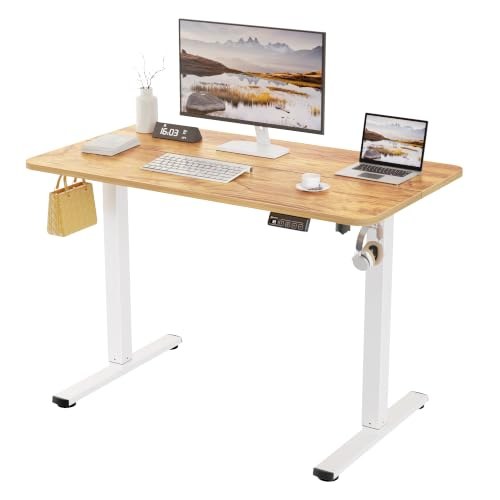
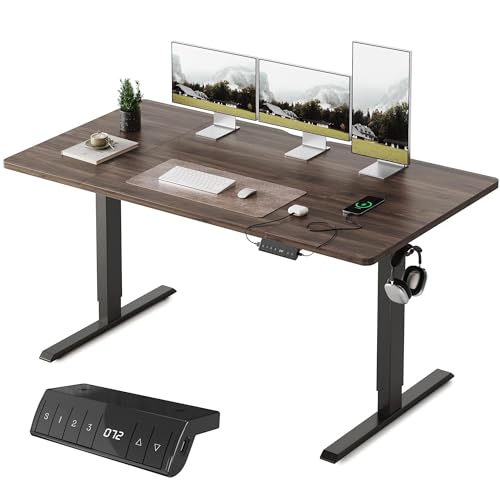
FEZIBO Plus 140 x 70 cm Electric Standing Desk with USB-A & USB-C Charging
ASIN B0F2DGJLGH • $203.99 • Ships from YOUNIVERSE-AU
Sitting at #8 in Home Office Desks, and the compromise it makes is the smart one. Dropping from 160 cm to 140 cm of width costs you a bit of elbow room. Keeping the full 70 cm of depth is what lets you put a 27-inch monitor at a sane viewing distance instead of pressed into your face. If your room cannot take a 160 cm top, this is the desk that gives up the least to fit.
The listing describes quiet height adjustment with memory presets, a child lock, and USB-A and USB-C charging ports built into the desktop, handy for a phone or tablet while you work. It carries ETL certification and an FSC-certified desktop, and the quoted assembly time is under 30 minutes with printed instructions and video guidance. The listing text does not say how many motors are fitted, so check it before you assume dual.
Honest caveats: weight capacity, travel range, the number of presets and duty cycle are not stated in the listing text. Built-in USB ports are a convenience, not a substitute for a proper cable plan once the desk starts moving, so leave enough slack for the full rise. This listing is for the Nocturne Walnut finish.
Best for: Standard home offices and spare rooms, single or dual monitors on an arm, anyone who wants 70 cm of depth in a 140 cm space.
Top: 140 x 70 cm, Nocturne Walnut • Controller: Memory presets (count not stated) • Charging: Built-in USB-A and USB-C ports • Safety: Child lock, ETL certified • Materials: FSC-certified desktop • Assembly: Under 30 minutes quoted • Travel / motor count / capacity: Not stated, check the listing • Rank: #8 in Home Office Desks (Amazon AU)
View on Amazon AU
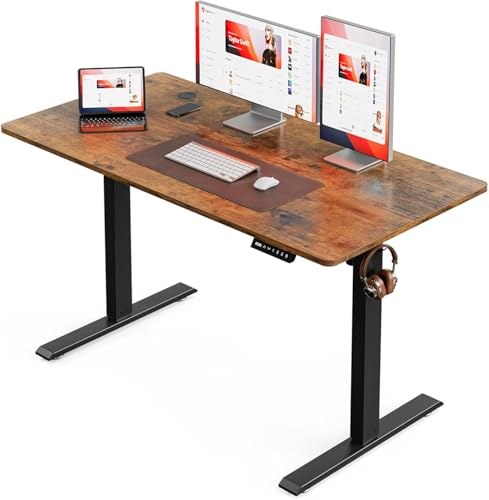
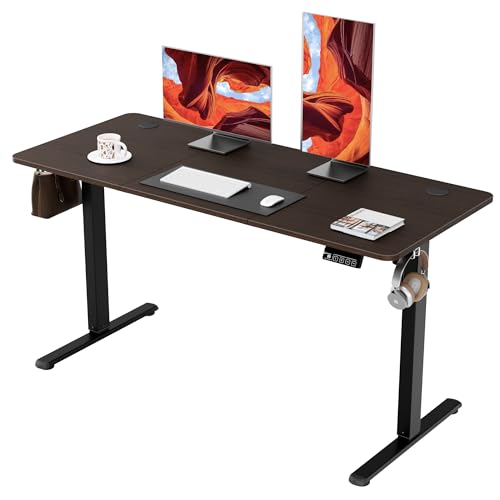
ERGOMAKER Electric Standing Desk 140 x 60 cm, Black Frame
ASIN B0DRFSB77Z • $199 • Ships from Ergomaker AU
The least expensive pick and, oddly, the most honestly specified. ERGOMAKER is the only one of the three to publish a weight capacity, 65 kg, and the only one to publish a warranty split: 5 years on the desk frame, 2 years on the motor, handset and power adapter. That split tells you something useful. The manufacturer knows the frame will outlive the electronics, and it has priced its risk accordingly. Every other brand knows the same thing; this one says it out loud.
Travel is 73 to 118 cm with two memory buttons, and the listing quotes a travel speed of 14 mm per second, which works out to about 32 seconds for the full 45 cm rise. Soft start and stop keeps the load from lurching, noise is under 50 dB, and there are hooks on both sides for a bag or headphones. Two presets rather than three is the sort of thing that sounds like a cut until you notice most people only ever use two.
Honest caveats: 60 cm of depth is the real trade. A 27-inch monitor on its factory stand will sit too close and eat the front third of the desk, so budget for an arm at the same time or accept a cramped setup. Motor count and duty cycle are not stated. The rustic brown top is a strong look that will not suit every room.
Best for: Small rooms and apartments, a second workstation, anyone pairing the desk with a monitor arm from day one.
Top: 140 x 60 cm, black frame, rustic brown desktop • Travel: 73 to 118 cm at 14 mm/s • Controller: 2 memory buttons, soft start and stop • Capacity: 65 kg stated • Frame: Heavy-duty steel • Noise: Under 50 dB • Warranty: 5 years frame, 2 years motor, handset and power adapter • Rank: #25 in Home Office Desks (Amazon AU)
View on Amazon AUSide-by-side comparison
| Product | Price | Best for |
|---|---|---|
| HUANUO 80 * 48cm Small Sit Stand Desk Electric | ~$119.99 | Tightest spaces, 80cm wide |
| BilySen Electric Standing Desk | ~$126 | Lowest price here |
| ERGOMAKER Electric Standing Desk 110x60cm (White Frame) | ~$159 | Small rooms, 65kg rated |
| Giantex 140 x 70cm Large Electric Standing… | ~$199.95 | 140cm top, 3 height presets |
| Giantex 140 x 70cm Large Electric Standing… | ~$199.95 | 140cm top, overheat cutout |
| FEZIBO Standing Desk 120 x 60 cm | ~$179.99 | 120cm top, 3 memory presets |
| ErGear Electric Standing Desk | ~$209.99 | 140 x 70cm top, low-VOC materials |
| ERGOMAKER Electric Standing Desk 170x60cm | ~$249 | Widest top here, 170cm |
| FEZIBO Standing Desk 160 x 70 cm Height… | ~$239.99 | A: Best Overall, Biggest Surface |
| FEZIBO Plus 140 x 70 cm Electric Standing Desk | ~$203.99 | B: The Balanced Pick |
| ERGOMAKER Electric Standing Desk 140 x 60 cm | ~$199 | C: Best Value, Smallest Footprint |
What we see fail at the bench, and why it is never the desk
Sit-stand desks do not come to the Central Coast computer repair bench. What comes in is everything that was bolted, clamped or plugged into one. After 16 years the pattern is consistent enough to write down, and none of it is about the timber.
The control box is the part that dies
Under every sit-stand desk is a moulded plastic box holding the mains transformer, the motor drivers, the current-sense circuit that powers collision detection, and the microcontroller that remembers your presets. It is the busiest and hottest component in the whole assembly, it sits in the dustiest place in the room, and on most desks it is the part that is hardest to source a replacement for. Frames outlive controllers by a decade. That is exactly why ERGOMAKER's split warranty, 5 years on the frame and 2 on the motor, handset and adapter, is more informative than a single headline number. When you are comparing desks, find the warranty term that covers the electronics, not the steel. If a listing quotes only one figure, it is quoting the easy one.
Cable strain is the failure we actually bill for
This is the direct link between a desk and a repair invoice. HDMI and DisplayPort sockets are surface-mounted to the main board of a monitor or dock, held by a few solder joints and a couple of shield tabs. They were designed to resist someone pulling a plug out, not to take a sustained sideways load. A desk that travels 45 cm vertically turns every cable that runs to the floor into a lever, and it applies that lever several times a day, every day. A cable without enough slack to make the trip will either unplug your monitor mid-move, which is annoying, or stay plugged in and tension the port, which is a board-level repair. The symptoms arrive slowly: signal that drops when you nudge the desk, a picture that comes back if you hold the plug at an angle, then nothing at all. Reflowing or replacing a cracked socket is routine work for us, and completely avoidable for you.
Power cuts, collision detection and the reset dance
Every one of these desks tracks its height by counting motor rotations with a hall-effect sensor. It has no idea where the top actually is in absolute terms, only how far it has counted from a known zero. Cut the power mid-travel, or trip the collision detection by catching a drawer under the top, and the controller loses that reference. The desk then refuses to move, moves 10 mm and stops, or beeps and throws an error. It is not broken. It needs re-zeroing, which is normally a matter of holding the down button until the top bottoms out, dips, and beeps. The sequence differs by controller, so photograph the page in the manual and tape it under the desktop where you will find it in two years. I have had customers quoted for a replacement control box on a desk that needed 15 seconds of held button. Central Coast summer storms take out power often enough that you will do this dance eventually.
The mistakes I see most, in order
First, cables cut to length. If a cable is exactly long enough at sitting height, it is 45 cm too short at standing height, and the desk will find that out for you. Second, the power board screwed to the wall or left on the floor, which anchors the whole loom to a fixed point. Mount it under the top so it travels with the desk and run one cable to the wall with a generous service loop. Third, a printer or a UPS on the floor under the desk with its cable rising to the top, which is the same fault with heavier consequences. Fourth, bolts left at hand-tight during assembly, which is where two thirds of complaints about wobble come from. Torque them properly and re-check after a fortnight. Fifth, and this one is more common than it should be, a laptop dock left on the desktop with eight cables in it and no strain relief on any of them. Our home office printer picks and eye-care monitor picks under $300 both assume a static desk. Put either on a moving one and the cable plan stops being optional.
Decision tree: which standing desk should you buy?
- Two monitors, paper, and the floor space for a 160 cm top? → FEZIBO 160 x 70 cm. Biggest surface, three presets, T-shaped feet for the sway direction that matters.
- Standard spare room, want full 70 cm depth in a 140 cm footprint? → FEZIBO Plus 140 x 70 cm at $203.99. The same 70 cm of depth, with USB-A and USB-C charging built into the desktop.
- Small room, tightest spend, or a second workstation? → ERGOMAKER 140 x 60 cm at $199. Stated 65 kg capacity and a published warranty split on the electronics.
- Buying the desk for ergonomics rather than the surface? → Take the 140 cm desk and spend the difference on an arm. The monitor arm guide linked earlier explains why the screen height matters more than the desk width.
- Desk stopped mid-travel or beeping after a blackout? → Run the reset routine before you buy anything. If it still will not move, bring the control box and handset in to our Erina workshop for a bench test.
- Monitor or dock dropping out since the desk went in? → That is cable strain on the port, not a coincidence. Get it looked at before the joint cracks fully.
Frequently asked questions
Single motor or dual motor: which should I buy?
Dual, if the listing tells you and the price gap is small. A single-motor desk drives both legs from one motor through a cross shaft running between the columns, so one gearbox does all the work, it runs hotter under load, and the legs can drift out of sync as the shaft or a gear wears. Those are the ones I hear about failing. Dual-motor desks put a motor and gearbox in each column and coordinate them from the control box, which is quieter, faster and far less stressed. None of the three listings in this guide states motor count outright, so check the current listing or ask the seller before you buy. If the answer is not there in writing, assume single and buy accordingly.
What does a 10 percent duty cycle actually mean?
It means the motor is rated to run for roughly one minute in every ten, not that you get ten uses. Duty cycle is the fraction of a period the motor can be driven before it needs to cool. Full travel on desks like these takes about 30 seconds, so raising and lowering six times a day is six minutes of motor time spread across eight hours, nowhere near any sensible limit. Where people get into trouble is cycling a desk repeatedly while setting presets, or a hot-desking setup in an office that moves every 20 minutes all day. If the motor note changes or you smell warm plastic, stop and let it cool for half an hour. None of these three listings publishes a duty cycle figure, so check the listing if that number matters to you.
Is 65 kg of weight capacity enough for a real desk setup?
For most desks, yes, but the number is more optimistic than it sounds. Rated capacity is a static figure measured with the load spread evenly across the frame, and it says nothing about 25 kg concentrated at the back edge under a monitor arm. Add your setup up honestly: two 27-inch monitors is around 10 kg, a dual arm another 5 kg, a mid-tower PC 12 kg, a laptop and dock 3 kg, then a speaker pair, a UPS and whatever lives in the drawer unit. Staying under about two thirds of the rated figure keeps the gearboxes cool and the lift speed even. The ERGOMAKER is the only pick here that publishes a capacity, at 65 kg. For the other two, ask the seller before you load them up.
My standing desk stopped moving after a blackout. Have I broken it?
Almost certainly not. Sit-stand desks track height by counting motor rotations with a hall-effect sensor rather than measuring absolute position, so if power is cut part way through a move the controller loses its reference and refuses to travel properly until it is re-zeroed. Every one of these desks has a reset routine, usually holding the down button until the desk drops to its lowest point, dips slightly and beeps, then releasing. The exact sequence differs by controller, so photograph that page of the manual and tape it to the underside of the top. I have seen people quoted for a new control box on a desk that needed 15 seconds of held button. Collision detection can lock a desk out the same way after it senses a false obstruction.
How much cable slack does a standing desk need?
More than you would guess, and it has to be slack in the right place. A 45 cm rise pulls on every cable running from the desktop down to the floor, and cable does not stretch, so something gives: the plug, the socket it plugs into, or the clip holding it. Give each cable at least 60 cm of free travel, dress it into a loop or a folding spine rather than a taut run, and mount the power board on the underside of the top so it rides up with the desk instead of anchoring it to the floor. Ideally one cable leaves the desk for the wall and that one gets a generous service loop. This is not about tidiness. It is the most common way people damage the gear sitting on the desk.
Do I need a monitor arm as well?
If you are buying a sit-stand desk for ergonomics, yes, and I would rather see someone buy a smaller desk plus an arm than a larger desk on its own. Raising the desk puts the keyboard at the right height for standing, but the screen needs to sit higher again, near eye level, and a factory monitor stand cannot get there. On a 60 cm deep top it is worse, because a 27-inch monitor on its own stand eats the depth and ends up too close to your face. An arm lifts the screen off the surface, sets its height independently of the desk, and lets you push it back for viewing distance. It also takes the heaviest, most awkward object off the desktop, which the frame appreciates.
Related buying guides
Has your monitor started dropping out since the desk went in?
Intermittent signal, a picture that returns when you hold the plug at an angle, a dock that only works one way around: that is a cracked solder joint on the port, not a faulty cable. We repair HDMI, DisplayPort and USB-C sockets at board level rather than replacing the whole unit. Sixteen years in the workshop means the diagnosis takes minutes.
Visit our Erina workshop Book Online