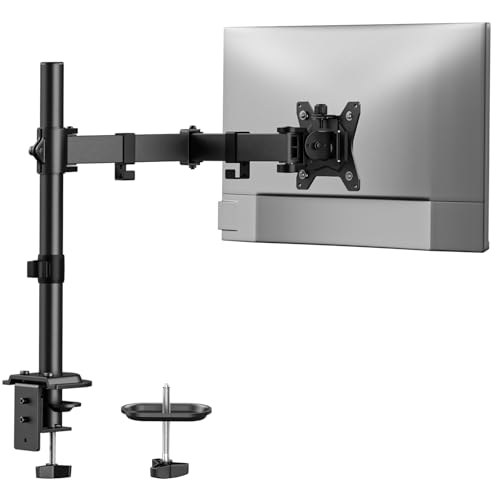
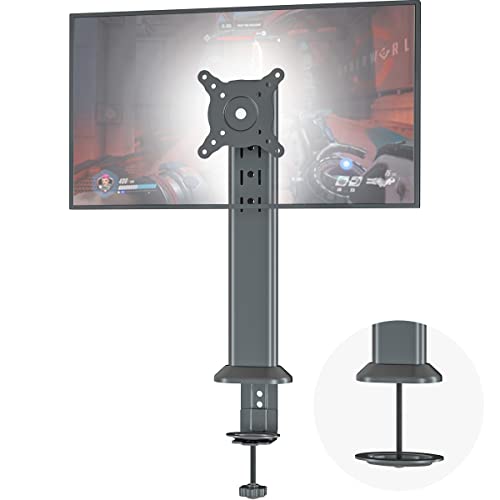
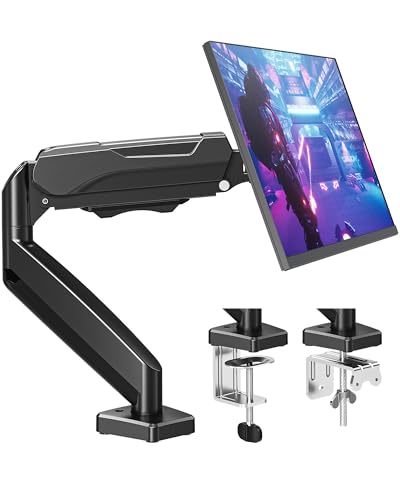
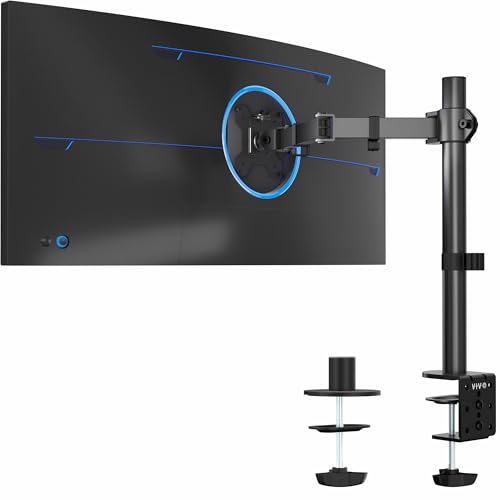
Prices from Amazon AU, updated daily. Swipe or use the arrows for more.
Disclosure: This article contains affiliate links to amazon.com.au. If you buy through one of these links iFix may earn a small commission at no extra cost to you. It doesn't change which products we recommend. We focus on what actually lasts based on 16 years of repair-shop experience.
Quick summary8 picks
- Entry PickHUANUO Single Monitor Arm Mount for 13"-32"… about$29.9932" screen.
- HEMUDU Single Desk Monitor Arm Mount Stand… about$32.99
- MOUNTUP Single Monitor Desk Mount Holds… about$37.99OLED.
- VIVO Single Monitor Arm Desk Mount about$39.9913" screen.
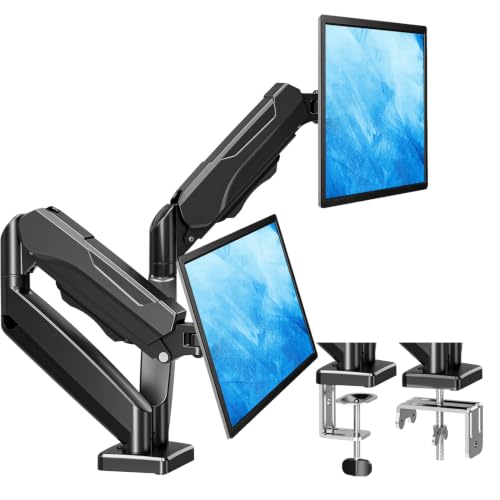
- MOUNTUP Dual Monitor Stand for Desk about$56.99
- HUANUO FlowLift™ Dual Monitor Arm about$65.9959" screen.
- HUANUO Dual Monitor Arm about$59.99
- Most PremiumVIVO Dual Arm Monitor Desk Mount Height… about$69.9917" screen.
The part that fails on a budget monitor is the stand
The bench section of our eye-care monitor picks under $300 ends on a line I meant literally: the durable answer is a VESA arm, with proper height, rotation and depth adjustment that no factory stand at this price offers. This guide is the follow-up. Three arms between $64.59 and $69.99, and the ten minutes of measuring you should do before you order one.
Here is why the stand keeps coming up. A monitor under $300 has a fixed cost structure, and the stand is the easiest place to save money. What you get is a plastic column with a friction hinge inside: two moulded faces pressed together by a spring washer, tilting against each other. New, it holds. Two years in, one of two things has happened. Either the plastic has polished itself smooth and the hinge no longer grips, so the screen nods forward a few degrees every time you knock the desk, or it has cold-welded itself solid and will not move at all.
The second one is the expensive failure. Someone puts both hands on a seized screen and leans on it, and the load goes straight into the plastic bosses that hold the stand neck to the rear case. Those bosses are 3 mm posts with brass threaded inserts heat-set into them. They snap or pull out, and once they do, that monitor no longer has a working stand mount at all. The case is not a serviceable part on a budget panel, so a $60 hinge problem turns a $200 screen into a screen that has to hang off something else. Which is exactly what an arm is.
An arm sidesteps the whole failure mode. It puts the load on four M4 screws into a steel-reinforced VESA pattern instead of on a moulded plastic neck, and it moves on steel pivots with a spring you can retension with an Allen key. Plenty of monitors in the value monitor lineup arrive with a stand you will bin inside a week, and a few ship tilt-only from the factory with no height adjustment at all. Budget the extra $65 at purchase rather than discovering it at month eighteen.
The ergonomics argument is the other half, and it is not decorative. Top of the screen level with your eyes, screen roughly an arm's length away, tilted back about ten degrees. A tilt-only stand puts a 27 inch panel around 12 cm below where it should be for most adults, which is why you finish a long shift with a sore neck and blame the chair. If you sit in front of a screen for eight hours, this is a bigger comfort change than a new keyboard, a new chair mat, or the next monitor up.
Measure before you order: VESA, desk, weight
VESA 100x100 or 75x75, and how to check
Look at the back of your monitor for four threaded holes in a square. Measure centre to centre between two neighbouring holes. 100 mm is VESA 100x100, 75 mm is VESA 75x75. On screens between 13 and 32 inches those are the only two patterns you will meet, both M4 thread, and every arm here ships hardware for both. So the pattern rarely decides the purchase; it decides which screws you fish out of the little bag.
What does catch people is recess depth. Some monitors sink the VESA holes in a well 8 or 10 mm deep. Bolt the plate on with the short screws and they bottom out in the thread with the plate still loose against the case, which feels tight on the Allen key and is not. That is what the plastic or metal spacers in the kit are for. If the plate rocks after you have done the screws up, you needed the spacers.
Monitors with no VESA holes at all
Slim consumer panels sometimes have no holes, or hide them behind a snap-off cover you can lever off with a plastic spudger. Others use a proprietary stand foot and nothing else. Both are fixable with an adapter. The first type is a bracket that sandwiches the monitor between padded arms hooked over the top and bottom edges; the second is a plate that bolts to the original stand fixing and presents a standard 100x100 face. The sandwich adapters are the compromise, since they add one to two kilograms of steel and shift the centre of mass rearward. Count that adapter weight against the arm's rating before you order, not after.
Clamp or grommet, and which desk takes which
Every arm here gives you both bases. The C-clamp grips the front lip of the desk, takes about two minutes, leaves nothing behind, and is the right default for solid timber tops and thick laminate. The grommet mount bolts through an existing cable hole (or one you drill) and pushes the load down through the desktop rather than pinching the front edge, which suits thinner tops and heavier screens.
Three checks before you commit. Thickness: both HUANUO picks want 1.5 cm to 9 cm, and the VIVO takes up to 8.4 cm. Material: timber and laminate are fine, glass is out for both mounting styles, and thin hollow-core tops need load spread with a hardwood or steel strip under the jaw. Obstructions: get under the desk with a torch and look for cross beams, cable trays and support panels near the back edge, because they will block a clamp entirely. Standing desks are usually the worst offender here, and it is better to find that out before the box arrives.
Weight ratings and the sag that follows ignoring them
Every one of these arms is rated 2 to 9 kg per screen. Both numbers matter. Under the minimum, a spring wound for a heavier load pushes a light panel up on its own and the screen drifts toward the ceiling every time you touch it. Over the maximum, the arm holds for a fortnight, then starts to creep: you set it in the morning, and by knock-off the screen has dropped 20 or 30 mm. You wind the tension screw in to compensate, it works for another month, and then you run out of screw.
Weigh the screen instead of guessing. Most 24 to 27 inch panels land between 3 and 5 kg with the factory stand removed, which is comfortably inside range. The screens that catch people are 32 inch curved panels and 34 to 49 inch ultrawides. If you are shopping the ultrawide OLED tier, the weight rating is the spec that decides everything: those panels run 7 to 11 kg bare, they hang a long way either side of the mount point, and the leverage on the arm is far higher than the weight alone suggests. At that size, buy the arm for the screen, not the screen for the arm.
Gas spring or mechanical spring
A gas spring uses a sealed pneumatic strut, so the resistance stays even through the whole travel and you can reposition the screen with one hand. A mechanical spring uses a steel coil and a tension bolt, which is cruder to set and slightly notchier in the middle of its range. The trade is durability against feel. Gas struts fade after five or six years of daily cycling, and the tell is a screen that will not hold its top position. Coil springs just sit there. Set once and left alone, the mechanical arm outlasts the gas one; adjusted five times a day at a sit-stand desk, the gas one is worth the money.
Cable routing is not optional
All three picks run the cables along the arm through clips or channels. Use them, and leave a service loop of slack at the monitor end. This is not tidiness for its own sake. On a monitor that swings through 90 degrees of swivel, a cable clipped tight at both ends gets pulled every time you rotate the screen, and the load lands on the HDMI or DisplayPort socket soldered to the main board. Cracked solder joints on display sockets are a job that lands on our bench regularly, and it is almost always cable tension doing it, not use. Route the cable along the arm, loop it at the head, and let the loop take the movement.
The three picks, $64.59 to $69.99
One thing straight up, because you will spot it in the photos. Picks one and three are the same arm in different finishes: the HUANUO HNDS6 in black and the HNDS6W in white. Same geometry, same 2 to 9 kg rating, same bases in the box, $3.80 apart. I am listing both because a white desk with a black arm bolted to it looks like an afterthought, and enough people care about that to make it a real buying decision. If you do not care, buy the black one and stop reading at the first card.
Prices are Amazon AU at time of writing (10 August 2026) and move week to week. Sales ranks are Amazon AU's Computer Monitor Arms subcategory, checked the same day.

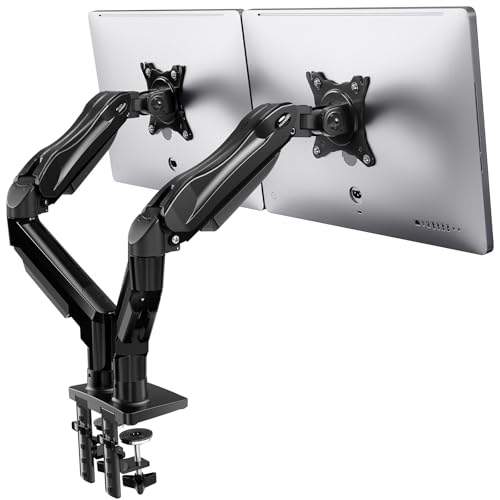
HUANUO FlowLift Dual Monitor Arm (HNDS6)
ASIN B07ZNGT8K4 • $65.99 • Ships from Silonn Direct AU
Currently #3 in Computer Monitor Arms on Amazon AU, and it is the one I would put on my own desk. Two arms, each carrying a 13 to 32 inch screen between 2 and 9 kg, VESA 75x75 and 100x100 plates, gas spring tension, and both the C-clamp and grommet bases supplied rather than sold as an accessory. The movement range is the headline: +85 to -50 degrees of tilt, 90 degrees of swivel each way, 360 degrees of rotation for portrait, and 41 cm of height travel. That last number is the one that fixes the ergonomics on a tilt-only monitor, because 41 cm of range means the top of the screen reaches eye level for anyone from a short desk to a standing one.
The base is where it earns the ranking. Instead of the single narrow clamp most arms at this price use, the HNDS6 sits on a wider platform with a twin C-clamp structure, which is what stops two 27 inch screens transmitting every keyboard thump into a visible wobble. Cable channels run the full length of both arms. Assembly is genuinely a solo job: build the post, clamp it, then hang each screen on its plate.
Honest caveats: the desk requirements are strict and worth reading twice. Timber or laminate only, no glass and no plastic tops, thickness 1.5 cm to 9 cm, and nothing underneath the mounting point (cross beams and support panels rule it out). It is a dual arm only, so a single-screen desk pays for a second arm it will not use. And the 2 kg minimum is real: a very light 22 inch panel will float on this spring even at the softest tension setting.
Best for: Dual 24 to 32 inch setups on a normal timber or laminate desk, and anyone replacing a seized or nodding factory stand.
Screens: 13 to 32 inch, two arms • Weight: 2 to 9 kg per arm • VESA: 75x75 and 100x100 • Movement: +85/-50 tilt, 90 degrees swivel each way, 360 degree rotation, 41 cm height range • Tension: Gas spring • Mounting: Twin C-clamp or grommet, desks 1.5 to 9 cm • Rank: #3 in Computer Monitor Arms (Amazon AU)
View on Amazon AU
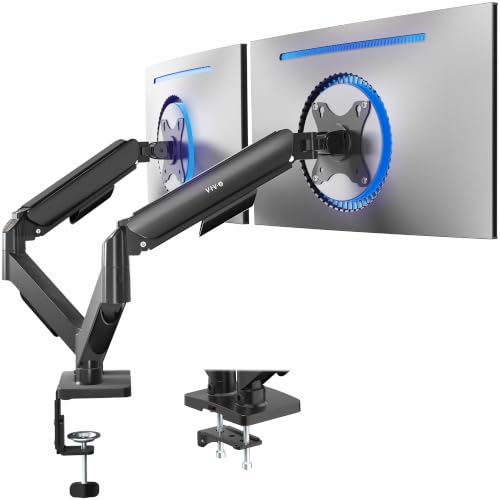
VIVO Dual Arm Monitor Desk Mount (STAND-V002O)
ASIN B01N2YFO5Z • $69.99 • Ships from VIVO-AU
Sitting at #11 in Computer Monitor Arms, the VIVO is the arm to buy when the screens are at the top of the weight range or the desk sees a lot of movement. It takes 17 to 32 inch flat or curved panels up to 9 kg each on VESA 75x75 or 100x100, with a mechanical spring counterbalance instead of a gas strut, a heavy-duty C-clamp, and an optional bolt-through grommet mount for desks up to 8.4 cm thick. Articulation runs +90 to -90 degrees of tilt, 180 degrees of swivel and 360 degrees of rotation.
Two details make it the better buy for some desks. The first is the mechanical spring: nothing to seal, nothing to leak, and no gas charge that fades in year six. It is set with a tension bolt rather than by hand, so it suits a screen you position once and leave. The second is the open-top VESA plates. You bolt the plate to the monitor first, then drop it into the arm from above, which means one person can hang a heavy 32 inch panel without a second pair of hands holding it in mid-air. VIVO backs the mechanical design with a 3-year manufacturer warranty, longer cover than anything else in this price bracket.
Honest caveats: VIVO states it plainly and so will I. The back of the arms extends past the rear edge of your desk. Push the desk hard against a wall and you lose some of the rear travel, so measure the gap first. The 17 inch minimum screen size also rules out small auxiliary panels, and the mechanical spring is fiddlier to dial in than the HUANUO gas strut: expect ten minutes with an Allen key rather than a one-handed adjustment.
Best for: 32 inch and curved screens near the 9 kg limit, desks that sit away from the wall, and buyers who want the longest warranty.
Screens: 17 to 32 inch flat or curved, two arms • Weight: Up to 9 kg per arm • VESA: 75x75 and 100x100, open-top plates • Movement: +90/-90 tilt, 180 degree swivel, 360 degree rotation • Tension: Mechanical spring counterbalance • Mounting: C-clamp or grommet, desks to 8.4 cm • Warranty: 3 years • Rank: #11 in Computer Monitor Arms (Amazon AU)
View on Amazon AU
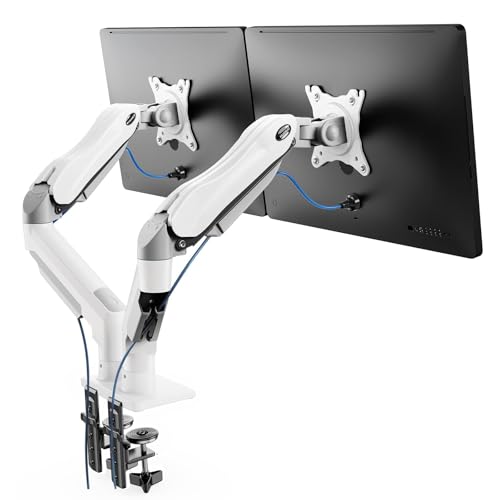
HUANUO Dual Monitor Arm, White (HNDS6W)
ASIN B0D7H5H4KP • $59.99 • Ships from Silonn Direct AU
This is pick A in white. Same HNDS6 hardware, same 13 to 32 inch and 2 to 9 kg per arm rating, same VESA 75x75 and 100x100 plates, same C-clamp and grommet bases, same pneumatic spring, same cable management, same #3 rank in Computer Monitor Arms that the black version holds. The only thing $3.80 buys you over the $64.59 black model is the finish, and I would rather say that plainly than dress it up as a third product.
The finish is still a legitimate reason to buy it. White monitors are common at this price now, including the best-selling business panel in our monitors guide, and white desks are everywhere in home offices. A black steel post bolted to a white desk between two white screens is the visual equivalent of a mismatched replacement part. If the desk is in a living room or a bedroom, where the setup has to look like furniture rather than equipment, spend the extra four dollars.
Honest caveats: every limit from pick A carries over unchanged. Timber or laminate desks 1.5 cm to 9 cm thick, no glass, nothing obstructing underneath, 2 kg minimum per screen. White powder coat also shows scuffs and finger marks more than black does, which matters if you are constantly reaching behind the screens to swap cables. Do not pay the difference for anything except the colour, because there is nothing else in it.
Best for: White or light timber desks, white monitor pairs, and setups that live in a shared room.
Screens: 13 to 32 inch, two arms • Weight: 2 to 9 kg per arm • VESA: 75x75 and 100x100 • Movement: Full motion tilt, swivel and 360 degree rotation • Tension: Pneumatic spring • Mounting: C-clamp or grommet, desks 1.5 to 9 cm • Finish: White • Rank: #3 in Computer Monitor Arms (Amazon AU)
View on Amazon AUSide-by-side comparison
| Product | Price | Best for |
|---|---|---|
| HUANUO Single Monitor Arm Mount for 13"-32"… | ~$29.99 | |
| HEMUDU Single Desk Monitor Arm Mount Stand… | ~$32.99 | |
| MOUNTUP Single Monitor Desk Mount Holds… | ~$37.99 | |
| VIVO Single Monitor Arm Desk Mount | ~$39.99 | |
| MOUNTUP Dual Monitor Stand for Desk | ~$56.99 | |
| HUANUO FlowLift™ Dual Monitor Arm | ~$65.99 | |
| HUANUO Dual Monitor Arm | ~$59.99 | |
| VIVO Dual Arm Monitor Desk Mount Height… | ~$69.99 |
What we see fail at the bench: stands, arms and desks
Monitors come through our Central Coast computer repair workshop most weeks, usually attached to the PC they were plugged into. Sixteen years in, the mounting faults repeat themselves closely enough to write down.
Friction hinges loosen first, then seize
The plastic-on-plastic friction hinge in a budget stand has two end states and both arrive eventually. Loose is the polite one: the surfaces polish themselves, the spring washer relaxes, and the screen starts nodding forward under its own weight until you retighten a screw that has nothing left to bite on. Seized is the one that costs money. Dust, plasticiser migration and years of static load effectively weld the faces together, and the customer meets it by putting a hand on each side of the screen and pushing. The hinge does not move. The plastic bosses holding the neck to the rear case do, and they crack. That damage is permanent on a consumer panel, because the rear case is not stocked as a spare part. If a stand has stopped moving, stop pushing and mount the screen on an arm instead.
The clamp that ate the desk
Second most common mounting fault, and entirely self-inflicted. Laminate desktops are a thin decorative surface over particleboard, and the particleboard is what crushes when a clamp gets cranked down as hard as a hand can manage. The laminate stays intact for a while, then dishes and eventually cracks, and you are left with a permanent depression the size of the clamp pad. Use the supplied pads, tighten firm rather than heroic, then re-check the clamp a week later once the material has taken a set. On thin or hollow-core tops, put a strip of hardwood or steel under the jaw to spread the load.
Over the weight rating, the sag arrives on a delay
Nobody notices an overloaded arm on day one. The spring is fresh, the screen holds, everything looks fine. Six to eight weeks later the screen is 20 mm lower every evening than where it was set that morning. The tension screw buys another month or two, then it runs out of adjustment. This is the reason to check the real weight of the panel with the factory stand removed before ordering, and it is why 32 inch curved and ultrawide screens need a different conversation to a pair of 24 inch panels.
Cable tension breaks display sockets
An HDMI or DisplayPort socket is soldered directly to the monitor's main board, and the joints were never designed to carry a shielded cable being levered every time the screen swivels. On an arm this gets worse, not better, because the screen now travels much further than it ever did on a fixed stand. The symptoms are familiar: intermittent signal loss, a no-signal message with a known-good cable, or a picture that returns only when the plug is held at an angle. It is a board-level repair, and it is fully preventable. Clip the cable to the arm, leave a generous service loop at the monitor head, and swing the screen through its full range once with the cable fitted to confirm nothing pulls tight.
Assembly order saves the screws
The stripped VESA thread is a small failure with a big consequence, and it comes from doing the job in the wrong order. Bolt the VESA plate to the monitor while the screen is flat on a towel on the desk, hand tight plus a nudge, and never with a driver on a clutch setting you have not tested. M4 threads in a thin steel insert strip easily, and once one is gone you are down to three fixings on a nine kilogram screen. Build and clamp the post first, get it plumb, then hang the screens last.
Decision tree: which arm should you buy?
- Two 24 to 27 inch screens on a normal timber or laminate desk? → HUANUO FlowLift HNDS6 at $64.59. Widest movement range here and the best base design at the price.
- 32 inch, curved, or anything near 9 kg? → VIVO STAND-V002O at $69.99. Mechanical spring, open-top plates for solo installation, 3-year warranty.
- White desk, white monitors, setup lives in a shared room? → HUANUO HNDS6W. Identical arm to pick A, white finish, $3.80 more.
- Desk pushed hard against a wall? → Take the HUANUO. The VIVO arms extend past the rear edge and you will lose travel.
- Glass desktop, or cross beams under the mounting point? → Neither arm mounts safely. Look at a freestanding weighted base instead, or move the mounting position along the desk.
- Monitor with no VESA holes? → Order an adapter plate at the same time, and add its weight to your screen weight before you check the rating.
- Screen already nodding, or a stand that has seized solid? → Stop forcing it. Bring it in to our Erina workshop for a look before the case mounts crack, because that damage does not come back.
Frequently asked questions
How do I know if my monitor takes a 100x100 or a 75x75 VESA mount?
Measure it. Look at the back of the monitor for four threaded holes arranged in a square, then measure centre to centre between two neighbouring holes. 100 mm apart is VESA 100x100, 75 mm apart is VESA 75x75. Both patterns use M4 thread on screens this size. Every arm in this guide ships with hardware for both, so the measurement matters less for compatibility than it does for picking the right screws out of the bag. If the holes sit at the bottom of a recessed well, check the depth as well, because a deep recess needs the spacers included in the kit or the screws bottom out in the thread before they clamp the plate against the monitor.
My monitor has no VESA holes. Can I still use an arm?
Usually yes, with a VESA adapter plate. Plenty of consumer screens hide their mounting points behind a snap-off cover, and some skip the holes entirely in favour of a proprietary stand foot. Adapter plates solve it two ways: a bracket that sandwiches the monitor between padded arms hooked over the top and bottom edges, or a plate that bolts to the original stand fixing and presents a standard 100x100 face. The sandwich style adds one to two kilograms, which counts against the arm's weight rating, so add it to your screen weight before you order. Removing the factory stand first is the step people forget. Most slide off after a hidden release button under the neck.
Should I clamp the arm to the desk or bolt it through a grommet hole?
Clamp if you rent, if you move desks, or if your desktop is solid timber or thick laminate with a clean front edge to grip. Grommet if the desk already has a cable hole, if the edge is trimmed with something soft, or if the top is thin enough that a clamp would dent it. The clamp is faster and completely reversible, and it is the right default for most people. The grommet mount pushes the load down through the desktop instead of pinching the front lip, so it suits thinner tops and heavier screens. Both HUANUO picks take desks 1.5 cm to 9 cm thick and the VIVO takes up to 8.4 cm. Glass desks are out for either mounting style.
What happens if my monitor weighs less than the arm's minimum rating?
A sprung arm needs load to behave itself. Both HUANUO picks are rated 2 to 9 kg per screen and the bottom of that range is not decoration. Hang a 1.5 kg 22 inch panel on a spring wound for heavier work and the arm floats upward on its own every time you nudge it, which gets old fast. The fix is the tension screw wound right out to its softest setting, and most light screens settle down at that point. If it still creeps up, a lighter-duty arm is the honest answer. Going the other way is worse. Over the top rating the arm sags within weeks and the tension adjustment has nothing left to give.
Will a monitor arm damage my desk?
It can, and the damage is always the same story: a clamp cranked down hard onto a laminate top with a particleboard core. The laminate surface holds, the core crushes underneath it, and you are left with a permanent dent the size of the clamp pad. Use the rubber or foam pads supplied in the box, do the clamp up firm rather than as tight as your hand will go, then check the tension again after a week once the material has settled. On a thin or hollow-core desk, spread the load with a strip of hardwood or steel under the clamp jaw. Check underneath before you commit, too. Cross beams and support panels near the back edge will block the clamp entirely.
Gas spring or mechanical spring: does the difference matter at this price?
Less than the marketing suggests on a $65 to $70 arm. A gas or pneumatic strut is smoother through its travel and easier to fine tune by hand, which is what you want if you move a screen between sitting and standing several times a day. A mechanical coil spring, like the VIVO uses, is cruder to set but has no seal to weep and no gas charge to lose after five or six years. Gas struts do fade eventually, and the tell is a screen that will not hold its top position and drifts down over an afternoon. If your monitor gets set once and left alone, the mechanical arm will probably outlive the gas one. If you adjust it constantly, pay for the gas.
Related buying guides
Stand seized, or the screen won't hold its angle?
Do not force it. A seized hinge cracks the case mounts, and on a consumer panel that damage is permanent. Bring the monitor in and we will tell you in minutes whether it is worth mounting on an arm, worth a board-level repair, or worth replacing off the list above.
Visit our Erina workshop Book Online