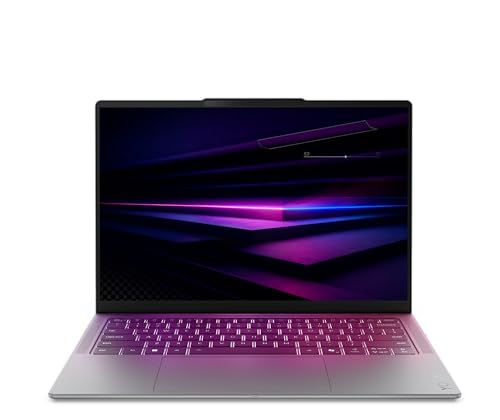
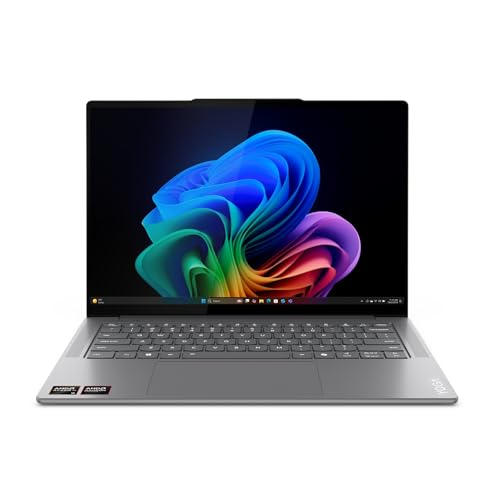
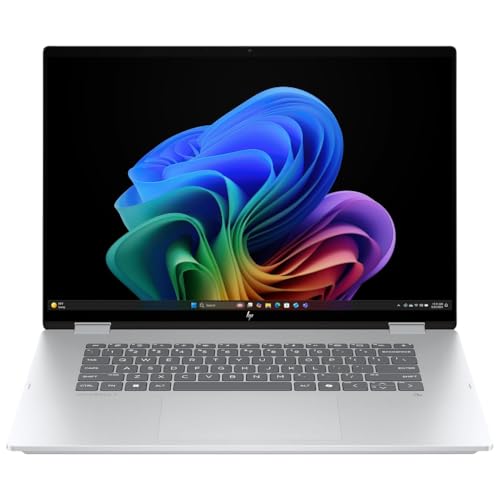

Prices from Amazon AU, updated daily. Swipe or use the arrows for more.
Disclosure: This article contains affiliate links to amazon.com.au. If you buy through one of these links iFix may earn a small commission at no extra cost to you. It doesn't change which products we recommend. We focus on what actually lasts based on 16 years of repair-shop experience.
Quick summary8 picks
- Entry PickHP OmniBook 5 16" OLED Laptop about$1,59916" screen, OLED.
- Lenovo IdeaPad 5 2-in-1 Notebook 14IRH9 14'… about$1,69416GB RAM, 512GB SSD, 14" screen.
- ASUS Zenbook 14 UM3406GA-QL109W about$1,69816GB RAM, 1TB SSD, 14" screen.
- Lenovo 14" OLED IdeaPad 5 2-in-1 Laptop: AI… about$1,8981TB SSD, 14" screen, OLED.
- Lenovo Yoga Slim 7i 14IPH11 PTLU7 32GB 1TB… about$1,999OLED.
- Lenovo Yoga 14.5" OLED 3K Slim 7X Laptop: 32GB about$2,2981TB SSD, 14.5" screen, OLED.
- HP OmniBook X Flip Next Gen AI 16" 2-in-1… about$2,39116GB RAM, 512GB SSD, 16" screen.
- Most PremiumHP OmniBook 7 AI 14" Laptop about$2,50032GB RAM, 512GB SSD, 120Hz refresh.
What an OLED screen changes on a laptop
On a normal laptop the screen is an LCD with a backlight behind it, and every pixel is lit from behind whether it's showing white or black. On an OLED laptop each pixel makes its own light and switches right off for black. The result is deep, inky blacks, strong contrast and colour that looks noticeably richer, especially on photos and films. Once you've used one for a week, most IPS laptop screens look a little grey and flat by comparison, which is why OLED has spread from premium models down to mid-range ones.
The five picks here run from about $1,599 to $2,391, and they're all sold by Amazon AU. A few years ago OLED was a feature on laptops well over $2,500, so this is a real change, and it means you can get an OLED screen on an ordinary work-and-study laptop now. What you give up is mostly about how you use it rather than how it looks, and I'll go through those trade-offs plainly, because they're the questions people ask me after they've bought one, not before.
I'd suggest an OLED laptop for anyone who edits photos, watches a lot of video, or just spends all day looking at a screen and wants it to look good. I'd be more careful recommending one to someone who leaves the same spreadsheet or dashboard open at full brightness for ten hours a day, every day, for reasons I'll get to under burn-in. For most people somewhere in between, OLED is a very nice upgrade with a couple of habits worth picking up early.
Burn-in: how real it is on a laptop
Burn-in is the faint ghost of something left on screen for a very long time, like a taskbar, a browser tab strip or a logo, that stays visible even after the picture changes. It happens because OLED pixels wear as they're used, and pixels that show the same bright thing for thousands of hours wear faster than the ones around them. On a laptop the usual suspects are the Windows taskbar, the clock and the icons pinned to it, because they're in the same place every second the laptop's on.
In my experience it's less of a problem on laptops than people fear, mostly because laptop screens get switched off, put to sleep and moved between apps far more than a TV left on a news channel. Most OLED laptops also shift the picture by a pixel or two over time and dim static elements to spread the wear. I'd still treat it as a real risk for someone running the same static layout at full brightness all day, every day, for years. That's the use I'd steer towards a good IPS screen instead.
A few free habits cut the risk a lot. Set the taskbar to auto-hide, use dark mode where you can, keep the brightness at a comfortable level rather than flat out, and let the screen turn off after a few minutes idle instead of leaving it on overnight. A dark desktop background and a screen saver help too. None of this is hard, and in my experience people who do it for a month stop thinking about it, which is about how it should be.
Flicker at low brightness
Most OLED laptop screens dim by switching the pixels on and off very quickly rather than by lowering a steady current, which is called PWM dimming. At high brightness it's too fast to notice, but at low brightness the off periods get longer, and a small number of people notice a flicker, especially in a dark room. You can often see it yourself by pointing a phone camera at the screen in slow motion, where it shows up as rolling bands. Most people never notice it at all.
The listings here don't say how each screen dims, so there's no way to compare them from the box. If you know you're sensitive to flicker on phones or TVs, try the laptop in person at a low brightness before buying, and check the return terms so you can send it back within the window if it bothers you. Amazon AU's normal return process applies to all five picks here, which makes that easier than buying from a marketplace seller.
If it does bother you, the usual workaround is to keep the screen brightness higher and turn down the brightness of what's on screen instead, with dark mode or a dimmer theme. Some laptop makers also add a flicker-reduction setting in their own control app, so check that before you give up on it. The ASUS listing mentions its MyASUS app, which is where that kind of setting usually lives on ASUS machines.
Battery life and what OLED costs you
OLED's power use depends on what's on the screen. A black pixel is switched off and uses almost nothing, while a white pixel at full brightness uses quite a lot. That's the opposite of an LCD, where the backlight draws about the same power whatever you're looking at. So an OLED laptop can do very well on battery watching a film with dark scenes or using dark mode, and it can do worse than an IPS laptop on a bright white document or web page all day.
None of the listings here give a battery life figure in hours that I'd rely on, and the ones that mention battery at all use phrases like all-day or day-long. The Zenbook lists USB-C charging and the HP OmniBook 5 lists dual Thunderbolt 4, which means you can charge either from a good USB-C charger and leave the brick at home. Buy a proper charger if you do, because the no-name chargers we see in the shop are a common source of charging faults, and our bad chargers explainer covers why.
Battery health matters more than the screen type over the life of a laptop. Lithium batteries age fastest when they're kept at 100 percent and hot, which is exactly what happens to a laptop that lives plugged in on a desk. Most of these brands offer a charge limit setting in their control app that holds the battery at around 80 percent when you're on mains power, and turning that on is the single best thing you can do for battery life. It takes a minute and costs nothing.
Glossy screens, touch and brightness
Most OLED laptop screens are glossy, and the two 2-in-1 picks here are touchscreens, which almost always means glass on the front. Gloss makes colours and blacks look their best, but it reflects windows and overhead lights, so where you sit matters. Brightness helps fight reflections, and the Zenbook 14 lists up to 600 nits, which is good for a laptop. The other listings don't state a brightness figure, so I can't compare them directly.
For working outdoors or in a sunny room, a matte IPS screen is still easier to live with than any glossy OLED. If you mostly work indoors with the light coming from the side rather than behind you, gloss is rarely a problem. Tilt the screen slightly and move away from a window behind your chair, and most reflections disappear. I'd only rule out OLED on glare grounds if you regularly work on a verandah or in a car.
Touch is really useful on a 2-in-1, where you fold the screen back and use it as a tablet or tent it for watching. On a regular clamshell laptop, touch is more of a nice extra. If you want a 2-in-1 rather than a regular laptop, our 2-in-1 laptop guide covers the hinge and pen side of it in more detail, including models that aren't OLED.
What a cracked OLED screen costs
This is the part most buyers don't think about until it happens. An OLED laptop screen generally costs more to replace than an IPS one, and on touchscreen 2-in-1s the screen is usually a single glued assembly with the glass, touch layer and panel together. That makes a cracked screen one of the most expensive repairs on these machines, often a sizeable share of what the laptop cost new. Our laptop screen replacement guide explains how pricing works.
Most cracked laptop screens we see come from the same few causes: something left on the keyboard when the lid was closed, like a pen or earbuds, a bag dropped with the laptop inside, or the lid being lifted by one corner. OLED panels are thin, and pressure on a small point can crack them without any visible damage to the lid. A padded sleeve and a habit of checking the keyboard before you close the lid prevent most of them.
If you're buying an OLED laptop for a student or for travel, it's worth looking at what accidental damage cover would cost, because a standard warranty doesn't cover cracks. All five picks here list a one-year warranty from the manufacturer, and Australian Consumer Law covers faults beyond that, but neither covers a dropped bag. For other faults like a dead keyboard, a charging port or a laptop that won't boot, our Central Coast computer repair team can tell you what's wrong before you spend anything.
RAM, storage and processors on these five
Every pick here has at least 16GB of RAM and 512GB of storage, which is what I'd want as a minimum on a laptop I planned to keep for four or five years. The Lenovo Yoga Slim 7i doubles that to 32GB and 1TB, and the Zenbook 14 has 1TB with 16GB. On thin laptops like these the RAM is soldered to the board, so it can't be upgraded later. Buy the RAM you'll need in year four, not just year one, because it's the one spec you can't change.
Storage is a different story. Most of these use an M.2 SSD, and the HP OmniBook 5 lists a PCIe NVMe M.2 drive, which can usually be swapped for a bigger one later if you run out of space. That's a repair-friendly detail I like to see. Check the manual before buying a drive, though, because some thin laptops use the shorter M.2 sizes that limit your choices.
The processors split between AMD Ryzen AI on the Zenbook, Intel Core Ultra on the HP and Yoga machines, and an older Intel Core i7-13620H on the IdeaPad 5 2-in-1. They all handle office work, browsing, video calls and light photo editing comfortably. For heavy video work, look at our video editing laptop picks, which put more weight on graphics and cooling than any of these thin machines.
How I picked these five
I started from OLED laptops selling on Amazon AU, kept new stock sold by Amazon AU with Australian model numbers, and dropped anything listed as IPS or LCD, imports, and gaming laptops, which have their own guide. I also dropped two listings where the title and the features described different processors, because when a listing contradicts itself I can't tell you which laptop turns up. One of them was a Snapdragon 2-in-1 that otherwise looked like good value.
That left five machines from $1,599 to $2,391, with 14-inch and 16-inch screens and both regular and 2-in-1 designs. The ranks quoted on each card are Amazon AU sales ranks in Traditional Laptops or 2 in 1 Laptops, checked on the same day as the prices. One Lenovo rank is shared between two versions of the same listing, and I've said so on that card.
I lead with the ASUS Zenbook 14 because it's the best-selling OLED clamshell here at #32 in Traditional Laptops, it has the brightest stated screen, and it pairs the OLED with 1TB of storage at a mid-range price. The others each fit a different need: a bigger 16-inch screen for less on the HP OmniBook 5, a pen-ready 2-in-1 on the IdeaPad, 32GB of RAM on the Yoga, and a large 16-inch OLED 2-in-1 on the HP OmniBook X Flip.
If you already own an OLED laptop with a fault, like a screen line, a dead pixel cluster or a battery that's swelling, don't keep using it and hope. A swollen battery can push up the keyboard and crack the screen from behind. Shut it down, don't charge it, and bring it into our Erina workshop, and we'll tell you what's wrong and what it'll cost before any work starts.
The 5 picks, $1,599 to $2,391
Prices are Amazon AU at time of writing (31 October 2026) and move week to week. Ranks are Amazon AU category sales ranks, checked the same day.

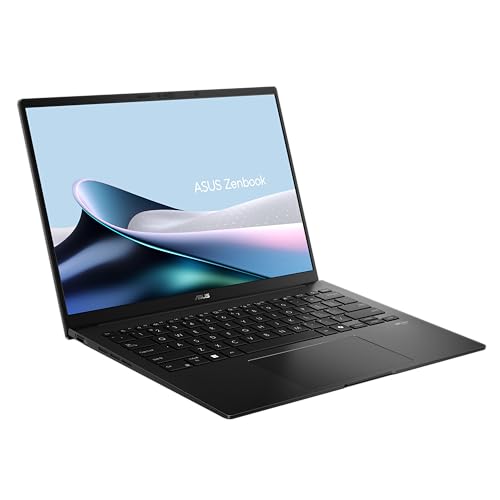
ASUS Zenbook 14 OLED UM3406GA-QL109W, Ryzen AI 5 430, 16GB, 1TB
ASIN B0GQD66DZC • $1,698.00 • Ships from Amazon AU
This is the OLED laptop I'd point most people to first. The Zenbook 14 is the best-selling OLED clamshell in this guide at #32 in Amazon AU's Traditional Laptops category, it's sold by Amazon AU, and at $1,698 it pairs a 14-inch OLED screen with 1TB of storage. The processor is an AMD Ryzen AI 5 430 with AMD Radeon graphics and 16GB of LPDDR5X RAM, which is plenty for office work, study, browsing and light photo editing. The model and part number are both UM3406GA-QL109W, matching the title. It comes in Jade Black, has an all-metal case, and the listing states a one-year pick-up and return warranty. Returns go through Amazon AU.
The screen is a 1920 by 1200 ASUS Lumina OLED with a 16:10 shape, which gives you a bit more vertical room for documents than a standard widescreen. The listing claims up to 600 nits, the highest stated brightness of these five, and adaptive sync adjusts the refresh rate for smoother motion. Charging is over USB-C with what ASUS calls Easy Charge, and the listing mentions Wi-Fi 6E, a camera privacy shield and face login. ASUS says it meets the MIL-STD 810H durability test standard, which is a good sign for the hinge and case but doesn't mean it survives a drop. The keyboard has a NumberPad built into the touchpad.
The RAM is soldered, so 16GB is what it'll have for life. That's enough for most people, but if you keep dozens of browser tabs and big spreadsheets open, the Yoga's 32GB is worth the extra. The listing doesn't give a battery figure in hours, just day-long stamina, so I wouldn't plan a long flight around it without a charger. Use the MyASUS app to set a battery charge limit if it lives plugged in on a desk, which helps the battery last years longer. Set the taskbar to auto-hide to cut burn-in risk. For a well-made, bright OLED laptop with plenty of storage, this is the one I'd buy.
Honest caveats: The 16GB of RAM is soldered and can't be upgraded. No battery life in hours is stated, only day-long. The 600-nit brightness is an up-to figure. Like any glossy OLED, it reflects windows behind you. A cracked OLED screen is an expensive repair, so use a padded sleeve and check the keyboard before closing the lid.
Best for: Most people who want a bright, well-built 14-inch OLED laptop with 1TB of storage for work and study.
Screen: 14 inch OLED, 1920 x 1200, 16:10, up to 600 nits • Processor: AMD Ryzen AI 5 430 • RAM: 16GB LPDDR5X (soldered) • Storage: 1TB SSD • Graphics: AMD Radeon • Charging: USB-C • Model: UM3406GA-QL109W • Warranty: 1 year pick-up and return (listing) • Rank: #32 in Traditional Laptops (Amazon AU)
View on Amazon AU
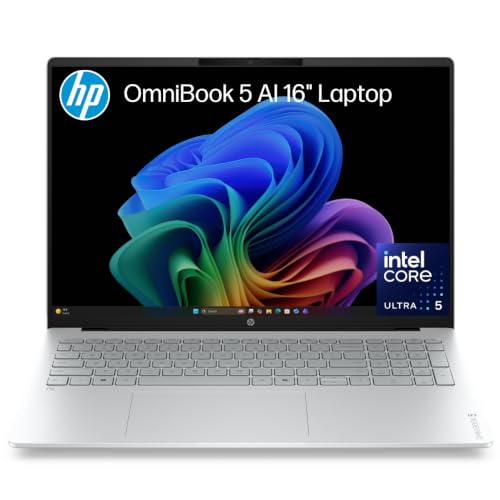
HP OmniBook 5 16 Inch OLED Laptop D95C3PA, Core Ultra 5 322, 16GB, 512GB
ASIN B0H6V5CDVD • $1,599.00 • Ships from Amazon AU
The HP OmniBook 5 is the lowest priced pick here at $1,599, and it gets you a 16-inch OLED screen, which is the biggest screen size in this guide. It's sold by Amazon AU and ranks #89 in Traditional Laptops. The processor is an Intel Core Ultra 5 322 with Intel graphics, paired with 16GB of LPDDR5x RAM and a 512GB PCIe NVMe M.2 SSD. The part number D95C3PA matches the title. HP calls the screen 2K OLED, though the listing gives the resolution as 1920 by 1200, the same as the Zenbook's spread over a bigger screen. The listing states a one-year manufacturer warranty. Delivery and returns go through Amazon AU's normal process.
For a home office or study desk, the 16-inch size is the main appeal. There's room for two documents side by side, and the listing includes a backlit keyboard with a numeric keypad, which suits anyone who works with numbers all day. It lists dual Thunderbolt 4 ports for fast data, display output and charging, so one good USB-C dock can run a monitor, keyboard and charging from a single cable. The camera is a 1080p FHD IR camera for face login. At 1.68kg it's heavier than the 14-inch machines but still easy to carry between rooms or to a class. The colour is Glacier Silver, which hides fingerprints better than dark finishes.
The trade-off for the price is resolution and storage. At 1920 by 1200 on 16 inches, text is a touch less crisp than on the 2.8K and 3K screens here, though most people won't notice at normal distance. The 512GB drive is the smallest in this guide, but because it's an M.2 SSD it can usually be swapped for a larger one later, which I like. The RAM is soldered, so 16GB is fixed. No brightness figure or battery life is listed. If you want the biggest OLED screen for the least money and mostly work at a desk, this is a sensible buy.
Honest caveats: The 1920 by 1200 resolution is the lowest density here on a 16-inch screen. Storage is 512GB, the smallest in this guide. No brightness figure or battery life is stated. RAM is soldered. At 1.68kg it's heavier than the 14-inch picks, and a big glossy screen picks up reflections.
Best for: Desk-based work and study where a big 16-inch OLED screen and a numeric keypad matter more than portability.
Screen: 16 inch OLED, 1920 x 1200, 100% DCI-P3 • Processor: Intel Core Ultra 5 322 • RAM: 16GB LPDDR5x (soldered) • Storage: 512GB PCIe NVMe M.2 SSD • Ports: Dual Thunderbolt 4 • Weight: 1.68kg (listing) • Model: D95C3PA • Warranty: 1 year (listing) • Rank: #89 in Traditional Laptops (Amazon AU)
View on Amazon AU
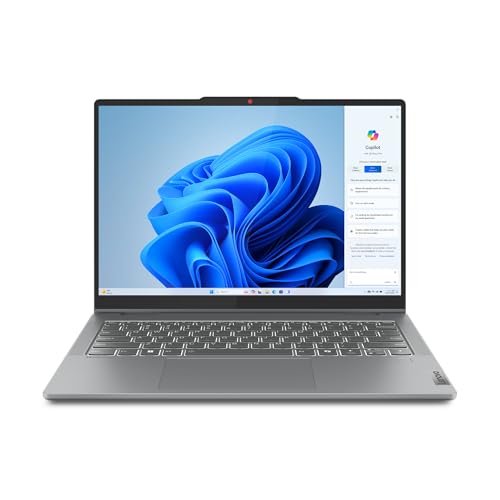
Lenovo IdeaPad 5 2-in-1 14IRH9 OLED Touch, Core i7-13620H, 16GB, 512GB, Pen
ASIN B0DXK4LLZM • $1,694.00 • Ships from Amazon AU
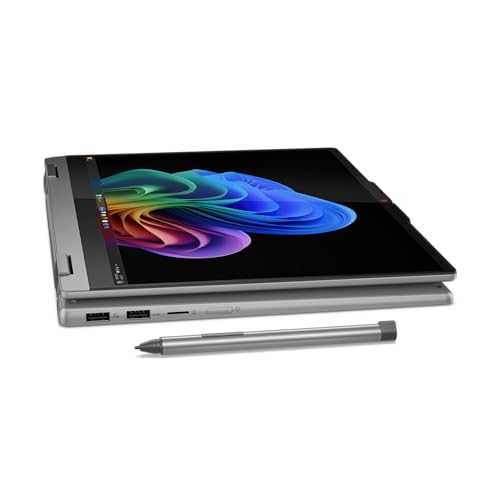
The IdeaPad 5 2-in-1 is the pen-ready pick. It's a 14-inch WUXGA OLED touchscreen that folds back into a tablet, and the listing includes a digital pen in the title, which makes it handy for handwritten notes, marking up PDFs and sketching. It's sold by Amazon AU at $1,694. The part number 83KX0009AU ends in AU, which is the local model code I like to see, and it matches the title. It ranks #16 in Amazon AU's 2 in 1 Laptops category, but that rank is shared with a Snapdragon version on the same listing, so read it as a figure for the IdeaPad 5 2-in-1 range. The warranty listed is one year from Lenovo.
Inside is an Intel Core i7-13620H with 16GB of RAM and a 512GB SSD. That processor is from an older generation than the Core Ultra chips in the HP and Yoga picks, and the listing dates this model to 2024, but it's a capable chip with more cores than you'd need for office work, study and photo editing. The listing mentions Dolby-optimised stereo speakers and an FHD webcam for video calls. The colour is Luna Grey. The OLED screen suits a 2-in-1 well, because the deep blacks and colour make it a good tablet for reading and watching in tent mode. It's a sensible size for a school bag too.
Being an older model, it lacks the newer AI features of the Copilot+ machines here, which matters less than the marketing suggests. The listing gives no brightness, battery life or weight, so check the spec sheet if you'll carry it all day. Touchscreen 2-in-1 screens are glued assemblies, which makes a cracked screen expensive, and the hinge takes more stress than a clamshell's, so don't lift it by the screen. Store the pen somewhere safe, because a lost pen is a common gap. If you want an OLED 2-in-1 with a pen at a mid-range price, this is the one.
Honest caveats: It's a 2024 model with an older Intel Core i7-13620H rather than a Core Ultra chip. The #16 rank is shared with a Snapdragon version on the same listing. No brightness, battery life or weight is stated. A cracked 2-in-1 touchscreen is an expensive glued-assembly repair. RAM is 16GB.
Best for: Students and note-takers who want an OLED 2-in-1 with a pen included for handwriting and PDF markup.
Screen: 14 inch WUXGA OLED touch • Design: 2-in-1, folds to tablet, pen included • Processor: Intel Core i7-13620H • RAM: 16GB • Storage: 512GB SSD • Audio and camera: Dolby-optimised speakers, FHD webcam • Model: 83KX0009AU • Warranty: 1 year (listing) • Rank: #16 in 2 in 1 Laptops (Amazon AU), listing shared with a Snapdragon version
View on Amazon AU
Lenovo Yoga Slim 7i 14IPH11 2.8K OLED, Core Ultra 7, 32GB, 1TB (83QM000EAU)
ASIN B0GVHK46T6 • $1,999.00 • Ships from Amazon AU
The Yoga Slim 7i is the pick for people who keep a lot open at once. It has 32GB of LPDDR5X RAM and a 1TB PCIe Gen4 SSD, double the memory of every other pick here, and because RAM on thin laptops is soldered to the board, buying it now is the only way to get it. It's sold by Amazon AU at $1,999 and ranks #54 in Traditional Laptops. The part number 83QM000EAU ends in AU and matches the title, and the listing states a one-year limited warranty. It's a 2026 model, released in March according to the listing, and it's a Copilot+ PC. Amazon AU handles delivery and returns.
The screen is a 14-inch 2.8K OLED with HDR support, which is noticeably sharper than the 1920 by 1200 screens on the Zenbook and the HP OmniBook 5. On a 14-inch screen that extra resolution makes text and photos crisper, and it's the detail I'd notice most after a week of use. The processor is an Intel Core Ultra 7 with AI acceleration and integrated Intel Arc graphics, which handles photo editing and light video work comfortably. The listing describes an ultra-slim, lightweight design but doesn't give a weight. The listing colour is Luna Grey in the title, even though the colour field says multicolour, so check the photos if colour matters to you.
The listing is short, with no brightness, battery life, weight or port details, so check Lenovo's spec sheet before you buy if those matter. At $1,999 you're paying mostly for the RAM and the sharper screen, and if you only browse and write documents, the Zenbook does that for $300 less. Higher-resolution OLED screens use a little more power, so set dark mode and a sensible brightness to help the battery. Use Lenovo's Vantage app to set a charge limit if it lives on a desk. For a long-lived 14-inch OLED laptop with room to grow, this is the one I'd buy.
Honest caveats: The listing is thin: no brightness, battery life, weight or ports are stated. It costs about $300 more than the Zenbook 14 for more RAM and a sharper screen. The colour field says multicolour while the title says Luna Grey. A 2.8K OLED draws a little more power than the 1920 by 1200 screens here.
Best for: Heavy multitaskers and photo editors who want 32GB of RAM and a sharp 2.8K OLED in a slim 14-inch laptop.
Screen: 14 inch 2.8K OLED, HDR • Processor: Intel Core Ultra 7 • RAM: 32GB LPDDR5X (soldered) • Storage: 1TB PCIe Gen4 SSD • Graphics: Intel Arc (integrated) • Platform: Copilot+ PC • Model: 83QM000EAU • Warranty: 1 year (listing) • Rank: #54 in Traditional Laptops (Amazon AU)
View on Amazon AU
HP OmniBook X Flip 16 Inch 3K OLED 2-in-1, Core Ultra 5 226V, 16GB, 512GB (BD5Q9PA)
ASIN B0FNMGW6DY • $2,390.81 • Ships from Amazon AU
The OmniBook X Flip is the best-selling 2-in-1 laptop on Amazon AU at #1 in the 2 in 1 Laptops category, and it's the big-screen 2-in-1 in this guide. It has a 16-inch 3K OLED touchscreen with a 16:10 shape, which is the sharpest and largest OLED here, and it folds back into a tablet or tent for watching. It's sold by Amazon AU at $2,391, the most expensive pick. The processor is an Intel Core Ultra 5 226V with 16GB of RAM and a 512GB SSD, and it's a Copilot+ PC. The part number BD5Q9PA matches the title, and the listing states a one-year manufacturer warranty. Like the others, returns go through Amazon AU.
The listing highlights Thunderbolt, saying one cable can power the laptop or connect up to two 4K displays at 40Gbps, which makes it easy to dock at a desk and use as a tablet on the couch. Audio is tuned by Poly Studio, HP's conferencing brand, so video calls should sound better than average for a laptop. The Copilot+ label means the processor's NPU handles Windows AI features locally, which the listing rates at 40-plus TOPS. A 16-inch 3K OLED is a lovely screen for photos, films and reading, and in tent mode it works well as a small TV in the kitchen or on a desk. It's the one I'd pick for watching as much as working.
The listing doesn't state brightness, battery life, weight or whether a pen is included, so check before you buy if you want to write on it. A 16-inch 2-in-1 is heavy to hold as a tablet for long, so most people end up using it propped up rather than in the hand. The RAM is 16GB and soldered, and 512GB of storage fills up faster than people expect. As with any touchscreen 2-in-1, the screen is a glued assembly and expensive to replace, so a padded sleeve is money well spent. If you want a large, sharp OLED 2-in-1 that docks easily, this is the one.
Honest caveats: It's the dearest pick at $2,391. No brightness, battery life, weight or pen inclusion is stated. At 16 inches it's heavy to hold as a tablet. RAM is 16GB and soldered, and storage is 512GB. A cracked 16-inch OLED touchscreen is one of the most expensive laptop repairs.
Best for: People who want a large, sharp 16-inch 3K OLED 2-in-1 that docks to monitors with one cable.
Screen: 16 inch 3K OLED touch, 16:10 • Design: 2-in-1, folds to tablet or tent • Processor: Intel Core Ultra 5 226V • RAM: 16GB (soldered) • Storage: 512GB SSD • Ports: Thunderbolt, up to two 4K displays • Model: BD5Q9PA • Warranty: 1 year (listing) • Rank: #1 in 2 in 1 Laptops (Amazon AU)
View on Amazon AUSide-by-side comparison
What we see fail in the workshop: OLED laptops
OLED laptops come in with the same faults as any thin laptop, plus a couple that are specific to the screen. Most of them are avoidable with a few habits, and knowing which faults are quick fixes and which aren't helps you decide whether a repair is worth it before you start pricing a new machine. The screen and the battery are the two I'd think about before buying, because they're where the big bills come from.
Cracked screens from pressure, not drops
The most common OLED laptop repair we see is a cracked screen, and most of them weren't dropped. Something small was left on the keyboard and the lid was closed on it, or the laptop was squeezed in a full backpack. OLED panels are thin and a point of pressure cracks them from behind, often with lines or a black patch spreading from one spot. On 2-in-1s the glass, touch layer and panel are glued as one part, which adds to the cost. Check the keyboard before you close the lid, and carry it in a padded sleeve.
Swollen batteries that push on the screen
A lithium battery that's been kept at 100 percent and warm for years can swell, and in a thin laptop there's nowhere for it to go. It lifts the keyboard or the touchpad, and in bad cases it presses up into the back of the screen. If your touchpad stops clicking properly or the case starts to bulge, stop charging it and get it checked. Swollen batteries are a fire risk and shouldn't be used. Setting a charge limit in the brand's app is the best prevention there is, and it takes a minute.
Charging ports and chargers
All five picks charge over USB-C, which is handy, but it means the port takes every plug and unplug, and a laptop yanked off a desk by its cable can bend the port or crack its solder joints. No-name USB-C chargers are another common cause of charging faults we see. A loose or intermittent charging port is usually a reasonable repair, much less than a screen. Use a decent charger rated for laptops, unplug by the plug rather than the cable, and don't let the cable take the weight of the laptop.
Decision tree: which one should you actually buy?
- You want one good OLED laptop for work and study? → The ASUS Zenbook 14 at about $1,698 has a bright 14-inch OLED, 1TB of storage and is #32 in Traditional Laptops on Amazon AU.
- You want the biggest OLED screen for the least money? → The HP OmniBook 5 16-inch at about $1,599 is the lowest priced pick, with a numeric keypad and dual Thunderbolt 4.
- You take handwritten notes or mark up PDFs? → The Lenovo IdeaPad 5 2-in-1 at about $1,694 is a 14-inch OLED touchscreen 2-in-1 with a digital pen in the listing.
- You keep dozens of tabs and big files open? → The Lenovo Yoga Slim 7i at about $1,999 has 32GB of RAM, 1TB and a sharper 2.8K OLED.
- You want a big OLED 2-in-1 that docks to monitors? → The HP OmniBook X Flip 16 at about $2,391 is #1 in 2 in 1 Laptops on Amazon AU, with a 3K OLED and Thunderbolt.
- Your OLED laptop has a cracked screen, lines or a swollen battery? → Stop charging it if the case is bulging, and bring it into our Erina workshop, where we'll tell you what's wrong and what it'll cost before any work starts.
Frequently asked questions
Do OLED laptops get burn-in?
They can, but it's less common on laptops than people fear. Burn-in is a faint ghost of something left on screen for thousands of hours, usually the Windows taskbar. Laptops get put to sleep, switched off and moved between apps far more than a TV, and most OLED laptops shift the picture slightly and dim static elements to spread the wear. Setting the taskbar to auto-hide, using dark mode, keeping brightness at a comfortable level and letting the screen turn off when idle cut the risk a lot. The use I'd avoid is the same static layout at full brightness all day for years.
Is an OLED laptop worth it over IPS?
For most people who watch video, edit photos or just want a nicer screen, yes. OLED gives deeper blacks, stronger contrast and richer colour, and once you've used one most IPS screens look flat. IPS is still the better choice if you work outdoors or in a sunny room, because most OLED laptop screens are glossy, or if you run the same static screen at full brightness all day. OLED screens also cost more to replace if they crack, so factor that in if the laptop will be carried in a school bag.
Does an OLED screen use more battery?
It depends on what's on the screen. Black pixels on an OLED are switched off and use almost nothing, while bright white pixels use quite a lot, so dark mode and films with dark scenes can be very efficient. A bright white document or web page all day can use more power than an IPS screen, whose backlight draws about the same whatever is shown. In practice the processor and how you use the laptop matter as much as the screen. Dark mode and a sensible brightness level help most.
What is PWM flicker on an OLED laptop?
Most OLED laptop screens dim by switching pixels on and off very quickly, called PWM dimming. At high brightness it's too fast to see, but at low brightness the off periods get longer and a small number of people notice a flicker, especially in a dark room. A phone camera in slow motion often shows it as rolling bands. Most people never notice it. If you know you're sensitive to flicker, try the laptop at low brightness before buying and check the return window. Keeping screen brightness higher and using dark mode is the usual workaround.
How much does it cost to replace a cracked OLED laptop screen?
Generally more than an IPS screen, and more again on touchscreen 2-in-1s, where the glass, touch layer and OLED panel are usually one glued assembly. The exact cost depends on the model and whether the panel is available locally, so get a quote for your specific laptop. A standard warranty doesn't cover cracks, so consider accidental damage cover for a student or travel laptop. Most cracks we see come from something left on the keyboard when the lid was closed, so check before you shut it.
Can I upgrade the RAM or storage on these OLED laptops?
The RAM on all five picks is soldered to the board, so it can't be upgraded later. Buy the amount you'll need in four or five years, not just today, which is why the Yoga's 32GB is worth considering if you multitask heavily. Storage is usually more flexible. The HP OmniBook 5 lists a PCIe NVMe M.2 SSD, which can usually be swapped for a larger drive, and most thin laptops use M.2 drives. Check the manual for the drive size and length before buying an upgrade, because some use shorter M.2 sizes.
Related buying guides
OLED screen cracked or laptop not charging?
Most OLED laptops that come in have a cracked screen from pressure, a swollen battery or a worn USB-C charging port. Bring yours into our Erina workshop and we'll tell you which part failed, what the repair costs and whether it's worth doing before you spend anything.
Visit our Erina workshop Book Online