Prices from Amazon AU, updated daily. Swipe or use the arrows for more.
Disclosure: This article contains affiliate links to amazon.com.au. If you buy through one of these links iFix may earn a small commission at no extra cost to you. It doesn't change which products we recommend. We focus on what actually lasts based on 16 years of repair-shop experience.
Quick summary7 picks
- Entry PickLenovo IdeaPad Slim 3 15AMN8 15.6 Inch FHD… about$7998GB RAM, 512GB SSD.
- HP 16" OmniBook 3 Laptop Next Gen AI about$1,39716 GB RAM, 512 GB SSD, 16" screen.
- Lenovo ThinkBook 14 G9 IRL 14" WUXGA IPS… about$1,48916GB RAM, 512GB SSD, 14" screen.
- ASUS TUF Gaming A16 FA607NUQ-RL009W about$1,69916GB RAM, 512GB SSD, 144Hz refresh.
- Apple 2026 MacBook Air about$1,747
- ASUS Zenbook 14 UM3406GA-QL108W about$1,99932GB RAM, 1TB SSD, 14" screen.
- Most PremiumHP 14" OmniBook 5 Flip 2-in-1 Laptop about$2,19916 GB RAM, 512 GB SSD, 14" screen.
Price watch
Prices checked 28 Oct 2026, 4:37amEach pick's Amazon AU price today, next to the lowest price iFix has tracked for that listing. We check every morning, so you can tell a genuine low from a normal price with a sale badge on it.
| Pick | Today | Lowest tracked | Verdict | |
|---|---|---|---|---|
| Lenovo IdeaPad Slim 3 15AMN8 15.6 Inch | $799 | $764.83 | Close to its low | Check price |
| HP 16" OmniBook 3 Laptop Next Gen AI | $1,397 | – | Building history | Check price |
| Lenovo ThinkBook 14 G9 IRL 14" WUXGA | $1,489 | – | Building history | Check price |
| ASUS TUF Gaming A16 FA607NUQ-RL009W | $1,699 | – | Building history | Check price |
| Apple 2026 MacBook Air | $1,747 | – | Building history | Check price |
| ASUS Zenbook 14 UM3406GA-QL108W | $1,999 | – | Building history | Check price |
| HP 14" OmniBook 5 Flip 2-in-1 Laptop | $2,199 | – | Building history | Check price |
Lowest tracked means the lowest Amazon AU price iFix has recorded for that listing since 15 September 2026, not an all-time low. A verdict appears once a listing has 14 days of history and a live Buy Box offer. Prices change through the day; Amazon's checkout price is the one that counts. Every laptop we track, by price. See every tracked price drop.
How I'd pick a laptop in 2026
Most laptop advice starts with the processor, and that's the wrong end to start from. For nearly everyone, what decides whether a laptop still feels quick in three years is how much RAM it has, whether the storage is a proper SSD, how good the screen is and whether the battery and hinges hold up. The processor matters for gaming and heavy video work, but a mid-range chip from the last two years is plenty for browsing, email, Office, school work and streaming.
So this guide gives you one pick per price tier rather than ten near-identical machines, and each one links out to a deeper guide if you want more choice at that price. If you know your spend already, the under $1,000 laptop guide and the picks under $1,500 go deeper on those tiers. If you're shopping for the lowest outlay that still works properly, the entry laptop guide covers machines under $1,000 in more detail.
Every pick here is new stock sold by Amazon AU or by a seller shipping from inside Australia, with an Australian model code on the listing. There are no grey imports, no renewed units and nothing with an overseas keyboard layout or plug. I've also left out a popular IdeaPad listing because its title said Core i3 while its feature list said Core Ultra 5, and that sort of mismatch usually means you can't be sure which machine will turn up at your door.
How much RAM and storage you actually need
16GB of RAM is the number I'd aim for in 2026. Windows 11, a browser with a dozen tabs, Teams or Zoom and an Office document will happily use 10 to 12GB between them, and when a laptop runs out of RAM it starts swapping to the SSD, which is when it feels slow even with a decent processor. 8GB still works for light use, but it's the main reason laptops that come into the shop feel tired after two years, and on most new laptops you can't add more later.
Storage is simpler. A 512GB SSD is the comfortable minimum for most people, because Windows, updates and a few years of photos fill a 256GB drive faster than you'd think. Avoid eMMC storage on a Windows laptop: it's slow flash soldered to the board, it's usually 64 or 128GB, and once it's full or worn out there's no fixing it. A proper NVMe SSD is quicker, and in most Windows laptops it can be swapped or upgraded later with a screwdriver.
If you're not sure what you need, look at what's slowing your current laptop down before you replace it. Open Task Manager, check the Memory and Disk graphs while you work, and if memory sits near 100 percent, more RAM is the fix you need in the next one. Our guide on why your laptop is slow walks through the common causes, and sometimes an SSD swap or a clean-up gets another couple of years out of the old one.
Apple works a bit differently. A MacBook's unified memory is shared between the processor and graphics and it's very efficient, so 16GB on an M5 MacBook Air goes further than 16GB on most Windows laptops. It's soldered to the chip, though, and so is the storage, so you have to buy the amount you'll need for the life of the machine. I'd treat 16GB and 512GB as the minimum on a Mac you plan to keep for five years or more.
Windows, Mac or Chromebook
If you've got an iPhone and don't need any Windows-only software, a MacBook Air is the easiest laptop to recommend: it's quiet, the battery's excellent and it's still running smoothly years later in most cases. If you rely on particular Windows programs for work, accounting, CAD or gaming, buy Windows and don't fight it. Most school and TAFE courses work on either, but check the course's software list before you buy, because some engineering and design subjects still need Windows.
Chromebooks are a fair choice for a child's school laptop or a second machine for browsing, and they're very hard to break with software problems. But they're built around a web browser, most of them have small eMMC storage, and they don't run normal Windows or Mac apps. I've left them out of this guide for that reason. If a school asks for one specifically, buy what the school asks for, since their management software usually needs a particular model.
Windows on Snapdragon (ARM) laptops is the other option you'll see in 2026. The battery life is very good and most everyday apps run fine, but some older printer drivers, games and specialist software still don't. I've kept every Windows pick here on Intel or AMD to avoid those surprises. If you want the most choice at each price, our MacBook guide lines up the current Air and Pro models against each other.
Screens: size, resolution and OLED
A 14-inch laptop is the sweet spot for most people who carry it around, and a 15 or 16-inch screen suits a laptop that mostly lives on a desk. Resolution matters less than people think: 1920 x 1200 on a 14 or 16-inch screen is sharp enough for nearly everyone, and the 16:10 shape gives you a bit more vertical room for documents than older 16:9 screens. Brightness matters more if you work near a window or outside, so look for a figure around 300 nits or above.
OLED screens look superb, with deep blacks and strong colour, and they're the main reason people fall for laptops like the Zenbook 14. The trade-offs are a glossy finish that reflects windows, a small risk of burn-in from static taskbars over years, and a much dearer screen replacement if it cracks. IPS screens like the HP OmniBook 3's are duller but cost less to replace and don't have burn-in, which matters more on a laptop that'll be dropped in a school bag.
Speaking of cracks, a broken screen is the most common laptop repair we see, and the price depends heavily on the screen type and whether it's touch. Before you buy, it's worth knowing roughly what a replacement costs for the model you're looking at, and our laptop screen replacement guide covers the common brands. A hard-shell sleeve and not closing the lid on a pen or earbuds prevents most of them.
What fails first: batteries, hinges, keyboards and chargers
Batteries are the first thing to wear on any laptop. Most lose a noticeable chunk of their capacity after two to four years, faster if the laptop lives plugged in on a hot desk or gets used on a doona. Many Windows laptops now offer a charge limit setting in the maker's app, which holds the battery at around 80 percent when it's plugged in most of the time, and that's the single most useful setting most people never turn on.
Hinges are the next thing, especially on thin laptops opened from one corner. A hinge that's getting stiff or crunchy puts strain on the screen bezel and the plastic mounts it's screwed into, and if it's ignored the mounts crack and the screen starts to flex as it opens. Open the lid from the middle and get a stiff hinge looked at early. Keyboards mostly fail from spills, and a sweet drink is far worse than water because the sugar dries sticky and keeps conducting.
Chargers cause more trouble than people expect. A no-name USB-C charger that doesn't negotiate power properly can leave a laptop charging slowly, or not at all, and the worst ones can damage the charging circuit on the board. Use the charger from the box or a known brand rated for your laptop's wattage. If your laptop has stopped charging, our guide on what to do when a laptop won't charge covers the checks to do before you buy a new one.
Repairable and upgradeable: soldered RAM and why it matters
Most thin laptops now have RAM soldered to the main board, which means the amount you buy is the amount you've got forever. That's fine if you buy enough up front, and it's why I keep saying 16GB. A few laptops still use removable memory sticks, and the Lenovo ThinkBook 14 G9 here is one of them, with its 16GB made up of two 8GB SODIMM modules on the listing. That means it can be taken to 32GB or more later, which is a real advantage on a work laptop.
Storage is more forgiving. Nearly every Windows laptop here uses an M.2 NVMe SSD that can be swapped for a bigger one, and the ASUS TUF Gaming A16 listing says it has two SSD slots, so you can add a second drive without removing the first. Apple's storage is soldered, so a MacBook can't be upgraded at all and a failed SSD usually means a new logic board. That's a strong reason to back up a Mac properly with Time Machine from day one.
When something does go wrong out of warranty, a laptop with standard parts usually costs less to fix. Batteries, SSDs, keyboards and screens for the main Lenovo, HP and ASUS ranges are easy to get in Australia, and we fix a lot of them at our Central Coast computer repair workshop. MacBooks can be repaired too, but parts cost more and some faults need a whole board, so I'd pay a bit more attention to AppleCare or careful handling there.
Gaming and heavy work: where the money goes
A gaming laptop is a different machine. It has a separate graphics chip, a cooling system with two fans and heat pipes, a high-refresh screen and a much bigger power brick, and all of that makes it heavier and louder than a normal laptop. The ASUS TUF Gaming A16 here, with an RTX 4050 and a 144Hz screen, weighs about 2.2kg on the listing. That's fine on a desk, but it's not a laptop you'll want to carry to uni every day.
Heat is what kills gaming laptops. Dust packs into the fan fins over a year or two, temperatures creep up, the laptop slows itself down to stay safe, and eventually the fans get loud or start rattling. Using it on a hard surface rather than a bed or carpet and getting the fans cleaned out every year or two makes a big difference to how long it lasts. If you want more options, our gaming laptop guide covers RTX 5050 and 5060 machines as well.
For photo editing, music production or long video exports, the extra RAM and storage of the Zenbook 14 OLED, with 32GB and a 1TB SSD on the listing, is usually a better use of money than a gaming laptop's graphics chip, unless the software you use leans on NVIDIA's graphics. A MacBook Air also does light video editing well, but it has no fan, so it slows down on long exports where a laptop with a fan keeps going at full speed.
Buying in Australia: sellers, warranty and model codes
Five of the six picks are sold by Amazon AU directly. The ThinkBook 14 G9 is sold by KS Computer through Fulfilled by Amazon, with stock held in Australia and early November delivery to Erina showing when I checked. Whoever the seller is, a laptop bought from an Australian seller is covered by the Australian Consumer Law on top of the maker's warranty, and that cover usually runs well past the one-year warranty for a fault you could reasonably expect not to happen on a laptop at that price.
Model codes tell you a lot. Lenovo codes ending in AU, HP codes ending in PA and Apple part numbers ending in X/A are Australian models, with the right keyboard, plug and warranty registration. The ASUS codes ending in W here mean Windows 11 Home is installed. Be wary of laptops with a US keyboard, a two-pin plug, or a model code from another region, because warranty claims on those can be refused and the power adapter won't be rated for Australia.
Laptop prices move a lot, and the weeks around Black Friday and the start of the school year are when they move most. The prices here are Amazon AU at time of writing. If you're replacing a laptop for work, our work laptop guide covers ThinkPads and other business machines with longer warranties. And if your current laptop just feels slow, have it looked at first: an SSD or RAM upgrade often costs a fraction of a new machine.
The 6 picks, $799 to $1,999
Prices are Amazon AU at time of writing (28 October 2026) and move week to week. Ranks are Amazon AU category sales ranks, checked the same day.

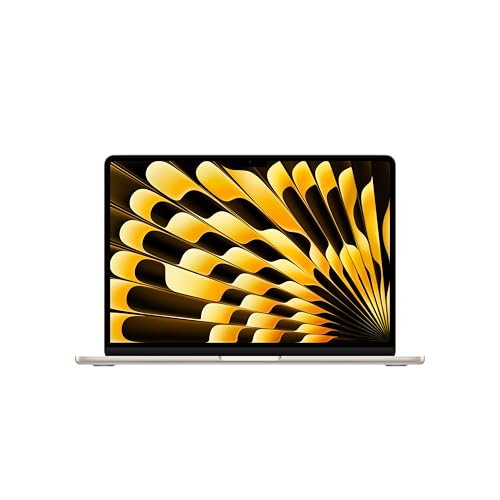
Apple MacBook Air 13-inch (M5, 2026), 16GB, 512GB, Starlight
ASIN B0GR1L8HWT • $1,747 • Ships from Amazon AU
The MacBook Air 13-inch with the M5 chip is the most popular laptop on Amazon AU right now, sitting at #1 in the Traditional Laptops category when I checked, and it's the one I'd recommend to most people who don't need Windows. It's sold by Amazon AU at $1,747 at time of writing. This configuration has a 10-core CPU, an 8-core GPU, 16GB of unified memory and a 512GB SSD, which is the setup I'd buy for a Mac you want to keep for five years. Apple rates the battery at up to 18 hours, and the listing weight is 1.24kg. The 13.6-inch Liquid Retina display is sharp and bright, and there's a 12MP Center Stage camera for video calls. It has no fan, so it's silent all the time. It's the easiest laptop here to live with.
Connectivity is better than older Airs. There are two Thunderbolt 4 ports, a MagSafe charging port and a headphone jack, plus Apple's N1 chip for Wi-Fi 7 and Bluetooth 6, and it supports up to two external displays. MagSafe matters more than it sounds, because a cable that snaps off when someone trips over it saves a lot of laptops from being dragged off a table. If you use an iPhone, iPhone Mirroring, shared copy and paste and messages from the Mac make the two work together well. The M5 chip runs everyday apps, photo editing and light video work without breaking a sweat. Without a fan, though, it'll slow down on long video exports. For heavy, sustained work, the MacBook Pro is the better tool.
The part number on this listing is MDHA4X/A, an Australian model, and the warranty is Apple's one-year limited warranty, with the Australian Consumer Law on top. The memory and storage are soldered, so 16GB and 512GB is what you'll have for the life of the machine. A failed SSD on a MacBook usually means a logic board, so set up Time Machine backups on the first day. Use a hard-shell case or sleeve, because the aluminium dents and the screen cracks if it's dropped. Keep liquids away, since a spill on a MacBook gets expensive fast. It's my pick for most people buying a new laptop this year.
Honest caveats: Memory and storage are soldered, so you can't upgrade either later, and a failed SSD usually means a new logic board. There's no fan, so long video exports slow down. Repairs cost more than on most Windows laptops, and some Windows-only software won't run on it.
Best for: Most people, especially iPhone users, who want a quiet, long-lasting laptop and don't need Windows-only software.
Chip: Apple M5, 10-core CPU, 8-core GPU • Memory / storage: 16GB unified / 512GB SSD • Screen: 13.6-inch Liquid Retina • Battery: Up to 18 hours (Apple figure) • Ports: 2x Thunderbolt 4, MagSafe, headphone jack • Weight: 1.24kg (listing) • Model: MDHA4X/A • Seller: Amazon AU • Rank: #1 in Traditional Laptops (Amazon AU)
View on Amazon AU
Lenovo IdeaPad Slim 3 15AMN8, Ryzen 5 7520U, 8GB, 512GB SSD
ASIN B0GN2SNW67 • $799 • Ships from Amazon AU
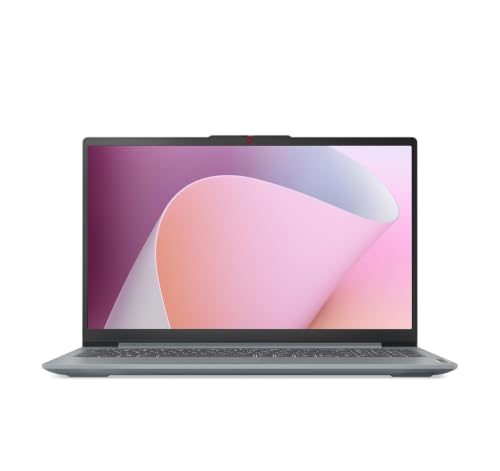
The IdeaPad Slim 3 is the laptop I'd point to for someone who needs Windows for browsing, email, Office and school work and wants to keep the spend under $1,000. It's sold by Amazon AU at $799 at time of writing. It has an AMD Ryzen 5 7520U processor, 8GB of RAM, a 512GB SSD and a 15.6-inch Full HD screen with slim bezels on all four sides. The listing weight is 1.62kg. The listing puts it at #4 in Amazon AU's Traditional Laptops category, but that rank is shared across several IdeaPad Slim listings, so it isn't this model's own figure. The 512GB SSD is the reason it's here rather than one of the eMMC laptops at a similar price. It's the lowest-priced proper Windows laptop I'd be happy recommending.
There are a few thoughtful touches for the price. The USB-C ports are full-function, handling charging, display output and data. There's a 2-in-1 fingerprint sensor in the power button, a bigger touchpad and a webcam with a privacy shutter. Lenovo's Rapid Charge Boost gives about two hours of use from a 15-minute charge, according to the listing, which is handy when you've forgotten to charge it before class. The Ryzen 5 7520U is an older, efficient chip, fine for everyday work but not for gaming or video editing. Dolby Audio speakers face the user, which helps on video calls. For a student or a home laptop that mostly runs a browser, that's a sensible set of features.
The catch is the 8GB of RAM. It's fine for light use now, but it's the spec most likely to make this laptop feel slow in a few years, and on this model it usually can't be added to later, so if you multitask heavily, the 16GB machines in the sub-$1,000 guide are the better buy. The model code is 82XQ00VCAU, an Australian model, and the warranty is stated as one year limited. Turn on the battery charge limit in Lenovo Vantage if it lives plugged in. Keep the lid closed when it's in a bag. It's my pick for light use under $1,000.
Honest caveats: 8GB of RAM is the minimum I'd accept in 2026 and it's unlikely to be upgradeable, so heavy multitaskers should spend more. The Ryzen 5 7520U is an older chip, fine for everyday work but not for games or video. The rank is shared across IdeaPad Slim listings.
Best for: Students and home users who need Windows for browsing, Office and school work and want to stay under $1,000.
Processor: AMD Ryzen 5 7520U • Memory / storage: 8GB / 512GB SSD • Screen: 15.6-inch Full HD • Charging: USB-C, Rapid Charge Boost (listing) • Weight: 1.62kg (listing) • Model: 82XQ00VCAU • Seller: Amazon AU • Warranty: 1 year limited • Rank: #4 in Traditional Laptops (Amazon AU, listing shared with IdeaPad Slim models)
View on Amazon AU
HP OmniBook 3 16-inch, Ryzen AI 5 430, 16GB, 512GB SSD
ASIN B0H6V3TLPG • $1,397 • Ships from Amazon AU
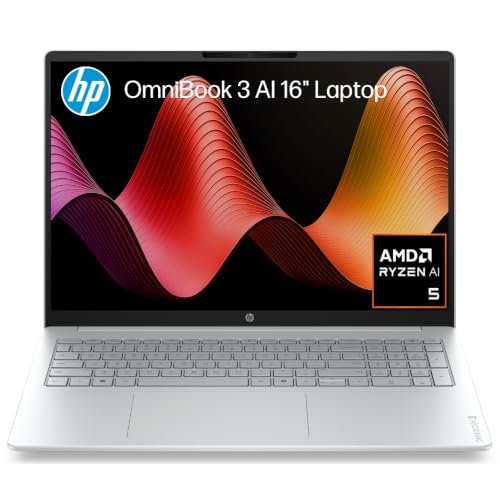
The HP OmniBook 3 16-inch is the Windows laptop I'd buy for most households that want one machine to do everything at a sensible price. It's sold by Amazon AU at $1,397 at time of writing and ranks #46 in the Traditional Laptops category. It has an AMD Ryzen AI 5 430 processor, 16GB of DDR5 memory, a 512GB NVMe SSD and integrated Radeon 840M graphics. The 16-inch anti-glare IPS screen runs at 1920 x 1200 in the 16:10 shape, which the listing calls 2K, and gives you plenty of room for side-by-side documents. The listing weight is 1.64kg, which is reasonable for a 16-inch machine. It's a Copilot+ PC with a 50 TOPS NPU for Windows AI features. It's the all-rounder of the group.
The 16GB of RAM is the main reason I'd pick this over the IdeaPad Slim 3. It'll keep a browser full of tabs, Teams and Office running together without slowing down, and it gives the laptop a much longer useful life. The Ryzen AI 5 430 is a current chip, and the Radeon 840M graphics handle photo editing, streaming and light games better than older integrated graphics. The anti-glare screen is easier to use near a window than a glossy one. An IPS screen also costs less to replace than OLED if it's ever cracked. The 16-inch size makes it a better desk laptop than a daily carry. For a family laptop that lives on the kitchen table, that trade-off makes sense.
The part number on this listing is D46XCPA, an HP Australia code, and the warranty is stated as one year from the manufacturer, with the Australian Consumer Law on top since Amazon AU sells it. The listing doesn't say whether the RAM is soldered, so treat 16GB as what you'll have. The SSD is an M.2 NVMe drive, which is usually swappable on HP's OmniBook range. The listing doesn't state battery life, so I haven't quoted a figure. Turn on HP's battery care setting if it's plugged in most of the time. It's my pick for a family or home office Windows laptop.
Honest caveats: The listing doesn't state battery life or whether the RAM is soldered. The screen is 1920 x 1200, which HP's listing calls 2K. At 1.64kg and 16 inches, it's better on a desk than in a daily bag. Integrated graphics only, so it isn't a gaming laptop.
Best for: Households and home offices that want one Windows laptop with 16GB of RAM and a big, easy-to-read screen.
Processor: AMD Ryzen AI 5 430 • Memory / storage: 16GB DDR5 / 512GB NVMe SSD • Screen: 16-inch IPS, 1920 x 1200, anti-glare • Graphics: AMD Radeon 840M (integrated) • Weight: 1.64kg (listing) • Model: D46XCPA • Seller: Amazon AU • Warranty: 1 year manufacturer • Rank: #46 in Traditional Laptops (Amazon AU)
View on Amazon AU
Lenovo ThinkBook 14 G9, Core 7 240H, 16GB DDR5, 512GB SSD, Windows 11 Pro
ASIN B0GVM7B6HH • $1,489 • Sold by KS Computer on Amazon AU
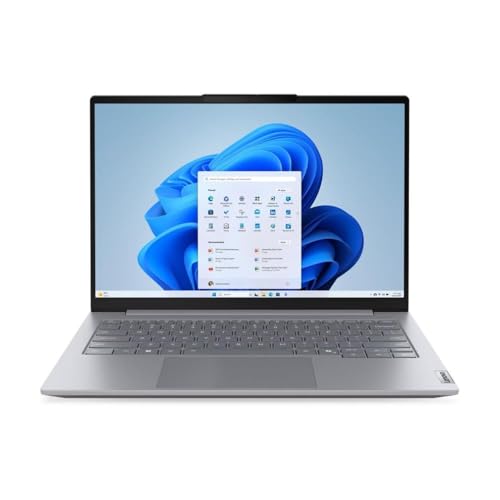
The ThinkBook 14 G9 is the laptop I'd buy for work, and the reason is inside the case rather than on the spec sheet. It's sold by KS Computer through Fulfilled by Amazon at $1,489 at time of writing and ranks #41 in Amazon AU's Traditional Laptops category. It has an Intel Core 7 240H processor with 10 cores and 16 threads, 16GB of DDR5-5600 memory, a 512GB PCIe 4.0 NVMe SSD and integrated Intel graphics. The 14-inch screen is a WUXGA IPS panel at 1920 x 1200. It comes with Windows 11 Pro rather than Home, which matters for business features like BitLocker and joining a work domain. The listing weight is 1.36kg. It's the work laptop of the group.
The detail that sold me is in the listing: the 16GB is made up of two 8GB SODIMM DDR5 modules. Those are removable memory sticks, not chips soldered to the board, so the laptop can be taken to 32GB or more later. On a work laptop that might be kept for five years, that matters a lot, because RAM is usually the first thing that runs short. The SSD is an M.2 2242 drive, the shorter size, so check that length when you buy an upgrade. Wi-Fi 6E is listed for fast connections on newer routers. The Core 7 240H is an H-series chip, so it's quicker than the U-series chips in thinner laptops. It's the most upgradeable laptop in this guide.
KS Computer is a marketplace seller, but the stock is held by Amazon and the buy box showed 4 November delivery to Erina when I checked. The model code is 21UY001VAU, an Australian Lenovo model, and the warranty is stated as one year limited manufacturer, with the Australian Consumer Law applying too. The listing doesn't state battery life, so I haven't quoted a figure. If you need a longer warranty or a tougher build, ThinkPads are the next step up. Turn on Lenovo Vantage's charge limit if it sits on a dock all day. It's my pick for small business and work-from-home buyers.
Honest caveats: It's sold by a marketplace seller rather than Amazon AU, though the stock is held by Amazon. The listing doesn't state battery life. The SSD is the shorter M.2 2242 size, so check the length before buying an upgrade drive.
Best for: Small business and work-from-home buyers who want Windows 11 Pro and RAM they can upgrade later.
Processor: Intel Core 7 240H, 10 cores / 16 threads • Memory: 16GB DDR5-5600 (2x 8GB SODIMM) • Storage: 512GB M.2 2242 PCIe 4.0 NVMe SSD • Screen: 14-inch WUXGA IPS • OS: Windows 11 Pro • Weight: 1.36kg (listing) • Model: 21UY001VAU • Seller: KS Computer (Fulfilled by Amazon) • Rank: #41 in Traditional Laptops (Amazon AU)
View on Amazon AU
ASUS TUF Gaming A16 (FA607NUQ), Ryzen 7 170, RTX 4050, 16GB, 512GB
ASIN B0GTQ2BGK6 • $1,699 • Ships from Amazon AU
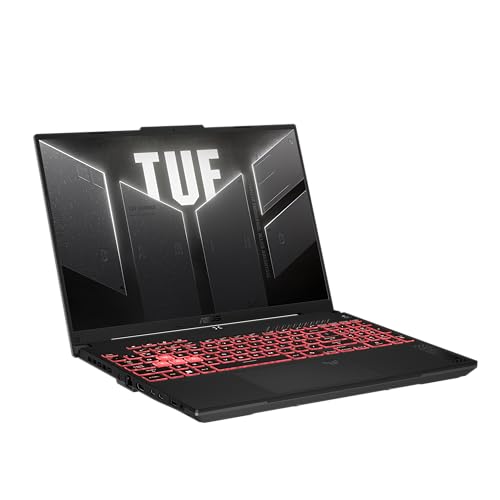
The ASUS TUF Gaming A16 is the gaming laptop I'd pick for someone who wants to play current games at sensible settings without spending a fortune. It's sold by Amazon AU at $1,699 at time of writing and ranks #107 in the Traditional Laptops category. It has an AMD Ryzen 7 170 processor, an NVIDIA GeForce RTX 4050 laptop GPU, 16GB of DDR5 memory and a 512GB SSD. The 16-inch FHD+ screen runs at 144Hz with G-SYNC, which makes fast games look smooth and stops tearing. NVIDIA Advanced Optimus switches between the RTX and the integrated graphics to save battery when you're not gaming. The listing weight works out to about 2.2kg. It's the gaming laptop of the group.
The TUF range is ASUS's tougher, plainer gaming line, and the A16 keeps the styling subtle, with an embossed logo and small details rather than RGB everywhere. The listing says it has dual PCIe Gen 4 M.2 SSD slots, with all slots easy to get to for future upgrades. That second SSD slot is the best feature for a gamer, because games fill a 512GB drive fast and you can add a second drive without cloning anything. The DDR5 memory runs at up to 4800MHz. An RTX 4050 handles most current games at 1080p on medium to high settings. It's not a 1440p ultra machine, and newer RTX 5050 and 5060 laptops are faster. For a first gaming laptop, though, it's a sensible balance.
The model code is FA607NUQ-RL009W, and the warranty is stated as one year pick up and return, with the Australian Consumer Law on top. Gaming laptops run hot, so use it on a desk rather than a bed, and get the fans cleaned every year or two to stop it slowing down. The power brick is big, so factor that into your bag. The listing doesn't state battery life, and gaming on battery drains any gaming laptop fast. Check the fan intakes underneath stay clear of carpet. It's my pick for a first gaming laptop that doubles as a uni machine.
Honest caveats: At about 2.2kg with a big power brick, it's heavy to carry daily. The RTX 4050 is entry-level for gaming in 2026, fine at 1080p but not for high settings at higher resolutions. The listing doesn't state battery life. Fans need cleaning every year or two.
Best for: Gamers and students who want one laptop that plays current games at 1080p and has room to add a second SSD.
Processor: AMD Ryzen 7 170 • Graphics: NVIDIA GeForce RTX 4050 laptop GPU • Memory / storage: 16GB DDR5 / 512GB SSD, dual M.2 slots • Screen: 16-inch FHD+, 144Hz, G-SYNC • Weight: About 2.2kg (listing) • Model: FA607NUQ-RL009W • Seller: Amazon AU • Warranty: 1 year pick up / return • Rank: #107 in Traditional Laptops (Amazon AU)
View on Amazon AU
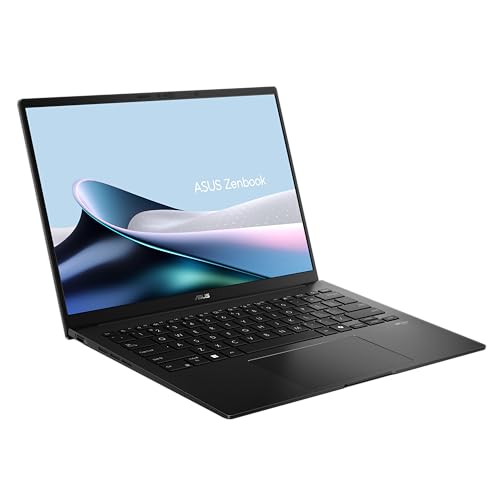
ASUS Zenbook 14 OLED (UM3406GA), Ryzen AI 7 445, 32GB, 1TB, Jade Black
ASIN B0GQD7H3QC • $1,999 • Ships from Amazon AU
The ASUS Zenbook 14 OLED is the Windows laptop I'd pick for someone who wants a premium, light machine with room to grow. It's sold by Amazon AU at $1,999 at time of writing and ranks #19 in the Traditional Laptops category, the best rank among the Windows picks here. It has an AMD Ryzen AI 7 445 processor, 32GB of LPDDR5X memory, a 1TB SSD and AMD Radeon graphics. The 14-inch Lumina OLED screen runs at 1920 x 1200 in a 16:10 shape, with up to 600 nits of brightness and adaptive sync. The listing weight works out to about 1.28kg in an all-metal body. It's the premium Windows ultraportable of the group.
The 32GB of RAM is what sets it apart. The memory is LPDDR5X, which is soldered, so buying the 32GB version now means you'll never run short for photo editing, music production, big spreadsheets or a stack of browser tabs. The 1TB SSD gives you plenty of room for photos and projects. The NPU is rated at up to 50 TOPS for Windows AI features, and Wi-Fi 6E is on the listing. ASUS also lists a quiet keyboard, a NumberPad built into the touchpad, a camera privacy shield and face login. It meets the MIL-STD 810H test standard according to ASUS. That doesn't make it drop-proof, but it means the hinges and casing are tested harder than most.
The model code is UM3406GA-QL108W, and the warranty is stated as one year pick up and return, with the Australian Consumer Law on top. OLED screens look superb but they're glossy, and a replacement costs more than an IPS screen if it cracks, so a hard-shell sleeve is worth the money. Avoid leaving a static image on screen for hours at full brightness to reduce burn-in risk. It charges over USB-C, so use a known-brand charger rated for its wattage. The listing doesn't state a battery figure, so I haven't quoted one. It's my pick for a premium Windows laptop to keep for years.
Honest caveats: The RAM is soldered LPDDR5X, so 32GB is all you'll ever have, though that's plenty. OLED screens are glossy, have a small burn-in risk over years and cost more to replace if cracked. The listing doesn't state battery life. It's the dearest pick here.
Best for: Buyers who want a light, premium Windows laptop with 32GB of RAM and a superb screen to keep for five years or more.
Processor: AMD Ryzen AI 7 445 • Memory / storage: 32GB LPDDR5X / 1TB SSD • Screen: 14-inch OLED, 1920 x 1200, up to 600 nits • Build: All-metal, MIL-STD 810H tested (ASUS) • Weight: About 1.28kg (listing) • Model: UM3406GA-QL108W • Seller: Amazon AU • Warranty: 1 year pick up / return • Rank: #19 in Traditional Laptops (Amazon AU)
View on Amazon AUSide-by-side comparison
| Product | Price | Best for |
|---|---|---|
| Lenovo IdeaPad Slim 3 15AMN8 15.6 Inch FHD… | ~$799 | |
| HP 16" OmniBook 3 Laptop Next Gen AI | ~$1,397 | |
| Lenovo ThinkBook 14 G9 IRL 14" WUXGA IPS… | ~$1,489 | |
| ASUS TUF Gaming A16 FA607NUQ-RL009W | ~$1,699 | |
| Apple 2026 MacBook Air | ~$1,747 | |
| ASUS Zenbook 14 UM3406GA-QL108W | ~$1,999 | |
| HP 14" OmniBook 5 Flip 2-in-1 Laptop | ~$2,199 |
What we see fail in the workshop: laptops
Laptops fail in fairly predictable ways, and most of it comes down to batteries, screens, liquid and heat rather than a dud machine. Here are the three faults we see most often, what causes them and what you can do to avoid them, whichever laptop you end up buying. Most of it is preventable with a little care and a decent charger.
Batteries that swell or won't hold a charge
A laptop battery that's lost half its capacity is normal after a few years, but a swollen one isn't something to ignore. It shows up as a trackpad that won't click properly, a base that rocks on a flat desk or a gap opening along the case. Swelling usually comes from heat and from sitting at 100 percent charge for months on end. Stop using the laptop on charge if you see it, and get the battery replaced, because a swollen lithium-ion cell can damage the trackpad and keyboard from below and shouldn't be pushed.
Cracked screens and broken hinges
A cracked screen is the most common laptop repair we do, usually from closing the lid on a pen or earbuds, or from a bag being dropped. Hinges are the next thing: a stiff hinge puts strain on the plastic mounts inside the screen, and eventually they crack and the screen starts to flex or separate from the lid. Opening the lid from the middle rather than a corner and getting a stiff hinge seen early saves a lot of expensive damage. Screen replacement costs vary a lot between IPS, OLED and touch screens.
Liquid spills on the keyboard
Spills are the most damaging thing that happens to a laptop. Water is bad enough, but coffee, juice and soft drink leave a sticky residue that keeps conducting and corroding long after it looks dry. If you spill on a laptop, switch it off straight away, unplug it, turn it upside down and don't try to turn it back on to check. Bring it in as soon as you can, because corrosion on the board gets worse by the day and a quick clean costs far less than a new board.
Decision tree: which one should you actually buy?
- Want the easiest laptop to live with and don't need Windows? → The MacBook Air 13-inch M5 at $1,747, with 16GB and 512GB, is quiet, has excellent battery life and is Amazon AU's best seller.
- Need Windows for light use and want to stay under $1,000? → The Lenovo IdeaPad Slim 3 at $799 has a 512GB SSD and a Ryzen 5, though 8GB of RAM limits heavy multitasking.
- Want one Windows laptop for the whole household? → The HP OmniBook 3 16-inch at $1,397 has 16GB of RAM, a 512GB SSD and a big anti-glare screen.
- Buying for work and want to upgrade it later? → The Lenovo ThinkBook 14 G9 at $1,489 has Windows 11 Pro and removable SODIMM RAM you can take past 16GB.
- Gaming, or a premium Windows machine? → The ASUS TUF Gaming A16 at $1,699 plays current games at 1080p, and the ASUS Zenbook 14 OLED at $1,999 has 32GB of RAM and an OLED screen.
- Current laptop slow, cracked, not charging or had a spill? → Bring it to our Erina workshop. We'll find the fault and tell you whether an SSD, RAM, battery or screen will fix it and what it'll cost before you spend anything on a new laptop.
Frequently asked questions
How much RAM do I need in a laptop in 2026?
16GB is the amount I'd aim for in 2026. Windows 11, a browser with plenty of tabs, video calls and Office will use 10 to 12GB between them, and a laptop that runs out of RAM starts using the SSD as overflow, which feels slow. 8GB is still fine for light use like browsing and email, but it's the spec most likely to make a laptop feel tired in a few years. On most thin laptops the RAM is soldered and can't be upgraded, so buy what you'll need for the life of the machine.
Is a MacBook Air better than a Windows laptop?
It depends on the software you use and the phone you have. A MacBook Air M5 is quiet, has excellent battery life and stays smooth for years, and it works very well with an iPhone. A Windows laptop is the better choice if you need Windows-only software for work, accounting, CAD or gaming, or if you want to upgrade the RAM or SSD later. MacBook memory and storage are soldered and repairs usually cost more, so buy enough of both up front if you choose a Mac.
Is 512GB of storage enough for a laptop?
For most people, yes. Windows or macOS, your apps and a few years of documents and photos fit comfortably on 512GB, especially if your photos sync to the cloud. 256GB fills up faster than people expect, particularly with Windows updates. If you edit video, keep a big photo library on the laptop or install a lot of games, go for 1TB. On most Windows laptops the SSD can be upgraded later, but on a MacBook it can't, so buy the size you'll need.
How long should a laptop last?
A decent laptop should last four to six years for everyday use, sometimes longer. The battery is usually the first thing to wear, often after two to four years, and it can be replaced on most models. Screens, hinges and keyboards fail mostly from drops and spills rather than age. Laptops with 16GB of RAM and a proper SSD last longest before they feel slow. Keeping it off soft surfaces, using a decent charger and turning on a battery charge limit all help.
Should I buy a laptop with an OLED screen?
If you watch a lot of video or edit photos, an OLED screen is lovely, with deep blacks and strong colour. The trade-offs are a glossy finish that reflects windows, a small risk of burn-in from static images over years, and a dearer replacement if the screen cracks. An IPS screen is duller but costs less to replace and has no burn-in risk. For a school laptop or one that travels a lot, I'd lean towards IPS. For a laptop you look after carefully, OLED is worth it.
Is it worth upgrading my old laptop instead of buying a new one?
Often it is, if the laptop is less than six or seven years old and the problem is speed rather than a broken screen or board. Swapping an old hard drive for an SSD makes the biggest difference, and adding RAM helps if the laptop has removable memory. A new battery can bring back a few hours of runtime. If the laptop has soldered 4GB or 8GB of RAM, an old processor that can't run Windows 11, or a cracked screen plus other faults, a new laptop is usually the better use of money.
Related buying guides
Laptop slow, cracked or not charging?
Most laptop faults are a tired battery, a cracked screen, a full or failing SSD or a spill, and plenty of them are worth fixing. Bring it into our Erina workshop and we'll find the fault, tell you what it will cost and whether it's worth repairing or upgrading before you spend anything on a new laptop.
Visit our Erina workshop Book Online