
Prices from Amazon AU, updated daily. Swipe or use the arrows for more.
Disclosure: This article contains affiliate links to amazon.com.au. If you buy through one of these links iFix may earn a small commission at no extra cost to you. It doesn't change which products we recommend. We focus on what actually lasts based on 16 years of repair-shop experience.
Quick summary7 picks
- Lenovo Legion 5i 15IRX10 15.1 Inch OLED… about$2,8991TB SSD, 165Hz refresh, 15.1" screen.
- Entry PickLenovo Yoga Slim 7i 14IPH11 PTLU7 32GB 1TB… about$1,999OLED.
- Apple 2025 MacBook Pro about$3,346
- Lenovo LOQ 17IRX10 17.3-Inch FHD IPS 165Hz… about$3,26924GB RAM, 165Hz refresh, 17.3" screen.
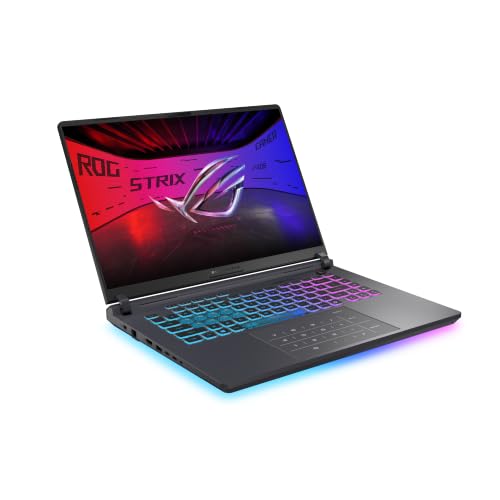
- ASUS ROG Strix G16 G615LP-TS202W about$3,74932GB RAM, 1TB SSD, 16" screen.
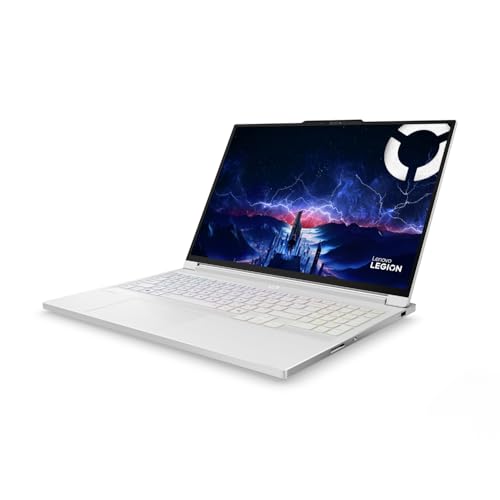
- Lenovo Legion 7i 16IAX10 16 Inch OLED 240Hz… about$3,7991TB SSD, 240Hz refresh, 16" screen.
- Most PremiumApple 2026 MacBook Pro about$3,876
What actually slows a video edit down
Most people shopping for an editing laptop look at the processor first, and I get why, it's the biggest number on the spec sheet. But when a customer brings in a laptop that apparently can't handle 4K anymore, the processor is rarely the problem. Nine times out of ten it's one of three things: not enough memory for the timeline, a graphics chip that isn't doing the decoding it should, or a machine that's cooking itself and dropping back to half speed ten minutes into the job. The laptop that wins a two-minute benchmark on a review site can be the one that drops frames in the middle of a forty-minute wedding edit.
So I've picked these five on the things that decide whether an edit still feels smooth in month eighteen, not just on day one. That means enough memory to live with for years, a screen that shows colour honestly, hardware video decoding that matches the footage you actually shoot, and cooling that keeps the clocks up once the case gets hot. Price matters less than those four. A $2,500 laptop that suits your camera's codec will usually edit faster than a $3,800 one that doesn't, and I'll point out where that happens in the picks below.
If you're on an older machine that has started stuttering, rule out the common faults before you shop. A clogged fan, a nearly full drive or a dying SSD can make a perfectly capable laptop feel slow, and the usual reasons a laptop slows down are worth checking before you spend three grand on a replacement.
One last thing before the picks: every laptop here was sold by Amazon AU itself on the day I checked, so a warranty claim goes through an Australian seller under Australian Consumer Law. That matters a lot more on a $3,000 machine than it does on a cable, and it's why I left out the grey-import listings that turn up in this price range.
How much RAM and storage you actually need
For 1080p editing with a few effects, 16GB is workable. For 4K, multicam or anything with colour grading and noise reduction, I'd treat 24GB as the floor and 32GB as the comfortable number. Editing software caches frames in memory, and when it runs out it starts swapping to the SSD, which is when preview playback turns choppy and the fans spin up even though nothing seems to be happening on screen. Every laptop in this guide has at least 24GB for that reason.
How that memory is fitted matters as much as how much there is. The two Legions use SO-DIMM sticks according to their listings, which means you can open the base and fit bigger sticks later. The MacBooks and the Yoga have memory built onto the board, so what you buy is what you've got for the life of the machine. That isn't a reason to avoid them, but it's a good reason to buy the size you'll need in three years rather than the size you need today.
Storage is the other trap. One terabyte sounds like plenty until you shoot a weekend of 4K. A ten-minute clip from a modern phone or mirrorless camera can easily run to several gigabytes, and project caches and render files pile up on top of that. I'd keep current projects on the internal drive and everything else on a fast external SSD. I compared two of the popular ones in the Samsung T7 Shield versus T9 test, and either is a better home for finished footage than an internal drive that's ninety percent full.
On a Mac, the internal SSD is part of the board and isn't something you can swap out, which I've covered in how Apple builds its SSDs. If that drive or the board fails, the data goes with it, so back it up properly from the first week.
GPU, codecs and why your software matters
Modern editing software leans on the graphics chip and dedicated video hardware to decode footage, apply effects and export. If your laptop can decode your camera's codec in hardware, scrubbing a 4K timeline feels smooth. If it can't, the processor does the work the slow way and you'll end up making proxy files for everything just to get a usable preview.
That's why the platform matters more than the badge on the lid. Apple silicon has built-in video engines that handle H.264, HEVC and ProRes, and Final Cut Pro and DaVinci Resolve on a Mac are tuned around them. NVIDIA's RTX chips have their own encoders and decoders, and Premiere Pro and Resolve on Windows use them well, along with CUDA for effects and the newer AI tools like masking and noise reduction. Both paths work. What doesn't work is buying a machine whose hardware doesn't match your footage and your software.
My rule of thumb goes like this. If you edit in Final Cut or shoot ProRes, buy the Mac. If you're on Premiere or Resolve with H.264 or HEVC from a phone, drone or mirrorless camera, either platform will handle it, and the Windows machines give you more GPU for the money. The Yoga sits in between: its integrated Intel Arc graphics are fine for 1080p and lighter 4K work, but it isn't the machine for heavy effects or long 4K exports.
One more thing worth checking is your camera's 10-bit 4:2:2 footage, if it shoots that. Hardware support for it varies between chips and has changed a lot over the last few generations, so look up your exact camera format against the laptop's chip before you buy, rather than assuming any modern GPU will decode it.
Screens: colour honesty over brightness
The three Windows picks all use OLED screens, and the two Legions list 100% DCI-P3 coverage. That's the cinema colour space and a sensible target if your work ends up on phones and TVs. Coverage isn't the same as accuracy, though. A screen can cover the whole colour space and still be out of calibration, so if colour matters to your clients, budget for a hardware calibrator and check the panel against it in the first week, while it's still inside the return window.
OLED gives you true blacks and fast response, but it's also the screen type I'm most careful with in a laptop. Editing software has static panels, timelines and menu bars that sit in exactly the same place for hours. Modern OLEDs have pixel-shift and refresh routines that manage it well, so I wouldn't avoid them, but I'd set the taskbar to auto-hide, use a dark interface and let the screen run its maintenance cycle when it asks.
For long grading sessions, plug into an external monitor. Your neck will thank you, and the laptop's own screen racks up fewer hours. If you want a bigger canvas for the timeline, an ultrawide OLED on the desk gives it real room to breathe. The glossy finish on most of these screens also shows reflections, so think about where the laptop will sit relative to a window before you set up your edit desk.
If you deliver work for TV or streaming, check whether your client expects HDR. The Legion screens list DisplayHDR True Black 1000 and Dolby Vision, which lets you preview HDR on the laptop itself, but for paid HDR grading you'd still want a proper reference display. For web and social work, a calibrated SDR workflow on any of these screens is more than good enough.
Burst speed versus sustained speed
Benchmarks usually run for a few minutes. Exports run for an hour. In between those two numbers sits the most common complaint I hear about editing laptops, which is that it was fast when it was new and it's slow now. Most of the time the processor hasn't changed at all, the cooling has. Dust packs the heatsink fins, the fan bearings wear and the thermal paste dries out, so the chip hits its temperature limit sooner and drops its clock speed to protect itself.
The two Legions are gaming designs with big fans and vents, and that's exactly why they're in this guide. Gaming laptops are built to hold a GPU at full power for hours, which is what a long export asks for. The trade-off is noise and weight. The MacBook Pros take the other approach: the chips use far less power for the same work, so the cooling has an easier job and stays quieter. The Yoga is the thinnest machine here, and it'll throttle sooner on a long export than the others.
Whatever you buy, keep the vents clear. Don't edit with it sitting on a doona or a cushion for hours, and use a stand that lifts the back edge. A laptop that runs hot every day for two years usually comes in with a packed heatsink, and a clean and fresh thermal paste brings most of them back to full speed. Our computer repairs on the Central Coast do this routinely, and it costs a fraction of a new machine.
Power, ports and the bits people forget
Editing laptops pull real power when they're working. The two Legions list graphics chips rated at 115W on their own, before you add the processor and screen. Running cost is still small: a laptop drawing about 250W flat out for an hour, at the AU average of roughly 33c/kWh, costs around 8c. The bigger issue is the charger. A gaming laptop's power brick is a heavy, specific part, and a no-name replacement with the wrong output can damage the charging circuit on the board. If you lose the original, buy the genuine part, and read what a bad charger does to a laptop before you buy anything off a market stall.
Ports matter more for editing than for most work. You'll often have a card reader or SSD, an external monitor and maybe audio gear plugged in at the same time. The M5 Pro listing mentions Thunderbolt 5, HDMI and an SDXC slot, but its bullet points describe the 16-inch model, so confirm the 14-inch's ports on Apple's spec page. The Lenovo listings don't state their ports in the bullet points at all, so check the full spec sheet before you assume there's a card reader.
Buy a proper dock or hub rather than a chain of no-name adapters, and plug the laptop into a decent surge-protected powerboard at the desk. In my experience a dodgy USB-C adapter is one of the more common causes of corrupted footage transfers, and it's always the one file you needed. If anything does go wrong with the board or a port, bring it to the Erina workshop and we'll tell you whether it's worth fixing.
When to keep your current laptop going instead
Before you spend $2,500 or more, it's worth asking whether your current laptop really needs replacing. If it was a good machine three years ago and it has only slowed down, the cause is often fixable. A clean and fresh thermal paste, a bigger SSD or a memory upgrade on a laptop that takes SO-DIMM sticks can bring an older editing machine back to where it was, for a few hundred dollars rather than a few thousand. I'd always rather tell someone that than see them buy a new laptop they didn't need.
Where replacement does make sense is when the hardware can't decode your footage at all. If you've moved to a new camera that shoots a format your old graphics chip doesn't support in hardware, no amount of cleaning will make the timeline smooth, and you'll be living with proxies forever. The same goes for a machine stuck on 8GB or 16GB of soldered memory once you've started working in 4K. Those are hard limits, and they're the honest reasons to buy.
If you do replace it, don't throw the old one out. A tired editing laptop still makes a decent machine for the family, a media server or a backup station, and if the screen or battery is the only thing wrong, it's often worth fixing before you hand it on. Wipe it properly first, because old project folders often hold client footage and personal files you wouldn't want leaving the house.
The 5 picks, $2,498 to $3,876
Prices are Amazon AU at time of writing (11 October 2026) and move week to week. Ranks are Amazon AU category sales ranks, checked the same day.

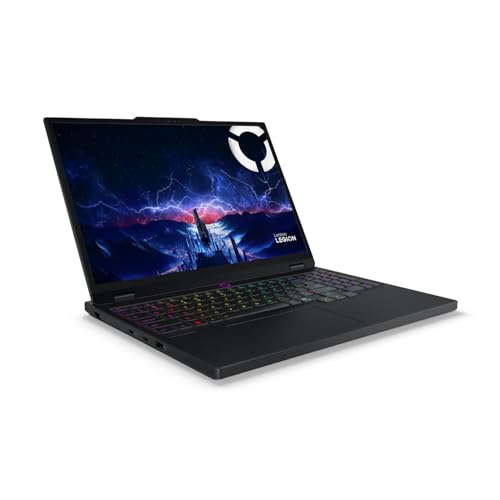
Lenovo Legion 5i 15.1" OLED, Core i7-14700HX, 24GB, 1TB, RTX 5060
ASIN B0FC6DP2Y5 • $2,899 • Ships from Amazon AU
The Legion 5i leads because it's the best-ranked laptop in this band with a dedicated NVIDIA graphics chip, sitting at #22 in Amazon AU's Traditional Laptops category when I checked, and it's $2,899 sold by Amazon AU. On paper it's a gaming laptop, but the parts list reads like an editing machine. The 15.1-inch OLED is 2560x1600 with 100% DCI-P3 coverage and 500 nits, according to the listing, and the RTX 5060 has 8GB of GDDR7 at a 115W TGP. The processor is an Intel Core i7-14700HX with 20 cores and 28 threads, which is plenty for Premiere Pro or Resolve on 4K H.264 and HEVC footage from phones, drones and mirrorless cameras.
The detail I like most is in the memory line. The listing states two 12GB SO-DIMM sticks of DDR5-4800, so the 24GB isn't soldered to the board. When you outgrow it, two larger sticks go in through the base panel in a few minutes, and that alone can add years to the machine for an editor whose projects keep getting bigger. The SSD is a 1TB PCIe 4.0 NVMe drive, but it's the short M.2 2242 size, which narrows your choice of replacement drives. I'd plan on a fast external SSD for footage and archive rather than swapping the internal one, and keep the internal drive for the system, apps and current projects.
The 165Hz refresh rate doesn't matter much for editing, but the listed Dolby Vision support and DisplayHDR True Black 1000 certification mean you can preview HDR footage on the laptop itself, which most screens in this price range can't do properly. It's the one I'd buy for a Windows editor who wants the most GPU for the money without stepping up to the 7i's price. It also leaves room in the budget that the MacBooks don't, and the money you keep can go on a fast external SSD and a colour calibrator, which will do more for your edits than a step up in processor would. If you're coming from an older laptop with 8GB or 16GB, this is the one that'll feel like the biggest jump.
Honest caveats: It's a gaming chassis, so it's heavier than the MacBooks and the fans get loud on a long export. The glossy OLED reflects in a bright room. The listing doesn't state the port selection or battery life in its bullet points, and the M.2 2242 SSD size limits your upgrade choices, so check the full spec sheet first.
Best for: Windows editors on Premiere Pro or Resolve who want a strong NVIDIA GPU, a colour-ready OLED and memory they can upgrade.
Processor: Intel Core i7-14700HX, 20 cores, 28 threads • Graphics: NVIDIA RTX 5060 8GB GDDR7, 115W TGP • Memory: 24GB DDR5-4800 (2x 12GB SO-DIMM) • Storage: 1TB M.2 2242 PCIe 4.0 NVMe • Screen: 15.1" 2560x1600 OLED, 165Hz, 100% DCI-P3, 500 nits • Seller: Amazon AU • Price: $2,899 at time of writing • Rank: #22 in Traditional Laptops (Amazon AU)
View on Amazon AU
Apple MacBook Pro 14-inch (2026), M5 Pro 15-core CPU, 16-core GPU, 24GB, 1TB
ASIN B0GR1L1TZN • $3,876 • Ships from Amazon AU
If you edit in Final Cut Pro or shoot ProRes, this is the laptop I'd point you at. It's Apple's 2026 14-inch MacBook Pro with the M5 Pro chip, a 15-core CPU and 16-core GPU, 24GB of unified memory and a 1TB SSD, sold by Amazon AU at $3,876 and sitting at #23 in Traditional Laptops when I checked. The listing says the M5 Pro's GPU has a Neural Accelerator built into each core, which helps the AI-driven tools in modern editors such as masking, upscaling and transcription. Apple silicon also carries dedicated video engines, which is why 4K and ProRes timelines scrub so smoothly on these machines without proxy files.
The other big reason is consistency. The listing says it delivers the same performance on battery as plugged in, and that's been true of Apple silicon MacBook Pros generally. A Windows gaming laptop usually gives up a big chunk of its GPU power when you pull the plug. If you edit on location, in the car, at a client's office or on a long train trip, the Mac keeps working at full speed where the Legions won't. The cooling is also quieter under load, because the chip uses less power to do the same job, so you're not editing over a fan that sounds like a hair dryer. On a shoot day, that's a real advantage.
The catch is that everything is fixed at purchase. Memory and storage are built in, so 24GB and 1TB is what you'll have for the life of the machine. For most 4K work that's fine. For heavy multicam, long-form documentary work or big colour grades, I'd look at a higher memory configuration before buying, because there's no adding it later. I'd also budget for a fast external SSD from the start, because 1TB fills quickly with 4K footage and you can't add internal storage later. Kept cool and backed up, a MacBook Pro like this usually stays a capable editing machine for five years or more, which takes some of the sting out of the price.
Honest caveats: The listing's bullet points describe the 16-inch model (16.2-inch screen, three Thunderbolt 5 ports) while the title says 14-inch, so confirm the exact screen and ports on Apple's spec page. Memory and SSD can't be upgraded, and an out-of-warranty screen or logic board repair is expensive, so price in AppleCare.
Best for: Final Cut Pro and ProRes editors, and anyone who needs full speed on battery away from the desk.
Chip: Apple M5 Pro, 15-core CPU, 16-core GPU • Memory: 24GB unified (not upgradeable) • Storage: 1TB SSD (not upgradeable) • Screen: 14-inch per the listing title (see caveats) • Battery: Same performance on battery as plugged in (listing claim) • Colour: Silver • Seller: Amazon AU • Price: $3,876 at time of writing • Rank: #23 in Traditional Laptops (Amazon AU)
View on Amazon AU
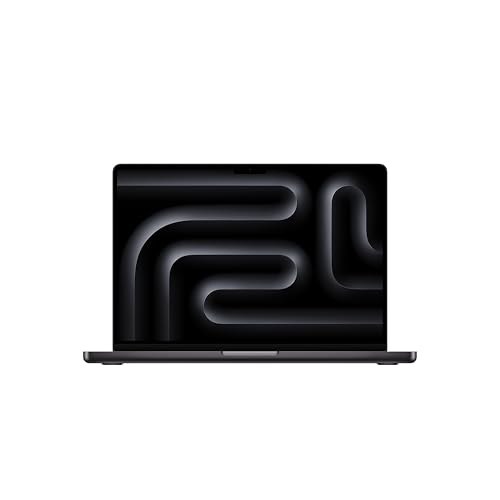
Apple MacBook Pro 14-inch (2025), M5 10-core CPU, 10-core GPU, 24GB, 1TB
ASIN B0FWF8RJZC • $3,346 • Ships from Amazon AU
The M5 MacBook Pro is the same 14-inch idea with the standard M5 chip, a 10-core CPU and 10-core GPU, and this configuration has 24GB of unified memory and a 1TB SSD. It's $3,347 from Amazon AU and ranked #24 in Traditional Laptops when I checked, right alongside the M5 Pro. The listing claims up to 24 hours of battery, and like the M5 Pro it runs at the same speed on battery as on mains power, which matters if you cut footage on location. The M5's GPU also has a Neural Accelerator built into each core, per the listing, and the listing mentions Adobe Creative Cloud running natively in macOS.
Where does it fall short of the M5 Pro? Fewer CPU and GPU cores, so long exports take longer and heavy effects stack up sooner. For a YouTube channel, wedding highlight reels, social content and most 4K H.264 or HEVC work, I don't think most people would notice the gap day to day. The difference shows on long-form timelines with a lot of colour grading and noise reduction, and on exports you run every day for paying clients, where the minutes add up across a working week and the bigger chip starts to earn its extra $529. For most creators, I reckon the M5 is the smarter buy of the two.
I picked the 24GB version on purpose. The same listing family also comes in 16GB versions, and for editing that's the one configuration I'd skip, because you can't add memory to a MacBook later. Spend the extra on 24GB now and the machine stays useful for years longer. On Apple silicon the CPU and GPU share that 24GB, so there's no separate video memory sitting on top of it, which is another reason not to go smaller. It's the configuration I'd recommend to most people who post to YouTube or edit for small business clients, and it pairs well with an external SSD for archive.
Honest caveats: Fewer GPU cores than the M5 Pro, so heavy effects and long exports take noticeably longer. The listing doesn't state the port selection or screen specifications in its bullet points. Memory and storage are fixed for life, and liquid on a MacBook usually means a logic board repair, so keep drinks well away from the keyboard.
Best for: YouTube, social and wedding-highlight editors who want a Mac that runs at full speed on battery.
Chip: Apple M5, 10-core CPU, 10-core GPU • Memory: 24GB unified (not upgradeable) • Storage: 1TB SSD (not upgradeable) • Screen: 14-inch per the listing title • Battery: Up to 24 hours (listing claim) • Colour: Space Black • Seller: Amazon AU • Price: $3,347 at time of writing • Rank: #24 in Traditional Laptops (Amazon AU)
View on Amazon AU
Lenovo Legion 7i 16" OLED 240Hz, Core Ultra 9 275HX, 32GB, 1TB, RTX 5070
ASIN B0FC6DZBM5 • $3,799 • Ships from Amazon AU
The Legion 7i is the pick for Windows editors who run long 4K timelines, heavy effects or a lot of AI tools. It's $3,799 from Amazon AU and was #71 in Traditional Laptops when I checked. The listing pairs an Intel Core Ultra 9 275HX with 24 cores and up to 5.4GHz with an NVIDIA RTX 5070 carrying 8GB of GDDR7 at a 115W TGP, rated at 798 AI TOPS against the 5i's 572. The screen is a 16-inch 2560x1600 OLED at 240Hz with 100% DCI-P3 coverage, 500 nits and DisplayHDR True Black 1000, which gives a timeline and a preview window more room than the 5i's 15.1 inches. That's a lot of screen for a laptop.
For editing, the upgrades that matter over the 5i are the bigger screen, more processor cores and 32GB of memory as standard, fitted as two 16GB SO-DIMM sticks of DDR5-5600. That means you can still upgrade the memory later if your projects grow. The SSD is a full-size M.2 2280 drive, which is the common size, so a bigger internal drive is easy to source and fit if you'd rather keep more footage on board. Those two details make it the most repairable and upgradeable machine in this guide, which counts for a lot on a laptop you'll work hard for four or five years. Keep the vents clean and it should comfortably run that long.
It's the most expensive Windows machine here, and for 1080p work or light 4K the 5i will do much the same job. Buy this one if your exports run long and often, or if you bill clients by the hour and the time saved adds up across a year. It's also the heaviest machine here and the one most likely to live on a desk, so pair it with an external monitor and keep the laptop up on a stand. That setup keeps the OLED's hours down and gives the fans clear air, which is what keeps the 7i running at full speed for years.
Honest caveats: At $3,799 it costs about the same as the M5 Pro MacBook, and it won't match the Mac's performance on battery. The glacier white finish shows grime around the keyboard and vents over time. The listing bullets don't state ports or battery life, so check the full spec sheet before you buy.
Best for: Windows editors running long 4K exports, heavy effects and AI tools who want 32GB of upgradeable memory.
Processor: Intel Core Ultra 9 275HX, 24 cores, up to 5.4GHz • Graphics: NVIDIA RTX 5070 8GB GDDR7, 115W TGP • Memory: 32GB DDR5-5600 (2x 16GB SO-DIMM) • Storage: 1TB M.2 2280 PCIe 4.0 NVMe • Screen: 16" 2560x1600 OLED, 240Hz, 100% DCI-P3, 500 nits • Seller: Amazon AU • Price: $3,799 at time of writing • Rank: #71 in Traditional Laptops (Amazon AU)
View on Amazon AU
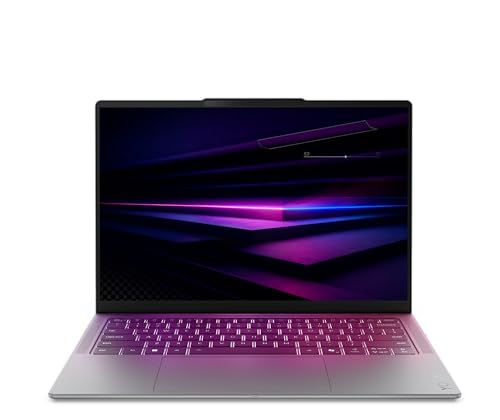
Lenovo Yoga Slim 7i 14" 2.8K OLED, Core Ultra 7, 32GB, 1TB
ASIN B0GVHK46T6 • $1,999 • Ships from Amazon AU
The Yoga Slim 7i is here for people who edit lighter projects and carry the laptop everywhere. It's $2,498 from Amazon AU and was the best-selling laptop in this group, #16 in Traditional Laptops when I checked. The listing gives it an Intel Core Ultra 7 processor, 32GB of LPDDR5X memory, a 1TB PCIe Gen4 SSD and a 14-inch 2.8K OLED screen with HDR support. That 32GB is more memory than either MacBook here, at the lowest price in the guide, and in editing software memory helps more than most people expect, especially once you stack a few tracks of 4K footage with titles and music. It's the one I'd grab for a trip.
The limit is graphics. It uses integrated Intel Arc graphics rather than a separate GPU, so it handles 1080p editing, social clips and lighter 4K timelines well enough, but heavy effects, noise reduction and long 4K exports will take a lot longer than on the Legions or the MacBooks. It's also a slim machine, which leaves less room for cooling, so it'll throttle sooner on a long job than the bigger laptops. I'd treat it as a fast travel editor rather than a main workstation, and that's how most people who'd buy it actually use it anyway. Planning around proxy files makes it a lot more capable on 4K than the spec sheet suggests.
For a content creator who mostly cuts short clips, travels a lot and wants an OLED screen in a slim body, it's a sensible pick, and the money it saves pays for a fast external SSD and a colour calibrator. Pair it with a USB-C SSD for footage and a decent hub, and it's a capable small editing kit that fits in a backpack. If you later find yourself doing more 4K grading, that's the point to step up to a Legion or a MacBook Pro, and the Yoga carries on as your travel machine and everyday laptop.
Honest caveats: Integrated graphics only, so this isn't the laptop for heavy 4K grading or long exports. LPDDR5X memory is normally soldered, so 32GB is what you'll keep. The listing doesn't state the exact processor model, ports or colour gamut, so check those on Lenovo's spec sheet before you buy.
Best for: Creators who cut 1080p and short 4K clips on the move and want an OLED screen in a slim body.
Processor: Intel Core Ultra 7 (model not stated on the listing) • Graphics: Integrated Intel Arc • Memory: 32GB LPDDR5X • Storage: 1TB PCIe Gen4 SSD • Screen: 14" 2.8K OLED with HDR support • Colour: Luna Grey • Seller: Amazon AU • Price: $2,498 at time of writing • Rank: #16 in Traditional Laptops (Amazon AU)
View on Amazon AUSide-by-side comparison
| Product | Price | Best for |
|---|---|---|
| Lenovo Legion 5i 15IRX10 15.1 Inch OLED… | ~$2,899 | |
| Lenovo Yoga Slim 7i 14IPH11 PTLU7 32GB 1TB… | ~$1,999 | |
| Apple 2025 MacBook Pro | ~$3,346 | |
| Lenovo LOQ 17IRX10 17.3-Inch FHD IPS 165Hz… | ~$3,269 | |
| ASUS ROG Strix G16 G615LP-TS202W | ~$3,749 | |
| Lenovo Legion 7i 16IAX10 16 Inch OLED 240Hz… | ~$3,799 | |
| Apple 2026 MacBook Pro | ~$3,876 |
What we see fail in the workshop: editing laptops
Editing laptops work harder than most, so they fail in predictable ways. Long exports mean long stretches at high temperature, and that heat ages the cooling, the battery and the drive faster than office work does. These are the three faults I'd watch for on any machine in this guide, and what you can do to push each one further down the track.
Clogged cooling and dried thermal paste
This is the big one. A laptop that exports video every day pulls a lot of air through its heatsink, and with it comes dust, pet hair and lint. After a year or two the fins are packed, the fans run flat out and the chip still hits its temperature limit, so it slows down to protect itself. Customers usually describe it as the laptop getting slow, not hot. A professional clean and fresh thermal paste fixes most of them. On the gaming-style Legions you can blow out the vents yourself with the laptop off, but don't spin the fans with compressed air, because that can damage the bearings.
Swollen batteries from living on the charger
Editing laptops often sit plugged in at a desk for months while running hot. Heat and a battery held at full charge is the combination that ages lithium cells fastest, and eventually some swell. The first sign is usually a trackpad that clicks oddly or a base that rocks on the desk. If you see that, stop using it and get it checked, because a swollen pack presses on everything around it. Most modern laptops have a battery charge limit setting, and turning it on is the easiest way to add years to the battery on a machine that rarely leaves the desk.
Dead SSDs and lost projects
SSDs wear with writes, and editing writes a lot: cache files, render files, proxies and exports, over and over. Most drives last years, but when one fails it often fails suddenly, and on a MacBook the drive is part of the board, so there's no pulling it out to recover the data in another machine. We do data recovery work, and the jobs that hurt most are the editors who had everything on the one internal drive. Keep footage on an external drive, back up project files every day, and keep a second copy somewhere else.
Decision tree: which one should you actually buy?
- Edit in Premiere Pro or Resolve on Windows and want the most GPU for the money? → The Lenovo Legion 5i, with an RTX 5060, an OLED screen and upgradeable 24GB.
- Edit in Final Cut Pro or shoot ProRes? → The MacBook Pro M5 Pro at $3,876, which keeps full speed on battery.
- Want a Mac for YouTube and social 4K work without paying for the Pro chip? → The MacBook Pro M5 with 24GB at $3,347.
- Run long 4K exports every week for paying clients on Windows? → The Lenovo Legion 7i at $3,799, with 32GB and an RTX 5070.
- Mostly cut 1080p and short clips while travelling? → The Lenovo Yoga Slim 7i, with 32GB and a 2.8K OLED.
- Current laptop overheating, stuttering or not charging? → Bring it to our Erina workshop for a diagnosis and clean before you replace it.
Frequently asked questions
Is 16GB of RAM enough for video editing?
For 1080p editing with simple cuts, titles and music, 16GB is usually enough. For 4K, multicam, colour grading or noise reduction, it gets tight quickly, and the software starts swapping to the SSD, which makes playback choppy. I'd buy 24GB as a minimum for 4K and 32GB if you can. On MacBooks and most slim Windows laptops the memory is soldered, so you can't add more later, which makes it the one spec worth overbuying. On laptops with SO-DIMM slots, like the Legions in this guide, you can start smaller and upgrade.
Should I buy a Mac or a Windows laptop for video editing?
It mostly depends on your software and footage. Final Cut Pro only runs on a Mac, and Apple silicon handles ProRes and HEVC very well in hardware, with full speed on battery. Premiere Pro and DaVinci Resolve run on both, and on Windows a laptop with an NVIDIA RTX graphics chip gives you more GPU power for the money, plus upgradeable memory on many models. If you already know your editing software, buy the platform that suits it best. If you're starting from scratch, both are good choices.
Can a gaming laptop be used for video editing?
Yes, and a lot of them make very good editing machines. A gaming laptop has a strong dedicated graphics chip and cooling designed to run hard for hours, which is what long exports need. The things to check are the screen, because some gaming screens chase refresh rate over colour accuracy, and the memory, because many ship with 16GB. Look for an OLED or a screen with full DCI-P3 coverage and at least 24GB of memory. Expect more weight and fan noise than a slim laptop, and less performance on battery.
Do I need a dedicated graphics card to edit 4K video?
Not always, but it helps a lot. Integrated graphics on a modern laptop can play back and edit 4K H.264 or HEVC footage, especially with proxy files, and Apple silicon handles it well without a separate GPU. Where a dedicated graphics chip earns its money is effects, colour grading, noise reduction, AI tools and export speed. If you edit 4K for clients or post long videos regularly, I'd get a laptop with a dedicated GPU or an Apple Pro-class chip. For occasional 4K clips, integrated graphics will get you there more slowly.
Is an OLED laptop screen good for colour grading?
An OLED screen with full DCI-P3 coverage is a good base for colour work, with true blacks and strong contrast for HDR. Coverage isn't the same as accuracy, though, so for paid colour work I'd calibrate it with a hardware calibrator and recheck it now and then. The other thing to manage is burn-in. Editing software has static panels that sit in the same place for hours, so use a dark interface, hide the taskbar and let the screen run its refresh routine. For long grading sessions, an external monitor saves wear on the laptop screen.
How long should a video editing laptop last?
A well-chosen editing laptop should give you four to five years of good service, sometimes more. What usually ends its working life is heat and storage rather than the processor getting old. Keeping the vents clean, getting the thermal paste refreshed every couple of years on a hard-worked machine and turning on a battery charge limit all help. Buying enough memory up front matters too, because editing software gets heavier every year. A laptop with upgradeable memory and a standard SSD size can be extended further than one with everything soldered.
Related buying guides
Laptop slowing down halfway through an export?
Most editing laptops that slow down over time have a cooling problem, not a weak chip. A packed heatsink, a worn fan or dried thermal paste makes the processor throttle, and a swollen battery or failing SSD often follows the same heat. Bring it into Erina and I'll check the temperatures, the battery and the drive health, and tell you what it needs before you spend anything on a new machine.
Visit our Erina workshop Book Online