Prices from Amazon AU, updated daily. Swipe or use the arrows for more.
Disclosure: This article contains affiliate links to amazon.com.au. If you buy through one of these links iFix may earn a small commission at no extra cost to you. It doesn't change which products we recommend. We focus on what actually lasts based on 16 years of repair-shop experience.
Quick summary7 picks
- Entry PickASUS Zenbook 14 UM3406GA-QL109W about$1,69816GB RAM, 1TB SSD, 14" screen.
- ASUS Zenbook 14 UM3406GA-QL108W about$1,99932GB RAM, 1TB SSD, 14" screen.
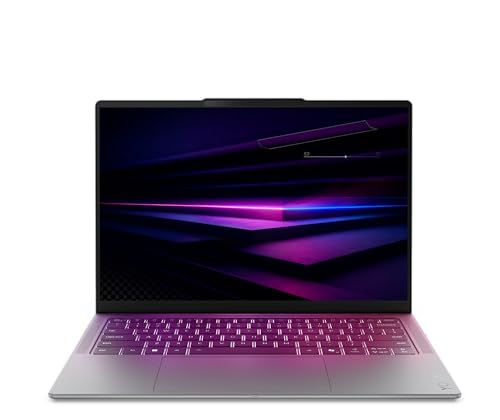
- Lenovo Yoga Slim 7 14IPH11 Aura Edition 14"… about$2,49960Hz refresh, 14" screen, OLED.
- Lenovo Yoga 14.5" OLED 3K Slim 7X Laptop: 32GB about$2,1981TB SSD, 14.5" screen, OLED.
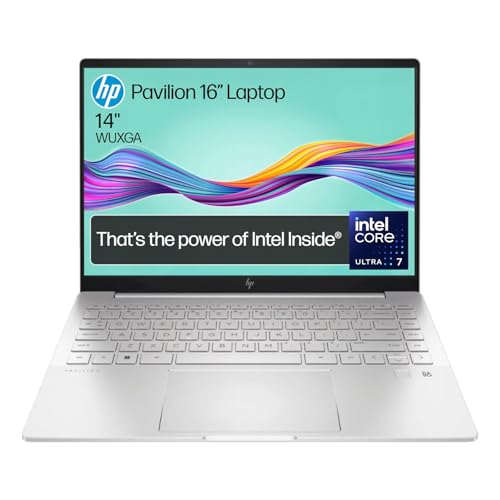
- HP Pavilion Plus 14 2.8K OLED B22Z3PA about$1,903.21Core Ultra 7, 16GB RAM, 1TB SSD, 2.8K OLED.
- Lenovo Yoga Slim 7i 14IPH11 PTLU7 32GB 1TB… about$2,999OLED.
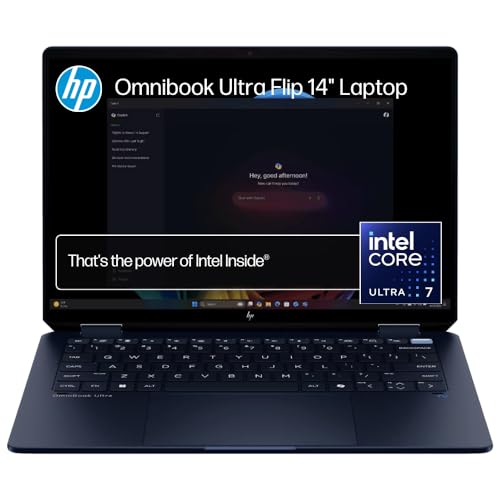
- Best 2-in-1HP OmniBook Ultra Flip AI 14 AY6V1PA about$3,79832GB RAM, 1TB SSD, 14.0" screen.
Price watch
Prices checked 28 Oct 2026, 4:37amEach pick's Amazon AU price today, next to the lowest price iFix has tracked for that listing. We check every morning, so you can tell a genuine low from a normal price with a sale badge on it.
| Pick | Today | Lowest tracked | Verdict | |
|---|---|---|---|---|
| ASUS Zenbook 14 UM3406GA-QL109W | $1,698 | – | Building history | Check price |
| ASUS Zenbook 14 UM3406GA-QL108W | $1,999 | – | Building history | Check price |
| Lenovo Yoga Slim 7 14IPH11 Aura Edition | $2,499 | – | Building history | Check price |
| Lenovo Yoga 14.5" OLED 3K Slim 7X Laptop: 32GB | $2,198 | – | Building history | Check price |
| HP Pavilion Plus 14 2.8K OLED B22Z3PA | $1,903.21 | – | Building history | Check price |
| Lenovo Yoga Slim 7i 14IPH11 PTLU7 32GB | $2,999 | – | Building history | Check price |
| HP OmniBook Ultra Flip AI 14 AY6V1PA | $3,798 | – | Building history | Check price |
Lowest tracked means the lowest Amazon AU price iFix has recorded for that listing since 27 October 2026, not an all-time low. A verdict appears once a listing has 14 days of history and a live Buy Box offer. Prices change through the day; Amazon's checkout price is the one that counts. Every laptop we track, by price. See every tracked price drop.
What the extra money buys in a thin laptop
A thin and light Windows laptop costs more than a regular one for three reasons: a smaller battery that has to last longer, a cooling system squeezed into about 14mm, and a screen that's usually OLED now. None of that shows up in a spec sheet the way a processor name does, and it's where these machines win or lose after the first year. When one of these fails, it's nearly always heat, a worn battery, a cracked screen or a dead USB-C port, and hardly ever a processor that's too slow.
I've written up five from $1,698 to $3,798, all 14-inch or 14.5-inch, all sold and shipped by Amazon AU. Two are ASUS Zenbook 14s that differ in chip and memory, so you can see exactly what the step from 16GB to 32GB costs. One runs Qualcomm's Snapdragon X Elite, which changes the battery picture and brings a software catch I'll explain, and one is an HP 2-in-1 with a 3K OLED touchscreen. The lead pick, Lenovo's Yoga Slim 7 Aura Edition, is #86 in Amazon AU's Traditional Laptops category at time of writing. The quick summary above also lists two more that I haven't reviewed in full, the HP Pavilion Plus 14 and the Lenovo Yoga Slim 7i.
Every pick here has an OLED screen and 1TB of storage, which wasn't true of this price band a couple of years ago. That makes the real differences smaller than the prices suggest, and it pushes the decision onto things that are harder to see on a listing: which chip family, how much memory, how the laptop handles heat, and whether the maker has told you enough about the battery and ports to make a fair comparison. Where a listing leaves something out, I've said so rather than filled the gap.
If you don't carry a laptop every day, you can spend less. The laptops under $1,500 guide covers machines that weigh more and run warmer but do the same office work. If you're weighing up a Mac instead, I've done the same exercise for the MacBook Air and Pro, and the soldered-memory argument there applies here too, just a little less harshly.
Memory is soldered, storage usually isn't
Both Zenbook 14s list LPDDR5X memory, and LPDDR5X is soldered to the board on laptops like these, so there's no slot to add more later. The Lenovos and the HP don't name the memory type on the listing, but I'd assume it's the same on a machine this thin unless the maker's own spec sheet says otherwise. If you buy 16GB, it's a 16GB laptop until the day it's recycled, the same as a MacBook. That's why I've put both Zenbook 14 memory tiers in the picks.
How much do you need? For Office, a browser, Teams and the odd photo edit, 16GB is fine today and should stay fine for most of the life of the machine. I'd go 32GB if you keep dozens of browser tabs open, run virtual machines, edit 4K video, or just tend to keep a laptop for six years or more. Windows and browsers creep up in memory use every year, and the laptops that feel slow at year four are usually the ones that were short on memory, not the ones with older processors. I've written up why laptops get slow from the repair side if you want the detail.
Storage is a different story. Most thin Windows laptops still use a standard M.2 SSD that a technician can swap, which is a real advantage over a MacBook. None of these five listings states the slot type, though, so I won't promise it for any of them. All five come with 1TB, which is plenty for most people and takes the pressure off that decision.
Intel, AMD or Snapdragon
Three kinds of chip turn up in this band. Intel's Core Ultra is in the Yoga Slim 7 Aura and the HP OmniBook Ultra Flip, AMD's Ryzen AI is in the two Zenbook 14s, and Qualcomm's Snapdragon X Elite is in the Yoga Slim 7x. Four of the five either carry the Copilot+ label or talk up their NPU, the AI part of the chip. Most people won't notice the NPU in daily use, so I wouldn't let it decide anything.
Between Intel and AMD there's not much in it for normal use. Both run every Windows program you're likely to own, both have decent built-in graphics now, and both will feel quick for years at this level. I'd choose between them on the rest of the laptop, meaning the screen, memory, weight and price, rather than on the badge.
The Snapdragon machines are the ones to think about. They use an Arm processor, the same family as a phone chip, and Windows runs most ordinary software on them through emulation without you noticing. Where it bites is the odd older printer or scanner driver, some VPN clients a workplace insists on, specialist engineering or accounting software, and many games with anti-cheat. Before you buy one, write down the three programs you can't live without and check each has an Arm version or is known to run. If any of them is a maybe, buy the Intel or AMD machine instead.
The upside is battery life and heat. Lenovo says multi-day for the Slim 7x and HP quotes up to 20.5 hours for the OmniBook Ultra Flip. Those are maker figures under maker test conditions, and real use with a bright screen and a video call running will be a fraction of that. Still, in my experience Arm laptops run cooler and quieter than Intel or AMD ones doing the same light work, and a cooler laptop is one whose battery wears more slowly.
How to read battery and weight claims
Battery hours on a laptop listing are measured by the maker, usually playing a local video at low brightness with the Wi-Fi off. That's useful for comparing two laptops from the same brand and not much else. A better number is the battery capacity in watt-hours, and annoyingly not one of these five listings gives it. If battery matters to you, look it up on the maker's page before you order, because two laptops with the same hour claim can have quite different packs inside.
Weight is the same problem. Only the Yoga Slim 7 Aura states a figure on its listing, 1.14kg, along with a thickness of 13.9mm. The others describe themselves as light or slim without a number. Anything in this class will sit somewhere around 1.1 to 1.4kg in my experience, which is light enough for daily carrying, but if you're comparing grams, get them from the maker rather than the listing.
One more thing on batteries: the capacity you start with drops every year whatever you do. A pack that gives a working day when new will usually give most of a day at year three if it's looked after, and noticeably less if it's been kept hot and full. That's the next section.
Heat is what wears these out
A thin laptop has one or two small fans and very little room for air. Lint, pet hair and dust collect on the fins behind the exhaust, the fan spins faster to keep up, and after two or three years you've got a machine that's hot on the lap, loud on a Teams call and slowing its own processor down to stay safe. We get a lot of these in with owners convinced the laptop is dying, and a proper clean with fresh thermal paste brings most of them back.
Heat also ages the battery. A lithium-ion pack kept warm and sitting at 100% charge loses capacity noticeably faster than one kept cool at around 80%. ASUS's MyASUS app and Lenovo's Vantage app both have a setting to cap the charge, and if the laptop lives on a desk plugged in, turning that on is the most useful thing you'll do in the first week.
Don't use it on a doona or a couch cushion. The air intakes on most thin laptops are underneath, and soft surfaces block them. A hard tray, a book or a laptop stand fixes that for nothing, and it's the habit that makes the biggest difference to how the machine feels at year three.
If you notice the fan running hard while you're only browsing, or the underside getting hot enough to be uncomfortable on your lap, that's the early sign. It's a much smaller job to clean a laptop at that point than to replace a swollen battery a year later.
USB-C ports and chargers
On thin laptops the charging port is usually also a data port, and it takes a beating. Cables get yanked, bags get dropped with the plug still in, and a poorly regulated charger can take out the charging circuit behind the socket. A laptop that won't charge is one of the most common jobs I see, and it's worth running through the checks for a laptop that won't charge before you assume the worst.
Use the charger in the box, or a good GaN charger with enough wattage for the laptop. The GaN charger guide has ones I'm happy with. I'd stay away from no-name bricks off marketplaces, and I've written about what a poor charger does to a board, because the repair usually costs more than a decent charger would have.
Port selection varies more than you'd expect, and none of these five listings counts the ports out one by one. If you need HDMI for a projector or a USB-A port for a mouse dongle, check the maker's page first. If you dock at a desk, a decent USB-C hub sorts out most gaps.
Screens, hinges and liquid: the costly repairs
All five have OLED screens, and OLED on a thin lid is lovely to look at and easy to crack. The glass and the display are usually one part, so a crack means replacing the whole screen assembly, and on these models that's a big chunk of what you paid. I've put typical costs in the laptop screen replacement guide. Most cracks I see come from closing the lid on a pen or a pair of earbuds, or from a laptop carried in a bag with no sleeve.
Burn-in on OLED is less of a worry than it used to be, but a static taskbar at full brightness for years can still leave a faint ghost. Set the taskbar to hide or run the brightness a bit lower and you'll likely never see it.
Liquid is the other big one. A thin laptop has the keyboard sitting right over the board, so a coffee spill reaches the electronics in seconds. Switch it off, unplug it, turn it upside down and get it to a repairer. Don't put it in rice and don't power it on to check it. How corrosion spreads after a spill explains why the days after matter more than the spill itself.
Which one I'd buy
For most people who carry a laptop every day, the Yoga Slim 7 Aura Edition at $2,499 is the one. It's 1.14kg, it has 16GB and 1TB, and it runs ordinary Windows software with no compatibility questions. If you'd rather spend less, the 16GB Zenbook 14 at $1,698 does the same jobs with a dimmer screen on paper, and it's the best value of the five.
Go to the 32GB Zenbook 14 if you're keeping it for years or doing heavier work. Pick a Snapdragon model only after you've checked your software, and if you do, the Yoga Slim 7x is the one I'd choose for its 3K touchscreen and 32GB. If you're on the Central Coast and want a second opinion on an older laptop before replacing it, our Central Coast computer repairs page covers what we do, or drop into the Erina workshop. Sometimes a battery and a clean buy you two more years.
What I wouldn't do is stretch to the HP OmniBook Ultra Flip unless you'll really use the touchscreen. For everyone else, the extra money buys a touch panel and a number on a box, not a better day-to-day laptop. Put the difference towards a good sleeve and a backup drive instead.
The 5 picks in detail, $1,698 to $3,798
Prices are Amazon AU at time of writing (28 October 2026) and move week to week. Ranks are Amazon AU category sales ranks, checked the same day.

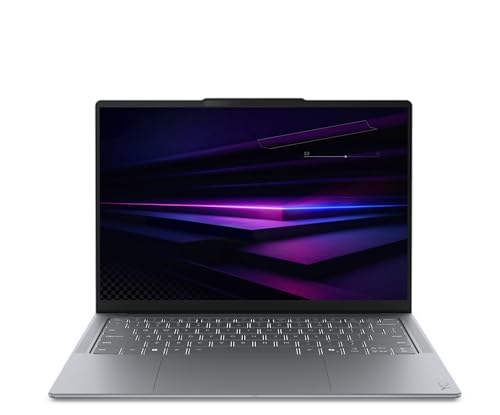
Lenovo Yoga Slim 7 Aura Edition 14-inch OLED, Core Ultra 5, 16GB, 1TB (83QM000DAU)
ASIN B0H399Q533 • $2,499 • Ships from Amazon AU
Lenovo's Yoga Slim 7 Aura Edition (model 83QM000DAU) is #86 in Amazon AU's Traditional Laptops category at time of writing, and it's $2,499 sold and shipped by Amazon AU. The title lists a 14-inch WUXGA OLED screen at 60Hz with 100% sRGB, an Intel Core Ultra 5 processor, 16GB of memory, a 1TB SSD and Windows 11 as a Copilot+ PC. Lenovo gives the weight as 1.14kg and the thickness as 13.9mm, and it's the only one of the five that states a weight on the listing. The bullets also talk up a PureSight Pro OLED with 1,100 nits HDR peak, Dolby Vision and DisplayHDR True Black 1000 certification. It comes in Luna Grey.
This is the one I'd hand to most people who carry a laptop to work or uni every day. An Intel chip means there's no question about whether your printer driver, VPN or accounting package will run, and 1.14kg is light enough that you won't think twice about packing it. The 1TB SSD is generous at this price, and the OLED screen gives you deep blacks and strong contrast for photos and video. Lenovo's Vantage software lets you cap the charge when it lives on a desk, and I'd switch that on the first day. It keeps the battery in better shape for longer, which matters because a battery replacement on a laptop this thin isn't a five-minute job.
My only real hesitation is the listing itself. The title says WUXGA and 60Hz, while the bullets describe Lenovo's PureSight Pro display with HDR figures that usually go with its higher-resolution screens. I'd treat the title as the spec you're getting and anything better as a bonus. The memory type isn't stated, so assume 16GB is what it'll always have, and if you think you'll need more, the 32GB Zenbook 14 below costs less. Ports and battery capacity aren't on the listing either, so check Lenovo's own page for the 83QM000DAU before you order if you need HDMI.
Honest caveats: the title says a WUXGA 60Hz OLED while the bullets quote PureSight Pro HDR figures, so go by the title. Memory type, the port list and battery capacity aren't stated on the listing. Assume the 16GB is soldered and permanent. Copilot+ features are software and don't change the hardware you're buying.
Best for: Anyone who carries a Windows laptop every day and wants light weight with no software compatibility questions.
Display: 14-inch WUXGA OLED, 60Hz, 100% sRGB • Processor: Intel Core Ultra 5 • Memory: 16GB (type not stated) • Storage: 1TB SSD • Weight: 1.14kg • Thickness: 13.9mm • OS: Windows 11, Copilot+ PC • Rank: #86 in Traditional Laptops (Amazon AU)
View on Amazon AU
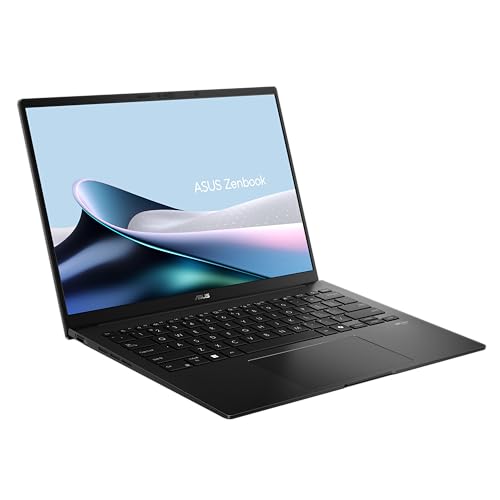
ASUS Zenbook 14 OLED UM3406GA, Ryzen AI 5 430, 16GB, 1TB, Jade Black
ASIN B0GQD66DZC • $1,698 • Ships from Amazon AU
The ASUS Zenbook 14 UM3406GA-QL109W is $1,698 at time of writing, sold and shipped by Amazon AU, and it's #170 in Amazon AU's Traditional Laptops category. It runs an AMD Ryzen AI 5 430 with 16GB of LPDDR5X memory, a 1TB SSD and AMD Radeon graphics on Windows 11 Home. The screen is a 14-inch 1920 x 1200 ASUS Lumina OLED in 16:10, rated up to 600 nits with adaptive sync. The listing also gives Wi-Fi 6E, USB-C charging, a camera privacy shield with face login, the NumberPad 2.0 built into the touchpad, an all-metal body and MIL-STD 810H testing. It's the Jade Black colour, and the 14-inch size fits a normal backpack sleeve.
This is the value pick in the band, and it gives up less than the price gap suggests. Ryzen AI chips handle everyday work well and stay reasonably cool, and AMD's built-in graphics are better than most people expect for light photo editing or an older game. You get the same 1TB as the Lenovo for about $800 less. ASUS's MIL-STD 810H claim refers to drop, temperature and vibration tests the maker runs itself, so I read it as a sign the body is well put together rather than a promise it'll survive a fall onto tiles. The metal lid helps mostly by spreading the load when a bag gets squashed against something hard.
The 16GB is LPDDR5X, which means it's soldered and can't be added to later. For office work, school and browsing it's plenty, and if you're unsure, the 32GB version is the next pick down for $301 more. MyASUS includes a charge-limit setting, and I'd turn it on if the laptop spends most of its time plugged in at a desk. Weight and battery capacity aren't stated on this listing beyond ASUS's day-long line, so if a gram figure matters to you, check the ASUS page for the UM3406GA before ordering. I'd expect it to be close to the others here, but I won't guess.
Honest caveats: the 16GB of LPDDR5X is soldered, so it's permanent. Weight, battery capacity and a full port list aren't stated on the listing. The 50 TOPS NPU figure is written as an 'up to' for the range, not necessarily this chip. MIL-STD 810H is ASUS's own testing, not an independent rating.
Best for: Office, school and home users who want an OLED Zenbook with 1TB without paying for 32GB they won't use.
Display: 14-inch 1920 x 1200 OLED, 16:10, up to 600 nits • Processor: AMD Ryzen AI 5 430 • Memory: 16GB LPDDR5X (soldered) • Storage: 1TB SSD • Graphics: AMD Radeon • Wireless: Wi-Fi 6E • Charging: USB-C • Rank: #170 in Traditional Laptops (Amazon AU)
View on Amazon AU
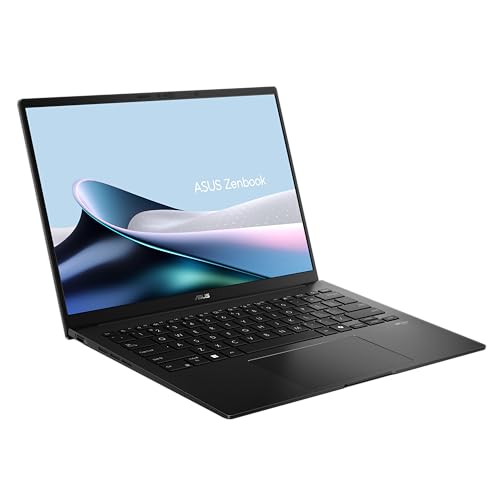
ASUS Zenbook 14 OLED UM3406GA, Ryzen AI 7 445, 32GB, 1TB, Jade Black
ASIN B0GQD7H3QC • $1,999 • Ships from Amazon AU
Same Zenbook 14 body, with a step up inside. The UM3406GA-QL108W is $1,999 at time of writing, sold and shipped by Amazon AU, and #19 in Amazon AU's Traditional Laptops category. It swaps in an AMD Ryzen AI 7 445 and doubles the memory to 32GB of LPDDR5X, with the same 1TB SSD, Radeon graphics and Windows 11 Home. The rest of the listing matches the 16GB model: a 14-inch 1920 x 1200 Lumina OLED at up to 600 nits with adaptive sync, Wi-Fi 6E, USB-C charging, face login with a camera shutter, NumberPad 2.0 and an all-metal Jade Black body. ASUS lists MIL-STD 810H testing on this one as well.
I've included it because memory is the one thing you can't fix later on this laptop. $301 buys you another 16GB and a faster chip, and if you keep machines for five or six years, that's money well spent. Where 32GB pays off is heavy multitasking: lots of browser tabs, Teams, big Excel models, Lightroom, or a virtual machine for work. At 16GB those jobs start pushing into the SSD as swap, and the laptop feels sluggish even though the processor isn't busy. At 32GB they mostly don't. For a student or someone doing email and documents it's more than they need, and the 16GB version is the smarter buy.
The trade-off is heat. A Ryzen AI 7 in the same thin body will usually run its fans harder under long loads than the Ryzen AI 5, so keep the vents clear and don't work on a doona. If you do heavier work on battery, the extra cores will drain it faster too, so plan on having the charger with you on long days. Battery capacity and weight aren't stated on the listing, and I wouldn't expect much difference between the two Zenbooks in light use. Check the ASUS page for weight and the exact ports if either matters to you.
Honest caveats: it's the same body as the 16GB model, so expect a bit more fan noise under long, heavy loads. Weight, battery capacity and a full port list aren't stated on the listing. The memory is soldered LPDDR5X. The listing's NPU figure is an 'up to' for the whole range.
Best for: People who keep a laptop five years or more, or who run heavy multitasking, VMs or photo work.
Display: 14-inch 1920 x 1200 OLED, 16:10, up to 600 nits • Processor: AMD Ryzen AI 7 445 • Memory: 32GB LPDDR5X (soldered) • Storage: 1TB SSD • Graphics: AMD Radeon • Wireless: Wi-Fi 6E • Rank: #19 in Traditional Laptops (Amazon AU)
View on Amazon AU
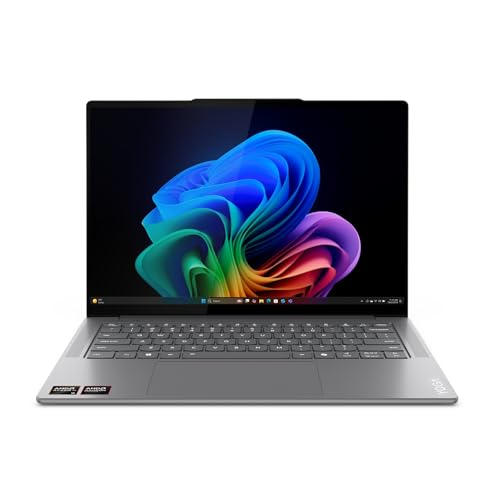
Lenovo Yoga Slim 7x 14.5-inch 3K OLED, Snapdragon X Elite, 32GB, 1TB (83ED000BAU)
ASIN B0DGX64M8C • $2,198 • Ships from Amazon AU
The Lenovo Yoga Slim 7x (83ED000BAU) is $2,198 at time of writing, sold and shipped by Amazon AU, and #137 in Amazon AU's Traditional Laptops category. It runs Qualcomm's Snapdragon X Elite with 32GB of memory and a 1TB SSD as a Copilot+ PC. The screen is a slightly larger 14.5-inch 3K PureSight OLED touchscreen with Dolby Vision and up to 1,000 nits peak, and it's one of two of the five whose listing mentions touch (the HP is the other). Lenovo lists a keyboard with 1.5mm key travel, four Dolby Atmos speakers, noise-cancelling microphones and Windows Studio Effects for the webcam, and quotes multi-day battery life. Two months of Adobe Creative Cloud access is included in the box.
This is the one I'd pick if your software checks out on Arm. You get the best screen in the group on paper, 3K at 14.5 inches, plus 32GB for $1,600 less than the Intel-based HP OmniBook Ultra Flip. Snapdragon laptops generally run cooler and quieter than Intel or AMD doing the same light work, and the fans often sit idle through a day of email and documents. That matters for battery wear as well as comfort, because heat is what ages a lithium-ion pack. The 1.5mm key travel is decent for a laptop this thin, and four speakers is more than most thin laptops bother with.
Before you buy, check every program you rely on. Most mainstream apps now have Arm versions or run fine under emulation, but older printer and scanner drivers, some corporate VPNs, specialist work software and many games with anti-cheat are where Arm laptops still trip up. Multi-day battery is Lenovo's phrase rather than a measured figure, and a bright OLED on a video call will cut it a lot. Weight and ports aren't stated on this listing. If any of your programs is a maybe, the Intel Yoga Slim 7 Aura is the safer buy for about $300 more.
Honest caveats: Snapdragon X Elite is an Arm chip, so some older drivers, VPN clients and games with anti-cheat may not run. Multi-day battery is Lenovo's marketing line, not a test figure. Memory type, weight and ports aren't stated on the listing. The Adobe access is a two-month trial, not a licence.
Best for: Buyers whose apps all run on Arm and who want the sharpest screen and 32GB for the money.
Display: 14.5-inch 3K OLED touchscreen, up to 1,000 nits peak • Processor: Qualcomm Snapdragon X Elite • Memory: 32GB • Storage: 1TB SSD • Keyboard: 1.5mm key travel • Audio: 4 Dolby Atmos speakers • OS: Windows 11, Copilot+ PC • Rank: #137 in Traditional Laptops (Amazon AU)
View on Amazon AU
HP OmniBook Ultra Flip AI 14-inch 3K OLED Touch, Core Ultra 7, 32GB, 1TB, Eclipse Gray
ASIN B0F98WB8DD • $3,798 • Ships from Amazon AU
The HP OmniBook Ultra Flip AI 14 (AY6V1PA) is $3,798 at time of writing, sold and shipped by Amazon AU, and #28 in Amazon AU's 2 in 1 Laptops category. It runs an Intel Core Ultra 7 processor with 32GB of RAM and a 1TB SSD, and the listing mentions Intel Arc graphics on Windows 11. The screen is a 14-inch 3K OLED touchscreen at 2880 x 1800, protected by Corning Gorilla Glass 5. HP quotes up to 20.5 hours of battery, and the listing also gives Wi-Fi 7 and Bluetooth 5.4. It's the Eclipse Gray colour.
This is the touchscreen pick for people who don't want an Arm laptop. It has the same idea as the Yoga Slim 7x, a sharp 3K OLED touch panel with 32GB, but on an Intel chip, so there's no question about whether your printer driver, VPN or accounting package will run. It costs $1,299 more than the Yoga Slim 7 Aura Edition and gives you double the memory, a sharper screen and a touch panel for it. HP's 20.5 hours is HP's figure under HP's conditions, and a bright OLED on a video call will cut it a lot. A flip hinge moves far more often than a clamshell hinge, so when it arrives, check that the lid holds its angle and doesn't wobble when you type, because a wobbling lid is often a hinge working loose.
The catch is price and missing detail. At $3,798 it's $1,600 more than the Yoga Slim 7x and about $2,100 more than the 16GB Zenbook 14, and the listing doesn't state the weight, thickness, memory type, port list or battery capacity in watt-hours. Check HP's own page for the AY6V1PA if grams or HDMI matter. A touchscreen on a thin lid is also one more part that can fail, and a cracked OLED is a whole-assembly replacement.
Honest caveats: weight, thickness, memory type, ports and battery capacity in watt-hours aren't stated on the listing. 20.5 hours is HP's own battery claim. A flip hinge and an OLED touch panel add two parts that can wear or crack, and a cracked panel is a whole-assembly replacement.
Best for: Buyers who want a 3K OLED touchscreen and 32GB on an Intel chip, with no Arm software checks.
Display: 14-inch 3K OLED touchscreen, 2880 x 1800, Gorilla Glass 5 • Processor: Intel Core Ultra 7 • Memory: 32GB (type not stated) • Storage: 1TB SSD • Graphics: Intel Arc (per listing) • Wireless: Wi-Fi 7, Bluetooth 5.4 • Battery: Up to 20.5 hours (HP figure) • Rank: #28 in 2 in 1 Laptops (Amazon AU)
View on Amazon AUSide-by-side comparison
| Product | Price | Best for |
|---|---|---|
| ASUS Zenbook 14 UM3406GA-QL109W | ~$1,698 | Best value, office and school |
| ASUS Zenbook 14 UM3406GA-QL108W | ~$1,999 | 32GB for keeping it for years |
| Lenovo Yoga Slim 7 14IPH11 Aura Edition 14"… | ~$2,499 | Most people, light and Intel |
| Lenovo Yoga 14.5" OLED 3K Slim 7X Laptop: 32GB | ~$2,198 | Sharpest screen, if apps run on Arm |
| HP Pavilion Plus 14 2.8K OLED B22Z3PA | ~$1,903.21 | Intel Core Ultra 7, 2.8K OLED |
| Lenovo Yoga Slim 7i 14IPH11 PTLU7 32GB 1TB… | ~$2,999 | 32GB, 2.8K OLED |
| HP OmniBook Ultra Flip AI 14 AY6V1PA | ~$3,798 | 3K OLED touch on Intel |
What we see fail in the workshop: thin and light laptops
Thin laptops don't usually die from one big failure. They wear out from heat, from charging, and from being carried around in bags all day. These are the three faults that come up most on 14-inch Windows machines in the first few years, and all three are easier to prevent than to fix. None of them are rare, and none of them show up in a review written in the first week.
Clogged fans and tired batteries
The fans on a thin laptop are small and the fins they blow through are packed tight. After a couple of years of lint and pet hair, the fan runs flat out and the processor slows itself down to stay safe, which owners read as the laptop getting old. The same heat cooks the battery, and a pack that's been hot and full for years can swell enough to lift the touchpad or bow the base. A clean and new thermal paste fixes the first problem. The second needs a new battery, and swelling should never be ignored.
USB-C ports and charging circuits
On most of these laptops the USB-C port does charging and data, and it's soldered to the board or a small daughterboard. A cable yanked sideways or a bag dropped with the plug in can crack the solder joints, and an unregulated charger can damage the charging chip behind the port. The symptoms are charging that only works at a certain angle, or no charging at all. A loose port is usually repairable. A burnt charging circuit is a board-level job, and it costs more than the good charger would have.
Cracked OLED screens and loose hinges
An OLED screen in a thin lid has very little to protect it. Close it on a pen, earbuds or a USB stick and the pressure point cracks the display, and on most of these models the glass and display are replaced as one assembly. Hinges are the other weak spot on thin lids, because the mounting points are small and the lid gets opened and closed several times a day for years. A hinge that's started to feel loose or creak is worth looking at early, before the mount breaks out of the lid or the screen cable gets pinched.
Decision tree: which one should you actually buy?
- You want one laptop for work or uni and don't want to think about compatibility? → The Lenovo Yoga Slim 7 Aura Edition at $2,499. Intel chip, 1.14kg, 16GB and 1TB.
- You want the best value and do office work, school or browsing? → The ASUS Zenbook 14 with Ryzen AI 5 and 16GB at $1,698. Same 1TB, OLED screen, about $800 less than the Lenovo.
- You keep laptops for years or run heavy multitasking? → The 32GB Zenbook 14 with Ryzen AI 7 at $1,999. The memory is soldered, so buy it now.
- All your apps run on Arm and you want the best screen? → The Lenovo Yoga Slim 7x at $2,198, with a 3K OLED touchscreen and 32GB.
- You want a 3K OLED touchscreen but can't risk an Arm laptop? → The HP OmniBook Ultra Flip at $3,798, with an Intel chip and 32GB. Otherwise stick with the Yoga Slim 7 Aura.
- Your current laptop is hot, loud or won't charge? → It may only need a clean, a port or a battery. Bring it into our Erina workshop and we'll tell you before you spend anything on a new one.
Frequently asked questions
Can I upgrade the RAM in a thin and light laptop later?
On most of them, no. Laptops this thin nearly always use LPDDR5X or similar memory soldered to the board, and both Zenbook 14s here list LPDDR5X. The Lenovos and the HP don't state the memory type on the listing, but I'd assume it's soldered too. Whatever you buy is what the laptop will have for life, so if you're unsure between 16GB and 32GB and you keep laptops for five years or more, go 32GB. Storage is different, since many Windows ultrabooks still use a swappable M.2 SSD, but check the maker's page for the exact model.
Is a Snapdragon laptop worth buying in Australia?
Yes, if every program you use runs on it. Snapdragon X laptops use Arm chips that usually run cooler and last longer on battery than Intel or AMD in light work. Most mainstream apps now run fine, either natively or through Windows emulation. The trouble spots are older printer and scanner drivers, some workplace VPN clients, specialist engineering or accounting software, and many games with anti-cheat. Check your three most important programs before you buy, and if any of them is uncertain, pick an Intel or AMD laptop instead.
How long should a thin and light laptop last?
With reasonable care, five to six years is realistic for a laptop in this price band, and longer if you bought enough memory at the start. The battery is usually the first part to need attention, often around year three or four, followed by fans clogged with dust. Keep the vents clear, avoid using it on soft surfaces, cap the charge at around 80% if it lives plugged in, and carry it in a sleeve. A clean every couple of years keeps the fans and processor running as they should.
Is 16GB of RAM enough in 2026?
For most people, yes. Office apps, a browser with a sensible number of tabs, video calls and light photo editing all run comfortably in 16GB. I'd go 32GB for heavy multitasking, virtual machines, 4K video editing, big spreadsheets or large photo libraries in Lightroom, and also if you plan to keep the laptop six years or more. Because the memory on these laptops is soldered, the 32GB question is one you have to answer on the day you buy. The two Zenbook 14 picks here are $301 apart for that step.
Do OLED laptop screens get burn-in?
They can, but it's much less common than it used to be. Modern OLED laptops shift pixels slightly and dim static elements to reduce the risk. The highest-risk habit is leaving a fixed taskbar or an app toolbar on screen at full brightness for many hours a day over years. Setting the taskbar to auto-hide, using a dark theme and running the brightness a little lower makes burn-in unlikely in normal use. Cracks from pressure on the lid are a far more common OLED problem than burn-in.
Why does my thin laptop get so hot and loud?
Usually because the cooling system is partly blocked. Thin laptops have small fans and tightly packed fins, and dust, lint and pet hair build up on those fins over a couple of years. The fan then runs faster and the processor slows itself down to stay within safe temperatures. Using the laptop on a bed or couch makes it worse because the intakes are underneath. A professional clean with fresh thermal paste brings most of these back to normal, and it also helps the battery, since heat speeds up battery wear.
Related buying guides
Hot, loud, or only charging at an angle?
On thin laptops those are usually clogged fans or a worn USB-C port, and both are fixable before they turn into a board repair or a swollen battery. Bring it into Erina and we'll open it up, check the fans, the port and the battery, and tell you what it needs and what it'll cost before you spend anything, including whether it's worth fixing at all.
Visit our Erina workshop Book Online