Prices from Amazon AU, updated daily. Swipe or use the arrows for more.
Disclosure: This article contains affiliate links to amazon.com.au. If you buy through one of these links iFix may earn a small commission at no extra cost to you. It doesn't change which products we recommend. We focus on what actually lasts based on 16 years of repair-shop experience.
Quick summary10 picks
- Entry PickInnoView Portable Monitor about$129.9915.6" screen.
- cocopar Portable Monitor Travel Display… about$129.99
- MSI PRO MP165 E6 15.6" Eye Care about$13260Hz refresh, 15.6" screen, 15W.
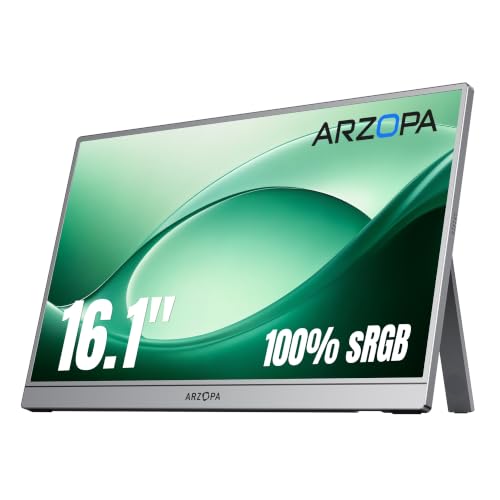
- ARZOPA Portable Monitor about$136.9916.1" screen.
- ARZOPA Z1C 16.1" Portable Monitor Gray about$169.9916.1" screen.
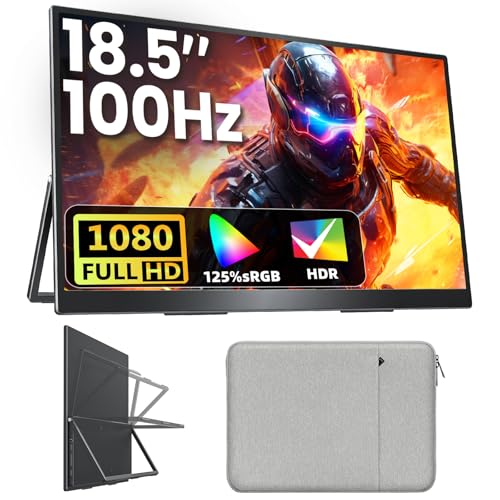
- Upperizon Large Portable Monitor 18.5 inch… about$179.99100Hz refresh.
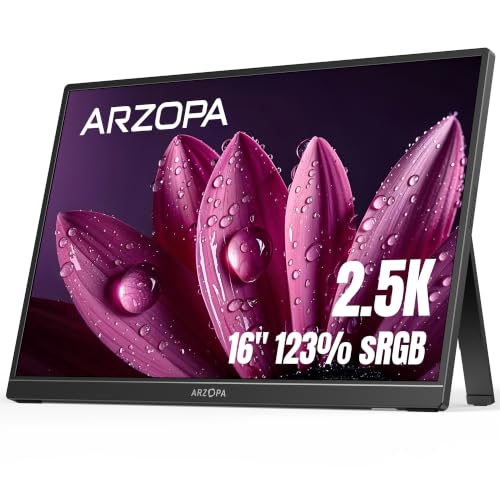
- ARZOPA 2.5K Portable Monitor 16" 2560x1600… about$229.9916" screen.
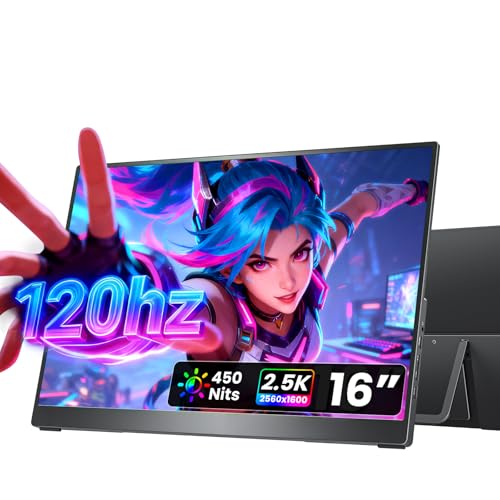
- cocopar Portable Monitor Travel Display… about$259.99120Hz refresh.
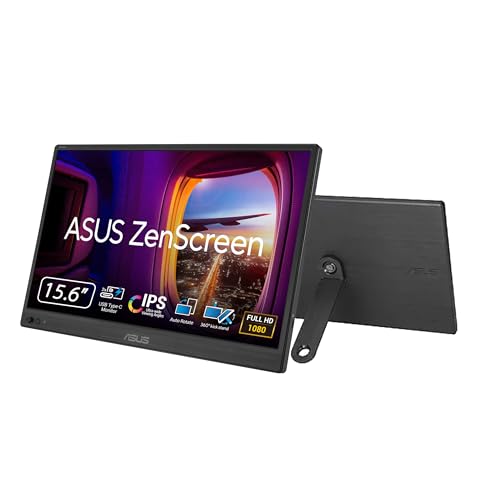
- ASUS ZenScreen MB169CK Portable USB… about$184
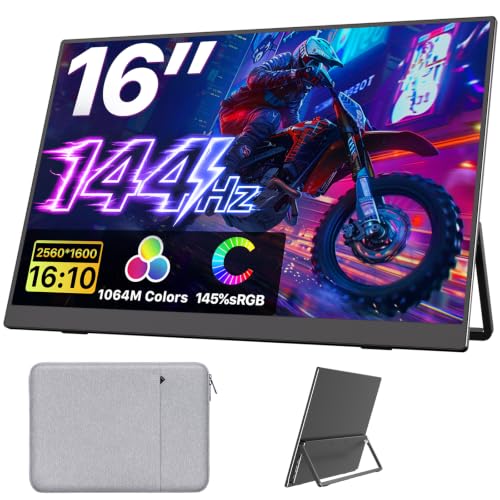
- Most PremiumUpperizon Portable Monitor 16 inch 2K QHD… about$263.99144Hz refresh, 16" screen.
What you're actually buying
A portable monitor is a laptop screen in a thin shell with a small driver board bolted to the back. That's the whole thing. There's no heavy power supply, no weighted stand, no fan, no metal arm holding it up. It's the same sort of screen that lives inside a notebook lid, sold on its own with a couple of ports and a kickstand stuck to the rear. Once you look at it that way the buying decision gets a lot simpler, because you stop comparing it to the screen on your desk and start comparing it to a phone: a thin glued-together thing that gets carried around and plugged in every single day.
The screens on my desk got plugged in once and haven't moved since. A portable gets connected and disconnected daily, slid into a bag next to a charger and a set of keys, then pulled back out on someone else's kitchen table. Nearly all the wear is in the handling rather than the electronics, and that is exactly what shows up in the workshop. I've never had one of these in with a blown capacitor. I've had plenty in with a wobbly port, a split cover or a cracked screen.
So most of what follows is about unglamorous stuff: the port, the cable, the cover, and how much light the screen actually puts out. The ten picks run from $129.99 to $329.99, and they're all 15.6 to 18.5 inch screens that run off a laptop's USB-C port. If the thing is going to sit on one desk and never move, you'd generally be better served by a full-size desk screen at similar money, since it'll have a proper stand, its own power supply and parts you can actually get hold of.
The USB-C port is the bit that dies
The USB-C socket is soldered to a circuit board. Every time you push a plug in, the solder joints take the load, and every time the cable gets knocked sideways that load lands on a handful of pads about a millimetre wide. This is the most common failure on any device that charges over USB-C, phones included, and a portable monitor has it worse than a phone because it gets plugged and unplugged more often. The socket doesn't usually die all at once either. It goes a bit loose, then it works only if you hold the cable at a certain angle, then one day it stops.
There's one habit that does most of the damage, and it's plugging in while the screen is lying flat on the desk. The cable comes out of the edge, meets the desk and bends straight up, so the plug levers in the socket the whole time it's connected. Stand the screen on its kickstand first, or lift the edge with one hand while the plug goes in with the other. A right-angle or L-shaped plug helps a lot here as well, and MSI ships that style of cable with the PRO MP165 E6, which tells you somebody there has seen the same thing.
If a port does go, the repair isn't like a phone. On a handset we replace the charge port and the parts are easy to get. Here the socket sits on a driver board the maker doesn't sell separately, so it's a microsolder job on a one-off board with no spare to fall back on. It's doable on some of them, and we'll have a look if you bring one into the Erina bench, but I'd rather you never needed to. Buy one with two USB-C ports where you can, because when the first one gets tired you've still got a spare.
Why a good cable gives you a black screen
This is the number one call I get about portable monitors, and nine times out of ten there's nothing wrong with anything. One cable carries power and video together only if the laptop's USB-C port supports DisplayPort Alt Mode. Plenty of USB-C ports are data and power only. They charge the laptop, they run a thumb drive, and they'll happily power the monitor so the backlight comes on, but they never send a video signal, so you get a lit screen with nothing on it. People then blame the cable, buy another cable, and get exactly the same result.
Checking is easy enough before you order. Look for a small DP logo next to the USB-C port on the laptop, or search the model number plus DisplayPort Alt Mode on the maker's own spec page. Thunderbolt 3, 4 and 5 ports always carry video. If your laptop is a few years old and the port isn't marked, I'd assume it's data only until you've confirmed otherwise. Most of the listings here say the same thing in their own words, which is fair of them, though it tends to be buried in the fifth bullet where nobody ever reads it.
The fix, when the port can't do video, is the HDMI input plus a separate cable for power. Every pick in this list has an HDMI socket except the ASUS ZenScreen MB169CK, which is dual USB-C only on its listing, so that's the one where the check really matters. Two cables is untidy but it works on anything with an HDMI output, including older work laptops and desktops. If you're choosing a machine now and you want the single-cable setup to work, the current business laptops nearly all have video-capable USB-C.
Power budget, and why two cables isn't a fault
These screens pull somewhere around 5 to 10 watts off the host port, more with the backlight at full and the speakers going. A laptop USB-C port has a budget and it's a shared one. If the machine is already charging a phone off the other port, or you've hung the monitor off a multi-port hub with a small supply behind it, the screen is the thing that gives way first. You get flicker, a dim picture, or the monitor restarting itself every minute or two. InnoView says this outright in its listing and tells you to power the screen directly, which is the right answer.
That's why nearly every one of these boxes has two USB-C ports and two cables in it. One port takes the signal from the laptop, the other takes power from a wall charger or a power bank. It isn't a design flaw and it isn't the monitor being faulty. It's the host port running out of headroom. Any charger that can manage 15 W or more will generally do the job, and if the screen behaves on wall power but plays up off the laptop, you've found your answer without opening a thing.
The one supply I'd avoid is a no-name charger out of the drawer. Underspecified chargers sag under load, and a sagging supply is exactly what makes a screen flicker and restart, which people then read as a dead monitor. We wrote up what a poor charger actually does if you want the detail on that. Use the brick that came with your laptop, or a decent USB-C charger with the RCM mark on it, and you've taken the most likely variable out of the picture before you start.
Covers, kickstands and the ribbon behind them
The cover is what fails first on these, not the screen. On the fold-over designs like the InnoView and the 15.6 inch cocopar, the cover is PU leather over card, and it creases at the same spot every time you fold it into a stand. Give it a year of daily use and the crease goes fluffy, then it splits, then the stand won't hold an angle any more. It's a consumable, and honestly I'd rather have that than a hinge, because a split cover doesn't take the screen with it when it goes.
The built-in metal kickstands, like the ones on the ARZOPA Z1C and the two Upperizon screens, are stiffer and hold an angle better. The trade-off is that there's usually a flex point behind the stand where the ribbon runs from the driver board up to the screen. Open and close the same stand a few thousand times and that area works harder than anything else in the shell. I'm not saying they break often, because mostly they don't, but if a screen starts flickering or shows a band down one side after a year of folding, that's the first place I'd look rather than the port.
None of that matters much if the screen gets crushed in a bag, which is the failure that ends the conversation. The screen is glued into the shell and the driver board is the maker's own with no parts channel behind it, so a cracked portable monitor is normally a write-off rather than a repair. That makes the case, and how you carry it, the real buying decision. A sleeve, a padded laptop compartment, nothing hard in the same pocket. If it's going to live on a desk most of the week anyway, a VESA arm keeps it off the desk surface entirely, and five of these picks state VESA compatibility on the listing.
Brightness, resolution and those speakers
Brightness decides whether the thing is usable, and it's the spec most listings quietly leave out. Nits are the number you want. The ARZOPA Z1RC states 500 nits, the 16 inch cocopar states 450 and the 144 Hz Upperizon states 400, and those three should hold up near a window or on a train with the sun on one side. The rest of the picks don't state a brightness figure at all, so I'm not going to put a number on them. Indoors and away from direct light that's generally fine. Working outside on a bright Central Coast afternoon, it isn't.
Resolution splits the list fairly neatly. The InnoView, the 15.6 inch cocopar, the MSI, both ARZOPA Z1C models, the 18.5 inch Upperizon and the ASUS are all 1920 x 1080. Text at that pitch on a 16 inch screen is roughly what you're already used to from a normal work laptop, so nobody's going to be upset by it. The ARZOPA Z1RC, the 16 inch cocopar and the 16 inch Upperizon are 2560 x 1600 in a 16:10 shape, which gives crisper text and more rows in a spreadsheet, and costs more. For a second window of email and chat, 1080p is plenty. For reading code or editing photos, go up.
Refresh rate matters less than people think on a second screen, but it's stated on three of these: 60 Hz on the MSI, 100 Hz on the 18.5 inch Upperizon and 144 Hz over USB-C on the 16 inch Upperizon, which is the only one in the list I'd call a gaming screen. Colour coverage is worth a glance if you do design work, and the listing figures run from an 85% gamut on the 15.6 inch cocopar up to 145% sRGB on the top Upperizon. The built-in speakers are a tick-box and nothing more. They're tiny drivers in a shell a few millimetres thick and they sound like it, so use headphones or the laptop.
What I'd check before you hand over the money
Most of the disappointment I hear about could have been headed off with about five minutes of checking, so here's the short version of what I'd run through before ordering one of these.
- Check your laptop's USB-C port for DisplayPort Alt Mode first, because that decides whether one cable will do.
- Decide if you want a fold-over cover or a built-in kickstand, and remember the cover is the part that wears out.
- Look for two USB-C ports rather than one, so there's a spare when the first gets loose.
- See whether a brightness figure is stated at all, and treat a missing one as indoor use only.
- Work out where it's going to sit in your bag before you buy, not after.
- Keep a marked USB-C charger with it rather than grabbing whatever's spare in the drawer.
One more thing on sizing. The 18.5 inch Upperizon is the biggest here at 2.7 lb, about 1.22 kg, and that's getting on for the weight of a small laptop sitting in the same bag. Big is lovely on a hotel desk and a nuisance on a plane tray. The 15.6 and 16 inch picks mostly sit between 660 g and 780 g, which is the range where you stop noticing the thing is there. If you're unsure, go smaller, because the one that stays in the bag is the one that gets used. And if the laptop it's plugged into is already struggling, a second screen won't fix that, so get the machine itself sorted first.
The 10 picks, $129.99 to $329.99
Prices are Amazon AU at time of writing (21 September 2026) and move week to week. Ranks are Amazon AU category sales ranks, checked the same day.

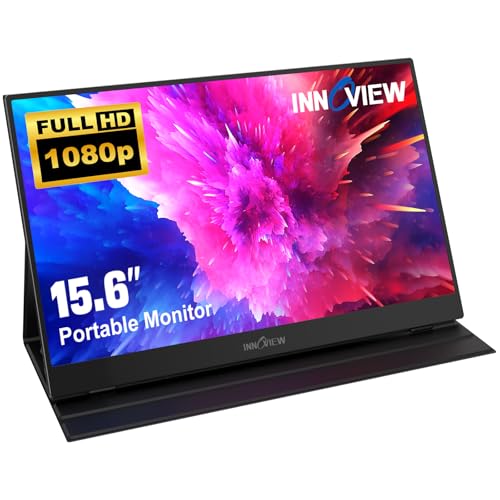
InnoView 15.6in FHD Portable Monitor with Protective Cover
ASIN B0DK8WWYDV • $129.99 • Sold by INNOVIEW-AU on Amazon AU
This is the shape most people should start with. It's a 15.6 inch IPS screen at 1920 x 1080 with two full-function USB-C ports, a mini HDMI input and a PU leather cover that folds into a stand. The listing doesn't state brightness or weight, so I'm not going to guess at either of them. What it does state is the bit I care about: two grooves in the cover set the viewing angle, and the cover wraps the screen when it goes in a bag. That cover is doing the job that matters, because the screen is glued into the shell and a cracked one isn't a repair, it's a replacement. At $129.99 it still ships with that protection, which plenty of screens this size don't.
InnoView spells out the two things I'd otherwise have to tell you across the counter. First, your laptop's USB-C port needs Thunderbolt 3 or 4, or USB 3.1 Type-C with DP Alt Mode, and if it hasn't got that you connect through the mini HDMI and power the screen separately. Second, the listing says the picture may flicker or restart if the host port can't supply enough, and that powering the monitor directly fixes it. That's honest of them and it matches what I see. Neither of those is a fault in the monitor. They're both the host port running out of headroom, which is why the second cable is in the box in the first place.
Two full-function USB-C ports is the quiet advantage here, since you can swap to the other one if the first gets loose after a couple of years of daily plugging. There's a built-in speaker, which I'd ignore, low blue light and a flicker-free claim, and an 18-month warranty with a 30-day return window. For a student or somebody who wants a second window of email and a chat app next to a laptop, this does the job without asking anything clever of the host machine. It's the pick I'd hand to somebody who has never used one of these before.
Honest caveats: Brightness, weight and refresh rate are all missing from the listing, so treat it as an indoor screen until you've seen one. The PU leather cover is the wear item and it will crease and eventually split where it folds. The 18-month warranty excludes external force damage, which covers most of the ways these actually die.
Best for: A first portable screen for study or email work that needs the cover more than it needs the specs.
Screen: 15.6in IPS, 1920 x 1080, 178 degree viewing • Ports: 2 x full-function USB-C, 1 x mini HDMI • Stand: PU leather cover with two angle grooves • Audio: Built-in speaker • Brightness: Not stated on the listing • Warranty: 18 months, excludes external force damage • Price: $129.99 at time of writing • Rank: #8 in Monitors (Amazon AU)
View on Amazon AU
cocopar 15.6in FHD Portable Monitor with Smart Stand Case
ASIN B07ZLY26FW • $129.99 • Sold by Cocopar AU on Amazon AU
Same money as the InnoView and much the same idea, but cocopar puts numbers on the physical side of it, which I appreciate. The screen is 6 mm at its slimmest point, the monitor on its own is 1.5 lb, around 680 g, and 2.4 lb with the cover on, around 1.09 kg. That last figure is the honest one, because the cover never leaves the screen. It's a 15.6 inch IPS screen at 1080p with an 85% colour gamut stated, two full-featured USB-C ports and an HDMI input, plus two VESA holes in the back so it can go on a stand or an arm if it ends up living on a desk.
The smart stand case is the same folding design as the InnoView's and it'll wear the same way, at the crease. I'd rather that than a plastic hinge though. The VESA holes are the more interesting detail at this price, because a screen bolted to an arm never gets picked up, never gets plugged in flat on the desk, and never goes in a bag with a set of keys. If most of your use is at one desk with the odd trip, mounting it removes the three things most likely to kill it. cocopar also states the usual DP Alt Mode requirement, so run that check first. It says Thunderbolt 3, 4 or 5, or USB 3.1 Type-C with DP Alt Mode, in its own words, and that one sentence is worth more than the rest of the bullet points put together.
The 85% gamut figure is below the 100% sRGB that the ARZOPA screens claim, which you'd notice side by side on photo work and probably nowhere else. There's a speaker and support for extend or mirror mode, neither of which needs any software. This is the one I'd point at if you already own a monitor arm or a tripod and want a second screen that can bolt onto it, rather than a screen that permanently lives folded inside a leather flap. There's a 178 degree viewing angle stated as well, which matters if two of you are reading it from the sides of a table.
Honest caveats: Brightness and refresh rate aren't stated on the listing, so don't count on it for outdoor work. The 85% gamut figure is the lowest colour number in this list. The 2.4 lb weight with the cover is what actually goes in your bag, not the 1.5 lb headline. VESA mounting needs a stand or arm you buy separately.
Best for: Someone who already has an arm or tripod and wants a light 1080p screen they can bolt down.
Screen: 15.6in IPS, 1920 x 1080, 178 degree viewing • Colour: 85% gamut stated • Ports: 2 x full-featured USB-C, 1 x HDMI • Weight: 1.5 lb bare (about 680 g), 2.4 lb with cover • Thickness: 6 mm at the slimmest point • Mounting: Two VESA holes • Included: Smart Stand Case • Price: $129.99 at time of writing • Rank: #20 in Monitors (Amazon AU)
View on Amazon AU
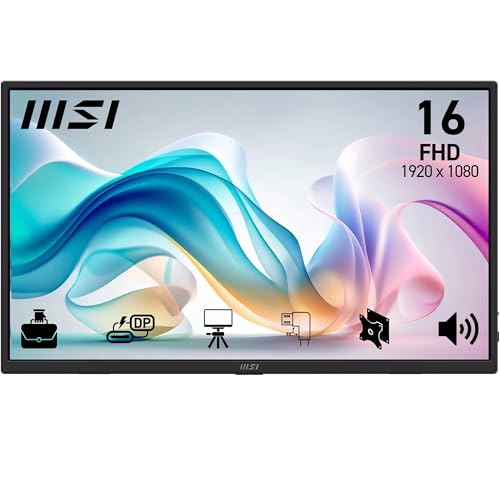
MSI PRO MP165 E6 15.6in Portable Monitor
ASIN B0GN35G6BF • $132 • Ships from Amazon AU
For ten dollars more than the two above, this is the one I'd actually take home, and it's sitting at #1 in Amazon AU's Monitors category for a reason. It's a 15.6 inch IPS screen at 1920 x 1080 with a 60 Hz refresh and 4 ms grey-to-grey response, 0.78 kg, and 1.38 cm thick. More to the point it has a proper adjustable kickstand rather than a folding flap, a tripod socket, VESA compatibility, an HDMI input with the cable in the box, and two USB-C ports that do DP Alt Mode and take 15 W of power input. That's the full set of connection options without any of the guesswork.
The three year warranty is the part that separates this from the rest of the list. Everything here is glued together with a driver board nobody sells spares for, so the warranty is effectively your repair plan, and three years is roughly double what the other listings state. MSI also ships L-shaped plug cables, which is a small thing that matters more than it sounds. A right-angle plug sits flat against the shell instead of standing proud of it, so the socket takes far less strain when somebody knocks the cable or slides the screen across a desk with it still connected. Over a few years of daily use that's the difference between a port that still feels tight and one you have to hold at an angle.
The eye care side is TUV Rheinland certified with anti-flicker and an anti-glare surface, and there's a display kit utility for profiles and split-window layouts if you want it. The stand is the proper adjustable sort rather than a flap, there's a tripod socket on the back, and it's VESA compatible, so there are three separate ways to stand it up without ever laying it flat on a desk. There are built-in speakers, which I'd still ignore. The listing doesn't state a brightness figure, which is the one gap, so treat it as an indoor screen. If you want one recommendation out of this whole guide and don't want to think about it any further, it's this.
Honest caveats: No brightness figure on the listing, so it isn't the pick for working outside. It's 1080p at 15.6 inches, so nobody's editing photos on it. The kickstand is a hinge rather than a flap, and a hinge has a flex point behind it where the ribbon runs, so avoid folding it flat and open a hundred times a day out of habit.
Best for: Most people, most of the time: the best-covered connection options and warranty in the list.
Screen: 15.6in IPS, 1920 x 1080, 178 degree viewing • Refresh: 60 Hz, 4 ms grey-to-grey • Size: 0.78 kg, 1.38 cm thick • Ports: HDMI plus 2 x USB-C (DP Alt Mode, 15 W input) • Stand: Ergonomic kickstand, tripod socket, VESA compatible • Audio: Built-in speakers • Eye care: TUV Rheinland certified, anti-flicker, anti-glare • Warranty: 3 years • Rank: #1 in Monitors (Amazon AU)
View on Amazon AU
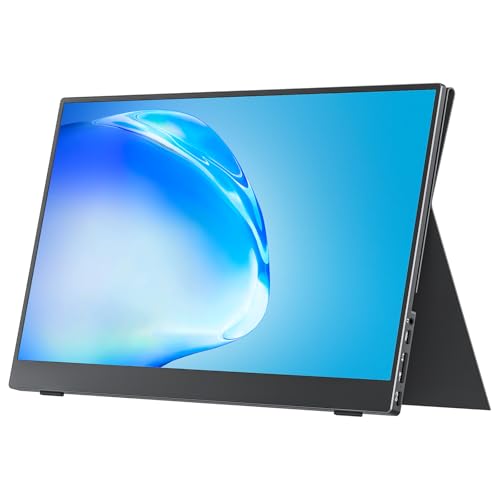
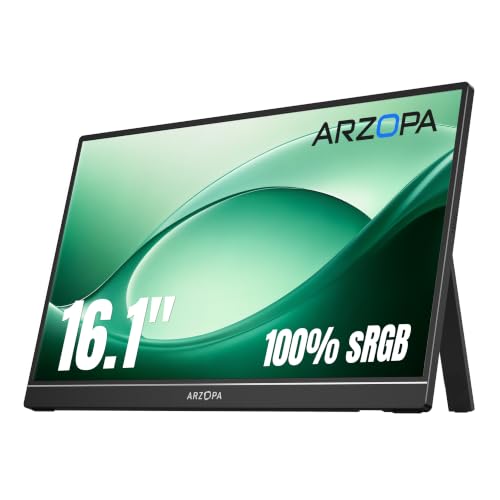
ARZOPA Z1C 16.1in FHD Portable Monitor
ASIN B0CH9WLFTP • $136.99 • Sold by ARZOPA-AU on Amazon AU
The Z1C swaps the folding cover for a metal body with a built-in kickstand, and goes up to 16.1 inches while staying at 1920 x 1080. That extra half inch of screen at the same resolution means slightly larger text, which suits anybody who has been squinting at a 13 inch laptop all day. The listing states 100% sRGB, two fully functional USB-C ports and a mini HDMI, and you can flip the display between landscape and portrait. Brightness, weight and refresh rate aren't stated, so I'll leave those alone rather than make something up. What the description does make clear is a metal body rather than plastic, which at least means the stand is screwed into something solid.
A built-in kickstand is a different set of trade-offs to a cover. It's stiffer, it holds an angle properly, it doesn't crease, and it means the screen goes into your bag naked unless you buy a sleeve for it. Since the screen is glued into the shell and a crack is the end of it, that sleeve isn't optional in my book. The upside is that the stand lets you plug in without laying the screen flat on the desk, which is the single habit that kills USB-C sockets, so in practice a kickstand model tends to outlive a cover model on the port. Just buy the sleeve at the same time, not three months later.
100% sRGB is a genuinely useful number at this price if you're doing anything with colour, and it's stated on both Z1C variants and nowhere else in the 1080p group. Two full-function USB-C ports again gives you a spare socket. This is the sensible middle of the list: more screen than the 15.6 inch picks, none of the extra cost of going to 2560 x 1600, and a stand that won't wear out at a fold line. It does portrait too, which is the mode I'd use it in beside a laptop for reading long documents or a column of code.
Honest caveats: No brightness, weight or refresh figure on the listing, which is a lot of blanks for the money. There's no cover or sleeve mentioned, so budget for one and treat the bare screen as fragile. Mini HDMI means another odd cable to keep track of, and mini HDMI sockets are small and take strain just like USB-C does.
Best for: Anyone who wants more screen than 15.6 inches without paying for higher resolution.
Screen: 16.1in IPS, 1920 x 1080 • Colour: 100% sRGB stated • Ports: 2 x full-function USB-C, 1 x mini HDMI • Stand: Built-in kickstand, metal body • Modes: Landscape and portrait, extend or duplicate • Brightness: Not stated on the listing • Weight: Not stated on the listing • Price: $169.99 at time of writing • Rank: #13 in Monitors (Amazon AU)
View on Amazon AU
ARZOPA Z1C 16.1in Portable Monitor, Space Grey
ASIN B0FG3649B2 • $169.99 • Sold by ARZOPA-AU on Amazon AU
Same screen as the one above in a grey finish, and the listing fills in a few of the gaps the black version leaves open. It's 1.7 lb, about 770 g, and 0.3 of an inch thick, around 7.6 mm. The kickstand adjusts up to 80 degrees and the listing says it locks firmly on uneven surfaces, which is a fair thing to care about if the screen spends its life on hotel desks and kitchen benches. Resolution is the same 1920 x 1080 across 16.1 inches with 100% sRGB stated, and HDR10 appears in the product name. Connection is USB-C or mini HDMI, same as the black one, and the two share a sales rank because they're the same product in a different colour.
At 770 g this is on the heavier side of the 16 inch group, and you'll feel the difference against a 660 g screen if you carry it daily in a bag that already has a laptop in it. The thickness figure is useful for a different reason: a 7.6 mm shell has very little room inside it, which is why the screen is glued in and why the ribbon between the driver board and the screen sits under the stand rather than anywhere roomier. Thin is the reason these aren't repairable, not a separate decision somebody made in a meeting. Nobody is building a 7.6 mm screen with a removable front and a service manual behind it.
Pick between this and the black Z1C on price on the day and on whether you care about the finish, because the screen is the same and they share a sales rank. Both have the same gap where a brightness figure should be. Both give you a kickstand instead of a cover, which I generally prefer for port life, as long as you're disciplined about a sleeve. Neither is the one to buy if you need to work with sun coming in a window. If they're the same money on the day, pick the colour you prefer and move on.
Honest caveats: No brightness figure again, and no refresh rate stated. At about 770 g it's heavier than several 16 inch screens further down this list that also have higher resolution. No sleeve or cover is listed as included. HDR10 on a screen with no stated brightness figure is not going to look like HDR on a television.
Best for: The same 16.1 inch 1080p screen when the grey version is the one in stock.
Screen: 16.1in IPS, 1920 x 1080, HDR10 stated • Colour: 100% sRGB stated • Weight: 1.7 lb (about 770 g) • Thickness: 0.3in (about 7.6 mm) • Ports: USB-C and mini HDMI • Stand: Kickstand adjustable to 80 degrees • Brightness: Not stated on the listing • Price: $169.99 at time of writing • Rank: #13 in Monitors (Amazon AU)
View on Amazon AU
Upperizon 18.5in 100Hz FHD Portable Monitor
ASIN B0C9GNMDX3 • $179.99 • Sold by Upperizon AU on Amazon AU
At 18.5 inches this is by a fair margin the biggest screen in the list, and it's still 1920 x 1080, so pixels are spread further apart than on the 16 inch models. Text looks bigger rather than sharper, which suits plenty of people very well, particularly anybody who has spent the last year dragging the zoom slider around in a spreadsheet. The listing states 125% sRGB, which works out at 88% NTSC, a 1200:1 contrast ratio, 8-bit colour and a 100 Hz refresh rate, which is unusual at this size. The body is aluminium alloy with a three-sided frameless design, there are two USB-C ports and an HDMI, a built-in kickstand, VESA compatibility and a sleeve case in the box.
The number to pay attention to is 2.7 lb, about 1.22 kg. That's roughly double the lightest screen here and it's getting into small-laptop territory, so this is a screen for a hotel desk or a spare room rather than something you slip into a satchel for a day trip. Aluminium helps the stiffness and the heat, and a bigger screen with a bigger backlight does generate more heat than a 15.6 inch one, but it also means more mass hanging off the kickstand and more strain on that port if you plug in carelessly. Stand it up first, every time. It's the one screen here I'd carry in its own sleeve rather than in a laptop pocket.
Upperizon states plainly that flickering is usually caused by insufficient power and tells you to use the original adapter, which is the same story as every other screen in this list and truer here because a bigger backlight draws more. The sleeve case being included matters for something this size, since no laptop bag was designed around an 18.5 inch screen. If your use is presentations, spreadsheets on a desk, or a console hooked up in a caravan, the extra area earns its keep. The 100 Hz refresh at this size is a bonus rather than the reason to buy it.
Honest caveats: No brightness figure on the listing, which is a real gap on a screen this big. At about 1.22 kg with a sleeve on top, it's a two-hands, dedicated-compartment item rather than a casual carry. 1080p spread across 18.5 inches is the coarsest pixel pitch here. Budget for powering it from a wall charger rather than the laptop.
Best for: A big second screen that mostly stays put but still needs to fold down and travel occasionally.
Screen: 18.5in IPS, 1920 x 1080 • Refresh: 100 Hz • Colour: 125% sRGB (88% NTSC), 8-bit, 1200:1 • Weight: 2.7 lb (about 1.22 kg) • Body: Aluminium alloy, three-sided frameless • Ports: 2 x USB-C, 1 x HDMI • Stand: Built-in kickstand, VESA compatible • Included: Sleeve case • Rank: #48 in Monitors (Amazon AU)
View on Amazon AU
ARZOPA Z1RC 16in 2.5K Portable Monitor
ASIN B0CH9XR3G4 • $229.99 • Sold by ARZOPA-AU on Amazon AU
This is where the list stops being about 1080p. The Z1RC is a 16 inch IPS screen at 2560 x 1600 in a 16:10 shape, with 500 nits stated, a 1200:1 contrast ratio and 8-bit colour. That 500 nits figure is the highest brightness number in this guide, and brightness is the spec that decides whether a screen works with light coming in a window or dies in a wash of reflections. Combined with the resolution, this is the one I'd choose for reading a lot of text, because 2560 x 1600 across 16 inches puts the pixel pitch in the same territory as a good work laptop, so text stays crisp at normal viewing distance rather than looking blown up.
The 16:10 shape gives you more vertical room than a 16:9 screen of the same width, which sounds like marketing until you've had a full page of a document or thirty extra rows of a spreadsheet on it. It's 1.46 lb, around 660 g, and 0.39 of an inch thick, so it's the lightest screen here despite the higher resolution. Connection is USB-C or HDMI with the usual DP Alt Mode caveat on the USB-C side. Sitting at #3 in Amazon AU's Monitors category, it's also the most popular of the higher-resolution screens by a wide margin. That counts for something in a category where brands appear and disappear inside a year.
No refresh rate is stated on the listing, which tells me it's almost certainly a standard 60 Hz screen and not a gaming screen. That's fine for what this is. A second screen showing a document or a browser window doesn't care about frame rate, and chasing one would have cost brightness or weight instead. If you want frames, the Upperizon at the bottom of this list states 144 Hz. What you're buying here is a light, bright, sharp second screen for work, and of everything in the list it's the one I'd take on a plane.
Honest caveats: No refresh rate stated, so assume standard and don't buy it for gaming. There's no cover or sleeve listed as included, and at 0.39 of an inch thick it needs one. Higher resolution and 500 nits both draw more power than a dim 1080p screen, so it's more likely to need its own power cable off an older laptop port.
Best for: Reading and writing on the move, where sharp text and brightness matter more than frame rate.
Screen: 16in IPS, 2560 x 1600, 16:10 • Brightness: 500 nits, 1200:1 contrast, 8-bit • Weight: 1.46 lb (about 660 g) • Size: 14.37 x 10.55 x 0.39 inches • Ports: USB-C and HDMI • Stand: Built-in kickstand • Refresh: Not stated on the listing • Price: $239.99 at time of writing • Rank: #3 in Monitors (Amazon AU)
View on Amazon AU
cocopar 16in 2.5K 120Hz Portable Monitor
ASIN B0FR8D6BQ3 • $259.99 • Sold by Cocopar AU on Amazon AU
cocopar's 16 inch model is the most completely specified listing in the whole guide, which I always take as a decent sign. It's 2560 x 1600 in 16:10 with 450 nits, a 1200:1 contrast ratio, 110% sRGB, 8-bit colour and a 120 Hz refresh rate. Net weight is 680 g. There are two USB-C ports and an HDMI, a kickstand that adjusts from 0 to 90 degrees, and a VESA screw fitting using M4 by 6 mm screws if it ends up on an arm. Nothing there is vague, and nothing there needed me to guess. Listings that leave brightness and weight blank make you take a punt, and this one doesn't.
120 Hz plus 2560 x 1600 makes this the sensible choice if a console is going to be plugged into it as often as a laptop. It'll take a Switch, a PlayStation or an Xbox over HDMI without the DP Alt Mode question arising at all, because HDMI is HDMI. Running a console does mean powering the screen from a wall charger rather than the source device, which is normal and not a fault. The 450 nits is close enough to the brightest screen here that you won't notice the gap except in direct sun. Set a console to output 1440p and the screen has the pixels to show it properly rather than scaling everything up from 1080p.
At 680 g it's within 20 g of the lightest screen in the list despite having a higher refresh rate and more pixels, which is a decent piece of engineering. The kickstand only goes to 90 degrees rather than folding right back, so it won't lie almost flat for drawing or for two people leaning over it. Built-in speaker, as ever, is there to be ignored. For something that gets moved daily, every gram counts more than a spec sheet makes it sound. This is the pick for somebody who wants one screen to do work during the week and a console on the weekend.
Honest caveats: The kickstand range of 0 to 90 degrees is narrower than the Upperizon's 180, so it won't lie back flat. No cover or sleeve is listed as included. A 120 Hz 2.5K screen draws more than a 60 Hz 1080p one, so plan on a separate power cable rather than hoping one laptop port carries it. VESA mounting needs the right M4 screws.
Best for: Work during the week and a console on the weekend, on one screen with numbers you can check.
Screen: 16in, 2560 x 1600, 16:10 • Refresh: 120 Hz • Brightness: 450 nits, 1200:1 contrast • Colour: 110% sRGB, 8-bit • Weight: 680 g net • Ports: 2 x USB-C, 1 x HDMI • Stand: Kickstand 0 to 90 degrees, VESA M4 x 6 mm • Audio: Built-in speaker • Rank: #20 in Monitors (Amazon AU)
View on Amazon AU
ASUS ZenScreen MB169CK 16in Portable Monitor
ASIN B0FWPSGNH4 • $184 • Ships from Amazon AU
The ZenScreen is the one you buy for the name on the back and the service network behind it, rather than for the spec sheet. It's a 16 inch shell with 15.6 inches viewable, Full HD, IPS, anti-glare, with dual USB Type-C carrying DP Alt Mode, a 360 degree kickstand and a tripod socket built into the rear. There's TUV Rheinland certified flicker-free and low blue light, and a DisplayWidget Center utility that senses which way up the screen is and rotates the picture to match. At $267 you're paying roughly double the InnoView for the same resolution, so the question worth asking is what that difference actually buys you, because it isn't pixels.
What you get for that is a company with an Australian presence, a parts and service path that actually exists, and a design that has been through a few generations. That matters more than usual on a product category where everything else is glued shut with a one-off driver board inside. The 360 degree kickstand and the tripod socket also open up positions the folding-cover models can't manage, and a tripod is a genuinely good way to keep a portable screen off a crowded desk and away from spilled coffee. ASUS also builds the orientation sensing into its own utility rather than leaving you to rotate the display in Windows every time you stand the screen on its end.
The one thing to check before ordering is connectivity. The listing states dual USB Type-C and doesn't state an HDMI input, so if your laptop's USB-C port doesn't do DisplayPort Alt Mode, the usual fallback of plugging in over HDMI isn't there. Confirm the port on your machine first. On a current laptop or a MacBook, that's a non-issue. On a five year old work Dell with an unmarked port, it could be the difference between a working screen and a returned one. Five minutes with the spec page saves the whole exercise.
Honest caveats: No HDMI input is stated on the listing, so this one lives or dies on your laptop having DP Alt Mode. Brightness, weight and refresh rate aren't stated either. It's 1080p at 15.6 inches viewable for $267, which is the same resolution as picks costing half that. The #291 category rank means it sells in far smaller numbers than most of this list.
Best for: Someone who wants a known brand with a service path and has a laptop port they've already checked.
Screen: 16in shell, 15.6in viewable, IPS, Full HD • Surface: Anti-glare • Ports: Dual USB Type-C with DP Alt Mode • Stand: 360 degree kickstand plus tripod socket • Orientation: Auto-rotate via DisplayWidget Center • Eye care: TUV Rheinland flicker-free and low blue light • HDMI: Not stated on the listing • Brightness: Not stated on the listing • Rank: #291 in Monitors (Amazon AU)
View on Amazon AU
Upperizon 16in 2.5K 144Hz Portable Monitor
ASIN B0C8J9VB27 • $263.99 • Sold by Upperizon AU on Amazon AU
This is the top of the list at $329.99 and the only screen here I'd describe as a gaming display. It runs 2560 x 1600 in 16:10 at 144 Hz over USB-C and 120 Hz over HDMI, with 400 nits, a 1200:1 contrast ratio, 145% sRGB which the listing equates to 100% DCI-P3, and 8-bit plus 2 FRC colour. The body is aluminium alloy, the kickstand swings from 0 to 180 degrees, and it's VESA compatible with M4 by 6 mm screws. It weighs 1.6 lb, about 730 g, so the extra capability costs you very little in the bag. It's the only screen in this guide that states both a high refresh rate and a wide colour gamut on the same listing.
The box is the other reason to look at this one. Upperizon lists a protective sleeve, two USB-C to USB-C cables, an HDMI cable and a power adapter as included. That's every cable you need for either connection method plus a supply that can feed the screen on its own, which removes the most common source of grief with these: running it off a host port that hasn't got the headroom. Buying those separately would eat most of the difference between this and the cocopar 16 inch, so compare the total rather than the sticker. Having a supply in the box also means you aren't rummaging through a drawer of old chargers hoping one of them holds up under load.
144 Hz over USB-C does need a host port with enough bandwidth to carry it, which in practice means a reasonably current laptop or a Thunderbolt port. Off an older machine you'll still get a picture, just at a lower refresh. The 0 to 180 degree kickstand is the most flexible here and lets the screen lie almost flat, which is handy for two people looking at the same thing. It's the heaviest of the three 2.5K screens here and still under 750 g. For a creator or a gamer who wants one screen that travels, this is the one.
Honest caveats: It's the dearest screen here and the extra spend buys refresh rate and colour gamut, not brightness: 400 nits is lower than both 2.5K rivals. Getting 144 Hz needs a host port capable of carrying it, so an older laptop will drop to something lower. The aluminium body is stiff but the screen is still glued in, so a crack still ends it.
Best for: Creators and gamers who want the sharpest, quickest portable screen and the full cable kit in the box.
Screen: 16in, 2560 x 1600, 16:10 • Refresh: 144 Hz over USB-C, 120 Hz over HDMI • Brightness: 400 nits, 1200:1 contrast • Colour: 145% sRGB (100% DCI-P3), 8-bit plus 2 FRC • Weight: 1.6 lb (about 730 g) • Body: Aluminium alloy, kickstand 0 to 180 degrees • Mounting: VESA M4 x 6 mm • In the box: Sleeve, two USB-C cables, HDMI cable, power adapter • Rank: #48 in Monitors (Amazon AU)
View on Amazon AUSide-by-side comparison
| Product | Price | Best for |
|---|---|---|
| InnoView Portable Monitor | ~$129.99 | |
| cocopar Portable Monitor Travel Display… | ~$129.99 | |
| MSI PRO MP165 E6 15.6" Eye Care | ~$132 | |
| ARZOPA Portable Monitor | ~$136.99 | |
| ARZOPA Z1C 16.1" Portable Monitor Gray | ~$169.99 | |
| Upperizon Large Portable Monitor 18.5 inch… | ~$179.99 | |
| ARZOPA 2.5K Portable Monitor 16" 2560x1600… | ~$229.99 | |
| cocopar Portable Monitor Travel Display… | ~$259.99 | |
| ASUS ZenScreen MB169CK Portable USB… | ~$184 | |
| Upperizon Portable Monitor 16 inch 2K QHD… | ~$263.99 |
What we see fail at the bench: portable monitors
Portable monitors don't turn up nearly as often as laptops or phones, which is telling on its own: most of them are quietly fine for years. The ones that do arrive fall into a short list of problems, and only one of them is genuinely a repair. The other two are either a settings issue that takes five minutes, or a write-off that takes about thirty seconds to diagnose and is no fun to explain.
The charge and video port
This is the one that's actually broken. The USB-C socket is surface mounted with a few mechanical tabs holding it down, and years of plugging in at an angle work those tabs loose until the solder cracks. The symptoms are always the same: it works if you wiggle the cable, it drops out when you nudge the desk, it charges but won't show a picture. On a phone this is routine work. On a portable monitor the socket is on a driver board nobody sells, so we're rebuilding pads rather than swapping a part. It's worth doing on a $330 screen and rarely worth doing on a $130 one, which is a conversation I'd sooner have before you buy than after.
The cover, the hinge and the ribbon
Fold-over covers split at the crease, usually after a year or two of daily use, and once they split the stand stops holding an angle. That's annoying rather than fatal and a third-party stand fixes it. The kickstand models fail differently. There's often a ribbon running from the driver board to the screen near where the stand pivots, and repeated folding flexes it. If a screen has started flickering, showing a band down one edge, or going dark when you adjust the angle, and the port feels solid, the flex point behind the stand is where I'd look. Sometimes it's a connector that's worked loose and reseating it is the whole job.
Cracked screens and dead driver boards
Both of these end the same way. The screen is glued into the shell rather than clipped in, and prying a glued screen out of a 7 mm aluminium frame usually damages something else on the way. Even when it comes out clean, there's no parts channel: you can't order a screen for a specific portable monitor model the way you can for a common phone. Driver boards are the same story, and they're proprietary to each maker. So a cracked screen is normally a replacement rather than a repair, and that's the reason I keep going on about sleeves and bags. Prevention is the only maintenance available here.
Decision tree: which one should you actually buy?
- I just want somewhere to park my email and a chat window → The InnoView 15.6 inch at $129.99. It's 1080p, it comes with a cover that doubles as the stand, and it asks nothing clever of your laptop.
- My work laptop's USB-C port is data only → The MSI PRO MP165 E6 at $139. It has an HDMI input with the cable already in the box, two USB-C ports for power, and a three year warranty behind it.
- I read and write text all day and my eyes are tired of squinting → The ARZOPA Z1RC at $239.99. It's 2560 x 1600 across 16 inches with 500 nits stated, the brightest screen in this guide, and it's only about 660 g.
- I want the biggest screen I can still fold down and carry → The Upperizon 18.5 inch at $219.99, at 100 Hz with a sleeve case included. Just remember it's about 1.22 kg, so it needs its own space in the bag.
- It's for gaming and a console as much as for work → The Upperizon 16 inch 2.5K at $329.99 for 144 Hz over USB-C, or the cocopar 16 inch at $259.99 if 120 Hz and 450 nits will do you.
- Mine has gone black or the cable only works if I hold it → Check DisplayPort Alt Mode and try a wall charger first. If it's still playing up, bring it to our Erina workshop and we'll tell you whether the port is worth rebuilding before you spend anything.
Frequently asked questions
Will one USB-C cable really carry both power and video?
Only if your laptop's USB-C port supports DisplayPort Alt Mode. Plenty of USB-C ports are data and power only, and those will light the monitor's backlight without ever sending a picture, which looks exactly like a broken screen. Check for a small DP logo next to the port, or look the model up on the maker's spec page. Thunderbolt 3, 4 and 5 ports always carry video. If yours doesn't, you use the HDMI input for the picture and a second cable for power, and everything works normally from there.
Why does my portable monitor flicker or keep restarting?
Almost always power, not a fault. These screens draw roughly 5 to 10 watts off the host port, and a laptop USB-C port has a limited budget it shares with everything else plugged in. If the laptop is also charging a phone, or the monitor is hanging off a hub with a small supply, the screen browns out and you get flicker or a reboot loop. Plug the monitor's second USB-C port into a proper wall charger and see if it settles. If it does, that was the problem and nothing needs repairing.
Can I run one of these off my phone?
Several of these listings say yes, provided the phone has a full-function USB-C port that carries video. Many recent Android phones do and will drive a desktop-style layout on the external screen. The catch is power, because a phone battery is a much smaller reservoir than a laptop's and driving a backlight flattens it quickly. If you're doing it for more than a few minutes, run power into the monitor's second USB-C port from a charger or a power bank so the phone isn't carrying the screen as well as itself.
Is 1080p enough on a 16 inch portable screen?
For a second window of email, chat, notes or a reference document, yes, easily. At 16 inches a 1920 x 1080 screen is around the same pixel pitch as a typical work laptop, so it looks normal rather than coarse. You notice the difference if you read code, edit photos or keep a large spreadsheet open, where 2560 x 1600 gives crisper text and more rows on screen. The 18.5 inch pick is the one where 1080p is stretched furthest, since the same pixels are spread across more area.
Can a cracked portable monitor be repaired?
Usually not economically. The screen is glued into the shell rather than clipped in, and there's no parts channel for these the way there is for common phone screens, so you can't simply order a replacement for a given model. The driver board is proprietary too. That's why I keep pushing sleeves and cases: the buying decision that actually protects your money is how the thing travels, not which brand is on the back. Ports and loose ribbon connectors are repairable. Cracked screens generally aren't.
Should I get a model with a cover or one with a built-in kickstand?
A folding cover protects the screen in a bag but creases and eventually splits where it folds, so treat it as a consumable. A built-in metal kickstand is stiffer, holds an angle better and doesn't wear out at a fold line, but it leaves the screen unprotected unless you buy a sleeve. I lean towards the kickstand plus a sleeve, partly because the stand makes it easy to prop the screen up before you plug the cable in, and plugging in while a screen lies flat is what kills USB-C sockets.
Related buying guides
Screen black on a cable that should work?
Nine times out of ten it's the laptop port not doing video, or a host port that can't feed the screen, and both of those are free to sort out. The ones that are genuinely broken are almost always the USB-C socket or a loose ribbon behind the stand. Bring it into Erina and we'll tell you which it is, and what the repair would cost, before you spend anything.
Visit our Erina workshop Book Online