Prices from Amazon AU, updated daily. Swipe or use the arrows for more.
Disclosure: This article contains affiliate links to amazon.com.au. If you buy through one of these links iFix may earn a small commission at no extra cost to you. It doesn't change which products we recommend. We focus on what actually lasts based on 16 years of repair-shop experience.
Quick summary8 picks
- Entry PickA&D Medical UA-611 Upper Arm Blood Pressure… about$60.36
- OMRON HEM7120 Blood Pressure Monitor Basic about$86.00
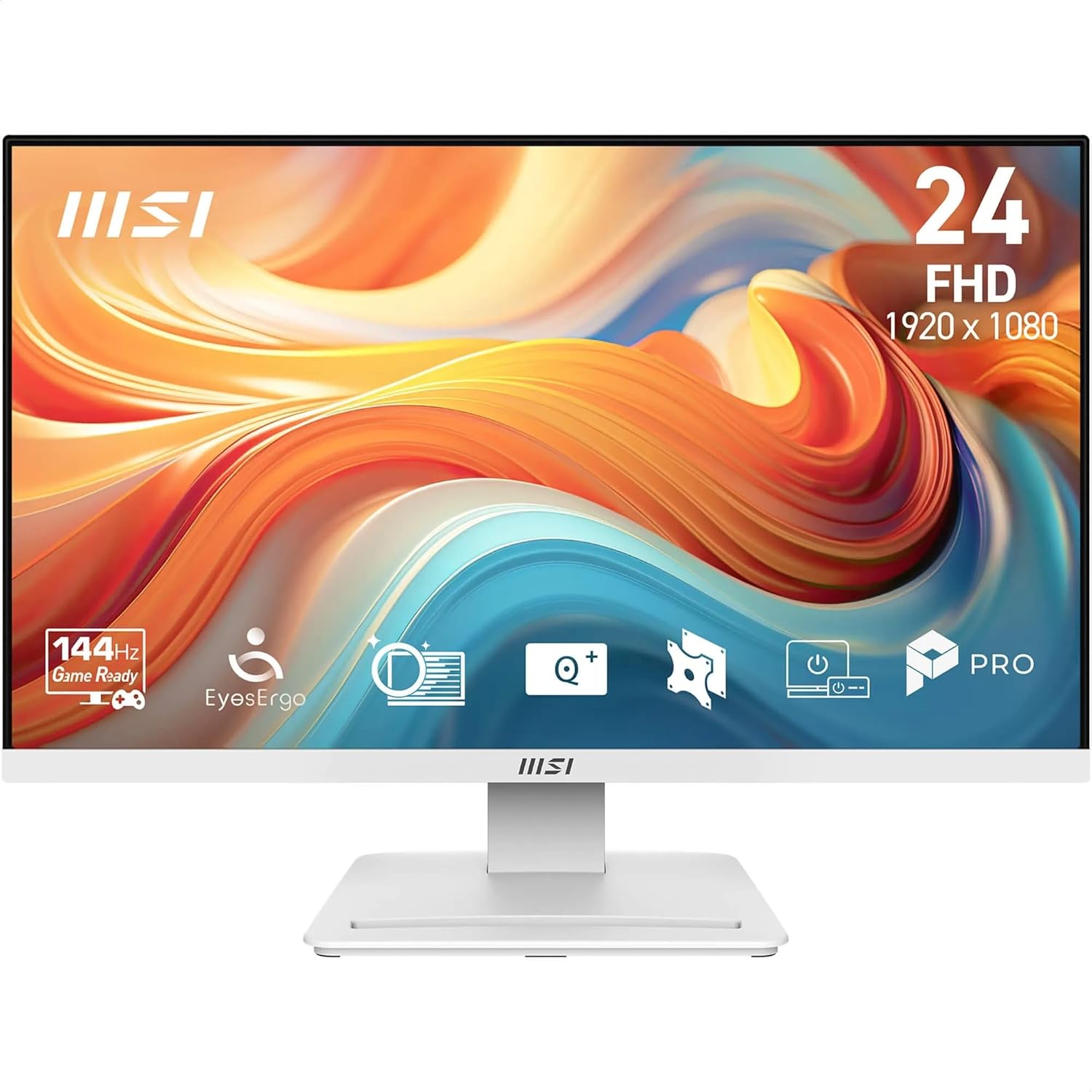
- MSI PRO MP241W E14V 23.8" Eye Care… about$123.99144Hz refresh, 23.8" screen.
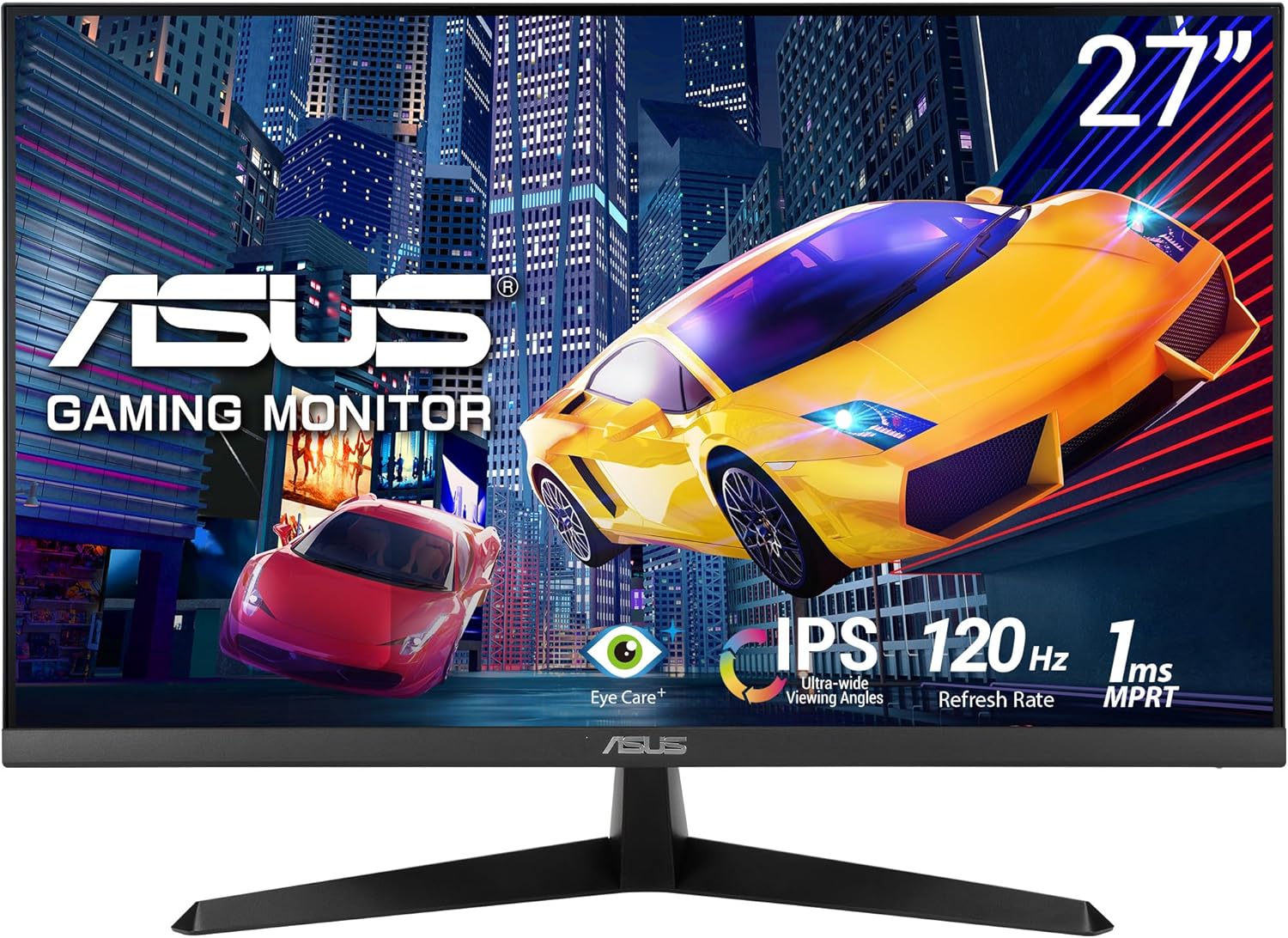
- ASUS VY279HGR - 27' FHD IPS Gaming Monitor… about$155120Hz refresh, 27" screen.
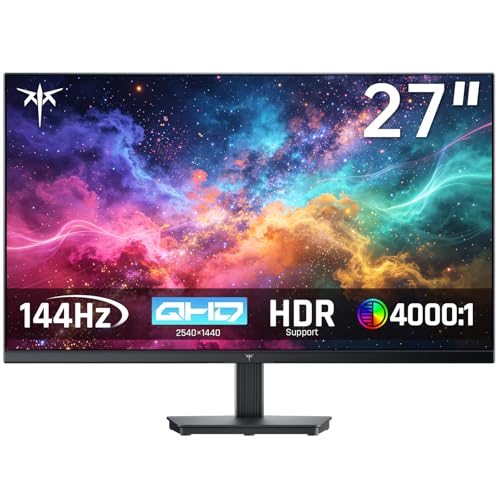
- KTC 27 Inch QHD Computer Monitor about$219.99144Hz refresh.
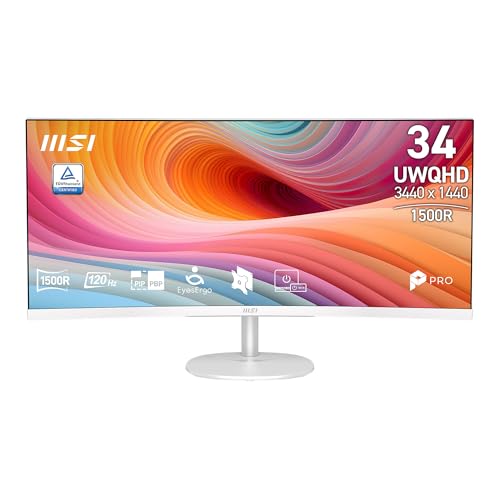
- MSI PRO MP341CQW E12 34" UltraWide Business… about$299.00120Hz refresh, 34" screen.
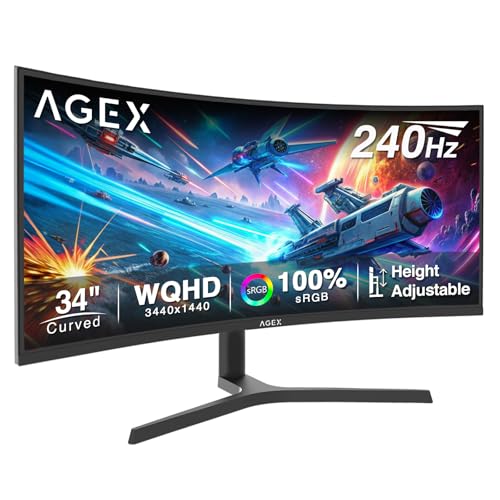
- Z-Edge 34 Inch Ultrawide Curved 3440x1440… about$379.99240Hz refresh.
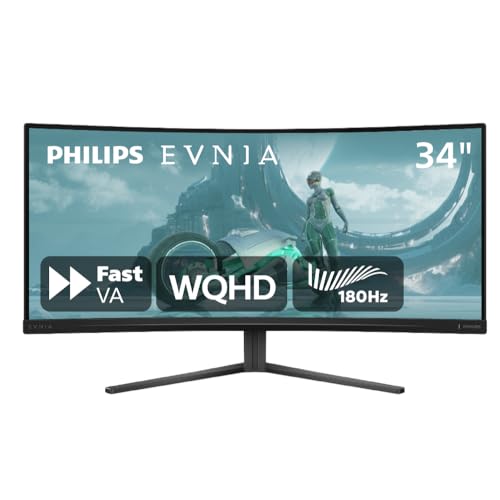
- Most PremiumPhilips Evnia 34M2C3500L 34'' WQHD Curved… about$429180Hz refresh.
Why this matters now
The under-$500 monitor market in Australia has changed substantially in the last 18 months. Three years ago, anything below $500 from a brand you'd heard of meant 1080p 60Hz on a budget panel. Today, value brands sourcing from the same panel factories as Dell, ASUS, and LG are selling curved UWQHD 1440p ultrawide monitors at around $300, and brand-name entries have followed prices down to stay competitive. The budget UWFHD ultrawide has all but vanished from Australian retail: the entry point is now UWQHD.
The trade-off isn't quality of panel. The silicon comes off the same production lines at Innolux, BOE, AU Optronics, and occasionally LG Display, regardless of which brand puts a logo on the bezel. The trade-off is quality control tolerance: brand-name companies reject more panels for minor defects, while value brands ship more panels with minor defects. Combined with Australian Consumer Law's "acceptable quality" provisions, this means the practical play for a value buyer is to buy the value-brand monitor, inspect it carefully on arrival, and use ACL to return any unit that doesn't pass muster.
The other factor is the cost-of-living context. With real wage growth at 0.3% per ABS data and household savings ratios near historic lows, the rational monitor purchase in 2026 is the one that delivers the most pixels and refresh rate per dollar without compromising on the failure modes that actually matter: panel uniformity, port reliability, warranty support, and dead pixel return policy. Brand premium for its own sake is the first line item to cut.
The six picks, ranked from cheapest to most premium
Prices accurate at time of writing (August 2026). The Amazon AU buybox shifts week to week.

MSI PRO MP241W E14V 24" 144Hz White
ASIN B0GN3295JZ • $124.00 • Sold and shipped by Amazon AU
The MSI PRO MP241W is the most affordable monitor in this guide that we'd consider for a real desk. 23.8" FHD VA panel at 144Hz, 1ms response, frameless white design, HDMI plus DisplayPort, height-adjustable stand on the right variant, and a 3-year warranty backed by MSI directly through Amazon AU. At $124 it sits about $55 below the $179 RRP.
Honest caveat: This is a relatively recent Amazon AU listing, so it doesn't have the long track record the ASUS below does. We're comfortable including it because the underlying product is MSI's well-established PRO line (the workhorse business monitor catalogue), Amazon AU is the direct shipper and seller, and the 3-year MSI warranty is real. If you're buying purely on spec-per-dollar in the sub-$150 bracket and prefer white desk aesthetics, this is the pick. If you'd rather have the safest, most-proven option, step up to the ASUS VY279HGR below.
Best for: WFH/office secondary monitor, white desk setups, casual gaming at 144Hz, anyone who wants 144Hz at the lowest possible price from a real brand. Pair with a quality HDMI cable.
Size: 23.8" • Resolution: 1920×1080 FHD • Panel: VA • Refresh: 144Hz • Response: 1ms • Inputs: HDMI + DisplayPort • Colour: White • Warranty: 3 years (MSI via Amazon AU)
Budget variants: MSI sells the PRO MP series in 22 inch and 27 inch variants at similar price points if you want a different screen size, visible as related listings linked from this product page.
View on Amazon AU
ASUS VY279HGR 27" IPS 120Hz Gaming Monitor
ASIN B08LGHP4C7 • $155.00 • Sold and shipped by Amazon AU
If you want a 27" monitor with zero drama, this is the pick. 27" IPS panel at 1080p, 120Hz refresh, Adaptive-Sync for tear-free gaming, 1ms MPRT, Eye Care low blue light, frameless design, wall mountable, ASUS 3-year warranty. It is the most established, longest-selling listing in this guide, which is exactly what you want when you're buying the "just works" option and don't want to gamble on a newer listing.
The honest framing: this is a 1080p monitor at 27", which means pixel density of about 82 PPI. That's noticeably less sharp than 1080p at 24" (about 92 PPI). Text is readable but not crisp. If you do detailed text work all day, the sharper 1440p and UWQHD picks below are worth the upgrade. If you're using it for general productivity, watching content, and gaming, 27" 1080p at 120Hz feels comfortable and the bigger screen is more useful than higher PPI for most workflows.
Best for: General-purpose home computing, casual to mid-tier gaming, anyone replacing a 5-year-old 24" 1080p panel and wanting more screen real estate without a 1440p price jump. Pair with an HDMI cable.
Size: 27" • Resolution: 1920×1080 FHD • Panel: IPS • Refresh: 120Hz • Response: 1ms MPRT • Sync: Adaptive-Sync • Inputs: HDMI • Warranty: 3 years (ASUS Australia)
Budget variants: ASUS makes the VY279 in higher refresh rate (165Hz) and 32 inch variants at slightly higher price points, findable in the related-listings section on Amazon.
View on Amazon AU
MSI PRO MP341CQW 34" UWQHD 120Hz Curved Ultrawide (White)
ASIN B0GKY16TS3 • $299.00 • #1 best-selling monitor on Amazon AU • Sold and shipped by Amazon AU
This is the standout value in the guide, and it is currently the single best-selling monitor on Amazon AU. 34" UWQHD 3440×1440 1500R curved VA panel, 120Hz refresh, 1ms MPRT, 114% sRGB colour (8-bit+FRC), 300 nits, 3500:1 contrast, HDR ready, built-in speakers, clean white finish, and a 3-year MSI warranty with Amazon AU as the direct seller and shipper. At $299 it is the cheapest way onto a curved UWQHD ultrawide from a name-brand you'd actually recognise.
For context, brand-name 34" UWQHD ultrawides from Dell, LG or Samsung generally start around $600 and climb past $900. MSI landing a curved 3440×1440 panel with a proper 3-year warranty at $299, sold directly by Amazon AU, is why this is the headline pick rather than a flashier gaming model. You get the extra vertical resolution and the 21:9 workspace without paying the brand-name premium.
Honest caveat: This is a productivity-first ultrawide, not a high-refresh gaming panel. It runs 120Hz over HDMI and 100Hz over DisplayPort, and being a VA panel it shows some ghosting on fast motion. For serious 21:9 gaming, the Z-Edge 34" UWQHD 240Hz below is the better call. But for two apps side by side, spreadsheets, video timelines and casual gaming, 120Hz curved UWQHD at $299 with a 3-year warranty is hard to beat.
Best for: WFH and productivity ultrawide, multi-window work, white desk setups, casual gaming, anyone who wants the most screen and resolution per dollar from a recognised brand. Pair with a DisplayPort or HDMI 2.0 cable.
Size: 34" • Resolution: 3440×1440 UWQHD • Panel: VA (1500R curve) • Refresh: 120Hz (100Hz over DisplayPort) • Response: 1ms MPRT • Aspect: 21:9 • Colour: 114% sRGB, 300 nits • Inputs: 2×HDMI 2.0b, DP 1.4a • Colour: White • Warranty: 3 years (MSI via Amazon AU)
View on Amazon AU
KTC H27T27S 27" QHD 144Hz Gaming Monitor
ASIN B0H41Q9V1V • $219.99 • Sold by KTC Official via Amazon AU
The cheapest way into QHD gaming in this guide, and the only flat 16:9 1440p screen here. 27" 2560×1440 at roughly 109 PPI, 144Hz refresh, an HVA panel rated at a native 4000:1 contrast, 129% sRGB coverage with 8-bit colour and HDR input support, 300 cd/m² brightness, 178° viewing angle, tilt from -5° to 15°, VESA compatible, three-sided ultra-narrow bezel. Sold by KTC Official through Amazon AU with a three-year warranty.
The honest framing on the panel: this is HVA, a high-contrast VA variant, not IPS. Against the IPS pick in this guide you get much deeper blacks and a 4000:1 native contrast ratio, and you pay for it with colour shift when you view the screen off-axis and slower dark-to-light pixel transitions, which reads as smearing in dark, fast scenes. KTC publishes no grey-to-grey response figure at all, so treat 144Hz as the honest headline number and assume the response time is mid-pack rather than esports-grade. This is a flat 16:9 screen, not a curved ultrawide, which plenty of players prefer for fast competitive titles.
Best for: Mid-tier gaming PC paired with an RTX 4060 Ti / 5060 Ti / 5070-class GPU, anyone who wants 1440p on a flat 16:9 screen rather than a 21:9 ultrawide, and anyone who watches a lot of dark content and would rather have contrast than viewing angles. If you're pairing with a high-end GPU, see the RTX 50-series guide for context.
Size: 27" • Resolution: 2560×1440 QHD • Panel: HVA (flat) • Refresh: 144Hz • Contrast: 4000:1 native • Colour: 129% sRGB, 8-bit, HDR input • Brightness: 300 cd/m² • Warranty: 3 years
View on Amazon AU
Z-Edge AG34P 34" UWQHD 3440×1440 240Hz Curved Ultrawide
ASIN B0GGQC18J8 • $379.99 • Sold by Paragon Australia (ACL-backed)
This is the pick for people who want the 21:9 UWQHD workspace and a genuinely high refresh rate for gaming. 34" curved screen, 3440×1440 WQHD, 21:9 aspect, 240Hz refresh over DisplayPort 1.4, 1ms MPRT, 4000:1 contrast, AMD FreeSync, 178° viewing angles, HDMI 2.1 and DP 1.4 inputs, PIP and PBP so you can run two sources side by side, and a stand with height, tilt and swivel adjustment. Sold by Paragon Australia and shipped via Amazon, so you get an Australian importer and ACL cover behind it.
Think of this as the gaming counterpart to the MSI headline pick above. The MSI MP341CQW gives you the same 34" UWQHD curve but tops out at 120Hz, tuned for work. The Z-Edge steps the refresh to 240Hz for a small amount more, which is the difference between "smooth enough for productivity" and "fast enough for competitive 21:9 gaming". The height-adjustable stand is the quiet win here: most value ultrawides ship tilt-only, and a 34" panel sitting 40mm too low is the single most common cause of neck complaints I hear about desk setups.
Honest caveat: the 1ms figure is MPRT, not grey-to-grey, and those are not the same measurement. Expect real grey-to-grey to be slower and some smearing on the fastest motion. The listing does not state the panel type or the curve radius, so if you need a specific panel technology, ask the seller before you order rather than assuming. And 240Hz only pays off if your GPU can actually push frames into that range: pair it with an RTX 4070 / 5070-class card or better. If you're on a weaker card or you mostly work rather than game, the MSI above makes more sense and you won't miss the extra refresh.
Best for: High-refresh 21:9 gaming, immersive single-player, a productivity-plus-gaming combo at home, anyone running a 5070 or better who wants native ultrawide timelines. See the RTX 50-series guide for GPU pairing.
Size: 34" • Resolution: 3440×1440 WQHD • Panel: Curved, type not stated • Refresh: 240Hz (DP 1.4) • Aspect: 21:9 • Response: 1ms MPRT • Sync: AMD FreeSync • Contrast: 4000:1 • Inputs: HDMI 2.1, DP 1.4
View on Amazon AU
Philips Evnia 34M2C3500L 34" UWQHD 180Hz Curved Ultrawide
ASIN B0DJNHLDQ8 • $499.00 • Sold and shipped by Amazon AU
If you'd rather buy a recognised brand than a value label, this is the premium pick in the guide. 34" UWQHD 3440×1440 curved VA panel, 21:9 aspect, 180Hz refresh, a fast 0.5ms rated response, Adaptive Sync, plus Philips gaming extras like Smart Crosshair and SmartImage game modes and low input lag. Philips is a major global brand with established Australian distribution and warranty support, and here Amazon AU is the direct seller and shipper.
The honest framing: at $499 this is the most expensive monitor in the guide, and on paper the Z-Edge 34" UWQHD above gives you a higher 240Hz refresh for less. What the Philips buys you is brand-name build and QC, a lower rated response time, Amazon AU fulfilment with its fast, friction-free returns, and mainstream warranty support rather than importer-only cover. For a monitor that lives on a desk you depend on day to day, that reassurance is what you're paying the premium for. For pure spec-per-dollar, the Z-Edge wins.
Best for: Buyers who want a mainstream brand and Amazon AU fulfilment, professional or home setups where build quality and warranty matter more than squeezing the last few Hz, anyone who's been burned by importer-only warranty support before.
Size: 34" • Resolution: 3440×1440 UWQHD • Panel: VA (curved) • Refresh: 180Hz • Response: 0.5ms • Sync: Adaptive Sync • Aspect: 21:9 • Warranty: Philips Australia
View on Amazon AUSide-by-side comparison
What we see fail at the bench
Monitors are one of the longest-lived components in a typical setup, but they have their own failure modes that get less attention than GPU or PSU failures. After 16 years of repair-shop work, here's what's actually worth knowing.
Dead pixels are a returnable fault under Australian Consumer Law, not just under warranty. The international ISO 9241-307 standard manufacturers cite typically says "fewer than 5 stuck pixels is acceptable", which gets used to deny returns. ACL overrides this for new purchases: the monitor must be of "acceptable quality", and even a single visible bright stuck pixel that affects your enjoyment of the product is a fault that doesn't meet acceptable quality. The play is mechanical: download a free pixel test image from rtings.com, run it on day one (white, red, green, blue, black backgrounds, full-screen, in a dim room), photograph any defects, and email the photos to the seller within 30 days of delivery citing the ACL provisions. Amazon AU's return process for first-party-fulfilled items is usually friction-free; third-party sellers may push back, in which case the ACCC's published guidance backs you up. We see this play out at the bench every couple of months: customers who didn't realise they could return a defective panel because the manufacturer warranty said it was "within spec".
Backlight bleed vs IPS glow vs panel defect: learn the difference before you complain. IPS glow is the normal washing-out of blacks at off-axis viewing angles; it's a physical property of the IPS panel technology and not a defect. Backlight bleed is bright clouds or corner halos visible in a fully dark image when viewed straight-on. That's a real panel defect if pronounced. Test: in a dark room, display a fully black image at the monitor's normal brightness, photograph it with your phone at the angle you actually use the monitor. If you can see bright patches in the photo, you have evidence. If you only see it when staring at it directly with no other light source, it's IPS glow and you'll need to accept it. The VA panels in this guide (both MSI models, the KTC, the Z-Edge 34-inch ultrawide and the Philips) don't have IPS glow but do have their own quirks like darker viewing-angle drop-off.
HDMI and DisplayPort cable failures: the most common "monitor flickers" fix at our bench. "My monitor flickers at 144Hz" calls almost always trace back to a cable that can't sustain the bandwidth it claims. HDMI 2.0 maxes at 18 Gbps which handles 1440p 165Hz comfortably. 4K 120Hz needs HDMI 2.1 (48 Gbps). The cheap "HDMI 2.1" cable that ships in the box often isn't certified for the full bandwidth, particularly over longer runs. We swap maybe one in three "flickering monitor" calls to a certified Belkin or Cable Matters cable in the $25-40 range. Also: if you're running an ultrawide at 240Hz over DisplayPort, you need DP 1.4 with DSC (Display Stream Compression) and a cable certified for DP 1.4a or later. Cheap DP cables fail intermittently under load.
USB-C Power Delivery wattage mismatches. Monitors with USB-C inputs that offer Power Delivery (PD) deliver anywhere from 15W to 100W. A laptop drawing 65W (typical 14" MacBook Pro M-series, mid-range Lenovo ThinkPad, Dell XPS) connected to a monitor with only 60W PD will run on battery while displaying, slowly draining. Check the monitor's PD wattage against your laptop's charger rating before assuming "USB-C does it all". None of the six picks in this guide have USB-C PD, so this is informational for the next bracket up.
"DisplayHDR 400" is marketing. Real HDR begins around DisplayHDR 600 with full-array local dimming (FALD) or per-pixel emissive OLED. DisplayHDR 400 monitors at this price point are SDR panels with an HDR-mode toggle that doesn't deliver wider colour gamut or higher peak brightness. The standard is met by hitting 400 cd/m² sustained, which is barely above SDR. None of the six picks here carry a meaningful DisplayHDR certification, so where you see an "HDR ready" label, treat it as a toggle rather than a real feature. If a monitor at $300-500 brags about HDR, mentally discount it.
Refresh rate marketing vs panel response reality. Manufacturers advertise "1ms response" as MPRT (Moving Picture Response Time), which is a measurement of motion blur using backlight strobing rather than actual pixel-state transition time. Real Grey-to-Grey (GtG) response on a "1ms MPRT" VA panel is typically 5-8ms; on a "1ms MPRT" IPS panel it's around 4ms. The practical effect: VA monitors at 144-200Hz exhibit visible ghosting on fast-paced content even though the spec sheet says "1ms". This isn't a defect, it's how the technology works. If genuinely twitchy gaming is your priority, IPS is the better panel choice; if you primarily want immersive single-player, content consumption, and productivity, VA's deeper blacks and better contrast outweigh the slower response.
Panel lottery on value brands is real, but manageable. Value brands like Z-Edge source their panels from the same factories that supply Dell, ASUS, and LG. The difference between a value brand and a brand name is how strict the QC process is: brand-name companies reject more panels for minor defects (uneven backlights, slow pixels, minor cosmetic issues), while value brands ship more of those panels through. Combined with ACL protection, the working strategy for a value buyer is to assume there's a 10-15% chance any individual value-brand monitor will need to be returned for defects, inspect carefully on arrival, and not get attached to the first unit. Amazon AU's return logistics make this practical: pickup is free, refund processing is quick, and they'll re-send the same SKU.
The Australian Consumer Law cheat sheet for monitor purchases
The single most useful thing to know when buying any monitor in Australia, especially the value brands, is that ACL guarantees override manufacturer warranty terms. Specifically:
- Acceptable quality (Section 54 of the ACL). The monitor must be free from defects, durable, and fit for purpose. A dead pixel, backlight bleed, or panel defect that affects normal use is a fault under this guarantee, regardless of what the manufacturer warranty says about "acceptable" pixel counts.
- Major fault vs minor fault. A major fault (severe defect, monitor doesn't work, multiple defects) entitles you to choose between refund or replacement. A minor fault (a single dead pixel, mild backlight bleed) requires the seller to attempt repair first, but for monitors this typically becomes a replacement because repair isn't cost-effective.
- Time window. ACL doesn't specify a fixed time window. The standard is "reasonable expectation of durability for the price paid". A $500 monitor failing in year 2 is almost certainly within ACL's reasonable expectation, regardless of a 1-year manufacturer warranty.
- Process. Document the defect with photos and videos, email the seller within a reasonable time (ideally 30 days for initial inspection issues), cite "ACL Section 54 acceptable quality guarantee" explicitly, and request remedy. If the seller refuses, escalate to the ACCC's reporting tools at accc.gov.au.
This protection matters most on the value-brand picks in this guide (the KTC and the Z-Edge 34-inch), where warranty support comes from the brand's own Amazon store rather than a local distributor. For the brand-name picks (MSI, ASUS, Philips), the manufacturer warranty is usually generous enough that ACL is rarely needed.
Decision tree
- I have $150 and need a basic desk monitor. MSI MP241W ($124) if you want white aesthetics at the lowest price; otherwise stretch the extra $21 to the ASUS VY279HGR ($145) for the most-proven pick.
- I want a 27" general-purpose monitor with zero drama. ASUS VY279HGR ($145). The longest-selling, most-proven listing here, ASUS 3-year warranty, done.
- I want an ultrawide on a budget for productivity. MSI PRO MP341CQW 34" UWQHD ($299). Two apps side by side, curved 3440×1440, white aesthetic, and the best-selling monitor on Amazon AU.
- I want serious gaming at QHD on a budget. KTC H27T27S 27" QHD ($199.00). 144Hz, flat 16:9, the cheapest way into QHD gaming here.
- I want the headline value pick. One monitor for everything. MSI PRO MP341CQW 34" UWQHD ($299) is the standout value for work-first buyers. If you also game seriously on 21:9, step up to the Z-Edge 34" UWQHD 200Hz ($369.99).
- I want a mainstream brand with proper warranty support. Philips Evnia 34" UWQHD ($499). Pay the premium for brand-name build and Amazon AU fulfilment if your work depends on this monitor.
- I'm unsure between the MSI UWQHD and the Z-Edge UWQHD. MSI MP341CQW ($299) if you mostly work: 120Hz is plenty and you save $70. Z-Edge 34" ($369.99) if you game seriously and want the 200Hz refresh.
- I'm unsure between the KTC 27" QHD and the 34" UWQHD ultrawides. KTC 27" if you prefer traditional 16:9 for competitive gaming and don't want to deal with 21:9 game compatibility quirks. Go ultrawide if you do mixed productivity plus gaming and want the wider workspace.
- I've got more than $500 and want an OLED panel. This guide caps at $499, all LCD. The step up is OLED: see our premium and OLED ultrawide monitors guide for QD-OLED and WOLED picks from $1,499, with repair-bench guidance on burn-in.
So what should you actually buy?
For most Australian buyers shopping in the under-$500 monitor bracket in 2026:
- The headline value pick: MSI PRO MP341CQW 34" UWQHD 120Hz Curved ($299). A curved UWQHD ultrawide from a recognised brand at 1080p money, and the best-selling monitor on Amazon AU.
- The safest entry pick: ASUS VY279HGR 27" IPS 120Hz ($145). The most-proven, longest-selling listing here, ASUS 3-year warranty, you can't go wrong.
- The gaming sweet spot: KTC H27T27S 27" QHD 144Hz ($199.00) for flat 16:9, or the Z-Edge 34" UWQHD 200Hz ($369.99) for 21:9.
- If brand and warranty matter most: Philips Evnia 34" UWQHD ($499). Mainstream brand, brand-name build, Amazon AU fulfilment.
The biggest mistake we see at the bench is not which monitor someone bought, but how they handled the arrival inspection. Spend ten minutes on day one running a pixel test and a backlight uniformity test; document any defects with photos before you commit to keeping the unit. If something's wrong, the return window is shorter than you think and the evidence trail matters. Australian Consumer Law gives you stronger protection than the manufacturer warranty, so use it.
For context on what GPU to pair with the higher-refresh picks in this guide, see our RTX 50-series GPU buying guide. The Z-Edge 34" UWQHD at 240Hz benefits significantly from a 5070 Ti or better, while the KTC 27" QHD at 144Hz pairs well with a 4060 Ti, 5060 Ti or 5070. For backup power during gaming blackouts, the portable power station guide covers that use case.
On the Central Coast and want a hand picking a monitor that fits your existing setup, or you've got a flickering or defective display you're not sure what to do with? Bring it to our Erina workshop and we will take a look.
Need help picking a monitor or diagnosing one that's playing up?
If you'd like a hand matching a monitor to your existing PC, or you've got flickering, ghosting, dead pixels, or backlight issues you're not sure how to handle, we're happy to help on the Central Coast.