Prices from Amazon AU, updated daily. Swipe or use the arrows for more.
Disclosure: This article contains affiliate links to amazon.com.au. If you buy through one of these links iFix may earn a small commission at no extra cost to you. It doesn't change which products we recommend. We focus on what actually lasts based on 16 years of repair-shop experience.
Quick summary8 picks
- Entry PickELEGOO Resin 3D Printer Mars 5 about$349
- ELEGOO Saturn 4 12K Resin 3D Printer and… about$416.3910" screen.
- ELEGOO Mars 5 Ultra Resin 3D Printer and… about$416.76
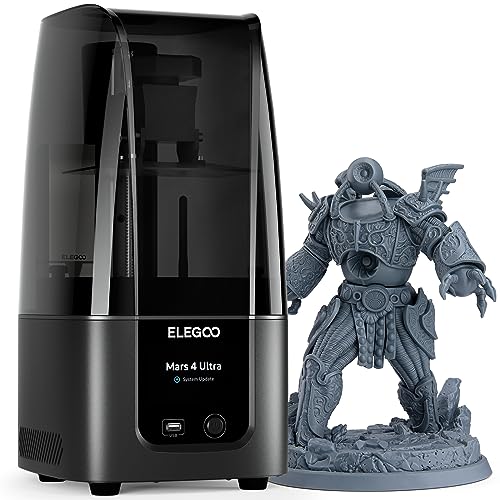
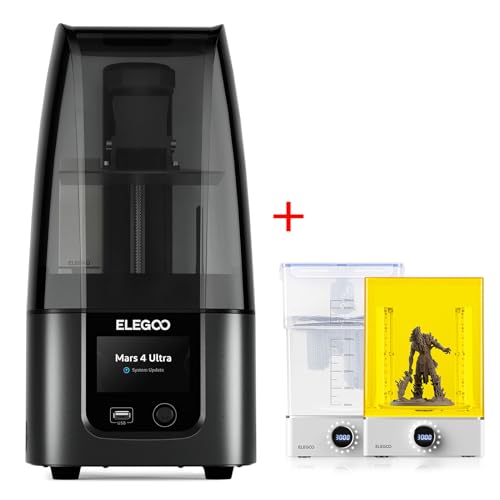
- ELEGOO MSLA 3D Printer Mars 4 Ultra about$459.99
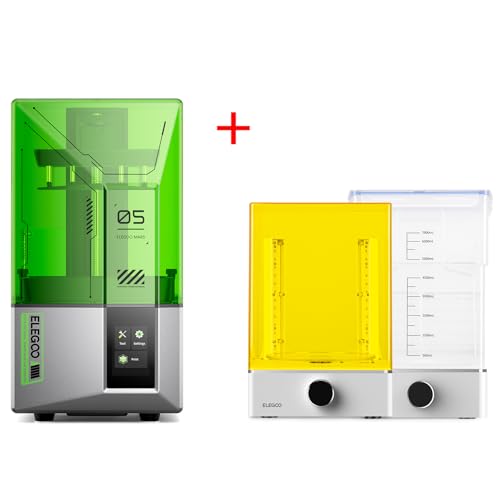
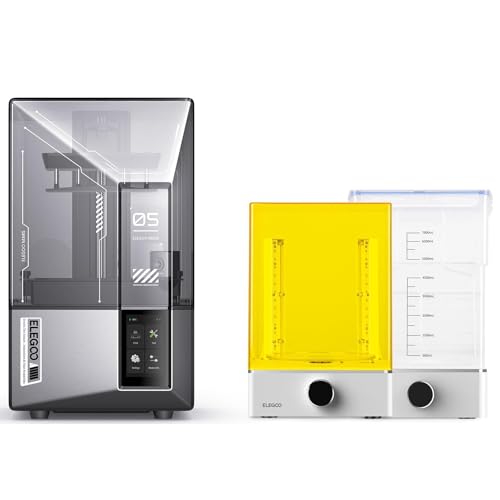
- ELEGOO Mars 5 Resin 3D Printer and ELEGOO… about$521.09
- ELEGOO Mars 4 Ultra Resin 3D Printer and… about$548.99
- ELEGOO Saturn 4 Ultra 12K Resin 3D Printer… about$639.53
- Most PremiumELEGOO Mars 5 Ultra 9K Resin 3D Printer and… about$662.14
Why every pick here is an Elegoo
I went looking for resin printers on Amazon AU from every brand I'd normally consider, and the only ones sold new by an Australian seller in the $300 to $900 range were Elegoo's. Anycubic, Phrozen, Creality and Uniformation searches mostly turned up replacement screens, build plates and resin vats from overseas marketplace sellers, which isn't what you want when the printer itself needs a warranty claim. So this guide compares four Elegoo machines against each other, and I'll say where another brand might suit you better.
That's not as limiting as it sounds. Elegoo's range splits neatly into two families: the Mars, which is the smaller desktop machine with a 7-inch class screen, and the Saturn, which has a 10-inch screen and roughly twice the print area. Inside each family there's a standard model and an Ultra, and the Ultra adds a tilting resin tank, a camera and Wi-Fi. Those are the two decisions that matter, and you can make both without ever reading a spec sheet in full.
All four picks are sold by ELEGOO Official AU, the brand's own Australian storefront on Amazon. Three of them are bundles that include a 1kg bottle of resin, and at time of writing two of those bundles were listed for less than the printer on its own. I can't tell you why Amazon prices work that way, but it does mean you should check the bundle listing before you buy the bare printer.
Resin or filament: which one you actually want
A resin printer cures liquid photopolymer one thin layer at a time with UV light shone through an LCD screen. Because the screen masks each layer with tiny pixels, the detail is far finer than a filament printer can manage, which is why tabletop gamers, jewellers and dental labs use them. The catch is size and mess. Prints are small, every part comes out sticky and needs washing and curing, and the resin itself needs careful handling.
If you want brackets, enclosures, replacement knobs or anything functional and larger than a coffee mug, a filament printer is still the better tool, and our value 3D printer guide covers the Elegoo and Bambu Lab machines we'd point you to. We run two filament printers at the shop for exactly that sort of job. Resin is the right call when the detail is the point, like miniatures, figurines, small mechanical parts with fine threads, or anything you'll paint.
Plenty of people end up with both. If you already own a filament machine, a small resin printer is a nice second tool rather than a replacement, and the running cost is mostly resin, release film and isopropyl alcohol or water for washing. If you're choosing your first printer and you don't paint models, I'd usually start with filament and the PLA+ spools we recommend, because it's far more forgiving to learn on.
Mars or Saturn: build size and screen resolution
The Mars 5 prints in a space of 143.43 x 89.66 x 105.11 mm, and the Mars 5 Ultra in 153.36 x 77.76 x 165 mm. That's fine for single miniatures, small figures and jewellery, and you can fit a dozen 28mm tabletop models on the plate if you lay them out well. The Saturn 4 and Saturn 4 Ultra print in about 218 x 122 x 220 mm, which is the size you want for busts, larger figures, cosplay parts or batches of twenty or thirty small parts at once.
Resolution is where the marketing gets noisy. The listings quote 4K for the Mars 5, 9K for the Mars 5 Ultra and 12K for both Saturns, but what you actually see in a print is the XY pixel size. The Mars 5 Ultra lists 18μm and the Saturn 4 lists 19 x 24μm, so the bigger screen has slightly larger pixels even though it carries the bigger number. In practice both are sharper than most people's painting, and the layer lines you notice usually come from the layer height you choose, not the screen.
The Mars 5 listing doesn't state its XY resolution or screen size, only that it's a 4K mono LCD with a COB light source. It'll print miniatures well, but if you're printing small text, fine chainmail or jewellery masters, I'd spend the extra on the Mars 5 Ultra bundle, which was only about $68 more at time of writing. For anyone who isn't sure what size they'll print, the Saturn 4 bundle is the one I'd lean toward, because a larger plate covers more uses and it was listed at almost the same price as the Mars 5 Ultra bundle.
The release film and the LCD are the consumables
Every layer of a resin print gets peeled off a thin clear film in the bottom of the resin tank. That film is a wear part. It clouds, stretches and eventually tears, and a torn film lets resin drip onto the LCD screen and into the base of the machine. Most of the resin printers that come into the shop with a dead screen got that way through a punctured film, usually from a stray cured flake or a scraper pushed too hard.
All four picks have a mechanical sensor that checks for leftover cured resin before a print starts, which Elegoo says is there to protect the LCD screen. It's a sensible feature and I'd keep it switched on. It won't catch every flake, though, so the habit that matters is filtering your resin back into the bottle after a failed print and running the tank's cleaning exposure to lift any cured skin off the film before the next job.
The Ultra models tilt the resin tank to peel each layer off the film rather than pulling the plate straight up. Elegoo quotes up to 150mm/h on both Ultras with that system. The faster peel is nice, but what interests me more is that a gentler, angled peel is generally easier on the film than a straight pull, so you should get more prints between film changes. Elegoo doesn't state a film life on any of these listings, so buy a spare film or two with the printer either way.
The LCD screen is the other consumable. Mono screens last much longer than the old colour ones resin printers used to have, but UV and heat still wear them down, and Elegoo doesn't publish an hours rating on these listings. When one fails you'll usually see faint lines, dead patches or a print that only half forms. Before you order a replacement screen, check the price on Elegoo's own store, because on the 12K Saturns it can be a fair slice of the printer's price.
Washing, curing and the mess nobody mentions
Every resin print comes off the plate wet with uncured resin. It needs washing, then curing under UV light so it hardens fully. With standard and ABS-like resins you wash in isopropyl alcohol, and with water washable resin, which is what comes in the two Saturn bundles, you wash in plain tap water. Water's easier to buy and doesn't smell, but the waste water still holds dissolved resin, so it can't just go down the sink.
The safe way to handle dirty wash liquid is to leave it in a clear container in the sun until the resin in it cures and settles, then filter the solids out and dispose of them as cured plastic. Check your local council's rules for the liquid. It's slow and a bit of a chore, which is why most people end up with a wash and cure station, an ultrasonic cleaner or at least two lidded tubs with a basket. Budget for that setup on top of the printer.
- Nitrile gloves, a box of them, and a silicone mat for the work area.
- A metal or plastic scraper with rounded corners, kept away from the film.
- Paper filters for pouring resin back into the bottle.
- Two lidded wash tubs or a wash and cure station.
- A spare release film sized for your model.
- Paper towel and somewhere to put it that isn't the kitchen bin.
Handling resin sensibly at home
I'm not going to lecture anyone, but uncured resin is a chemical and it should be handled like one. Read the safety data sheet for whatever resin you buy, wear nitrile gloves every time you touch the tank, a print or a used paper towel, and keep resin off your skin and off surfaces that people and pets use. Spills on timber or carpet are close to impossible to get out once they cure.
Resin has a strong smell while it's printing, and the water washable and ABS-like resins in these bundles are no exception. A printer belongs in a room with a door you can close and a window you can open, like a garage, a shed or a spare room, not the corner of a lounge room or a kid's bedroom. The Mars 4 Ultra that Elegoo sells alongside these ships with a plug-in carbon filter for odour, and you can add a small extraction fan or one of the units from our air purifier guide if the smell bothers you.
Keep the resin bottles and the printer out of direct sunlight, because the same UV that cures each layer will slowly thicken resin in a tank or a bottle left near a window. The orange lid on each of these printers blocks the UV wavelengths the resin reacts to, so keep it on whenever there's resin in the tank. A cat or a curious kid knocking a lid off during a print is a surprisingly common way to lose a tank of resin.
Power, placement and the cold
Resin printers don't draw much power compared to a filament printer with a heated bed, and none of these listings state a wattage, so I won't guess one. What does matter is that the mainboard, the LED light source and the screen all run from a small power supply, and a power surge or a no-name replacement adaptor can take out the board and the screen together. If you ever replace the power brick, read our guide to bad power supplies first and stick to Elegoo's own part.
Resin gets thick when it's cold, and thick resin peels badly and fails prints. A garage on the Central Coast in July can sit well under the temperature most resin bottles ask for, so in winter it's worth warming the room or the resin before a long print. Avoid putting a heater right next to the printer or on the same powerboard, and keep the printer on a stable, level surface that doesn't wobble when someone walks past.
The Saturn 4 Ultra lists a resume-printing feature after a power outage, which is handy if your area drops power in summer storms. The others don't state it, so a power cut usually means a failed print, a plate to clean and a tank of resin with a half-cured layer stuck to the film. Clear that layer before you restart, because printing straight over it is a common way to damage the film and the screen underneath.
What to check before you buy
All four Elegoo listings state a half-year manufacturer warranty. That's short, but it doesn't replace your rights under Australian Consumer Law, which cover a printer that fails within a reasonable time for its price, and buying from Elegoo's own AU storefront makes any claim simpler than chasing an overseas seller. Keep the box for the first few weeks, because sending a resin printer back without proper packing is how screens get cracked in transit.
Look up the price of a replacement release film and screen for the exact model before you order, and buy a spare film with the printer. Check that the bundle's resin suits what you want to print: the Saturn bundles come with water washable resin, which is easy to clean up but generally more brittle than ABS-like resin, while the Mars 5 Ultra bundle comes with ABS-Like Resin 3.0, which Elegoo describes as having more strength and toughness.
Resin printers fail in fairly predictable ways, and most of them can be fixed. A dead screen, a resin leak into the base or a power supply fault isn't always the end of the machine. If one of these stops printing properly, bring it into our Erina workshop and we'll tell you what's wrong before you spend anything. For desktop PCs and laptops that run your slicer, our Central Coast computer repairs team can help too.
The 4 picks, $349 to $640
Prices are Amazon AU at time of writing (2 November 2026) and move week to week. Ranks are Amazon AU category sales ranks, checked the same day; Amazon AU files these resin printers under its Laser Printers category, and where it publishes no category rank the site-wide rank is shown.

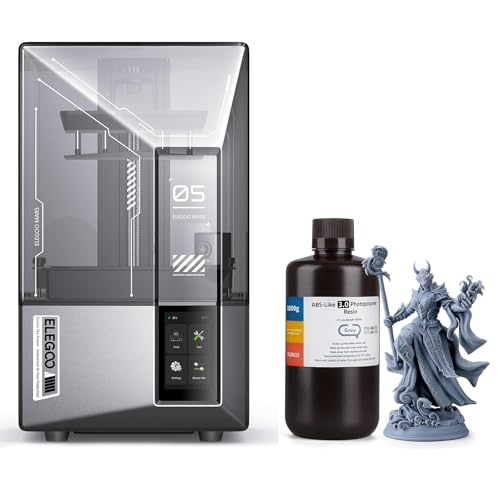
ELEGOO Mars 5 Ultra Resin 3D Printer with 1kg ABS-Like Resin 3.0 (Grey)
ASIN B0GTYNFYPC • $416.76 • Sold by ELEGOO Official AU on Amazon AU
This is the resin printer I'd point most people to first. It's the best-selling resin printer on Amazon AU by a long way, at #46 in the category Amazon files these under, and it's sold by ELEGOO Official AU at $417 at time of writing. The bundle includes a 1kg bottle of Elegoo's ABS-Like Resin 3.0 in grey, which Elegoo describes as having more strength and toughness than its standard resin. That's a good resin to learn on, because it's less brittle when you snap supports off. Oddly, the bundle was listed for less than the printer on its own, which was $549 on its separate listing. The printer is the standard Mars 5 Ultra, model EL-3D-M5U.
The screen is a 7-inch 9K mono LCD with an 18μm XY resolution, and the build volume is 153.36 x 77.76 x 165 mm, which is tall for a Mars-sized machine. The main reason to buy the Ultra over the plain Mars 5 is the tilting resin tank. Instead of pulling each layer straight up off the film, it tilts the tank to peel the print away, and Elegoo quotes speeds up to 150mm/h with fast and slow modes you can switch between. There's an AI camera that watches the print and alerts you to an empty build plate or a failed model. Wi-Fi file transfer and cluster printing are on the listing as well.
It also has the same mechanical sensor as the other picks, which checks for cured residue in the tank before a print to protect the screen, plus alarms for low resin and levelling failures. Levelling is automatic, so setup is mostly unboxing and running the self-check. Keep a spare release film on hand, because the tilt mechanism is gentler on the film but doesn't stop it wearing. The listing doesn't state a screen life or power draw. For miniatures, jewellery and small detailed parts, this is the one I'd buy.
Honest caveats: The bundle listing itself is thin, with two feature lines, so most of these specs come from Elegoo's separate Mars 5 Ultra listing for the same model. The warranty is stated as half a year from the manufacturer. The build plate is small for busts or large figures. The listing doesn't state a release film life, a screen life or a power figure, so check film and screen replacement prices on Elegoo's store before you order.
Best for: Miniatures, jewellery and small detailed parts, with a faster tilt-release tank and an AI camera.
Screen: 7-inch 9K mono LCD • XY resolution: 18μm • Build volume: 153.36 x 77.76 x 165 mm • Speed: Up to 150mm/h (tilt release) • Levelling: Automatic, with self-check • Extras: AI camera, Wi-Fi transfer • In the box: 1kg ABS-Like Resin 3.0, grey • Warranty: Half year, manufacturer • Rank: #46 in Laser Printers (Amazon AU)
View on Amazon AU
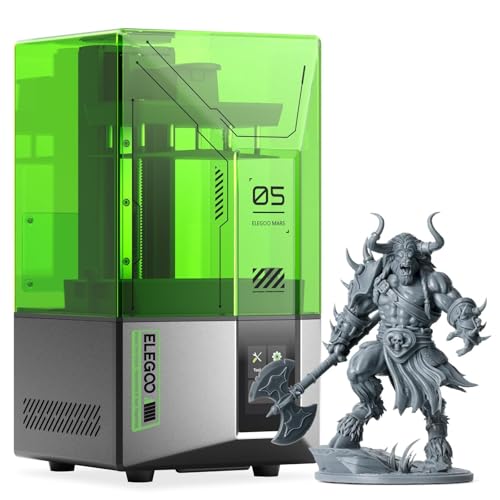
ELEGOO Mars 5 Resin 3D Printer, 4K Mono LCD, Auto Levelling
ASIN B0D3TSB2GW • $349 • Sold by ELEGOO Official AU on Amazon AU
The Mars 5 is the simplest way into resin printing from an Australian seller. It's $349 from ELEGOO Official AU at time of writing, and it carries a site-wide rank of #9,993 on Amazon AU, with no category rank published. The model is EL-3D-M5, which matches the listing title. It has a 4K mono LCD with a COB light source, and the build volume is 143.43 x 89.66 x 105.11 mm. That's wide but short, so it suits miniatures, small figurines and flat parts rather than anything tall. The listed weight is about 6.6kg, so it's easy to move around a shed or spare room. It's the only pick here sold without a bottle of resin in the box.
Levelling is automatic with one click, which takes the most frustrating part of older resin printers away. It runs a self-check of its components before each print, and the mechanical sensor checks for cured residue in the tank to stop a stray flake being pressed into the screen. There are alarms for low resin and levelling failures. Elegoo also lists overheat protection that stops the print and sounds an alarm if the LED light source passes 80°C, which is a sensible guard for a part that sits under a screen and a resin tank all day. Overheating light sources are a common reason older printers come in, so I'm glad to see it listed.
What it lacks compared to the Ultra is the tilting tank, the AI camera and Wi-Fi, and the listing doesn't state the screen size or XY resolution. For someone who wants to try resin and print tabletop models, it's plenty. If you think you'll print a lot, the Mars 5 Ultra bundle was only about $68 more and comes with a bottle of resin, so compare the two on the day. Keep the lid on whenever there's resin in the tank. The listing doesn't state a release film life, so buy a spare film with it.
Honest caveats: The build height is only about 105mm, so tall figures need splitting or angling. The listing doesn't state the screen size or XY resolution, only 4K. There's no Wi-Fi and no camera. The warranty is stated as half a year from the manufacturer. No resin comes in the box, so add a bottle and a cleaning setup to the price.
Best for: Trying resin printing for tabletop miniatures and small flat parts at the lowest outlay.
Screen: 4K mono LCD, COB light source • Build volume: 143.43 x 89.66 x 105.11 mm • Levelling: Automatic, one click • Sensors: Residue detection, low resin and levelling alarms • Overheat cutout: Stops if LED passes 80°C • Model: EL-3D-M5 • Weight: About 6.6kg (listed 14.55 lb) • Warranty: Half year, manufacturer • Rank: #9,993 overall on Amazon AU
View on Amazon AU
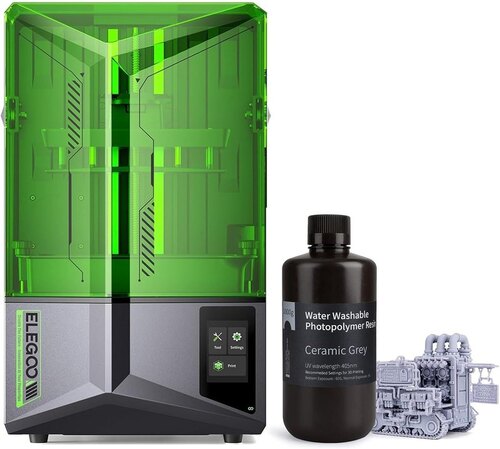
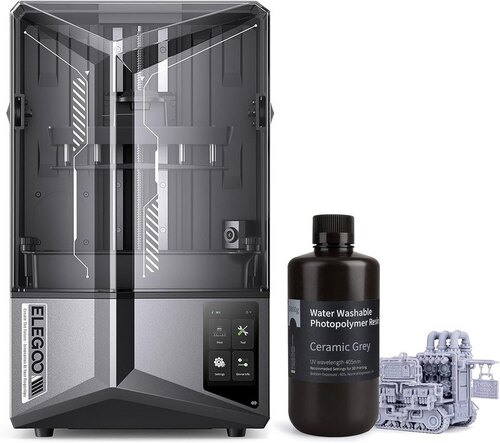
ELEGOO Saturn 4 12K Resin 3D Printer with 1kg Water Washable Resin (Ceramic Grey)
ASIN B0GV4DS56L • $416.39 • Sold by ELEGOO Official AU on Amazon AU
The Saturn 4 bundle is the pick for anyone who wants a bigger plate without paying for the Ultra. It was $416 from ELEGOO Official AU at time of writing, which is almost exactly the price of the Mars 5 Ultra bundle and well under the $649 Elegoo's printer-only listing asked. It's #412 in the category Amazon AU files these under. The bundle includes a 1kg bottle of Elegoo's water washable resin in ceramic grey, so you can wash prints in tap water instead of isopropyl alcohol. The printer is the standard Saturn 4, and Elegoo's AU part number on the separate listing is AU-EL-3D-S4. That AU prefix is a good sign the unit is built for the local market.
The screen is a 10-inch 12K mono LCD at 11520 x 5120 pixels, with an XY resolution of 19 x 24μm. The build volume is 218 x 122 x 220 mm, about twice the plate area of a Mars, which suits busts, cosplay parts and batches of twenty or more miniatures in one go. Elegoo pairs a COB light at 405nm with a Fresnel collimating lens and quotes 92% light uniformity, which is what keeps the edges of the plate printing as cleanly as the middle. It has automatic levelling, a self-check and AI print monitoring listed in its title. The 405nm light is the wavelength most LCD resins are made for, and the bundled resin is labelled for 405nm LCD and MSLA printers.
The practical touches are good. The build plate is quick release, the resin tank has two pour points and a tray to catch spills, the tank lock is replaceable, and the lid flips up rather than lifting off. The residue sensor and low resin alarms are the same as the Mars. Elegoo notes the sensor only works properly without a flex plate fitted, so don't add one. It doesn't have the tilting tank, so it's slower than the Ultra. The machine is big, about 13.5kg on the printer-only listing, so measure your shelf first.
Honest caveats: The bundle listing has only two feature lines, so specs here come from Elegoo's printer-only Saturn 4 listing. Water washable resin is generally more brittle than ABS-like resin, and its waste water still needs curing before disposal. The warranty is half a year. The bundle price sat well under the printer-only listing at time of writing, so check it hasn't changed before you order.
Best for: A bigger plate for busts, cosplay parts and batches of miniatures, at Mars Ultra money.
Screen: 10-inch 12K mono LCD, 11520 x 5120 • XY resolution: 19 x 24μm • Build volume: 218 x 122 x 220 mm • Light source: 405nm COB with Fresnel lens • Levelling: Automatic, with self-check • In the box: 1kg water washable resin, ceramic grey • Part number: AU-EL-3D-S4 • Warranty: Half year, manufacturer • Rank: #412 in Laser Printers (Amazon AU)
View on Amazon AU
ELEGOO Saturn 4 Ultra 12K Resin 3D Printer with 1kg Water Washable Resin (Ceramic Grey)
ASIN B0GV4JVHH7 • $639.53 • Sold by ELEGOO Official AU on Amazon AU
The Saturn 4 Ultra is the one to buy if you'll print large models often and want them done faster. It's $640 from ELEGOO Official AU at time of writing, against $849 for Elegoo's printer-only listing, and it's #105 in the category Amazon AU files these under. The bundle includes 1kg of water washable resin in ceramic grey. The printer's part number on the separate listing is AU-EL-3D-S4U, an Australian part code, and the model is listed as Saturn 4 Ultra. It's the biggest machine here, listed at 40 pounds, about 18kg, so it needs a solid table and two hands to move. Measure the lid height too, because it opens upward.
It has the same 10-inch 12K mono LCD and a build volume of 218.88 x 122.88 x 220 mm. What you're paying for is the tilting resin tank, which peels each layer off the film by tilting the tank, with speeds up to 150mm/h and fast and slow modes. On a full plate of large parts that cuts print times noticeably. There's an AI camera that watches for failures and records time-lapse video, and Wi-Fi file transfer on 2.4GHz and 5GHz at 6 to 10Mbps, so you don't need to walk a USB stick out to the shed. Cluster printing across several machines is listed too, which suits small print businesses.
It's also the only pick that lists resuming a print after a power outage, which matters if your area loses power in summer storms. There's a temperature alarm for the LED light source, a residue sensor to protect the screen, a resin shortage alarm and automatic levelling, and again Elegoo says not to fit a flex plate or the sensor won't work properly. The listing doesn't state a power draw, screen life or film life. If you're printing busts or batch jobs every week, this is the one I'd buy.
Honest caveats: It's heavy and large, so it isn't one to keep on a desk. The bundle listing is thin, so the specs come from Elegoo's printer-only listing. Water washable resin is generally more brittle than ABS-like resin. The warranty is half a year. A 12K screen for this size is a costly part, so check the replacement price and keep the residue sensor switched on.
Best for: Regular large prints and batch jobs, with tilt release, a camera, Wi-Fi and power-loss resume.
Screen: 10-inch 12K mono LCD • Build volume: 218.88 x 122.88 x 220 mm • Speed: Up to 150mm/h (tilt release) • Extras: AI camera with time-lapse, power-loss resume • Wi-Fi: 2.4GHz and 5GHz, 6 to 10Mbps • In the box: 1kg water washable resin, ceramic grey • Part number: AU-EL-3D-S4U • Weight: About 18kg (listed 40 lb) • Rank: #105 in Laser Printers (Amazon AU)
View on Amazon AUSide-by-side comparison
| Product | Price | Best for |
|---|---|---|
| ELEGOO Resin 3D Printer Mars 5 | ~$349 | |
| ELEGOO Saturn 4 12K Resin 3D Printer and… | ~$416.39 | |
| ELEGOO Mars 5 Ultra Resin 3D Printer and… | ~$416.76 | |
| ELEGOO MSLA 3D Printer Mars 4 Ultra | ~$459.99 | |
| ELEGOO Mars 5 Resin 3D Printer and ELEGOO… | ~$521.09 | |
| ELEGOO Mars 4 Ultra Resin 3D Printer and… | ~$548.99 | |
| ELEGOO Saturn 4 Ultra 12K Resin 3D Printer… | ~$639.53 | |
| ELEGOO Mars 5 Ultra 9K Resin 3D Printer and… | ~$662.14 |
What we see fail in the workshop: resin 3D printers
Resin printers have fewer moving parts than filament machines, so the faults we see tend to come from the resin getting where it shouldn't, or from the power side. Most of them can be repaired, and most of them could have been prevented with a spare film and a bit of care when cleaning the tank. Here's what we see most.
Punctured film and resin in the base
A torn release film lets resin drip onto the LCD screen and, on a bad day, past the screen into the base where the mainboard and the light source sit. Resin that cures on a circuit board is hard to remove and can short connectors as it creeps. If you see resin under the tank, stop printing, unplug it, and clean the screen glass with isopropyl alcohol on a lint-free cloth before anything cures. Don't try to scrape cured resin off the screen with metal, because that's how a leak becomes a cracked screen.
Dead patches and lines on the LCD
Mono LCD screens wear out with UV and heat, and they also crack when a cured flake in the tank gets pressed into them by the build plate. Lines, dark patches or parts of a print that won't form usually point to the screen. The fix is a replacement screen for the exact model, and on the larger 12K screens that costs a fair bit, so it's worth confirming with a test exposure first. A failing light source can look similar, so check before ordering parts. Keep the screen's protective film or tempered glass clean, and wipe any wet resin off the glass straight away.
Power supplies and mainboards after storms
The power brick, mainboard and light source driver are the electrical parts that fail, and storms are the usual trigger on the Central Coast. A printer that's dead with no lights is often just the power supply, which is a simple swap if you use the right rated part. A printer that powers on but won't light the screen or move the plate needs the board checked. A surge-protected powerboard is a sensible addition, and unplugging the printer during a big storm costs you nothing. Never fit a generic adaptor with a different voltage or a loose barrel plug.
Decision tree: which one should you actually buy?
- First resin printer for tabletop miniatures? → The ELEGOO Mars 5 Ultra bundle at $417, or the plain Mars 5 at $349 if you only want to try resin.
- Printing busts, cosplay parts or big batches? → The ELEGOO Saturn 4 bundle at $416 for the bigger plate, or the Saturn 4 Ultra bundle at $640 if you print large jobs every week.
- Want to wash prints in water instead of alcohol? → Either Saturn bundle, both of which include 1kg of water washable resin. Plan to cure the waste water before you dispose of it.
- Printer lives in a shed with patchy power? → The Saturn 4 Ultra bundle at $640, the only pick that lists resuming a print after a power outage.
- Need functional parts bigger than a coffee mug? → Skip resin and look at our filament 3D printer picks instead.
- Resin printer with lines on the screen or resin in the base? → Unplug it, clean any wet resin off with isopropyl alcohol, and bring it into our Erina workshop so we can check the screen, board and light source before you buy parts.
Frequently asked questions
Is a resin 3D printer more detailed than a filament printer?
Yes, by a long way for small parts. A resin printer cures each layer through an LCD screen, so detail is set by the screen's pixel size, which is 18 to 24 microns on the Mars 5 Ultra and Saturn 4 picks here. That's why resin is the choice for miniatures, jewellery and fine threads. Filament printers are better for larger functional parts, and they're less messy because the prints come off the plate clean and ready to use without washing or curing.
Do I need a wash and cure station for a resin printer?
You don't strictly need one, but you do need some way to wash and cure every print. Two lidded tubs with a basket and a sunny windowsill or a small UV lamp will work. A wash and cure station makes the process tidier and quicker, which matters if you print often. Whatever you use, the dirty wash liquid holds dissolved resin, so leave it in the sun to cure the resin out, filter the solids and check your council's rules before disposing of it.
How often do you replace the release film on a resin printer?
Elegoo doesn't state a film life on any of these listings, and it depends on how often you print and how careful you are with the scraper. Replace it when it goes cloudy, starts to sag, or shows any scratch or dent, because a torn film lets resin onto the LCD screen. Tilt-release machines like the Ultra models peel more gently, which generally helps the film last. Buy a spare with the printer so a failed film doesn't stop you for a week.
How long does the LCD screen in a resin printer last?
Elegoo doesn't publish a screen life on these listings. Mono LCD screens last much longer than the colour screens older resin printers used, but UV and heat still wear them, and a cured flake pressed into the screen can crack it in one print. Signs of a failing screen are lines, dark patches or parts of a model that don't form. Keep the residue sensor on, filter your resin after failed prints, and check the replacement screen price before you buy the printer.
Is water washable resin better than standard resin?
It's easier to clean up, because you wash prints in tap water instead of isopropyl alcohol, and it smells less during washing. It's generally more brittle than ABS-like resin, though, so thin parts and supports snap more easily. The waste water still contains resin and can't go down the sink. The two Saturn bundles here include water washable resin, while the Mars 5 Ultra bundle includes ABS-Like Resin 3.0, which Elegoo describes as tougher.
Can I run a resin printer in a garage or shed in winter?
Yes, and a garage or shed is usually the best place for one because of the smell. The catch is temperature. Resin gets thick when it's cold, and thick resin peels badly from the film and causes failed prints. In a cold garage, warm the room or the resin before a long print, but don't put a heater right beside the printer or on the same powerboard. Keep it on a level, stable surface and out of direct sunlight.
Related buying guides
Resin printer with a dead screen or resin in the base?
Most resin printer faults come from a torn release film, a worn LCD screen or a power supply that's failed after a storm, and many of them can be fixed. Bring it into our Erina workshop with the tank removed and we'll check the screen, light source and board, then tell you what's wrong and what it'll cost before you spend anything.
Visit our Erina workshop Book Online