
Prices from Amazon AU, updated daily. Swipe or use the arrows for more.
Disclosure: This article contains affiliate links to amazon.com.au. If you buy through one of these links iFix may earn a small commission at no extra cost to you. It doesn't change which products we recommend. We focus on what actually lasts based on 16 years of repair-shop experience.
Quick summary8 picks
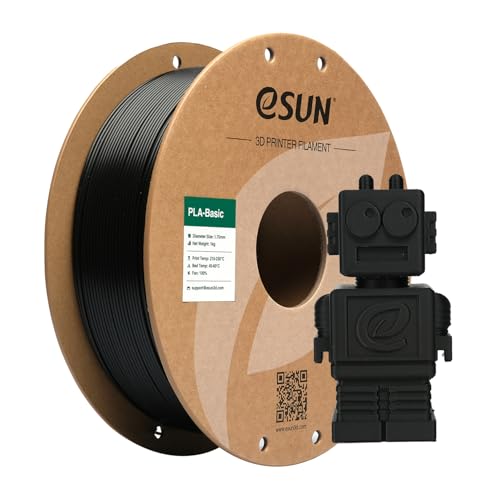
- Entry PickeSUN Basic PLA Filament 1.75mm about$26.99
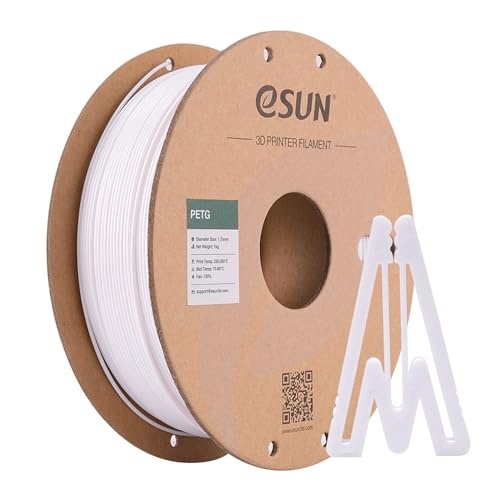
- eSUN PETG Filament 1.75mm about$23.19
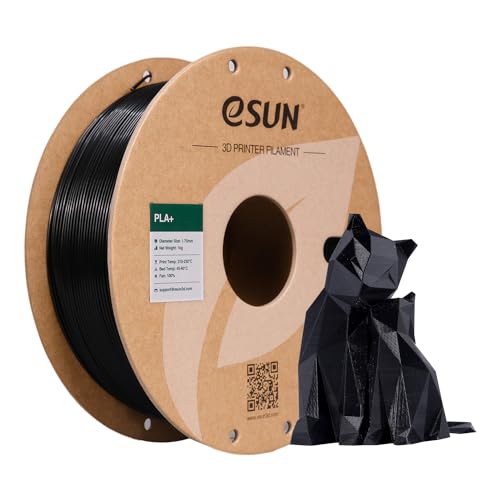
- eSUN PLA+ 3D Printing Filament PLA PRO Plus… about$25.64
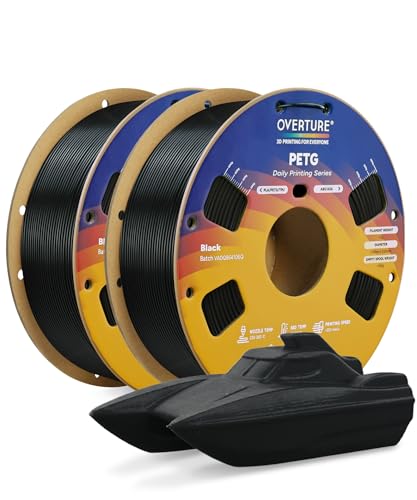
- OVERTURE 2KG Bundle Rapid PETG 3D Printer… about$43.99
- Creality Official TPU Filament about$39.99
- OVERTURE 4KG Bundle Rapid Refill PLA+ 3D… about$81.99
- Creality Official 2026 New Upgrade Filament… about$79.9960Hz refresh.
- Most PremiumCreality Space Pi V2 Plus Filament Dryer about$149
Most bad prints start with the filament
When a printer starts stringing, popping or leaving rough, weak layers, the first thing most people blame is the nozzle, the slicer or the printer itself. More often than not, I reckon, it's the filament, and usually it's filament that's soaked up water from the air while it sat on the spool holder for a month. Coastal air does that faster than most people expect. A $26 spool can ruin a 20-hour print just as easily as a $60 one, and no amount of slicer tuning fixes plastic that's wet.
So this guide treats filament and a dryer as one setup rather than separate purchases. I've picked five things from Amazon AU between $23 and $82 at time of writing: a PLA+, a PETG, a 4kg PLA+ refill bundle for anyone printing a lot, a TPU for flexible parts, and a filament dryer. All five are sold through the brand's own Australian storefront (eSUN, OVERTURE and Creality), and the PLA+ is #1 in Amazon AU's Printers and Accessories category.
It's a companion to our value 3D printer guide, which covers the machines themselves. If you haven't bought a printer yet, start there, because the printer you choose decides which of these materials are easy and which are a fight. The two guides link to each other, so you can go back and forth while you price up a printer and the first few kilos of material it'll need.
PLA, PLA+, PETG or TPU: pick by the job
PLA is the default for good reason. It prints at modest temperatures, barely warps, doesn't need an enclosure and gives clean detail, so it's the right choice for models, brackets that live indoors, cases for electronics that won't get hot, and most first prints. Its weak spot is heat. PLA starts going soft not far above 50°C, so a phone mount on a dashboard or a part near a motor or a warm power supply will sag over a summer.
PLA+ is PLA with additives that make it a bit tougher and less brittle. There's no single standard for what the plus means, so it varies by brand, but it's usually the better buy for anything functional, like clips, hooks and cable guides, that will get flexed or dropped. eSUN's listing describes its PLA+ as having higher strength and toughness than ordinary PLA, and that matches what most people find.
PETG is the step up for parts that live outdoors, get wet or take some heat and knocks. It's tougher and more flexible than PLA and it doesn't soften as early. It also strings more, sticks to some build plates too well, and soaks up water faster than PLA, so it really does need drying. If you want a part to sit in full sun for years, ASA is what people usually reach for, but I didn't find an ASA from an Australian seller worth recommending in this band, so it isn't one of the picks.
TPU is the flexible one, for bumpers, gaskets, feet, cases and anything that needs to bend and come back. 95A is the common hardness, firm like a shoe sole rather than rubbery. It prints slowly, it hates long feed paths, and it absorbs moisture readily, so treat a dryer as part of the kit if you plan to print much of it.
Why coastal air is hard on filament
PLA, PETG and especially TPU are all hygroscopic, which means they pull moisture out of the air. On the Central Coast, where a damp week can hold the humidity high day and night, an open spool can pick up enough water in a few days to change how it prints. Air-conditioned rooms help, but most printers live in garages, spare rooms and sheds, which is where the air is wettest.
Wet filament gives itself away. You'll hear small pops or a hiss at the nozzle as the water boils off, see fine stringing and a fuzzy or bubbly surface, and find layers that peel apart more easily than they should. PLA that's been wet for a long time also tends to snap in the feed tube, which on a multi-spool feeder means a jam halfway through a print. If any of that sounds familiar and you've already swapped nozzles, dry the spool before you change anything else.
It isn't only the plastic. Moisture in a closed-up shed or garage also corrodes the printer's own electronics, the stepper motor connectors and the mainboard, which is a slower version of what we see in phones and laptops. A room dehumidifier helps both the filament and the printer if the space is shut most of the time.
Drying and storing it properly
A filament dryer is a small heated box with a fan that holds a spool at a set temperature for a few hours to drive the water out. The Creality Space Pi SE in the picks runs from 45 to 65°C with a 0 to 24 hour timer, shows the humidity inside, and lets you print straight out of it through a feed hole. PLA is usually dried at the low end of that range and PETG and TPU higher, and OVERTURE's own TPU listing suggests more than eight hours at 65°C. Go by the filament maker's figure, because PLA in particular will deform if you overheat it.
A kitchen oven isn't a substitute. Ovens overshoot their set temperature badly at the low end of the dial, and a spool that's been softened against the rack is scrap. A food dehydrator can work if the spool fits and the thermostat is honest, but a purpose-built dryer is easier to get right and you can leave it feeding the printer.
Drying is only half the job. Once a spool is dry, keep it dry between prints in a sealed tub or bag with fresh silica gel. Creality's listing makes the same suggestion and recommends a vacuum bag after drying. If you already own one of the vacuum sealers we recommend for the kitchen, its bags work on filament too, as long as you add a desiccant sachet and don't let the bag crush the spool edge.
Rechargeable silica gel with a colour indicator is worth having, because desiccant that's full stops working without telling you. A small humidity card in the tub does the same job and tells you when it's time to dry the sachets out.
How long a dried spool stays dry depends on where it lives. In a sealed tub with fresh desiccant, weeks. On an open holder in a damp garage, I'd expect PETG and TPU to need drying again within days, and PLA within a couple of weeks. If you print from a multi-spool feeder, check its own desiccant compartment too, because those trays fill up and stop working long before most people think to look.
Cost per kilo: single spools against bundles
Filament is priced per spool, but the number that matters is cost per kilo of usable plastic. At time of writing the eSUN PLA+ is $25.64 for 1kg and the OVERTURE 4kg PLA+ refill is $81.99, which works out to about $20.50 a kilo, roughly a fifth less per kilo for the bundle. If you print every week, that adds up quickly. If you print once a month, a 4kg bundle will sit around soaking up water for most of a year, and that's a poor trade.
Buy bundles in the colour you actually go through. Most people end up printing the bulk of their functional parts in one or two plain colours, and a 4kg pack of the colour you use for brackets and clips makes more sense than four colours you'll use once each. The bundle in the picks is four black refills, which suits exactly that.
Running cost includes waste. Failed prints, purge on multi-colour machines and the supports you snap off all come out of the same kilo. Drying cuts the failures, and sorting out your supports and settings cuts the rest. Electricity for the printer and dryer counts too, but the dryer's listing doesn't state its wattage, so I can't give a figure for it. For the printer, check its rated power and use the tariff on your bill. Our guide to measuring what appliances really cost to run shows how to do it properly with a metering smart plug.
Don't stockpile more than you'll print in a few months either. Unopened vacuum-sealed spools keep well, and OVERTURE quotes a one-year shelf life for unopened spools on its PETG listing, but once a bag is opened the clock starts, and a cupboard full of open spools is a cupboard full of filament that'll need drying.
Third-party filament in a Bambu AMS
A lot of people reading this will have a Bambu Lab printer with an AMS, so it's worth getting right. Bambu's own filament carries an RFID tag that the AMS reads, which fills in the material type and colour for you. Third-party spools don't have the tag, so you set the material and colour by hand for each slot. It's a minute's work, and once it's set the AMS feeds third-party filament the same way. At time of writing I couldn't find Bambu-brand filament on Amazon AU at all, so for Amazon buyers it's third-party or nothing.
Spool fit is the other issue. Cardboard spools are common on third-party filament and they're a known nuisance in an AMS: the edges can shed fibres and dust into the feed rollers, and a slightly out-of-round cardboard spool can slip instead of turning. Some people print adapter rings or tape the edges, but the cleaner fix is refill filament on a reusable spool. The OVERTURE refill in the picks is spoolless, and its listing says it fits the Bambu AMS reusable spool and other master spools, so you buy a master spool once and snap refills onto it.
TPU is the exception. Most multi-spool feeders don't like flexible filament because it buckles in long tube runs. Feed TPU from an external spool holder on a direct drive printer, and check your printer maker's advice before loading it into any automatic feeder. Creality's TPU listing itself recommends a direct drive extruder.
Tolerance, winding and the listing numbers worth reading
Diameter tolerance is the spec that matters most on a listing. Filament is meant to be 1.75mm, and a tolerance of plus or minus 0.03 to 0.05mm is normal for a decent brand. Wider variation means the extruder pushes more plastic on some layers than others, which shows up as banding and uneven walls. Two of the listings here quote different tolerance figures in the title and the bullet points, which tells you something about how carefully the copy was written, if not about the filament.
Winding matters more on long prints. A spool wound with crossed-over loops can tangle and pull tight halfway through a 15-hour print, and the printer will happily keep printing air. Every brand in the picks claims tidy or tangle-free winding. That's hard to prove from a listing, so the practical habit is to never let the loose end go when you take a spool off the printer, and clip it into the side hole every time.
I'd ignore speed claims you can't use. A figure like 300mm/s is a printer limit as much as a filament one, and older bed-slingers won't get near it. Vacuum-sealed packaging with a desiccant is the claim I'd actually look for, because it means the spool should arrive dry. Even then, I'd run a fresh spool of PETG or TPU through the dryer before any long print.
Colour can matter more than people think, too. Glitter and glow-in-the-dark filaments carry particles that wear a standard brass nozzle much faster than plain colours, and they can print a little differently from the same material in black or white. Stick to plain colours for functional parts and save the novelty finishes for display pieces, or fit a hardened nozzle first.
The 5 picks, $23 to $82
Prices are Amazon AU at time of writing (5 October 2026) and move week to week. Ranks are Amazon AU category sales ranks, checked the same day.

eSUN PLA+ 3D Printer Filament, 1.75mm, 1kg, Black
ASIN B094HNX5DT • $25.64 • Sold by eSUN Official Store AU on Amazon AU
eSUN's PLA+ is #1 in Amazon AU's Printers and Accessories category at $25.64 for a 1kg spool, sold by eSUN Official Store AU, and it's the spool I'd put on a new printer first. It's 1.75mm, and the listing quotes a total length of 340 to 350m per kilo. eSUN describes it as an enhanced PLA with higher strength and toughness than ordinary PLA, made from plant-derived starch and intended for indoor printing. The listing also says it suits high-speed printers and names the Bambu Lab X1 and P1P, AnkerMake M5, Creality K1, Prusa, Ender 3 and Voron among compatible machines. That covers most of what people in Australia are actually printing on, from older Enders to the current Bambu machines.
The reason it ranks where it does is that it's forgiving. The listing claims low shrinkage, low warping and no cracking, which in practice means it sticks well, prints at standard PLA settings and doesn't fight you on corners. Because it's tougher than plain PLA, it's a better choice for clips, hooks, cable guides and printed brackets that get flexed or knocked, while still being easy enough for display models. It's also the kind of material most slicer profiles are tuned around, so the default PLA settings on most printers usually get you close before you've changed anything at all. If you're still learning the printer, that matters, because it takes one variable out of the troubleshooting.
I'd still dry it if it's been open for more than a few weeks on the coast. PLA+ is less fussy about moisture than PETG or TPU, but it isn't immune, and the first symptom is usually stringing. Keep the end clipped into the spool edge whenever it's off the printer. If you print a lot of black PLA+ and own a reusable spool, compare this against the OVERTURE 4kg refill further down, which works out noticeably lower per kilo. For mixed colours or occasional printing, though, single spools like this are the better way to buy.
Honest caveats: the title quotes a tolerance of plus or minus 0.05mm and a bullet point says 0.03mm, so I'd go by the looser figure. The listing doesn't state recommended nozzle or bed temperatures, or whether the spool is cardboard or plastic, which matters in an AMS. PLA+ still softens in heat like ordinary PLA.
Best for: A first spool for a new printer, and everyday indoor parts that need to be a bit tougher than plain PLA.
Material: PLA+ • Diameter: 1.75mm • Weight: 1kg • Length: 340 to 350m • Tolerance: +/- 0.05mm (title), 0.03mm (bullets) • Colour: Black • Rank: #1 in Printers & Accessories (Amazon AU)
View on Amazon AU
eSUN PETG 3D Printer Filament, 1.75mm, 1kg, Solid White
ASIN B094HPZ5H9 • $23.19 • Sold by eSUN Official Store AU on Amazon AU
eSUN's PETG is #16 in Amazon AU's Printers and Accessories category at $23.19 for 1kg, sold by eSUN Official Store AU, and it's the spool I'd pick for parts that live outside. It's 1.75mm with a quoted length of 350 to 355m and a diameter tolerance of plus or minus 0.05mm. eSUN lists weather resistance, chemical resistance, good impact resistance and low warping among its properties, and describes PETG as having toughness like ABS while printing more like PLA. That's a fair summary of the material, with the catch that it strings more than PLA while you get the settings right. Expect to run it hotter than PLA on both the nozzle and the bed, and slow the first layer down a little.
Where it earns its place is anything that gets wet, warm or knocked. Garden fittings, hose brackets, outdoor junction-box covers, car parts that don't sit on the dash, and replacement clips for appliances are all better in PETG than PLA. According to the listing it arrives vacuum-sealed with a desiccant bag, which is what you want from a material that soaks up water. The listing also mentions excellent clarity and light transmission, which is worth knowing if you buy eSUN's clear or translucent colours for light diffusers and covers for LED strips. This listing is the solid white spool. eSUN's other colours, black included, are sold under separate listings, so check the colour name in the title before you order.
PETG sticks hard to smooth PEI and glass, and people do tear the surface off a build plate getting a part off. A textured PEI sheet or a thin layer of glue stick as a release agent avoids that. Dry it before a long print, especially once the spool has been open a while, and expect to spend a little time tuning retraction to cut the stringing. Once it's dialled in, it's the material I'd use for most functional parts. It also tends to bend before it breaks, which is exactly what you want from a clip or a bracket.
Honest caveats: the listing claims low water absorption, but PETG takes on moisture faster than PLA in practice, so plan to dry it. Recommended nozzle and bed temperatures aren't stated on this listing. PETG isn't as UV-stable as ASA, so for parts that sit in full sun for years it's a compromise.
Best for: Outdoor, wet or load-bearing parts where PLA would sag or crack.
Material: PETG • Diameter: 1.75mm • Weight: 1kg • Length: 350 to 355m • Tolerance: +/- 0.05mm • Packaging: Vacuum sealed with desiccant • Colour: Solid white • Rank: #16 in Printers & Accessories (Amazon AU)
View on Amazon AU
OVERTURE Rapid Refill PLA+ 2.0, 1.75mm, 4kg Bundle (4 x 1kg Black), Spoolless
ASIN B0GR54VTZR • $81.99 • Sold by OVERTURE 3D AUSTRALIA on Amazon AU
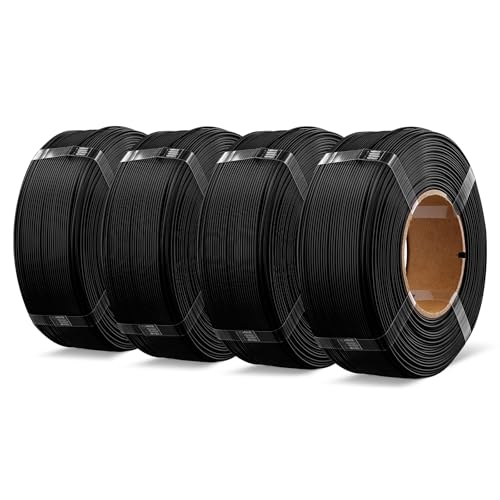
The OVERTURE 4kg Rapid Refill PLA+ bundle is $81.99 for four 1kg black refills, sold by OVERTURE 3D Australia, and it's #105 in the category Amazon AU files it under, which is Pen Refills. Ignore the odd category. What you're buying is spoolless filament, four coils with no spool, designed to snap onto a reusable master spool. The listing says it's compatible with the Bambu Lab AMS reusable spool and other master spools, and describes it as PLA+ 2.0, a high-fluidity formula for printing at up to 300mm/s on printers that can actually run that fast. It comes from OVERTURE's own Australian storefront, the same seller as the rest of its range on Amazon AU.
The appeal is cost per kilo and less waste. At $81.99 for 4kg it's about $20.50 a kilo, against $25.64 for a single 1kg eSUN PLA+ spool at time of writing. It also means four fewer empty spools in the bin, and no cardboard spool edges shedding into an AMS. The listing says each refill is dried for 24 hours and vacuum-sealed, and it claims better toughness and impact resistance than OVERTURE's earlier PLA+, along with a larger inside diameter to cut friction as the filament feeds off the spool. Over a year of steady printing, that per-kilo gap is the difference between a spare spool and a second roll of PETG, so it's worth doing the sums on your own usage.
You need a master spool before this is any use, and the listing doesn't say one is included, so assume it isn't. Fitting a refill takes a bit of care: keep the retaining ties on until the coil is seated, then cut them, or the outer loops spring loose and tangle. Four kilos of one colour only makes sense if you print a lot. If that's you, this is the best value here by a fair margin. Store the three you aren't using in their sealed bags until you need them, rather than opening the lot at once.
Honest caveats: no master spool is mentioned on the listing, so budget for one if you don't already have a reusable spool. All four refills are black. The 300mm/s figure depends on your printer, and older machines won't get near it. Amazon AU lists it under Pen Refills, so its rank isn't comparable with the others here.
Best for: Heavy users with a reusable or AMS spool who print most parts in black.
Material: PLA+ 2.0 • Format: Spoolless refill, 4 x 1kg • Diameter: 1.75mm • Fits: Bambu AMS reusable spool and master spools (per listing) • Speed: Up to 300mm/s (per listing) • Packaging: Dried 24 hours, vacuum sealed • Rank: #105 in Pen Refills (Amazon AU)
View on Amazon AU
Creality TPU Flexible Filament 95A, 1.75mm, 1kg, Blue
ASIN B0C2Z2KGDR • $39.99 • Sold by Creality CL AU Store on Amazon AU
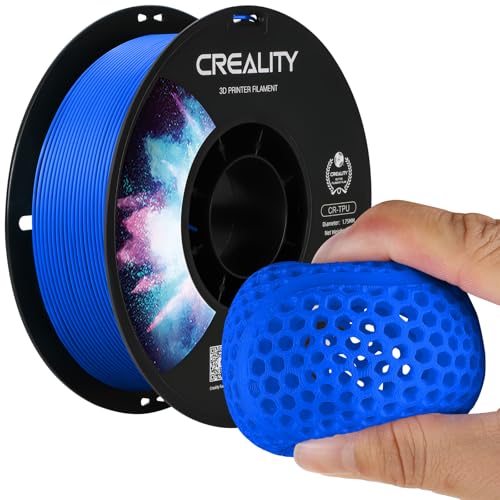
Creality's TPU is #20 in Amazon AU's Printer Accessories category at $39.99 for 1kg, sold by Creality CL AU Store. It's a 95A shore hardness TPU in 1.75mm, and the listing says it stretches to three times its original length, with good bed adhesion and low warping. That makes it the filament for anything that needs to flex and recover: bumpers, feet for gear, cable strain reliefs, seals and gaskets, and protective cases. The listing also mentions drone parts and watch bands among its uses, which gives you an idea of the firmness, closer to a shoe sole than a rubber band. This listing is the blue one, and the colour makes no difference to how it prints or how flexible it ends up.
TPU is the hardest of these materials to print, and the listing is upfront about the main reason: it recommends a direct drive extruder, which it says greatly improves the success rate. On a Bowden printer, where the filament is pushed through a long tube, soft TPU tends to buckle and jam. Print it slowly, turn retraction down, and feed it from an external spool holder rather than through a multi-spool system. Creality says the spools are dried for 24 hours, vacuum sealed with desiccant, and wound by machine with manual checks afterwards. None of that helps if the printer can't push it, so check your extruder type before you order a spool.
TPU soaks up water quickly, and wet TPU strings and blobs worse than anything else you'll put through a printer, so keep it in the dryer or a sealed tub between jobs. I'd only buy a kilo if you know you've got a use for it. It goes a long way, since most TPU parts are small, and it's exactly the kind of spool that sits around getting damp between projects. If you've only got one or two small parts in mind, finish them, then bag the spool with fresh desiccant straight away so it's ready for the next job.
Honest caveats: the title quotes a tolerance of plus or minus 0.03mm and a bullet says 0.05mm, so treat the looser figure as the real one. Printing temperatures aren't stated on the listing. TPU is a poor match for most automatic multi-spool feeders, and it needs a direct drive extruder to print well.
Best for: Flexible parts like bumpers, feet, gaskets and cases on a direct drive printer.
Material: TPU • Hardness: 95A • Diameter: 1.75mm • Weight: 1kg • Stretch: Up to 3x original length (per listing) • Extruder: Direct drive recommended • Colour: Blue • Rank: #20 in Printer Accessories (Amazon AU)
View on Amazon AU
Creality Space Pi SE Filament Dryer Box Pro, 45 to 65°C, 1kg Spools
ASIN B0CJ2YVVFM • $79.99 • Sold by Creality CL AU Store on Amazon AU
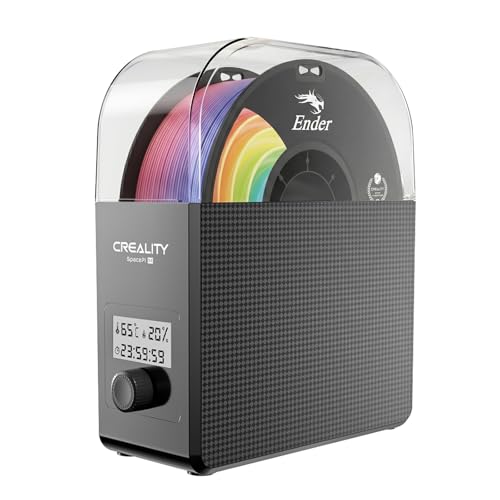
The Creality Space Pi SE (listed as the Filament Dryer Box Pro) is #35 in Amazon AU's Printer Accessories category at $79.99, sold by Creality CL AU Store. It holds one 1kg spool of 1.75mm or 2.85mm filament and heats it with a PTC heater and a fan that circulates air around the chamber. Temperature is adjustable from 45 to 65°C, the timer runs from 0 to 24 hours, and the display shows real-time humidity and the countdown. The listing says it reaches 65°C within 15 minutes, and it runs on 220 to 240V at 50/60Hz, so it's built for Australian power. No plug adapter or transformer is needed, which isn't always true of filament gear sold through marketplaces.
It's the piece of kit I'd buy alongside a second spool, not after the tenth failed print. Being able to print straight out of the dryer is the main benefit, because a PETG or TPU spool stays warm and dry for the whole job instead of picking up moisture again on an open holder. Creality has added insulation to the inner wall, which keeps heat in and the outside cooler to touch. The listed materials include PLA, PLA+, PETG, TPU, ABS, ASA, PP, PC and nylon, though I reckon the 65°C ceiling is on the low side for drying nylon properly. For the three filaments in this guide, though, the range covers what their makers ask for.
If you've got an AMS or run two printers, Creality also sells the Space Pi V2 Plus at $149, which according to its listing holds two 1kg rolls, goes to 75°C and has 12 material presets. For one printer and one active spool, the SE does the job. Plug it into a wall socket rather than a crowded powerboard, keep the vents clear, and seal the spool in a bag once it's dry. A dryer won't rescue filament that's gone brittle with age, but it fixes the stringing and popping from moisture, which is the far more common problem.
Honest caveats: the listing doesn't state the power draw, so I can't give a running cost per drying cycle. It takes one spool at a time, and a 65°C maximum suits PLA, PETG and TPU but won't fully dry nylon. Humidity readings from small built-in sensors are a guide rather than a precise figure.
Best for: Anyone printing PETG or TPU, or keeping spools in a garage or shed near the coast.
Capacity: One 1kg spool • Diameters: 1.75mm and 2.85mm • Temperature: 45 to 65°C, adjustable • Timer: 0 to 24 hours • Heating: PTC heater with fan • Display: Humidity and countdown • Power: 220 to 240V, 50/60Hz • Rank: #35 in Printer Accessories (Amazon AU)
View on Amazon AUSide-by-side comparison
| Product | Price | Best for |
|---|---|---|
| eSUN Basic PLA Filament 1.75mm | ~$26.99 | The lowest-cost way in: plain PLA for models and first prints |
| eSUN PETG Filament 1.75mm | ~$23.19 | Outdoor, wet or load-bearing parts |
| eSUN PLA+ 3D Printing Filament PLA PRO Plus… | ~$25.64 | Functional parts and a forgiving first spool |
| OVERTURE 2KG Bundle Rapid PETG 3D Printer… | ~$43.99 | Two black PETG spools in one bundle |
| Creality Official TPU Filament | ~$39.99 | Flexible parts like bumpers, gaskets and feet |
| OVERTURE 4KG Bundle Rapid Refill PLA+ 3D… | ~$81.99 | Heavy users with a reusable or AMS spool who print in black |
| Creality Official 2026 New Upgrade Filament… | ~$79.99 | Anyone printing PETG or TPU, or keeping spools in a garage or shed |
| Creality Space Pi V2 Plus Filament Dryer | ~$149 | Two printers or an AMS, with room for two 1kg rolls |
What we see fail at the bench: filament and feed faults
Most of what goes wrong with a home 3D printer starts in the filament path rather than the electronics, and it tends to look like a hardware fault when it isn't. These are the three I'd rule out before blaming the printer, buying a new hotend or pulling the board. Each one is quick to check with the printer cold and a torch.
Partial clogs from wet or dusty filament
A partial clog is the classic slow failure. The printer still extrudes, but lines get thin, layers skip, and the extruder clicks as the gear slips on the filament. Wet filament can leave degraded plastic in the nozzle, and dust carried in on the filament, including cardboard fibres from a spool, builds up at the same spot. A cold pull clears most of it: heat the nozzle, push filament through, let it cool a little and pull it out. If the extruder gear has chewed a groove into the filament, clean the gear teeth too, because they'll be packed with plastic dust.
Brittle PLA snapping in the feed path
PLA that's old or has been sitting in a humid room goes brittle, and it snaps where it bends most, usually in the PTFE tube or where it enters a multi-spool feeder. On an AMS, a snapped piece left in the tube blocks that slot until you pull it out, and the printer often reports it as a feed error rather than a broken filament. Dry the spool, cut the end square before loading, and replace a PTFE tube that's kinked or discoloured near the hot end. It's a small part and a common one.
Tangles that look like a motor failure
A tangle on the spool stops filament mid-print and the extruder can't pull any more through. Depending on the printer, that shows up as skipped extrusion, a jammed-filament warning, or nothing at all while the head keeps moving. People sometimes assume the extruder motor has failed. Check the spool first, because a crossed-over loop is usually obvious once you turn it by hand. It almost always started when the loose end was let go while changing spools, so clip it into the edge every time and you'll rarely see it again.
Decision tree: which one should you actually buy?
- New to printing and want one spool that just works? → Start with the eSUN PLA+ at $25.64. It's the #1 ranked filament here and forgiving on default settings.
- Printing parts for outside or the car? → Use the eSUN PETG at $23.19, and dry it before long prints.
- Print a lot of black parts and own a reusable spool? → The OVERTURE 4kg PLA+ refill at $81.99 works out to about $20.50 a kilo, with no spools to throw away.
- Need something flexible? → The Creality TPU 95A at $39.99, printed on a direct drive extruder from an external spool holder.
- Prints stringing, popping or snapping in the tube? → Dry the spool before you change anything else. The Creality Space Pi SE at $79.99 dries one spool and lets you print straight from it.
- Printer resetting, cutting out or not powering on at all? → That's electrical, not filament. Bring it into our Erina workshop and I'll check the power supply and wiring and tell you whether it's worth fixing before you spend anything.
Frequently asked questions
What's the difference between PLA and PLA+?
PLA+ is PLA with additives that make it tougher and less brittle, so functional parts like clips and brackets are less likely to snap. There's no industry standard for what the plus means, so the exact blend varies from brand to brand. It prints at much the same settings as ordinary PLA and is just as easy to use. It still softens with heat like normal PLA, so neither is a good choice for parts left in a hot car or near anything that runs warm. For a first spool, I'd usually pick PLA+ over plain PLA.
Do I really need a filament dryer?
If you print PETG or TPU, or keep your printer in a garage, shed or spare room near the coast, yes. Those materials pull moisture out of the air quickly, and wet filament causes stringing, popping, rough surfaces and weak layers that look like a printer fault. If you only print PLA in an air-conditioned room and use spools within a few weeks, you can get by with a sealed tub and silica gel. A dryer you can print straight out of is the simplest fix, and it costs less than a couple of failed long prints in wasted plastic and time.
Can I use third-party filament in a Bambu Lab AMS?
Yes. Third-party filament feeds through an AMS the same way, but it doesn't have the RFID tag that Bambu's own spools carry, so you set the material type and colour by hand for each slot. Cardboard spools are the main nuisance, because they can shed fibres into the feed rollers or slip instead of turning. Plastic spools, or spoolless refills on a reusable master spool, avoid that. Keep flexible TPU out of the AMS and feed it from an external spool holder instead. At time of writing I couldn't find Bambu-brand filament on Amazon AU.
Is PETG or PLA better for outdoor parts?
PETG, for most outdoor jobs. It's tougher, handles water better and doesn't soften as early as PLA, which can sag in summer sun or inside a hot car. PETG isn't perfect outdoors either, because long-term sun exposure still degrades it over time. For parts that will sit in full sun for years, ASA is the material most people use, though it usually needs an enclosed printer. For garden fittings, hose brackets and anything that gets wet but isn't baking all day, PETG is the sensible middle ground and it prints on almost any machine.
How should I store 3D printer filament?
Keep it sealed with desiccant whenever it isn't on the printer. A clear tub with a good lid and a few sachets of rechargeable silica gel works, or a vacuum bag with a desiccant sachet inside. Dry a spool before storing it if it's been open for a while, and recharge the silica gel when the indicator changes colour. Always clip the loose end into the spool edge before it goes away, because a loose end is how most tangles start. On the coast, a spool left open on a holder for weeks will need drying before its next long print.
How do I know if my filament is wet?
Listen and look at the first layers. Wet filament often makes small popping or hissing sounds at the nozzle as the water boils off, and you'll see fine stringing, a fuzzy or bubbly surface, and layers that separate more easily than they should. Wet PLA also tends to go brittle and snap in the feed tube. If a spool printed well when new and has slowly got worse while sitting on the holder, moisture is the likely cause. Dry it according to the maker's temperature and time, then print the same test part again and compare.
Related buying guides
Printer dead, resetting or cutting out?
When a 3D printer won't power on, resets mid-print or cuts out when the bed heats up, the cause is often the power supply, a loose connector or heat damage at a plug rather than the printer as a whole. Bring it into Erina and I'll check the power side and the wiring, and tell you what's wrong and what it'll cost before you spend anything. If it isn't worth fixing, I'll say so.
Visit our Erina workshop Book Online