Prices from Amazon AU, updated daily. Swipe or use the arrows for more.
Disclosure: This article contains affiliate links to amazon.com.au. If you buy through one of these links iFix may earn a small commission at no extra cost to you. It doesn't change which products we recommend. We focus on what actually lasts based on 16 years of repair-shop experience.
Quick summary8 picks
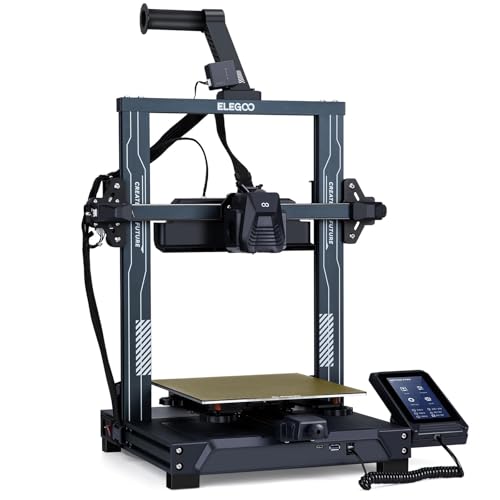
- Entry PickELEGOO Neptune 3 Pro FDM 3D Printer about$339250W.
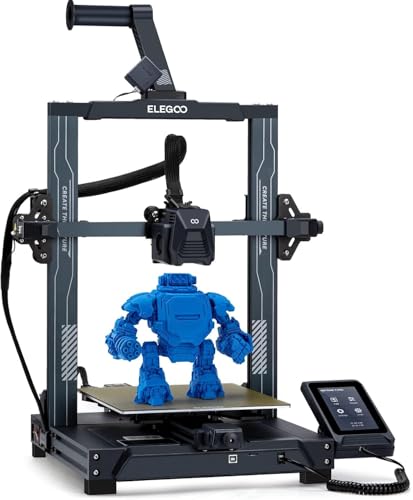
- ELEGOO Neptune 4 Pro FDM 3D Printer about$5498GB RAM, 100W.
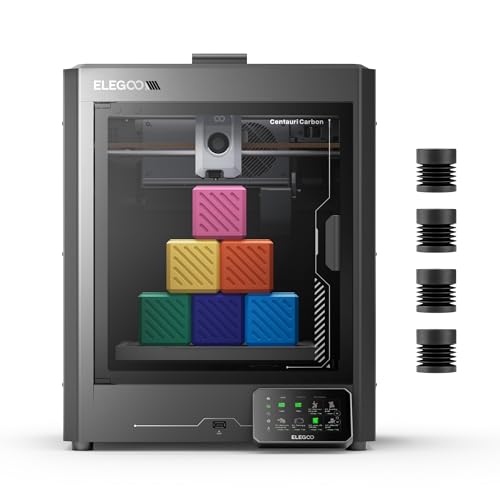
- ELEGOO Centauri Carbon 3D Printer about$599
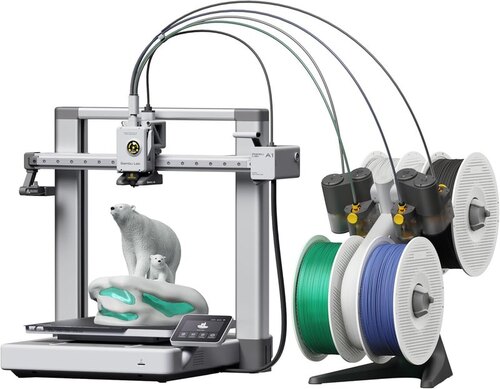
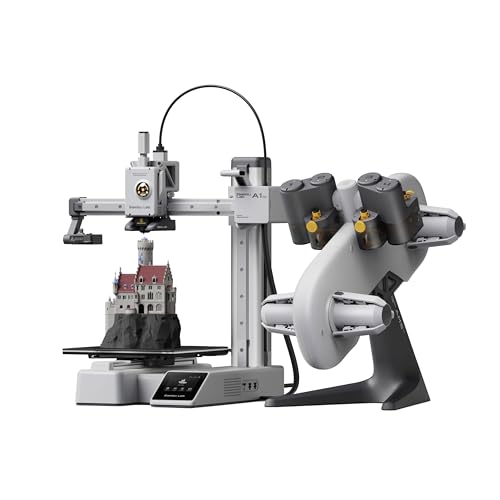
- Bambu Lab A1 3D Printer about$639
- Bambu Lab A1 Mini Combo about$739
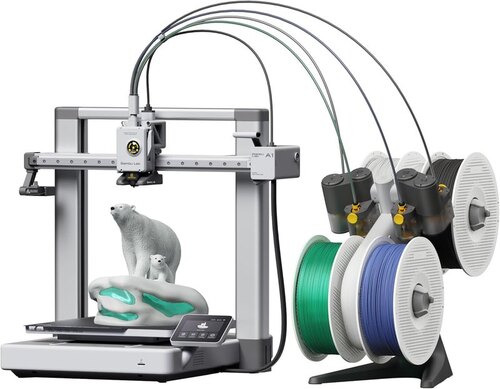
- Bambu Lab A1 Combo about$899
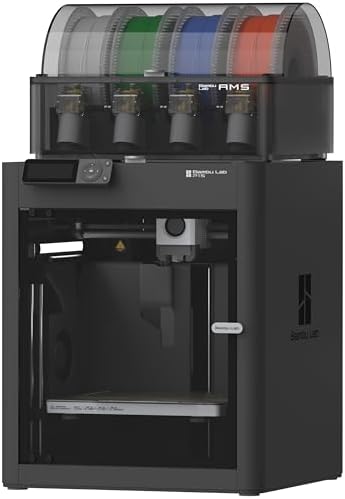
- Bambu Lab P1S Combo about$1,229
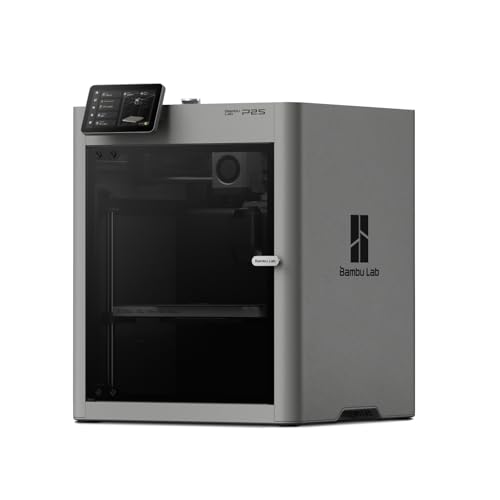
- Most PremiumBambu Lab P2S 3D Printer about$1,299
Why this guide only covers Elegoo and Bambu Lab
There are a lot of 3D printer brands on Amazon AU, but past the first page most of what you'll find is sold by overseas sellers, or by resellers you've never heard of with no local warranty behind them. Elegoo and Bambu Lab both sell through their own brand storefronts on Amazon AU, and between them they cover every price point from a first printer to something that'll run every day in a small business. So rather than pad this out with brands I wouldn't send anyone to, I've kept it to the two I'd actually recommend.
They come at the job from opposite directions. Elegoo generally gives you more hardware for the money, and its printers are more open to tinkering (the Neptune 4 Pro runs Klipper, which you can reconfigure as much as you like). Bambu Lab gives you a closed, polished system where the printer, the slicer software, the phone app and the model library all come from one company. The printer calibrates itself and most first prints just work. Neither approach is wrong, and which one is better value mostly comes down to how much you enjoy fiddling.
Prices here are Amazon AU at time of writing, and every pick links to its listing so you can check today's price. If you already own a printer and you're here because it's stopped working, skip down to the section on what fails, or bring it into our Erina workshop and we'll take a look.
Bed slinger, CoreXY or enclosed: the choice that matters most
Every printer here is FDM, which means it melts plastic filament through a hot nozzle and builds the object up a layer at a time. What separates them isn't the headline speed, it's how they move. A bed slinger moves the print bed back and forth for one axis and the print head sideways for the other. The two Neptunes and both A1 models work this way. They're simpler and they cost less to build, but the bed is a heavy moving mass, so tall, thin prints can wobble and the machine needs a lot of room front to back. Bambu's own setup guidance for the A1 allows about 545 mm of depth for the bed to travel, which is more than a lot of desks have.
A CoreXY printer only moves the bed up and down and flies the print head around on a gantry above it. The Centauri Carbon and the P1S Combo are both CoreXY. They're faster in practice, they handle tall prints better, and they fit neatly in a box, which is why both come enclosed. The enclosure is the real reason to pay more. ABS and ASA shrink as they cool, and in an open printer a draught from a window or an air conditioner is usually enough to lift a corner off the plate halfway through a ten-hour print.
If you'll only ever print PLA and PETG, which covers brackets, drawer organisers, cable clips, cosplay pieces and most of what's on the model sites, an open bed slinger is perfectly fine. If you want parts that'll survive a hot car dashboard or sit near an engine, you want an enclosed printer and ABS or ASA.
What value actually means with a 3D printer
The box price is the smallest part of what a printer costs you. The bigger costs are failed prints and your time. A printer that needs its bed levelled by hand, its first layer tuned and its nozzle unclogged every other week can easily cost you more in wasted filament and lost evenings than the $300 you saved buying it. That's why a $639 A1 can be better value than a $270 Neptune 3 Pro for someone who just wants the thing to work, and why the Neptune is better value for someone who'd enjoy learning all of that anyway.
Then there are the consumables. Nozzles wear, especially with glow-in-the-dark and carbon fibre filled filaments, which are abrasive. Build plates lose their grip after enough prints and get replaced. Filament is the ongoing cost, and multicolour printing uses more of it than you'd expect because the printer purges plastic every time it changes colour. On a small four-colour model the purge can outweigh the print itself, so I'd treat multicolour as something you pay for on every print, not just once at the checkout.
Parts supply matters too. Bambu printers have a big range of spares on Amazon AU from Bambu and third-party sellers, which makes them easy to keep running for years. Elegoo's older Neptunes use common parts that fit a lot of printers. The Centauri Carbon is newer and has less on the shelf so far, which is worth knowing if you're planning to run it hard.
How big a printer you actually need
Build volume sounds like a bigger-is-better number, but most household prints are small. Replacement knobs, phone stands, hooks, cable clips, drawer dividers and brackets almost all fit inside a 180 mm cube, which is why the A1 Mini works for so many people. Where it runs out is anything wide or tall: a helmet, a large planter, a full-size storage box, or a plate full of the same part printed in one go.
The step to 256 mm, which the Centauri Carbon, A1 and P1S Combo all share, is bigger than it looks. It's close to three times the volume of a 180 mm cube, and in practice it means you rarely have to split a model into pieces and glue it back together. The Neptunes sit in between at 225 mm across, with the Neptune 3 Pro the tallest here at 280 mm. If you're not sure, I'd buy the bigger printer. Nobody I know has ever wished their printer was smaller, but plenty of people have outgrown a small one within a few months.
Speed numbers and what you'll actually print at
Almost every printer box now says 500 mm/s. Treat it like the top number on a car's speedo. It's a peak the print head can hit on a long straight move, not what you'll get on a real model with corners, small details and layer changes. Elegoo is fairly honest about it: the Neptune 4 Pro listing quotes 500 mm/s and then recommends 250 mm/s in the same sentence.
Acceleration is the more useful number, because most prints are made of short moves where the head never gets near full speed. The P1S Combo and the Centauri Carbon both list 20,000 mm/s², while the A1 and A1 Mini list 10,000 mm/s². The Neptune 3 Pro doesn't list either figure, and it's the slowest machine here by a fair margin. For a lot of people that doesn't matter much, since a printer mostly runs while you're doing something else.
What lets a fast printer produce clean parts is firmware that cancels out vibration (input shaping) and compensates for pressure building up in the nozzle (pressure advance). The Neptune 4 Pro lists both, the Centauri Carbon lists vibration compensation and pressure advance, and Bambu handles the equivalent in its automatic calibration routine. The Neptune 3 Pro's listing doesn't mention either, which goes a long way to explaining why it's the slow one. You can still get lovely prints out of it, you just have to be patient.
Open versus closed: the software side
This is where the two brands differ the most. Bambu Lab's printers are built to run through Bambu Studio on a computer and Bambu Handy on your phone, with models from its MakerWorld library. It's slick, and for a beginner it's the easiest way I know to get from a download to a finished print. The trade is that you're working inside Bambu's system, with its parts, its software and its way of doing things.
Elegoo is more open. The Neptune 4 Pro runs Klipper, which is open-source firmware you can modify, and Elegoo's printers generally work with the common free slicers. If you like owning the whole stack (and if you've built a Home Assistant setup at home, you probably do), that openness is worth something. It also means more of your weekends go into tuning.
Both brands want the printer on your home Wi-Fi. If your router supports a guest or IoT network, put it there like you would any other smart device, and keep the firmware updated.
Power, safety and where to put it
A 3D printer is a heater that runs unattended for hours at a time, so treat it like one. Plug it straight into a wall socket rather than a daisy-chained powerboard, check that the power supply and cord carry the RCM mark, and keep it off carpet and away from curtains. Have a working smoke alarm in the room. None of that is specific to these brands, it's just what you'd do with anything that has a hot plate and a nozzle running at 300°C.
Running cost is small. The Neptune 4 Pro's bed is listed as a 100W centre zone plus a 150W outer zone. At the AU average tariff of roughly 33c/kWh, running both zones flat out for an hour costs about 8c, so even a ten-hour print with the whole bed on is under a dollar before you add the hotend and fans. Beds cycle on and off once they're up to temperature, so real use is usually lower.
Heat is the other thing to think about. Enclosed printers get warm inside, and none of them love a shed in January. Keep the printer somewhere that doesn't bake, and if you're thinking of running one from a portable power station, check its continuous output first, because a heated bed warming up pulls a lot more than the printer uses once it's settled.
Filament, humidity and what to buy with the printer
Filament soaks up moisture from the air, and PETG, TPU and nylon are worse for it than PLA. Wet filament pops and strings as it prints, gives rough surfaces and weak layers, and it's one of the most common reasons a printer that used to print well suddenly doesn't. On the Central Coast, with the humidity we get most of summer, spools left open on a shelf for a few weeks are often the problem, not the printer.
The fix is boring. Keep spools sealed in a box or bag with desiccant, and dry them before use if they've been sitting out. The AMS that comes with the P1S Combo is enclosed and holds desiccant, which helps. The AMS lite on the A1 and A1 Mini Combos is open, so the loaded spools sit in room air the whole time. A dry box costs far less than a printer and will save you chasing a fault that isn't there.
A printer on its own gets you started, but a few small things make the first month a lot less frustrating. Buy a couple of spools of PLA from a known brand rather than whatever's on special that week, because inconsistent diameter is one of the easiest ways to get bad prints on a good printer. Grab a spare nozzle that matches your printer, a sealed container with desiccant for your spools, and a set of digital calipers so you can measure the thing you're trying to replace.
A spare build plate is worth having once you're printing regularly, since a scratched or greasy plate is behind a lot of first-layer problems. Wash it with warm water and dish soap now and then, and don't touch the print surface with your fingers, because skin oil is enough to stop PLA sticking. That's honestly most of the maintenance a modern printer needs, apart from keeping the rods and rails clean and the fans free of dust.
The 8 picks, $270 to $1,299
Prices are Amazon AU at time of writing (28 September 2026) and move week to week. Ranks are Amazon AU overall sales ranks, checked the same day. Build volumes for the Bambu A1 range come from Bambu's spec sheet, since the Amazon listings don't state them.

ELEGOO Neptune 3 Pro
ASIN B0BKGFSK4Z • $269.99 • Sold by ELEGOO Official AU on Amazon AU
The Neptune 3 Pro is the oldest design here and it's still the lowest cost way into a proper full-size printer from either brand. You get a 225 x 225 x 280 mm build volume, which is the tallest on this list, a dual-gear direct drive extruder, and a sensor that auto-levels the bed across 36 points. The Z axis runs on two lead screws with two motors, which matters more than it sounds, because a single-screw gantry tends to sag on one side and you end up chasing that in your first layers forever.
What you don't get is speed. The listing doesn't mention input shaping or a top print speed, so treat this as a slow and steady machine. That's fine if you're printing brackets, clips and replacement knobs, which is what most people end up printing once the novelty of little boats wears off. It sits at #3,037 across all of Amazon AU at time of writing, so plenty of people are still buying them, and the parts are common.
Pros
- Tallest print height here at 280 mm
- Direct drive extruder rather than a Bowden tube
- Dual Z screws keep the gantry square
- Common parts that are easy to replace
Cons
- Slowest printer on this list
- Some assembly out of the box
- Open frame, so ABS and ASA will warp
Honest caveats: The listing doesn't state a top print speed or mention input shaping, so don't compare it with the 500 mm/s machines. The auto levelling only works on the metal plate, according to the listing. It's an open-frame bed slinger, so it needs clear space front and back for the bed to travel.
Best for: Someone who wants to learn how a printer actually works and doesn't mind slower prints.
Build volume: 225 x 225 x 280 mm • Motion: Bed slinger, open frame • Extruder: Dual-gear direct drive, 3:1 • Bed levelling: 36-point auto (metal plate) • Screen: 4.3in removable touchscreen • Noise: 47 to 48 dB (listing) • Rank: #3,037 overall on Amazon AU
View on Amazon AU
ELEGOO Neptune 4 Pro
ASIN B0CCY8T41K • $549 • Sold by ELEGOO Official AU on Amazon AU
The Neptune 4 Pro is the same basic shape as the 3 Pro with a much faster brain. It ships with Klipper firmware on a quad-core ARM board, and that's what gives it input shaping and pressure advance, the two things that let a bed slinger print fast without the walls rippling. Elegoo quotes 500 mm/s but recommends 250 mm/s on its own listing, and I'd take the second number as the real one.
The bits I like are practical. The bed has two heating zones (a 100W centre and a 150W outer area), so small prints don't heat the whole plate, the hotend goes to 300°C for nylon, and there's 121-point auto levelling plus hand knobs if you want to fine-tune it. Klipper also means it's open, so if you want to get into config files and macros, this is the most hackable printer here. It ranks #3,039 across Amazon AU.
Pros
- Klipper firmware you can modify
- Split heated bed saves power on small prints
- 300°C hotend handles nylon
- Six cooling fans on the print head
Cons
- Real speed is about half the headline
- Open frame, so draughts cause warping
- More tuning than a Bambu
Honest caveats: The 500 mm/s figure is a peak, and the listing itself recommends 250 mm/s. It's still a bed slinger, so tall, narrow prints can wobble at speed. Klipper is powerful, but you'll end up in config files sooner or later, which is fun for some people and a chore for others.
Best for: The tinkerer who wants a fast, open printer they can modify.
Build volume: 225 x 225 x 265 mm • Firmware: Klipper, pre-installed • Rated speed: Up to 500 mm/s (250 mm/s recommended) • Hotend: Up to 300°C • Heated bed: 100W centre + 150W outer zone • Bed levelling: 121-point auto plus manual knobs • Rank: #3,039 overall on Amazon AU
View on Amazon AU
ELEGOO Centauri Carbon
ASIN B0FDQP54X8 • $599 • Sold by ELEGOO Official AU on Amazon AU
This is the one I'd point most people at if they asked me for the best value printer, full stop. For $599 at time of writing you get a CoreXY machine in a die-cast aluminium frame with a full enclosure, a 256 x 256 x 256 mm build volume, a hardened steel nozzle that runs to 320°C, and a chamber camera so you can watch prints from your phone. That spec sheet used to cost a lot more.
The hardened nozzle is the big one. Carbon fibre filled filaments wear out a plain brass nozzle quickly, and Bambu's own P1S Combo listing says carbon and glass fibre filaments aren't recommended. The Centauri Carbon is sold for exactly that job. It arrives assembled and pre-calibrated, and it's the only Elegoo here that gets close to Bambu for ease of setup. It ranks lower than the others at #21,064 across Amazon AU, so it has less of a track record so far.
Pros
- Enclosed CoreXY frame
- Hardened steel nozzle for carbon fibre filaments
- Built-in chamber camera
- Arrives assembled and calibrated
Cons
- Least sales history of the eight
- Fewer spare parts on Amazon AU than Bambu
- Multicolour isn't offered on this listing
Honest caveats: The listing doesn't mention a multi-material system, so treat it as a single-colour printer. It's newer than everything else here, which means fewer third-party spares on Amazon AU than Bambu has. Enclosed printers run warm inside, so for PLA you may need the lid or door open, which is normal for any enclosed machine.
Best for: Best overall value: an enclosed, fast printer that can handle engineering filaments.
Build volume: 256 x 256 x 256 mm • Motion: CoreXY, enclosed • Frame: Die-cast aluminium • Nozzle: Hardened steel, up to 320°C • Speed: Up to 500 mm/s, 20,000 mm/s² • Extras: Chamber camera, dual LED lights • Rank: #21,064 overall on Amazon AU
View on Amazon AU
Bambu Lab A1
ASIN B0D17TMWFB • $639 • Sold by Bambu Lab Technology on Amazon AU
The A1 is the printer I'd buy for someone who never wants to think about calibration. It handles bed levelling and Z offset on its own, and its active flow rate compensation adjusts extrusion as it prints. The nozzle is a one-clip quick swap, so changing a clogged one is a one-minute job rather than a hot, fiddly one. Build volume is 256 x 256 x 256 mm according to Bambu's spec sheet, since the Amazon listing doesn't say.
It's an open-frame bed slinger, so it's in the same family as the Neptunes, just with a lot more polish. The bed needs about 545 mm of front-to-back clearance per Bambu's setup guidance, which catches people out on a standard desk. It's also ready for the AMS lite, so you can add four-colour printing later, or buy the A1 Combo further down with it already in the box. It ranks #3,826 across Amazon AU.
Pros
- Calibrates itself
- One-clip quick-swap nozzle
- Can add four-colour AMS lite later
- Active motor noise cancelling
Cons
- Open frame, so it's PLA and PETG territory
- Needs deep desk space for bed travel
- Tied to Bambu's software and parts
Honest caveats: Bambu recalled some early A1 units in 2024 over the heated bed cable. Stock sold now is well past that, but it shows where bed slingers wear: the cable that flexes every time the bed moves. It's sold by Bambu Lab Technology on Amazon AU rather than by Amazon, so warranty goes through Bambu.
Best for: A beginner who wants full-size prints without learning to calibrate.
Build volume: 256 x 256 x 256 mm (Bambu spec) • Motion: Bed slinger, open frame • Calibration: Full auto, with active flow compensation • Nozzle: One-clip quick swap • Multicolour: AMS lite, sold separately • Acceleration: 10,000 mm/s² • Rank: #3,826 overall on Amazon AU
View on Amazon AU
Bambu Lab A1 Mini Combo (with AMS lite)
ASIN B0CRYZWJLG • $739 • Sold by Bambu Lab Technology on Amazon AU
The A1 Mini Combo is the smallest printer here, with a 180 x 180 x 180 mm build volume and a footprint that'll sit on a bookshelf, and it comes with the AMS lite for four-colour printing. Setup takes about 20 minutes according to Bambu's listing, and it's rated at 48 dB or under, which makes it the one I'd put in a bedroom or on a kid's desk.
The trade is size. 180 mm sounds fine until you want a helmet, a big enclosure or a batch of parts on one plate, and then you hit the edges quickly. The bed only goes to 80°C per Bambu's specs, so it's a PLA, PETG and TPU machine. I'd think of it as the easiest way into multicolour, not as a printer you'll grow into. It ranks #6,444 across Amazon AU.
Pros
- Four-colour printing included
- Small enough for a bookshelf
- Rated at 48 dB or under
- About 20 minutes to set up
Cons
- 180 mm build volume fills up fast
- 80°C bed rules out ABS and ASA
- The A1 Combo gives far more room
Honest caveats: Multicolour prints purge filament at every colour change, so a four-colour print wastes plastic and takes much longer than the same model in one colour. The plain A1 Mini had no live offer on Amazon AU at time of writing, which is why the Combo is listed here. Sold by Bambu Lab Technology.
Best for: Small spaces, kids and first-timers who want multicolour straight away.
Build volume: 180 x 180 x 180 mm (Bambu spec) • Included: AMS lite, 4 spools • Noise: 48 dB or under (listing) • Setup: About 20 minutes (listing) • Max bed temp: 80°C (Bambu spec) • Acceleration: 10,000 mm/s² • Rank: #6,444 overall on Amazon AU
View on Amazon AU
Bambu Lab A1 Combo (with AMS lite)
ASIN B0D17V4SKM • $899 • Sold by Bambu Lab Technology on Amazon AU
The A1 Combo is the plain A1 with the AMS lite in the box, and I reckon it's the best value way into multicolour. You get the full 256 mm build volume, the self-calibration and the quick-swap nozzle, plus a four-spool feeder that changes filament for you. Even for single-colour work it's handy, because you can keep four different filaments loaded and pick one in the slicer without swapping spools by hand.
It shares the A1's limits: an open frame, PLA and PETG as its natural materials, and a bed that needs room to travel. The AMS lite sits beside the printer rather than in a sealed box, so on a humid Central Coast day your loaded spools are sitting in the open air, which matters more than people think (see the filament section above). It shares the A1's #3,826 rank across Amazon AU.
Pros
- Four-colour printing in the box
- Full 256 mm build volume
- Same self-calibration as the A1
- Switch filaments without touching a spool
Cons
- AMS lite leaves spools open to humid air
- Purging wastes filament on colour prints
- Open frame, so no ABS or ASA
Honest caveats: It's the same printer as the A1, so the point about the bed cable applies here too. Multicolour prints are slower and waste filament in purging, so price your filament before you plan a lot of colour work. Sold by Bambu Lab Technology.
Best for: The best value multicolour printer for most homes.
Build volume: 256 x 256 x 256 mm (Bambu spec) • Included: AMS lite, 4 spools • Calibration: Full auto, with active flow compensation • Nozzle: One-clip quick swap • Acceleration: 10,000 mm/s² • Rank: #3,826 overall on Amazon AU
View on Amazon AU
Bambu Lab P1S Combo (with AMS)
ASIN B0CHDS1DMC • $1,229 • Sold by Bambu Lab Technology on Amazon AU
This is the printer I bought for the workshop. The P1S Combo is the enclosed P1S with the full AMS, which is enclosed too, so your filament sits in a closed box with desiccant rather than in open air. You get multicolour in ABS and ASA without warping, up to 16 colours if you add more AMS units, and the same Bambu software that makes the whole thing close to plug and play.
Is it value? It costs about twice what the Centauri Carbon does for enclosed single-colour printing. But if you want enclosed and multicolour in one box, with parts you can buy almost anywhere, this is the combination that makes sense, and the AMS is already in the box. It ranks #4,507 across Amazon AU.
Pros
- Enclosed printer and enclosed AMS
- Multicolour in ABS and ASA
- Expands to 16 colours
- Plug-and-play Bambu software
Cons
- Costs about twice the Centauri Carbon
- Carbon and glass fibre not recommended
- Takes a lot of shelf height with the AMS on top
Honest caveats: Bambu's listing says carbon and glass fibre filaments aren't recommended, so if that's your main use, buy the Centauri Carbon instead. Multicolour prints purge filament at every change, so they cost more per print than the model's weight suggests. Sold by Bambu Lab Technology.
Best for: Anyone who knows they want enclosed multicolour printing and doesn't want to tinker.
Build volume: 256 x 256 x 256 mm • Motion: CoreXY, enclosed • Included: AMS, 4 spools, enclosed • Multicolour: Up to 16 with extra AMS units • Speed: Up to 500 mm/s, 20,000 mm/s² • Rank: #4,507 overall on Amazon AU
View on Amazon AU
Bambu Lab P2S
ASIN B0FT7ZLSSC • $1,299 • Sold by Bambu Lab Technology on Amazon AU
The P2S is the plain, single-colour Bambu at the top of this list. Bambu's listing says it prints at up to 600 mm/s with a servo extruder and active flowrate compensation, and that its adaptive airflow system can hold a 50 °C chamber for engineering-grade materials, with a carbon filter on the air. Setup is listed at about 15 minutes, with automatic calibration, quick-swap nozzles and AI failure detection.
The listing is upfront that multicolour printing needs the Combo version, so the AMS 2 Pro (with filament drying up to 65 °C) is a separate decision. At $1,299 it costs more than twice the Centauri Carbon, so what you're paying for is the Bambu software, the MakerWorld model library and a printer that is set up to look after itself. It ranks #8,329 across Amazon AU.
Pros
- Holds a 50 °C chamber for tougher filaments
- Up to 600 mm/s with AI failure detection
- Carbon filter on the chamber air
- About 15 minutes from box to first print
Cons
- No multicolour without the Combo
- Costs over twice the Centauri Carbon
- Priciest printer on this list
Honest caveats: The AMS 2 Pro is not in the box on this version. If you think you'll want colour, the P1S Combo further down includes an AMS and costs $70 less at time of writing. Sold by Bambu Lab Technology on Amazon AU.
Best for: Single-colour printing with the easiest software going, if you don't need colour.
Speed: Up to 600 mm/s • Chamber: Holds 50 °C • Setup: About 15 minutes, automatic calibration • Extruder: PMSM servo, active flowrate compensation • Safety: AI failure detection, carbon air filter • Multicolour: Combo version required • Rank: #8,329 overall on Amazon AU
View on Amazon AUSide-by-side comparison
| Product | Price | Best for |
|---|---|---|
| ELEGOO Neptune 3 Pro FDM 3D Printer | ~$339 | Learning how a printer works, at slower speeds |
| ELEGOO Neptune 4 Pro FDM 3D Printer | ~$549 | Tinkerers who want a fast, open printer |
| ELEGOO Centauri Carbon 3D Printer | ~$599 | Enclosed, fast printing with engineering filaments |
| Bambu Lab A1 3D Printer | ~$639 | Beginners who want full-size prints without calibrating |
| Bambu Lab A1 Mini Combo | ~$739 | Small spaces, kids and first-time multicolour |
| Bambu Lab A1 Combo | ~$899 | Best value multicolour for most homes |
| Bambu Lab P1S Combo | ~$1,229 | Enclosed multicolour without tinkering |
| Bambu Lab P2S 3D Printer | ~$1,299 | Single-colour printing with easy software |
What we see fail in the workshop: 3D printers
Most 3D printer faults are small, low-cost parts in places that move or get hot. When a printer does come into the shop, it's usually one of the three things below, and none of them means the printer is finished. Here's what to watch for so you catch them early, before a small fault turns into a burnt connector or a dead board.
Heated bed cables and connectors
On a bed slinger the heated bed moves every few seconds for the whole print, so the cable running to it flexes an enormous number of times over its life. That's where copper strands fatigue and connectors work loose, and a loose high-current connector gets hot. Bambu recalled some early A1 units in 2024 over exactly this cable. Signs to watch for are the bed temperature dropping or flickering mid-print, a thermal runaway error, or a plug that looks brown or melted. Check the connector and its strain relief every few months, and stop using the printer if you see any browning.
Hotend thermistors, heater wires and clogs
The hotend has a thin thermistor wire and a heater cartridge wire running into a moving print head, and they break from the same flexing. A thermistor that reads wrong can cause heating errors or under-extrusion. Most clogs are simpler than that: wet filament, printing too cold, or heat creeping up the throat because the hotend fan has slowed down. That fan is a common part, and it's the first thing I'd check if a printer that used to print fine starts jamming. The quick-swap nozzles on the Bambu A1 range make clogs a lot easier to sort out.
Power supplies and control boards
The mains power supply and the mainboard live in the base, where dust, filament shavings and heat build up. Fans clog, capacitors age in the heat, and a failing supply can make a printer reset mid-print or refuse to heat the bed. This is proper electronics repair rather than a parts swap, and it's the kind of fault where a board-level fix is often better value than replacing the whole machine. Keep the base vents clear, vacuum the dust out now and then, and if your printer runs from an external brick, don't swap it for a no-name power supply.
Decision tree: which one should you actually buy?
- Just want to try 3D printing for the lowest outlay? → The ELEGOO Neptune 3 Pro at $270. Slow, but it'll teach you how a printer works.
- Want a fast, open printer you can modify? → The ELEGOO Neptune 4 Pro at $549, running Klipper.
- Want the best all-round value, enclosed? → The ELEGOO Centauri Carbon at $599. Enclosed CoreXY with a hardened nozzle for carbon fibre.
- Complete beginner who never wants to calibrate anything? → The Bambu Lab A1 at $639. If space is tight, the A1 Mini Combo at $739. For four colours, the A1 Combo at $899.
- Want enclosed multicolour with no tinkering? → The Bambu Lab P1S Combo at $1,229.
- Printer won't heat, keeps resetting or won't power on? → Bring it into our Erina workshop and we'll tell you what's wrong before you spend anything.
Frequently asked questions
Is Bambu Lab or Elegoo better value?
It comes down to whether your time or your money matters more. If your time matters most, Bambu Lab is usually better value, because the printers calibrate themselves, the software is polished and most prints work first go. If hardware for the money matters most, Elegoo generally wins, and the Centauri Carbon is the clearest example: an enclosed CoreXY printer with a hardened nozzle for $599 at time of writing. For most beginners I'd go Bambu A1 or A1 Combo. For someone who's printed before, or who wants carbon fibre filaments, I'd go Centauri Carbon.
Do I need an enclosed 3D printer?
Only if you want to print ABS, ASA or other materials that shrink as they cool. Those warp and crack in an open printer, especially near a draught. For PLA and PETG, which cover most household prints, an open printer like the A1 or Neptune 4 Pro is fine. Enclosed printers also keep dust off, cut noise a little and keep curious pets and small hands away from the hot parts. If you're not sure, the Centauri Carbon and P1S Combo give you the option without having to buy a second printer later.
How much does a 3D printer cost to run in Australia?
Very little in power. Taking the Neptune 4 Pro's listed 250W for its heated bed at roughly 33c/kWh, the bed flat out for an hour costs about 8c, and a ten-hour print is under a dollar in electricity before you add the hotend and fans. Beds cycle once they're at temperature, so real use is usually lower. The bigger running costs are filament, nozzles and build plates, and failed prints and multicolour purging eat into your filament faster than most people expect.
Is multicolour printing worth paying for?
It's great for signs, name tags, toys and display models, and it's a lot of fun. It's less useful for functional parts, which are usually one colour anyway. The catch is waste and time, because the printer purges filament at every colour change, so a four-colour print uses noticeably more filament and takes longer than the same model in one colour. The A1 Combo is the best value way in. If you're not sure, buy the plain A1 and add the AMS lite later.
What filament should a beginner start with?
PLA. It prints at low temperatures, doesn't need an enclosure, sticks well to the plates these printers ship with and is forgiving of small tuning mistakes. PETG is the next step for tougher parts that need to handle a bit of heat and flex. Keep either one sealed with desiccant when you're not using it, because damp filament is behind a lot of the bad prints people blame on the printer, especially in a humid coastal climate.
Why are the Bambu Lab printers sold by Bambu Lab Technology instead of Amazon AU?
Bambu Lab sells its printers on Amazon AU through its own storefront, so the listing shows Bambu Lab Technology as the seller. That means warranty and support go through Bambu rather than Amazon. It's the brand selling direct, not a random reseller, but check the delivery estimate and the returns terms on the listing before you order, because those are set by the seller. Elegoo's printers are sold the same way, through ELEGOO Official AU.
Related buying guides
Printer stopped heating or won't power on?
Most dead 3D printers are a cable, a connector, a thermistor or a power supply, not the whole machine. Bring it into our Erina workshop and we'll find the fault and tell you what it'll cost before any work starts. If it isn't worth fixing, we'll say so.
Book Online