Prices from Amazon AU, updated daily. Swipe or use the arrows for more.
Disclosure: This article contains affiliate links to amazon.com.au. If you buy through one of these links iFix may earn a small commission at no extra cost to you. It doesn't change which products we recommend. We focus on what actually lasts based on 16 years of repair-shop experience.
Quick summary8 picks
- Entry Pickdreame F20 Eco Robot Vacuum and Mop 2-in-1 about$2503200mAh.
- roborock Q7B Robot Vacuum about$299
- MOVA E20s Pro Plus about$349
- dreame F10 Plus Robot Vacuum and Mop Combo about$3505200mAh.
- Lefant M3 Robot Vacuum and Mop about$3515200mAh.
- Lefant M210 Pro Omni Robot Vacuum and Mop about$360
- roborock Q7T+ Robot Vacuum & Mop about$367
- Most Premiumdreame F20 Eco Plus Robot Vacuum and Mop… about$4493200mAh.
What $500 buys in a robot vacuum now
A few years ago $500 bought you a robot that bounced off the skirting boards in a random pattern and got stuck under the couch twice a week. That's changed. Every pick on this page maps the house with LiDAR, mops as well as vacuums, and runs from an app with no-go zones, and the best-selling ones in Amazon AU's Robotic Vacuums category now sit comfortably inside this band. The premium docks that wash and dry the mop, refill the water and empty the bin still mostly start above $800, and I've covered those in the robot vacuum and mop dock guide.
What you give up under $500 is mostly convenience rather than cleaning. The robots themselves are close to their dearer siblings, with the same style of LiDAR turret, similar brush rolls and similar battery packs. The difference is the station. A basic charging dock means you empty a small bin by hand every run or two and you rinse the mop pad yourself. A self-empty dock sucks the bin out into a bag, and one pick here washes its roller mop in its own dock, which is rare at this money.
So the real question isn't which robot cleans best, because at this level they all clean a normal floor well. It's how much of the daily fiddling you want to hand over, and how much you're prepared to spend later on bags, filters and pads. That's how I've sorted the picks, from a plain robot that needs a bit of help through to a dock that does most of the boring work.
LiDAR is the line I wouldn't drop below
LiDAR is the spinning turret on top of the robot. It fires a laser around the room and builds a map, so the robot knows where it is, cleans in tidy rows, and can go back to the kitchen on its own when you tell it to. Robots without it use a camera or just a gyroscope and bump sensors, and in my experience they're the ones people give up on, because they miss rooms, clean the same patch twice and lose track of where the dock is.
The turret is also a moving part, and that matters for how long the robot lasts. Inside it there's a small motor and usually a belt driving the laser head, and when one of these comes into the shop with a mapping fault it's often that the turret has stopped spinning or the cover has been knocked loose by the couch. It's a fair trade. A stuck turret is a known, usually fixable fault, whereas a robot that never mapped properly in the first place can't be fixed at all.
Mapping also makes the app useful. Room-by-room cleaning, no-go lines in front of the pet bowls, and separate maps for an upstairs floor all depend on the robot having a map it trusts. The Lefant pick uses dToF LiDAR, which is the same idea measured a slightly different way, and supports up to three floor plans. The dreame picks list multi-floor mapping too, which is handy if you'll carry the robot up the stairs now and then.
Mopping: a wet pad, a roller, or a dock that washes it
Every pick here mops, but they don't all mop the same way, and this is where the biggest real difference sits under $500. The simplest system is a pad under a water tank. The robot drags a damp microfibre cloth behind it while it vacuums, and the tank meters water onto it. It's fine for a quick wipe on tiles or floorboards, it won't shift a dried-on spill, and the pad comes off for a rinse after every run.
The roborock and both dreame robots work that way, with electronic water control so you can set it wetter for the kitchen tiles and drier for timber. The dreame listings give 32 moisture levels, the roborock gives three. Thirty-two is more than anyone uses, but low, medium and high covers almost every floor, and the dry end matters more than the wet end, because water left standing on timber boards for months lifts the finish at the joins.
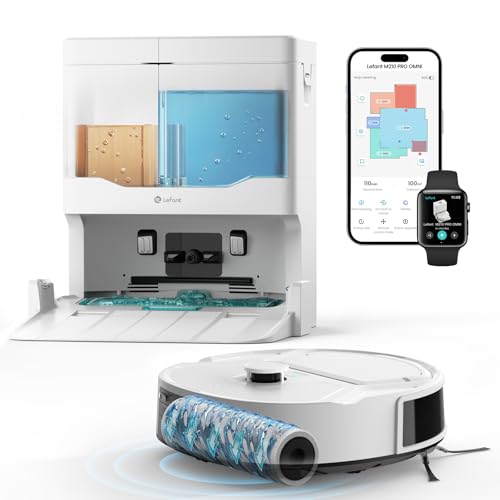
The Lefant M210 Pro Omni does it differently. It uses a roller mop that's fed clean water while the robot runs and has the dirty water pulled off it into a separate tank, so it isn't smearing the same grey water around the house. Its dock then washes and air-dries the roller after each clean, with a 2.4 litre clean tank and a 1.5 litre dirty tank. That's the self-cleaning dock design that's usually sold at a much higher price, and it's the main reason it made the list.
Whichever you pick, the mop is the part that needs the most care. A pad that's left damp on the robot after a run goes sour within a day or two, and the smell ends up through the whole house the next time it cleans. Pull it off, rinse it and let it dry, or buy the dock that does it for you. Never let the robot mop over rugs either; set a no-go zone or let the carpet detection lift or skip it.
Auto-empty docks: worth it, and what they cost to run
An auto-empty dock is a second, stronger vacuum in the base. When the robot parks, the dock pulls the dust out of the robot's small bin through a port underneath and into a bag. Roborock's Q7T+ title talks about hands-free cleaning for up to 7 weeks, and the dreame F20 Eco Plus is the auto-empty version of the F20 Eco. If you have a dog or long-haired family members and the robot runs daily, it's the feature I'd pay for first.
The catch is that bags are a consumable, and neither listing states the bag capacity or price. Look up the replacement bag pack for the exact model before you order and work it out per month, because it's the ongoing cost that never shows on the box. The dock also makes a short, loud roar when it empties, usually ten or fifteen seconds, so if the robot is going to clean while the house is asleep, check whether the app lets you delay or skip the empty.
From a repair point of view, the weak spot is the seal between the robot and the dock port. Hair and grit build up on the flap, the seal leaks, and the dock stops pulling the bin clean. Wipe the port and the robot's evacuation flap every time you change a bag. A minute of cleaning there saves a lot of the 'it's stopped emptying' jobs that come into the shop, which are almost never a dead motor.
Suction numbers, and what actually picks up hair
Suction is quoted in pascals, and the numbers have got silly. The picks here range from 10,000Pa on the roborock to 20,000Pa on the Lefant, and the entry dreame claims 18,000Pa. These are peak figures at the inlet, measured each maker's own way, so they don't compare cleanly across brands. More suction does help on carpet and on grit in tile grout, but past a certain point it's the brush roll and the airflow path that decide how much ends up in the bin.
For hair, the brush matters more than the pascals. Hair wraps around a bristle brush roll until it chokes it, and then the robot leaves a trail of fluff and strains its brush motor. Every pick here uses an anti-tangle design, either a rubber or comb-style roll that hair slides off, or a side brush shaped to shed it. Roborock calls its version a JawScrapers comb, and the dreame listings claim zero tangling on both brushes, which I'd read as much less tangling.
Even with anti-tangle brushes, check the ends of the brush roll every couple of weeks. Hair gets past the roll and wraps the end caps and the bearing, and that's where the damage happens. When a robot comes in with a brush that won't spin, it's usually a bearing packed with hair that has overheated the plastic, and a five-minute clean with scissors would have prevented it.
Battery life, runtime claims and what wears
Runtime claims on robot vacuums are best-case numbers, normally on the lowest suction setting on a hard floor. The dreame F10 Plus claims 300 minutes from a 5,200mAh battery and up to 270 square metres per charge, the F20 Eco and Eco Plus claim 150 minutes from 3,200mAh, and the roborock quotes 150 minutes in mop-only mode. With suction turned up on carpet, expect something nearer half that. All of them return to the dock and resume, so a short battery only means a longer clean.
The battery is the part I'd expect to replace first. Robot vacuums use a lithium-ion pack that gets charged every day, sometimes twice, and kept topped up on the dock in a warm room. Most packs lose noticeable capacity somewhere around the two or three year mark, and the first sign is the robot heading home before it finishes the house it used to clean in one go.
Buy a pack from the maker or a reputable parts supplier when it's time, not the no-name pack with the biggest milliamp-hour figure on a marketplace. Off-brand packs with missing protection boards are the ones that swell, and a swollen pack can crack the robot's base. The same goes for the charger brick on the dock, and our guide to bad chargers covers what to look for on the label.
Wi-Fi, apps and the 2.4GHz trap
Robot vacuums are smart-home devices, and they connect the way most of them do: on 2.4GHz Wi-Fi only. The roborock listing says so outright, and in my experience it's true for most robots in this band even when the listing doesn't say. That's fine, because 2.4GHz reaches further through walls, but it's the reason so many robots fail at the setup screen.
Most modern routers broadcast 2.4GHz and 5GHz under one network name and steer devices between them. The phone you're setting the robot up with is usually on 5GHz, the robot can't see it, and the app times out. The fix is to give the 2.4GHz band its own name, or turn band steering off for the setup, then join the robot to that. I've written the steps up in the home Wi-Fi router guide.
The app is also part of what you're buying. Roborock and dreame both have mature apps with room editing, no-go zones and schedules, and all of these work with Alexa and Google Home. Lefant's app covers the same basics. The thing I'd check before buying any of them is that the app still gets updates for the model, because a robot that stops getting app support usually keeps cleaning but slowly loses its smart features.
Before you buy: floors, thresholds and parts
Measure the gap under your couch and beds first. Robots with a LiDAR turret are taller than the old disc robots, and a robot that just fails to fit under the lounge will either skip that area or wedge itself there. Then look at your doorways. The dreame robots are rated to climb 20mm thresholds, which covers most internal door strips but not every sliding-door track, so a step-down to the patio usually needs a no-go line.
Rugs with long tassels, phone chargers on the floor and pet water bowls cause most stuck-robot problems. The mapping handles the furniture; it's the clutter that catches it. Spend ten minutes before the first run tidying cords, then set no-go zones for the things you can't move, and the robot will usually run on its own from then on.
Last, check the parts story. Side brushes, filters, mop pads and bags all wear, and the robot is only as good as your access to them. Roborock and dreame parts are easy to find in Australia, and Lefant's are mostly sold through its own store. If you'd rather compare these against the full-price robots first, the main robot vacuum guide covers the wider range, and if the robot is ever too slow for the big messes, a stick vacuum is still the better tool.
The 5 picks, $250 to $449
Prices are Amazon AU at time of writing (28 October 2026) and move week to week. Ranks are Amazon AU category sales ranks, checked the same day.

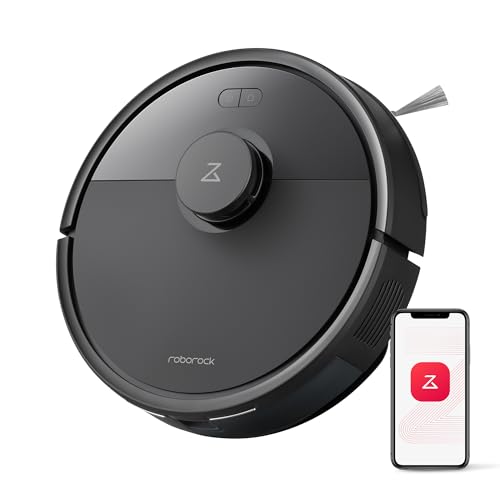
roborock Q7T+ Robot Vacuum and Mop
ASIN B0GZVV4D94 • $366.99 • Sold by Roborock AU Direct on Amazon AU
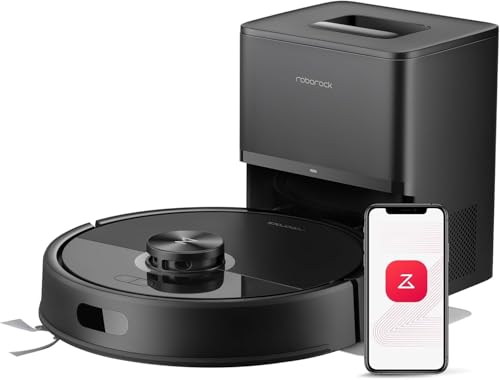
The roborock Q7T+ is the best-selling robot in this band, sitting at #10 in Amazon AU's Robotic Vacuums category when I checked, and it's sold by Roborock AU Direct, the brand's own Australian storefront. It's the one I'd point most people to. It maps with LiDAR, vacuums at a claimed 10,000Pa and mops at the same time with a detachable pad under a 270ml water tank. The listing title talks about hands-free cleaning for up to 7 weeks, which on Roborock's plus models means an auto-empty dock in the box, so the small bin gets emptied for you after each run. Check the listing photos for the dock before you order, because the feature list itself doesn't describe it.
The cleaning hardware is sensible rather than flashy. There's a comb-style main brush Roborock calls JawScrapers, built to stop hair wrapping, plus a tangle-free side brush, and a 400ml dustbin on the robot itself. Mopping has three water levels set in the app, low for timber, medium for tiles and high for the kitchen floor. The listing quotes up to 150 minutes of mop-only running and around 210 square metres of coverage on a charge, and a quiet 60dB in mop-only mode. It's controlled through the Roborock app, which is one of the more mature apps around, and it works with Alexa, Google Home and Siri. Voice assistants can start a clean or send it to a single room, which is handy when the kitchen floor needs it after dinner.
The listing says it supports 2.4GHz Wi-Fi only, so split your router's bands before setup. Its 10,000Pa figure is the lowest on this page, but on hard floors and short-pile rugs that's plenty, and the brush design does more for hair than the extra pascals would. The model code on the listing is Q7T+ S031. If you want one robot that does a normal house well and empties itself, this is the one I'd buy. Run it daily on the auto setting, rinse the mop pad after each mopping run, and clear hair off the brush ends every couple of weeks, and it should run for years without much fuss.
Honest caveats: The feature list doesn't describe the dock or state the bag capacity, so confirm the box contents and price the replacement bags first. Wi-Fi is 2.4GHz only. The mop is a simple pad, so it needs a rinse after each run and won't shift dried spills. Suction is the lowest quoted here.
Best for: Most homes that want LiDAR mapping, mopping and an emptied bin without daily fiddling.
Navigation: LiDAR • Suction: 10,000Pa (listing) • Bin / water tank: 400ml / 270ml • Mopping: Pad, 3 water levels • Runtime: Up to 150 min mop-only (listing) • Wi-Fi: 2.4GHz only • Model: Q7T+ S031 • Seller: Roborock AU Direct • Rank: #10 in Robotic Vacuums (Amazon AU)
View on Amazon AU
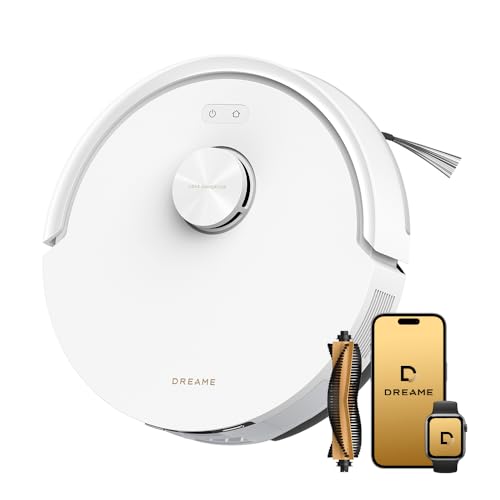
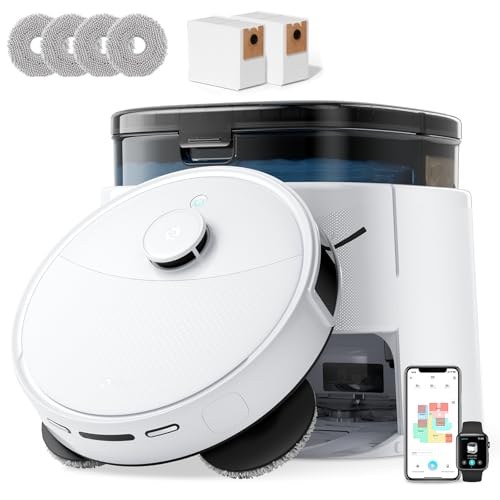
dreame F20 Eco Robot Vacuum and Mop
ASIN B0GT3STGWV • $249.99 • Sold by Dreame Official AU on Amazon AU
The dreame F20 Eco is the lowest-priced robot here and it still gets the important part right, which is LiDAR mapping. It's sold by Dreame Official AU and sat at #14 in Robotic Vacuums when I checked. The listing describes it as an upgrade on the F10, with a claimed 18,000Pa of suction, a carpet mode that boosts power when it senses a rug, and a 270ml water tank for mopping. There's no auto-empty dock, just a charging base, so you'll tip out the bin yourself every run or two. For a unit or a small house with mostly hard floors, that's a small job and it keeps the running cost down to filters, brushes and pads.
The navigation package is the same family as the dearer dreame. LiDAR mapping, edge and ledge detection so it doesn't take the stairs, and a rated 20mm threshold climb, which handles most internal door strips. The mop gets 32 moisture levels through the Dreamehome app. That's far more steps than anyone needs, but it means you can set the timber dry enough that you're not leaving water on the joins. Dreame lists dual anti-tangle brushes, with claims of zero tangling on both the main and side brush, and I'd treat that as much less tangling rather than none. The anti-tangle claim matters most in a house with long hair or a pet, so check the brush ends anyway every couple of weeks.
Runtime is quoted at 150 minutes from a 3,200mAh battery, covering about 140 square metres, and it returns to charge and resumes if it runs out partway through. The app supports multi-floor maps and no-go zones, and it works with Alexa, Siri and Google Home. The listing model code is C1251A6, which it shares with the Eco Plus, so the robots are the same and the difference is the station. Start here if the budget is tight, and if you find you hate emptying the bin, the Plus is the upgrade.
Honest caveats: No auto-empty, so the bin is emptied by hand. The mop is a pad under a 270ml tank: a wipe, not a scrub. The 18,000Pa figure is the maker's peak number and doesn't compare cleanly with other brands. The listing doesn't state the Wi-Fi band, so assume 2.4GHz for setup.
Best for: Units and smaller homes with mostly hard floors where emptying the bin by hand is no hardship.
Navigation: LiDAR, edge and ledge detection • Suction: 18,000Pa (listing) • Water tank: 270ml, 32 moisture levels • Threshold climb: 20mm • Battery / runtime: 3,200mAh / up to 150 min • Coverage: Up to 140 m² per charge • Model: C1251A6 • Seller: Dreame Official AU • Rank: #14 in Robotic Vacuums (Amazon AU)
View on Amazon AU
dreame F10 Plus Robot Vacuum and Mop
ASIN B0FB3J5XQB • $349.99 • Sold by Dreame Official AU on Amazon AU
The dreame F10 Plus is the pick for a big single-level house. It sat at #15 in Robotic Vacuums when I checked, it's sold by Dreame Official AU, and the colour field on the listing reads F10PLUS-AU, which is the sort of AU-specific code I like to see on anything with a charger. Its headline is the battery. A 5,200mAh pack is quoted at up to 300 minutes and 270 square metres per charge, roughly double the F20 Eco on both counts. That means a large house usually gets done in one pass instead of the robot heading home to recharge halfway through the hallway. It's the same LiDAR and app platform as the F20, so nothing changes in how you set it up or map the house.
The water tank is bigger too, at 570ml against the F20's 270ml, so it can keep a pad damp across a lot more tile before it runs dry. You get the same 32 moisture levels in the Dreamehome app, the same LiDAR mapping with edge and ledge detection, and the same 20mm threshold climb. Suction is listed at 13,000Pa, which is below the F20's figure on paper. In practice, on hard floors and short rugs, I wouldn't expect a difference you'd notice, and the longer run on one charge is worth more than the extra pascals in a big house. The bigger tank also means fewer refills on a long mopping run, though the pad still needs a rinse at the end of each clean before it goes back on.
There's no auto-empty dock with this one either, so plan on tipping the bin out by hand, and with a bigger floor area to cover you'll be doing it more often. The app handles multi-floor maps, no-go zones and schedules, and it works with Alexa, Siri and Google Home. The model number on the listing is RLF11SE. It's an older design than the F20, but for a long, mostly hard-floored house it's the one that gets the whole job done. Check the side brush and the filter every few weeks, because a big floor area wears both faster than a small unit does.
Honest caveats: The listing doesn't describe the brush design, so I can't confirm anti-tangle brushes on this one. No auto-empty. Its suction figure is lower than the F20 Eco's, which matters more on thick carpet than on tiles. Runtime is a best-case figure on the lowest setting.
Best for: Larger single-level homes with mostly hard floors that need the whole house done on one charge.
Navigation: LiDAR, edge and ledge detection • Suction: 13,000Pa (listing) • Water tank: 570ml, 32 moisture levels • Battery / runtime: 5,200mAh / up to 300 min • Coverage: Up to 270 m² per charge • Threshold climb: 20mm • Model: RLF11SE (F10PLUS-AU) • Seller: Dreame Official AU • Rank: #15 in Robotic Vacuums (Amazon AU)
View on Amazon AU
Lefant M210 Pro Omni Robot Vacuum and Mop
ASIN B0G7Z3LCV6 • $359.98 • Sold by Lefant AU on Amazon AU
The Lefant M210 Pro Omni is the pick if mopping matters more to you than vacuuming. It sat at #19 in Robotic Vacuums when I checked and it's sold by Lefant AU. Where the other robots drag a damp pad, this one uses a roller mop that's fed clean water as it runs while the dirty water is pulled off it into a separate tank. That means it isn't spreading the same grey water from the kitchen into the hallway, which is the main complaint I hear about pad mops. On tiled houses and homes with kids or pets tracking mud in, that difference is easy to see on the floor.
The dock is the other reason it's here. It's a self-cleaning station that washes the roller after every clean and then air-dries it, with a 2.4 litre clean water tank and a 1.5 litre dirty water tank. That design usually turns up on robots at twice this price, and it fixes the biggest maintenance job with any mopping robot, which is a damp mop going sour. Navigation is dToF LiDAR with nine PSD obstacle sensors and support for three floor plans, and carpet detection changes the cleaning behaviour on rugs. Suction is listed at 20,000Pa across four levels, the highest figure on this page. Empty and rinse the dirty water tank every few runs, because that's the one part the dock can't look after itself.
The listing doesn't state a battery size, a runtime or a dustbin size, and the dock washes the mop but doesn't empty dust, so the bin is still emptied by hand. Lefant is a smaller brand than roborock or dreame, and spare rollers and filters are mostly sold through its own store, so check they're in stock before you commit. The model is listed as M210 PRO OMNI, and it works with Alexa and Google Assistant through the Lefant app. With no battery figure on the listing, I'd treat the runtime as unknown and let the robot dock and resume in a big house rather than plan on one pass.
Honest caveats: No auto-empty for dust. The listing gives no battery, runtime or bin figures. The dirty water tank needs emptying and rinsing every few runs or it will smell. Spare rollers come mainly from Lefant's own store, so confirm availability before you buy.
Best for: Tiled or hard-floored homes where a properly washed mop matters more than an emptied bin.
Navigation: dToF LiDAR, 9 PSD obstacle sensors • Suction: 20,000Pa, 4 levels (listing) • Mopping: Roller mop, live clean-water feed • Dock: Washes and air-dries the roller • Dock tanks: 2.4L clean / 1.5L dirty • Maps: Up to 3 floor plans • Model: M210 PRO OMNI • Seller: Lefant AU • Rank: #19 in Robotic Vacuums (Amazon AU)
View on Amazon AU
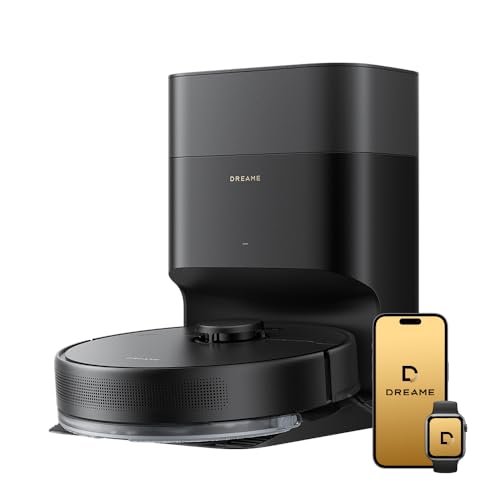
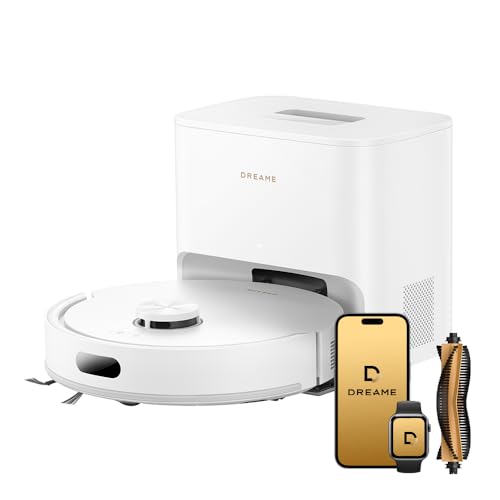
dreame F20 Eco Plus Robot Vacuum and Mop with Auto-Empty
ASIN B0GT3Y2996 • $449.00 • Sold by Dreame Official AU on Amazon AU
The dreame F20 Eco Plus is the F20 Eco with an auto-empty station, and that's the whole story. It sat at #21 in Robotic Vacuums when I checked, it's sold by Dreame Official AU, and it carries the same C1251A6 model code as the Eco, so the robot is the same. When it parks, the station pulls the dust out of the robot's bin into its own bag. If the F20 Eco suits your floors but you'd forget to empty a bin, or you've got a shedding dog and the robot runs every day, this is the one to pay the extra for. It's the top of this guide's price band.
Everything else carries over. LiDAR mapping with edge and ledge detection, a claimed 18,000Pa with a carpet mode that boosts suction on rugs, and dual anti-tangle brushes. The 270ml water tank and pad give 32 moisture levels in the Dreamehome app, which covers dry timber through to wet tile. It's rated to climb 20mm thresholds, and the app handles multi-floor maps, no-go zones and schedules, with Alexa, Siri and Google Home support. Dreame claims 95 percent cleaning coverage, which I'd read as good edge work along skirting boards rather than a measured figure for your house. Because it's the same robot as the Eco, the brushes, filters and pads are shared between them, which keeps spare parts simple.
Runtime is quoted at 150 minutes from a 3,200mAh battery, so in a big house it will dock to recharge and resume. The listing doesn't state the station's bag capacity or the bag price, so look up the replacement pack before you order. Keep the evacuation port on the robot and the station clean, because a hair-clogged flap is the usual reason these stop emptying. Against the roborock, it's the one to choose if you want a carpet boost mode and the dreame app. Swap the station bag before it's packed solid, because a full bag is the other common reason a station stops pulling the bin clean.
Honest caveats: Bag capacity and bag price aren't stated on the listing. The mop is a pad, not a washed roller, so it still needs a rinse. The station is loud for a few seconds when it empties. It's the same robot as the F20 Eco, so you're paying only for the station.
Best for: Busy or pet-heavy homes that want the F20's carpet mode and an emptied bin without daily effort.
Navigation: LiDAR, edge and ledge detection • Suction: 18,000Pa (listing) • Station: Auto-empty into a bag • Water tank: 270ml, 32 moisture levels • Battery / runtime: 3,200mAh / up to 150 min • Threshold climb: 20mm • Model: C1251A6 • Seller: Dreame Official AU • Rank: #21 in Robotic Vacuums (Amazon AU)
View on Amazon AUSide-by-side comparison
What we see fail in the workshop: robot vacuums
Robot vacuums are small battery-powered robots doing a dirty job every day, so they wear in predictable places. Most of the faults we see aren't the electronics failing on their own. They're hair, water and grit getting into moving parts, and a battery that's simply reached the end of its charge cycles. Here are the three that come up most.
Wheel modules and drop sensors
Each drive wheel sits in a sprung module with its own small motor and gearbox, and hair wraps the axle exactly like it wraps a brush roll. The robot starts pulling to one side, spinning in circles or throwing a wheel error. Underneath are cliff sensors, small infrared windows that stop it falling down stairs, and a film of dust on them makes the robot think every floor is a drop. Pull the hair off the wheel axles every month or so and wipe the sensor windows with a dry cloth, and you'll avoid most of these errors.
Swollen and tired battery packs
The lithium pack is charged daily and kept topped up on the dock, which is hard on any battery. After two or three years the robot comes home earlier and earlier, and eventually it won't finish a room. That's normal wear. What isn't normal is a pack that's swollen enough to lift the base plate, and those are nearly always non-genuine packs or units left charging in a hot garage. Replace a tired pack with a genuine one, and if the base is bulging, stop charging it and get it looked at.
Water where it shouldn't be
Mopping robots carry water over a circuit board, and a cracked tank, a bad seal or a mop left soaking on the dock lets it find its way in. We see corroded charging contacts on the robot and the dock, and the odd main board with green corrosion around the connectors. Dry the contacts if they're wet, empty the tank after use if the robot will sit for days, and never wash the robot under a tap. Our water damage guide explains why a slow leak causes more damage than one splash.
Decision tree: which one should you actually buy?
- Want one robot that does a normal house well and empties itself? → The roborock Q7T+, around $367, #10 in Robotic Vacuums, with LiDAR, mopping and a self-empty dock per its listing title.
- Small unit, mostly hard floors, tightest budget? → The dreame F20 Eco, around $250, LiDAR mapping and a 270ml mop tank. You empty the bin by hand.
- Big single-level house that keeps running flat? → The dreame F10 Plus, around $350, quoted at up to 300 minutes and 270 square metres per charge, with a 570ml water tank.
- Tiles everywhere and the mop is what matters? → The Lefant M210 Pro Omni, around $360, with a roller mop on a live clean-water feed and a dock that washes and dries it.
- Shedding dog, daily runs, carpet in some rooms? → The dreame F20 Eco Plus, around $449, the F20 Eco's carpet mode plus an auto-empty station.
- Robot won't charge, pulls to one side or won't map? → Bring it to our Erina workshop. We'll check the battery, wheel modules, sensors and LiDAR turret and tell you what's wrong and whether it's worth fixing before you spend anything.
Frequently asked questions
Is a robot vacuum under $500 good enough in 2026?
For most homes, yes. Every pick in this guide maps with LiDAR, mops as well as vacuums and runs from an app with no-go zones and schedules, which was premium territory a few years ago. What you give up under $500 is mostly the station: docks that wash and dry the mop, refill water and empty the bin together usually cost more. The robots themselves clean a normal floor about as well as their dearer siblings, so the real choice is how much of the daily maintenance you want the dock to do.
Do I need LiDAR on a robot vacuum?
I'd treat it as the minimum. LiDAR is the spinning sensor on top that maps the house, so the robot cleans in rows, knows which room it's in and finds its way back to the dock. Robots that rely on bump sensors or a gyroscope miss areas, repeat others and get lost, and they're the ones people stop using. Mapping is also what makes room-by-room cleaning and no-go zones work in the app. Every pick on this page has it.
Is an auto-empty dock worth the extra money?
If the robot runs most days, or you have a pet that sheds, usually yes. The robot's own bin is small and fills fast with hair, and an auto-empty dock pulls it out into a bag after every run, so you only handle it when the bag is full. The ongoing cost is the bags, so check the replacement pack price for the exact model. In a small unit where the robot runs a couple of times a week, emptying the bin by hand is a minor job and the plain model makes more sense.
Why won't my robot vacuum connect to Wi-Fi?
Nearly always because it only works on 2.4GHz Wi-Fi and your phone is on 5GHz. Most routers broadcast both bands under one name and move devices between them, so the app can't find the robot during setup. Give the 2.4GHz band its own network name, or turn band steering off temporarily, connect your phone to that 2.4GHz network, then run the setup again. Keep the robot close to the router for the first connection, and check the app is the current version.
How long does a robot vacuum battery last?
Most lithium packs in robot vacuums lose noticeable capacity after about two to three years of daily use, and the first sign is the robot returning to the dock before it finishes the areas it used to clean in one go. Runtime claims on the box are best case, usually on the lowest suction on hard floors. When the pack is worn, replace it with a genuine one from the maker or a reputable supplier, not the no-name pack with the biggest capacity figure, because those are the ones we see swell.
Can a robot vacuum mop timber floors safely?
Yes, if you keep it on a low water setting. The risk with timber and laminate isn't one wet pass, it's months of water left sitting on the joins, which lifts the finish at the edges of the boards. Set the moisture level low in the app for timber rooms, make sure the pad or roller is clean, and don't let the robot sit on the floor with a wet pad attached. Check your floor maker's care instructions too, since some laminate warranties exclude wet cleaning.
Related buying guides
Robot vacuum stopped charging, mapping or moving?
Most robot vacuum faults are a worn battery, a hair-jammed wheel module, dirty cliff sensors or a LiDAR turret that's stopped spinning, and a lot of them are fixable. Bring it into our Erina workshop and we'll find the fault, tell you what it will cost and whether it's worth fixing before you spend anything on a new robot.
Visit our Erina workshop Book Online