Prices from Amazon AU, updated daily. Swipe or use the arrows for more.
Disclosure: This article contains affiliate links to amazon.com.au. If you buy through one of these links iFix may earn a small commission at no extra cost to you. It doesn't change which products we recommend. We focus on what actually lasts based on 16 years of repair-shop experience.
Quick summary6 picks
- Entry PickECOVACS DEEBOT T90 Omni Robot Vacuum and Mop about$1,199
- dreame L50 Ultra AE Robot Vacuum Cleaner… about$1,200
- Lefant M3 Robot Vacuum and Mop about$1,3005200mAh.
- roborock Qrevo Edge 2 Set Robot Vacuum and Mop about$1,499
- dreame X50 Ultra White Robot Vacuum and Mop… about$1,599
- Most Premiumroborock Qrevo Edge 3 Pro Robot Vacuum and Mop about$1,999
What the dock does, and why it matters more than the robot
A robot vacuum on its own is a small battery-powered fan with brushes and a few sensors. Put a mop on it and give it a dock that washes, dries and empties, and you've built a little plumbing system on your floor: a clean-water tank, a dirty-water tank, a pump, some valves, a heater, a fan and a dust bag. That's where all the convenience comes from, and in my experience it's also where most of the faults come from now.
Every pick here empties its own dustbin into the dock and washes its mops there, and most of them dry the mops afterwards too. The differences are in how hot the wash water gets, whether the mop is a pair of spinning pads or a roller, how high the robot can climb, and how low it can get under the couch. Those four things decide whether you'll still be using it in a year, far more than the suction figure printed on the box.
If you already own a plain robot vacuum and you're happy with it, read my general robot vacuum guide before spending this sort of money. A mop dock makes the most sense in a house with lots of tiles, timber or vinyl, a dog or kids tracking dirt in, and someone who won't mind tipping out a dirty-water tank a couple of times a week. On wall-to-wall carpet it's mostly money spent on a feature you'll barely use.
Roller mop or spinning pads
There are two ways these robots mop. Roborock and Dreame use a pair of round pads that spin against the floor, and the ECOVACS T90 Omni uses a single roller that runs across the width of the robot. A spinning pad presses down hard and scrubs well on a dried coffee drip. The roller gets rinsed with fresh water as it turns, and ECOVACS says that means dirty water isn't reused across your floor, which is a fair point on a long run through a kitchen.
Downward pressure is the number to compare if you've got sticky floors. Roborock lists 8 N for the Qrevo Edge 2 and up to 14 N on the Edge 3 Pro, with the pads spinning at 200 RPM on the Pro. ECOVACS doesn't give a newton figure for the T90's roller, it just says strong downward pressure, and Dreame doesn't list pressure on either of its picks. I'd treat the missing numbers as unknown rather than bad, but it does make the Roborock pair easier to judge on paper.
Edges are the other difference. Spinning pads leave a strip along the skirting, so every pick here swings something outwards to reach it. Roborock's FlexiArm pushes the side brush out to clean toe-kicks down to about 25 mm, Dreame's arms extend the side brush and a mop, and the T90 slides its roller 1.5 cm sideways with a felt strip on the end that rides along the wall. Moving arms are extra hinges and small motors near the floor, so I'll come back to them in the fault section.
Hot water washing and drying
The dock's wash temperature is the spec that's moved most in the last couple of years. The Dreame L50 Ultra AE and the Roborock Qrevo Edge 3 Pro both wash their mops with 100°C water, the Qrevo Edge 2 uses 80°C, and the T90 Omni's title says 75°C. The X50 Ultra listing doesn't state a wash temperature at all. Hot water shifts cooking grease from a kitchen floor much better than cold, and it usually stops the pads going sour as quickly between runs.
Drying matters just as much. A wet microfibre pad left in a closed dock for two days will smell, and it'll leave that smell on your floor next time it runs. The two Roborocks dry their mops with 55°C air after washing. The Dreame L50 lists drying without a temperature, and the other listings mention washing or self-cleaning but don't mention drying, so check the manual on the day you buy. If you live somewhere humid, like most of the coast here in summer, warm-air drying is worth paying for.
Heating water to 100°C takes power, and that heater sits next to a pump, valves and a pool of dirty water. That's not a reason to avoid hot-wash docks, it's a reason to keep the dirty tank emptied and the base tray wiped. When a dock's heater or pump circuit fails, it's usually because water has found its way onto a board or a connector, which is the same slow corrosion I describe in how water damage spreads through electronics.
Thresholds, rugs and low furniture
Australian houses throw a few specific obstacles at these robots: sliding door tracks, tile-to-timber trims, thick bathroom mats and couches with a gap of about 9 cm underneath. A robot that gets stuck on a door track twice a week is one you'll stop using pretty quickly. The Qrevo Edge 3 Pro lists the best climbing here, with 45 mm single thresholds and up to 88 mm for two-step thresholds. The X50 Ultra lifts itself on retractable legs to clear 6 cm.
Height under furniture is the other half of it. The Qrevo Edge 2 is 80 mm tall because its laser turret drops down when a sensor sees a low ceiling above it. The Edge 3 Pro lists about 80 mm of clearance access, the X50 Ultra lowers itself to 89 mm, and the T90 Omni is 95 mm tall. Measure the gap under your couch and bed base before you buy, because 15 mm is often the difference between cleaning under there and bumping off the front edge all day.
Rugs and carpet need the mop out of the way. The Edge 3 Pro can leave its mops in the dock and go back out for carpet up to 46 mm thick, the X50 Ultra offers five carpet modes that remove or lift its mops, and the T90 Omni lists a Triple Lift System for keeping wet and dry jobs apart. If you've got a big shaggy rug, I'd still set a no-mop zone in the app rather than trusting a sensor to spot it every single time.
Why I don't pick on suction numbers
The listings quote 20,000 Pa, 24,000 Pa, 30,000 Pa and 36,000 Pa as if more is always better. Those are peak pressure figures measured at the fan in ideal conditions, and they don't tell you how well the brush lifts hair out of carpet or how long the robot holds that figure before the battery sags. In my experience a clean filter and a brush that isn't wrapped in hair matter more on a real floor than the last 10,000 Pa on the box.
Where suction does show up is on carpet and pet hair. If you've got a long-haired dog and carpet in the bedrooms, the higher numbers on the Edge 3 Pro and T90 Omni are a reasonable tiebreaker between two otherwise similar robots. On mostly hard floors, the X50 Ultra's 20,000 Pa is plenty, and I'd choose on climbing, height and mop washing instead. Grit and crumbs on tiles come up easily with any of these five, so don't pay extra for suction you won't notice.
Hair on the brush is the bigger day-to-day issue. Every pick claims some kind of anti-tangle brush. Dreame's L50 has a blade built into the brush that cuts hair as it goes, the X50 Ultra's DuoBrush is rated for hair up to 30 cm, and Roborock and ECOVACS use shaped brushes and airflow to stop hair wrapping. None of them are perfect in my experience, so expect to pull the brush and cut it clean every few weeks if there's long hair in the house.
Wi-Fi, apps and the 2.4 GHz catch
Both Roborock listings say plainly that they only support 2.4 GHz Wi-Fi. That's normal for appliances, but it catches people out when their router broadcasts one combined network name and the phone setup keeps trying to join on 5 GHz. If setup fails, split the bands for a few minutes or make a separate 2.4 GHz network just for appliances, which is what I'd do anyway in a house full of smart plugs and cameras.
Signal strength matters more than people expect, because the robot spends half its time under beds and behind couches. If the far bedroom drops out on your phone, it'll drop out on the robot too, and you'll get half-finished maps and missed schedules. A decent router or a mesh Wi-Fi system that covers the whole house usually fixes more robot complaints than any setting buried in the app.
The apps are where the brands differ most. Roborock lists SmartPlan 3.0, Apple Watch control and a Pet Care Hub, ECOVACS has its YIKO assistant, and Dreame's listings say very little about software. All of them need an account and a cloud connection for full features, so I'd check the app's reviews on your phone before buying and accept that the robot's useful life partly depends on the company keeping that app updated for years.
Running cost: power, water and consumables
The power used for vacuuming is small. The bigger draw is the dock heating water and blowing warm air through the mops, and none of these listings state the dock's heater wattage. As a worked example, if a dock pulls 1,000 W for ten minutes after each run, that's about 0.17 kWh, or roughly 5.5c at the AU average tariff of about 33c/kWh. Run it daily and that's about $20 a year, so power isn't a reason to choose one over another.
Consumables are where the real running cost sits. Each dock uses a dust bag, the robots use a filter, side brushes and mop pads or a roller, and most docks take a branded detergent. ECOVACS says the T90's dock holds up to 90 days of dust, Roborock lists up to 65 days on both its picks, and the Dreame listings don't give a bag life. Price a year of bags, filters and pads on the day you buy, because it adds up over the life of the robot.
Use the detergent the maker specifies, or plain water. Supermarket floor cleaners can foam in the dock, leave residue in the pump and valves, and some will soften rubber seals over time. Those are the docks that come into the shop with a pump that hums but doesn't move any water, and most of the time the fix is a proper clean rather than new parts. If you've got hard water, a monthly rinse of the clean tank with warm water keeps scale out of the lines.
How I picked these five
I started with what Amazon AU actually sells new between $900 and $2,500, through each brand's own Australian storefront or Amazon AU itself. All five picks are sold by Dreame Official AU, Roborock AU Direct or ECOVACS Robotics, and the T90 Omni's listing says it's the Australian version on 220 to 240 V with local warranty support. I ranked them by their Amazon AU Robotic Vacuums sales rank on 22 October 2026, where all five sat between #19 and #50.
I left two strong sellers out. The Dreame X60 Ultra was sold by Amazon AU at $1,795, but its listed model code ends in DE and the listing doesn't confirm an Australian plug or local warranty, so I'd rather not send you to it until that's clear. The Narwal Freo X10 Pro, also sold by Amazon AU at $1,499, was ranked #364 in the same category, well below everything here. Narwal's newer Freo 20 models had no rank published on the day I checked.
The lead pick is the ECOVACS T90 Omni, because it's the best-selling mop dock in the band and its listing is clear about local stock and warranty. If your floors are mostly hard and your couch is low, the Roborock Qrevo Edge 2 Set is the one I'd look at next. For wet cleaning without a robot, my wet dry floor cleaner guide covers the hand-pushed machines, and if a dock or robot stops working, the Erina repair counter can test it before you replace it.
The 5 picks, $1,199 to $1,999
Prices are Amazon AU at time of writing (22 October 2026) and move week to week. Ranks are Amazon AU category sales ranks, checked the same day.

ECOVACS DEEBOT T90 Omni Robot Vacuum and Mop
ASIN B0GCHWTNGM • $1,199.00 • Sold by ECOVACS Robotics on Amazon AU
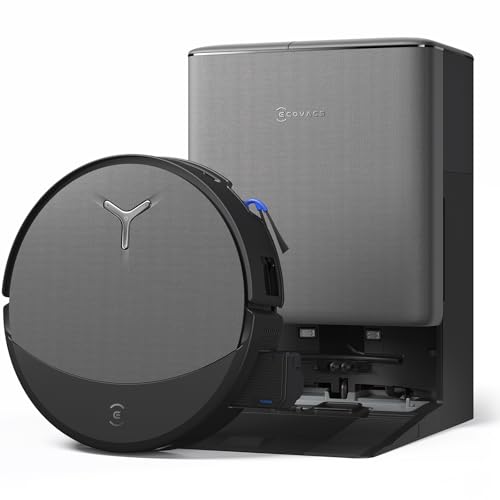
The DEEBOT T90 Omni is the robot I'd start with, and it's the best-selling mop dock in this band on Amazon AU. It's $1,199 at time of writing, sold by ECOVACS Robotics, and it was ranked #19 in Amazon AU's Robotic Vacuums category on the day I checked. The listing says it's the official Australian version, built for 220 to 240 V and backed by local warranty support. It mops with ECOVACS' OZMO Roller 3.0, a 27 cm microfibre roller that's rinsed with fresh water as it turns. ECOVACS says that means dirty water isn't reused across your floor. The roller also slides 1.5 cm sideways with a felt strip on the end to reach the skirting boards. Suction is listed at up to 30,000 Pa with 16 L/s of airflow. At 95 mm tall, it's the tallest robot in this guide.
The dock handles the jobs you'd otherwise do by hand. It power-washes the roller with water at 75°C according to the title, adds detergent automatically, and empties the robot's bin into a bag that ECOVACS says lasts up to 90 days. It also has a self-cleaning wastewater tank, which matters, because the dirty tank is the part that smells first in most docks. ECOVACS lists TruePass four-wheel drive for climbing thresholds, though it doesn't give a height in millimetres. Its AIVI 3D 4.0 obstacle avoidance and AI Stain Detection 2.0 are meant to spot cords, socks and dried spills. The listing claims a noise reduction of up to 3 dBA while emptying and 5 dBA while vacuuming, without saying what it's compared against. The battery is described as an EV-grade pouch cell with 1.6 times the lifespan, though no capacity is stated. The model number is T90 OMNI-AU.
I'd pick the T90 over the others if you've got mostly hard floors with a lot of kitchen traffic, because a constantly rinsed roller handles a sticky floor well. It's the weakest pick for low furniture, so measure under the couch before you order. The 1.6 times battery claim has no baseline, so I'd treat it as marketing until the pack has a couple of years on it. Keep the felt edge strip clean, because a clogged strip drags grit along the skirting. Empty the dirty tank whenever you top up the clean tank, rather than waiting for the app to complain. Use ECOVACS' own detergent in the auto-dosing tank, as anything that foams will upset the pump. For a busy hard-floored house, this is the one I'd buy first.
Honest caveats: At 95 mm tall it won't fit under some low couches and bed bases. The listing doesn't state a battery capacity, runtime, threshold height or dust bag size. The roller is one long part, so price a replacement before you buy, and the app and voice features rely on ECOVACS' cloud service.
Best for: Busy hard-floored homes that want an Australian-version robot with a constantly rinsed roller mop.
Mop: OZMO Roller 3.0, 27 cm roller • Wash water: 75°C (per listing title) • Suction: Up to 30,000 Pa • Height: 95 mm • Dust emptying: Up to 90 days (listed) • Version: Australian, 220 to 240 V • Seller: ECOVACS Robotics • Rank: #19 in Robotic Vacuums (Amazon AU)
View on Amazon AU
Dreame L50 Ultra AE Robot Vacuum and Mop
ASIN B0GX669XHM • $1,199.99 • Sold by Dreame Official AU on Amazon AU
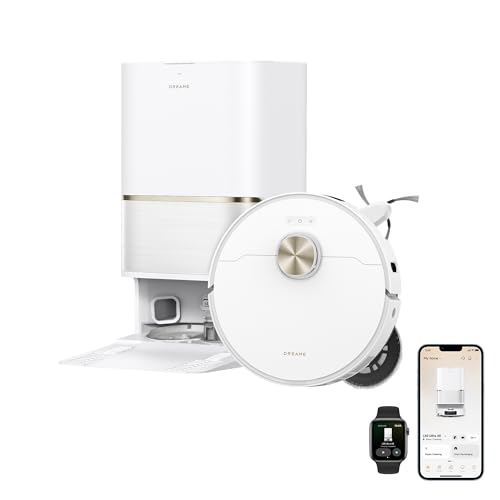
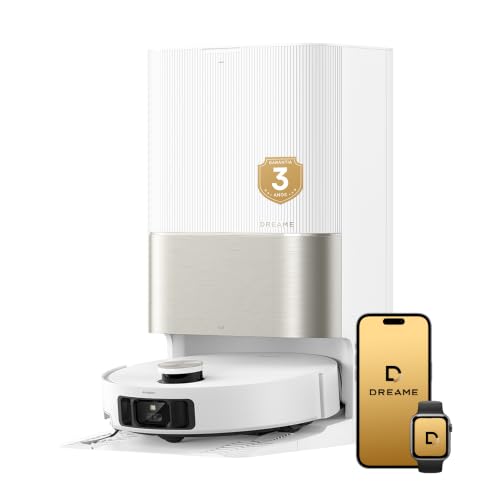
The Dreame L50 Ultra AE sits at the same price as the T90 Omni, and it's the one I'd pick if hot-water mop washing is your priority. It's $1,200 at time of writing, sold by Dreame Official AU, and it was ranked #34 in Amazon AU's Robotic Vacuums category on the day I checked. The dock's ThermoHub system washes the mop pads with 100°C water, the hottest wash in this guide alongside the Roborock Edge 3 Pro. Dreame says that strips grease and cuts down odours on the pads between runs. Suction is listed at 30,000 Pa, matching the ECOVACS on paper. It mops with a pair of spinning pads rather than a roller, so it scrubs harder on one spot. The listing describes it as quiet, but it doesn't give a decibel figure to back that up. The model is listed as R2412.
The PowerDock does the full set of jobs: it washes and dries the mops, empties the dust, refills the robot's water, adds detergent and fast-charges the battery. That's the same feature list as docks costing several hundred dollars more, which is probably why it ranks so well. Dreame's TriCut brush has a blade built in that cuts hair while it cleans, so long hair shouldn't build up around the brush as quickly. Dual flexible arms push the side brush and one mop out towards edges, corners and skirting boards. Navigation is listed as 360° with obstacle avoidance, though the listing doesn't say exactly which sensors it uses. It doesn't state the robot's height, threshold climbing, runtime or battery size either. I'd check those on Dreame's AU site before buying if your couch is low or your door tracks are high. The listing is thin on numbers compared with the Roborocks.
I'd buy the L50 Ultra AE for a kitchen-heavy house where grease is the main enemy and the furniture isn't especially low. The cutting blade in the brush is a real help with long hair, but it's also a part that dulls, so expect to replace the brush sooner than a plain one. Wipe the dock's wash tray every week or two, as hot water bakes residue onto the plastic. Dry pads and an empty dirty tank are the two habits that stop a dock from smelling. The missing height and threshold figures are the weak spot of this listing. Being sold by Dreame's own AU storefront makes a warranty claim simpler than chasing a marketplace seller. For a grease-heavy kitchen at this price, it's the one to beat.
Honest caveats: The listing doesn't state height, threshold climbing, battery capacity, runtime or dust bag life. The cutting blade in the brush wears and will need replacing. A 100°C wash uses more power per cycle than a warm wash, and the dock's heater wattage isn't listed.
Best for: Kitchen-heavy homes that want the hottest mop wash at the lowest price in this guide.
Mop: Dual spinning pads • Wash water: 100°C (ThermoHub) • Suction: 30,000 Pa • Brush: TriCut anti-tangle with cutting blade • Dock jobs: Wash, dry, empty, refill, detergent, charge • Model: R2412 (listed) • Seller: Dreame Official AU • Rank: #34 in Robotic Vacuums (Amazon AU)
View on Amazon AU
Roborock Qrevo Edge 2 Set Robot Vacuum and Mop
ASIN B0HCBQMQ8S • $1,499.00 • Sold by Roborock AU Direct on Amazon AU
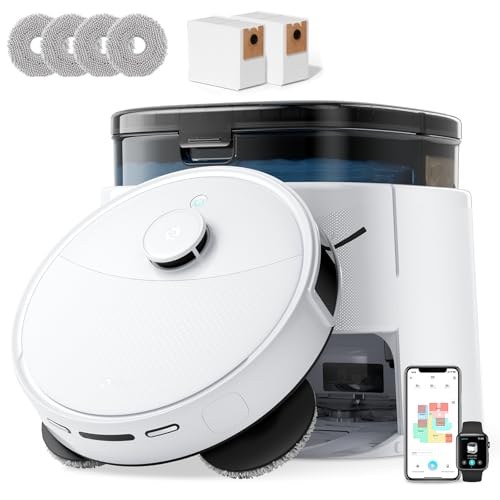
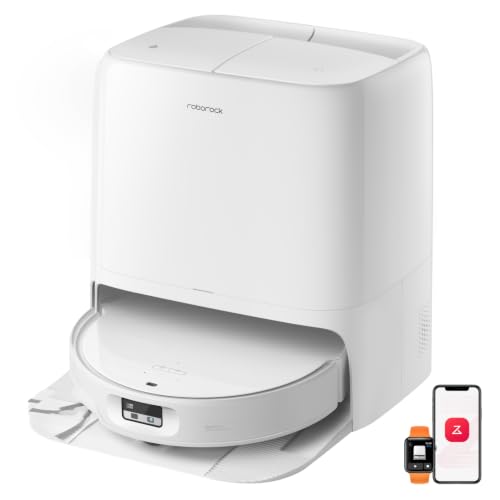
The Roborock Qrevo Edge 2 Set is the one for low furniture. It's $1,499 at time of writing, sold by Roborock AU Direct, and it was ranked #50 in Amazon AU's Robotic Vacuums category on the day I checked. It's 80 mm tall, because the laser turret on top drops down when an upward-facing sensor sees a low ceiling, such as the underside of a bed. That's 15 mm lower than the T90 Omni. Suction is listed at 24,000 Pa with a dual anti-tangle system for hair. The spinning mops press down with 8 N, and Roborock says the design leaves little water behind, so it's gentle on timber. The FlexiArm side brush swings out to clean toe-kicks and corners down to about 25 mm. Obstacle avoidance uses structured light, an RGB camera and an LED, and Roborock says it recognises over 280 object types.
The dock washes the mops with 80°C water and has a soaking mode for heavier dirt. After washing, it dries the mops with 55°C warm air, which is the drying spec I most want to see on a coastal house. It empties the dust for up to 65 days, refills warm water automatically and has a detachable base for cleaning, a practical detail you'll appreciate the first time the tray needs a scrub. Roborock's SmartPlan 3.0 picks suction and mop settings by room, re-washes the mops after kitchens and runs quieter during do-not-disturb hours. You can control it from the app, a voice assistant or an Apple Watch. The listing is explicit that it only works with 2.4 GHz Wi-Fi. The listed weight is about 8.2 kg, and the listing doesn't say whether that's the robot or the whole set. The model is listed as Qrevo Edge 2 Set.
I'd pick the Edge 2 over the ECOVACS if you've got low beds and couches, or mostly timber floors where you want a lighter touch. The retracting laser turret is clever, but it's also a moving part with a motor, so keep hair and dust off it. Clean the upward sensor window with a dry cloth every month or so, because a dusty window can make it misjudge the clearance. The 80°C wash is cooler than the Dreame L50's 100°C, but in practice it's warm enough for most kitchen floors. Use Roborock's own detergent in the dock if you use any at all. Warranty through Roborock AU Direct is simpler than chasing a marketplace seller. For a house full of low furniture, it's the one I'd choose.
Honest caveats: Only works on 2.4 GHz Wi-Fi. The 80°C wash is cooler than the 100°C docks in this guide. The retracting laser turret adds a motor and moving parts. The listing doesn't state threshold climbing height, battery capacity or runtime, and it was the lowest-ranked of the five on the day I checked.
Best for: Homes with low beds and couches, and timber floors that need a lighter mop.
Height: 80 mm (retracting laser) • Suction: 24,000 Pa • Mop: Dual spinning pads, 8 N • Wash and dry: 80°C wash, 55°C warm-air dry • Dust emptying: Up to 65 days • Wi-Fi: 2.4 GHz only • Seller: Roborock AU Direct • Rank: #50 in Robotic Vacuums (Amazon AU)
View on Amazon AU
Dreame X50 Ultra Robot Vacuum and Mop
ASIN B0GYNF8VGT • $1,599.00 • Sold by Dreame Official AU on Amazon AU
The Dreame X50 Ultra is the climber. It's $1,599 at time of writing, sold by Dreame Official AU, and it was ranked #39 in Amazon AU's Robotic Vacuums category on the day I checked. Robotic legs lift the body to climb door tracks, thresholds and obstacles up to 6 cm, and Dreame says added shock absorption keeps the noise down when it lands. That's the feature to pay for if you've got sliding door tracks or raised trims between rooms. It also lowers itself to 89 mm with Dreame's VersaLift navigation to get under sofas, beds and cabinets. Suction is listed at 20,000 Pa from a sixth-generation TurboForce motor, the lowest figure here but plenty for hard floors. The DuoBrush system is rated for hair up to 30 cm long. An AI camera with LED lighting handles obstacle avoidance.
Carpet handling is where the X50 Ultra earns its price. It offers five carpet modes, which can remove the mops, lift them, avoid carpet altogether or boost suction on it. That's more control than most people need, but it's useful in a house with a mix of rugs, tiles and timber. The extending side brush and mop reach into edges and corners, much like the L50 Ultra AE. The base station empties the dustbin and self-cleans the mop pads after every run. The listing doesn't state a wash temperature, drying, a dust bag life or the battery capacity, which is a lot of gaps for a $1,599 robot. It gives dimensions of about 59 cm tall, 34 cm deep and 46 cm wide without saying whether that's the dock, so measure the spot you've got. I'd confirm the wash and drying specs on Dreame's AU site before ordering.
I'd buy the X50 Ultra over the others if door tracks and thresholds are what's beating your current robot. Retractable legs are extra motors and joints near the floor, so keep hair and grit out of them with a quick look when you clean the brush. The 20,000 Pa figure won't matter on hard floors, but on thick carpet with a long-haired dog I'd look at the Roborock Edge 3 Pro instead. Missing wash and drying figures are the main reason it isn't higher up this list. Dry the mop pads by hand on humid days if the dock doesn't do it for you. Buying from Dreame's own AU storefront keeps warranty simple. For a house full of door tracks and mixed floors, this is the one.
Honest caveats: The listing doesn't state the dock's wash temperature, whether it dries the mops, the dust bag life, battery capacity or runtime. The retractable legs add moving parts near the floor. At 20,000 Pa it has the lowest suction figure in this guide.
Best for: Houses with sliding door tracks, raised trims and a mix of rugs and hard floors.
Threshold climbing: Up to 6 cm (retractable legs) • Height: Lowers to 89 mm • Suction: 20,000 Pa • Brush: DuoBrush, hair up to 30 cm • Carpet modes: 5, incl. mop removal and lift • Listed dimensions: About 59 x 34 x 46 cm • Seller: Dreame Official AU • Rank: #39 in Robotic Vacuums (Amazon AU)
View on Amazon AU
Roborock Qrevo Edge 3 Pro Robot Vacuum and Mop
ASIN B0HCBZLKMK • $1,999.00 • Sold by Roborock AU Direct on Amazon AU
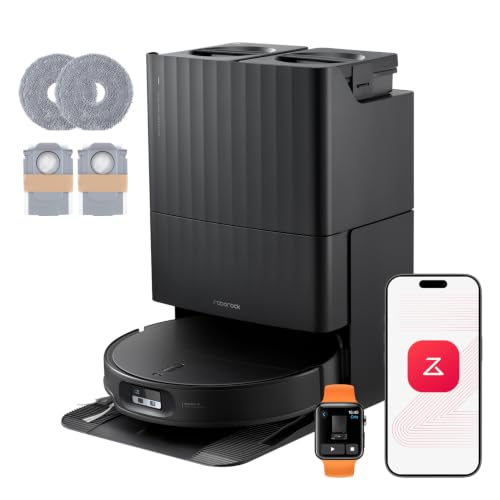
The Roborock Qrevo Edge 3 Pro is the most capable robot in this guide and the one I'd buy if the budget stretches. It's $1,999 at time of writing, sold by Roborock AU Direct, and it was ranked #29 in Amazon AU's Robotic Vacuums category on the day I checked. Roborock's AdaptiLift Chassis 3.0 climbs single thresholds up to 45 mm and two-step thresholds up to 88 mm, the best figures here. It clears about 80 mm under furniture with a retractable laser turret. Suction is listed at 36,000 Pa, the highest in this guide, with a dual zero-tangle system for pet hair. The mops spin at 200 RPM with up to 14 N of downward pressure, which is almost double the Edge 2's figure. Obstacle avoidance combines structured light, an RGB camera and what Roborock calls VertiBeam lateral sensing, with over 300 obstacles recognised.
The dock is the most complete in this guide. It washes the mops with 100°C water, cleans itself with hot water after each wash, refills warm water, doses detergent and dries the mops with 55°C air. Dust emptying is listed at up to 65 days. On carpet up to 46 mm thick, the robot leaves its mops in the dock and goes back out, so a rug never gets wet. You can mark curtains in the app and it'll clean behind them without you moving anything. SmartPlan 3.0 and a Pet Care Hub in the app handle room-by-room settings and pet-related features. Like the Edge 2, it only supports 2.4 GHz Wi-Fi. The listing gives a weight of about 3.5 kg without saying which part that is.
I'd buy the Edge 3 Pro for a bigger house with carpet, pets, door tracks and a kitchen, because it handles all four without much babysitting. The mop drop-off for carpet is the feature I like most, as it removes the most common reason these robots leave a mess. More motors, arms and sensors mean more parts to look after, so stick to a monthly brush and sensor clean. At $500 more than the Edge 2, you're paying mainly for climbing, mop pressure and the hotter wash. If your house has none of those problems, the Edge 2 is the better spend. Roborock AU Direct as the seller keeps warranty claims simple. For a large, busy house, this is the one I'd buy.
Honest caveats: Only supports 2.4 GHz Wi-Fi. It has the most moving parts in this guide: a retracting laser, an extending arm, mop drop-off and a lifting chassis. The listing doesn't state battery capacity or runtime, and the dock's heater wattage isn't listed.
Best for: Larger houses with carpet, pets, high thresholds and a busy kitchen.
Threshold climbing: 45 mm single, 88 mm double • Clearance: About 80 mm • Suction: 36,000 Pa • Mop: 200 RPM, up to 14 N • Wash and dry: 100°C wash, 55°C air dry • Carpet: Leaves mops in dock, carpet up to 46 mm • Wi-Fi: 2.4 GHz only • Seller: Roborock AU Direct • Rank: #29 in Robotic Vacuums (Amazon AU)
View on Amazon AUSide-by-side comparison
What we see fail in the workshop: robot mop docks
Robot mop docks fail in more ways than plain robot vacuums, because they mix water, heat and electronics in one box on the floor. Most of what comes in falls into three groups: docks that stop moving water, batteries that can't finish a clean, and water getting somewhere it shouldn't. Here's what each looks like and what you can check yourself before paying for anything.
Pumps and valves that stop moving water
The most common dock fault is a clean-water pump that runs but doesn't deliver, or a dirty-water side that won't drain. Most of the time it's a blockage: lint and hair in the wash tray filter, detergent residue gumming up a valve, or a tank that isn't seated properly on its seal. Pull both tanks, check the rubber seals for grit, rinse the tray filter and reseat everything firmly. If the pump still hums without moving water, the impeller may be jammed or the pump itself has failed, and that's a part that can be tested and swapped. Foaming supermarket floor cleaners are the usual cause of gummed valves.
Batteries that can't finish a clean
A robot that used to clean the whole house and now heads back to the dock halfway through usually has a tired lithium-ion pack. These packs wear with charge cycles and heat, and a robot that runs every day puts a lot of cycles on a pack in two or three years. Before blaming the battery, clean the charging contacts on the robot and the dock with a dry cloth, because a film of dirt or corrosion there causes slow or failed charging. If the contacts are clean and the runtime is still short, a pack test tells you whether it's the battery or the charging circuit. Avoid no-name replacement packs with inflated capacity claims.
Water where it shouldn't be
A mop dock parks a damp robot on its charging contacts several times a day, and an overfilled or cracked dirty tank can leak into the base. When water reaches the dock's board, or tracks into the robot through a worn seal, it starts the slow corrosion that shows up weeks later as a dead button, a pump that won't start or a robot that won't charge. If you see a puddle under the dock, unplug it at the wall, let it dry, and look for a cracked tank or a perished seal before you plug it back in. Corrosion caught early is often fixable at board level.
Decision tree: which one should you actually buy?
- Mostly hard floors and a busy kitchen? → The ECOVACS DEEBOT T90 Omni at $1,199, with its constantly rinsed roller mop and an Australian-version listing.
- Want the hottest mop wash without spending over $1,500? → The Dreame L50 Ultra AE at $1,200 washes its mops with 100°C water.
- Low couches and bed bases? → The Roborock Qrevo Edge 2 Set at $1,499 is 80 mm tall thanks to its retracting laser turret.
- Sliding door tracks and raised trims between rooms? → The Dreame X50 Ultra at $1,599 climbs up to 6 cm on retractable legs.
- Carpet, pets and a big house? → The Roborock Qrevo Edge 3 Pro at $1,999 leaves its mops in the dock for carpet and climbs the highest thresholds here.
- Dock won't pump water, robot won't charge or there's a puddle under the base? → Unplug it at the wall, check the tanks and seals, and clean the charging contacts. If it's still faulty, bring it to our Erina workshop and we'll test the pump, battery and boards before you replace anything.
Frequently asked questions
Is a robot vacuum and mop combo worth it over a plain robot vacuum?
It's worth it if most of your floors are hard and you'd otherwise mop at least once a week. A mop dock washes and usually dries the pads, empties the dust and refills the robot, so your job is down to emptying a dirty-water tank and topping up clean water. In mostly carpeted homes the mop barely gets used and a plain robot vacuum makes more sense. These docks also add more parts to look after: tanks, a pump, valves and often a heater. If you're not willing to empty the dirty tank a couple of times a week, the dock will start to smell and the convenience disappears.
Do I need hot water mop washing?
You don't need it, but it helps, mostly in kitchens. Hot water lifts cooking grease off the pads much better than cold water, and pads washed hot tend to smell less between runs. In this guide the Dreame L50 Ultra AE and Roborock Qrevo Edge 3 Pro wash at 100°C, the Qrevo Edge 2 at 80°C and the ECOVACS T90 Omni at 75°C according to its title. Warm-air drying after the wash matters just as much, because a damp pad in a closed dock is what causes the smell. The trade-off is a heater in the dock, which uses more power per wash and is one more part that can fail.
Can a robot mop go on carpet?
Yes, as long as it lifts or removes its mops first. Every pick here has some way of keeping wet mops off carpet. The Roborock Qrevo Edge 3 Pro leaves its mops in the dock for carpet up to 46 mm thick, the Dreame X50 Ultra has five carpet modes including lifting and removing the mops, and the ECOVACS T90 Omni uses its Triple Lift System. Carpet detection isn't perfect on dark or very thin rugs, so I'd still mark big rugs as no-mop zones in the app. Long shaggy rugs are best avoided entirely, because the brush can grab the fibres and the robot gets stuck.
Why does my robot mop dock smell?
Almost always it's the dirty-water tank or damp mop pads. Dirty water left sitting for a few days in a warm room goes off quickly, and pads that stay wet in a closed dock pick up a sour smell that ends up on your floor. Empty the dirty tank after every couple of runs, rinse it with warm water, and wipe the wash tray under the robot. Make sure the drying cycle is switched on in the app if your dock has one. Replace the pads when they stay grey after washing. If the smell hangs around after all that, check the tray filter for trapped hair and food scraps.
Do robot vacuums work on 5 GHz Wi-Fi?
Most don't. Both Roborock picks in this guide state on their listings that they only support 2.4 GHz Wi-Fi, and that's common across robot vacuums and other appliances. If your router broadcasts one network name for both bands, setup can fail because your phone is on 5 GHz while the robot is looking for 2.4 GHz. The usual fix is a separate 2.4 GHz network for appliances, or turning off 5 GHz for a few minutes while you pair the robot. Good signal in the far rooms matters too, as a robot that drops off Wi-Fi under a bed will miss schedules and lose map updates.
How long does a robot vacuum battery last?
In my experience, a lithium-ion pack in a daily-use robot vacuum starts showing noticeably shorter runtime somewhere around the two to four year mark, depending on how often it runs, how big the house is and how hot the room gets. A dock keeping it topped up isn't a problem in itself. Before replacing a battery, clean the charging contacts on the robot and the dock, because dirty contacts cause slow or failed charging that looks like a dead battery. When it does need replacing, use the maker's pack or a reputable one with proper protection circuitry, not a no-name pack with an inflated capacity figure.
Related buying guides
Robot mop dock leaking or not pumping? Get it tested
Most dock faults come down to a blocked pump or valve, a perished tank seal, corroded charging contacts or a worn battery pack. Bring the robot and its dock to our Erina workshop and we'll test the pump, the battery and the boards, then tell you what's wrong and what it'll cost before you spend anything on a replacement.
Visit our Erina workshop Book Online