Prices from Amazon AU, updated daily. Swipe or use the arrows for more.
Disclosure: This article contains affiliate links to amazon.com.au. If you buy through one of these links iFix may earn a small commission at no extra cost to you. It doesn't change which products we recommend. We focus on what actually lasts based on 16 years of repair-shop experience.
Quick summary9 picks
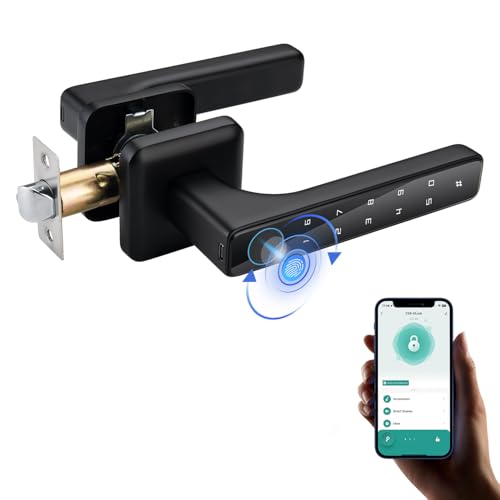
- Entry PickLKUWEE Smart Lock 4 in 1 about$39.99
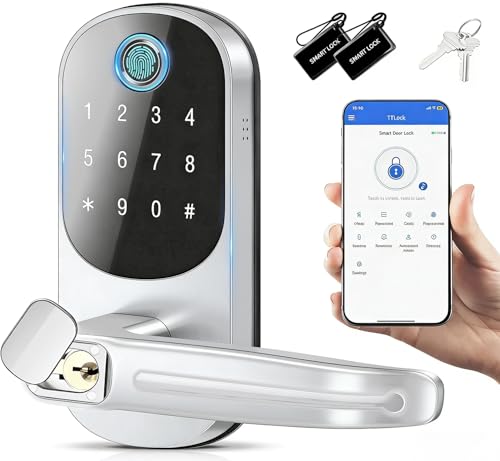
- TEKXDD Silver Smart Lock - Electronic Door… about$84.99
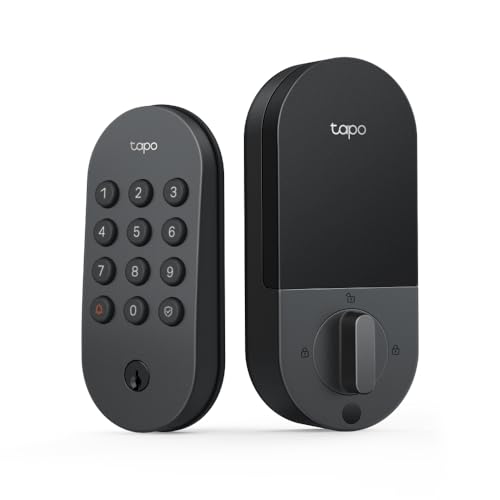
- Tapo DL100 Smart Door Lock about$199
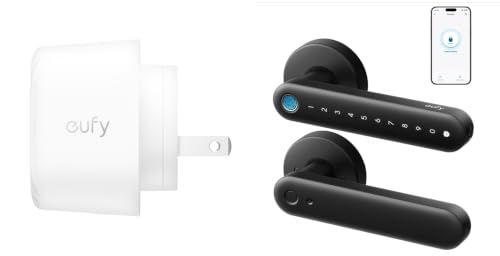
- eufy FamiLock C32 Lock + Chime 2 Bundle about$188.02
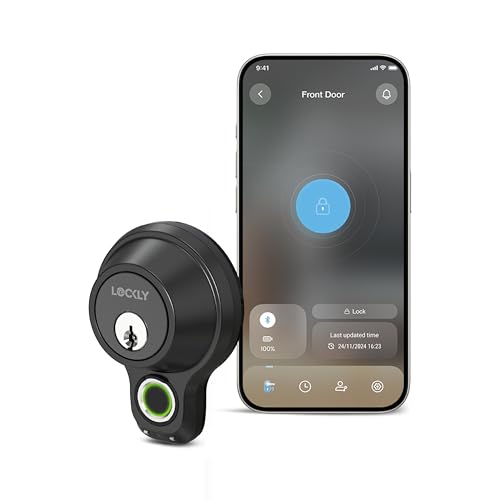
- Lockly Model X Smart Door Lock. Fingerprint… about$229
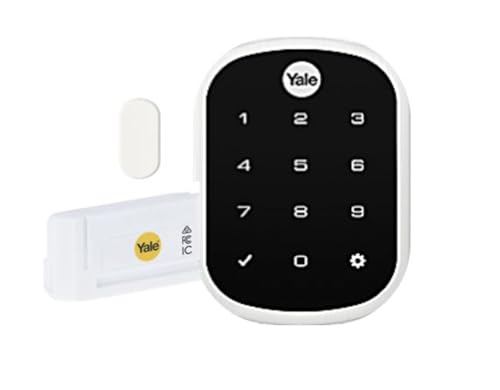
- B: The Deadbolt Retrofit PickYale Assure SL with Yale Home HK Module about$397
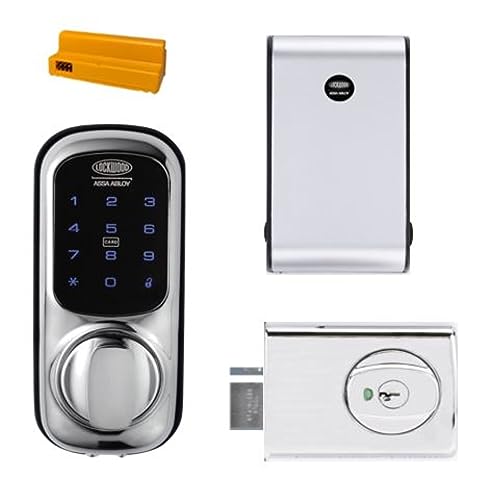
- Lockwood 001 Touch Plus™ Smart Deadlatch… about$439
- Aqara Smart Lock U300 about$449
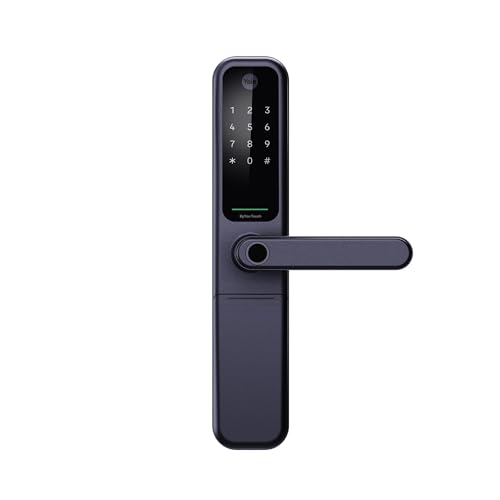
- Most PremiumYale ByYou Pro Smart Mortise Lock -… about$609.59
The lock on your door is now a computer, so buy it like one
Strip the marketing off a smart lock and here is what you are actually bolting to your front door: a battery-powered computer with a small electric motor, a radio, and a fingerprint sensor, living outside in Australian weather, doing the one job in your house that is never allowed to fail. That framing sorts the whole category for you. The locks worth buying were designed by people who thought hard about flat batteries, wet thumbs and doors that swell in February humidity. The rest are app screenshots wrapped around a gearbox that costs less than the packaging.
The failures that reach my workshop back this up. It is almost never the electronics. It is alkaline cells sagging in the afternoon heat on a west-facing door, battery contacts growing green fuzz two streets back from the beach, and motors stripping their own gears because the bolt has been grinding into a misaligned strike plate since the day it was fitted. Mechanical quality and battery behaviour decide whether a smart lock lasts. The app is the least important thing about it.
One warning before the picks: the category is currently flooded with unknown brands offering face recognition and big spec sheets for less than any lock here, and an unbranded lock with no firmware history guarding your front door is a bad trade at any price. All three picks below come from manufacturers with years of update history and Australian distribution. If you are building out home security more broadly, this guide pairs with our video doorbell picks published the same day; lock and doorbell are the two halves of the same front-door decision.
What matters in a smart lock: mechanics first, radios second
Fingerprint readers in real weather
Capacitive fingerprint sensors read the ridge pattern just under the skin, so a bit of sweat is fine. Properly wet hands are not: a film of water scrambles the read, and you will stand there failing scans until you dry your thumb. Heat is the sneakier problem. A sensor housing on a west-facing door in January can sit above 50 degrees, and hot sensor plus sweaty finger is the combination that produces the "it never works in summer" complaint. The fix costs nothing: enrol the same finger two or three times, add a second finger, and remember the keypad exists. Every pick here has one.
Ask the dead-battery question before you buy, not after
Every smart lock dies eventually, usually at the least convenient hour, so the emergency plan is a primary spec. The Aqara and eufy picks carry an external USB-C contact: press a charged power bank against it and the lock boots in seconds, ready for a fingerprint or PIN. The Aqara also keeps an old-fashioned mechanical keyway as the final fallback, while the Yale Assure SL is key free and relies on its emergency power contacts, so read its manual before you rely on it. Never buy a lock with no emergency plan you have tested. A lock that can strand you on your own doorstep has failed the job description, no matter how good the app looks.
Matter over Thread vs Wi-Fi vs Bluetooth: local control is the point
Three radios dominate this category and they are not equal. Bluetooth-only locks are fine until you want to let a tradie in while you are at work; no range, no remote anything, which is why I'd skip a Bluetooth-only lock on a front door unless it comes with a hub or module. Wi-Fi locks like the eufy give you remote unlock and notifications out of the box, at the cost of heavier battery drain and a dependence on your router and, for some features, the vendor's cloud. Matter over Thread, which the U300 runs, is the one I now steer people toward: the lock talks to a local border router (a HomePod mini, Apple TV 4K or recent Nest hub), automations run on your own network, and an NBN outage or a vendor server failure changes nothing about whether your door opens. A lock that needs the cloud to open is a liability. It is the same local-first logic behind our no-subscription PoE camera system picks: your security hardware should keep working when someone else's server does not.
Will it fit an Australian door?
Most Australian external doors carry either a single-cylinder deadbolt, a knob-set with a deadlatch, or on older homes a mortice lock set into the door edge. Bore-through smart locks swap cleanly onto the first two. A mortice door needs conversion work or a mortice-specific model, so identify what you have before you click buy. Then measure twice: the backset (door edge to centre of the bore, 60 mm or 70 mm on most local doors) and the door thickness (35 to 45 mm is typical). Renters and apartment owners have one extra step, because changing a front-door lock needs landlord consent in writing, and in strata buildings the door itself is often common property. Our budget smart home guide covers more gear that does not need anyone's permission; within this article, the eufy interior lock is the renter-safe option.
The three picks, from $188 to $449
Prices are Amazon AU at time of writing (27 October 2026) and move week to week. Category ranks are Amazon AU's, checked the same day.

Aqara Smart Lock U300 (Fingerprint, Matter over Thread, Apple Home Key)
ASIN B0DJJYF394 • $449 • Ships from Aqara AU
Ranked #528 in Amazon AU's Door Hardware & Locks category, the U300 is the lock I point at anyone already running a smart home, and the reason is the radio. Matter over Thread means it joins Apple Home, Google Home or Alexa natively, control stays on your local network, and the lock keeps taking commands with the internet down. Apple users get Home Key on top: tap an iPhone or Watch against the lock and you are in, no app open, no waiting on a cloud round-trip. Fingerprint, an anti-peep PIN keypad (pad the code with junk digits either side, it still reads the real one) and standard app control round out the entry methods.
The mechanical side is a lever-lock format that suits the latch-style doors common on Australian homes, and the fallback story is the best here: a physical keyway plus an external USB-C pad, so a flat battery costs you thirty seconds with a power bank rather than a locksmith call-out. Buying brand-direct from Aqara's AU storefront also means firmware support and warranty flow through the people who made it.
Honest caveats: Thread needs a border router to shine. A HomePod mini, Apple TV 4K or recent Nest hub does the job; without one you fall back to Bluetooth range and lose the best parts. It replaces your existing handle rather than sitting above it, so check backset and door thickness against Aqara's template before ordering. Black is the only finish.
Best for: Smart-home households, Apple Home users, anyone who wants the lock to outlive the vendor's cloud.
Unlock: Fingerprint, PIN (anti-peep), Apple Home Key NFC, app, mechanical key • Connectivity: Matter over Thread, Bluetooth • Power: AA batteries, USB-C emergency pad • Format: Lever lock • Rank: #528 in Door Hardware & Locks (Amazon AU)
View on Amazon AU
Yale Assure SL Touchscreen Deadbolt with Yale Home HK Module, Satin Chrome
ASIN B0CL3RBDVL • $397 • Ships from Amazon AU
Door format is the reason this slot exists. The Aqara U300 above replaces a lever handle, while the Yale Assure SL is a touchscreen deadbolt, and a single-cylinder deadbolt is what sits in a very large share of Australian front doors. Buy the lock that matches the hole already in your door, not the one with the longer spec sheet. It's $397 at time of writing, sold and shipped by Amazon AU, and it sat at #180 in Amazon AU's Home Security Kits category on the day I checked. Yale is the brand most Australian locksmiths already stock parts for, which counts for a lot when a lock needs attention in five years.
This listing is the satin chrome Assure SL bundled with the Yale Home HK module, model YRD256HKSC. The listing says it works with Apple HomeKit, so it shows up in the Home app beside your other Apple gear, and the Yale Home app handles PIN codes, auto lock and auto unlock. You can set up to 25 unique PIN codes, which is handy for a cleaner or a tradie who only needs the door for a week. The listing also mentions a door position sensor, so the lock knows whether the door is actually shut rather than just whether the bolt is thrown. That's the feature I'd want most, because a bolt thrown into a half-open door is a common way auto lock routines get confused.
There's no fingerprint reader on this one, and that's the main trade against the U300 above. The listing calls it 100% key free, so there's no mechanical key cylinder at all, which means a dead battery has to be solved from the outside with the emergency power contacts Yale fits to this range (check the manual for yours before you rely on it). The listing doesn't state battery type, battery life or a weather rating. Change the batteries on a calendar, not when the low-battery warning finally gets loud. If your door already carries a standard deadbolt and you live in the Apple world, this is the easy fit.
Honest caveats: No fingerprint reader and no mechanical key, so dead-battery access depends on Yale's emergency power method; read it before fitting. Battery type, battery life and an IP rating are not stated on the listing. The rank is in Home Security Kits rather than locks, so it isn't directly comparable with the other picks.
Best for: <strong>Best for:</strong> Front doors already carrying a single-cylinder deadbolt, Apple households, anyone who wants a lock locksmiths already know.
Unlock: Touchscreen keypad (up to 25 PIN codes), app, auto unlock • Connectivity: Yale Home module, works with Apple HomeKit (listing) • Format: Touchscreen deadbolt, key free • Extras: Auto lock, door position sensor • Model: YRD256HKSC • Seller: Amazon AU • Rank: #180 in Home Security Kits (Amazon AU)
View on Amazon AU
eufy FamiLock C32 Fingerprint Smart Lock with Handle + Video Doorbell Chime 2 Bundle
ASIN B0HN6NHLDW • $188.02 • Sold by AnkerDirect AU, ships from Amazon
This listing is the eufy FamiLock C32 sold as a bundle with the eufy Video Doorbell Chime 2, and it states plainly what the lock is: a handle lock for interior doors. Respect that and $188 buys a lot. The fingerprint sensor is the quickest here at a claimed 0.3 seconds, with a self-learning algorithm that keeps improving its read of each enrolled finger, which helps with kids and older family members whose prints scan poorly on less costly sensors. Wi-Fi is built in, no hub needed, so remote authorisation and app control work out of the box, and it ties into Alexa and Google Assistant.
The power story punches above the price: four AA batteries run over five months, and if they die the USB-C emergency port takes a power bank so you can still get in with a fingerprint or PIN. The Chime 2 in the box pairs with most eufy video doorbells, with ten tones and a volume that goes up to 80 dB. It is sold by AnkerDirect AU and fulfilled by Amazon.
Honest caveats: it is an interior-door lock, so put one of the Aqara locks on the front door instead. The Chime 2 only earns its place if you already run a eufy video doorbell; otherwise treat it as a spare. The lock's built-in Wi-Fi is 2.4 GHz, which is fine in practice but worth knowing if you run a 5 GHz-only mesh point nearby.
Best for: Garage internal doors, home offices, granny flats, storerooms, and homes already running a eufy video doorbell.
Unlock: Fingerprint (0.3 s), PIN, app • Connectivity: Built-in 2.4 GHz Wi-Fi • Power: 4x AA, 5+ months, USB-C emergency port • Format: Handle lock for interior doors, bundled with Chime 2 • Rank: #176 in Video Doorbells (Amazon AU)
View on Amazon AUSide-by-side comparison
| Product | Price | Best for |
|---|---|---|
| LKUWEE Smart Lock 4 in 1 | ~$39.99 | Lowest-priced pick: no-drill fingerprint set that holds 50 prints, needs the Tuya app |
| Tapo DL100 Smart Door Lock | ~$199 | Keypad deadbolt retrofit with Wi-Fi and Bluetooth, no fingerprint |
| TEKXDD Silver Smart Lock - Electronic Door… | ~$84.99 | Low-priced keypad, card and fingerprint lock with an IP65 rating for wet doors |
| eufy FamiLock C32 Lock + Chime 2 Bundle | ~$188.02 | Interior doors: quickest fingerprint read here, bundled with a eufy Chime 2 |
| Lockly Model X Smart Door Lock. Fingerprint… | ~$229 | Fingerprint deadbolt that holds 99 prints with no monthly fees |
| Lockwood 001 Touch Plus™ Smart Deadlatch… | ~$439 | Deadlatch format that knows if the door is ajar and logs who came in |
| Aqara Smart Lock U300 | ~$449 | Smart-home households: Matter over Thread and Apple Home Key |
| Yale ByYou Pro Smart Mortise Lock -… | ~$609.59 | Mortise doors: six ways to unlock and 100 prints, needs a mortise fit |
| Yale Assure SL with Yale Home HK Module | ~$397 | Deadbolt retrofit with HomeKit and a door sensor, no fingerprint |
What we see fail in the workshop: smart locks
Smart locks arrive at the workshop in two states: dead and mysterious, or chewed up and obvious. After 16 years of pulling failed electronics apart, the patterns in this category are consistent enough to write down, and none of them start with the app.
Heat murders batteries on west-facing doors
Alkaline AAs are rated for room temperature, not for a black lock body soaking up western sun until it is too hot to touch. Heat accelerates self-discharge and, worse, drives voltage sag under load, so the motor that turned the bolt fine at breakfast stalls at 4 pm on a 38-degree day and the lock reports a flat battery weeks ahead of schedule. If your door cops afternoon sun, buy the darker reality: batteries will run at maybe two-thirds of the rated life, so halve the replacement interval in your head. Where the manufacturer permits them, 1.5 V lithium AAs handle heat far better than alkalines and do not leak when they die. Which matters, because a leaked alkaline cell dissolving the battery contacts is its own repair job.
Salt air eats battery contacts and gets under nickel plating
Around here half the housing stock sits within a few kilometres of salt water, and coastal air is quietly corrosive to every exposed contact in a lock: battery terminals, the USB-C emergency pad, the spring contacts between the outer and inner assemblies. The failure creeps. First the odd unexplained reboot, then intermittent "low battery" warnings with fresh cells, then one morning nothing. Pull the battery tray every three months, look for green or white fuzz, and clean contacts with isopropyl on a cotton bud. A thin smear of dielectric grease on the terminals when you fit new cells buys years. This is the lowest-cost maintenance in home security and almost nobody does it.
Misaligned strikes strip gearboxes: alignment kills more locks than electronics
The number one smart lock killer is not water, not firmware, not batteries. It is a bolt grinding into a strike plate that never quite lined up. A human hand feels the resistance and lifts the door; a motor just pushes harder, every cycle, until the plastic or powdered-metal gears inside strip. Timber doors move with the seasons too, so a strike that aligned at Easter binds in humid February. The test takes ten seconds: with the door open, run the lock. The bolt should throw fully, smoothly and quietly. Then close the door and run it again; any new labouring, buzzing or slowing is the strike, and ten minutes with a file and a screwdriver on day one will double the life of the lock. If your existing lock has started groaning, fix the alignment this week, before the gearbox becomes the casualty.
Decision tree: which smart lock should you buy?
- Running a smart home already, or planning one? Want the lock working when the internet is not? → Aqara U300. Matter over Thread, Apple Home Key, key plus USB-C fallback.
- Replacing a standard single-cylinder deadbolt, and living in Apple's ecosystem? → Yale Assure SL with the Yale Home HK module at $397. Touchscreen deadbolt, HomeKit, door position sensor.
- Securing a garage entry, home office or granny flat, or renting? → eufy FamiLock C32 bundle at $188. Quickest sensor here, five months per set of AAs, and no landlord conversation required.
- Tempted by an unknown brand with face recognition at half the price? → Walk away. No firmware history on your front door is the one risk in this guide with no upside.
- Old mortice lock or aluminium security screen door? → Talk to a locksmith about the door before buying any smart lock; bore-through models will not fit as-is.
- Existing smart lock labouring, buzzing or eating batteries? → That is usually strike alignment or corroded contacts, both fixable. Walk it into our workshop at Erina for a look before you replace anything.
Frequently asked questions
What happens when a smart lock battery dies? Am I locked out?
Not with the locks I cover in depth, and that is deliberate. The Aqara keeps a plain mechanical key as the last resort, and the Aqara and eufy add an external USB-C power port: hold a charged power bank against it and the lock boots in seconds so you can unlock with a fingerprint or PIN. The key-free Yale Assure SL relies on its emergency power contacts instead, so read its manual before you rely on them. You also get weeks of low-battery warnings through the app before it ever gets to that point. The rule I give customers is simple: never buy a smart lock with no emergency plan. If the listing does not show a keyway or an emergency power contact, the manufacturer is betting your access on a battery, and batteries lose that bet on the hottest afternoon of the year. Keep the backup key somewhere useful, a keyed safe at work or a trusted neighbour, not in a drawer behind the locked door.
Do fingerprint locks work with wet or sweaty hands?
Mostly yes, with an asterisk. Modern capacitive sensors read the ridge pattern just under the skin surface, so light sweat is fine, and the eufy sensor learns your finger and gets faster over time. Genuinely wet hands from the beach or the garden hose are a different story: a film of water shorts the capacitive grid and reads as noise, so expect a failed scan or two until you wipe your thumb on your shirt. Heat matters more than people expect. On a west-facing door in an Australian summer the reader housing can sit well over 50 degrees, and a scorching sensor plus a sweaty finger is the worst case. Enrol the same finger two or three times, add an index finger as a spare, and treat the PIN pad as the wet-hands fallback.
Will a smart lock fit my existing Australian door?
Measure before you order, because most of the returns I hear about are fit problems, not faults. Check three things: the backset (distance from the door edge to the centre of the existing bore, usually 60 mm or 70 mm here), the door thickness (most Australian external doors run 35 to 45 mm), and what is in the door now. A standard single-cylinder deadbolt or tubular latch swaps over cleanly. An older mortice lock, the long rectangular body set into the door edge, does not; you would be cutting the door about to fit a bore-through smart lock, so look at a mortice-specific model or have a locksmith convert the door first. Aluminium security screen doors are their own category and mostly incompatible.
Can I install a smart lock in a rental?
You need the landlord's written consent to change locks in most Australian states, and in a strata building the front door is often common property, which means the owners corporation gets a say in what hangs on it. That sounds bureaucratic but it protects you too: the agent holds a key, and a lock swap without notice breaches most lease agreements. The practical path is to ask in writing and offer to reinstall the original lock when you leave. Keep the old lockset and its screws in a labelled bag. Inside the home you need nobody's permission: the eufy pick in this guide is an interior handle lock, and a garage entry door or home office is a renter-safe place to start.
Do smart locks still work if the internet drops out?
The lock itself always works: fingerprint, PIN and key are read and verified on the device, not in the cloud. What you lose during an outage depends on the radio. A Wi-Fi lock loses remote unlock, notifications and log sync until the connection returns. A Matter over Thread lock like the Aqara keeps talking to your local border router, so automations and in-home app control keep running with the NBN down; only out-of-home access needs the internet. This is why I keep hammering the local-control point: a lock that needs a cloud server's permission to open your own front door is a liability, and it is the main thing separating the locks in this guide from the low-cost ones outside it.
Are the no-name smart locks on Amazon safe to buy?
I would not put one on a door I cared about. The pattern with unknown brands is consistent: an impressive spec sheet, sometimes face recognition at a price that undercuts everyone, then no firmware update six months later when a vulnerability surfaces, and no Australian support when the gearbox strips. A lock is not a gadget you replace on a whim; it is the thing standing between the street and your house, and it needs a manufacturer that will still exist, and still be patching, three years from now. Aqara and Anker both have long firmware histories and local distribution. The $70 you save on a no-name lock buys you an unpatched computer with your front door key inside it. That is a bad trade.
Related buying guides
Smart lock grinding, rebooting, or eating batteries?
Do not bin it yet. A labouring motor is usually strike alignment, and phantom battery warnings near the coast are usually corroded contacts; both are low-cost fixes compared to a new lock. Sixteen years of board-level repair means the diagnosis takes minutes, not days.
Visit our Erina workshop Book Online