Prices from Amazon AU, updated daily. Swipe or use the arrows for more.
Disclosure: This article contains affiliate links to amazon.com.au. If you buy through one of these links iFix may earn a small commission at no extra cost to you. It doesn't change which products we recommend, we focus on what actually lasts based on 16 years of repair-shop experience.
Quick summary4 picks
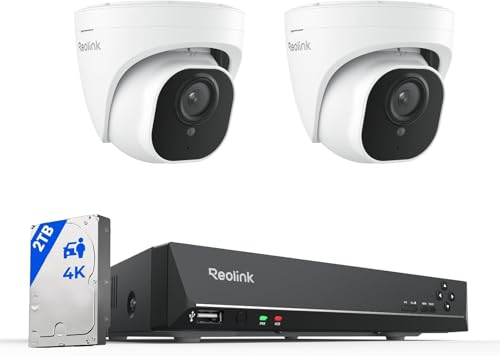
- Entry PickReolink 4K 2-Camera PoE System, 2TB about$713.97
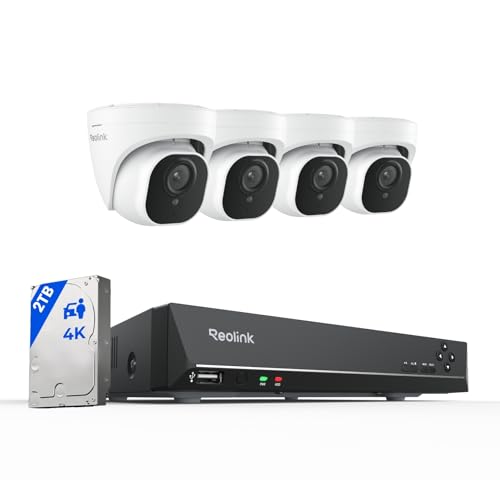
- REOLINK 4K Ultra HD 8 Channel PoE Home… about$934.99
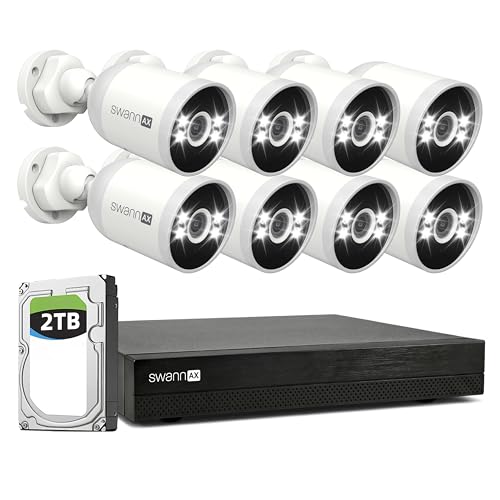
- Swann AdvancedX 4K Wired PoE NVR, 16CH… about$1,499.95
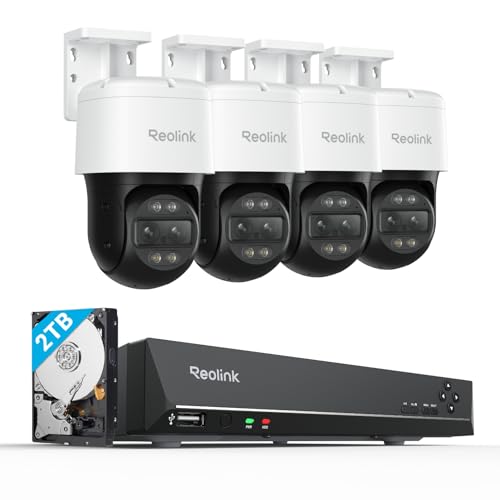
- Most PremiumReolink 4K PTZ Security Camera System about$1,674.99
Price watch
Prices checked 2 Nov 2026, 4:38amEach pick's Amazon AU price today, next to the lowest price iFix has tracked for that listing. We check every morning, so you can tell a genuine low from a normal price with a sale badge on it.
| Pick | Today | Lowest tracked | Verdict | |
|---|---|---|---|---|
| Reolink 4K 2-Camera PoE System, 2TB | $713.97 | $713.97 | Steady price | Check price |
| REOLINK 4K Ultra HD 8 Channel PoE | $934.99 | $879 | Close to its low | Check price |
| Swann AdvancedX 4K Wired PoE NVR, | $1,499.95 | $1,199.95 | Above its recent low | Check price |
| Reolink 4K PTZ Security Camera System | $1,674.99 | $1,256.99 | Above its recent low | Check price |
Lowest tracked means the lowest Amazon AU price iFix has recorded for that listing since 15 September 2026, not an all-time low. A verdict appears once a listing has 14 days of history and a live Buy Box offer. Prices change through the day; Amazon's checkout price is the one that counts. See every tracked price drop.
Why buy hardware you own, and why now
The camera system that lands on our bench with an unhappy owner is almost never the wired one. It is the cloud camera whose free clips turned out to be useless the one time they were needed, because the plan to actually scrub back through the footage cost money the owner never signed up for. That is the split worth understanding before you spend anything. A subscription camera rents you access to your own recordings. A local system sells you the recorder, the drive and the cameras once, and then owes you nothing.
The timing argument is the household budget. Home and contents insurance premiums have risen 52% since 2019, the fastest-climbing cost-of-living line in the ABS Consumer Price Index (series 6401.0). Against that, a one-off system with no ongoing fee is exactly the kind of spend that stops bleeding money the day it is installed, and recorded footage is what settles a claim quickly or deters the opportunist break-in that starts one. A cloud plan at $10 to $30 a month is another rising subscription on a bill that already has too many. Local storage takes that line off the page.
There is a sovereignty angle too, and it is not paranoia, it is just how the hardware works. Footage on your own NVR keeps recording when your internet drops, does not depend on a company keeping its servers running or its app supported, and cannot be quietly moved behind a higher-priced tier next year. Your footage, your drive, your building.
What to look for in a system
The picks make more sense once you know what separates a system worth wiring in from a box of cameras. Six things matter.
- PoE, not Wi-Fi or battery. Power over Ethernet runs the power and the video down one network cable to each camera, so there is nothing to recharge and no wireless link to drop. It is the single biggest reliability decision. The cost is that you pull a cable to each camera location.
- Local NVR with a real hard drive. The network video recorder is the heart of the system. It should ship with a surveillance-grade drive already fitted and record continuously, so you are never relying on motion clips or a cloud plan.
- Channel count and headroom. An 8-channel recorder takes up to eight cameras, a 16-channel up to sixteen. Buy a recorder with spare channels so you can add a camera later without replacing the brain of the system.
- Resolution and sensor. 4K (8MP) is the sensible standard now, and native 4K sensors beat a lower sensor "upscaled" to 4K when you need to read a face or a numberplate. It is worth knowing which you are buying.
- Night performance. Infrared night vision is standard and gives clear black-and-white out to about 30 metres. Sensor spotlights and colour night vision add colour when motion triggers a light, which helps identification.
- No mandatory subscription. Free phone viewing and local recording should cost nothing ongoing. Optional off-site backup is fine, a locked paywall on your own footage is not.
The four systems, by what your property needs
Prices are checked against Amazon AU every morning and move week to week on imported gear, so treat every figure as "around". The list runs from the largest system to the best-value one.

Swann AdvancedX SWNVK-16ADVANX8B, 4K 16CH PoE system, eight cameras, 2TB NVR
8× 4K Ultra HD PoE bullet cameras · 16-channel NVR · 2TB HDD · sensor spotlights + colour night vision · smart video analytics · around $1,499.95 · Ships from Amazon AU
This is the one for a big house, a corner block or a small business, because it is the only kit here with real room to grow. Eight 4K bullet cameras come in the box and the recorder has sixteen channels, so you can double the camera count later without replacing the brain of the system. The 2TB drive takes all eight recording continuously, and it accepts a disk up to 8TB when two weeks of history stops being enough. Sensor spotlights matter more than the spec sheet suggests: when motion trips the light you get colour footage out to 15 metres, which is the difference between knowing someone was there and being able to describe them. Smart video analytics sort people and vehicles from general motion and add line-crossing and perimeter alerts, so the phone stops buzzing every time a branch moves.
What to plan for. Eight cameras is eight cable runs, and that is the real work of the install. The sixteen channels and the 8TB drive ceiling give you the headroom, but budget the time (or the electrician) for pulling Cat6 to eight positions, and keep the NVR somewhere ventilated and out of easy reach.
Best for: larger homes, corner blocks and small businesses that want eight-camera 4K coverage now and eight spare channels to grow into.
Cameras: 8× 4K PoE bullet, indoor/outdoor · Recorder: 16-channel NVR · Storage: 2TB HDD, expandable to 8TB · Night: sensor spotlights + colour night vision to 15m · Detection: smart video analytics, person, vehicle, line crossing · Model: SWNVK-16ADVANX8B · Warranty: Swann warranty + Australian Consumer Law
View on Amazon AU
Reolink RLK8-800TM4, 4K TrackMix dual-lens PoE system, four cameras, 2TB NVR
4× TrackMix dual-lens PoE cameras · auto-tracking, 6× hybrid zoom · 8-channel NVR · 2TB HDD · around $1,674.99 · Ships from Amazon AU
This kit trades camera count for camera cleverness. Each of the four TrackMix cameras has two lenses: a wide-angle that watches the whole scene and a telephoto that zooms in on the detail, shown together on one split view. When something moves, the wide lens tracks it across the frame while the telephoto stays locked on the detail, so you get both the context and the close-up of the same event. The pan-and-tilt head covers 355 degrees, and the 6× hybrid zoom pulls in a face or a plate that a fixed bullet camera would only see as a distant shape. It records to a local 8-channel NVR with a 2TB drive, no subscription.
Where it stops short. Four cameras, even clever ones, still only point at four places. This is the pick when you want the best possible detail on a driveway, a gate or a shopfront, not the widest blanket of coverage. For that, the eight-camera kit does more for the money.
Best for: driveways, gates and entrances where auto-tracking and zoom detail matter more than sheer camera count.
Cameras: 4× TrackMix dual-lens PoE · Motion: auto-tracking, 355° pan / 90° tilt, 6× hybrid zoom · Recorder: 8-channel NVR · Storage: 2TB HDD · Storage model: local, no subscription · Warranty: 2 year Reolink + Australian Consumer Law
View on Amazon AU
Reolink RLK8-800D4, 4K 8CH PoE System, four cameras, 2TB NVR
4× 4K (8MP) bullet cameras · 8-channel PoE NVR · 2TB HDD pre-installed · person/vehicle detection · around $934.99 · Ships from Amazon AU
This is the one I point most households at. Four native 4K cameras is the right number for a typical house: front door, back door and the two side approaches, which is where anyone actually walks up. The 8-channel recorder leaves four spare channels for a garage or a second gate later, and the 2TB drive holds two to four weeks of continuous 4K across the four, all on the free app with nothing to pay each month. Reolink's person and vehicle detection is genuinely useful here, because it stops the recorder pinging your phone every time a cat crosses the lawn or a tree moves. Single-cable PoE runs up to 100 metres per camera, so the cameras go where the coverage is, not where a power point happens to be.
The honest limit. If your block is large or has more than four sensible camera positions, you will wish you had bought eight. Count the approaches to your property before you decide four is enough, and if it is line-ball, size up.
Best for: the standard house that most buyers should default to, four 4K cameras, room to add more, no ongoing cost.
Cameras: 4× 4K (8MP) PoE bullet · Recorder: 8-channel NVR · Storage: 2TB HDD, expandable to 6TB · Detection: person & vehicle · Range: up to 100m PoE per camera · Warranty: 2 year Reolink + Australian Consumer Law
View on Amazon AU
Reolink RLK8-800D2, 4K 8CH PoE system, two cameras, 2TB NVR
2× 4K (8MP) PoE cameras · 8-channel NVR · 2TB HDD pre-installed · person/vehicle detection · around $713.97 · Ships from Amazon AU
This is the lowest-cost way onto the list, and it still ticks the three things the guide asks for: PoE, a native 4K sensor and a surveillance drive already fitted. Two 8MP outdoor cameras plug into an 8-channel recorder with a 2TB disk pre-installed for continuous 24/7 recording, so nothing depends on a cloud plan. The cameras tell people and vehicles apart from general motion, which cuts the false alerts from shadows and passing animals. Each camera runs on one network cable, up to about 100 metres from the recorder. The real appeal is headroom: six channels sit free, and the listing says any Reolink PoE camera can be added to the same recorder later, so you can start with the two spots that matter most and grow it.
The trade for the price. Two cameras means two positions, and a typical house wants four, so count the approaches to your property before you decide this is the right size. Adding two more Reolink PoE cameras gets you there, but at that point the RLK8-800D4 above, with four 4K cameras in the box, is the better buy. The listing does not mention spotlights or colour night vision, so plan on infrared black-and-white after dark.
Best for: getting onto local-recording security for the least money, with native 4K and a 2TB drive already fitted, and room to add cameras later.
Cameras: 2× 8MP (4K) outdoor PoE · Recorder: 8-channel NVR · Storage: 2TB HDD pre-installed, external drive up to 8TB for backup · Detection: person and vehicle · Video: H.265 · Cable run: up to 330ft (about 100m) per camera · Model: RLK8-800D2 · Warranty: Australian Consumer Law guarantees apply
View on Amazon AUSide-by-side comparison
Prices are approximate and move week to week. Every system records locally to its own NVR with no mandatory subscription.
| Product | Price | Best for |
|---|---|---|
| Reolink 4K 2-Camera PoE System, 2TB | ~$713.97 | Least money: native 4K, 2TB drive fitted |
| REOLINK 4K Ultra HD 8 Channel PoE Home… | ~$934.99 | Most homes: four native 4K cameras |
| Swann AdvancedX 4K Wired PoE NVR, 16CH… | ~$1,499.95 | Big homes: eight cameras, 16 channels |
| Reolink 4K PTZ Security Camera System | ~$1,674.99 | Driveways and gates: auto-tracking zoom |
PoE and local storage, from the bench
Two technical choices decide whether a system is still working in five years, and both are easy to get right if you know what you are looking at.
PoE is why wired beats wireless. One Cat5e or Cat6 cable carries the video and the power to each camera, so there is no plug pack to fail at the camera end and no Wi-Fi link to drop in the rain. Runs of up to 100 metres from the NVR mean the camera goes where the shot is. The cabling is the honest cost: pulling eight runs through a roof space is a day's work, and it is the part people underestimate. If the run is awkward, that is exactly the sort of job a local installer earns their fee on.
The NVR drive is a consumable. A recorder drive writes continuously, twenty-four hours a day, which is a far harder life than the drive in a computer that mostly idles. Surveillance-rated drives are built for it, but every drive wears, and the drive is the part of these systems most likely to need replacing before anything else. Plan for it: know that in three or four years the disk may need swapping, keep the box ventilated so heat does not shorten its life, and if the footage on it ever matters for a claim, stop using the recorder and let the drive be imaged rather than written over. The same discipline that governs computer data recovery applies here, because an NVR is a small computer with one very busy disk.
How to run them properly
- Height and angle. Mount cameras about 2.5 to 3 metres up, angled down, high enough to be out of reach but low enough to catch a face rather than the top of a hat.
- Cover the approaches, not the sky. Point cameras at where people actually walk, the gates, doors and driveway, not at a wide view of the lawn where a figure is a distant dot.
- Mind the light. A camera aimed straight into a street light, a low sun or a bright window will wash out. Position across the light, not into it.
- Keep the recorder safe and cool. The NVR holds all your footage, so put it somewhere ventilated and not obvious, so the one thing a burglar could take to erase the evidence is the hardest thing to find.
- Set detection zones. Draw the motion zones around your property, not the footpath or the road, so the alerts mean something and you do not learn to ignore them.
Which system is right for you?
- The standard house most people should buy? Reolink RLK8-800D4. Four native 4K cameras, room for four more, 2TB, no fees.
- Lowest-cost way onto the list? The Reolink RLK8-800D2 at around $714, two native 4K cameras and a 2TB drive, with six channels free to add more.
- Big home, corner block or small business? The 16-channel Swann AdvancedX at around $1,500, eight 4K cameras and sixteen channels to grow into.
- Maximum detail on a driveway or gate? Reolink TrackMix dual-lens kit at around $1,675, for auto-tracking and 6× zoom.
- Watching the running costs of the whole house? Pair it with our smart energy monitor picks to find the hidden power draws before the next bill.
- Covering the car as well as the house? A camera on the driveway pairs naturally with a dash cam in the vehicle for the full picture.
Frequently asked questions
What does 'no subscription' actually mean for a security camera system?
It means the footage records to a hard drive inside the NVR that ships with the kit, not to the camera maker's cloud. Every system on this list stores 24/7 locally, so you pay once for the hardware and nothing after that. Cloud-only brands like Ring or Arlo will record a clip for free, but scrubbing back through history, saving footage or using higher resolution is usually locked behind a monthly plan. Over a few years those plans quietly cost more than the whole NVR kit. Local storage also keeps working when your internet drops.
What is PoE and why does it matter?
PoE is Power over Ethernet. One Cat5e or Cat6 network cable carries both the video and the power to each camera, so there is no separate plug pack at the camera end. That is the single biggest reason a wired system is more reliable than a battery or Wi-Fi one: nothing to recharge, no dropped wireless connection, and runs of up to 100 metres from the NVR. The trade is that you have to pull a cable to each camera, which is the part most people underestimate.
How many cameras and how much storage do I need?
For a typical house, four 4K cameras covering the front door, back door and the two side approaches is the sweet spot, which is why the 8-channel Reolink RLK8-800D4 is our default pick. A larger home, a corner block or a small business wants eight cameras and a 16-channel recorder so there is room to add more later. On storage, 2TB holds roughly two to four weeks of continuous 4K across four to eight cameras; go to 4TB or add a second drive if you want a month or more, or if you record at the highest bitrate.
Do these cameras record at night?
Yes. All of them do infrared night vision in full darkness, which gives a clear black-and-white image out to 30 metres or so. The Swann kits add spotlights and a colour night mode, so when motion triggers the light you get colour footage close to the camera, which matters if you ever need to identify a jacket or a numberplate. Infrared is the workhorse; colour night vision is the bonus. Position matters more than the spec: a camera aimed into a street light or low at a path will struggle no matter how good the sensor is.
Can I view the cameras on my phone without a subscription?
Yes, and it is free. The Reolink and Swann apps connect to the NVR over your home internet so you get live view and playback on a phone anywhere, at no cost. That remote access is a separate thing from cloud recording: the footage still lives on the NVR at home, the app just reaches in to show it to you. The only ongoing cost people sometimes add is optional off-site cloud backup, which is worth it for a business but not essential for a home that keeps the recorder somewhere a burglar is unlikely to grab it.
What fails on these systems, and can you fix it?
The hard drive is the part that dies first. An NVR drive writes 24/7, so it wears far faster than the drive in a computer, and a recorder that suddenly shows no footage or keeps rebooting is almost always a failing disk. We replace NVR drives, recover footage off drives that have already failed, and diagnose cameras that have stopped reporting, which is usually water in the connector or a damaged cable rather than a dead camera. If you need footage pulled for an insurance claim or the police, that is core bench work for us, not a sideline.
Will a security camera lower my home insurance?
Sometimes, but treat any premium discount as a bonus rather than the reason to buy. The stronger financial case is that recorded footage settles claims faster and supports a claim an insurer might otherwise dispute, and it deters the opportunist break-in that starts the claim in the first place. With home and contents premiums up 52% since 2019, a one-off local system that needs no ongoing fee is the kind of spend that pays for itself over a few years, especially when you compare it to the running cost of a cloud plan.
Related buying guides
Recorder dead, drive failed, or footage you need to recover?
Before you write off a security system that has stopped recording, bring the NVR into our Erina workshop. In my experience, most recorders that will not boot still hold a fully readable drive, and we can pull and preserve the footage you need. We diagnose for free, image before we touch anything, and quote before any paid work. For Central Coast locals, computer and system repairs and CCTV work run out of the same bench. Walk in to our Erina workshop for same-day diagnosis on most jobs. See our pricing guide for what common jobs cost.
Visit our Erina workshop Book Online