Prices from Amazon AU, updated daily. Swipe or use the arrows for more.
Disclosure: This article contains affiliate links to amazon.com.au. If you buy through one of these links iFix may earn a small commission at no extra cost to you. It doesn't change which products we recommend. We focus on what actually lasts based on 16 years of repair-shop experience.
Quick summary9 picks
- TP-Link TD20 2K Battery Doorbell Cam about$99
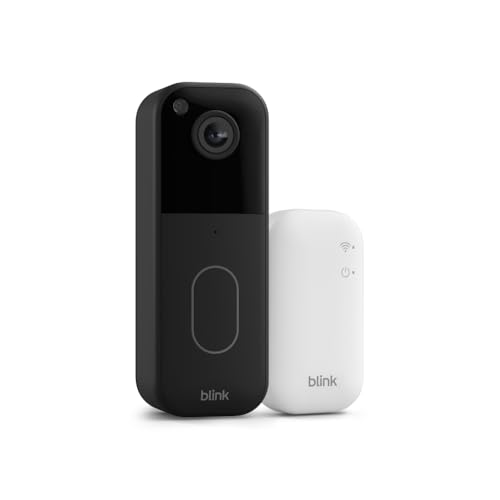
- Blink Video Doorbell System | Head-to-toe… about$99
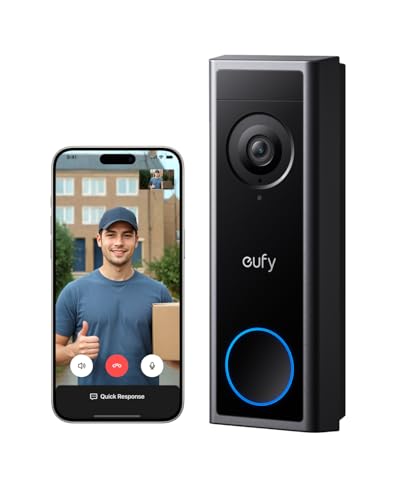
- eufy Security Video Doorbell C30 about$149
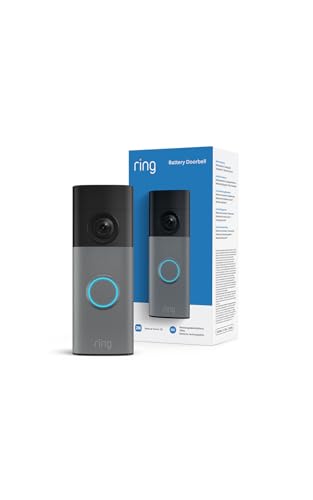
- New Ring Battery Video Doorbell 2K about$147
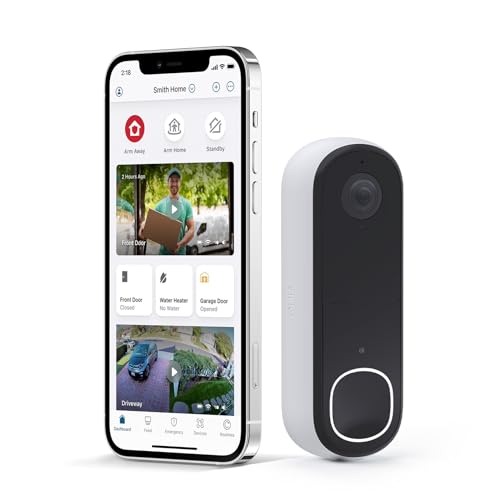
- Entry PickArlo Video Doorbell 2K (2nd Gen) about$75
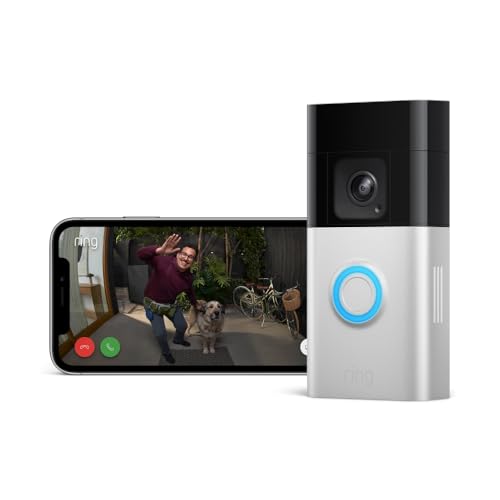
- Ring Battery Video Doorbell Pro by Amazon |… about$229
- C: The No-Subscription PickReolink 2K Battery Doorbell Camera about$181
- Most PremiumGoogle Nest Doorbell about$259
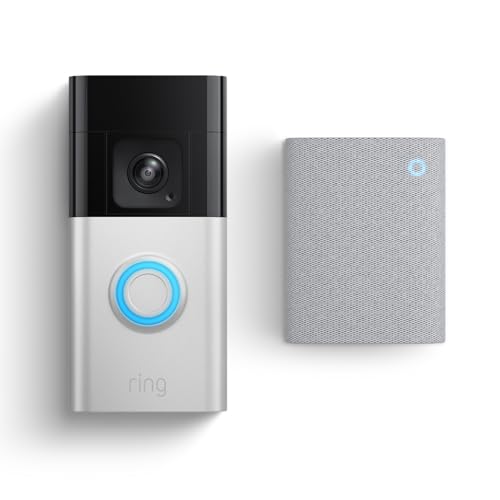
- Ring Battery Video Doorbell Pro + Chime about$249
The $259 doorbell that costs $619, and the $181 one that stays $196
Earlier this year a customer walked into the workshop with a police event number from a car break-in and a doorbell app that would not give him the clip. The doorbell had recorded the whole thing. He saw the notification at 2am. But his cloud trial had lapsed months before, so the app showed him a thumbnail, a padlock, and an invitation to resubscribe. By the time he had paid up, the event window had rolled over and the footage was gone. Nothing stored on the doorbell itself. Nothing for me to recover. That is the part of the video doorbell market the boxes never mention: on most of these products you do not own the footage. You rent access to it.
Two of the three picks in this guide work exactly that way, and I still recommend them, because they are genuinely good hardware and for plenty of households the subscription is a fair trade. But you should buy with the full number in front of you, not the sticker price. Here is the three-year maths at current Australian subscription pricing, rounded:
- Google Nest Doorbell (Battery): $259 hardware, plus Nest Aware at about $120 a year for usable event history. Roughly $619 over three years.
- Ring Battery Video Doorbell Pro: $229 hardware, plus Ring's entry plan at about $70 a year, without which it records nothing. Roughly $439 over three years.
- Reolink 2K Battery Doorbell Camera: hardware, plus about $15 for a microSD card you supply. Roughly $196 over three years. There is no plan to buy.
So the smallest sticker on this page is also the only one that stops taking money the day you mount it, and the gap widens every year after that. That is the entire reason the Reolink is here despite being the least famous name of the three.
The subscriptions do buy real features: Nest Aware adds 30 or 60 days of history plus familiar-face recognition, and Ring's plans add package alerts and up to 180 days of storage. If you will use those, pay with your eyes open. Just decide before the trial ends, because without a plan the Nest keeps three hours and the Ring keeps nothing.
One scope note. This guide covers the front door only. If you want cameras across the whole property, iFix publishes a separate guide to security camera systems with local NVR storage that applies the same no-subscription logic to full kits, and shopfront owners should start with the small-business security camera rundown, which deals with staff areas, coverage and retention instead.
What actually matters in a video doorbell
Where the footage lives decides everything else
Cloud storage means your clips are encrypted and offsite, safe even if a thief rips the doorbell off the wall. It also means they sit behind a login, a monthly bill and a retention window that keeps ticking whether you are paying attention or not. Local storage flips it: the footage lives on a microSD card or base station you own, costs nothing per month, and never expires, but physical failure becomes your problem. A stolen doorbell takes its card with it, which is why the Reolink pairs best with hardwired power and, for the cautious, a Reolink Home Hub inside the house. Neither model is wrong. What is wrong is buying a cloud doorbell and never subscribing, which describes a surprising number of the doorbells I see.
Battery versus transformer wiring
Most Australian houses built since about 1990 have no doorbell transformer, and rentals rule out new wiring entirely, which is why all three picks run on batteries. If your place does have old chime wiring, use it. Wired power ends the recharge ritual, and on the Reolink it keeps the battery topped up and works with the mechanical chime you already own. The catch is the transformer itself, which I cover in the bench section below, because sagging transformers cause more "faulty doorbell" complaints than the doorbells do.
Resolution matters less than the frame
All three cameras resolve a face at the door. What separates them day to day is the shape of the image. The Nest's 3:4 vertical frame and the Reolink's square 1:1 both show a visitor head to toe and, more to the point, the parcel sitting on the mat. Ring's 1536p sensor frames the same way. The Reolink's 4MP image carries the highest pixel count of the three, but at 1 to 2 metres from the lens, framing and dynamic range matter far more than pixel count.
The three top picks, from $181 to $259
Prices are Amazon AU at time of writing (28 October 2026) and move week to week. Sales ranks are Amazon AU category ranks, checked the same day.

Google Nest Doorbell (Battery)
ASIN B09GK7JZNH • $259 • Ships from GizmoGrove AU
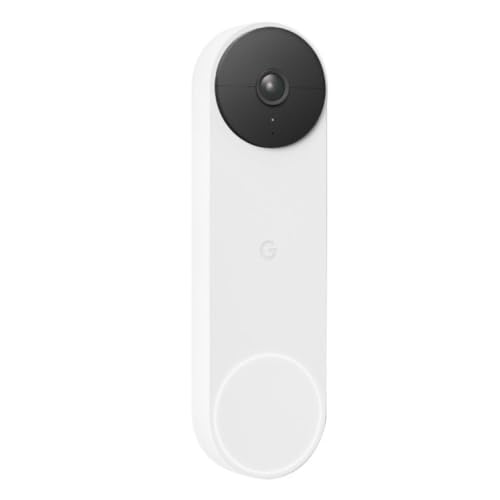
Sitting at #6 in Amazon AU's Video Doorbells category, and the sensible default for most front doors. The lens is the headline: a 3:4 vertical frame shows a visitor head to toe and the parcel on the mat, where letterbox-format rivals cut off at the knees. HDR holds detail against the blown-out glare of a west-facing porch, night vision is clean, and the detection runs on the doorbell itself: it tells people from packages from vehicles from animals with no subscription, so even the free tier's alerts stay useful instead of firing at every possum.
Install suits any home. Run it on battery, or wire it to existing chime wiring and it rings the indoor chime you already own. On battery, a Nest Mini gives you sound inside. It lives in the Google Home app and streams to a Nest Hub on the kitchen bench.
Honest caveats: the free tier keeps three hours of event history, which is the exact trap in the story that opened this article. Treat Nest Aware, about $120 a year, as part of the price: roughly $619 over three years. There is no local storage option, video is 960x1280 (the lowest pixel count here, though the frame uses them well), and it needs the Google Home app, not the old Nest app.
Best for: Most homes, Google households, anyone who wants the smartest free-tier alerts and accepts the yearly fee for history.
Video: 960x1280, 3:4, HDR, night vision • Detection: people, packages, vehicles, animals (on device) • Free history: 3 hours • Storage: cloud only (Nest Aware) • Power: battery or 8-24V AC chime wiring • App: Google Home • Rank: #6 in Video Doorbells (Amazon AU)
View on Amazon AU
Ring Battery Video Doorbell Pro
ASIN B0B2BY4ZG7 • $229 • Ships from Amazon AU
#8 in Amazon AU's Doorbells and Chimes category, and the best motion detection hardware on this page. The Pro uses radar for 3D motion detection: it maps where a person entered the property and draws their path on an aerial view, so "motion detected" becomes "someone came from the driveway to the side gate". Video is a sharp 1536p with head-to-toe framing, colour night vision is the strongest of the three, and the quick-release battery slides out for charging without unbolting anything.
If your house already runs on Alexa, this is the obvious pick. Doorbell presses announce through every Echo, live view pops onto an Echo Show, and the Doorbell Call feature rings your phone like an actual call instead of a notification you swipe away and forget.
Honest caveats: without a Ring plan this doorbell records nothing. Not a short window: nothing, live view and alerts only. The entry plan runs about $70 a year, so the honest price is roughly $439 over three years, and there is no local storage escape hatch. It also will not ring an existing hardwired chime even when wired; indoor sound needs a Ring Chime or an Echo, and the wiring only trickle-charges the battery. The 30-day trial ends; set a reminder.
Best for: Alexa households, and properties where where someone went matters as much as what they looked like.
Video: 1536p, head-to-toe • Detection: radar 3D motion, Bird's Eye View, package alerts (on plan) • Free recording: none, live view only • Storage: cloud only (Ring plan, up to 180 days) • Power: quick-release battery, wiring trickle-charges • Works with: Alexa • Rank: #8 in Doorbells & Chimes (Amazon AU)
View on Amazon AU
Reolink 2K Battery Doorbell Camera (150x150 View)
ASIN B0CYGPQ42Q • $181 • Ships from ReolinkAU
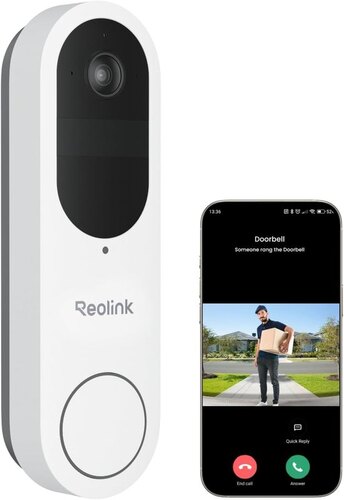
The pick this article exists for, and the lowest-priced doorbell of the three. At #13 in Amazon AU's Video Doorbells category it sells in smaller numbers than the Nest or the Ring, but it is the one that stops costing money the day you mount it. Footage goes to a microSD card of up to 256GB in the doorbell, or to a Reolink Home Hub (sold separately) if you want more capacity and somewhere safer than the front porch. Smart detection for people, vehicles and packages is built in, the free Rich Notification plan pushes up to 25 image alerts a day, and there is no subscription tier gating the recordings because the recordings never leave your house.
The frame is the other reason it is here. A square 1:1 image at 4MP with a 150 by 150 degree view catches a visitor head to toe and the parcel on the mat in one shot. Run it on the rechargeable battery or hardwire it: connected to existing doorbell wiring (AC 8 to 24 volts or DC 24 volts) it keeps the battery topped up and works with your existing mechanical chime. A press raises a video call (the listing says iOS only) and pre-recorded quick replies cover you when you cannot answer. The radio takes 2.4GHz or 5GHz, and the listing says it integrates with Alexa and other smart home devices.
Honest caveats: budget about $15 for a high-endurance microSD card, not a leftover from a camera bag, and note the card tops out at 256GB. 24/7 continuous recording is not supported, even when wired, so this is an event-clip doorbell. The listing does not say a chime is included, so work out your indoor sound before ordering, and it quotes no battery-life figure, so expect an Australian summer to shorten whatever runtime you get. And local storage makes backups your job: a dead card holding the only copy of an incident is a data recovery job, not a customer service call.
Best for: Anyone keeping a doorbell past 18 months, anyone done with monthly fees, and anyone who wants the footage on hardware they own.
Video: 4MP, 1:1, night vision • Field of view: 150° x 150° • Detection: people, vehicles, packages (free Rich Notification plan, 25 image alerts a day) • Storage: local microSD to 256GB, Reolink Home Hub (not included) • 24/7 recording: not supported • Power: rechargeable battery or hardwired (AC 8-24V, DC 24V) • Wi-Fi: 2.4 and 5GHz • Works with: Alexa • Rank: #13 in Video Doorbells (Amazon AU)
View on Amazon AUSide-by-side comparison
| Product | Price | Best for |
|---|---|---|
| Blink Video Doorbell System | Head-to-toe… | ~$99 | AA battery, sync module included |
| New Ring Battery Video Doorbell 2K | ~$147 | 2K video with USB-C recharging |
| Arlo Video Doorbell 2K (2nd Gen) | ~$75 | Lowest-priced 2K, battery or wired |
| TP-Link TD20 2K Battery Doorbell Cam | ~$99 | 2K, 160 degrees, card up to 512GB |
| eufy Security Video Doorbell C30 | ~$149 | Local storage and no monthly fee |
| Ring Battery Video Doorbell Pro by Amazon |… | ~$229 | B: The Ecosystem Pick |
| Ring Battery Video Doorbell Pro + Chime | ~$249 | Ring Pro with a Chime in the box |
| Google Nest Doorbell | ~$259 | A: Best for Most Homes |
| Reolink 2K Battery Doorbell Camera | ~$181 | C: The No-Subscription Pick |
When you actually need the footage
Doorbell footage matters on exactly two days: the day you lodge an insurance claim, and the day you give police an event number. Both have deadlines, and both are where the checkout storage decision comes home to roost.
With cloud doorbells the rule is simple: export the clip the same day it happens. Event windows run 30 to 180 days depending on the plan, a lapsed card payment can padlock clips that still technically exist, and insurers want the original video file, not a shaky screen recording of the app. Download it to your phone, then copy it to a computer or drive as well. I have sat with more than one customer scrolling an app looking for footage that expired the week before the assessor asked for it.
Local storage fails differently. The footage never expires and no one can bill you for access, but the card is a tiny piece of flash memory living outdoors through Australian summers, and cards die. When one dies holding the only copy of a break-in, that becomes chip-level data recovery. iFix handles exactly this through our digital evidence and footage extraction service: doorbell cards, dashcams, NVR drives, phones. The recoveries that succeed are the ones where the customer could physically hand me the storage. No bench anywhere can recover a cloud clip that expired.
What fails at the bench: video doorbells
Doorbells cross the counter with dead batteries, phantom Wi-Fi complaints and chime mysteries every month. After 16 years the patterns in this category are consistent enough to write down.
Australian sun cooks the batteries
A video doorbell is a lithium battery in a sealed dark plastic box screwed to what is often the hottest wall of the house. On a west-facing mount in January the housing sits in direct sun for hours and gets too hot to hold; lithium cells age fast up there, and it shows up as runtime falling off a cliff in the second summer. A doorbell that managed eight weeks per charge does a fortnight, then days. Mount under eaves or a porch overhang where you can, and tighten motion zones so passing traffic is not waking the camera hundreds of times a day. The Reolink listing quotes no battery-life figure, so assume a short second summer and plan accordingly.
Old transformers cause more faults than the doorbells do
Houses with original chime wiring usually have a transformer from decades back tucked in the ceiling or meter box, and its output sags with age. A doorbell that wants 8 to 24 volts AC and receives a sagging 6 under load reboots randomly, reports "charging" forever, or drops offline every time it transmits video. The doorbell gets blamed; the transformer is the fault. A multimeter across the chime terminals settles it in ten seconds. If the voltage is low, the swap is quick work for an electrician, and in Australia the mains side of a transformer is licensed work, not a weekend job.
Wi-Fi dropouts at the front door are a range problem
The complaint arrives as "the doorbell is faulty, it keeps going offline". The doorbell is almost never faulty. It is hanging on the far side of a brick or double-brick wall from a router two or three rooms deep in the house, and the 5GHz band that looks quick on a speed test barely penetrates masonry, so the doorbell clings to 2.4GHz at the edge of its range. Delayed notifications, live view that spins, missed clips. Stand at the door and watch your phone's signal drop; that is your answer. A mesh node near the entry hall fixes it properly, and our guide to mesh Wi-Fi systems that cope with brick covers the systems worth buying.
Chime compatibility is where the returns come from
The most common doorbell disappointment is silence: the new doorbell arrives and the ding-dong inside the house never rings again. Each pick handles it differently. The Nest rings your existing chime, but only when wired. The Ring Pro never touches your old chime, wired or not, and needs a Ring Chime or Echo indoors. The Reolink works with an existing mechanical chime when wired, but the listing does not say a chime is included, so plan indoor sound before you order. None of this is in the headline specs. Work out the indoor-sound plan before you order, not after the courier leaves.
Decision tree: which doorbell should you buy?
- First video doorbell, Google speakers in the house, happy to pay yearly for history? → Google Nest Doorbell (Battery) at $259. Best free-tier alerts, easiest install.
- Alexa household, want to know where someone went, not just that they came? → Ring Battery Video Doorbell Pro at $229. Budget the plan; it records nothing without one.
- Done with subscriptions, want the footage on hardware you own? → Reolink 2K Battery Doorbell Camera. Add a high-endurance microSD, hardwire if you can.
- Need eyes on the driveway, side gate and shed too? → A doorbell is the wrong tool. The security camera systems guide linked in the intro ranks full NVR kits that record locally.
- Already have footage you cannot export, or a dead card holding the only copy? → That is a recovery job, not a shopping trip. Walk it into our workshop at Erina and we will tell you within minutes whether it is retrievable.
Frequently asked questions
Do video doorbells work without a subscription?
All three work, but what you keep changes completely. Without a plan the Nest gives you live view, smart alerts and three hours of event history: enough to see the courier was there, not enough for much else. Ring is stricter. No plan means no recorded clips at all, just live view and notifications, so if you miss the alert the moment is gone. The Reolink is the outlier: it records to local storage with no plan and no monthly fee, and its people, vehicle and package detection keeps working on the free tier, which is why it anchors this guide. My rule from the bench is to decide whether you will pay the subscription for the life of the device before you buy, not after the free trial lapses.
Can I use doorbell footage for an insurance claim or police report in Australia?
Yes. Insurers and police accept doorbell footage routinely, but you have to export the clip while it still exists. Cloud plans keep events for a fixed window, typically 30 to 180 days depending on the tier, and a lapsed subscription can lock you out of clips that are technically still on the server. Download the relevant clips to your phone the day the incident happens, then copy them somewhere else as well, because insurers ask for the original file rather than a screen recording of the app. Local storage shifts the problem: the footage sits on hardware you own, but if the card or base station dies you need a recovery job rather than a login. That is bench work, covered earlier in this article.
Do I need existing doorbell wiring to install these?
No. All three run on batteries, which is exactly why they made the list: most Australian homes, and nearly all rentals, have no doorbell transformer behind the wall. If you do have old chime wiring, check the transformer before connecting anything. The Nest wants 8 to 24 volts AC, and tired transformers in older homes often sag below that, which shows up as random reboots and a doorbell that never finishes charging. Where wiring exists and tests healthy, use it: it removes the recharge ritual, and on the Reolink it keeps the battery topped up and works with the mechanical chime you already own. On the Ring Pro the wiring only trickle-charges the battery.
How long does the battery actually last in the Australian sun?
Shorter than the box says. Battery estimates are quoted for mild weather and modest event counts. A doorbell on a west-facing wall in an Australian summer sits in direct sun for hours, and lithium cells age fast in that heat: expect quicker self-drain, slower charging and a shorter service life. Busy doorbells on footpath-facing homes also chew through charge with constant motion events. Mount under eaves or a porch roof where you can, tighten the motion zones so passing cars do not trigger recordings, and if you want to stretch the gap between charges, the Reolink here quotes no runtime figure, and no number survives a west-facing wall in January.
Why does my video doorbell keep dropping off the Wi-Fi?
Because the front door is usually the worst-served spot in the house. The router lives in a study or lounge, the doorbell hangs on the far side of a brick or double-brick wall, and the 5GHz band that looks quick on a speed test barely penetrates masonry, so the doorbell ends up on 2.4GHz at the edge of its range. The symptoms are delayed notifications, a live view that spins forever, and missed recordings that get blamed on the doorbell. Before you return anything, stand at the door and check the signal on your phone. If it is weak there, a mesh node placed near the entry fixes it; the doorbell was never the fault.
Will these ring my existing chime inside the house?
Mostly no, and it catches people out. The Nest can, if you wire it into an existing chime circuit; on battery it needs a Google speaker or display, such as a Nest Mini, to make noise indoors. The Ring Battery Pro never connects to your old chime, even when wired: indoor sound means a Ring Chime or an Echo device. The Reolink is the blunt one, because the listing does not say a chime is included: it works with an existing mechanical chime when wired, but plan indoor sound before you order. Price the indoor unit into your decision, because a doorbell you only hear as a phone notification misses half the point.
Related buying guides
Doorbell footage you can't get to?
A lapsed cloud plan has a deadline; a dead microSD card has a chance. If the card, base station or doorbell holding your only copy of an incident has died, bring it in before you touch it further. Sixteen years of board-level and forensic data recovery work means we can usually tell you within minutes whether the footage is retrievable.
Visit our Erina workshop Book Online