Prices from Amazon AU, updated daily. Swipe or use the arrows for more.
Disclosure: This article contains affiliate links to amazon.com.au. If you buy through one of these links iFix may earn a small commission at no extra cost to you. It doesn't change which products we recommend. We focus on what actually lasts based on 16 years of repair-shop experience.
Quick summary8 picks
- Entry PickXICEN Pneumatic Desk Converter 73cm about$79.99
- XICEN 80cm Standing Desk Converter about$109.99
- YSGOYS 91cm Desk Converter about$119.99
- SHW 81cm Standing Desk Converter about$129.87Lowest start height, no tray.
- VIVO 81cm Desk Converter about$169.99
- ERGOMAKER 90cm Standing Desk Converter about$179Vertical lift, 2kg tray limit.
- Most PremiumVIVO 91cm Desk Converter about$199.99
- VIVO 32 inch Desk Converter with Monitor Mount about$199.99Dual monitor mount included.
Why a converter instead of a new desk
A standing desk converter is a lifting platform that sits on top of the desk you already have. You put your monitor on the top shelf, your keyboard and mouse on the tray underneath, and you lift the whole thing when you want to stand. It's the option for people who rent, share a desk, or already own a good desk they don't want to throw out. All eight in this guide sit between $80 and $200 on Amazon AU at time of writing.
The alternative is a full electric standing desk, which lifts the whole top on one or two motors. That's the better tool if you're starting from nothing, and it gives you more room and a lower minimum height. But it's a bigger spend, it needs assembly, and it's a lot heavier to move. A converter goes on in ten minutes, comes off when you move house, and nothing on it needs power.
The trade-off is that a converter puts everything higher and further forward than your desk normally would, on a frame that has to hold it up with a spring or a lock. That's where most of the problems come from. The lift has to suit the weight you put on it, the tray has to stay still while you type, and the cables to your laptop and monitor have to be long enough for the trip up and down.
So I've judged these on the hardware, not the lifestyle copy in the listings. How it lifts, what weight the listing actually states, how high it goes, how much the keyboard tray flexes, and what a badly set up riser does to the electronics sitting on it.
Gas spring, lift lock or handle: how they actually move
Most converters in this band use a scissor or X-frame under the top, with a gas spring doing the lifting. You squeeze a handle, the spring pushes the platform up, and when you let go a lock holds it at that height. Going down, you push against the spring. The XICEN 73cm and the ERGOMAKER say gas spring in their listings, and VIVO describes a lift assist with a touch locking mechanism, which is the same idea in different words.
The spring is the part that matters. A gas spring is sized to push a certain weight, and it works best when what's on the platform is close to that figure. Put too little on it and the top jumps up the moment you release the lock. Put too much on it and you're lifting the difference with your arms every time, which wears the lock and the pivot bolts faster than anything else.
Some listings don't say what lifts the frame at all. The 80cm XICEN mentions a built-in handle and a solid X structure but not a spring, the SHW uses a dual handle lift with no mention of what's inside, and the YSGOYS says only that it has a height adjustment mechanism. They usually work the same way, but I'd treat a listing that won't name the mechanism with a bit more caution, because you can't check what you're getting until it arrives.
There are electric converters too, with a small motor and a switch, but in this price band on Amazon AU they were either over $200 or sold by sellers I couldn't verify. A motor adds a power brick, a control board and another thing to fail, and on a riser this size it doesn't buy you much over a decent spring.
Load figures and what your setup actually weighs
Listings quote two different kinds of number and it's easy to mix them up. VIVO quotes a 15kg lift assist on its 81cm and 91cm models, which is the force the spring gives you, not a hard maximum. The 80cm XICEN quotes 30kg as a supported load and the 73cm XICEN up to 85 lbs (about 38kg), which is what the frame is meant to carry. ERGOMAKER rates its top tier at 15kg. SHW and YSGOYS don't state a load figure at all on their listings.
Add up what you'll actually put on it before you buy. A monitor on its stock stand, a laptop, a keyboard, a mouse and a mug is the usual load, and two monitors on their stands can be a fair bit more than people expect. Check the weight on your monitor's own spec sheet rather than guessing, because a big curved screen can weigh twice what a flat 24-inch does.
If your total is well under the spring's figure, the top tends to rise too fast, and if it's well over, the lift feels heavy and the lock takes the strain. Neither breaks it on day one, but both shorten its life. The best fix for a heavy setup is usually a clamp-on monitor arm on the desk itself, which takes the monitor weight off the riser completely and leaves it carrying only the keyboard, mouse and laptop.
Weight also changes stability. A converter is a lever, and the higher you lift it and the further forward the load sits, the more it wants to rock. Keep the heaviest thing near the back of the top shelf and you'll get less wobble at full height, whichever model you buy.
Height range against your desk and your height
Every converter adds its height range on top of your existing desk, so the desk you start with matters. Most desks are around 72 to 75cm high. VIVO lists 11 to 51cm on both its 81cm and 91cm models (the 32 inch model is 4.5 to 20 inches, about the same), ERGOMAKER 12 to 52cm, the 80cm XICEN 13.5 to 51cm and SHW 10.2 to 40.6cm. The 73cm XICEN and YSGOYS listings don't state a range. On a typical desk that puts the top shelf somewhere between about 123 and 127cm at full lift on the taller ones.
The keyboard tray is what you need to check against your own height, not the top shelf. On the VIVO models the tray sits below the top and rises with it, so your hands end up lower than the monitor, which is what you want when standing. Taller people should check the tray height at full lift, because a riser that tops out a bit low leaves you hunched over the keys.
The minimum height matters too. A converter that's 11 to 13cm tall when it's fully down still lifts your monitor above where it was on the bare desk. If you sit most of the day, that extra height can push the screen too high for sitting, and you may end up working with it raised all the time. The SHW has the lowest starting height here at 10.2cm.
Keyboard trays are where the wobble lives
Most of the wobble people complain about with converters isn't the frame, it's the keyboard tray. The tray hangs off the front of the platform on two arms, and when you type on it, every keystroke flexes those arms a little. A wider tray with arms closer to the ends flexes less, and a tray bolted firmly to the frame flexes less than one that slots in.
VIVO's trays are 80 x 30cm on the 81cm model and 91 x 30cm on the 91cm model, narrowing to 27cm and 26cm in the centre. That's wide enough for a full-size keyboard and a mouse. The XICEN uses a two-tier top rather than a hanging tray, which the listing says gives 25% more space for the keyboard. The SHW has no keyboard tray at all, so your keyboard sits on the same top as the screen.
Typing style makes a real difference. A heavy mechanical keyboard and a heavy hand on a hanging tray is the worst case for bounce. If the tray moves while you type, tighten every bolt on the tray arms first, then try a lighter keyboard and mouse, and only then blame the riser.
Mouse space is the other catch. On a narrow tray the mouse ends up right on the edge or on the top shelf, which is awkward when standing. Measure your keyboard and leave at least 20cm beside it for the mouse before you choose between widths.
80cm or 91cm, and how deep it sits
Width is mostly about what's on top. An 80cm top holds one monitor and a laptop side by side, or two smaller monitors if they're on slim stands. A 91cm top gives you room for two 24-inch monitors on their stands without the feet hanging off the edge. Three of the eight picks are wide: the VIVO 91cm, the YSGOYS 91cm and the ERGOMAKER 90cm. The VIVO 91cm costs $30 more than the 81cm version from the same maker.
Depth is the one people forget to measure. The VIVO tops are 40cm deep, with the tray adding more in front. The SHW lists 55.9cm deep overall. On a shallow desk, a deep converter pushes the monitor closer to your face and leaves no room behind the keyboard, so measure your desk depth before you order and leave space for the frame to swing.
Some X-frame converters move forward as they rise, and some lift straight up. VIVO says its lift design rises straight upwards, which matters if your chair or a wall is close behind you. ERGOMAKER says the same of its frame. The other listings don't say which way their frames move, so give yourself a bit of clearance in front of the desk the first time you lift it.
What I left out and why
I left out the full electric standing desks that turn up in converter searches, because they're a different product with their own guide. I also left out laptop stands and monitor risers that don't lift, and the converters sold under several titles that don't agree with their own listings. One XICEN listing is titled 94cm wide but its features describe an 80 x 40cm top, so I've used the 80cm listing where the title and the features match.
The YSGOYS 91cm, sold by Fresh Feel-AU, is in the guide but its listing doesn't state a height range or a load figure. I normally won't recommend a lifting platform when I can't tell you what it lifts, so it's there only as the lowest-priced 91cm, with the gaps spelled out on its card. Pick the VIVO 91cm if the numbers matter to you.
The lifestyle claims in these listings are left out too. Several of them make claims about your body that I can't check and won't repeat. What I can tell you is how the hardware is built, what it's rated to carry, and what we see go wrong with the electronics that sit on top of it.
Setting it up so it lasts
Before you put anything on it, go over every bolt you can reach, especially on the tray arms and the pivot points. Converters ship partly assembled, and a few loose bolts from the factory or the trip are the most common reason a new one feels wobbly. Check them again after the first week, because they often settle a little once the frame has been loaded and lifted a few dozen times.
Run your cables for the full height before you plug anything in. Lift the converter to the top, then check every cable from the wall and the desk reaches the laptop and monitor with slack to spare. A charging cable that's only just long enough at sitting height gets pulled tight at standing height, and that strain goes straight into the port on the laptop or monitor.
If you're running a laptop with a single USB-C cable, a USB-C hub sitting on the riser itself keeps the short cables on the platform and puts one long cable down to the desk. That one long cable is far easier to manage than five separate ones being dragged up and down.
Keep drinks off the tray. A tray sits lower than the top shelf and moves when you lift, and a mug on it is one bump away from going into the keyboard or the laptop beside it. If something does get spilled into a laptop, turn it off, unplug it and leave it off, and read what liquid does inside a laptop before anyone tries to dry it with a hair dryer.
The 8 picks, $80 to $200
Prices are Amazon AU at time of writing (5 November 2026) and move week to week. Ranks are Amazon AU category sales ranks, checked the same day.

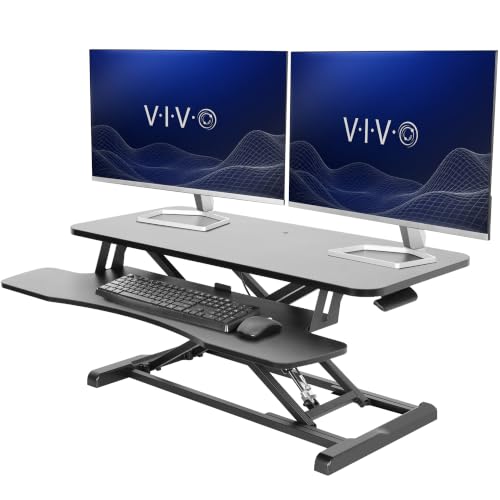
VIVO K Series 81cm Desk Converter with Keyboard Tray (DESK-V000K)
ASIN B075JYG2TB • $169.99 • Sold by VIVO-AU on Amazon AU
The VIVO K Series 81cm is the converter I'd start with for most desks. It's $170 on Amazon AU at time of writing, sold by VIVO-AU, and it's #2 in Amazon AU's Computer Workstations category, which is about as high as a converter goes. The top surface is 80 x 40cm, and the keyboard tray underneath is 80 x 30cm, narrowing to 27cm in the centre. That's enough room for one monitor and a laptop on top, with a full-size keyboard and mouse on the tray. The part number DESK-V000K matches the title, which is more than some listings in this category manage. The finish on this listing is black.
The lift is a 15kg lift assist with what VIVO calls a simple touch height locking mechanism, and the adjustment range is 11 to 51cm. VIVO says the lift design rises straight up, so the platform doesn't swing out towards your chair as it climbs. That matters on smaller desks and in rooms where the chair sits close to a wall. The keyboard tray rises in sync with the top, so the gap between your hands and your screen stays the same at every height. VIVO says it needs very minimal assembly, which in practice means bolting on the tray and checking the fixings. I'd still go over every bolt before loading it.
The listing quotes a 3-year manufacturer warranty, the longest stated in this guide, and VIVO is a known desk and mount brand with its own AU storefront. The listed shipping weight is about 11.8kg, so it's solid but still one person can lift it. The 15kg figure is the spring's assist, not a load limit, so plan for a setup that weighs about that much. It suits one monitor on a stand and a laptop well. If you run two monitors, the 91cm version is the better fit, or put the screens on an arm and leave the riser for the keyboard and laptop.
Honest caveats: the 15kg figure is the lift assist, and VIVO doesn't state a separate maximum load on the listing, so a very light setup may make the top rise quickly. The tray narrows to 27cm in the centre, which is tight for a deep mechanical keyboard. The listing doesn't say what the top is made of. Check the tray bolts after the first week of use.
Best for: One monitor and a laptop on a standard desk, with a keyboard tray that rises with the top.
Top surface: 80 x 40cm • Keyboard tray: 80 x 30cm (27cm centre) • Height range: 11 to 51cm • Lift: 15kg lift assist, touch lock • Lift path: Straight up (per listing) • Warranty: 3-year manufacturer • Seller: VIVO-AU • Rank: #2 in Computer Workstations (Amazon AU)
View on Amazon AU
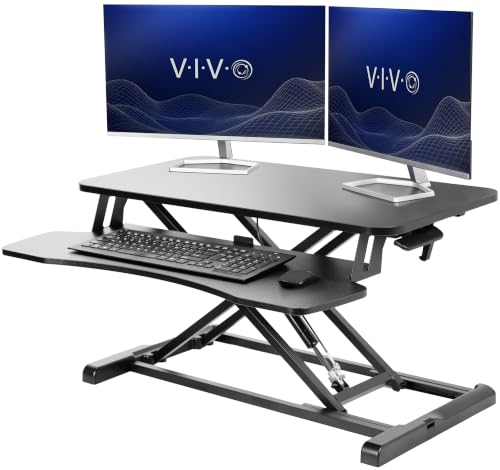
VIVO 91cm Desk Converter with Wide Keyboard Tray (DESK-V036KB)
ASIN B0B4T8DJW7 • $199.99 • Sold by VIVO-AU on Amazon AU
The VIVO 91cm is the same design as the 81cm K Series, stretched for two screens. It's $200 on Amazon AU at time of writing, sold by VIVO-AU, and the top surface is 91 x 40cm. The keyboard tray is 91 x 30cm, narrowing to 26cm in the centre, which leaves proper room for a mouse beside a full-size keyboard. That's the main reason to pay the extra $30 over the 81cm model. It shares the #2 Computer Workstations rank with VIVO's other converters, so read that as the listing family's rank rather than this exact model's. The finish on this listing is black.
The lift is again a 15kg lift assist with the touch height lock, and the range is 11 to 51cm, rising straight up according to VIVO. Because the top is wider but the spring is the same, two monitors on their own stands can push you over the assist figure quickly. Weigh your screens before you buy, because two 27-inch monitors on stock stands are often more than one spring is happy to lift. If your total is well over, the platform still holds, but you'll feel the lift get heavier and the lock will take the strain every time. A spring sized for one screen isn't happy with two.
The listing quotes a 3-year warranty and the part number DESK-V036KB matches the title. Its listed weight is about 12.8kg, a kilo heavier than the 81cm, so check your desk is sturdy enough to carry the riser plus everything on it. The wider top hangs further past the frame on each side, so keep the heaviest screen in the middle rather than at one end. If the screens are heavy, put them on a desk-mounted arm and use the riser for the keyboard, mouse and laptop only. That combination usually lifts more smoothly and wobbles less than two monitors on stands.
Honest caveats: it uses the same 15kg lift assist as the narrower model, so two heavy monitors on stands can be more than the spring is sized for. It needs a desk at least 91cm wide with room either side. The shared rank covers VIVO's other converter listings too. The listing doesn't say what the top is made of.
Best for: Two monitors or a monitor and laptop side by side, with real room for a mouse on the tray.
Top surface: 91 x 40cm • Keyboard tray: 91 x 30cm (26cm centre) • Height range: 11 to 51cm • Lift: 15kg lift assist, touch lock • Weight: About 12.8kg (listed 28.3 lb) • Warranty: 3-year • Seller: VIVO-AU • Rank: #2 in Computer Workstations (Amazon AU), listing family shared
View on Amazon AU
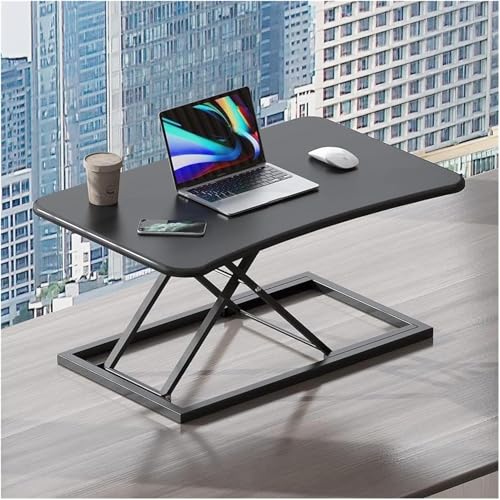
XICEN 73cm Pneumatic Standing Desk Converter, Black
ASIN B0DYTV6KN9 • $79.99 • Sold by sssakura on Amazon AU
The XICEN 73cm pneumatic is the lowest-priced riser in this guide, and it quotes the most weight. It's $80 on Amazon AU at time of writing, sold by WPH-Au, and it's #12 in Amazon AU's Computer Workstations category. The listing says the frame supports up to 85 lbs, about 38kg, which is more than the 30kg the 80cm XICEN quotes, and it names a built-in gas spring for the lift. The top surface is listed as 28.7 x 18.5 inches, about 73 x 47cm, and the colour on this listing is black.
The listing says the gas spring makes it easy to lift and lower to the height you want, and that you place it on your existing desk and start using it, with no complex installation. What it doesn't say is how tall it goes, whether a keyboard tray comes with it, how much it weighs or what warranty applies, and I won't guess at any of those. Look at the product photos for a tray before you order, because that decides whether your hands sit lower than the screen when you stand.
It suits a laptop and one monitor on a smaller desk, where the lowest price matters and the 73cm top is wide enough. For two monitors, one of the 91cm models is the better choice. WPH-Au also sells the 80cm XICEN above. Tighten any bolts you can reach before you load it, and check it lifts smoothly before the returns window closes.
Honest caveats: the listing doesn't state a height range, a keyboard tray, a weight or a warranty period. The 85 lb figure is a frame rating in the listing copy, not a spring rating, so a heavy setup may still feel heavy to lift. At 73cm wide it holds one monitor and a laptop at most.
Best for: A laptop and one monitor on a smaller desk, at the lowest price in the guide.
Top surface: 28.7 x 18.5 inches (about 73 x 47cm) • Lift: Built-in gas spring • Stated load: Up to 85 lbs (about 38kg) • Height range: Not stated on the listing • Colour: Black • Seller: WPH-Au • Rank: #12 in Computer Workstations (Amazon AU)
View on Amazon AU
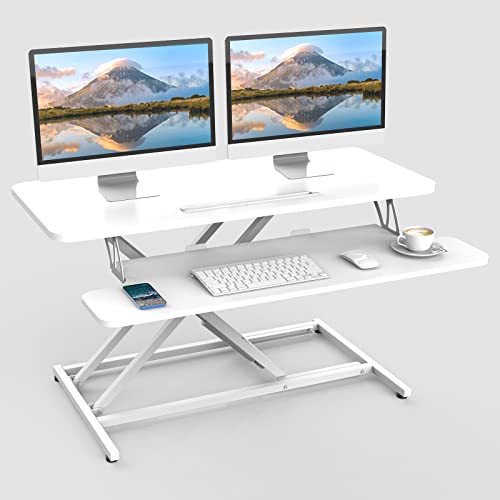
XICEN 80cm Standing Desk Converter with Keyboard Tray, White (CENXIN90)
ASIN B0DYTS4GGY • $109.99 • Sold by WPH-Au on Amazon AU
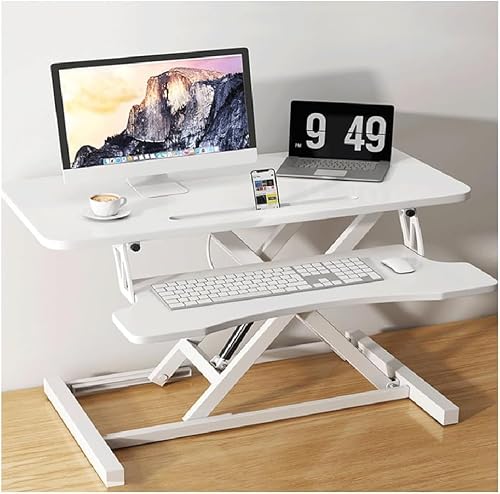
The XICEN 80cm is the converter for people who want it on the desk in two minutes. It's $110 on Amazon AU at time of writing, sold by WPH-Au, and it's #3 in Amazon AU's Computer Workstations category. The listing says it comes fully assembled with no tools needed, and it has a built-in handle for lifting. The top is 80 x 40cm, with a two-tier design where the lower level holds the keyboard. The listing says that tier gives 25% more space for the keyboard than a standard tray, which is useful if your mouse usually ends up on the top shelf. It's sold in white on this listing.
The listed height range is 13.5 to 51cm, so it starts a little higher than the VIVO models when fully down. It quotes a 30kg supported load on a solid X structure. The listing doesn't name the lift mechanism, so I can't tell you whether it's a gas spring or a simple lock. The top is particle board, which is fine for a riser but doesn't like water, so keep drinks off the edges. The white finish shows marks more than black, and the part number CENXIN90 is shared with the brand's other sizes. That makes it harder to confirm you've got the right one.
The listing data has some gaps that I'd want you to know about. It lists the product weight as about 1kg, which can't be right for a steel X-frame riser, so treat that number as a listing error. Its sibling listing titled 94cm describes the same 80 x 40cm top, which is why I've chosen the 80cm listing where the title and the features agree. No warranty period is stated. At $110 with no assembly and a two-tier top it's good value, but measure what arrives against the listing and check it lifts smoothly before the returns window closes.
Honest caveats: the listing doesn't name the lift mechanism or state a warranty period, and its listed weight of about 1kg is clearly wrong. Its 94cm sibling listing describes an 80cm top, so measure what arrives. The particle board top doesn't handle spills well. The 13.5cm minimum height is the tallest starting point here.
Best for: A quick, no-tools setup with extra keyboard and mouse room on a two-tier top.
Top surface: 80 x 40cm, two-tier • Height range: 13.5 to 51cm • Stated load: 30kg • Lift: Not stated on the listing • Assembly: Fully assembled (per listing) • Top material: Particle board • Seller: WPH-Au • Rank: #3 in Computer Workstations (Amazon AU)
View on Amazon AU
SHW 81cm Standing Desk Converter, Dual Handle Lift, White (OD-81B-W)
ASIN B0B8N6168T • $129.87 • Sold by EP Family AP Direct on Amazon AU
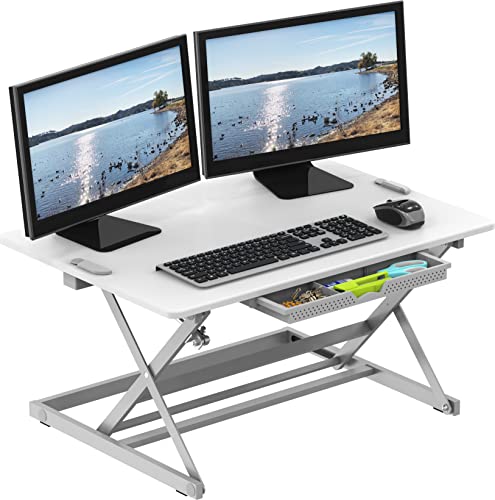
The SHW 81cm takes a different approach from the others. It's $130 on Amazon AU at time of writing, sold by EP Family AP Direct, and it's #19 in Amazon AU's Computer Workstations category. There's no hanging keyboard tray. Instead, you get one flat top that's 81.3cm wide and 55.9cm deep, with a sliding drawer underneath for pens and small things. Your keyboard, mouse and screen all sit on the same surface. That suits a laptop user more than a desktop setup, and the single deep top doesn't bounce while you type the way a hanging tray can. The finish on this listing is white.
The lift range is 10.2 to 40.6cm, the lowest at both ends in this guide. That makes it the best fit for people who sit most of the day, because the screen isn't pushed much higher than the bare desk when it's down. The catch is the top of the range, because 40.6cm on a typical desk may not be enough for taller people to stand comfortably. You lift it with two handles, one on each side, which keeps the platform level as it rises. The steel X-frame arrives fully assembled, and the model number OD-81B-W matches the title. It's ready to use out of the box.
The listing doesn't state a load figure or a warranty period, and SHW is sold here by a bare-name marketplace seller rather than its own storefront. Its listed weight is about 9.1kg, the lightest listed weight in this guide. With the keyboard on the same level as the screen, you'll want a laptop on a stand or a separate keyboard so your hands aren't up at screen height. For a laptop-first desk, the deep single top and drawer make sense. For a two-monitor setup, one of the VIVO models is the better choice.
Honest caveats: there's no separate keyboard tray, so the keyboard sits at screen level. The 40.6cm maximum lift may be too low for taller people. The listing doesn't state a load figure, a warranty period or the lift mechanism inside. It's sold by a bare-name marketplace seller, so check returns on the current listing.
Best for: Laptop users who sit most of the day and want a low, deep, flat top with a drawer.
Top surface: 81.3 x 55.9cm, single level • Height range: 10.2 to 40.6cm • Lift: Dual handle • Keyboard tray: None, sliding drawer instead • Assembly: Fully assembled • Model: OD-81B-W • Seller: EP Family AP Direct (marketplace) • Rank: #19 in Computer Workstations (Amazon AU)
View on Amazon AU
ERGOMAKER 36 inch (90cm) Standing Desk Converter, White
ASIN B09FXH1GJC • $179 • Sold by Ergomaker AU on Amazon AU
The ERGOMAKER is the other wide converter besides the VIVO 91cm, and the only one here that spells out a weight limit for each tier. It's $179 on Amazon AU at time of writing, sold by Ergomaker AU, and it's #57 in Amazon AU's Home Office Desks category, which is a different list from the Computer Workstations ranks above, so don't compare the numbers directly. The top tier is 91 x 40cm and rated for 15kg, with room for two monitors or a monitor and a laptop. The lower tier is 87.5 x 30cm for a keyboard and mouse. The frame and top are white.
The lift is a gas spring worked by one handle, and a height locking mechanism stops it where you let go. The listing gives the range as 12 to 52cm and says the frame rises vertically, which keeps the footprint smaller and matters if a wall or chair sits close behind the desk. Assembly is attaching the keyboard tray, which the listing puts at about five minutes, and you can leave the tray off and use it as a plain riser.
Read the weights carefully. The 15kg is the stated capacity of the top tier, and the keyboard tray is rated for only 2kg, so a heavy mechanical keyboard with a wrist rest and a mouse could be close to that. The listing quotes a 2-year warranty, a year shorter than VIVO's. At $179 it's $21 less than the VIVO 91cm, so it makes most sense if you want the 90cm width and the tray rating isn't a problem for you.
Honest caveats: the lower tier is rated for 2kg, and the listing doesn't state a weight for the converter itself. The 15kg top-tier figure is a capacity, not a spring rating. Its sales rank sits in a different category, so it can't be compared with the Computer Workstations ranks on this page.
Best for: Two monitors or a monitor and laptop on a 90cm top, with the frame rising straight up.
Top surface: 91 x 40cm • Keyboard tray: 87.5 x 30cm • Height range: 12 to 52cm • Lift: Gas spring, one handle, height lock • Stated load: 15kg top tier, 2kg tray • Lift path: Vertical (per listing) • Warranty: 2-year • Seller: Ergomaker AU • Rank: #57 in Home Office Desks (Amazon AU)
View on Amazon AU
YSGOYS 91cm Desk Converter with Wide Keyboard Tray, Black
ASIN B0FW5BVGPS • $119.99 • Sold by Fresh Feel-AU on Amazon AU
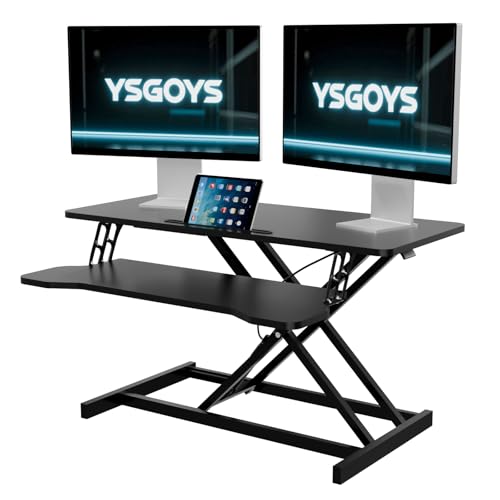
The YSGOYS is the lowest-priced 91cm converter in this guide, at $80 less than the VIVO 91cm. It's $120 on Amazon AU at time of writing, sold by Fresh Feel-AU, and it's #16 in Amazon AU's Computer Workstations category. The listing says the desktop is 91cm wide, enough for dual monitors or a monitor and laptop, with a dedicated wide keyboard tray and an X-frame. The colour on this listing is black.
That is close to everything the listing says. It mentions an easy-to-use height adjustment mechanism but doesn't state the height range, a load figure, a weight, a warranty period or what does the lifting, and I'd normally leave a lifting platform out when I can't say what it lifts. It's here because the buy box is Amazon AU fulfilled with a domestic delivery window and the price gap to the VIVO 91cm is large. You're buying it on the photos and the 91cm width rather than on stated numbers.
If you want 91cm and the figures matter, the VIVO 91cm gives you a stated 11 to 51cm range and a 3-year warranty for $80 more. If you pick the YSGOYS, measure what arrives against the listing, check the lift holds with your monitors on it, and keep the packaging until you're sure.
Honest caveats: the listing doesn't state a height range, load figure, weight, warranty or lift mechanism, and the seller name doesn't match the brand. The tray size isn't given either, so measure your keyboard against the 91cm width.
Best for: A 91cm top for two screens at the lowest price, if you accept the gaps in the listing.
Top surface: 91cm wide • Keyboard tray: Wide, size not stated • Height range: Not stated on the listing • Stated load: Not stated • Lift: Height adjustment mechanism, type not stated • Frame: X-frame • Seller: Fresh Feel-AU • Rank: #16 in Computer Workstations (Amazon AU)
View on Amazon AU
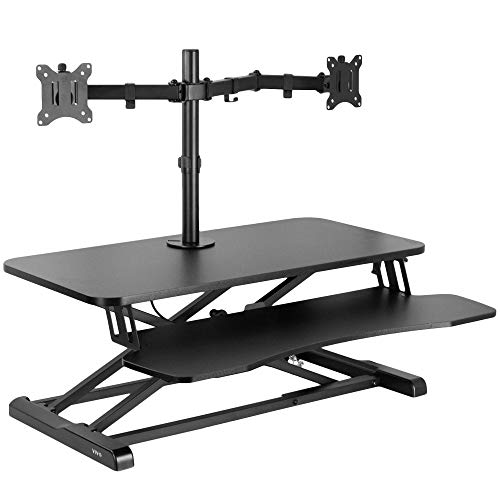
VIVO 32 inch Height Adjustable Desk Converter with Dual Monitor Mount (DESK-V000K-M2)
ASIN B08RHKKX6K • $199.99 • Sold by VIVO-AU on Amazon AU
The VIVO 32 inch is the K Series converter with a dual monitor mount fitted, which saves buying separate stands. It's $200 on Amazon AU at time of writing, sold by VIVO-AU, and it's #69 in Amazon AU's Computer Monitor Stands category, a different list from the Computer Workstations ranks above. That's $30 more than the plain VIVO 81cm. The top surface is 31.5 x 15.7 inches, about 80 x 40cm, and the keyboard tray is 31.3 x 11.8 inches, narrowing to 10.5 inches in the centre.
The mount takes two 13 to 30 inch screens, up to 17.6 lbs (about 8kg) each, with VESA 75x75 or 100x100 patterns, so check your monitors have VESA holes before you order. The listing gives the arms 45 degrees of tilt each way, 180 degrees of swivel and 360 degrees of rotation, with portrait and landscape both possible. The height lock range is 4.5 to 20 inches, about 11 to 51cm, on a solid steel frame with padding under it to protect the desk surface.
The screens sit on arms bolted to the riser, so their weight still goes through the lift. VIVO states a 15kg lift assist on its other converters and this listing doesn't give one, and two screens at the mount limit weigh about 16kg together, so lighter panels are the safe choice. The listing doesn't state a warranty period, so check the current listing before you order.
Honest caveats: the listing gives no warranty period and no lift figure. Each screen is limited to 17.6 lbs and needs VESA holes on the back. The centre of the keyboard tray is only 10.5 inches deep.
Best for: Two light VESA monitors on one riser, without buying separate stands.
Top surface: 31.5 x 15.7 inches (about 80 x 40cm) • Keyboard tray: 31.3 x 11.8 inches • Height range: 4.5 to 20 inches (about 11 to 51cm) • Monitor mount: Two screens, 13 to 30 inch, 17.6 lbs each • VESA: 75x75 or 100x100 • Model: DESK-V000K-M2 • Seller: VIVO-AU • Rank: #69 in Computer Monitor Stands (Amazon AU)
View on Amazon AUSide-by-side comparison
| Product | Price | Best for |
|---|---|---|
| XICEN Pneumatic Desk Converter 73cm | ~$79.99 | A laptop and one monitor on a smaller desk, at the lowest price. |
| XICEN 80cm Standing Desk Converter | ~$109.99 | A quick, no-tools setup with extra keyboard and mouse room. |
| YSGOYS 91cm Desk Converter | ~$119.99 | A 91cm top for two screens at a low price, with gaps in the listing. |
| SHW 81cm Standing Desk Converter | ~$129.87 | Laptop users who sit most of the day and want a low, deep, flat top. |
| VIVO 81cm Desk Converter | ~$169.99 | One monitor and a laptop with a tray that rises with the top. |
| ERGOMAKER 90cm Standing Desk Converter | ~$179 | Two monitors on a 90cm top with a vertical lift. |
| VIVO 91cm Desk Converter | ~$199.99 | Two monitors, with real room for a mouse on the tray. |
| VIVO 32 inch Desk Converter with Monitor Mount | ~$199.99 | Two light VESA monitors without separate stands. |
What we see fail in the workshop: desk converter setups
We don't repair the risers themselves, but we do see what they do to the electronics sitting on them. Almost all of it comes from three things: cables that are too short for the lift, gear that slides when the platform moves, and drinks on a tray that sits lower than they should. Each of them is easy to prevent if you set the riser up properly on day one.
Charge ports and HDMI sockets pulled loose
A cable that's just long enough at sitting height gets pulled tight every time the riser goes up. That tension goes straight into the port on the laptop or monitor, and after a few hundred lifts the socket starts to work loose from the board. On laptops we usually see the USB-C charge port go first, with charging that drops in and out as you move the plug. On monitors it's the HDMI or USB-C input. The fix before it happens is simple: lift to full height, then make sure every cable has slack.
Laptops and monitors that slid or tipped off
A riser that jumps up because the spring is stronger than the load can throw a laptop off the back of the top shelf, and a converter that rocks at full height can tip a monitor on a narrow stand. We see cracked laptop screens, bent hinges and monitors with broken stands from this. Keep the heaviest item at the back of the top, don't leave a laptop open on the very edge, and lift slowly with a hand on the screen until you know how your riser behaves. A strap or a non-slip mat under a laptop helps too, and it costs very little.
Drinks on the keyboard tray
The keyboard tray is the lowest, most mobile part of the setup, and it's where people put their coffee. When the riser moves, the mug moves too, and the keyboard or the laptop beside it gets the spill. Liquid in a laptop keyboard runs down onto the board under it, and the damage usually shows up days later as corrosion rather than straight away. If it happens, turn the laptop off, unplug it and leave it off until it's been checked. Don't try to dry it with heat or switch it back on to see if it still works, because power on a wet board is what does the real damage.
Decision tree: which one should you actually buy?
- One monitor and a laptop on a normal desk? → The VIVO K Series 81cm at $170, with a 3-year warranty and a tray that rises with the top.
- Two monitors side by side? → The VIVO 91cm at $200. If the screens are heavy, put them on a desk-mounted arm and use the riser for the keyboard and laptop.
- Two monitors on a tighter budget? → The YSGOYS 91cm at $120 or the ERGOMAKER 90cm at $179. Neither is as well documented as the VIVO, so read their cards first.
- You want the monitor arms in the same box? → The VIVO 32 inch at $200, for light VESA monitors up to 17.6 lbs each.
- A heavy monitor and you want the most margin? → The XICEN 73cm at $80, which states an 85 lb (about 38kg) frame load and a built-in gas spring, but its listing gives no height range or warranty.
- You want it on the desk with no assembly? → The XICEN 80cm at $110, fully assembled with a two-tier top for the keyboard.
- You sit most of the day and mostly use a laptop? → The SHW 81cm at $130, with the lowest start height and a deep single top with a drawer.
- Your laptop stopped charging or a monitor input works loose after setting up a riser? → That's usually a port strained by a short cable. Bring it into our Erina workshop and we'll check the socket and the board before you spend anything.
Frequently asked questions
Is a standing desk converter as good as a full standing desk?
For most people with one monitor and a laptop, a good converter does the job well and costs a lot less. A full electric desk gives you more room, a lower minimum height and less wobble at full height, and it lifts heavy setups without effort. A converter is better if you rent, move often, share a desk or already own a desk you like. If you're buying a desk from scratch and have room, the full desk is usually the better long-term buy.
How much weight can a desk converter hold?
It depends on the model and on what the figure means. VIVO quotes a 15kg lift assist, which is the spring's force rather than a hard limit. The 80cm XICEN quotes 30kg as a supported load and the 73cm XICEN up to 85 lbs (about 38kg). ERGOMAKER rates its top tier at 15kg. SHW and YSGOYS don't state one. Add up your monitor, laptop, keyboard and mouse, using the weights on their own spec sheets, and pick a converter whose figure is close to that total rather than far above or below it.
Why does my desk converter wobble when I type?
It's usually the keyboard tray, not the frame. The tray hangs off the front on two arms and flexes a little with every keystroke. Start by tightening every bolt on the tray arms and the pivot points, because converters often arrive with loose fixings. Then move the heaviest item to the back of the top shelf. If it still bounces, a lighter keyboard or a softer typing touch helps, and a riser with a two-tier or single top flexes less than a hanging tray.
Will a desk converter fit on a small desk?
Check depth as well as width. An 80cm converter needs at least 80cm of desk width, and the 91cm VIVO needs more. Depth matters more than people think, because the converter plus its tray can push the monitor close to your face on a shallow desk. Measure your desk depth and compare it to the converter's listed depth, and leave room in front if the frame moves forward as it rises.
Do desk converters need power?
None of the eight in this guide need power. They lift on a gas spring or a manual lock, so there's no motor, control board or power brick to fail. Electric converters do exist, but in this price band on Amazon AU they were either over $200 or from sellers I couldn't verify. The only power you need to think about is the cables to your laptop and monitor, which must be long enough to reach at full height.
How do I stop cables getting pulled when the converter lifts?
Lift the converter to full height before you plug anything in, then route every cable so it has slack at the top. Use a cable that's longer than you think you need, and bundle cables together with a loose tie so they move as one. A USB-C hub sitting on the riser can bring everything together into one long cable down to the desk. Short, tight cables are the most common way a riser damages a laptop charge port or monitor input.
Related buying guides
Laptop not charging or monitor input loose since you set up a riser?
A cable that's too short for the lift strains the charge port or HDMI socket every time the riser goes up, and the joint to the board eventually cracks. Bring it into our Erina workshop and we'll check the socket, the board and the cable, and tell you what it needs before you spend anything.
Visit our Erina workshop Book Online