Disclosure: This article contains affiliate links to amazon.com.au. If you buy through one of these links we may earn a small commission at no extra cost to you. It does not change which products we recommend — we only suggest products we’d genuinely use ourselves.

The two-line version

Our pick: MSI Thin 15 (RTX 4050) — ~$1,340Alternative: ASUS V16 (RTX 3050) — ~$1,389

Amazon affiliate links. Prices checked against Amazon AU on 25 July 2026 — tap through for the live price.

By Ben Nash, iFix Electronics Erina — 16 years on the bench. Last updated 25 July 2026.

I’ve been repairing laptops on the Central Coast for over 16 years. In that time, I’ve pulled apart thousands of machines — consumer ultrabooks, corporate workhorses, and a staggering number of gaming laptops that came in running hotter than a January footpath in Terrigal.

Gaming laptops are a different beast to everyday machines. They push components harder, generate more heat, and the difference between a well-engineered cooling system and a cheap one is the difference between three years of solid gaming and a motherboard failure at 18 months. So when people ask me “what gaming laptop should I buy?”, I don’t answer with benchmark scores — I answer with what I see survive.

Here’s the honest state of play in July 2026: the sub-$1,500 gaming laptop is nearly extinct in Australia. The RTX 4050 machines that filled this bracket a year ago have almost all sold through, and what’s replacing them on the shelf is the weaker RTX 3050. I rewrote this whole guide in late July because the machines I used to recommend simply aren’t buyable anymore. What follows is what actually survives at this price right now — three laptops that are in stock on Amazon AU, with honest commentary based on what walks through our repair shop door, not what the marketing says.

Quick note: All prices are in Australian dollars and were accurate at time of writing. Amazon AU prices fluctuate — if a laptop is showing higher than listed here, check back in a week. Prices on Amazon AU swing more than you’d expect.

Quick answer: The one genuine RTX 4050 gaming laptop still under $1,500 in Australia in 2026 is the MSI Thin 15 (Intel i5-13420H, RTX 4050 6GB, 16GB, 512GB) at ~$1,340 — that’s the pick. The bracket has otherwise shifted to the RTX 3050: the ASUS V16 at ~$1,389 adds a 16-inch DDR5 build, and the ASUS TUF A15 at ~$1,511 (just over the line) brings a MIL-STD-810H chassis. Buy the 4050 while it’s in stock — this tier is thinning out fast.

What to Look For in a Gaming Laptop (From a Repair Tech)

Before we get to specific picks, here’s what actually matters — based on what breaks and what doesn’t.

GPU — And Why Your Choice Just Shrank

The GPU is still the spec that decides everything, and in an ideal world you’d buy the NVIDIA GeForce RTX 4050 at this price. It handles 1080p at high settings comfortably, supports DLSS 3 frame generation, and has enough headroom for ray tracing in lighter titles. The problem in July 2026 is supply. The 4050 machines that used to sit at $1,000–$1,400 have almost all cleared out, and I could find exactly one still under $1,500 on Amazon AU when I rewrote this — the MSI Thin 15.

What’s filled the gap is the RTX 3050. It’s a real step down — roughly 25–35% fewer frames than a 4050 in most titles, and no DLSS 3 frame generation — but it’s what the bracket has become. For esports and competitive titles (Fortnite, Valorant, CS2, League) at 1080p it’s perfectly playable. For demanding AAA games you’ll be dropping settings sooner than you would on a 4050. My honest advice: if the MSI 4050 is in stock, grab it; if it’s gone, a 3050 machine from a brand that builds a decent cooler is still a sound buy, just go in knowing what you’re getting.

CPU — Don’t Overspend Here

An Intel Core i5-13420H or higher is perfectly adequate for gaming. The i7-13620H and i7-13650HX are better, but the GPU matters far more for gaming performance than the CPU. Don’t sacrifice a better GPU for a fancier CPU — that’s the most common mistake I see people make when choosing a gaming laptop.

RAM — 16GB Minimum, No Exceptions

16GB DDR5 is the bare minimum for gaming in 2026. Modern games regularly consume 10–12GB with the OS running in the background. If you see a gaming laptop with 8GB, either plan to upgrade it immediately (check if it’s socketed, not soldered) or avoid it entirely. 32GB is nice to have but not essential unless you’re streaming or running heavy mods.

Storage — SSD or Nothing

Every laptop on this list uses an NVMe SSD, as it should. 512GB is the starting point, but modern games are enormous — Call of Duty alone can exceed 150GB. Look for laptops with a second M.2 slot so you can add more storage later without replacing the boot drive. A 1TB SSD is ideal if the budget allows.

Display — Refresh Rate Matters More Than Resolution

At this price point, you’re looking at 15.6” Full HD (1080p) at 120–144Hz. That’s the sweet spot. Don’t chase 4K on a gaming laptop under $1,500 — the GPU won’t push enough frames to justify the resolution, and you’ll end up gaming at 1080p anyway with a smaller, more expensive panel. 144Hz makes a genuine difference you can feel in shooters and fast-paced games.

Thermals — The Biggest Killer We See in Repairs

This is where my perspective differs from every YouTube reviewer out there. Thermal design is the single biggest factor in gaming laptop longevity. A laptop that runs 95°C on the CPU under load will degrade its thermal paste within 18 months, leading to throttling, crashes, and eventually component failure. Dual-fan designs with dedicated heatpipes to both the CPU and GPU are what you want. Single-fan gaming laptops are a recipe for early death.

Build Quality — Flex Test the Lid

Gaming laptops take a beating. They get carried to LAN parties, shoved in backpacks, and used on beds and couches (more on that later). A metal lid or reinforced plastic chassis matters. If the lid flexes when you press it with one finger, the screen is going to develop pressure marks or crack within two years.

Our 3 Picks for 2026 — What’s Still in Stock

Lead Pick — The Only RTX 4050 Left · $1,340

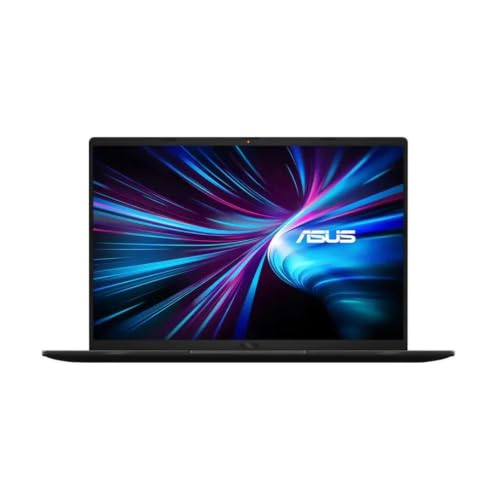
MSI Thin 15 — Intel i5-13420H / RTX 4050

This is the one. In July 2026 the MSI Thin 15 is the last laptop I can point you to that pairs a genuine RTX 4050 with a sub-$1,500 price, and that alone makes it the pick. The 4050 is the GPU you actually want at this budget — full DLSS 3 frame generation, comfortable 1080p high settings in current titles, and it holds up against new releases for longer than the RTX 3050 machines that now surround it in this bracket.

The i5-13420H is plenty for gaming; the GPU does the heavy lifting and this CPU keeps up without complaint. Where MSI has cut to hit the price is the memory — this is 16GB of DDR4, not DDR5. In real gaming terms that gap is a few frames, nothing you’ll feel in a match. The 512GB NVMe drive is the standard starting point, and one full Call of Duty install will have you managing space, so budget for a second M.2 drive down the track if you install a lot.

The honest caveat from the bench: the Thin chassis is exactly that — thin, with cooling built to a price. It runs warm under sustained load and the fans get vocal. That’s manageable if you keep it on a hard surface and stay on top of dust (see the maintenance section below), but it isn’t the tank-like cooling of a heavier machine. For the money, and given it’s the only 4050 still standing under the line, I’d still buy it — look after the thermals and it’ll do three-plus years.

Specs: Intel Core i5-13420H • NVIDIA RTX 4050 6GB • 16GB DDR4 • 512GB NVMe SSD • 15.6” FHD 144Hz • Wi-Fi 6 • Windows 11 Home
MSI Thin 15 Gaming Laptop RTX 4050
AU $1,340.00
View on Amazon →
Bigger Screen / DDR5 · $1,389

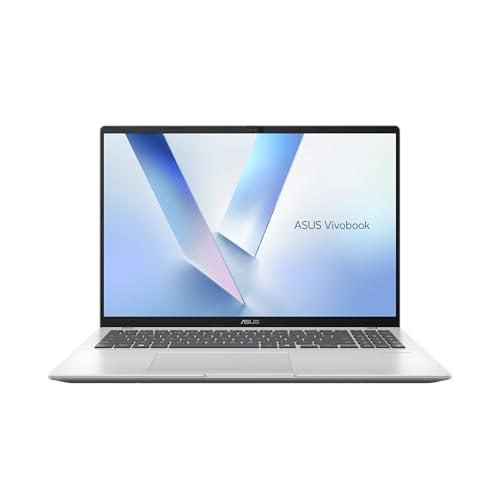
ASUS V16 — Intel Core 5 210H / RTX 3050

If the MSI has sold out — or you’d rather have a bigger screen and a bit more everyday polish than raw gaming grunt — the ASUS V16 is the sensible RTX 3050 option. The headline here isn’t the GPU, it’s the 16-inch WUXGA (1920×1200) IPS panel. That extra vertical resolution and screen real estate makes a genuine difference if the machine doubles as a study or work laptop, which at this price, for most people, it does.

You get 16GB of DDR5 (a step up from the MSI’s DDR4), a 512GB SSD, and ASUS’s Core 5 210H processor. The RTX 3050 is the compromise. It runs esports titles and older games at 1080p without drama, and it’ll play modern AAA games if you’re willing to drop to medium settings. Don’t buy this expecting 4050 performance — it isn’t there, and I won’t pretend otherwise.

From a repair standpoint I like ASUS’s build consistency in this range. The V16 isn’t a hardcore gaming chassis, so it doesn’t get thrashed thermally the way the thin gaming boxes do — the 3050 simply doesn’t generate the heat a 4050 does, which quietly helps longevity. Think of this as the all-rounder pick: a laptop that games acceptably and does everything else well, on a screen that’s nicer to look at all day.

Specs: Intel Core 5 210H • NVIDIA RTX 3050 • 16GB DDR5 • 512GB NVMe SSD • 16” WUXGA (1920×1200) IPS • Wi-Fi 6 • Windows 11 Home
ASUS V16 Laptop RTX 3050
AU $1,389.00
View on Amazon →
TUF-Grade Build · $1,511 (just over the line)

ASUS TUF Gaming A15 — AMD Ryzen 7 7445HS / RTX 3050

I’ll be straight about the price first: at $1,511 the TUF A15 is eleven dollars over the $1,500 line this guide is named for. I’m including it anyway, because pretending it doesn’t exist to protect a round number would be dishonest, and because for some buyers it’s the right call.

What you’re paying the small premium for is the chassis. The TUF line carries a MIL-STD-810H durability rating, and unlike a lot of marketing badges this one shows up in our repair data — TUF machines come across the bench with fewer heat-related board failures than most gaming laptops at this price. If this laptop is going to live in a backpack, get carried between houses, or take the knocks a student machine takes, the build is worth eleven dollars on its own.

The internals are a Ryzen 7 7445HS — a strong chip that’s genuinely good for both games and productivity — plus 16GB DDR5, a 512GB SSD, and the RTX 3050. Same GPU story as the V16: fine for esports and older titles, medium settings on demanding AAA. You’re not buying this for more frames than the other 3050 pick. You’re buying it for the CPU, the DDR5, and above all the durability. If your machine leads a hard life, this is the one I’d stretch the extra few dollars for.

Specs: AMD Ryzen 7 7445HS • NVIDIA RTX 3050 • 16GB DDR5 • 512GB NVMe SSD • 15.6” FHD 144Hz IPS • Wi-Fi 6 • Windows 11 Home • MIL-STD-810H
ASUS TUF Gaming A15 Laptop RTX 3050
AU $1,511.00
View on Amazon →

What Your Money Actually Buys in 2026

The RTX 3050 tier ($1,350–$1,400)

This is now the bulk of what sits on the shelf under $1,500. The RTX 3050 is a competent 1080p card for esports and older titles, and it plays modern AAA games at medium settings. It’s a real step down from the 4050 — expect roughly a quarter to a third fewer frames, and no DLSS 3 — but in this market it’s mostly what’s left. The ASUS V16 lives here, and it earns its keep with a bigger 16-inch DDR5 build rather than raw pace.

One thing no spec sheet shows: in competitive titles a stable, low-latency connection matters as much as the GPU. A laptop that “won’t hold Wi-Fi” mid-match is usually a coverage problem, not a faulty card — if your router can’t reach the gaming room, our best mesh Wi-Fi systems guide is worth a read.

The last RTX 4050 (~$1,340)

The MSI Thin 15 is the outlier — a genuine 4050 that has somehow held a sub-$1,500 price while everything around it sold through. If gaming performance per dollar is what you care about, this is the tier that matters, and right now it’s a tier of one. Buy it before it’s gone. I don’t expect the 4050 to stay under this line much longer.

Just past the line ($1,500–$1,520)

Stretch eleven dollars and the ASUS TUF A15 buys you a MIL-STD-810H chassis and a Ryzen 7 — durability and CPU grunt rather than more GPU. Worth it if the machine is going to take a beating.

When it is worth stepping up past $1,500 properly: everything on this page runs an RTX 3050 or the single surviving RTX 4050, which is the right call for 1080p gaming. If you want 1440p at high settings, an OLED or high-refresh panel that does the games justice, and a cooler built to hold its clocks for years of heavy sessions, that starts above $2,000. We cover those machines, from an entry RTX 5060 to an RTX 5090 halo, in our best gaming laptops over $2,000 guide. And if you would rather play on the couch or on the train than at a desk, a Windows handheld runs the same Steam and Game Pass library in your hands — see our picks for the best gaming handhelds in Australia.

At-a-Glance Comparison

Laptop GPU CPU RAM Display Price (AUD) Best For
MSI Thin 15RTX 4050i5-13420H16GB DDR415.6” 144Hz~$1,340Lead pick — only 4050 left
ASUS V16RTX 3050Core 5 210H16GB DDR516” WUXGA~$1,389Bigger screen / all-round
ASUS TUF A15RTX 3050Ryzen 7 7445HS16GB DDR515.6” 144Hz~$1,511Durability (just over line)

Gaming Laptop vs Desktop — The Honest Comparison

I’d be doing you a disservice if I didn’t address this. Every gaming laptop under $1,500 is a compromise compared to a desktop at the same price. Here’s the reality:

  • Performance: A $1,500 desktop build with a desktop RTX 4060 or 4070 will significantly outperform any $1,500 laptop. Desktop GPUs run at higher power limits and clock speeds.
  • Thermals: Desktop cooling is vastly superior. No thermal paste degradation issues, no fan noise problems, no throttling in summer.
  • Upgradability: Desktop components are modular. You can upgrade the GPU in two years without replacing everything else.
  • Lifespan: We see desktop gaming PCs run 6–8 years with minimal maintenance. Gaming laptops average 3–5 years before significant repairs are needed.
  • Portability: This is the laptop’s one advantage, and it’s a big one. If you need to game at different locations — uni, a mate’s place, between two homes — there’s no substitute for a laptop.

My rule of thumb: If the laptop will sit on a desk more than 80% of the time, build a desktop. If you genuinely need portability, buy the laptop and accept the trade-offs. Don’t buy a gaming laptop just because it seems simpler — in the long run, a desktop is simpler to maintain and cheaper to keep running.

How to Keep Your Gaming Laptop Alive — Advice From the Repair Bench

Every tip in this section comes from patterns I’ve seen across thousands of gaming laptop repairs. Follow these and your machine will last years longer than average. If you also game on a console, our PS5 and Xbox HDMI port repair service fixes the common no-signal fault.

1. Get a Thermal Repaste at the 2-Year Mark

Factory thermal paste on gaming laptops degrades faster than on regular laptops because of the higher sustained temperatures. At around the 18–24 month mark, you’ll notice your laptop running hotter and the fans spinning louder than when it was new. A professional thermal repaste with high-quality paste (we use Thermal Grizzly Kryonaut) drops temperatures by 10–15°C and can extend the useful life of your laptop by another 2–3 years. We offer thermal repaste services at the shop — it’s one of the most cost-effective maintenance jobs you can do.

2. Clean the Vents Every 6 Months

Dust buildup is the silent killer. A can of compressed air directed through the exhaust vents every six months prevents the dust blanket that blocks airflow and forces your fans to work harder. Don’t use a vacuum cleaner — the static can damage components. Compressed air only, short bursts, hold the fan blades still while you blow.

3. Never Game on a Bed, Couch, or Carpet

I cannot stress this enough. Soft surfaces block the intake vents on the bottom of every gaming laptop. I have seen more gaming laptops killed by couch gaming than by any other single cause. The laptop overheats, the thermal paste degrades faster, the battery swells from the heat, and the GPU eventually fails. Always game on a hard, flat surface. A desk, a table, even a large hardcover book is better than a pillow.

4. Consider an External Cooling Pad

For $30–$60, a laptop cooling pad with fans drops intake air temperature by a few degrees. It’s not transformative, but over 3–4 years of daily gaming, those few degrees add up to meaningful component longevity. Especially useful in Australian summers when ambient temperatures are already high.

5. Don’t Leave It Plugged In 24/7

Modern laptops have charge management, but gaming laptops generate enough heat while plugged in and gaming to accelerate battery degradation. If your laptop has a battery charge limit feature (most ASUS, Lenovo, and Dell models do), set it to 80%. Your battery will last years longer.

Do

  • Game on a hard, flat surface — always
  • Get a thermal repaste every 18–24 months
  • Clean vents with compressed air every 6 months
  • Set battery charge limit to 80% when plugged in
  • Use a cooling pad in Australian summer
  • Check if RAM is upgradeable before buying
  • Update GPU drivers regularly (GeForce Experience)

Don’t

  • Game on beds, couches, pillows, or carpet
  • Block exhaust or intake vents with anything
  • Ignore increasing fan noise — it’s a warning sign
  • Use a vacuum cleaner to clean vents (static risk)
  • Chase 4K resolution at this budget — 1080p is the sweet spot
  • Sacrifice GPU for CPU when choosing a gaming laptop
  • Buy a “gaming” laptop with only integrated graphics

A note on extended warranties: Retailers will push hard for extended warranty plans on gaming laptops. In Australia, you’re already protected by the Australian Consumer Law (ACL), which guarantees that products must be of acceptable quality and last a reasonable time — typically interpreted as 2–3 years for a laptop. If your gaming laptop fails within that period due to a manufacturing defect, the retailer is obligated to provide a remedy regardless of any paid warranty. Before paying $200–$400 for an extended warranty, understand what you already have for free under ACL.

Got a gaming laptop with thermal issues or a dead GPU? See our laptop repair pricing for thermal service, board-level GPU repair, and battery work.

Already Own a Gaming Laptop That’s Running Hot?

Thermal throttling, random shutdowns, fans screaming at full speed — we fix these every week. A professional thermal repaste and internal clean can bring your gaming laptop back to life for a fraction of the cost of a new machine.

Frequently Asked Questions

What is the best gaming laptop under $1500 in Australia in 2026?

The one genuine RTX 4050 machine still under $1,500 in Australia in July 2026 is the MSI Thin 15 (Intel i5-13420H, RTX 4050 6GB, 16GB, 512GB) at $1,340 — that is our lead pick. The rest of the tier has shifted to the RTX 3050: the ASUS V16 at $1,389 gives you a bigger 16-inch screen and DDR5, and the ASUS TUF A15 at $1,511 sits just over the line but adds a MIL-STD-810H chassis. Sub-$1,500 gaming laptops are close to extinct now, so buy while the 4050 stock lasts.

Is the RTX 4050 good enough for gaming in 2026?

Yes, for 1080p gaming at high settings the RTX 4050 is still the one to get in 2026 — it handles Fortnite, Valorant and Cyberpunk 2077 comfortably and supports DLSS 3 frame generation. The catch in Australia is supply: the 4050 machines have almost sold through under $1,500, which is why most of what is left in this bracket now ships with the weaker RTX 3050. The 3050 is fine for esports titles and older games at 1080p, but if you can still find a 4050 at this price, take it.

How long do gaming laptops last before they need repairs?

With proper thermal management, a mid-range gaming laptop should last 3–5 years before needing significant attention. The most common repair we see is thermal paste degradation — the factory paste dries out after 2–3 years of heavy gaming, causing throttling and shutdowns. A thermal repaste at the 2-year mark can extend the useful life of a gaming laptop significantly. The second most common issue is failed fans, followed by swollen batteries from heat exposure.

Should I buy a gaming laptop or a gaming desktop in Australia?

If portability matters — uni, travel between houses, LAN parties — a gaming laptop is the way to go. If it will sit on a desk 95% of the time, a desktop gives you significantly more performance per dollar, better thermals, easier upgrades, and longer lifespan. A $1,500 desktop build will outperform a $1,500 laptop by a wide margin. The trade-off is zero portability and the need for a separate monitor, keyboard, and mouse.

Can I upgrade the RAM and storage in a gaming laptop?

Most gaming laptops in the $1,000–$1,500 range still use socketed RAM (not soldered), so yes — you can typically upgrade from 8GB to 16GB or 16GB to 32GB. Storage is almost always upgradeable via M.2 NVMe slots, and many gaming laptops have a second M.2 slot for adding more storage without replacing the existing drive. Always check the specific model's teardown or service manual before buying if upgradability is important to you.