Prices from Amazon AU, updated daily. Swipe or use the arrows for more.
Disclosure: This article contains affiliate links to amazon.com.au. If you buy through one of these links iFix may earn a small commission at no extra cost to you. It doesn't change which products we recommend. We focus on what actually lasts based on 16 years of repair-shop experience.
Quick summary6 picks
- Entry PickASUS TUF Gaming A16 FA607NUQ-RL009W about$1,69916GB RAM, 512GB SSD, 144Hz refresh.
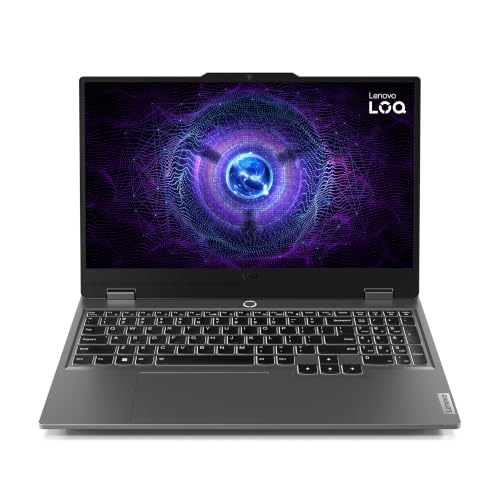
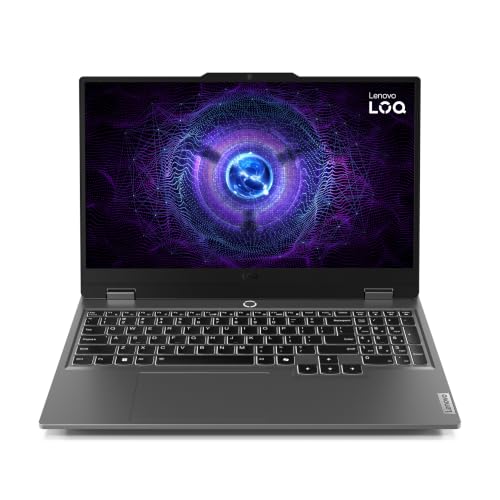
- Lenovo LOQ 15IRX9 15.6" FHD 144Hz Display… about$1,99916GB RAM, 512GB SSD, 144Hz refresh.
- Lenovo Legion 5i 15IRX10 15.1" WQXGA OLED… about$2,02724GB RAM, 512GB SSD, 165Hz refresh.
- MSI Cyborg 15 B13WFKG-1247AUNN Gaming Laptop about$2,10716GB RAM, 512GB SSD, 144Hz refresh.
- Lenovo LOQ 15IRX10 15.6" FHD 144Hz Display… about$2,29916GB RAM, 512GB SSD, 144Hz refresh.
- Most PremiumLenovo LOQ 15IRX10 15.6" FHD 144Hz Display… about$2,59916GB RAM, 1TB SSD, 144Hz refresh.
What $1,500 to $2,500 actually buys on Amazon AU right now
I went looking for RTX 5070 laptops in this band and mostly came back empty-handed. Sold and shipped by Amazon AU, between $1,500 and $2,500, the graphics chips on offer at time of writing are the RTX 4050, the RTX 5050 and the RTX 5060. The 5070 laptops I did find were either just over the line or listed by resellers with imported, "upgraded" units and US model codes, and I've left those out for reasons I'll get to further down.
That isn't a bad thing for most people. An RTX 5060 or a 4050 at a 1080p or 1200p screen will run the games most people actually play, at high settings in most of them and with some settings turned down in the newest, heaviest titles. Where the money changes things in this band is the screen, the processor, the memory and how easy the machine is to keep cool and upgrade. Those are also the things that decide whether a gaming laptop is still worth owning in three years.
So there are four picks here, all sold and shipped by Amazon AU, from $1,699 to $2,299 at time of writing. If you've got a smaller budget, the gaming laptops under $1,500 guide covers the band below, and if you want RTX 5070 Ti and up, the premium gaming laptop picks start where this page stops. This one is for the middle, which is where most people end up spending.
The graphics chip name isn't the whole story
Laptop graphics chips aren't the same as the desktop cards with the same name. The same RTX 5060 can be set to run at different power limits in different laptops, depending on how much heat the cooling can move, and a chip running at a lower limit is slower than the badge suggests. None of the four listings here state the GPU power figure, so I can't rank them on it, and I'd be wary of any listing that makes big frame-rate promises without giving one.
What I can say is that the generation gap between a 4050 and a 5060 is real. The 5060 is the newer chip and, in my experience, a laptop with one is the safer bet for games released over the next couple of years, mostly because of the extra graphics memory headroom newer titles want. The 5050 sits between them. If two laptops cost about the same and one has a 5060, that's usually the one I'd lean towards, unless the other has a much better screen.
The other thing a spec sheet doesn't tell you is how loud a laptop gets while it's holding that performance. Gaming laptops have small fans spinning fast, and the ones that run quietest under load are generally the ones with the most room inside for heat pipes and fins. That's one reason the thicker 16-inch machines often feel calmer than the slim ones, even with the same chip.
Graphics memory is the other number worth reading. Newer games load bigger textures, and when a game wants more graphics memory than the chip has, it either stutters or quietly drops texture quality. The listings here don't all state the memory on the chip, so check the maker's page for the exact model. In my experience that, more than raw speed, is what makes an older laptop chip feel tired first.
Screens: 144Hz, OLED and the 16:10 shape
Every pick here runs at 144Hz or faster, which is the number that matters most for how smooth a game feels. Three are standard Full HD class IPS screens. The Legion 5i is the odd one out with a 15.1-inch WQXGA OLED at 165Hz, and it's the screen I'd want for anything with dark scenes, because OLED switches pixels off completely instead of shining a backlight through them.
The TUF A16 uses a 16:10 screen, which is a little taller than the usual 16:9. That extra height is handy for anything that isn't a game, like browsing, documents and uni work, and it doesn't cost you anything in games that support it. The MSI and the LOQ are 15.6-inch 16:9 screens, which is the traditional gaming laptop shape and perfectly fine.
One caution on OLED. Lenovo's listing mentions anti-burn-in technology, and modern OLED laptops are much better about it than early ones, but a game's menus and health bars left on screen for hours every day are still the worst case for any OLED. Let the screen dim when you step away and you'll be fine. A cracked OLED also costs more to replace than an IPS screen, which is worth knowing before you carry it around in a backpack every day.
Processors and memory: what to look for
In this band you'll see two kinds of Intel processors. The HX chips in the Legion 5i and the LOQ are the high-power ones built for gaming laptops, with more cores. The i5-13420H in the MSI Cyborg is a lower-power chip, and in most games the graphics chip matters far more, but it shows up in things like big game installs, shader compiling and streaming while you play. The TUF uses AMD's Ryzen 7 170.
Memory is where I'd pay attention. Three of these come with 16GB, which is fine for gaming today, and the Legion 5i comes with 24GB, which gives you more room for Discord, a browser and a game at the same time. The TUF listing says it uses DDR5 memory at up to 4800MHz, and on gaming laptops the memory is usually in slots you can upgrade later, though the listings here don't all confirm it, so check the model number on the maker's spec page.
I wouldn't spend extra for a slightly faster processor if it meant giving up the better graphics chip or the better screen. A gaming laptop's processor rarely ends up being the reason someone replaces it. What usually happens is the storage fills up, the fans clog and the whole thing gets loud and hot, and those are much easier problems to sort out than a slow chip.
Storage fills up faster than you think
Every pick here except the 1TB version of the LOQ I skipped ships with 512GB. That sounds like a lot until you install Windows updates and three or four big games, some of which take well over 100GB each. In my experience a 512GB gaming laptop is full within six months for most people who play more than a couple of titles.
The good news is that storage is the easiest upgrade on a gaming laptop. The TUF A16 listing says it has dual PCIe Gen 4 M.2 SSD slots with all slots easy to get to, which means you can add a second drive rather than replacing the first one and reinstalling everything. The other listings don't spell out how many slots they have, so check the model number against the maker's page before you count on a second slot.
If you're adding a drive yourself, buy a name-brand NVMe drive, ground yourself before you open the case, and be gentle with the bottom panel clips, because they're plastic and they snap. If you'd rather not, it's a quick job we do at our Central Coast computer repair counter, and we'll clone your existing drive across if you're replacing it rather than adding one.
Heat, dust and the coast
A gaming laptop pulls air in through the bottom and blows it out the back and sides, and everything it pulls in ends up on the fan blades and the copper fins behind them. Pet hair, carpet fluff and dust are the usual culprits. On the Central Coast you can add salty, humid air, which makes the dust stickier and helps corrosion along on anything metal inside.
The signs are always the same. The fans get louder over a few months, the laptop gets hotter to touch on the keyboard deck, and frame rates drop in games that used to run well, because the chip is slowing itself down to stay inside its temperature limit. Most people think the laptop is getting old. Nine times out of ten it's just clogged.
Use it on a desk or a hard tray, never on a bed or a doona, and blow the vents out with short bursts of compressed air every few months while holding the fans still. After two or three years the thermal paste between the chips and the heatsink usually dries out too, and replacing it, with a proper clean, is one of the most worthwhile jobs you can do on a gaming laptop.
A cooling pad with its own fans can help a little on a desk, but it won't fix a clogged heatsink, and some just push more dust into the intake. If temperatures keep climbing after a clean, the paste or the fan bearings are usually the reason.
Power bricks, hinges and ports
Gaming laptops come with big power bricks because the graphics chip needs far more power than a USB-C charger can give it. Treat that brick and its plug well. A frayed cable or a loose barrel plug is one of the most common things we see, and running a gaming laptop on the wrong replacement charger can damage the charging circuit, which is a board-level repair. Our guide on why bad chargers kill laptops goes into what to look for.
Hinges are the other weak spot. Bigger screens put more load on the hinge mounts, and opening the lid from one corner, every day, eventually cracks the plastic posts the hinge screws into. Open it from the middle of the lid and it'll last a lot longer.
For ports, look for HDMI and at least one USB-C port that handles video if you want to plug into a TV or a monitor. The LOQ listing mentions USB-C and HDMI, and the others don't spell their ports out in the listing data, so check the model page. If you're pairing one of these with a bigger screen at home, the OLED gaming monitor guide covers what's worth plugging into.
Battery life is the last thing to set expectations on. A gaming laptop running a game on battery alone usually lasts an hour or so and runs slower than it does plugged in, because the battery can't feed the graphics chip at full power. For uni or work away from a powerpoint, the integrated graphics mode helps a lot, but none of these will match a thin everyday laptop between charges, and none of the listings here state a battery size.
Buying on Amazon AU: model numbers, sellers and what I left out
Gaming laptops come in a lot of near-identical versions with different memory, storage and graphics chips, often on listings with very similar titles. Always match the model number on the listing, like FA607NUQ-RL009W or 83LY004NAU, against the maker's spec page before you buy. That's how you find out exactly what's inside, and it's the number warranty claims go by.
Every pick here is sold and shipped by Amazon AU, with a one-year warranty listed. I left out a couple of RTX 5070 laptops from resellers whose listings describe units as "upgraded" with extra memory and storage, carry US model codes, or ship with bundled extras like USB sticks. Those are usually imported units opened up and modified before resale, and getting warranty support for one in Australia can be hard work.
Prices on gaming laptops also move around a lot, so I'd watch the listing for a week or two if you're not in a hurry. If one of these drops below the next one down the page, it's worth reading both cards again, because the right choice in this band is usually about the screen and the graphics chip rather than the badge on the lid.
The 4 picks, $1,699 to $2,299
Prices are Amazon AU at time of writing (24 October 2026) and move week to week. Ranks are Amazon AU category sales ranks, checked the same day.

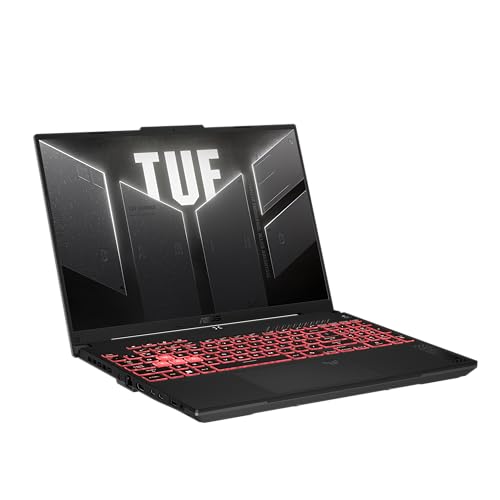
ASUS TUF Gaming A16 (FA607NUQ), Ryzen 7 170, RTX 4050, 16GB, 512GB
ASIN B0GTQ2BGK6 • $1,699.00 • Ships from Amazon AU
This is the gaming laptop I'd point most people to first in this band, and it's the best-ranked one here by a long way. It's $1,699 at time of writing, sold and shipped by Amazon AU, and it was ranked #17 in Amazon AU's Traditional Laptops category on the day I checked. The model is FA607NUQ-RL009W, and the listing says it was released in March 2026. Inside is AMD's Ryzen 7 170 with an RTX 4050 Laptop GPU, 16GB of DDR5 memory and a 512GB SSD. The screen is 16-inch FHD+ at 144Hz with G-SYNC, in the taller 16:10 shape. The listing also mentions NVIDIA Advanced Optimus, which switches the screen between the graphics chips to help battery life when you're not gaming.
The detail I like most on this listing is the storage. It says the A16 has dual PCIe Gen 4 M.2 SSD slots, with all slots easy to get to for future upgrades, and the memory is DDR5 at up to 4800MHz. That means when the 512GB drive fills up, and it will, you can add a second drive without reinstalling anything. The listing gives the weight as about 4.85 pounds, which is roughly 2.2 kg, about normal for a 16-inch gaming laptop. Warranty is listed as one year pick up and return. ASUS TUF laptops have a reputation for being built to take a bit of knocking about, and in my experience the chassis on these is solid.
The trade is the graphics chip. The RTX 4050 is the oldest and least powerful chip in this guide, so in the newest, heaviest games you'll be turning settings down sooner than you would on an RTX 5060. For esports titles, older games and most of what people actually play, it's plenty. That #17 rank is far ahead of the other three, which tells you a lot of people are buying this one. Keep the vents clear and it'll stay quiet for longer. For most people spending around $1,700, this is the one I'd buy.
Honest caveats: The RTX 4050 is the least powerful graphics chip in this guide, so expect to lower settings in the newest games sooner. The screen is FHD+ rather than higher resolution. The GPU power limit isn't stated on the listing. The weight is given in pounds on the listing, roughly 2.2 kg.
Best for: Most people who want a well-built 16-inch gaming laptop with room to add storage later.
Processor: AMD Ryzen 7 170 • Graphics: NVIDIA RTX 4050 Laptop GPU, Advanced Optimus • Screen: 16-inch FHD+, 144Hz, G-SYNC, 16:10 • Memory: 16GB DDR5 (up to 4800MHz, listing) • Storage: 512GB SSD, dual PCIe Gen 4 M.2 slots • Weight: About 2.2 kg (4.85 lb, listing) • Model: FA607NUQ-RL009W • Warranty: 1 year pick up and return • Rank: #17 in Traditional Laptops (Amazon AU)
View on Amazon AU
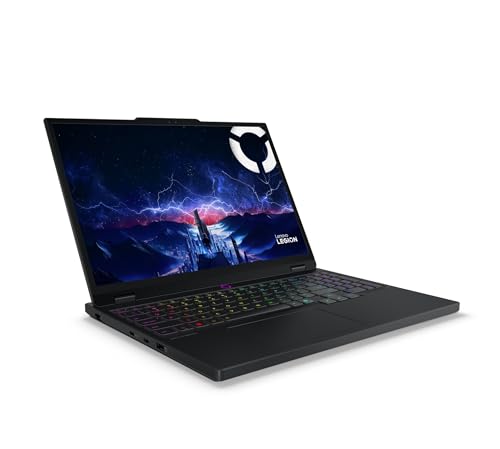
Lenovo Legion 5i 15IRX10, 15.1-inch OLED 165Hz, i7-14700HX, RTX 5050, 24GB, 512GB
ASIN B0FGHF1ZKS • $2,026.64 • Ships from Amazon AU
If the screen matters most to you, this is the one. It's $2,027 at time of writing, sold and shipped by Amazon AU, and it was ranked #94 in Amazon AU's Traditional Laptops category on the day I checked. The screen is a 15.1-inch WQXGA OLED at 165Hz, and the listing quotes 100% DCI-P3 colour and HDR True Black 600. Inside is Intel's Core i7-14700HX, 24GB of memory, a 512GB SSD and an RTX 5050 graphics chip. The listing also mentions Wi-Fi 7, which only helps if your router supports it too. The model number is 83LY004NAU, and the AU at the end is what you want to see on a Lenovo listing. It's the pick I'd look at if you watch as much as you play.
OLED is the reason to buy this over the others. Dark scenes in games and films look properly black instead of grey, and colours look richer than on any IPS screen in this guide. The 24GB of memory is also the most here, which helps if you keep a browser, Discord and a game open together. Lenovo's listing describes its Coldfront cooling with turbo fans and 3D heat pipes, and says Fn plus Q switches between performance modes, which is handy for keeping it quiet when you're just browsing. The listing gives the weight as about 4.19 pounds, roughly 1.9 kg, which is light for a gaming laptop. It also mentions a 24-zone RGB keyboard. Warranty is listed as one year.
The trade is the graphics chip. The RTX 5050 is newer than the 4050 in the TUF but sits below the 5060 in the MSI, so you're paying for the screen and the processor rather than for frame rates. The title has a typo that reads "RTTX5050", which is just the listing, not a different chip. The listing first went up in June 2025, so it's the oldest design here. A cracked OLED costs more to replace than an IPS screen, so use a padded sleeve if it travels. For anyone who plays story games and watches a lot on their laptop, this is the pick.
Honest caveats: The RTX 5050 trails the RTX 5060 in the MSI for raw gaming speed. OLED screens cost more to replace if cracked, and static game menus left on for hours are the worst case for burn-in. Only 512GB of storage, and the listing doesn't state how many SSD slots it has.
Best for: Anyone who wants an OLED screen and more memory, and plays story games more than competitive shooters.
Processor: Intel Core i7-14700HX • Graphics: NVIDIA RTX 5050 • Screen: 15.1-inch WQXGA OLED, 165Hz, 100% DCI-P3, HDR True Black 600 • Memory: 24GB • Storage: 512GB SSD • Wireless: Wi-Fi 7 • Weight: About 1.9 kg (4.19 lb, listing) • Model: 83LY004NAU • Rank: #94 in Traditional Laptops (Amazon AU)
View on Amazon AU
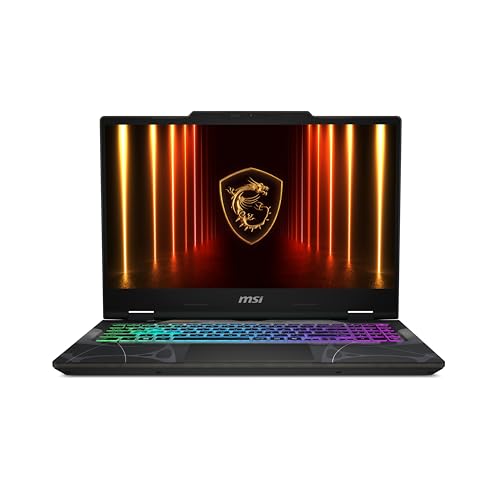
MSI Cyborg 15 B13WFKG, 15.6-inch FHD 144Hz, i5-13420H, RTX 5060, 16GB, 512GB
ASIN B0H3397WLQ • $2,107.27 • Ships from Amazon AU
This is the most graphics power you'll get from Amazon AU in this band at time of writing. It's $2,107, sold and shipped by Amazon AU, and it was ranked #104 in Amazon AU's Traditional Laptops category on the day I checked. The graphics chip is an RTX 5060, the newest and fastest one in this guide. The rest is an Intel Core i5-13420H, 16GB of DDR5 memory, a 512GB SSD and a 15.6-inch Full HD screen at 144Hz, running Windows 11. The listing says it was released in June 2026, so it's the newest design here. The model is B13WFKG-1247AUNN, and the part number on the listing is 9S7-15Q342-1247.
The listing itself is thin, with five short lines and not much more, so I'd read MSI's page for the 1247AUNN model before you buy. What you can count on from the listing is the 5060, which is the chip I'd want for newer games over the next couple of years. The i5-13420H is a lower-power processor than the HX chips in the Legion and the LOQ, and you'll notice that more in big game installs and shader compiling than in frame rates. The Cyborg's translucent black styling shows some of the internals through the shell, which people either love or don't. The listing gives the weight as about 4.63 pounds, roughly 2.1 kg. Warranty is listed as one year.
The trade is everything around the graphics chip. You get a standard FHD IPS screen, 16GB of memory and the slowest processor here, and the listing doesn't state the ports, the SSD slots or the GPU power limit. Check the full spec sheet against the model number first. Keep it on a hard surface, because thin 15.6-inch gaming laptops have less room for cooling than the 16-inch TUF. For someone who mostly cares about frame rates in new games and doesn't need an OLED screen, this is the one I'd look at.
Honest caveats: The listing is very thin: ports, SSD slots, battery size and GPU power limit aren't stated anywhere in it. The i5-13420H is the least powerful processor in this guide. The screen is standard FHD. Check MSI's spec page for the 1247AUNN model number before you buy, so you know exactly what you're getting.
Best for: Gamers who want the newest graphics chip in this band and care less about the screen or processor.
Processor: Intel Core i5-13420H • Graphics: NVIDIA RTX 5060 • Screen: 15.6-inch FHD, 144Hz • Memory: 16GB DDR5 • Storage: 512GB SSD • Weight: About 2.1 kg (4.63 lb, listing) • Model: B13WFKG-1247AUNN (part 9S7-15Q342-1247) • Warranty: 1 year • Rank: #104 in Traditional Laptops (Amazon AU)
View on Amazon AU
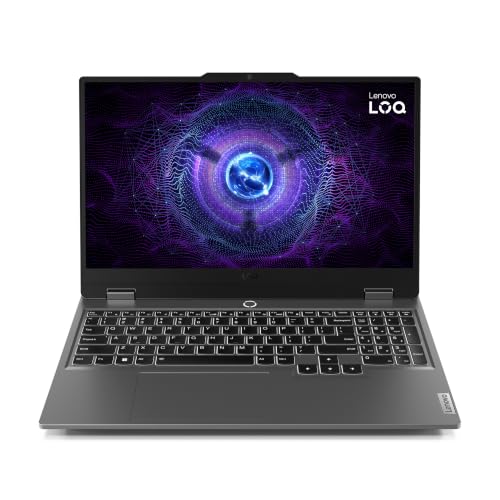
Lenovo LOQ 15IRX10, 15.6-inch FHD 144Hz, i7-13650HX, RTX 5050, 16GB, 512GB
ASIN B0HJ6H3GSJ • $2,299.00 • Ships from Amazon AU
The LOQ is Lenovo's lower-priced gaming line, and this version pairs a strong processor with a mid graphics chip. It's $2,299 at time of writing, sold and shipped by Amazon AU, and it was ranked #353 in Amazon AU's Traditional Laptops category on the day I checked, which is well behind the other three. Inside is Intel's Core i7-13650HX, an RTX 5050, 16GB of memory and a 512GB SSD. The screen is 15.6-inch Full HD at 144Hz. The model number is 83JE013CAU, and the listing says it went up in September 2026. Warranty is listed as one year. On paper it's a balanced machine, with nothing in it that's weak, but nothing that stands out either.
The listing is short, mostly general lines about performance, thermal management and an ergonomic keyboard, but it does confirm USB-C and HDMI ports, which is more than the MSI listing tells you, so you know an external monitor or TV will plug straight in. The i7-13650HX is an HX chip with more cores than the i5 in the MSI, so it's the better pick if you stream while you play or compile and render things as well as gaming. The weight on the listing is 3.6 kg, which reads like a packed shipping weight rather than the laptop itself, so check Lenovo's page for the real figure before you plan to carry it every day. Lenovo's LOQ line generally uses a familiar layout inside, so cleaning and storage upgrades are usually easy jobs.
I'll be straight about the price. At $2,299 it costs more than the Legion 5i, which has the same RTX 5050, more memory and an OLED screen, so I'd only buy the LOQ if its price drops or the Legion sells out. There's also a 1TB version with an RTX 5060 on a separate listing at $2,599, just over this guide's ceiling, and that's the LOQ I'd rather have if your budget stretches. Keep an eye on both. If this one comes down a few hundred dollars, it becomes a sensible all-rounder.
Honest caveats: At this price it costs more than the Legion 5i with the same graphics chip, a better screen and more memory. The 3.6 kg weight on the listing looks like a shipping weight. The listing doesn't state SSD slots, battery size or GPU power limit. The lowest-ranked pick here.
Best for: Buyers who want an HX processor for streaming or creative work, if the price comes down.
Processor: Intel Core i7-13650HX • Graphics: NVIDIA RTX 5050 • Screen: 15.6-inch FHD, 144Hz • Memory: 16GB • Storage: 512GB SSD • Ports: USB-C and HDMI (listing) • Model: 83JE013CAU • Warranty: 1 year • Rank: #353 in Traditional Laptops (Amazon AU)
View on Amazon AUSide-by-side comparison
What we see fail in the workshop: gaming laptops
Gaming laptops work harder than any other laptop, so they fail in a few predictable places. Heat is behind most of it, then the power side, then the hinges. Here's what each one looks like when it comes in, and what you can do so it doesn't get that far. None of these faults are rare, and all of them cost less to fix early.
Clogged fins and dried thermal paste
The fans pull dust and pet hair into the copper fins behind them, and after a year or two the fins can be matted solid. At the same time, the thermal paste between the chips and the heatsink dries out and stops moving heat well. The laptop gets loud, hot and slower in games, because the chips slow themselves down to protect themselves. A proper clean and fresh paste usually brings it right back, and it costs far less than a new laptop. Do it every couple of years if you game a lot.
DC jacks, chargers and the charging circuit
Gaming laptops draw a lot of power through one plug, so a loose barrel jack, a bent pin or a frayed brick cable gets hot and can burn the socket. A no-name replacement charger that can't supply enough power can also damage the charging circuit on the board. If the laptop only charges when the plug is held at an angle, or the brick smells hot, stop using it and get it checked before it turns into a board repair. Unplug the brick by the plug, not the cable, and keep it off the floor where it gets stood on.
Cracked hinge mounts
The hinges on a 15 or 16-inch screen are stiff, and opening the lid from one corner twists the plastic posts the hinge screws sit in. Over time they crack, the screen gets wobbly and the bezel starts to lift. Caught early, it's a reasonable repair. Left alone, the hinge can tear the screen cable too. Open the lid from the middle every time and the hinges last much longer. If it's already loose, stop opening it one-handed and get it looked at, because a hinge that's lifting the bezel usually gets worse quickly.
Decision tree: which one should you actually buy?
- Want the safest all-rounder around $1,700? → The ASUS TUF Gaming A16 at $1,699, the best-ranked laptop here, with room for a second SSD.
- The screen matters more than raw frame rates? → The Lenovo Legion 5i at $2,027, with a 15.1-inch OLED at 165Hz and 24GB of memory.
- You want the newest graphics chip for new games? → The MSI Cyborg 15 at $2,107, the only RTX 5060 sold by Amazon AU in this band at time of writing.
- You stream or render as well as play? → The Lenovo LOQ 15IRX10 at $2,299 has an i7 HX processor, though I'd wait for a lower price or look at the Legion first.
- Need RTX 5070 Ti or better? → That's above this band. The premium gaming laptop guide starts there.
- Your gaming laptop is loud, hot, won't charge or the hinge is loose? → Bring it to our Erina workshop, and we'll check the fans, paste, charging and hinges before you spend anything.
Frequently asked questions
Can I get an RTX 5070 gaming laptop for under $2,500 in Australia?
Not from Amazon AU itself at time of writing. Sold and shipped by Amazon AU, the graphics chips in the $1,500 to $2,500 band are the RTX 4050, 5050 and 5060. The 5070 laptops I found in or near this price were listed by resellers with imported units described as upgraded, often with US model codes, and I left those out because warranty support for an imported unit in Australia can be hard to get. Prices move often, so it's worth checking again during sales.
Is an RTX 4050 still good enough for gaming in 2026?
For most people, yes. An RTX 4050 at a 1080p or 1200p screen runs esports titles and most popular games well, and handles newer, heavier games at medium settings. It's the oldest chip in this guide, so you'll be turning settings down sooner than you would on an RTX 5060. If you mostly play newer big-budget games and plan to keep the laptop for several years, the 5060 is the safer choice.
Is an OLED screen worth it on a gaming laptop?
If you play story games or watch a lot of video on your laptop, I think it is. OLED shows true blacks and richer colour than any IPS screen in this band. The downsides are cost and care. A cracked OLED screen costs more to replace, and static game menus left on screen for hours every day are the worst case for burn-in, so let the screen dim when you step away. For competitive shooters, a fast IPS screen is fine.
How often should a gaming laptop be cleaned inside?
If you game a few times a week, blow the vents out with short bursts of compressed air every few months, holding the fans still so they don't overspin. Every two years or so, a proper internal clean with fresh thermal paste is worth doing, and sooner if you've got pets or carpet. The signs that it's overdue are louder fans, a hotter keyboard deck and frame rates dropping in games that used to run smoothly.
Is 512GB of storage enough for a gaming laptop?
It's enough to start with, but most people who play several big games fill it within months, because some titles take well over 100GB each. The good news is that storage is easy to add. The ASUS TUF A16 listing confirms two M.2 SSD slots, so you can add a second drive without reinstalling Windows. On the others, check the model number on the maker's spec page to confirm how many slots there are before you buy a drive.
Can I use a USB-C charger on a gaming laptop?
Some gaming laptops will charge or run slowly from a USB-C charger, but none of them can game at full performance on one, because the graphics chip needs far more power than USB-C usually supplies. Use the barrel-plug brick that came with it for gaming. If you buy a spare brick, get the maker's own part or an exact match for wattage and plug, because an underpowered or poorly made charger can damage the charging circuit on the board.
Related buying guides
Gaming laptop running loud, hot or slow? Get it checked
Most gaming laptops that slow down are clogged with dust or running on dried-out thermal paste, and most charging faults start at a worn plug or a damaged jack. Bring it to our Erina workshop and we'll open it up, tell you what we find and what it costs before you spend anything, and you can decide from there.
Visit our Erina workshop Book Online