Prices from Amazon AU, updated daily. Swipe or use the arrows for more.
Disclosure: This article contains affiliate links to amazon.com.au. If you buy through one of these links iFix may earn a small commission at no extra cost to you. It doesn't change which products we recommend. We focus on what actually lasts based on 16 years of repair-shop experience.
Quick summary5 picks
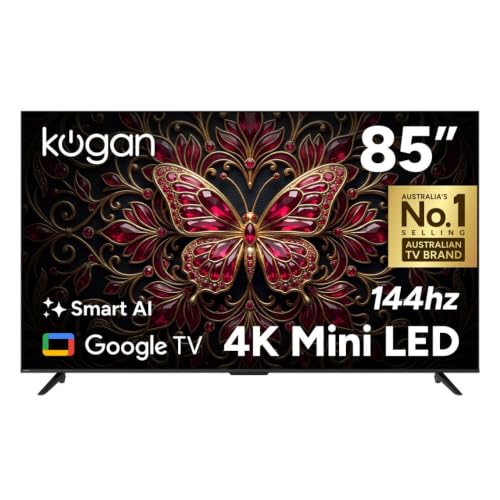
- Entry PickKogan 85" Mini-LED QLED 4K 144Hz Smart AI… about$1,739144Hz refresh, 85" screen, MINI-LED.
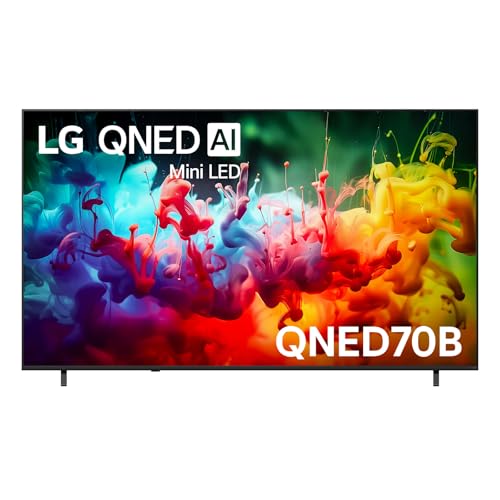
- LG 85" QNED70B AI MINI LED 4K SMART TV 2026 about$1,98585" screen.
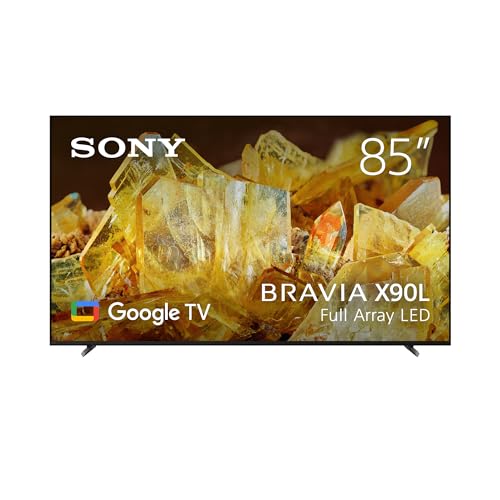
- Sony 85" X90L | BRAVIA XR | Full Array LED… about$2,49985" screen.
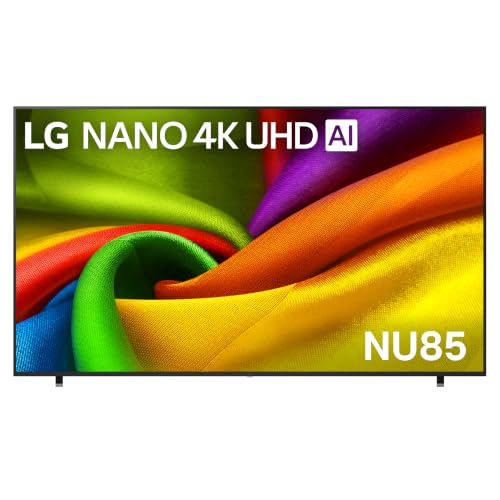
- LG 98-Inch NU855B Nano 4K UHD AI Smart TV 2026 about$3,977
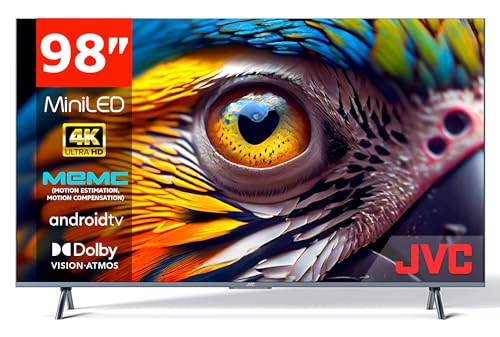
- Most PremiumJVC 98 Inch UHD 4K miniLED Smart Android TV… about$4,999120Hz refresh, 98" screen, MINILED.
Is 85 inches too big for your lounge?
Most people who bring a big TV into the shop with a backlight fault tell me the same thing when the talk turns to size: they wish they'd gone bigger. I've heard that from 65-inch owners and 75-inch owners for years, and I've almost never heard it the other way round. An 85-inch screen is roughly 188 cm wide and 106 cm tall in the picture area alone, so it's a lot of glass, but in a typical Australian open-plan lounge it usually looks smaller on the wall than it did in the box.
The easiest way to check is distance. For 4K, a common rule of thumb is to sit somewhere between 1.2 and 1.6 times the diagonal away from the screen, which works out to roughly 2.6 to 3.5 metres for an 85-inch set. Measure from where your head sits on the couch to the wall, not from the front edge of the couch. If you're closer than about 2.5 metres you'll probably find yourself turning your head to follow subtitles, and if you're further back than 4 metres a 98-inch set starts to make sense.
Width matters as much as distance. Most 85-inch sets stand on feet near the outer edges rather than a centre pedestal, so the unit underneath usually needs to be close to 190 cm wide or the feet hang off the end. That catches a lot of people who are upgrading from a 65-inch on the same cabinet. Wall mounting gets around it, and I cover that further down, but if you'd rather keep the TV freestanding, price a new TV unit into the budget before you decide.
One more test that costs nothing: tape out a 188 by 106 cm rectangle on the wall with painter's tape and leave it there for a couple of evenings. It sounds silly, but it's the most honest way to see whether the size suits the room, and it also shows you where the afternoon light from the windows lands. If the rectangle still looks too big after two nights, the 75-inch TV guide covers the next size down with five picks of its own.
What's actually on sale at 85 inches
I went through Amazon AU's 85-inch listings on 26 October 2026 looking for sets sold new by Amazon AU or an Australian retailer, with no grey imports and no overseas sellers. The list is a lot shorter than at 65 or 75 inches. Three mainstream 85-inch sets made it through: the LG QNED70B at $1,985, the Sony X90L at $2,499 and Kogan's MQ9T at $1,739. Most of the other 85-inch listings were soundbar bundles, marketplace sellers I couldn't confirm were local, or business display panels that aren't really sold as home TVs.
That's why this guide also carries two 98-inch sets. Once you're past about $2,500 at 85 inches on Amazon AU, the next real step isn't a fancier 85-inch panel, it's a bigger screen: LG's 98-inch NU855B at $3,977 and a 98-inch JVC Mini LED at $4,999. If you're shopping 85 inches because you want the biggest picture your wall can take, I'd look at those two before spending more on an 85-inch flagship somewhere else.
Ranks matter more at this size than at smaller ones, because big TVs sell in small numbers and a high rank means plenty of other buyers have had theirs delivered, set up and kept. The LG QNED70B was #3 in Amazon AU's TVs category when I checked, which is a strong number for an 85-inch set. The Sony sat at #7, the Kogan at #61 and the LG 98-inch at #77. Amazon AU didn't publish a rank for the JVC at all, so I'd treat it as the least proven of the five.
Mini LED, full array and Nano: what the backlight labels mean
Every set here is an LCD with a backlight behind it, and the backlight separates them more than the panel itself does. Mini LED uses thousands of very small LEDs grouped into dimming zones, so the dark parts of the picture can go properly dark while bright parts stay bright. The LG QNED70B, the Kogan MQ9T and the JVC all use it. None of those three listings states how many dimming zones the TV has, which is the number that decides how well Mini LED actually works in a dark room.
Full array is the older version of the same idea, with fewer and larger LEDs spread across the whole back of the panel. Sony's X90L uses it, and Sony's processing has always been good at hiding the halo you'd otherwise see around bright subtitles on a black background. LG's 98-inch NU855B is a Nano 4K set, and the listing doesn't say whether it's lit from the edges or from behind. On a screen that size I'd assume its dark-room contrast is the weakest of the group until LG's spec sheet says otherwise.
From a repair point of view the backlight is also the part that fails most on big LCD TVs. The LEDs are soldered onto long strips wired in series, so when one LED goes open circuit the whole strip, or the whole chain, goes dark. You get sound and a black screen, and if you shine a torch at the panel up close you can usually still make out the picture. On Mini LED sets the strips are replaced by boards carrying far more LEDs, which run cooler per LED but cost more to replace when they do go.
What you can do about it mostly comes down to brightness. Running a TV in its brightest picture mode with the backlight at maximum all day pushes more current through every LED, and heat is what wears them out. For daytime viewing in a bright room that's fair enough, but at night I'd drop the backlight a few steps or switch to a calibrated mode like FILMMAKER Mode. It looks closer to how films were mastered, and it's much gentler on the LEDs over six or seven years of ownership.
Getting an 85-inch box home and onto the wall
The box for an 85-inch TV is usually over two metres long and well over a metre tall, and that's before you factor in stairs, narrow hallways and the turn into the lounge. Measure the path from the front door before you order, including the height of any doorway it has to pass through upright. Big-TV deliveries generally come to the door rather than into the room, so line up a second person to carry it in, and don't count on the courier staying to help you unbox it.
Always carry and store the box upright, the way the arrows point. The panel is a thin sheet of glass bonded to a frame, and laying an 85-inch set flat lets it flex under its own weight. The cracked panels I see on big TVs nearly always happened in the first week, during delivery, unboxing or mounting. A cracked panel on a set this size is almost never worth repairing, because the panel makes up most of the TV's cost and the freight on a replacement is a project of its own.
For wall mounting, the Sony X90L listing gives a weight of about 46 kg, the Kogan about 27 kg and the JVC about 63 kg; the two LG listings don't state a usable weight, so check the manual. Either way, sets this big need a bracket rated well above the TV's weight, fixed into studs or masonry rather than plasterboard anchors. Check the VESA pattern on the maker's spec sheet before you buy the bracket, because none of these five listings states it, and two people should lift the TV onto the wall plate.
Plan the power point and cables before the bracket goes up. An 85-inch set on a slim mount sits close to the wall, so a plug directly behind it can push the TV out or stress the cord where it enters the case. A recessed power point, or one just outside the TV's footprint, is the tidy answer, and it's worth getting a licensed electrician to do it at the same time as any in-wall HDMI runs. Leave at least one HDMI cable within reach so you aren't unmounting the TV to plug in a console later.
Gaming ports, eARC and the sound problem
If you're buying an 85-inch set for a PS5 or Xbox Series X, the port list matters more than the picture modes. The Sony X90L's listing states HDMI 2.1 with 4K at 120Hz, VRR and ALLM, plus PS5 features like Auto HDR Tone Mapping. The Kogan lists 144Hz with ALLM and MEMC but doesn't state HDMI 2.1, and the LG QNED70B listing doesn't state a refresh rate or HDMI version at all. For serious console gaming, the Sony is the only one of the three 85-inch sets I'd call proven on paper.
HDMI ports themselves are a common repair on big TVs, and it's mostly cable strain. A heavy HDMI cable hanging off a wall-mounted TV pulls down on the port every day, and after a year or two the solder joints crack. The picture then flickers or drops out on that one input. Use a short, light cable or a right-angle adaptor and support the run with a tie point. It's the same failure I see on consoles, which I've written up in the console HDMI port repair guide.
Sound is the other gap. Thin TVs have small speakers, and on an 85-inch screen the mismatch between the size of the picture and the size of the sound is obvious. The Sony, Kogan and JVC listings mention Dolby Atmos support, while neither LG listing mentions it. A soundbar on the eARC or ARC port fixes most of that, and my Dolby Atmos soundbar picks pair well with any of these TVs. Run the soundbar from the TV's eARC port so one remote controls the volume.
Software support on a TV you'll keep for years
A TV this big is usually a seven-to-ten-year purchase, and the smart platform ages faster than the screen does. Streaming apps drop support for old operating systems, and once that happens the built-in apps stop working even though the picture is still perfect. LG is the only maker in this group that puts a date on it: the QNED70B listing promises security updates until 31 December 2030, which is just over four years from today.
The JVC is the one to think about here. Its listing says Android TV 11, which is an old version for a set sold in 2026, and the listing makes no promise about updates. It'll run the major apps today, but I'd expect it to lose app support sooner than the LGs or the Google TV sets. If the JVC's size and warranty appeal to you, a plug-in streamer from the streaming device guide keeps it current later on for a small fraction of the TV's price.
Power, storms and running cost
Big TVs come into the shop after storms more than at any other time. A surge on the mains or on the antenna lead usually takes out the power board, and sometimes the mainboard as well if the surge came in through the aerial. A power board is usually a fixable fault, but it's one you can mostly avoid with a decent surge-protected powerboard and by unplugging the antenna and power during a big electrical storm. My surge powerboard guide covers which ones carry a meaningful rating.
None of these five listings states a power draw, so I can't give you exact running costs, but I can give you the arithmetic. At the Australian average tariff of roughly 33c/kWh, every 100W a TV draws costs about 3.3c an hour. A big LED set drawing 200W for five hours a day would use 1 kWh, which is about 33c a day or around $120 a year. Check the energy rating label, or the government Energy Rating site, for the real figure on the model you choose.
When 98 inches makes more sense
Jumping from 85 to 98 inches adds about 30 cm of width and 16 cm of height to the picture, taking it to roughly 217 by 122 cm. That's a big step, and it only really works in a room where you sit about 3 to 4 metres back. The LG 98-inch listing gives the TV itself as about 218 by 125 cm, so you need a wall that's at least 2.4 metres wide once you leave some space around it for the room to breathe.
The appeal is that it's the most picture for the money at the top end of Amazon AU. The LG NU855B at $3,977 is about twice the price of the 85-inch LG for about a third more screen area. A 4K laser projector can go bigger still, and I've covered those in the laser projector guide, but a projector wants a dark room and a proper screen. A 98-inch TV works with the blinds open on a Saturday afternoon.
The catch with big panels is repair cost. A 98-inch panel is very expensive to replace and the freight alone is a job, so a cracked screen means a written-off TV. That's why the JVC's three-year in-home warranty is worth more than it looks: if the backlight or power board fails in year two, a technician comes to you instead of you working out how to get a 63 kg TV back to a store. Once the warranty is over, an Erina repair workshop can check whether a dead set has a backlight, power board or mainboard fault before you write it off.
The 5 picks, $1,739 to $4,999
Prices are Amazon AU at time of writing (26 October 2026) and move week to week. Ranks are Amazon AU category sales ranks, checked the same day.

LG 85-inch QNED70B AI Mini LED 4K Smart TV (2026)
ASIN B0GN2V55BY • $1,985.00 • Ships from Amazon AU
The LG QNED70B is the 85-inch TV I'd look at first, and Amazon AU's sales rank agrees: it was #3 in Amazon AU's TVs category when I checked, ahead of every other 85-inch set. It's LG's 2026 entry Mini LED model, released in March according to the listing. At $1,985 it's only about $250 more than the Kogan, and it comes from a maker with a long service history in Australia. The listing names the alpha 7 AI Processor Gen9 doing the picture work, with Dynamic QNED Colour in place of quantum dots. In plain terms, it's a Mini LED backlight with LG's colour layer on top. It's sold and shipped by Amazon AU, which keeps returns simple if it arrives damaged. For a family lounge that's mostly streaming, sport and free-to-air, it's the sensible default.
The software side is where it earns its place. The listing promises security updates until 31 December 2030, which is the only update date any of these five sets commits to. webOS lists Google Gemini, Microsoft Copilot, Google Cast and Apple AirPlay, so phones from either camp can send video to it without a separate box. For films there's FILMMAKER Mode and HDR10 Pro. I'd switch FILMMAKER Mode on for anything cinematic, because it turns off the motion smoothing that makes movies look like a daytime soap. It also runs the backlight at a more sensible level than the bright default mode. The model number on the listing is 85QNED70BSA, which is the code to check against LG Australia's spec sheet before you buy.
Where it falls short is gaming and dark-room contrast. The listing doesn't state a refresh rate or HDMI 2.1, so if 4K at 120 frames on a PS5 or Xbox matters to you, the Sony below is the safer pick. It also doesn't state a dimming zone count, and entry Mini LED sets usually have fewer zones than flagships. Expect some blooming around bright subtitles in a dark room. Dolby Atmos isn't mentioned on the listing either, so plan on a soundbar. The dimensions on the listing don't match an 85-inch TV, so take measurements from LG's spec sheet instead. The warranty listed is 1 year limited. For daytime and normal evening viewing, it's still the one I'd start with.
Honest caveats: The listing doesn't state the refresh rate, HDMI version, dimming zone count, VESA pattern or Dolby Atmos support, and its listed dimensions are clearly wrong for an 85-inch set, so check LG Australia's spec sheet for 85QNED70BSA. Warranty on the listing is 1 year limited. Entry Mini LED usually means more blooming in a dark room than a flagship.
Best for: Family lounges that want a big Mini LED picture with a dated software-update promise.
Screen: 85-inch Mini LED, 4K • Processor: alpha 7 AI Processor Gen9 • Colour: Dynamic QNED Colour Solution • HDR: HDR10 Pro, FILMMAKER Mode • Smart platform: webOS with Gemini, Copilot, Google Cast, AirPlay • Updates: Security updates until 31 December 2030 • Model: 85QNED70BSA • Seller: Amazon AU • Rank: #3 in TVs (Amazon AU)
View on Amazon AU
Sony 85-inch BRAVIA XR X90L Full Array LED 4K Google TV
ASIN B0BYPLRJQF • $2,499.00 • Ships from Amazon AU
Sony's X90L is the 85-inch set I'd buy for a PS5 and for films, and it was #7 in Amazon AU's TVs category on the day I checked. It's Sony's 2023 model rather than a 2026 release, which is a big part of why it now sits at $2,499. It uses a full array LED backlight driven by the Cognitive Processor XR, and Sony's processing is still some of the best at keeping a big, bright picture looking natural. The listing describes XR Triluminos Pro for colour, and support for Dolby Vision, IMAX Enhanced and Netflix Adaptive Calibrated Mode. It's sold by Amazon AU. In a room with a lot of afternoon light, the full array backlight has the brightness to cope. I'd take it over a newer set with weaker processing.
Gaming is the main reason it's on this list. The listing states HDMI 2.1 with 4K at 120Hz, VRR and ALLM, which is what a PS5 or Xbox Series X needs to run at its best. It adds Auto HDR Tone Mapping and Auto Genre Picture Mode for the PS5, and a Game Menu that puts the gaming settings in one place. The smart side is Google TV with Google Assistant and Apple AirPlay. Sound comes from Acoustic Multi-Audio with sound-positioning tweeters and Dolby Atmos support. That's better than most thin TVs manage, but it's still no substitute for a soundbar at this size. BRAVIA CORE movie credits are included according to the listing, and the model code is XR85X90L.
The listing gives the TV as about 189 by 108.5 by 5.9 cm and around 46 kg, so wall mounting is a two-person job with a bracket rated well above that. Being a 2023 model, it's further into its software life than the LGs, and Sony doesn't state an update end date on the listing. The full array backlight has fewer zones than a good Mini LED set, so very dark scenes won't be quite as inky. The listing doesn't state the warranty term, so check it on the product page before you order. If gaming and films matter more than the newest smart features, it's the strongest 85-inch set here. For mostly streaming and sport, the LG does the job for $514 less.
Honest caveats: It's a 2023 model, so it has less software life left than the 2026 LGs, and Sony doesn't publish an update end date on the listing. Full array has fewer dimming zones than good Mini LED. At about 46 kg, mounting needs two people and studs or masonry. The warranty term isn't stated on the listing.
Best for: PS5 and Xbox owners who want proven HDMI 2.1 gaming on an 85-inch screen.
Screen: 85-inch full array LED, 4K • Processor: Cognitive Processor XR • Gaming: HDMI 2.1, 4K 120Hz, VRR, ALLM • HDR: Dolby Vision, IMAX Enhanced • Smart platform: Google TV, Google Assistant, AirPlay • Audio: Acoustic Multi-Audio, Dolby Atmos • Size and weight: 189 x 108.5 x 5.9 cm, about 46 kg (listing) • Model: XR85X90L • Rank: #7 in TVs (Amazon AU)
View on Amazon AU
Kogan 85-inch MQ9T Mini-LED QLED 4K 144Hz Google TV
ASIN B0GWZXLYZB • $1,739.00 • Sold by KOGAN on Amazon AU
Kogan's MQ9T is the lowest-priced 85-inch set I'd put on a wall, at $1,739, and it was #61 in Amazon AU's TVs category when I checked. It's sold by Kogan itself, an Australian retailer, rather than by Amazon AU, so returns and warranty claims go through Kogan. On paper the spec list is long for the money: Mini LED with quantum dot colour, 4K, a 144Hz refresh rate with ALLM and MEMC, Dolby Vision IQ and Dolby Atmos. It runs Google TV with Chromecast built in and Google Assistant. The model number on the listing is KAQL85MQ9TA. For a rumpus room, a holiday house or a second lounge, it puts a very large picture on the wall for less than either of the big brands.
The 144Hz figure is the interesting one, because it's higher than anything else here, but the listing doesn't say whether the TV has HDMI 2.1 ports or how many ports it has at all. Without HDMI 2.1, a console can't send 4K at 120 frames, so that refresh rate may only matter for PC gaming at lower resolutions or for motion smoothing. The 1,000,000:1 contrast figure is a marketing number with no test method behind it, so I'd ignore it. The listing doesn't state a dimming zone count either. What it does give is a size of about 189 by 115 by 33.5 cm, which looks like it includes the feet, and a weight of about 27 kg. That's light for an 85-inch set, which helps if it's going on a wall.
The trade-off at this price is mostly processing and support. Lower-priced brands generally don't tune their picture processing as carefully as Sony or LG, so expect more visible banding on gradients like skies and more noise on weak free-to-air broadcasts. Kogan doesn't state a software update period on the listing. Warranty is listed as 1 year, which is short for a TV this size. Australian Consumer Law still covers major faults beyond that, but it's a slower path than a warranty claim. If the price gap to the LG matters, it's a sound choice for casual viewing. For films and gaming, I'd spend the extra $246 on the LG or step up to the Sony.
Honest caveats: Sold by Kogan, not Amazon AU, so returns and warranty go through Kogan. HDMI 2.1, port count and dimming zone count aren't stated, so the 144Hz figure may not apply to consoles at 4K. Warranty is listed as 1 year. The contrast ratio is a marketing claim with no test method behind it.
Best for: A second lounge or rumpus room where the biggest picture for the money matters most.
Screen: 85-inch Mini LED QLED, 4K • Refresh: 144Hz with ALLM and MEMC • HDR: Dolby Vision IQ • Audio: Dolby Atmos • Smart platform: Google TV, Chromecast built-in • Size and weight: 189 x 115 x 33.5 cm, about 27 kg (listing) • Model: KAQL85MQ9TA • Warranty: 1 year (listing), sold by Kogan • Rank: #61 in TVs (Amazon AU)
View on Amazon AU
LG 98-inch NU855B Nano 4K UHD AI Smart TV (2026)
ASIN B0H9Y1XHJP • $3,977.00 • Ships from Amazon AU
LG's 98-inch NU855B is the step up for a room where 85 inches still looks small, and at $3,977 it was #77 in Amazon AU's TVs category when I checked. That's a solid rank for a TV this size, especially one released in July 2026 according to the listing. It's a Nano 4K UHD set using LG's Nano Detail Enhancer for texture and sharpness. It runs webOS with LG's AI Hub, Google Gemini and Microsoft Copilot, plus LG Channels for free live and on-demand content. It's sold and shipped by Amazon AU. The listing gives the TV at about 218 by 125 by 7.4 cm, which is the number to measure your wall against. The model code is 98NU855BPSB.
What you're buying here is size rather than the best picture technology. Nano sits below QNED and Mini LED in LG's range, and the listing doesn't say whether it's lit from behind or from the edges, or whether it has local dimming at all. In a bright lounge that won't matter much, because 98 inches of a well-lit picture is still very impressive. In a dark room watching films, blacks will look grey next to the Mini LED sets. The listing also doesn't state a refresh rate, HDMI 2.1 or Dolby Atmos, so I'd treat it as a big streaming and sport screen rather than a gaming display. The listing gives a 2-year limited warranty, which is longer than the 85-inch LG's.
Getting it in is the real project. The box will be well over two metres long, and it needs to come in upright through every doorway and corner on the way to the lounge. Weight isn't stated on the listing, so check LG's manual before you choose a bracket, and use a mount rated well above that figure into studs or masonry. A soundbar is close to essential at this size. I'd also run it from a surge-protected powerboard, because a power board fault on a 98-inch set is fixable but still means getting it off the wall. For the most picture per dollar in this guide, nothing else comes close.
Honest caveats: Nano rather than Mini LED, and the listing doesn't state the backlight type, local dimming, refresh rate, HDMI 2.1, Dolby Atmos or weight. Dark-room contrast will be the weakest in this guide. The box needs a clear upright path into the room, and the wall needs to be at least 2.4 metres wide.
Best for: Bright lounges with a 2.4-metre-plus wall and a viewing distance of 3 metres or more.
Screen: 98-inch Nano 4K UHD • Processing: Nano Detail Enhancer • Smart platform: webOS with AI Hub, Gemini, Copilot • Content: LG Channels • Size: 218 x 125 x 7.4 cm (listing) • Released: July 2026 (listing) • Model: 98NU855BPSB • Warranty: 2-year limited (listing) • Rank: #77 in TVs (Amazon AU)
View on Amazon AU
JVC 98-inch 4K Mini LED Smart Android TV (AV-J987145A)
ASIN B0CJXFMZPL • $4,999.00 • Ships from Amazon AU
JVC's 98-inch Mini LED set is the most expensive TV here at $4,999, and Amazon AU didn't publish a sales rank for it when I checked, so it's the least proven pick in this guide. I've included it mainly for one line on the listing: a 3-year in-home manufacturer warranty. On a TV this size, in-home service is worth a lot, because getting a 98-inch set back to a store or a repairer is a job in itself. It's sold by Amazon AU. The panel is 4K Mini LED with a 120Hz refresh rate and MEMC, and it supports Dolby Vision and Dolby Atmos. The model code is AV-J987145A. If you want 98 inches and Mini LED from a seller you can return it to, this is the one on Amazon AU.
The listing is heavy on marketing copy, so I've pulled out the facts. Ports are 3 HDMI with CEC and 2 USB. The frame is metal with thin bezels. It runs Android TV 11 with Chromecast and Google Assistant through a Bluetooth remote, and it carries the main Australian apps including ABC iview and SBS On Demand. The weight on the listing is about 63 kg, the heaviest set in this guide by a wide margin, so wall mounting needs a heavy-duty bracket into studs or masonry and at least two strong people. Mini LED should give it a contrast advantage over the LG 98-inch in a dark room, although the listing doesn't state a zone count. I'd still check reviews of its blooming before buying.
The big weakness is software. Android TV 11 is an old version for a TV sold in 2026, and the listing makes no promise about future updates, so I'd expect app support to fall behind the Google TV and webOS sets sooner. The fix is a plug-in streaming box, which costs a small fraction of the TV. The listing doesn't state HDMI 2.1, so console players shouldn't count on 4K at 120 frames. Three HDMI ports is also tight once a soundbar, console and streaming box are connected. If the in-home warranty and Mini LED picture matter more than the newest software, it's a reasonable choice. Otherwise the LG 98-inch is $1,022 less.
Honest caveats: Amazon AU published no sales rank, so it has the least sales history behind it of the five. Android TV 11 is old and no update period is stated. HDMI 2.1 isn't stated and there are only 3 HDMI ports. The listing weight is about 63 kg, so mounting needs a heavy-duty bracket.
Best for: Buyers who want a 98-inch Mini LED picture with in-home warranty service.
Screen: 98-inch Mini LED, 4K • Refresh: 120Hz with MEMC • HDR and audio: Dolby Vision, Dolby Atmos • Smart platform: Android TV 11, Chromecast, Google Assistant • Ports: 3 x HDMI (CEC), 2 x USB • Weight: About 63 kg (listing) • Model: AV-J987145A • Warranty: 3-year in-home manufacturer (listing) • Rank: Not published by Amazon AU (checked 26 October 2026)
View on Amazon AUSide-by-side comparison
| Product | Price | Best for |
|---|---|---|
| Kogan 85" Mini-LED QLED 4K 144Hz Smart AI… | ~$1,739 | |
| LG 85" QNED70B AI MINI LED 4K SMART TV 2026 | ~$1,985 | |
| Sony 85" X90L | BRAVIA XR | Full Array LED… | ~$2,499 | |
| LG 98-Inch NU855B Nano 4K UHD AI Smart TV 2026 | ~$3,977 | |
| JVC 98 Inch UHD 4K miniLED Smart Android TV… | ~$4,999 |
What we see fail in the workshop: big LCD TVs
Big TVs fail in a fairly small number of ways, and most of them come down to heat, power or handling rather than the panel wearing out. Here's what comes in most often on large LCD sets, and what you can do to keep an 85 or 98-inch TV clear of it. None of it needs tools, and you shouldn't open the back of a TV yourself anyway, because the power board can hold a charge after it's unplugged.
Backlight strips that go dark
The most common big-TV fault I see is a failed backlight. The LEDs sit in long chains, and when one LED fails open circuit the chain goes out, so you get sound, menus you can hear clicking through and a black or very dim screen. Shine a torch at the panel up close and you'll often see the picture faintly. It's usually repairable by replacing the strips or boards, and it costs a lot less than a new set. The best prevention is not running the backlight at maximum all day, and keeping the vents at the back clear so the heat can escape.
Power boards after storms
The second most common fault is a dead power board, and it clusters around electrical storms and blackouts. A surge on the mains, or a nearby lightning strike coupling into the antenna lead, can blow the fuse, the rectifier or the main switching transistor. The TV is dead, with no standby light at all. A surge-protected powerboard helps with mains spikes, and unplugging both power and antenna during a big storm is still the most effective protection. Don't keep switching a dead TV on and off at the wall, because a partly failed board can take other parts with it.
Cracked panels and pulled ports
The faults that aren't worth fixing on big sets are cracked panels, and they nearly always happen in transport, unboxing or mounting. Carry the TV upright, never lay it flat on a bed or the floor, and don't push on the screen while you're fitting the bracket. Smaller but common is a damaged HDMI port from a heavy cable hanging off a wall-mounted set, which shows up as a flickering or dropping picture from one input. Use a short, light cable, support it with a tie point, and leave enough slack that the cable never pulls on the port.
Decision tree: which one should you actually buy?
- Want the best all-round 85-inch TV for a family lounge? → The LG QNED70B at $1,985. It's the top-ranked 85-inch set on Amazon AU and the only one here with a dated update promise, to 31 December 2030.
- Gaming on a PS5 or Xbox Series X? → The Sony X90L at $2,499. It's the only 85-inch set here with HDMI 2.1, 4K at 120Hz, VRR and ALLM stated on the listing.
- Need the biggest picture for the least money? → The Kogan MQ9T 85-inch at $1,739, sold by Kogan. It's fine for a second lounge or rumpus room; spend more if films and gaming matter.
- Sitting 3 to 4 metres back in a bright room? → The LG 98-inch NU855B at $3,977. It's about a third more screen than an 85-inch set and looks its best with the lights on.
- Want 98 inches with in-home warranty service? → The JVC 98-inch Mini LED at $4,999, with a 3-year in-home manufacturer warranty on the listing. Plan on adding a streaming box for apps later.
- Big TV with sound but no picture, or dead after a storm? → That's usually a backlight or power board fault, and both are often fixable. Bring it to our Erina workshop and I'll tell you what's wrong before you spend anything.
Frequently asked questions
How far should you sit from an 85-inch TV?
For a 4K picture, a common rule of thumb is between 1.2 and 1.6 times the screen diagonal, which is roughly 2.6 to 3.5 metres for an 85-inch TV. Measure from where your head sits on the couch, not from the front of the couch. Closer than about 2.5 metres and you'll be moving your eyes a lot to follow the action and subtitles. Further back than 4 metres and a 98-inch set starts to suit the room better. Taping the screen's outline on the wall for a couple of nights is the easiest way to be sure before you buy.
Is an 85-inch TV worth it over a 75-inch?
In most Australian open-plan lounges, yes, if your seating is at least 2.5 metres back. An 85-inch screen has about 28 percent more area than a 75-inch one, and people who upgrade rarely tell me they wish they'd stayed smaller. The catches are practical ones: the box is over two metres long, the TV unit usually needs to be close to 190 cm wide for the feet, and the choice of sets on Amazon AU is smaller than at 75 inches. If any of those rule it out, the 75-inch guide covers the next size down.
Can I wall mount an 85-inch TV on plasterboard?
Not on plasterboard anchors alone. An 85-inch TV can weigh from about 27 kg to well over 40 kg, and the bracket puts that load on a few fixings with extra load from the TV sticking out from the wall. Fix the bracket into timber or steel studs, or into brick or concrete with the right anchors, and choose a bracket rated well above the TV's weight. Check the VESA hole pattern on the maker's spec sheet before you buy the bracket, and use two people to lift the TV onto it.
Do I need HDMI 2.1 on an 85-inch TV?
Only if you play on a PS5, Xbox Series X or a gaming PC and want 4K at 120 frames per second with VRR. For free-to-air, streaming and Blu-ray, HDMI 2.0 is plenty. In this guide, the Sony X90L is the only 85-inch set whose listing states HDMI 2.1, 4K at 120Hz, VRR and ALLM. The other listings either don't state the HDMI version or list a high refresh rate without saying whether consoles can use it at 4K, so check the maker's spec sheet if gaming matters to you.
How much power does an 85-inch TV use?
None of the listings in this guide states a power draw, so check the energy rating label or the government Energy Rating site for the model you choose. As a worked example, a TV drawing 200W for five hours a day uses 1 kWh, which at the Australian average tariff of roughly 33c/kWh costs about 33c a day, or around $120 a year. Picture mode makes a big difference: the vivid retail mode uses more power than a calibrated or eco mode, and it's harder on the backlight too.
Is it worth repairing a big TV with no picture?
Often, yes. If the TV has sound but a black or very dim screen, and you can see a faint picture when you shine a torch at it, the backlight has usually failed, and replacing the strips costs far less than a new 85-inch set. A TV that's completely dead after a storm usually has a power board fault, which is also commonly repairable. The one fault that's rarely worth fixing on a big TV is a cracked panel, because the panel is most of the set's value.
Related buying guides
Big TV with sound but no picture?
Most big TVs that come in with a dark screen have a failed backlight, and most that won't turn on after a storm have a damaged power board. Both are often fixable for a fraction of the price of a new 85-inch set. Bring it into our Erina workshop and I'll tell you what's wrong, what the repair involves and whether it's worth doing before you spend anything.
Visit our Erina workshop Book Online