Prices from Amazon AU, updated daily. Swipe or use the arrows for more.
Disclosure: This article contains affiliate links to amazon.com.au. If you buy through one of these links iFix may earn a small commission at no extra cost to you. It doesn't change which products we recommend. We focus on what actually lasts based on 16 years of repair-shop experience.
Quick summary6 picks
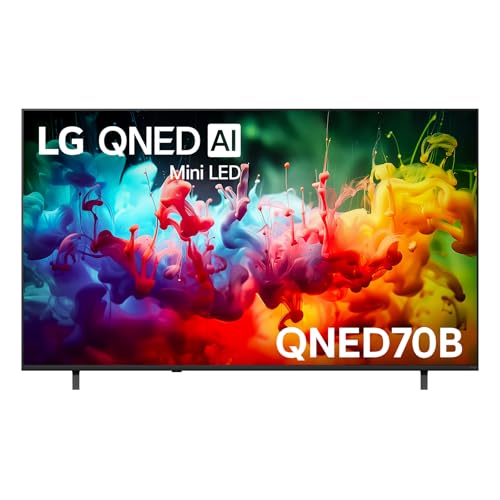
- Entry PickLG 75" QNED70B AI MINI LED 4K SMART TV 2026 about$1,38575" screen.
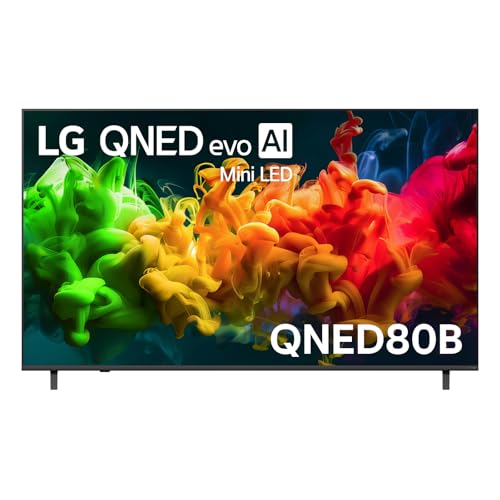
- LG 75" QNED80B EVO AI MINI LED 4K SMART TV… about$1,59975" screen.
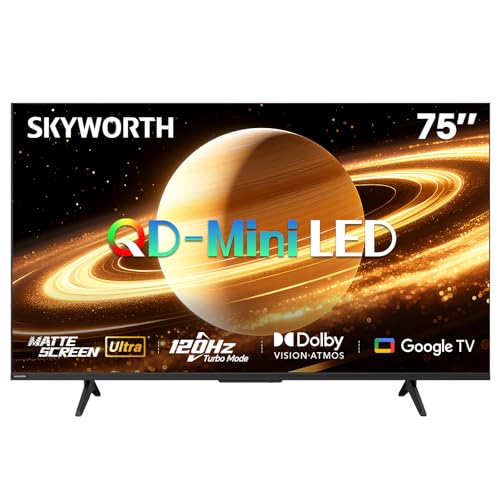
- SKYWORTH 75X6600H QD-Mini LED 4K Smart TV about$1,705120Hz refresh, QLED, 30W.
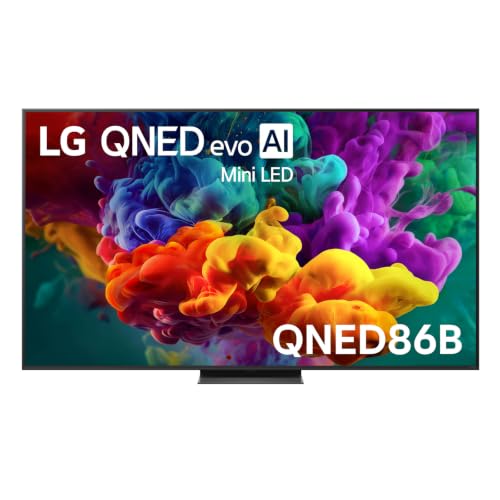
- LG QNED86B Evo AI Mini LED 4K Smart 2026… about$2,577144Hz refresh.
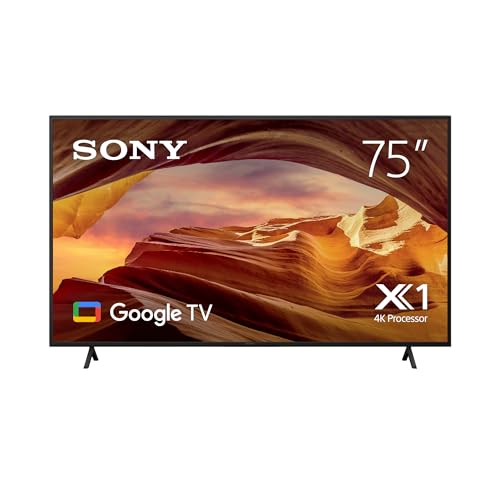
- Sony 75" X77L BRAVIA LED 4K HDR Google TV about$1,764.4475" screen.
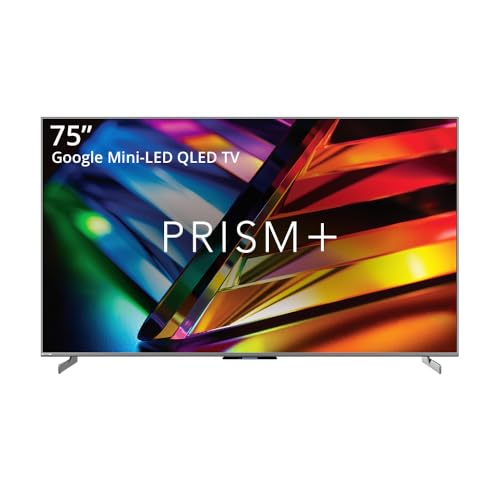
- Most PremiumPrism+ M75 | 75 inch | 4K Mini LED QLED… about$2,579144Hz refresh, QLED.
Will a 75-inch TV actually fit your room?
The first thing I'd do before buying a 75-inch TV is grab a tape measure, because the number on the box is the diagonal and it hides how big these things really are. A 75-inch screen is about 166cm wide and 93cm tall before you add the frame, so it's wider than most three-seater couches and taller than a lot of entertainment units are deep. Mark that rectangle on the wall with painter's tape and leave it up for a couple of nights. If it still looks right after you've walked past it a dozen times, you're probably fine. If it feels like it's swallowing the room, a 65-inch is a smaller step down than it sounds, and I've covered those in the 65-inch TV guide.
Viewing distance is the other half of it. With 4K content, a comfortable distance is usually somewhere between one and one and a half times the diagonal, which works out to roughly 1.9 to 2.9 metres from your eyes to the screen for a 75-inch set. Sit closer than that and you'll be turning your head to follow the ball in the footy. Sit much further back and you'll mostly lose the extra detail you paid for, although a big screen at three and a half metres still looks better than a small one at the same distance. Most Australian lounges I've been in put the couch somewhere around 2.5 to 3.5 metres from the wall, which is a big part of why 75 inches has become such a popular size.
Don't forget the delivery path either. A 75-inch box is usually close to two metres long, and it has to come through your front door, around the hallway corner and into the lounge on its edge, the way the printing on the carton tells you to carry it. Measure the tightest corner before you order, not when the courier's standing on the doorstep.
Mini LED, QNED and plain LED, in plain words
Every TV in this guide is an LCD of some kind. The picture is made by a layer of liquid crystal that blocks or passes light, and behind it sits a backlight made of LEDs. The labels on the box (QNED, QD-Mini LED, QLED, Mini LED) mostly describe two things: what sort of colour layer sits in front of the backlight, and how small and how many the backlight LEDs are. None of them are OLED, where each pixel makes its own light, and at 75 inches an OLED usually costs well beyond the band I set for this guide.
Mini LED is the label that matters most. Instead of a few dozen big LEDs behind the screen, a Mini LED set uses hundreds or thousands of tiny ones grouped into dimming zones, and each zone can dim or brighten on its own. That's what gives you dark blacks right next to bright highlights, like a moon in a night sky or white subtitles over a dark scene. The catch is blooming, which is a faint halo around bright objects on dark backgrounds, and on a screen this size you'll notice it more than you would on a 55. More zones usually means less blooming, and most listings don't state the zone count, so it's worth checking the maker's spec sheet if you watch a lot in a dark room.
The Sony X77L in this guide isn't Mini LED. It uses a conventional LED backlight, so its black levels at night won't match the LG QNED86B or the Prism+ M75. It earns its spot on Sony's picture processing and Google TV, and for daytime viewing in a bright lounge that gap matters a lot less than the spec sheets suggest.
Brightness, glare and Australian lounges
Our lounges are bright. Big windows, north-facing glass and sliding doors out to the deck mean a 75-inch screen in the wrong spot acts like a mirror for half the day. Glare is the complaint I hear most from people who've just bought a big TV, more than motion or colour, and it's mostly a placement problem rather than a TV problem. Before you buy, stand where the TV will go at three in the afternoon and look at what the screen will be reflecting back at the couch.
The Skyworth 75X6600H is the only set here that lists a matte anti-glare screen, and in a room with a lot of window light that's a real advantage. Matte screens scatter reflections instead of showing them as sharp images, at the cost of a little punch in a dark room. Glossy screens look richer at night but show every lamp and window behind you. If your TV faces a big window, I'd give the matte screen more weight than any brightness figure on a spec sheet.
Mini LED sets also get brighter than older LED TVs, which helps in a sunny room. I wouldn't chase the brightest picture mode out of the box, though. The vivid or dynamic modes push the backlight hard, wash out skin tones and make the set run hotter than it needs to, and heat is what wears out the parts I talk about further down.
Wall mounting a 75-inch TV safely
A 75-inch TV is heavy and awkward, and in my experience most of the cracked screens on big sets happen in the first hour of ownership, not years later. The panel is a thin sheet of glass that flexes if you carry it flat or lift it from one corner. Always carry it upright, with two people, holding the frame and never the screen, and don't lay it face down on carpet with any pressure on the middle. A cracked panel on a TV this size nearly always costs more to replace than the whole set is worth.
If you're wall mounting, check the VESA pattern and the weight on the maker's spec sheet, then buy a bracket rated comfortably above that weight. None of the five listings here state the VESA pattern, so don't guess. Plasterboard on its own won't hold a big TV: the bracket has to go into timber studs, or into brick with the right anchors, and if you're not sure what's behind the wall, get someone with a stud finder and the proper fixings to do it. Leave room behind the set for airflow and for the cables, because a TV jammed flat against the wall runs warmer.
Full-motion arms are tempting on a big screen, but every joint is another place for sag to creep in over the years. On a 75-inch set I'd use a fixed or low-tilt bracket unless the room really needs the swing.
HDMI 2.1, gaming and 144Hz
If there's a PS5, an Xbox Series X or a gaming PC in the house, the HDMI ports matter more than anything else on the spec sheet. HDMI 2.1 is what carries 4K at 120 frames per second, plus variable refresh rate so the screen keeps pace with the console instead of tearing. The LG QNED86B lists 144Hz VRR, the Prism+ M75 lists 144Hz and the Skyworth lists HDMI 2.1 with a 120Hz Turbo Mode. The QNED70B and the X77L don't state 120Hz on their listings, so I'd treat them as movie and TV sets unless the maker's spec sheet tells you otherwise.
The ports themselves are a common repair. HDMI sockets on consoles and TVs get damaged by cables that are yanked out sideways, bent hard at the plug or left hanging by their own weight, and on a wall-mounted TV the cable usually hangs straight down off the port. Use a slim plug or a short right-angle adapter, leave some slack and tie the cable off so the socket isn't carrying the load. I've written more about what happens to these sockets in PS5 and Xbox HDMI port repairs, and the same physics applies at the TV end of the cable.
Input lag is the other gaming number, and most listings don't state it. Turn on the TV's game mode for the console input either way. It skips most of the picture processing and drops the lag noticeably, which you'll feel straight away in shooters and racing games.
Sound, power and the rest of the setup
Thin TVs have small speakers, and the bigger the screen, the more obvious the mismatch between picture and sound gets. A 75-inch picture with dialogue coming out of tiny downward-firing drivers feels wrong pretty quickly. The Skyworth lists 30W of speakers, which is decent for built-in sound, but I'd still budget for a soundbar from day one. The Dolby Atmos soundbar picks cover the ones that suit a big screen, and HDMI eARC on the TV is what lets a single remote run both.
Plug the TV into a surge-protected powerboard rather than straight into the wall or a basic double adaptor. Storms on the Central Coast take out a lot of TV power boards, and a decent surge protector costs a small fraction of that repair. I've picked a few in the surge powerboard guide. Running cost is small for a TV, but it's worth knowing: if a set draws 200W while you're watching and it's on five hours a day, that's 1kWh a day, which at the Australian average of roughly 33c/kWh is about 33c a day or around $120 a year. Check the energy label for the real figure on the model you buy.
Don't skip the software line on the listing. Both LGs state security or system updates through to 2030, which is a long tail for a TV and a good reason to choose one. Google TV on the Sony, Skyworth and Prism+ gets you the widest app range, and you can always add a streaming stick later if the built-in apps start to slow down.
How long a 75-inch TV should last
In my experience most LED TVs that are looked after run well past five years, and the ones that don't usually fail in one of a few predictable places. The backlight is the part that wears. LEDs dim with heat and hours, and the ones that fail first tend to be in sets run at full brightness every night. Running the backlight at 70 or 80 percent instead of 100 makes a real difference to the heat inside the case, and you'll rarely notice the picture change in a normal evening room.
Heat is the enemy in general. Keep the vents on the back clear, don't box the set into a tight cabinet recess, and don't stack a console or a set-top box against the back panel. A TV that runs cooler lasts longer, and that goes for the power board as much as the backlight.
Read extended warranties closely before you pay for one. Australian Consumer Law already gives you rights against a major fault for a reasonable time based on what you paid, and for a $2,000 TV that's usually longer than the maker's standard warranty.
When to buy and what to check on delivery
Big TV prices move around a lot in the last part of the year, with late November and the days after Christmas usually the busiest weeks. If a set in this guide drops, it's still the same TV, so there's no harm watching it for a few weeks if you're not in a hurry. Amazon AU prices can also change within a day, so check again right before you check out.
When it arrives, look over the carton for dents or crushed corners before you open it, and photograph anything odd straight away. Open the box with the TV standing upright. Power it up on a plain grey or white screen (YouTube has test patterns) and look for dead pixels, dark corners, vertical lines and uneven patches. Most defects show up in the first week, and Amazon AU's return window is far easier to use than a warranty claim. Keep the box until that window closes, because it's the only thing that'll protect a 75-inch panel if it has to go back.
The 5 picks, $1,549 to $2,579
Prices are Amazon AU at time of writing (12 October 2026) and move week to week. Ranks are Amazon AU category sales ranks, checked the same day.

LG 75-inch QNED70B AI Mini LED 4K Smart TV (2026)
ASIN B0GN2TCWW1 • $1,385 • Ships from Amazon AU
The LG QNED70B is the 75-inch TV most people should look at first, and Amazon AU's own sales rank backs that up: it was sitting at #2 in TVs when I checked. It's LG's 2026 entry Mini LED model, which means you get the local dimming that makes night scenes look properly dark, without the higher refresh rate of the model above it. For a family lounge that's mostly free-to-air, streaming and the odd movie night, that's the right trade. The listing names the alpha 7 AI Processor Gen9 doing the picture work, and LG's Dynamic QNED Colour layer in place of quantum dots. It's sold and shipped by Amazon AU, which makes returns and faults far simpler to sort out than with a marketplace seller.
The line I like most on the listing is the software one: security updates until 31 December 2030. That's over four years of support from today, and a TV that keeps getting updates keeps its streaming apps working for longer, which matters more than most people expect. webOS also lists Google Gemini, Microsoft Copilot, Google Cast and Apple AirPlay, so phones and laptops from either camp can throw video to it without a separate box. For movies there's FILMMAKER Mode and HDR10 Pro. FILMMAKER Mode is worth switching on for anything with a proper cinematic look, because it turns off the motion smoothing and edge sharpening that make films look like a daytime soap.
Where it falls short is gaming and dark-room contrast. The listing doesn't state a 120Hz panel or HDMI 2.1, so if you've got a PS5 or Xbox Series X and want 4K at 120 frames, step up to the QNED86B below. It also doesn't state how many dimming zones the backlight has, and entry Mini LED sets usually have fewer, so expect some blooming around subtitles and bright objects in a dark room. For daytime viewing and normal evening TV with a lamp on, you'll rarely notice it. At $1,549 it's the lowest-priced set in this guide, and it's where I'd start.
Honest caveats: The listing doesn't state the refresh rate, HDMI version, dimming zone count or VESA mounting pattern, so check LG's spec sheet if any of those matter to you. Entry Mini LED usually means fewer dimming zones and more blooming than the QNED86B. It isn't the set for 4K 120Hz console gaming.
Best for: Family lounges that want a 75-inch Mini LED picture and long software support without paying for gaming features.
Screen: 75-inch, 4K UHD • Panel: Mini LED with Dynamic QNED Colour • Processor: alpha 7 AI Processor Gen9 • HDR: HDR10 Pro, FILMMAKER Mode • Smart platform: webOS with Google Cast and Apple AirPlay • Updates: Security updates until 31 December 2030 • Seller: Amazon AU • Price: $1,549 at time of writing • Rank: #2 in TVs (Amazon AU)
View on Amazon AU
SKYWORTH 75X6600H 75-inch QD-Mini LED 4K Google TV
ASIN B0H2L5L4VB • $1,705 • Sold by SKYWORTH Australia on Amazon AU
The Skyworth 75X6600H is the pick for bright rooms, and the reason is right there in its listing title: a matte anti-glare screen. Most TVs at this price are glossy, which looks great at night and terrible at two in the afternoon with the blinds open. Skyworth pairs that matte screen with a QD-Mini LED backlight, which is Mini LED local dimming with a quantum dot colour layer in front, so it's the same basic recipe as the LGs with a different colour filter. It's sold by SKYWORTH Australia rather than Amazon AU directly. I'm comfortable with a brand's own local storefront, but read the returns terms on the listing before you order a TV this size.
On paper it's the most complete feature list in the guide for the money. The listing names HDMI 2.1, a 120Hz Turbo Mode, Dolby Vision, Dolby Atmos, Google TV with voice control and 30W of speakers with Skyworth's Total Sonics processing. Dolby Vision matters more than people think on streaming services, because a lot of Netflix and Disney+ content is graded in it, and a TV that supports it shows those titles the way they were mastered. 30W of built-in sound is decent for a TV, although I'd still add a soundbar on a screen this size. Google TV gives you the widest app range of any platform here, and casting from an Android phone just works.
The honest unknowns: Amazon AU doesn't publish a sales rank for this listing, so I can't tell you how many people are buying it, and Skyworth's software update period isn't stated. The 120Hz Turbo Mode wording also doesn't confirm whether that's 4K at 120Hz or a lower resolution, so if console gaming is the main reason you're buying, check Skyworth's spec sheet or go for the LG QNED86B. For a sunny lounge where the TV sits opposite a window, though, the matte screen will make more difference day to day than any number on the box.
Honest caveats: Amazon AU doesn't publish a sales rank for this listing, the software update period isn't stated, and 120Hz Turbo Mode may not mean full 4K at 120Hz. A matte screen gives up a little punch in a dark room. It's sold by Skyworth's own storefront, so check its returns terms before ordering.
Best for: Lounges with big windows where glare is the main problem, and buyers who want Dolby Vision and Google TV.
Screen: 75-inch, 4K UHD • Panel: QD-Mini LED, matte anti-glare • Refresh rate: 120Hz Turbo Mode, HDMI 2.1 • HDR: Dolby Vision • Audio: 30W speakers, Dolby Atmos • Smart platform: Google TV with voice control • Seller: SKYWORTH Australia • Price: $1,705 at time of writing • Rank: Not published by Amazon AU (checked 12 October 2026)
View on Amazon AU
LG 75-inch QNED86B Evo AI Mini LED 4K Smart TV (2026)
ASIN B0H5VNNFRX • $2,577 • Ships from Amazon AU
If there's a console in the house, the LG QNED86B is the 75-inch TV I'd buy. It's LG's 2026 step-up Mini LED model, and for $226 more than the QNED70B the listing adds the two things gamers care about most: ultra smooth 144Hz VRR support and Mini LED Precision Dimming for better contrast. It also lists Dynamic QNED Colour Pro with 100 percent colour volume, which in practice means bright colours hold their saturation instead of washing out as the picture gets brighter. It was #45 in TVs on Amazon AU when I checked, and it's sold by Amazon AU. Last year's model from the same family led my 55-inch TV picks, and the 75 keeps the same character on a bigger screen.
144Hz VRR is more than a big number. Variable refresh rate lets the TV match whatever frame rate the console or PC is putting out, so you don't get tearing when a game dips below its target, and 144Hz gives a gaming PC more headroom than the 120Hz ceiling of a PS5 or Xbox Series X. With game mode on, that makes for a very responsive big screen. Precision Dimming is LG's name for finer local dimming than the QNED70B uses, so blooming around bright objects should be less obvious, although the listing still doesn't state a zone count. LG also states system updates are supported until 2030, so it matches its sibling there.
What you don't get, compared with an OLED, is perfect black. In a fully dark room Mini LED still lifts the blacks slightly around bright objects, and on a 75-inch screen you'll see it in space scenes and dark game menus. With a lamp on, it's a non-issue. The listing doesn't state the HDMI 2.1 port count, the dimming zone count, the speaker output or the VESA pattern, so check those on LG's spec sheet if you're wall mounting or running more than one console. As a do-everything big screen at $1,775, it's my pick of the five.
Honest caveats: The listing doesn't state the dimming zone count, HDMI 2.1 port count, speaker output or VESA pattern. Mini LED still shows some blooming in a fully dark room, and blacks won't match an OLED. It costs $226 more than the QNED70B, which only makes sense if you'll use the 144Hz gaming support.
Best for: Lounges with a PS5, Xbox Series X or gaming PC that want one big screen for games, sport and movies.
Screen: 75-inch, 4K UHD • Panel: Mini LED with Precision Dimming • Colour: Dynamic QNED Colour Pro, 100% colour volume • Gaming: 144Hz VRR • Processing: AI picture and sound • Updates: System updates supported until 2030 • Seller: Amazon AU • Price: $1,775 at time of writing • Rank: #45 in TVs (Amazon AU)
View on Amazon AU
Sony 75-inch X77L BRAVIA LED 4K HDR Google TV
ASIN B0C2ZT2VK3 • $1,764.44 • Ships from Amazon AU
The Sony X77L is the odd one out here, and I've included it on purpose. It isn't Mini LED: it uses a conventional LED backlight, and it's an older model that's been on sale for a while. What it does have is Sony's picture processing, which has always been strong at the things normal TV viewing throws at a screen, like compressed streaming, free-to-air broadcasts and sport. The listing names the 4K Processor X1, Live Colour and 4K X-Reality Pro, which is Sony's upscaling and detail engine for lower-resolution content. On a 75-inch screen a lot of what you watch isn't true 4K, so how well a TV upscales 1080p and 720p matters more than it does on a smaller set. It's sold by Amazon AU and ranked #74 in TVs.
The other reason to pick it is Google TV. If you live in Google's world, with an Android phone, Nest speakers or a Google account full of YouTube history, the Sony slots straight in. Google TV's recommendations and app support are the widest of any platform in this guide, and casting from a phone works without a separate stick. The listing also mentions Sony's x-balanced speaker, an oddly shaped driver meant to give clearer voices and fuller bass than a typical thin-TV speaker. It won't replace a soundbar on a screen this size, but it's better than average for built-in sound and fine for the news and the kids' shows.
The honest downsides are contrast and gaming. Without stated local dimming, blacks in a dark room look grey next to the Mini LED sets, and the listing doesn't state 120Hz or HDMI 2.1, so it's not the set for a new console. It also costs more than the LG QNED86B, which beats it on paper almost everywhere. I'd only buy the X77L if Sony's processing and Google TV are what you're after and you mostly watch in daylight or with lamps on, where the contrast gap closes. Watch the listing too: there are bundle versions with soundbars that cost more, so make sure it's the TV-only one.
Honest caveats: Conventional LED backlight with no local dimming stated, so dark-room contrast trails every Mini LED set here. The listing doesn't state the refresh rate, HDMI 2.1, the software update period or the VESA pattern. It's an older model, and it costs more than the better-specified LG QNED86B.
Best for: Google TV households watching mostly in daylight who value Sony's upscaling of streaming and free-to-air.
Screen: 75-inch, 4K UHD • Panel: LED (no local dimming stated) • Processor: 4K Processor X1 • Picture: Live Colour, 4K X-Reality Pro • Audio: X-balanced speaker • Smart platform: Google TV • Seller: Amazon AU • Price: $2,199 at time of writing • Rank: #74 in TVs (Amazon AU)
View on Amazon AU
Prism+ M75 75-inch 4K Mini LED QLED Google TV, 144Hz
ASIN B0DSPC942P • $2,579 • Sold by PRISM+ on Amazon AU
The Prism+ M75 is the premium pick in this guide, and it's priced like one at $2,579. It's a 75-inch Mini LED QLED screen with a 144Hz refresh rate, Dolby Vision and Dolby Atmos, Google TV with voice control and a ZeroBezel design, which means the frame around the picture is very thin. That last one matters more on a big screen than you'd think: on a wall, a thin frame makes a 75-inch set look less like a black box and more like a picture. Prism+ sells into Australia through its own storefront, and that's who sells this listing rather than Amazon AU. It ranked #152 in TVs on Amazon AU when I checked, so it's a much less common buy than either LG.
The listing is thin on detail. It says the screen is packed with nanocrystals 50x smaller than traditional LEDs, which is marketing language for a quantum dot colour layer over a Mini LED backlight, and it lists 144Hz, Dolby Vision, Atmos and voice control. What it doesn't state is the dimming zone count, peak brightness, HDMI version, port count or update policy, so I'm working from the headline features alone. 144Hz on a TV this size points to proper gaming support, and Dolby Vision covers streaming well. If you're the sort of buyer who wants to read a full spec sheet before spending this much, do that on Prism+'s own site before you order.
Why include it, then? Because it's the only 75-inch set I found in this band with both 144Hz and a very thin bezel, sold new by the brand's own storefront, and some buyers want exactly that combination for a wall-mounted gaming and movie screen. If you don't need the bezel or the brand, the LG QNED86B gives you 144Hz VRR, stated updates to 2030 and Amazon AU as the seller for about $800 less. That's the comparison I'd make before choosing this one, and if the M75's price comes down toward the LG's, the decision gets a lot closer. Either way, measure the wall first, because a thin bezel only helps if the screen suits the room.
Honest caveats: The listing doesn't state the dimming zone count, peak brightness, HDMI version or port count, or the software update period. It ranks well below the LGs on Amazon AU, and it's sold by Prism+ rather than Amazon AU, so check the returns terms. The LG QNED86B lists similar gaming features for about $800 less.
Best for: Wall-mounted gaming and movie setups where a thin frame and 144Hz both matter.
Screen: 75-inch, 4K UHD • Panel: Mini LED QLED, ZeroBezel frame • Refresh rate: 144Hz • HDR: Dolby Vision • Audio: Dolby Atmos • Smart platform: Google TV with voice control • Seller: PRISM+ • Price: $2,579 at time of writing • Rank: #152 in TVs (Amazon AU)
View on Amazon AUSide-by-side comparison
| Product | Price | Best for |
|---|---|---|
| LG 75" QNED70B AI MINI LED 4K SMART TV 2026 | ~$1,385 | |
| LG 75" QNED80B EVO AI MINI LED 4K SMART TV… | ~$1,599 | |
| SKYWORTH 75X6600H QD-Mini LED 4K Smart TV | ~$1,705 | |
| LG QNED86B Evo AI Mini LED 4K Smart 2026… | ~$2,577 | |
| Sony 75" X77L BRAVIA LED 4K HDR Google TV | ~$1,764.44 | |
| Prism+ M75 | 75 inch | 4K Mini LED QLED… | ~$2,579 |
What we see fail in the workshop: big TVs
Big TVs don't usually die all at once. They fail in a handful of predictable ways, and most of them give some warning first. These are the three faults that bring the most large TVs into the shop, what usually causes each one, and what you can do to make it less likely on any of the sets above. Two of the three are often worth fixing.
Backlight LEDs that go dark
Sound but no picture, or a picture you can only see with a torch held close to the screen, is the classic backlight failure. LED TVs light the screen with strips of LEDs wired in series, so when one LED fails open the whole string goes dark, and the TV often shuts the backlight off entirely as a protection measure. Mini LED sets have far more LEDs, which spreads the heat but adds more solder joints. Heat and hours are the main causes, and sets run at full brightness every night fail first. Replacing the strips is a common repair on big sets and is often worth doing because the panel itself is usually fine. Keep the backlight at 70 to 80 percent and keep the vents clear.
Power boards after storms
A TV that's completely dead after a storm, with no standby light, has usually taken a surge through the mains. The power board inside has a fuse, surge-absorbing components and a switch-mode supply, and a big enough spike gets past the first two and takes out the third. Bulging capacitors from years of heat cause the same symptom more slowly, often starting with a TV that takes a few tries to turn on. Power board faults are usually repairable for a fraction of a new set. Unplug the TV during a lightning storm if you're home, and run it off a surge-protected powerboard the rest of the time.
Cracked panels and lines down the screen
A cracked panel shows as a spiderweb of colour from one point, and on big sets it nearly always comes from delivery or mounting, when the glass flexed. Vertical or horizontal lines that appear later are different: they usually come from the thin ribbon connections bonded along the edge of the panel, which can lift with heat and flex over time. Either way, the panel is the most expensive part of the TV, and on a 75-inch set a replacement panel generally costs more than the TV did. Carry it upright with two people, never press on the screen, and don't let a wall bracket twist the frame when you tighten it.
Decision tree: which one should you actually buy?
- Want the best-selling 75-inch set for a family lounge? → The LG QNED70B, $1,549 at time of writing, with security updates stated to 2030.
- Does the TV face a big sunny window? → The Skyworth 75X6600H, $1,705, for its matte anti-glare screen and Dolby Vision.
- Got a PS5, Xbox Series X or gaming PC to plug in? → The LG QNED86B, $1,775, for 144Hz VRR and finer local dimming.
- Already all-in on Google and watch mostly in daylight? → The Sony X77L, for Sony's upscaling and Google TV.
- Want a thin-bezel 144Hz screen for the wall? → The Prism+ M75, $2,579, but compare it with the LG QNED86B first.
- Current TV has sound but no picture, or died after a storm? → Bring it to our Erina workshop: backlight and power board faults are often fixable.
Frequently asked questions
How far should I sit from a 75-inch TV?
For 4K content, a comfortable distance is usually one to one and a half times the screen diagonal, which is roughly 1.9 to 2.9 metres for a 75-inch TV. Closer than that and you'll be turning your head to follow fast action. Further back still works, and a 75-inch at 3.5 metres looks better than a smaller screen at the same distance, but you'll lose some of the fine 4K detail. Measure from your eyes on the couch to the screen, not from the couch to the wall.
Is a 75-inch TV too big for a small lounge?
It depends on the wall width and how far back you sit. A 75-inch screen is about 166cm wide and 93cm tall, so tape that rectangle on the wall and leave it for a couple of days. If you sit less than about 1.9 metres away, or the screen covers most of the wall, a 65-inch will probably feel better. Also check the delivery path, because the box is close to two metres long and has to get around your hallway corners.
Is Mini LED worth paying for on a 75-inch TV?
For most people, yes. Mini LED uses many small LEDs grouped into dimming zones, so dark parts of the picture can stay dark while bright parts stay bright. On a big screen that contrast difference is easy to see at night. The trade-off is blooming, a faint halo around bright objects on dark backgrounds. If you mostly watch in daylight, a conventional LED set like the Sony X77L closes the gap, but at night Mini LED looks clearly better.
Can I mount a 75-inch TV on plasterboard?
Not on plasterboard alone. A 75-inch TV and bracket are heavy, and plasterboard fixings can pull out over time. The bracket needs to go into timber studs, or into brick or block with proper masonry anchors, and the bracket should be rated comfortably above the TV's weight. Check the VESA pattern and weight on the maker's spec sheet, because the Amazon listings for these sets don't state them. If you aren't sure what's behind the wall, get it installed by someone with a stud finder and the right fixings.
Do I need HDMI 2.1 for a PS5 or Xbox Series X?
Only if you want 4K at 120 frames per second and variable refresh rate. Both consoles can output that over HDMI 2.1, and it makes fast games noticeably smoother. On a 60Hz TV the consoles still work fine at 4K 60. In this guide, the LG QNED86B and Prism+ M75 list 144Hz support and the Skyworth lists HDMI 2.1 with 120Hz Turbo Mode. Whichever TV you choose, turn on game mode for the console input to cut input lag.
Is it worth repairing a 75-inch TV with a cracked screen?
Usually not. The panel is the most expensive part of any TV, and on a 75-inch set a replacement panel generally costs more than the whole TV did, before labour and freight. Other big TV faults are different: dead backlights and storm-damaged power boards are often repairable for much less than a new set. If the screen is physically cracked, check your home contents insurance, because accidental damage is often covered there rather than under warranty.
Related buying guides
Big TV with sound but no picture?
Most big TVs that come in with a dark screen have failed backlight strips, and most that won't power on after a storm have a damaged power board. Both are often fixable for far less than a new 75-inch set. Bring it into our Erina workshop and I'll tell you what's wrong and whether it's worth repairing before you spend anything.
Visit our Erina workshop Book Online