Prices from Amazon AU, updated daily. Swipe or use the arrows for more.
Disclosure: This article contains affiliate links to amazon.com.au. If you buy through one of these links iFix may earn a small commission at no extra cost to you. It doesn't change which products we recommend, we focus on what actually lasts based on 16 years of repair-shop experience.
Quick summary8 picks
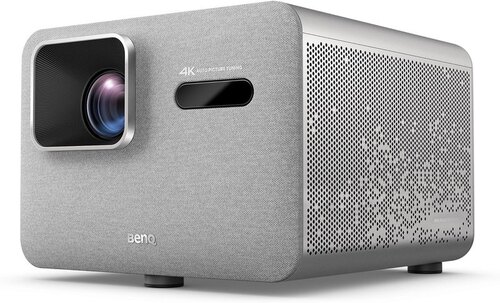
- BenQ TK705STi 4K HDR Short Throw Projector about$2,287150" from 2.7 metres.
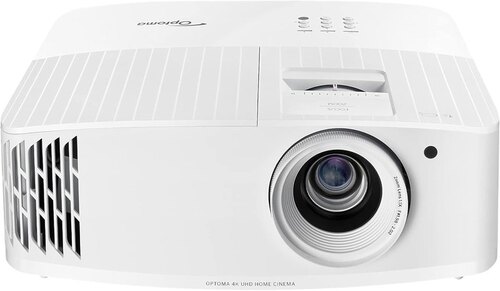
- Bright rooms and gamingOptoma UHD35+ 4K UHD HDR 240Hz Projector about$1,837
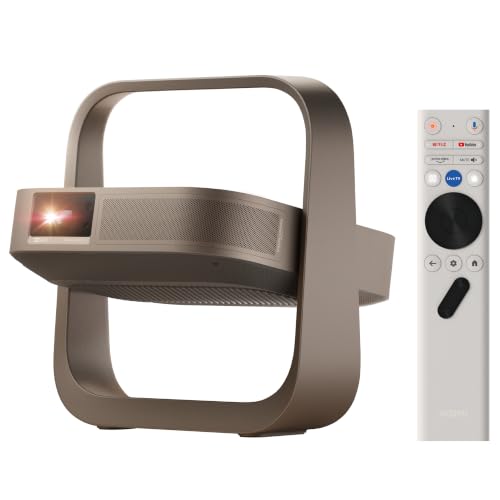
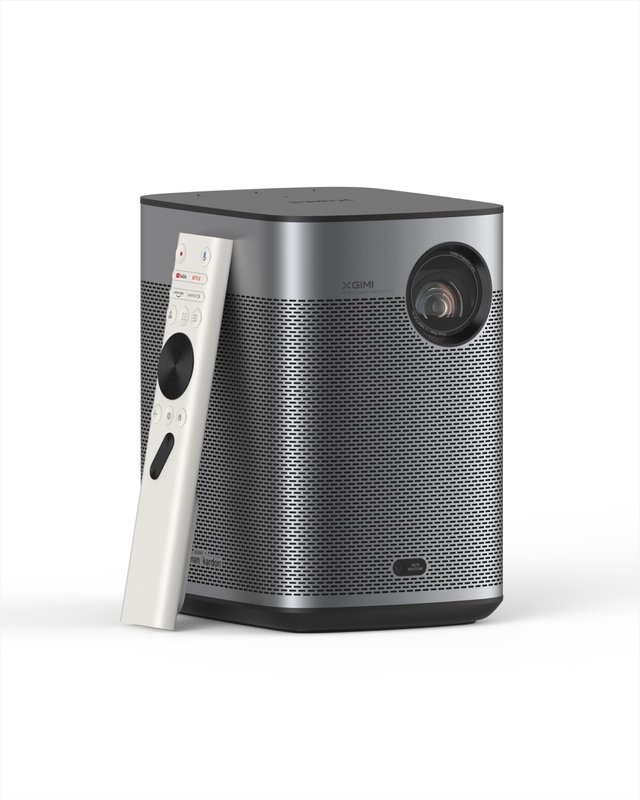
- XGIMI Elfin Flip 4K Portable Projector about$1,695
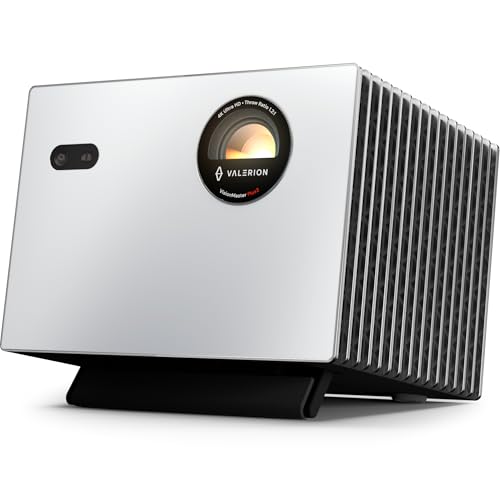
- Valerion StreamMaster Plus2 4K Laser Projector about$2,599RGB triple laser, Google TV.
- XGIMI Horizon 20 4K RGB Triple Laser Home… about$3,995240Hz refresh, 12W.
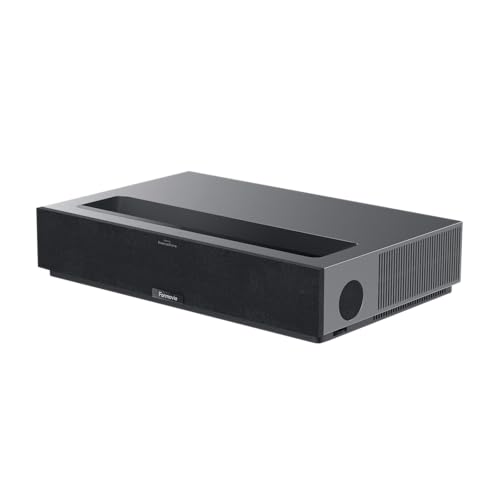
- Formovie Theater Ultra Short Throw 4K Laser… about$3,348.57
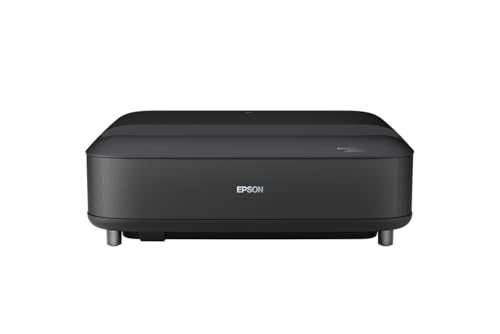
- Epson EH-LS670B 4K PRO-UHD Ultra Short-Throw Projector about$3,619.83
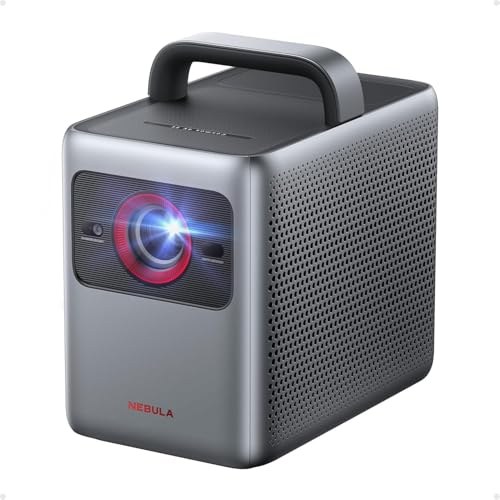
- Nebula Cosmos Laser 4K SE Projector about$2,054.25
The payback maths comes first
Start with the number, because it is the whole reason these are selling. A night at the cinema for a family of four lands around $120 once you count tickets, parking and the snack bar. Put a $2,000 projector on the wall and it clears its own cost in about 17 of those nights. After that, every film is close to free, the only ongoing cost being the electricity to run it.
| Product | Price | Best for |
|---|---|---|
| XGIMI Elfin Flip 4K Portable Projector | ~$1,695 | Portable, packs for camping |
| XGIMI Horizon 20 4K RGB Triple Laser Home… | ~$3,995 | RGB triple laser, 240Hz gaming |
| Optoma UHD35+ 4K UHD HDR 240Hz Projector | ~$1,837 | Bright rooms and console play |
| Valerion StreamMaster Plus2 4K Laser Projector | ~$2,599 | RGB triple laser, Google TV, 240Hz gaming |
| BenQ TK705STi 4K HDR Short Throw Projector | ~$2,287 | Short-throw Google TV |
| Formovie Theater Ultra Short Throw 4K Laser… | ~$3,348.57 | Ultra short throw, sits by the wall |
| Epson EH-LS670B 4K PRO-UHD Ultra Short-Throw Projector | ~$3,619.83 | Ultra short throw, Google TV and Bose sound |
| Nebula Cosmos Laser 4K SE by Anker | ~$2,054.25 | Portable, Anker warranty |
That is a rough model, not an accounting statement, but the direction is not in doubt. And the timing is the story. Consumer confidence is sitting at 85.2 on the Westpac–Melbourne Institute index, the household savings ratio has fallen to 2.4 percent from 5.3 percent in 2019, and real disposable income is down 3.8 percent over the same stretch. When the money is tighter, the outings that used to happen out of the house get insourced to the lounge room. A projector is the tool that lets you do that without giving up the big-screen night. This is the same logic behind a portable power station for outdoor movie nights or an ultrawide that replaces two screens: buy the thing once, use it for years, stop paying per go.
Laser versus lamp, and why it matters to your wallet
The single biggest running-cost decision on a projector is the light source, and it splits this list. Most of the picks here are laser, and lamp-based projectors still sell at lower prices. Here is what that means once the box is open on the shelf.
Laser (ALPD or similar). The Nebula uses a laser light engine rated past 20,000 hours. It holds its brightness across that life and there is no bulb to buy. Watch four nights a week and 20,000 hours is measured in decades, so realistically the laser outlives your interest in the projector. That is why the laser units cost more up front, they front-load the cost you would otherwise pay in lamps.
Lamp. A lamp projector is less costly to buy, but the bulb fades over its life and eventually needs replacing at $200 to $400 a time. That is not a reason to avoid it, it is a reason to buy it knowing the true cost is the sticker plus a lamp or two over the years. For a family that watches a couple of nights a week, a lamp lasts a long time and the lower entry price wins.
What to look for in a home-cinema projector
Beyond the light source, five things separate a projector you keep from one that ends up in the cupboard.
- Honest brightness. Look for a real ANSI or ISO lumen figure, not an inflated "LED lumen" marketing number. 2000 to 2800 real lumens suits a room you can darken; 3000-plus, like the BenQ, is what you want if you watch with some light on.
- Native resolution and pixel-shift. Some of these are true 4K panels and some are 4K pixel-shift, where a lower-resolution chip shifts fast to paint an 8.3-million-pixel image. Both look genuinely 4K on a wall from the couch. What you are avoiding is a "4K supported" unit that only accepts a 4K signal and shows it at 1080p.
- Throw ratio and placement. This is the one people skip and regret. Throw ratio decides how far the projector sits from the wall for a given image size. Lens shift and zoom, where a projector has them, let you place it where the room allows rather than where the maths forces. Measure your room first.
- Smart platform and licensed Netflix. If you want it to stream on its own, check the streaming apps are officially licensed. The Nebula lists 4K Netflix on Google TV, and the BenQ TK705STi lists Netflix on Google TV too. Less costly units sideload it and run it at low resolution, which is the single most common projector complaint we hear.
- Input lag, if you game. Film projectors are tuned for image quality, not response time. The BenQ and the Optoma UHD35+ are the genuine gaming panels here, with the Optoma quoting 4.2ms input lag in its Enhanced Gaming Mode. Check the millisecond figure if a game console is going anywhere near it.
Three picks in depth, by what you actually watch
Prices are checked against Amazon AU every morning and move week to week on imported AV gear, so treat every figure as "around". The three below run from the short-throw Google TV pick to the portable and the bright-room gaming pick.

BenQ TK705STi, 4K HDR, 3000 ANSI Lumens, Short Throw, Google TV
4K · 3000 ANSI lumens · Google TV · HDR10+ · 150" from 2.7 metres · HDMI 2.1 · around $2,287 · Sold by BenQ Australia
If you want a projector that streams on its own through Google TV and sits close to the wall, this is the one. BenQ lists 4K HDR with HDR10+, 3000 ANSI lumens and a 0.8 throw ratio that puts a 150-inch image on the wall from just 2.7 metres, so it suits a compact lounge room or an apartment where a long throw will not fit. The listing does not say whether the light source is laser or LED, so treat it as the short-throw pick of this guide rather than the longevity pick. It is sold direct by BenQ Australia, which counts for more than the spec sheet when a projector needs a warranty claim.
Setup and picture. The listing names Auto Focus, Auto 2D Keystone, Auto Cinema Mode, optical and digital zoom and Auto Screen Fit, so it squares itself up without much fiddling. BenQ CinematicColor and HDR-PRO handle the picture and MEMC smooths motion. Streaming is built in: Netflix, YouTube and Prime Video run on Google TV, so no dongle is needed. Bluetooth is listed for sending sound out, and a soundbar is the sensible upgrade, see our Dolby Atmos soundbar picks.
The honest trade-offs. The light source is not stated in the listing, so check it before you buy if laser matters to you. At around $2,287 it costs more than the lowest-cost 4K options here, so you are paying for the short throw, the 3000 ANSI lumens and the console-friendly HDMI 2.1 input, not for the lowest price. A short-throw projector still looks best in a room you can darken.
Best for: a 4K Google TV projector for a compact room or apartment where a normal throw distance will not fit.
Resolution: 4K HDR · Brightness: 3000 ANSI lumens · Throw: 0.8 ratio, 150" from 2.7 metres · Smart: Google TV with Netflix · Setup: Auto Focus, Auto 2D Keystone, Auto Cinema Mode · Gaming: HDMI 2.1, 5 ms at 4K/60Hz, Auto Low Latency Mode · HDR: HDR10+ · Warranty: manufacturer + Australian Consumer Law
View on Amazon AU
Nebula Cosmos Laser 4K SE, by Anker, Google TV, Autofocus
4K · laser engine · Google TV · auto focus/keystone/alignment · Bluetooth out · HDR10 · around $2,054.25 · Sold by AnkerDirect AU
Nebula is Anker's projector line, and that name matters more than the spec sheet at this price. Plenty of no-name laser projectors undercut it, but Anker is a large, established brand that will still be around to honour a warranty, which on a machine with a laser engine and electronics inside is worth paying for. It runs Google TV with proper app support and a laser 4K HDR10 image.
Why it is the portable pick. Intelligent Environment Adaptation does autofocus, auto keystone and auto screen alignment, so it lines itself up wherever you set it down, and it is light enough to genuinely move room to room, or out the back for a movie on the fence. Built-in speakers with Dolby Digital Plus cover casual watching, and Bluetooth sends audio out to your own speakers or headphones when you want more. It is the one to buy if the projector will not live permanently on one ceiling.
Best for: a move-it-around 4K projector from a brand with real support behind it, lounge tonight and backyard on the weekend.
Resolution: 4K · Light source: laser · Smart: Google TV · Setup: auto focus, keystone and alignment · Audio: built-in speakers, Dolby Digital Plus, Bluetooth out · HDR: HDR10 · Warranty: Anker/Nebula + Australian Consumer Law
View on Amazon AU
Optoma UHD35+, True 4K UHD, 4,000 Lumens, 240Hz Gaming
True 4K UHD · HDR · 4,000 lumens · 1,200,000:1 contrast · 240Hz gaming mode · 4.2ms input lag · around $1,837 · Sold by Just Projectors Australia
The pick for a room that is never properly dark, and for anyone with a console plugged in. The listing quotes 4,000 lumens and a 1,200,000:1 contrast ratio, which is a lot of light for a lounge room with the blinds half open, and it advertises true 4K UHD resolution with HDR rather than a lower-resolution chip doing the work. Add a 240Hz mode and 4.2ms input lag in Enhanced Gaming Mode and it is built around fast response as much as film.
The honest trade-off. The listing does not mention a built-in smart platform or streaming apps, so plan on a streaming stick or a console in the HDMI port rather than expecting Netflix from the box. It also costs more than the lowest-cost 4K options here, so you are paying for the brightness and the gaming spec, not for streaming extras.
Best for: the household that watches with some light in the room, or plugs in a console and cares more about response time than built-in apps.
Resolution: true 4K UHD · Brightness: 4,000 lumens · Contrast: 1,200,000:1 · Refresh: 240Hz gaming mode · Input lag: 4.2ms (Enhanced Gaming Mode) · HDR: HDR · Warranty: Optoma + Australian Consumer Law
View on Amazon AUSide-by-side comparison
Prices are approximate and move week to week. The laser units here never need a bulb; if you buy a lamp-based projector instead, factor a replacement lamp into its long-run cost.
| Product | Price | Best for |
|---|---|---|
| XGIMI Elfin Flip 4K Portable Projector | ~$1,695 | Portable, packs for camping |
| Optoma UHD35+ 4K UHD HDR 240Hz Home Cinema Gaming… | ~$1,837 | Bright rooms and console play |
| Valerion StreamMaster Plus2 4K Laser Projector | ~$2,599 | RGB triple laser, Google TV, 240Hz gaming |
| BenQ TK705STi 4K HDR Short Throw Projector | ~$2,287 | Short-throw Google TV |
| Formovie Theater Ultra Short Throw 4K Laser… | ~$3,348.57 | Ultra short throw, sits by the wall |
| Epson EH-LS670B 4K PRO-UHD Ultra Short-Throw Projector | ~$3,619.83 | Ultra short throw, Google TV and Bose sound |
| XGIMI Horizon 20 4K RGB Triple Laser Home… | ~$3,995 | RGB triple laser, 240Hz gaming |
| Nebula Cosmos Laser 4K SE by Anker | ~$2,054.25 | Portable, Anker warranty |
Getting the picture right in a real room
A projector lives or dies on the install, and this is where more disappointment comes from than any spec. A few things worth doing properly.
Control the light you can. Even the brightest of these looks its best with the curtains drawn. You do not need a blacked-out room, but a west-facing wall of glass at 5pm will wash any projector out. If the room cannot be darkened at all, buy the brightest unit and manage expectations.
Measure the throw before you buy the bracket. Work out how far the projector needs to sit for the screen size you want, then check that distance exists in your room. This is the single most common ordering mistake, a projector that physically cannot make the image fit the wall it is pointed at.
Use optical placement, not software, where you can. Lens shift and optical zoom move the image without degrading it. Digital keystone correction squares a crooked image by throwing away pixels, so it is softer. The BenQ lists optical zoom for a reason, lean on it first.
Give it air. Projectors run warm and pull dust through the light path. A unit crammed into a tight cabinet cooks itself and clouds its own image over time. Leave clearance around the vents.
Common mistakes from the repair shop
The projector regrets we hear about are rarely the panel. They are buying and setup decisions catching up with the owner. The ones worth avoiding:
- Buying on a fake lumen number. "LED lumens" and "light source lumens" are inflated. A 2500 ANSI or ISO projector will out-punch a "6000 lumen" no-name unit every time. Trust the ANSI or ISO figure only.
- Not checking the throw distance. The image physically will not fit because the room is too short or too long for the projector's throw ratio. Measure first, always.
- Assuming Netflix just works. On many projectors it sideloads at low resolution or not at all. If you want built-in streaming, confirm the apps are licensed. The Nebula names 4K Netflix and the BenQ TK705STi names Netflix on Google TV; for any other unit, check the listing first.
- Over-correcting with keystone. Squaring a badly-placed projector in software softens the whole image. Mount it square and use lens shift instead.
- Ignoring lamp cost on a lamp unit. A low-cost lamp projector is not low-cost over five years if you skip the replacement-bulb maths. Laser avoids this entirely.
- Starving it of airflow. A projector boxed into a tight shelf overheats, shuts down mid-film, and ages its own optics with trapped dust. Give it clearance.
- Skipping the Consumer Law claim on an import. An overseas brand does not mean no recourse. The law follows the sale, so keep the invoice and use it.
Which one is right for you?
- A 4K laser projector with Google TV built in and a 240Hz gaming mode? Valerion StreamMaster Plus2 at around $2,599, with no lamp to replace.
- A Google TV projector that streams on its own and fits a compact room? BenQ TK705STi at around $2,287.
- A portable 4K unit from a brand that will honour a warranty? Nebula Cosmos Laser 4K SE at around $2,054.25.
- A bright-room projector that doubles as a console screen? Optoma UHD35+, with a streaming stick for apps.
- Weighing a projector against a big TV instead? A projector wins on sheer size in a dark room; a TV wins on brightness and simplicity. Our best 65-inch TVs guide covers the flat-panel side of that call.
- Taking movie night outside? Pair a portable projector with a portable power station and you have a backyard cinema off a single battery.
Frequently asked questions
Is a laser projector better than a lamp one?
For most buyers now, yes. A laser light source lasts past 20,000 hours and holds its brightness, where a lamp fades over its life and needs replacing every couple of years at $200 to $400 a time. Watch four nights a week and 20,000 hours is decades of use. A lamp projector can still earn its place on price, but factor the running cost in. The laser units cost more up front and give it back in bulbs you never buy.
How many lumens do I need for a projector in a normal lounge room?
In a room you can darken for movie night, 2000 to 2800 lumens is plenty for a big, punchy image. If you want to watch with lights on or some daylight, aim higher: the BenQ TK705STi lists 3000 ANSI lumens and the Optoma UHD35+ lists 4,000 lumens, so those two cope best with ambient light. The number on the box matters less than whether it is an honest ANSI or ISO figure rather than an inflated marketing lumen, so check which standard a listing quotes before you rely on it.
Do these 4K projectors run Netflix properly?
This is the detail low-cost projectors get wrong, and it is worth checking before you buy. The Nebula lists Netflix in 4K on Google TV, so it streams in full resolution rather than the sideloaded, DVD-quality workaround you see on no-name units. The BenQ TK705STi also runs Google TV and its listing names Netflix. Where a listing does not name licensed Netflix, expect to add a streaming stick to the HDMI port. Licensed Netflix on a projector is not a given, so do not assume.
What screen size do these projectors throw?
Every one of these fills a 100 to 120-inch screen in a typical Australian lounge room, which is far larger than any TV at this price. The Nebula is rated up to 200 inches and the BenQ TK705STi lists a 150-inch image from 2.7 metres. What actually decides your size is throw distance: how far the projector sits from the wall. Check the throw ratio against your room before you buy, because a short room can cap the image size. Lens shift and zoom, where a projector has them, make it more forgiving to place in an awkward room.
Can I use a projector for gaming as well as movies?
Yes, but input lag is the spec that matters, and most projectors are tuned for film, not games. The BenQ TK705STi is the console pick among the Google TV units here: its listing gives HDMI 2.1, 5 ms input lag at 4K/60Hz and an Auto Low Latency Mode, which suits a PS5 or Xbox. The Optoma UHD35+ is the other one built with gaming in mind, quoting 4.2ms input lag in its Enhanced Gaming Mode. Match the projector to what you will run most.
Do projectors break down, and can you repair them?
They do, and the failures follow a pattern. Lamp projectors lose brightness or the bulb blows. Single-chip DLP units can develop a rattling colour wheel or, over years, stuck mirrors that show as dead pixels. On any projector the HDMI board and power supply are the common electronic faults, and dust in the light path shows as blotches on the image. We diagnose and repair AV gear at our Erina workshop, and Australian Consumer Law covers a major failure inside a reasonable life regardless of the brand being an import. Keep your invoice.
Is a projector actually less costly than going to the cinema?
Over a couple of years, clearly. A cinema outing for a family of four runs about $120 once you add tickets, parking and snacks. A $2,000 projector clears its cost in roughly 17 of those nights, and after that every film is close to free apart from the electricity. That is the reason these sell in a tight economy: with consumer confidence sitting at 85.2 and the household savings rate down to 2.4 percent, the discretionary spend that used to go out the door is being insourced to the lounge room.
Related buying guides
Projector gone dark, blotchy, or need it mounted properly?
Before you write off a dead projector or wrestle a ceiling bracket yourself, bring it into our Erina workshop or book a repair online. In my experience, most AV gear that has stopped working is either economically fixable or worth a straight answer on. We diagnose, quote before any paid work, and for a full ceiling-mount and calibration our Control Freaks install side handles it end to end. See our pricing guide for what common jobs cost.
Visit our Erina workshop Book Online