Prices from Amazon AU, updated daily. Swipe or use the arrows for more.
Disclosure: This article contains affiliate links to amazon.com.au. If you buy through one of these links iFix may earn a small commission at no extra cost to you. It doesn't change which products we recommend. We focus on what actually lasts based on 16 years of repair-shop experience.
Quick summary8 picks
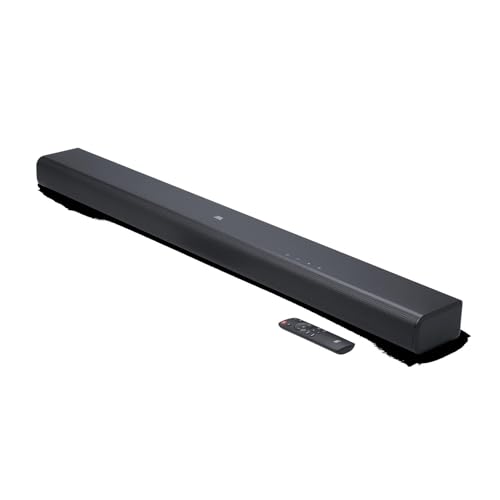
- JBL Cinema SB510 about$245
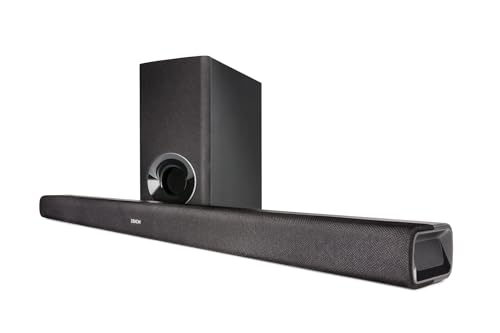
- Denon DHT-S316 Sound Bar with Wireless… about$499
- Entry PickBlueAnt XT100 TV Soundbar about$179
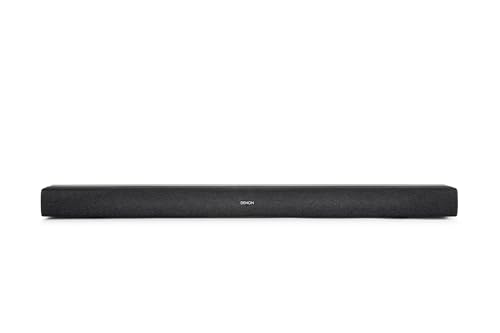
- Denon DHT-S218 Soundbar with Wireless… about$315.37
- JBL Bar 800MK2 with Detachable Wireless… about$1,195780W max, real rears.
- Sony HT-A3000 3.1ch Dolby Atmos Soundbar about$599250W.
- Bose Smart Ultra Soundbar (White) about$1,274.96
- Most PremiumBose Lifestyle Ultra Soundbar with Dolby Atmos about$1,795
Why this matters now
Most "best soundbar" lists are written by people who have never opened one after a lightning surge took out its HDMI board. I have. What a repair bench teaches you about audio gear is not how it sounds on day one: it is which systems still work in year five, which handshakes drop out, and which "smart" features become dead weight when an app gets abandoned.
The timing is straightforward. Consumer confidence is sitting at 85.2 on the Westpac–Melbourne Institute index, below the 100 line that separates optimists from pessimists, and when households feel that squeeze, the big nights out are the first thing cut. A family trip to the cinema clears $120 before you have bought a choc-top. So the spend moves indoors: people are building the lounge room into the place they actually want to watch a film, and good sound is the half of that equation a big screen alone cannot fill. Pair one of these with a projector and you have the whole cinema at home for the cost of a dozen outings. Whether that picture comes from a projector or a new set, good sound is the half a big screen alone cannot fill. Our 4K laser projector guide and 65-inch TV guide cover the picture side; this one finishes the stack.
A television's built-in speakers are the one part of a modern TV that has gone backwards. Panels got thinner, and the speakers got thinner with them, firing down or backwards out of a 7mm-deep chassis. A soundbar is the single upgrade that makes the biggest difference to how a room sounds, and Dolby Atmos is where the last few years of that upgrade have gone: sound placed not just around you but above you.
What to look for in an Atmos soundbar
The price gap between these four is not just badge and box size. It is a handful of things that decide whether you get real cinema sound or a marketing sticker.
- HDMI eARC, not optical. This is the one that trips people up. Optical audio physically cannot carry a full Dolby Atmos stream: it maxes out at compressed 5.1. For real Atmos you need HDMI eARC, a specific labelled port on your TV, and a High Speed HDMI cable. Get this wrong and the best soundbar in the world falls back to a lesser format.
- Real height versus virtualised height. The Atmos effect, sound above you, comes from up-firing drivers that bounce off your ceiling, or from processing that fakes the same impression. Real up-firing height is more convincing, but it needs a flat, hard ceiling around 2.4 to 3 metres. On a raked or beamed ceiling, virtualised height can sound just as good, so the room decides which approach wins.
- Channels: the x.y.z numbers. The first number is the horizontal channels, the second is subwoofers, the third is height. A single bar quoting "3.1.2" is doing a lot with a little. More channels only help if your room and seating are big enough to hear them separated. Otherwise you are paying for speakers sitting too close together to matter.
- Subwoofer: included, wireless-add, or none. Bass is where a slim bar physically can't compete. The JBL Bar 800MK2 ships with a 10-inch wireless sub. The Bose and Sony bars carry their own bass but let you add a wireless subwoofer later. Buying into a system you can grow is the smart way to spread the cost.
- Room correction. Bose CustomTune and Sony's auto-calibration use a microphone to measure your room and tune the sound to it. This matters more than most spec-sheet numbers, because a great speaker in an untuned room is a compromised speaker.
- The ecosystem lock. On the single bars, rears and subs are brand-locked: Bose pairs with Bose, Sony with Sony. Whichever bar you start with is the system you are committing to grow, so pick the one whose full rig you would eventually want.
The four picks, by your room
Prices are checked against Amazon AU every morning, and they move week to week on premium AV gear, so treat every figure as "around". The list runs in price order, top to bottom, and the surprise is that the full surround system is not the dearest one here. The right one is decided by your room and how far back you sit, not by the biggest number on the box.
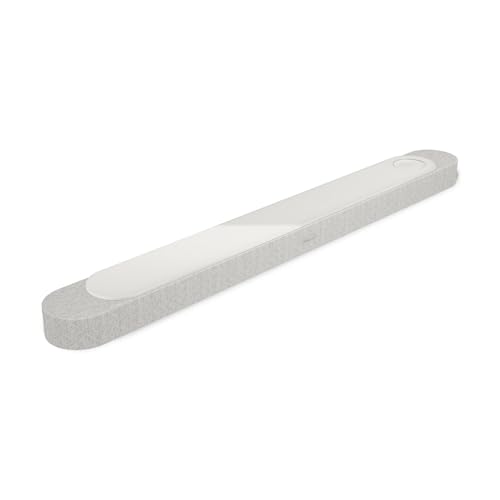
Bose Lifestyle Ultra: Dolby Atmos, TrueSpatial, PhaseGuide (White Smoke)
Single bar · TrueSpatial + PhaseGuide · CustomTune room correction · CleanBass · HDMI eARC · Wi-Fi · around $1,795 · Ships from Amazon AU
This is Bose's best in a single enclosure, for the buyer who wants premium sound and premium simplicity, one bar, no separate boxes to find a home for. The TrueSpatial processing and the PhaseGuide array throw sound wide and tall from that one bar, and Bose's real strength has always been getting a big, room-filling result out of a small footprint. CustomTune measures the room on power-up and re-tunes to where the bar is sitting, and CleanBass keeps the low end tight without a subwoofer in the picture.
From the bench. Bose gear is some of the better-built AV kit we see, and the single-bar design means one fewer wireless link to drop out, no rears or sub trying to re-pair after every firmware update, which is a genuine reliability point in the systems we get called out to. You can add Bose surrounds and a bass module later if you outgrow it, all within the Bose ecosystem.
Where it sits. At $1,799 for a single bar with no included subwoofer, you are paying a premium for the Bose processing and build, not for channel count. If raw specification per dollar is your metric, the JBL Bar 800MK2 further down does more on paper for a good deal less. This is the pick for the person who values the polish and the one-box tidiness.
Best for: buyers who want Bose's flagship sound and app experience with zero extra boxes, in a medium lounge room.
Channels: single bar (TrueSpatial) · Subwoofer: none, wireless-add · Rears: none, wireless-add · Height: virtualised · Connectivity: HDMI eARC, Wi-Fi, Bluetooth, AirPlay 2, Chromecast · Room tuning: CustomTune · Voice: Alexa
Check current AU price
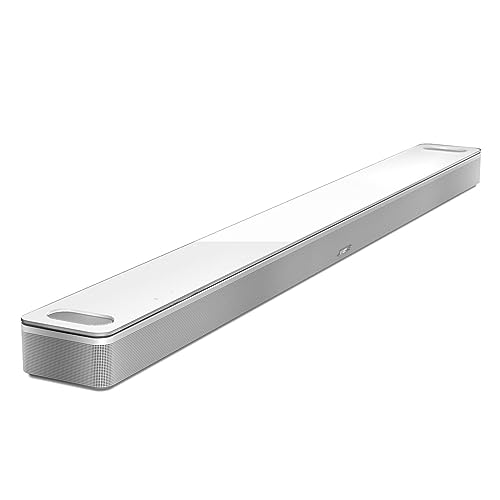
Bose Smart Ultra Soundbar: Dolby Atmos, TrueSpace, AI Dialogue Mode (White)
Single bar · 2 up-firing dipole drivers · TrueSpace · AI Dialogue Mode · HDMI eARC · Wi-Fi · around $1,274.96 · Ships from Amazon AU
The Smart Ultra gives you genuine Dolby Atmos from a single bar using two up-firing dipole drivers plus Bose's TrueSpace processing, so you get real overhead height and Bose's room-filling width from one tidy enclosure. It is the bar I most often recommend to people who want a clear jump over their TV speakers and real Atmos, but who don't want to place a subwoofer and rear speakers. If it is actual rear speakers you are after, the JBL system further down does that for less; this is the pick for the buyer who wants the polish and simplicity of a single Bose bar.
The feature people actually use. AI Dialogue Mode. The most common complaint that sends people shopping for a soundbar is not "I want surround sound": it is "I can't hear what they're saying." This mode lifts voices out of a busy soundtrack, and in the workshop it is the setting we see left switched on in real lounge rooms more than any other.
Grow into it. It ships with the HDMI eARC and optical cables in the box, and you can add a Bose wireless subwoofer and rears down the track if you catch the bug. Start here, spread the cost, end up with a full system without ever replacing the bar.
Best for: the everyday lounge room, the person who wants real Atmos, clear dialogue and Bose polish without placing extra speakers, and the option to grow later.
Channels: single bar with 2 up-firing dipoles · Subwoofer: none, wireless-add · Rears: none, wireless-add · Height: 2 up-firing drivers · Connectivity: HDMI eARC, optical (both included), Wi-Fi, Bluetooth, AirPlay 2 · Room tuning: ADAPTiQ · Voice: Alexa built-in
Check current AU price
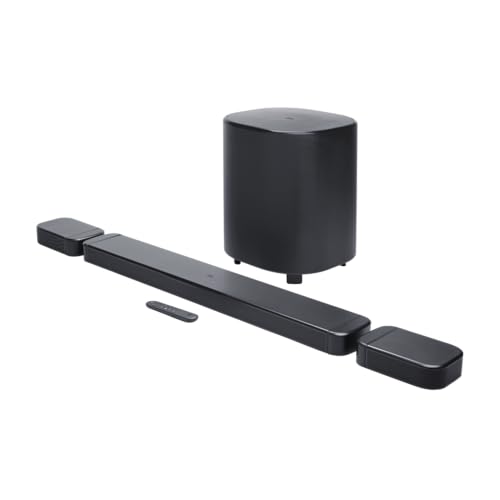
JBL Bar 800MK2: Detachable Wireless Rear Speakers, 10-inch Wireless Subwoofer, 780W
Main bar + 2 detachable wireless rears · 10-inch wireless subwoofer · 780W max output · Dolby Atmos · MultiBeam 3.0 · PureVoice 2.0 · around $1,195 · Ships from Amazon AU
This is the one I point people at when the room is big, and the surprise is that it does not cost the most on this page. It is not really a soundbar: it is a full surround system that arrives in one box. The rear speakers detach and sit wirelessly behind your seating, so the surround comes from behind you rather than being bounced off a wall and hoped for. A 10-inch wireless subwoofer carries the bottom end, and JBL quotes 780W maximum output across the set. In a large, open lounge room the result is the closest a no-install system gets to a cinema.
The feature that justifies it. Real rears. Every single-bar system on this list, however clever its processing, is trying to convince you that sound is coming from behind when it is actually coming from the front. The Bar 800MK2 does not have to fake it: there are speakers back there, and because they detach and run wirelessly you are not pulling cable to the back of the room to get them. In a room where the seats sit well back from the screen, that is the difference you are paying for, and here you pay less for it than for either single Bose bar.
What to be sure of. This is overkill in a small room or an apartment; the rears end up too close to the seating to separate, and you have four boxes to find homes for. Detachable rears are a convenience, not a free lunch: they still need somewhere sensible to live behind the seating or the effect collapses. MultiBeam 3.0 does the beam-steering, and PureVoice 2.0 is the dialogue-lift setting worth finding in the app on night one.
Best for: large open-plan lounge rooms and dedicated media rooms, where the seating is far enough back that real rear speakers earn their place.
System: main bar + 2 detachable wireless rears · Subwoofer: 10-inch wireless, included · Rears: 2x detachable wireless, included · Power: 780W max output · Audio: Dolby Atmos · Processing: MultiBeam 3.0, PureVoice 2.0 · Extras: SmartDetails, Broadcasting, Night listening
Check current AU price
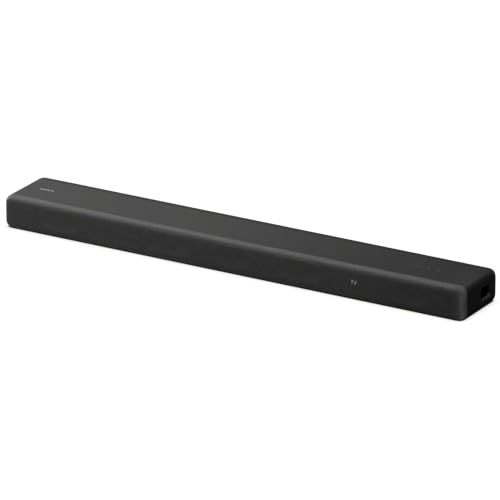
Sony HT-A3000 3.1ch: Compact Dolby Atmos, 360 Spatial Sound, Voice Zoom (Black)
Compact single bar · 3.1ch virtualised Dolby Atmos · 360 Spatial Sound Mapping · Voice Zoom dialogue · HDMI eARC · around $599 · Ships from Amazon AU
For a smaller lounge room, a bedroom or an apartment, the HT-A3000 is the lowest-cost way into real Atmos here by some margin. It is a compact single bar that delivers virtualised Dolby Atmos: there are no up-firing drivers, so the height is processed rather than bounced, but in a small room where the ceiling is close anyway, the difference matters far less than it would in a hall. What you get for certain is dialogue clarity and a soundstage width that leaves a TV's own speakers embarrassed.
The reason it is more than a soundbar. When the TV is off it streams music over Wi-Fi with Spotify Connect and Chromecast built in, and it is the front of a Sony home-theatre system you can build out. Add Sony's wireless rear speakers and a wireless subwoofer later and the bar becomes the front of a true surround setup without being replaced.
Where it stops. There is no separate subwoofer in the box, so deep bass is the honest limit, fine for most rooms, but if you want cinema chest-thump you will be adding Sony's wireless sub. Height is virtualised rather than up-firing. And in a very large room it will run out of headroom where the bigger systems keep going.
Best for: apartments, bedrooms and smaller lounge rooms, and anyone who wants an affordable Atmos bar they can grow into a Sony system later.
Channels: 3.1 single bar, virtualised Atmos · Subwoofer: none, wireless-add (Sony) · Rears: none, wireless-add (Sony) · Height: virtualised · Connectivity: HDMI eARC, Wi-Fi, Bluetooth, AirPlay 2, Chromecast · Room tuning: auto-calibration · Extras: Voice Zoom dialogue, music streaming when TV is off
Check current AU priceSide-by-side comparison
Prices are approximate and move week to week. Only the JBL Bar 800MK2 includes a subwoofer and rear speakers in the box. The other three are single bars you can grow with wireless add-ons later, within their own ecosystems.
| Product | Price | Best for |
|---|---|---|
| Sony HT-A3000 3.1ch Dolby Atmos Soundbar | ~$599 | |
| JBL Bar 800MK2 with Detachable Wireless… | ~$1,195 | |
| Bose Smart Ultra Soundbar (White) | ~$1,274.96 | |
| Bose Lifestyle Ultra Soundbar with Dolby Atmos | ~$1,795 |
How to set one up so it actually does Atmos
A soundbar earns its price only if it is connected and configured right. The steps that matter, from the callouts we do:
- Use the eARC port, and the right cable. Plug the bar into the HDMI socket on your TV labelled eARC, not any HDMI port, with a High Speed HDMI cable. This single step is behind most "no Atmos" complaints.
- Turn eARC on in the TV menu. It is not always on by default. Look under the TV's sound or external-device settings and enable eARC (and set the digital audio output to "bitstream" or "passthrough", not PCM, so the Atmos stream reaches the bar intact).
- Run the room correction. CustomTune, ADAPTiQ or Sony's auto-calibration, whichever your bar has, run it once after you have placed everything. It is the biggest free upgrade to how the system sounds.
- Tame HDMI-CEC if it misbehaves. If inputs switch on their own or the volume jumps, that is CEC (Anynet+, Bravia Sync, Simplink). Turn it off on devices you are not using it to control.
- Place the rears at ear height, behind you. On the JBL Bar 800MK2, the detachable wireless rears belong slightly behind and to the side of the seating, at about ear height. Up on a shelf firing at the back of your head is the most common placement mistake.
Common mistakes from the repair shop
The AV callouts and bench jobs that land on us usually trace back to a setup or buying decision, not a faulty unit. The ones worth avoiding:
- Feeding a Dolby Atmos bar over optical. The single most common one. Optical can't carry Atmos: the bar silently drops to 5.1 and the owner wonders why the sticker lied.
- Buying a full surround system for a small room. Real rears too close to the seating don't separate. In a small space, a single bar sounds better for a fraction of the money.
- No surge protection on the HDMI chain. The board failures we see most on AV gear follow a nearby lightning strike. A decent surge board across the TV, bar and any source is low-cost insurance against a dead HDMI input.
- Mixing brands for rears and subs. The wireless add-ons are ecosystem-locked. A third-party subwoofer over Bluetooth is not the same as a matched wireless sub, and often just won't pair.
- Skipping room correction. People spend $2,000 on a system and then never run the two-minute tuning routine that would make it sound like it cost $2,000.
Which one is right for you?
- Big open-plan lounge or media room? JBL Bar 800MK2, detachable wireless rears and a 10-inch sub, the closest thing to cinema without an install, and not the priciest bar here.
- Want the best single bar with zero extra boxes? Bose Lifestyle Ultra at around $1,799, for the Bose processing and build in one enclosure.
- Most people, wanting real Atmos and clear dialogue from one bar? Bose Smart Ultra at around $1,494, real up-firing Atmos and Bose dialogue processing, and it grows into a full system later.
- Apartment, bedroom or small lounge? Sony HT-A3000 at around $594, compact, clear dialogue, and the front of a future Sony system.
- Still building the picture side of the room? Start with our 4K laser projector picks. The soundbar is the other half of that stack. Streaming everything over Wi-Fi? A weak network undoes it all; see our mesh Wi-Fi guide.
- Kitting out a media room or off-grid setup? For outdoor movie nights and blackout backup, our portable power station guide keeps the gear running.
Frequently asked questions
Do I need HDMI eARC, or will optical do for Dolby Atmos?
For real Dolby Atmos you need HDMI eARC, not optical and not plain ARC. Optical cannot carry the lossless and object-based formats Atmos rides on: it tops out at compressed 5.1, so a soundbar fed by optical will fall back to a lesser format no matter what the box promises. Plain ARC (the older standard) is also too narrow for the full Atmos stream. The eARC port on your TV is usually one specific HDMI socket, labelled eARC, and it needs a High Speed HDMI cable. Roughly a third of the "my new soundbar isn't doing Atmos" calls we field come down to the cable being in the wrong port or an old cable that cannot carry the bandwidth. Check the label, use the right cable, and turn eARC on in the TV's sound menu.
Is a full surround system worth it over a single bar?
It depends entirely on your room and how you watch. The JBL Bar 800MK2 is a full surround system, a main bar, a 10-inch wireless subwoofer and two detachable wireless rear speakers, so the surround comes from behind you, not bounced off the ceiling, and it does that for around $894. In a large, open lounge room with the seats well back, that difference is night and day and worth it. In an apartment or a smaller room, a single bar like the Sony HT-A3000 or the Bose Smart Ultra gives you clear dialogue and convincing width for less, and the rears you paid for on the big system would sit too close to matter. Buy the system your room can actually use. A bigger channel count in a small room is money spent on speakers you will end up turning down.
What do the channel numbers like 3.1.2 actually mean?
The three numbers describe the speaker layout. The first is the horizontal channels: left, right, centre and any surrounds. The middle number is subwoofers, so .1 is one sub. The last number is the up-firing height channels that create the overhead Dolby Atmos effect, so a 3.1.2 bar has two of them and a 3.1 bar has none. Height is where soundbars differ most. A system with real up-firing drivers bounces sound off your ceiling to put it above you; one with a 0 in that slot fakes height with processing. Ceiling type matters: up-firing height needs a flat, hard ceiling around 2.4 to 3 metres to reflect properly. On a raked, beamed or very high ceiling the bounce is weaker, and a system that virtualises height can end up sounding just as good.
Can I add a subwoofer and rear speakers to a single-bar system later?
On the systems here, yes, and it is the sensible way to buy. Both Bose bars and the Sony HT-A3000 let you start with the bar alone and add a wireless subwoofer and wireless rear speakers down the track, within their own ecosystems. That means you can spread the cost: buy the bar now for the dialogue and width, then add a sub when the budget allows and rears after that. The catch is that the add-ons are brand-locked, Bose rears only pair with Bose, Sony with Sony, so pick the bar whose full system you would eventually want. Mixing a random third-party subwoofer in over Bluetooth is not the same thing and usually is not supported.
Why does my soundbar keep dropping sound or switching inputs?
Nine times out of ten this is HDMI-CEC, the feature that lets your devices control each other over HDMI. Each brand has its own name for it, Anynet+ on Samsung, Bravia Sync on Sony, Simplink on LG, and when two devices fight over control you get random volume changes, inputs switching on their own, or the audio cutting out for a second on a scene change. The fix is usually to turn CEC off on the devices you are not using it to control, or to reseat and replace a marginal HDMI cable, which is the other common culprit. If it only happens on one particular app or source, the handshake between that box and the TV is the weak link. We sort these dropouts in the workshop when they will not behave, but the CEC menu is the first place to look.
Will a soundbar replace a proper AV receiver and speakers?
For most Australian lounge rooms, a good Atmos soundbar gets you 90% of the experience with 10% of the fuss, and that is a fair trade. A separates system, an AV receiver driving five to eleven passive speakers and a subwoofer, still wins on outright power, on filling a very large room, and on being endlessly upgradeable one component at a time. But it costs more, needs speaker cable run through walls, and takes a shelf of gear. A system like the JBL Bar 800MK2 closes most of the gap with wireless rears and a wireless sub and none of the cabling. If you are a dedicated home-cinema enthusiast with a treated room, go separates. If you want great sound tonight without an install job, the soundbar is the honest answer.
Do these soundbars work with any TV brand?
Yes, any of these will connect to any modern TV over HDMI eARC or optical, regardless of brand. Nothing here is locked to a particular panel. Where brands do matter is the extras: most manufacturers keep a convenience feature or two, a remote pass-through or a menu integration, for their own sets, so an all-one-brand pairing occasionally unlocks a trick a mixed pairing does not. The Bose, Sony and JBL systems here all lean on their own apps rather than the TV for setup and tuning, which is why they behave the same whatever you plug them into. Buy the bar that suits your room, not the one that matches the badge on your TV.
Do you repair soundbars and home-theatre gear if one fails?
Yes, at our Erina workshop on the Central Coast. The faults we see on soundbars and AV gear are mostly dead HDMI boards after a nearby lightning surge, failed power supplies, and subwoofers or rears that will not re-pair after a firmware update. A lot of these are board-level fixes rather than a write-off, especially on the premium bars where the enclosure is worth keeping. For a full lounge-room fit-out, bar and TV mounted, cabling hidden, everything calibrated, our Control Freaks smart-home and AV install side handles the job across the Coast. We diagnose before we quote, and if it is just a setting or a handshake we will tell you that rather than charge you for a repair you do not need.
Related buying guides
Soundbar not doing Atmos, or an HDMI board gone dead?
Before you return a soundbar or write one off, bring it into our Erina workshop. In my experience, most units are either a quick settings fix or an economical repair, and if you want the whole room mounted and calibrated, our Control Freaks install side does that across the Central Coast. We diagnose for free and quote before any paid work. See our pricing guide for what common jobs cost, or walk in to our Erina workshop.
Visit our Erina workshop Book Online