
Prices from Amazon AU, updated daily. Swipe or use the arrows for more.
Disclosure: This article contains affiliate links to amazon.com.au. If you buy through one of these links iFix may earn a small commission at no extra cost to you. It doesn't change which products we recommend. We focus on what actually lasts based on 16 years of repair-shop experience.
Quick summary8 picks
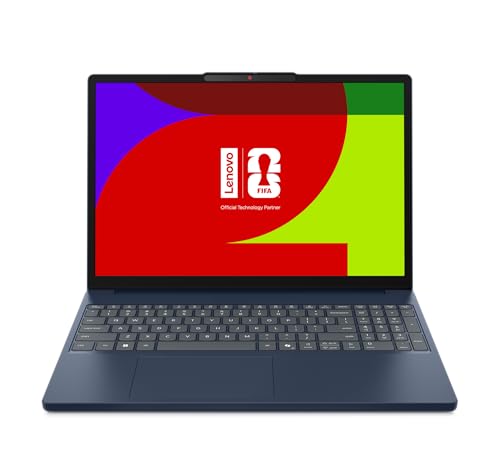
- Entry PickHP OmniBook 5 16" OLED Laptop about$1,49716" screen, OLED.
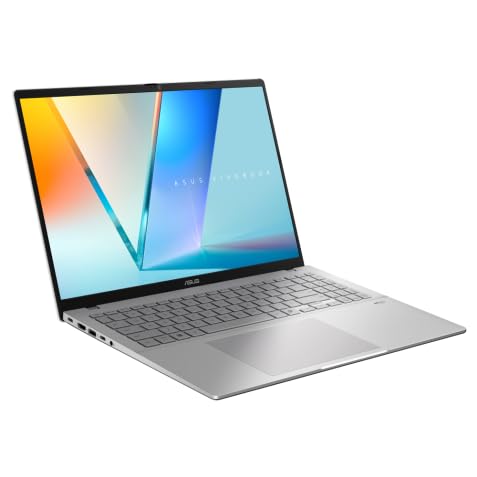
- ASUS Vivobook S16 S3607AA-SH025W about$1,66916GB RAM, 512GB SSD, 16" screen.
- ASUS Zenbook 14 UM3406GA-QL109W about$1,69816GB RAM, 1TB SSD, 14" screen.
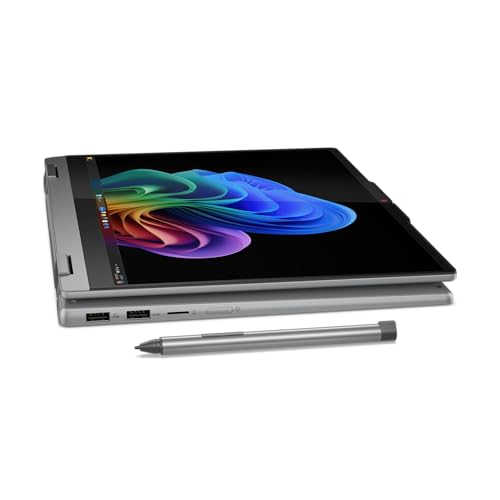
- Lenovo 14" OLED IdeaPad 5 2-in-1 Laptop: AI… about$1,7461TB SSD, 14" screen, OLED.
- Apple 2026 MacBook Air about$1,747
- Lenovo IdeaPad Slim 3i 15.3' ULT7 16GB 1TB… about$1,89516GB RAM.
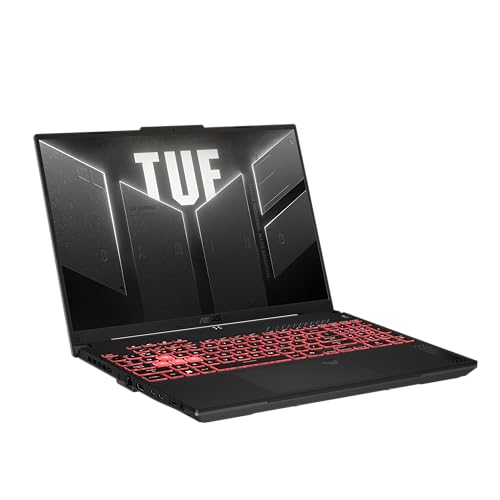
- ASUS TUF Gaming A16 FA607NUQ-RL009W about$1,89716GB RAM, 512GB SSD, 144Hz refresh.
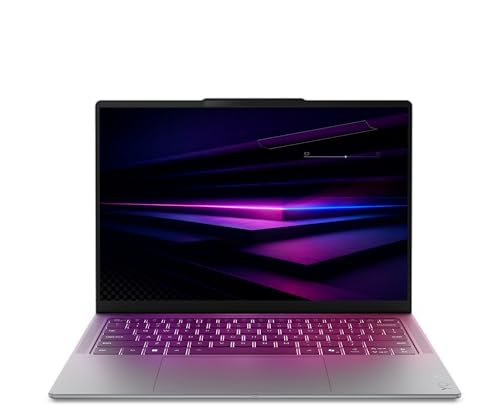
- Most PremiumLenovo Yoga Slim 7i 14IPH11 PTLU7 32GB 1TB… about$1,999OLED.
What $2,000 buys in a laptop right now
Somewhere between $1,500 and $2,000 is where laptops stop being a compromise. Below that line you're usually choosing between a good screen, enough memory or a decent build, and you rarely get all three. Up here you can, and the question changes from what you'll give up to which kind of machine suits the way you work. That's why this guide has a MacBook, three Windows ultrabooks and a gaming laptop in it rather than five versions of the same thing.
The five picks run from $1,497 to $1,999 on Amazon AU at time of writing, and every one is sold by Amazon AU itself, which keeps returns simple. I've left out anything with 8GB of memory or a 256GB drive, because at this money that's a machine that'll feel slow in two years, and I've left out anything that isn't a new unit. If your ceiling is lower, our under-$1,500 guide covers the band below this one.
I've judged them the way I'd judge a laptop that comes in for a quote. How much memory it has and whether that memory can ever be changed. Whether the drive is big enough to last. What the screen is, and what it'll cost if it cracks. And whether the charger, the ports and the cooling are the kind that keep going, or the kind that bring the machine back to a repair shop in year three.
Prices on laptops move a lot in November, so treat every figure here as a snapshot. Each colour and memory configuration is usually its own listing on Amazon AU with its own price, and it's common to see the same laptop $100 apart in two finishes. Check the sibling listings before you buy, and check the model code on the box matches the one on the listing.
16GB is the floor, 32GB if you'll keep it five years
Memory is the spec I'd spend on first. Windows 11 with a browser, Teams and a few office apps open will sit at 10 to 12GB on most machines, and once you run out the laptop starts swapping to the SSD, which is where the stutter and the spinning cursor come from. Most of the slow laptops that come into the shop aren't broken at all. They're simply out of memory, and why laptops slow down goes through how to check that yourself.
At this price 16GB is the minimum I'd accept, and four of the five picks have it. The Lenovo Yoga Slim 7i has 32GB, which is the one I'd point at anyone who runs virtual machines, edits big photo libraries or keeps 40 browser tabs open as a lifestyle. It's also the safest bet if you want the laptop to still feel quick when it's five years old.
Here's the catch that matters for repairs. Every ultrabook in this guide uses soldered memory. The listings for the Zenbook, Yoga and OmniBook say LPDDR5X, and the MacBook's unified memory sits on the chip package. None of it can be upgraded later, so the amount you buy is the amount you've got for the life of the laptop.
The ASUS TUF Gaming A16 is the exception. Its listing says DDR5 memory and dual PCIe Gen 4 M.2 SSD slots, all accessible for upgrades. That usually means socketed memory you can add to later, though the listing doesn't spell out the slot count for RAM, so check the manual before you buy a second stick. For anyone who wants to start at 16GB and grow, it's the only machine here that lets you.
Storage: 512GB against 1TB, and why it's soldered too
Two of the picks have 1TB and three have 512GB. For a laptop that's mostly documents, email and streaming, 512GB is fine, especially if your photos live in iCloud, OneDrive or Google Photos. If you keep a local photo library, install games or work with video, 1TB is worth paying for now, because adding storage later is either awkward or impossible.
On the MacBook Air the SSD is part of the logic board, so 512GB is permanent. On most Windows ultrabooks the drive is a standard M.2 stick that a shop can swap, but the listings for the Zenbook, Yoga Slim and OmniBook don't confirm that, so I won't promise it. The TUF Gaming A16 lists two M.2 slots, so you can add a second drive without opening up your Windows install.
Whichever you buy, set up a backup on day one. A failed SSD on a soldered-storage MacBook means the data goes with the board in most cases, and recovery from those is slow and expensive when it's possible at all. An external drive and Time Machine or Windows File History costs a lot less than a recovery job.
One small thing people miss: a nearly full drive slows any laptop down. Windows and macOS both use free SSD space for memory swap and updates, and when the drive sits above about 90 percent full you'll see longer boot times and failed updates. Buy enough that you'll still have 20 percent free in three years.
OLED screens: what's good and what to watch
Three of the five picks have OLED screens, which tells you where this price band has landed. OLED gives you true blacks, high contrast and colour that makes a normal IPS screen look washed out next to it. The HP OmniBook 5 listing quotes 100 percent DCI-P3 and a 0.2 ms response time, and the Zenbook 14 listing quotes up to 600 nits, which is bright enough to use near a window.
The trade-offs are real, though. OLED can burn in if the same static image sits on it for thousands of hours, like a taskbar at full brightness every working day. Modern laptops shift pixels and dim static areas to slow that down, and most people never see it, but I'd still set the taskbar to auto-hide and use a dark theme. There's more detail in OLED laptops and burn-in.
Resolution varies more than the marketing suggests. The Zenbook 14 and the OmniBook 5 are both 1920 x 1200, which HP's title calls 2K. The Yoga Slim 7i is 2.8K, which is noticeably sharper on a 14-inch screen. The MacBook Air uses Apple's Liquid Retina IPS screen, not OLED, and the TUF Gaming A16 has an FHD+ 144Hz screen built for games rather than colour work.
From a repair point of view, OLED laptop screens cost more to replace than IPS ones, and on thin ultrabooks the screen often comes as a whole lid assembly. A cracked screen on any of these is usually a few hundred dollars or more. A hard-shell sleeve and the habit of never closing the lid on a pen or earbuds prevents most of the screen damage we see.
Do you need a graphics card at this price?
Most people don't. The integrated graphics in the Intel Core Ultra, AMD Ryzen AI and Apple M5 chips handle video calls, 4K streaming, photo editing and light video work without any trouble. A separate graphics card only earns its place if you play modern 3D games, use GPU-heavy creative apps or run local AI models that need the extra muscle.
If gaming is part of the plan, the ASUS TUF Gaming A16 with its NVIDIA GeForce RTX 4050 Laptop GPU is the pick. The listing quotes a 144Hz FHD+ screen with G-SYNC and NVIDIA Advanced Optimus, which switches between the integrated and RTX graphics to stretch the battery. An RTX 4050 is an entry gaming GPU, fine at 1080p with sensible settings, but it's not a high-end card, and gaming laptops up to $2,500 covers the step up.
The cost of a gaming laptop isn't just the price. It's heavier, louder under load, and the battery runs down quickly once the RTX chip is working. The fans also pull dust through the heatsinks, and a clogged heatsink is one of the most common reasons a gaming laptop comes in running hot or shutting down mid-game. A clean every year or so keeps it running properly.
Mac or Windows at this price
The MacBook Air M5 is the best-selling laptop in Amazon AU's Traditional Laptops category at time of writing, and it's easy to see why. The listing quotes up to 18 hours of battery, it has no fan so it's silent, and Apple's support and software updates run for years. If you already have an iPhone, the way it works with your phone is a real reason to choose it.
The case against it is mostly about what you can't change. Memory and storage are fixed, there are only two Thunderbolt 4 ports plus MagSafe and a headphone jack, and some Windows-only software (certain accounting packages, CAD tools and most games) either won't run or needs workarounds. If your work depends on one of those, buy the Windows machine and don't fight it. the MacBook guide goes through the Air and Pro range in more depth.
On the Windows side, the Zenbook 14, Yoga Slim 7i and OmniBook 5 are all Copilot+ class machines with a neural processor for on-device AI features. I wouldn't buy a laptop for those features alone yet, but they don't cost you anything either, and they mean the chips are current-generation parts rather than older stock being cleared out.
Weight, batteries and chargers
The listings give weights from 1.24kg for the MacBook Air to about 2.2kg for the TUF Gaming A16. The Zenbook 14's listing weight works out at about 1.28kg, and the HP OmniBook 5 16 lists 1.68kg. The Yoga Slim 7i lists 1.8kg, which is heavy for a 14-inch slim laptop and reads to me like a shipping weight, so check Lenovo's spec sheet if you'll carry it every day.
Batteries are the part that wears out on every laptop. Lithium-ion packs lose capacity with charge cycles and with heat, and a laptop that lives plugged in at 100 percent on a warm desk ages its battery faster. Most of these machines have a charge limit setting (MyASUS, Lenovo Vantage, HP's own software and macOS all offer one), and setting it to 80 percent is the single easiest thing you can do to make the battery last.
Every pick charges over USB-C or MagSafe, which is good news, because a USB-C charger is a common part. The bad news is that no-name USB-C bricks are one of the more common causes of dead charging circuits we see, and what no-name chargers do to a laptop explains why. Use the charger in the box or a known brand that matches the wattage, and keep the cable away from the hinge where it gets pinched.
What to check before you buy
Read the model code, not just the title. Laptop listings on Amazon AU often share a page across several memory and storage configurations, and a title can lag behind a listing change. The codes for these picks are MDHH4X/A, FA607NUQ-RL009W, 83QM000EAU, UM3406GA-QL109W and D95C3PA, and I'd check the box against them on delivery. A part number ending in -US, -EU or UK is a sign of an overseas unit, and I'd send it back.
Look at the warranty terms too. ASUS lists a 1 year pick up and return warranty on both its machines, Lenovo and HP list 1 year, and Apple lists its standard one year limited warranty. Australian Consumer Law gives you rights beyond that for a product that fails early, but a manufacturer warranty that collects the laptop from your door spares you a lot of hassle.
Finally, think about what usually ends a laptop's life. It's rarely the processor. It's a spilled drink on the keyboard, a cracked screen, a battery that won't hold a charge or a charging port that's been yanked once too often. If yours ever does take a coffee, turn it off straight away and get it to a shop rather than drying it with a hair dryer. There's more on how liquid kills a board, and if you're local, our page on computer repairs on the Central Coast covers what we fix.
The 5 picks, $1,497 to $1,999
Prices are Amazon AU at time of writing (5 November 2026) and move week to week. Ranks are Amazon AU category sales ranks, checked the same day.

Apple MacBook Air 13-inch M5, 16GB, 512GB, Sky Blue (MDHH4X/A)
ASIN B0GR1VPBKY • $1,747.00 • Ships from Amazon AU
The MacBook Air 13-inch with the M5 chip is the laptop most people under $2,000 should look at first, and it's #1 in Amazon AU's Traditional Laptops category at time of writing. This listing is the 16GB, 512GB configuration in Sky Blue for $1,747, sold by Amazon AU. The M5 has a 10-core CPU and an 8-core GPU, and the listing quotes up to 18 hours of battery life. The part number is MDHH4X/A, and the X/A ending is Apple's Australian code. Other colours are listed separately on Amazon AU, sometimes at a different price, so check them before you buy. It's the configuration I'd buy, because 512GB is the point where storage stops being the first thing that runs out.
The 13.6-inch Liquid Retina screen is an IPS panel rather than OLED, but it's sharp and bright, and it doesn't carry any burn-in risk. The listing quotes a 12MP Center Stage camera, a three-mic array and four speakers with Spatial Audio. Ports are two Thunderbolt 4, MagSafe charging and a headphone jack, and the N1 chip handles Wi-Fi 7 and Bluetooth 6. It supports up to two external displays, which older base Airs couldn't do. The listing weight is 1.24kg, the lightest machine in this guide by a fair margin. There's no fan at all, so it's silent under any load, and the trade-off is that very long exports slow down a little as it warms up. For writing, browsing, video calls and photo edits you'll never notice.
The thing to get right is the configuration, because memory and storage are fixed for the life of the laptop. For most people 16GB and 512GB is enough, but if you keep a big photo library on the laptop itself, look at the 1TB listing. The warranty is Apple's one year limited warranty. Keep drinks away from the keyboard, since liquid on an Air's logic board is the costliest fault we see on them. Set the battery to optimised charging in macOS. For most buyers it's the one I'd pick.
Honest caveats: The 16GB memory and 512GB SSD can never be upgraded, so buy the configuration you'll need in five years. There are only two Thunderbolt ports, so you'll probably want a USB-C hub. Some Windows-only software and most games won't run on it. Screen and logic board repairs cost a large share of the purchase price.
Best for: Most people who want a light, quiet laptop that lasts all day and keeps getting updates for years.
Chip: Apple M5, 10-core CPU, 8-core GPU • Memory: 16GB unified (not upgradeable) • Storage: 512GB SSD • Screen: 13.6-inch Liquid Retina • Battery: Up to 18 hours (listed) • Ports: 2x Thunderbolt 4, MagSafe, headphone jack • Weight: 1.24kg (listing) • Model: MDHH4X/A • Rank: #1 in Traditional Laptops (Amazon AU)
View on Amazon AU
Lenovo Yoga Slim 7i 14 Core Ultra 7, 32GB, 1TB, 2.8K OLED (83QM000EAU)
ASIN B0GVHK46T6 • $1,999.00 • Ships from Amazon AU
The Lenovo Yoga Slim 7i 14IPH11 is the pick for anyone who wants 32GB of memory without going past $2,000. It's $1,999 on Amazon AU at time of writing, sold by Amazon AU, and it ranks #144 in the Traditional Laptops category. The model code is 83QM000EAU, and the AU ending is Lenovo's Australian version. The listing quotes an Intel Core Ultra 7 processor with AI acceleration, 32GB of LPDDR5X memory, a 1TB PCIe Gen 4 SSD and Intel Arc integrated graphics. It's listed in Luna Grey and carries a 1 year limited warranty. It's the dearest machine here, but the other 32GB laptops that turned up in my Amazon AU searches were all over $2,200.
The 14-inch 2.8K OLED screen is the sharpest in this guide, and the listing says it supports HDR. On a 14-inch laptop, 2.8K makes text noticeably crisper than the 1920 x 1200 screens on the Zenbook and OmniBook, which matters if you spend all day in spreadsheets or documents. The 32GB of memory is the real reason to buy it, though. It's enough for virtual machines, big Lightroom catalogues and heavy multitasking, and it means the laptop should still feel quick long after a 16GB machine starts to drag. It's also the one I'd pick for local AI tools, since those load models into memory and 16GB fills up quickly. Pair it with a decent USB-C hub if you need HDMI, because the listing doesn't say what ports it has.
The listing is thin compared with the others, with five short feature lines, so a few things aren't covered. It doesn't state the ports, battery size or screen refresh rate, and it lists a 1.8kg weight that reads like a shipping figure for a slim 14-inch machine. Check Lenovo's own spec sheet for those before you buy. The memory is soldered, so 32GB is what it'll always have. Set a charge limit in Lenovo Vantage if it lives on a desk. It's the one I'd buy to keep for five years.
Honest caveats: The listing doesn't state the ports, battery capacity or refresh rate, and its 1.8kg weight looks like a shipping figure, so confirm them with Lenovo. Memory is soldered LPDDR5X. At $1,999 it sits right on the ceiling of this guide. OLED screens on slim laptops are expensive to replace if they crack.
Best for: People who multitask hard or want a Windows laptop that still feels quick in five years.
CPU: Intel Core Ultra 7 • Memory: 32GB LPDDR5X (soldered) • Storage: 1TB PCIe Gen 4 SSD • Screen: 14-inch 2.8K OLED, HDR • Graphics: Intel Arc (integrated) • Warranty: 1 year limited (listed) • Model: 83QM000EAU • Rank: #144 in Traditional Laptops (Amazon AU)
View on Amazon AU
ASUS TUF Gaming A16 16-inch, Ryzen 7 170, RTX 4050, 16GB, 512GB (FA607NUQ-RL009W)
ASIN B0GTQ2BGK6 • $1,897.00 • Ships from Amazon AU
The ASUS TUF Gaming A16 is the only laptop here with a dedicated graphics card, and it's the one to buy if games matter. It's $1,897 on Amazon AU at time of writing, sold by Amazon AU, and it's #13 in the Traditional Laptops category and #5,731 across the whole site. The model code is FA607NUQ-RL009W. The listing quotes an AMD Ryzen 7 170 processor at 3.2GHz, 16GB of DDR5 memory, a 512GB SSD and an NVIDIA GeForce RTX 4050 Laptop GPU, with Windows 11 Home. It's listed in Mecha Gray. It was also the only RTX laptop under $2,000 sold by Amazon AU that turned up in my searches, which says a lot about how thin this band is for gaming.
The 16-inch FHD+ screen runs at 144Hz with G-SYNC, in a 16:10 shape that the listing says has a 90 percent screen-to-body ratio. NVIDIA Advanced Optimus switches between the integrated and RTX graphics, so the battery doesn't drain as fast when you're just browsing. The part I like most is upgradeability. The listing quotes DDR5-4800 memory and dual PCIe Gen 4 M.2 SSD slots, all accessible for future upgrades, so you can add a second drive or more memory later instead of buying a new laptop. That upgrade path is worth more than it sounds, because a 1TB drive added in a year or two usually costs far less than the step up to a bigger model now. If you're not comfortable opening it, any decent shop can fit one in a few minutes.
The trade-off is weight and noise. The listing weight works out at about 2.2kg, and like any gaming laptop it gets loud and warm when the RTX chip is working hard. The fans also pull dust through the heatsinks, so plan on a clean every year or so, and don't game with it sitting on a bed or a doona that blocks the vents. The warranty is listed as 1 year pick up and return. The listing doesn't state the battery size or the charger wattage. For a gaming laptop under $2,000 from a brand with local support, it's the one I'd pick.
Honest caveats: The RTX 4050 is an entry gaming GPU, so expect 1080p at sensible settings rather than maxed out. It's the heaviest laptop here at about 2.2kg and the battery runs down fast under load. The 512GB SSD fills quickly with games, though the second M.2 slot fixes that. The listing doesn't state battery capacity or charger wattage.
Best for: Gamers and students who want an RTX laptop they can upgrade later.
CPU: AMD Ryzen 7 170, 3.2GHz • GPU: NVIDIA GeForce RTX 4050 Laptop • Memory: 16GB DDR5 (upgradeable per listing) • Storage: 512GB SSD, dual M.2 Gen 4 slots • Screen: 16-inch FHD+ 144Hz, G-SYNC • Weight: About 2.2kg (listing) • Warranty: 1 year pick up and return (listed) • Model: FA607NUQ-RL009W • Rank: #13 in Traditional Laptops (Amazon AU)
View on Amazon AU
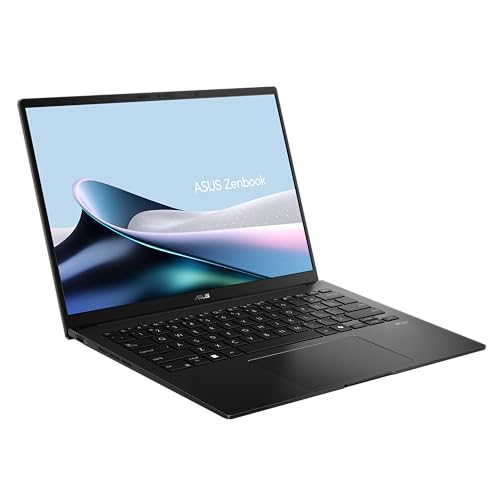
ASUS Zenbook 14 OLED, Ryzen AI 5 430, 16GB, 1TB, Jade Black (UM3406GA-QL109W)
ASIN B0GQD66DZC • $1,698.00 • Ships from Amazon AU
The ASUS Zenbook 14 is the light Windows laptop I'd point most people at, and it's $1,698 on Amazon AU at time of writing, sold by Amazon AU. It ranks #116 in the Traditional Laptops category. The model code is UM3406GA-QL109W. The listing quotes an AMD Ryzen AI 5 430 processor at 2.0GHz with an NPU of up to 50 TOPS, 16GB of LPDDR5X memory, a 1TB SSD and AMD Radeon graphics, running Windows 11 Home. It's listed in Jade Black. One feature line mentions up to 32GB of memory, which describes the range, so this unit is the 16GB version. For the money, 1TB at this weight is hard to beat.
The 14-inch OLED screen is 1920 x 1200 in a 16:10 shape, and the listing quotes up to 600 nits of brightness and adaptive sync. The case is all-metal, and the listing says it meets the MIL-STD 810H test standard. Other details I like are USB-C charging, Wi-Fi 6E, a camera privacy shield, face login and the NumberPad 2.0, a virtual number pad built into the touchpad. The listing weight works out at about 1.28kg, so it's almost as light as the MacBook Air while giving you 1TB of storage for less money. The listing also mentions a quiet keyboard and Super-linear speakers with a Smart Amplifier, and the quiet keys are handy in a shared office or a lecture theatre.
MIL-STD 810H is a test regime, not a promise that it'll survive a drop onto tiles, so it still wants a sleeve in a bag. The memory is soldered, so 16GB is permanent. The listing doesn't state battery capacity or the full port list, so check ASUS's spec sheet if you need HDMI or USB-A. The warranty is listed as 1 year pick up and return. Set the charge limit in MyASUS to 80 percent if it lives plugged in. If you want OLED and 1TB on a lighter budget, this is the one I'd buy.
Honest caveats: The 1920 x 1200 resolution is less sharp than the Yoga's 2.8K on the same size screen. Memory is soldered at 16GB. The listing doesn't state battery capacity or the full port list. OLED panels can burn in with static content at high brightness, so use auto-hide on the taskbar.
Best for: People who want a light OLED Windows laptop with 1TB of storage for well under $2,000.
CPU: AMD Ryzen AI 5 430, 2.0GHz • Memory: 16GB LPDDR5X (soldered) • Storage: 1TB SSD • Screen: 14-inch 1920 x 1200 OLED, up to 600 nits • Wireless: Wi-Fi 6E • Weight: About 1.28kg (listing) • Warranty: 1 year pick up and return (listed) • Model: UM3406GA-QL109W • Rank: #116 in Traditional Laptops (Amazon AU)
View on Amazon AU
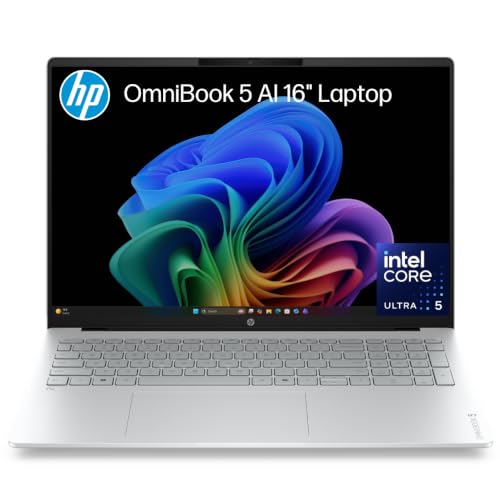
HP OmniBook 5 16-inch OLED, Core Ultra 5 322, 16GB, 512GB (D95C3PA)
ASIN B0H6V5CDVD • $1,497.00 • Ships from Amazon AU
The HP OmniBook 5 16 is the entry pick and the only 16-inch ultrabook here, at $1,497 on Amazon AU at time of writing, sold by Amazon AU. It ranks #67 in the Traditional Laptops category. The model code is D95C3PA. The listing quotes an Intel Core Ultra 5 322 processor, 16GB of LPDDR5x memory, a 512GB PCIe NVMe M.2 SSD and Intel graphics, with Windows 11. It's listed in Glacier Silver. The title calls the screen 2K, but the listing gives the resolution as 1920 x 1200, so think of it as a big Full HD OLED rather than a high-resolution one. It's the least expensive of the five picks by about $200.
That 16-inch OLED screen is the reason to buy it. The listing quotes 100 percent DCI-P3 colour and a 0.2 ms response time, and the larger screen makes side-by-side windows much easier than on a 14-inch machine. It has two Thunderbolt 4 ports for charging, displays and fast drives, a backlit keyboard with a numeric keypad, which suits spreadsheet work, and a 1080p IR camera for face login. The listing weight is 1.68kg, which is reasonable for a 16-inch laptop, though you'll notice it in a backpack. The numeric keypad shifts the keyboard to the left, which takes a day or two to get used to if you've come from a 14-inch machine. It's a good fit for bookkeeping, data entry and anyone who works in two windows side by side.
The listing says M.2 SSD, which usually means the drive can be swapped, but it doesn't confirm that, so I wouldn't count on it. The memory is soldered. The listing doesn't state the battery size or the charger wattage, and it lists a one-year limited warranty. Use the HP charger or a known USB-C brand at the right wattage, since no-name bricks are a common cause of charging faults. Set a dark theme to go easy on the OLED. If you want a bigger screen and a numeric keypad for the least money here, it's the one I'd buy.
Honest caveats: The 1920 x 1200 resolution is soft on a 16-inch screen next to a 2.8K or Retina panel. 512GB fills faster than you'd think. The memory is soldered, and the listing doesn't state the battery capacity or the charger wattage. The 'Next Gen AI' marketing doesn't add anything you'll notice day to day yet.
Best for: People who want a big OLED screen and a numeric keypad for spreadsheet and office work.
CPU: Intel Core Ultra 5 322 • Memory: 16GB LPDDR5x (soldered) • Storage: 512GB PCIe NVMe M.2 SSD • Screen: 16-inch 1920 x 1200 OLED, 100% DCI-P3 • Ports: 2x Thunderbolt 4 • Weight: 1.68kg (listing) • Warranty: 1 year limited (listed) • Model: D95C3PA • Rank: #67 in Traditional Laptops (Amazon AU)
View on Amazon AUSide-by-side comparison
| Product | Price | Best for |
|---|---|---|
| HP OmniBook 5 16" OLED Laptop | ~$1,497 | |
| ASUS Vivobook S16 S3607AA-SH025W | ~$1,669 | |
| ASUS Zenbook 14 UM3406GA-QL109W | ~$1,698 | |
| Lenovo 14" OLED IdeaPad 5 2-in-1 Laptop: AI… | ~$1,746 | |
| Apple 2026 MacBook Air | ~$1,747 | |
| Lenovo IdeaPad Slim 3i 15.3' ULT7 16GB 1TB… | ~$1,895 | |
| ASUS TUF Gaming A16 FA607NUQ-RL009W | ~$1,897 | |
| Lenovo Yoga Slim 7i 14IPH11 PTLU7 32GB 1TB… | ~$1,999 |
What we see fail in the workshop: laptops in the $1,500 to $2,000 band
Laptops at this price are usually well built, and the processor almost never fails. What brings them in is the same short list every year: liquid on the keyboard, cracked screens, worn batteries and damaged charging ports. Most of those are avoidable, and knowing which parts are soldered tells you which faults will be expensive. These three are the ones I'd plan around when choosing a laptop at this money.
Liquid damage on soldered boards
On a laptop with soldered memory and storage, liquid that reaches the logic board can take everything with it, including your files. Coffee and soft drinks are worse than water because the sugar and acid keep corroding the board after it dries. The first thing to do is turn it off and unplug it, not test it to see if it still works, because power running through a wet board is what turns a cleaning job into a board repair. Bring it in quickly, since corrosion keeps spreading for days.
Screens and hinges
Cracked screens usually come from something left on the keyboard when the lid closed, like a pen, earbuds or a USB stick, or from the laptop being carried by the screen. On thin ultrabooks the screen is often sold as a whole lid assembly, so replacements cost more than people expect, and OLED panels cost more again. Hinges loosen over time on any laptop, and a stiff or creaking hinge is worth looking at early, before it cracks the plastic or pulls the screen cable. A hard-shell sleeve and a quick look at the keyboard before you close the lid prevent most of it.
Batteries and USB-C charging
Batteries are a wear part. After a few years of charging to 100 percent on a warm desk, a pack holds noticeably less and can start to swell, which lifts the trackpad or bulges the case. A swollen battery should be replaced, not ignored. USB-C charging ports are the other common fault, usually from a cable yanked sideways or a no-name charger that damaged the charging chip. A known-brand charger and a charge limit around 80 percent avoid most of it. If the trackpad starts clicking unevenly or the case won't sit flat, stop charging it and get the battery checked.
Decision tree: which one should you actually buy?
- Want the safest all-rounder that lasts all day? → The MacBook Air 13-inch M5 at $1,747. It's silent, light and has the best battery life here, as long as your software runs on a Mac.
- Need 32GB of memory for heavy multitasking? → The Lenovo Yoga Slim 7i at $1,999. It's the only pick with 32GB and the sharpest 2.8K OLED screen.
- Want to play games as well as work? → The ASUS TUF Gaming A16 at $1,897, with an RTX 4050 and room to add memory and a second SSD later.
- Want a light OLED Windows laptop with 1TB? → The ASUS Zenbook 14 at $1,698. It weighs about 1.28kg and has 1TB of storage.
- Want a big screen and a numeric keypad? → The HP OmniBook 5 16 at $1,497, with a 16-inch OLED and two Thunderbolt 4 ports.
- Laptop already playing up, slow, not charging or after a spill? → Bring it to our Erina workshop and we'll tell you what's wrong and whether it's worth fixing before you buy a new one.
Frequently asked questions
What is the best laptop under $2,000 in Australia?
For most people it's the MacBook Air 13-inch with the M5 chip, 16GB and 512GB at $1,747 on Amazon AU at time of writing, which is #1 in Amazon AU's Traditional Laptops category. It's light, silent and lasts all day. If you need Windows, the ASUS Zenbook 14 OLED at $1,698 is the light pick, the Lenovo Yoga Slim 7i at $1,999 has 32GB of memory, and the ASUS TUF Gaming A16 at $1,897 is the one for games.
Is 16GB of RAM enough in 2026?
For most people, yes. Windows 11 with a browser, email and office apps usually sits at 10 to 12GB, so 16GB leaves room. If you run virtual machines, edit large photo or video projects, or keep dozens of browser tabs open, 32GB is worth it. Most ultrabooks have soldered memory that can't be upgraded later, so buy what you'll need for the whole life of the laptop rather than what you need today.
Can I upgrade the memory or storage on these laptops?
Mostly no. The MacBook Air, Zenbook 14, Yoga Slim 7i and OmniBook 5 all use soldered memory. The MacBook's storage is part of its logic board too. The ASUS TUF Gaming A16 is the exception: its listing quotes DDR5 memory and dual M.2 SSD slots accessible for upgrades. Check the manufacturer's manual before you buy parts, because the listings don't state every slot detail. If you think you'll want more later, buy the bigger configuration now, since it costs far less than replacing the laptop.
Do OLED laptop screens burn in?
They can, if the same bright static image stays on screen for a very long time, like a taskbar at full brightness every working day for years. Modern laptops shift pixels and dim static areas to slow it down, and most people never notice any. Auto-hiding the taskbar, using a dark theme and not running the screen at maximum brightness all day keeps the risk low. If you mostly work in one app with a fixed toolbar all day, an IPS screen like the MacBook Air's avoids the question entirely.
Should I buy a gaming laptop as an everyday laptop?
Only if you'll actually play games. A gaming laptop like the TUF Gaming A16 is heavier, louder under load and has shorter battery life than an ultrabook, and its fans need cleaning every year or so. In return you get a dedicated RTX graphics card and, on this model, upgradeable memory and storage. If you won't game, an ultrabook is the better everyday machine. For the odd game, a cloud gaming service on an ultrabook is worth trying first, before you commit to the weight and fan noise.
How do I make a laptop battery last longer?
Heat and sitting at 100 percent charge wear lithium-ion batteries fastest. Most laptops have a charge limit setting: MyASUS, Lenovo Vantage, HP's software and macOS all offer one. Setting it around 80 percent if the laptop mostly lives plugged in makes a real difference. Keep the vents clear, avoid charging it on a bed or couch, and use the original charger or a known brand at the right wattage. A battery that's swollen, or drops from 50 percent to off, should be replaced rather than worked around.
Related buying guides
Laptop slow, not charging or had a spill?
Most laptop faults we see at this price are liquid on the board, cracked screens, swollen batteries and damaged USB-C charging ports. Bring it into our Erina workshop and we'll check the board, battery and charging circuit, and tell you what it'll cost and whether it's worth fixing before you spend anything.
Visit our Erina workshop Book Online