Prices from Amazon AU, updated daily. Swipe or use the arrows for more.
Disclosure: This article contains affiliate links to amazon.com.au. If you buy through one of these links iFix may earn a small commission at no extra cost to you. It doesn't change which products we recommend. We focus on what actually lasts based on 16 years of repair-shop experience.
Quick summary8 picks
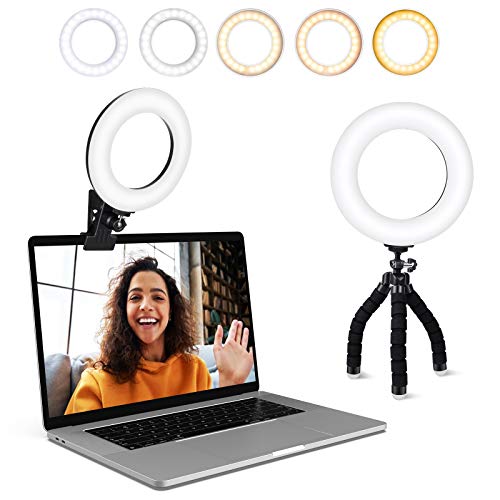
- Entry PickVideo Conference Lighting Kit about$19.9910W.
- NEEWER Basics 5" Clip on Ring Light for… about$29.885 inch, 10W.
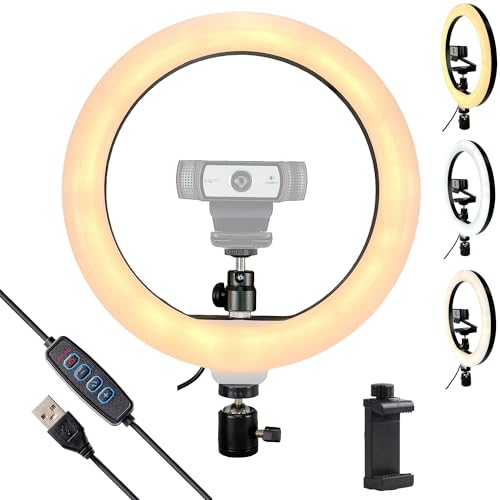
- Webcam Light about$36.90
- NEEWER Basics 7" Desk Ring Light for Video… about$55.997 inch, 10W.
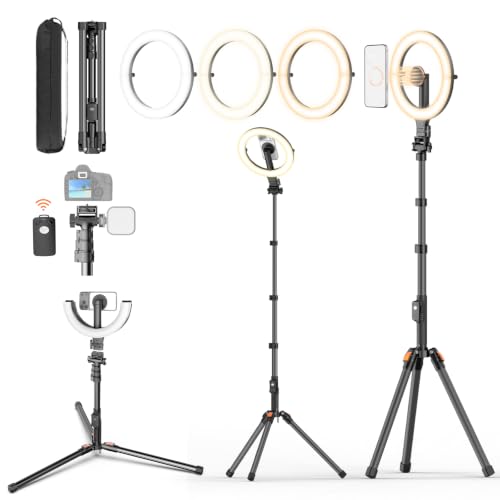
- XXZU 10in Magnetic Ring Light with Tripod about$69.9910" ring, battery, tripod.
- NEEWER 13" LED Video Light Panel (NL-192B) about$99.99
- Most PremiumNEEWER 25W 12.9" Streaming Key Light with… about$145.9912.9 inch, 25W.
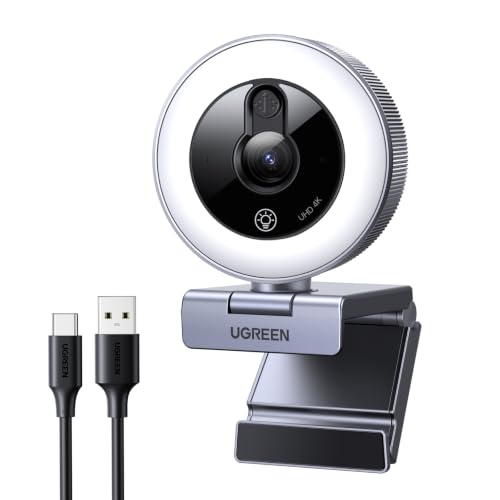
- UGREEN 4K Webcam with Ring Light Autofocus about$62.04
Your webcam isn't the problem
Most of the rough looking video calls I get shown have nothing to do with the camera. Someone buys a decent 1080p or 4K webcam, plugs it in, and still looks like they're dialling in from a cave. The sensor in a webcam is tiny, and tiny sensors are hungry for light. Starve one and it winds its gain right up, which is where that grainy, smeary, plastic look comes from. Feed it properly and even a five year old webcam tidies itself up in a way that surprises people. If you've already been through our 4K webcam guide, this article is the other half of that job, and I reckon it's the half that matters more. Fifty dollars of light usually does more for your picture than another two hundred dollars of camera.
Daylight through a window is still the best light most people have access to, and it costs nothing. The problem is that it moves. At nine in the morning you look great, by early afternoon the sun has swung around and half your face is in shadow, and by the 4:30 call you're a silhouette with a voice. A powered light in front of you takes the time of day out of the equation, and that's really all these products are: a repeatable, controllable version of a good window. Everything in this guide costs between $30 and $122, sits on or near your desk, and runs off USB. None of it needs a lighting course to operate, but a handful of specs separate the good units from the landfill, so that's where I'll start. The picks run from the light I'd hand an office worker through to the panel I'd bolt to a streaming desk. None of them are studio gear, and none of them need to be, because the target is a face at arm's length, not a film set.
Ring light or key light
A ring light is a circle of LEDs you sit just behind or shoot through. The shape throws even light onto your face from all directions at once, which flattens shadows and leaves a neat circular catchlight in your eyes. It's the classic look for make-up tutorials and phone video, and on most models the centre of the ring doubles as a phone mount, which is genuinely useful if the phone is your camera. A key light is different: a flat panel that sits up on a stand or clamps to your monitor, lighting you from about 45 degrees the way a photographer would, with a little shadow left on the far side of your face. That bit of shadow gives your face some shape on camera, and it's what stops you looking like a passport photo.
For straight video calls I lean towards a small panel or a clip-on rather than a big ring. Rings are designed around a phone in the middle, and on a desk already carrying monitors they fight for space and reflect as a bright halo in every pair of glasses on the call. Panels like NEEWER's GL25B are edge lit through a diffuser, so light comes off one broad soft surface instead of dozens of visible LED points, and glasses wearers notice that difference straight away. If you're lighting a phone camera though, the ring still earns its place on the desk, and the holder in the middle is half the reason you buy one in the first place.
Lux, kelvin and CRI, in plain terms
Brightness on these listings is quoted in lux at half a metre, which is roughly where your face sits from a desk light. The $30 NEEWER clip-on manages 450 lux at that distance, the 7 inch desk model 680, and the 25W GL25B panel 2,300, while the XXZU ring states no lux figure at all. For a video call in a normally lit room, a few hundred lux on your face is generally plenty. The bigger numbers earn their keep when you're fighting a bright window behind you, or lighting for a phone or a proper camera rather than a webcam. Don't chase lux for its own sake, because past a certain point you're just squinting into your own desk lamp for eight hours a day.
Colour temperature runs from about 2900K, warm like an old incandescent bulb, up to 7000K, the blue white of an overcast sky, and every pick here adjusts somewhere across that range. The trick is matching the room rather than picking a favourite number. If your office has warm downlights, run the light warm. If daylight pours in, run it cool. Mixed temperatures are what make skin look odd on camera, one side of your face orange and the other blue, and no webcam white balance can fix both at once. Around 5000K to 5600K is the usual safe middle for daytime calls, and most of these units step through presets so you can flick between settings until the picture looks right.
CRI is the colour rendering index, a zero to 100 score for how faithfully a light shows colour compared with daylight. Bottom-shelf LEDs often sit in the low 80s, which is why some lights make everything look slightly grey and dead. The NEEWER units here quote CRI above 95, 97 or 98 depending on the model, and the difference is visible on skin. It's one of the few numbers on a lighting listing I'd treat as a real spec rather than marketing, because low CRI can't be fixed afterwards. Your webcam's white balance can correct an overall colour cast, but it can't put back colours the light never produced in the first place, and no amount of fiddling in software will invent them.
Flicker and the 50Hz problem
Australian mains power cycles at 50Hz, and plenty of lighting flickers at double that, 100 times a second. Your eyes don't register it, but a camera can, because its shutter samples the scene at its own rate, and when the two rates don't line up you get rolling bands crawling through your video. Webcams ship with an anti-flicker setting for exactly this reason, usually buried in the camera software as a 50Hz or 60Hz option, and in Australia it belongs on 50Hz. I've watched someone troubleshoot banding for an hour when the whole fix was a dropdown their software had shipped set to 60Hz for the American market. Check that setting before you blame any light you own.
The light itself can be the flicker source too. LEDs are dimmed with PWM, switching on and off faster than the eye can follow, and the nastier the driver, the lower that switching rate tends to be. A light that pulses at a few hundred hertz can strobe against your camera's shutter even with the webcam configured correctly. Almost no listing publishes a PWM figure, so the practical test is pointing your phone camera at the lit panel at half brightness and watching the screen for banding. USB powered lights fed from a clean 5V supply, which covers everything in this guide, generally behave better than mains powered rings running through anonymous plug packs from the bottom of the carton.
Power: what a USB port will actually give you
Most of these lights want 5V at 2A, which is 10W. Any competent phone charger supplies that all day, but people plug them into whatever USB socket sits nearest, and that's where the trouble starts. An older USB-A port on a laptop is rated to source 500mA, a quarter of what the light asks for. Some machines current-limit and shrug it off, others sag and flicker, and a few let the port electronics wear the abuse until something gives up. We've had laptops at our computer repair workshop where a dead USB port traced back to a hungry gadget that had been hanging off it every working day for months. The port survives the first week fine, which is exactly why nobody connects the failure to the gadget later on.
The safe recipe is a wall charger you trust or a powered hub. The XXZU ring and the 25W panel both take USB-C, so a decent brick from our GaN charger guide drives them properly, and the NL-192B carries its own 8000mAh battery, so charge it with its supplied 15V adapter rather than a monitor's spare port. The usual rule applies to the no-name plug packs bundled with imported rings: if it weighs nothing, rattles when you shake it, and carries no RCM compliance mark, it doesn't belong in an Australian wall socket. A bad 5V supply stays a bad 5V supply no matter what it happens to be driving.
Mounting, and what your desk can take
The mount decides whether you'll still be using the thing in six months. Clips are the quickest: the $30 NEEWER clamps onto a monitor bezel or a shelf and tilts through 170 degrees, and the NL-192B has a cold shoe and a 1/4 inch thread, so it wants a tripod or stand of your own. Weighted desk stands like the 7 inch NEEWER stand behind a laptop and telescope from roughly 60 to 84 centimetres. Bigger rings on stands want real desk space, and the 12.9 inch GL25B sidesteps the whole problem by clamping to the desk edge, which is the tidy option if your desk already carries monitor arms and a USB microphone hanging off a boom.
Two placement rules cover most situations. First, get the light close, because intensity falls off with the square of distance; a light at half a metre is doing four times the work of the same light at a metre. Second, get it slightly above your eye line and angled down, which is where faces are used to being lit from. Below the chin is campfire torch territory, and dead level with your eyes maximises glare in glasses. If you wear glasses, push the light higher and further off to one side and the reflections walk right out of the lenses. Thirty seconds spent moving a stand fixes more video calls than any software setting I've come across, and it costs you nothing to try.
What I'd skip
The 18 and 21 inch influencer rings are the first thing I'd cross off for a desk. They're built for a phone on a tripod two metres back, they dwarf a workstation, and at typical webcam distance they wrap so much light around your head that you end up with a flat, shadowless mask effect. RGB party modes and scene effects are mostly a gimmick for this use as well; you'll set white light once and never touch the effects again. Battery powered selfie lights round out the skip list for a meeting desk, because a light that dies mid-meeting is worse than no light at all, and the cells in the small ones are usually glued in and not worth the labour to replace once they wear out. If a listing leads with effects and dance-video modes instead of CRI and output figures, that tells you where the engineering time went.
I'd also skip trying to fix lighting in software. Webcam apps offer brightness boosts and low light modes that mostly crank the gain and smear detail, which treats the symptom rather than the cause. Monitor light bars point at your desk, not your face, so they solve glare on paperwork rather than video quality, useful, but a different job entirely. Kits that bundle a light with a no-name webcam deserve a hard look too, because in my experience the light is usually the acceptable half and the camera is where the maker cut corners. Buy the pieces separately and you can fix, replace or upgrade each one on its own schedule instead of binning the lot together.
The 5 picks, $30 to $140
Prices are Amazon AU at time of writing (4 September 2026) and move week to week. Ranks are Amazon AU sales ranks, checked the same day.

NEEWER Basics 5 inch Clip-On Ring Light (BR60)
ASIN B0DCSHSSFF • $29.88 • Ships from Amazon AU
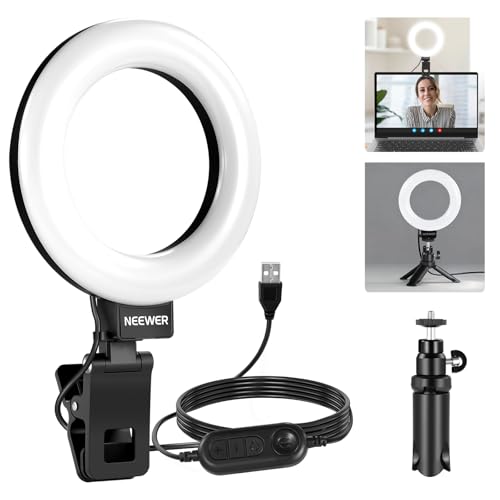
This is the one I point office workers at first. It's a 5 inch ring of 60 LEDs on a clip, with a small desk tripod in the box if you'd rather stand it up than clamp it. Clipped to the top of a monitor it does exactly what a webcam light needs to do: put 450 lux of soft light on your face from half a metre without blinding you or bouncing off every shiny surface on the desk. Colour temperature runs 3000K to 6000K across five preset modes, from warm through mixed to cool white, and CRI is quoted above 97, which is honest engineering for something this small and this far down the accessories aisle.
Power is 5V at 2A over a captive 1.8 metre USB-A cable, so it runs happily from a phone charger or a powered hub. The clip tilts through 170 degrees, which covers monitor-top, shelf duty and the awkward angle where your webcam sits off centre. NEEWER's Basics line strips out app control and remotes and keeps the light engine, and for a video call light I think that's the right trade, because you set it once and touch it maybe twice a week after that. The mode button cycles the five colour mixes; the listing doesn't state whether it remembers the last setting, so expect a couple of presses when it powers up. At 10W flat out it won't warm itself or the room.
At $29.99 at time of writing it's the pick I'd start almost everyone on. It won't overpower a bright window behind you and it's not pretending to light a studio, but for Teams and Zoom in a normal room it lifts a webcam image from muddy to clean, and it does that without claiming any desk space worth mentioning. It sits at #980 site-wide on Amazon AU, sold and shipped by Amazon, which in a category full of drop-shipped mystery brands counts for something. If you outgrow it, nothing is wasted; it moves to the laptop bag and becomes the travel light for hotel room calls.
Honest caveats: The clip isn't recommended for smartphones, and 450 lux is fill light, not a key light for a proper camera. There's no app, no remote and no fine dimming, just the five preset modes. The listing doesn't state a PWM frequency either, so test it against your webcam at the lower settings.
Best for: Anyone whose video calls need lifting from grim to clean with the least possible fuss and desk space.
LEDs: 60 • Output: 450 lux at 0.5m • Colour temp: 3000K to 6000K, 5 modes • CRI: Above 97 (quoted) • Power: 10W, 5V/2A USB, 1.8m captive cable • Mount: Clip with 170 degree tilt, mini tripod included • Rank: #980 site-wide (Amazon AU)
View on Amazon AU
NEEWER Basics 7 inch Desk Ring Light (R06)
ASIN B0DG2XCHQ2 • $55.99 • Ships from Amazon AU
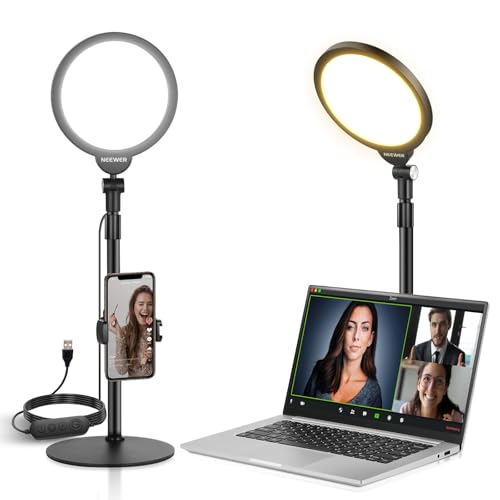
The 7 inch R06 is the step up for people who'd rather have a light standing behind the laptop than clipped to the screen. You get 84 LEDs behind a full diffuser panel pushing 680 lux at half a metre, a weighted metal base that doesn't tip when you bump the desk, and a telescopic column that winds from about 60 to 84 centimetres. That height range matters more than it sounds, because it's the difference between the light staring you level in the glasses and sitting properly above your eye line, angled down. Colour temperature steps through five presets from 3000K to 6500K, CRI is quoted above 95, and brightness dims smoothly from 10 to 100 percent rather than jumping between fixed modes.
It's still the stripped-back Basics line, so power is the same 5V/2A over a built-in 1.9 metre cable and control is buttons on the unit, with a phone holder included if you want it. What you're paying for over the clip-on is the stand, the finer dimming and the extra area of lit diffuser, and area is worth more than raw brightness for how gently the shadows fall. A bigger glowing surface wraps light around your face instead of throwing it flat at you, and on camera it reads as one broad catchlight rather than a hard point. In a room with ceiling downlights it's enough to be the main light on your face rather than a top-up.
At $55.99 at time of writing and #836 site-wide, this is the one I'd put on most work-from-home desks. The footprint is small enough to live behind a laptop permanently, and it looks unremarkable enough that nobody on the call will ever ask about it, which I mean as a compliment. The five colour presets cover warm evening rooms through to full daylight, and the 10 percent floor is dim enough for late calls. Pair it with the webcam you already own before shopping for a new one; that combination usually embarrasses a dearer camera lit by nothing.
Honest caveats: No app and no remote: it's a light on a stick, deliberately. The five colour steps are coarser than the continuous dial on the dearer NEEWER units, and the listing doesn't state a PWM figure. At 680 lux it will still lose the argument with direct sun coming through a window behind you.
Best for: Work-from-home desks that want a permanent, unremarkable light standing behind the laptop.
LEDs: 84, diffused panel • Output: 680 lux at 0.5m • Colour temp: 3000K to 6500K, 5 steps • CRI: Above 95 (quoted) • Dimming: 10 to 100 percent • Height: 596mm to 840mm, weighted metal base • Power: 10W, 5V/2A USB, 1.9m captive cable • Rank: #836 site-wide (Amazon AU)
View on Amazon AU
XXZU 10 inch Magnetic Ring Light with 68 inch Tripod and Remote
ASIN B0GXYQQCR7 • $69.99 • Sold by jiahengwo-AU on Amazon AU
This is the phone-camera ring light of the group: 10 inches across with 120 LEDs, three colour temperatures from 3000K to 6500K (warm, warm-white and cool white) and ten brightness steps on each, so 30 presets rather than a continuous dial. The kit is built around phone work. A magnetic mount snaps the phone on and off, with metal rings supplied for Android phones and non-magnetic cases, and it rotates 360 degrees to swap between the front and rear cameras. It stands on an extendable tripod listed at 68 inches (204 cm, or 80 inches with the light) with a 180 degree tilt head, and the pan head carries a cold shoe for a microphone or a small fill light. If your camera is a phone, for reels, product photos of things you're selling, or lash and make-up work, this layout is what that job wants.
It carries its own 5000mAh battery, listed at 1.5 to 10 hours depending on brightness, charged over the USB-C cable in the box, plus a detachable remote with a stated 10 metre range. The tripod head takes a standard quarter inch screw, so it will hold a webcam or a small camera as well, and it tilts for overhead, high-angle and low-angle shots. The ring folds flat and lifts off the tripod to work as a handheld light, and the whole set folds down to 43 centimetres. The trade against a desk stand is footprint: a tripod is something you set up, not something that lives beside a monitor. For a webcam-only desk it is more hardware than the job calls for, and the ring shape reflects in glasses more than the flat panels do.
At $69.99 at time of writing, ranked #399 overall on Amazon AU and sold by jiahengwo-AU, it's the value pick for anyone lighting a phone camera rather than a webcam. The built-in battery makes it the one I'd take to a market stall or a pop-up where the venue gives you no power point and the lighting is whatever the room offers. Expect the 1.5 hour end of the battery claim at full brightness.
Honest caveats: The listing gives no lux, CRI or wattage figure, so I can't compare its output with the other lights here, and the 30 presets are fixed steps rather than a continuous dial. It is a tripod rather than a desk stand, so it wants clear floor space, and the ring throws a circular catchlight that glasses wearers will spot in every reflection. XXZU is a brand I can't point to a track record for.
Best for: Phone-first video: reels, product shots, beauty work and anything that benefits from a battery-powered ring on a tripod.
Size: 10 inch ring, 120 LEDs • Colour temp: 3000K to 6500K, 3 presets with 10 brightness levels each • Output and CRI: Not stated on the listing • Power: Built-in 5000mAh battery, 1.5 to 10 hours (listing); USB-C charging cable included • Stand: Extendable tripod to 68 inches (204cm), 180 degree tilt head, folds to 43cm • Mounts: Magnetic phone mount with 360 degree rotation, cold shoe, 1/4 inch screw • Control: Detachable remote, 10m range • Rank: #399 overall (Amazon AU)
View on Amazon AU
NEEWER 13 inch LED Video Light Panel (NL-192B)
ASIN B0F83PDRPF • $99.99 • Ships from Amazon AU
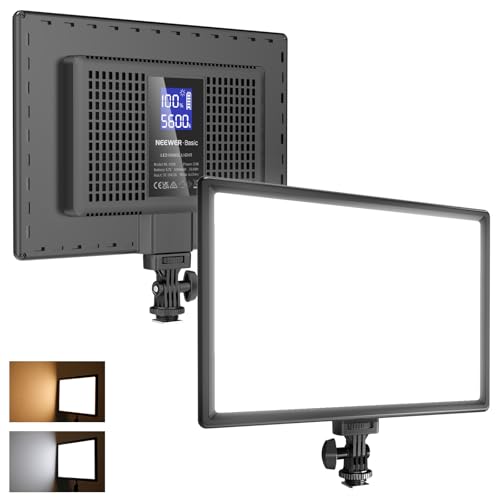
The NL-192B is the panel pick in this guide: a thin NEEWER light that lists 192 LEDs, 96 warm and 96 cool, in a body about 1 centimetre thick and 580 grams. The listing quotes up to 2,400 lux at half a metre, CRI 97 plus and a 3200K to 5600K colour range. That is a step up in output from the 5 inch clip-on and the 7 inch desk ring, in a flat panel that sits beside or behind the screen.
Brightness runs from 0 to 100 percent, and a small LCD on the back shows colour temperature, brightness and battery level, so you read the setting instead of guessing at a dial position. The listing describes ventilation holes across the back and edges for cooling. It carries a cold shoe and a 1/4 inch thread, so it mounts on a tripod, light stand or camera rig, but the listing doesn't mention a stand in the box. Budget for one if you want it on the desk.
Two 4000mAh cells are built into the body for the quoted 90 minutes of continuous light, and it fast charges from the included 15V 2A adapter in about 2 hours. That makes it one of two battery-powered picks here, alongside the XXZU ring, and the one to carry to the kitchen table or a spare room for a call.
At $99.99 at time of writing and sold by Amazon AU, it's the pick I'd give someone who wants a proper adjustable panel for calls without paying for the 25W streamer unit. It looks like a camera light because it is one.
Honest caveats: The colour range stops at 5600K, so it can't reach the 7000K top end of the dearer GL25B. Battery life is quoted at about 90 minutes, the listing doesn't state a PWM or flicker figure, and no stand is listed in the box.
Best for: Desk workers who want a wider panel with a built-in battery and an on-light readout for colour temperature and brightness.
Type: 13 inch LED panel, 96 warm and 96 cool LEDs • Output: up to 2,400 lux at 0.5m (quoted) • Colour temp: 3200K to 5600K • CRI: 97+ (quoted) • Dimming: 0 to 100 percent • Battery: 8000mAh built in (two 4000mAh), up to 90 minutes, about 2h to charge with the included 15V 2A adapter • Mount: cold shoe and 1/4 inch thread, stand not listed • Display: LCD on the back
View on Amazon AU
NEEWER 25W 12.9 inch Streaming Key Light (GL25B)
ASIN B0CBC9S64X • $145.99 • Ships from Amazon AU
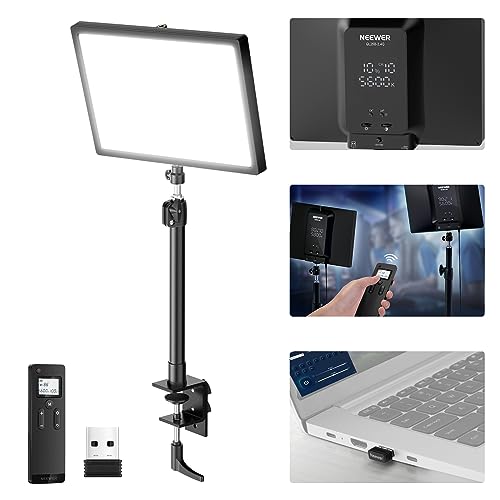
The GL25B is what you buy when lighting stops being a webcam accessory and starts being part of a streaming rig. It's a 12.9 inch edge lit panel with 176 LEDs behind a full white diffuser, pushing a quoted 2,300 lux at half a metre with CRI 98 plus and a 2900K to 7000K bi-colour range. Cooling is fanless, handled through conductive materials and edge vents, and that matters more than it sounds on a desk with a live microphone, because a light with a whirring fan sitting next to a condenser capsule is a self-inflicted wound. It clamps to the desk edge on an extendable stand with a ball head, so it takes headroom rather than desk space.
Control is where it earns its position over everything else here. There's a physical panel on the light itself, a bundled RT100 2.4G remote that drives one light or several at once, and the remote's USB transmitter pops out and plugs into a PC or Mac for app control from the desktop. Grouped control is the sleeper feature in that list: the moment you add a second light for two-point lighting, walking between stands to match colour and brightness gets old very fast, and this does the whole job from the keyboard. That's a feature set borrowed from proper studio panels, and finding it on a desk light at this level is the reason the pick exists at all.
It carried no site-wide rank on Amazon AU the day I checked, which is common for newer studio-adjacent gear, so I'm recommending it on the spec sheet and on how NEEWER's other units have held up rather than on sales momentum. For a Teams call it's overkill in the best way. For streaming, YouTube pieces to camera, or anyone who can see a second light in their future, it's the most capable thing in this guide by a clear distance, and it's the only pick here with a control story that scales past one light.
Honest caveats: It's physically large and the clamp needs a desk edge to bite on, so a desk hard against a wall with a hutch won't take it. No sales rank was listed at time of writing, the listing doesn't state a battery option, and at 25W it wants its own decent USB supply rather than a shared hub port.
Best for: Streamers and anyone planning a two-light setup who wants remote and desktop control over the lot.
Size: 12.9 inch edge-lit panel • LEDs: 176 behind white diffuser • Output: 25W, 2,300 lux at 0.5m • Colour temp: 2900K to 7000K • CRI: 98+ (quoted) • Control: On-panel, RT100 2.4G remote, PC/Mac app via USB transmitter • Cooling: Fanless, edge vents • Mount: Desk edge clamp, extendable stand, ball head • Rank: Not stated on the listing (Amazon AU)
View on Amazon AUSide-by-side comparison
| Product | Price | Best for |
|---|---|---|
| Video Conference Lighting Kit | ~$19.99 | Least expensive, clips on or stands up |
| NEEWER Basics 5" Clip on Ring Light for… | ~$29.88 | A clip-on that fits a laptop bag |
| Webcam Light | ~$36.90 | Logitech webcam owners |
| NEEWER Basics 7" Desk Ring Light for Video… | ~$55.99 | A desk key light behind a laptop |
| XXZU 10in Magnetic Ring Light with Tripod | ~$69.99 | Phone video with a tripod and remote |
| NEEWER 13" LED Video Light Panel (NL-192B) | ~$99.99 | A battery-powered desk panel |
| NEEWER 25W 12.9" Streaming Key Light with… | ~$145.99 | A streaming corner |
| UGREEN 4K Webcam with Ring Light Autofocus | ~$62.04 | Webcam and light in one |
What we see fail in the workshop: webcam lights
Webcam lights come across the counter more often than you'd expect, usually riding along with the laptop they were plugged into. The light itself is $30 to $120 of LEDs and a driver board, so nobody pays workshop rates to repair one, but the failures follow the same patterns every time, and a couple of them take other hardware down with them. Here's what actually goes wrong and what it tells you about buying one that lasts.
LED segments and dying drivers
A ring almost never dies all at once. What fails is a segment, one arc of the circle going dark or flickery while the rest carries on, and that's usually a series string losing a joint: a cracked solder connection from heat cycling, or one LED going open and taking its whole string with it. The driver is the other suspect, the small board that turns USB power into constant current for the strings. The low-rent ones run hot inside a sealed plastic shell with no venting at all. When a light flickers at low brightness but behaves at full output, the driver is where I'd look first.
Clips, goosenecks and snapped mounts
Mechanical failure beats electrical failure in this category. Spring clips lose their tension, gooseneck stalks fatigue and droop, and the thin thread where a plastic ball head meets a metal quarter inch screw strips the first time someone overtightens it. Captive cables are the sneaky one: a light with a built-in lead becomes landfill when the cable breaks at the strain relief, because nobody is opening a glued shell to solder in a new lead for less than the light cost. Detachable USB-C leads, metal bases and metal clip jaws are worth more on a listing than any lumen figure.
The USB ports they take with them
The expensive failure isn't the light, it's the port it was plugged into. A 10W light on a 2.5W-rated USB-A port pulls four times the current that port was designed to source. Better laptops current-limit and simply refuse, but some older boards let the trace or the port controller carry the abuse until something lets go, and we see the aftermath as a dead USB port on an otherwise healthy machine, with an owner who has no idea the ring light did it. Run desk lights from a wall charger or a powered hub and keep laptop ports for data.
Decision tree: which one should you actually buy?
- Just want Teams and Zoom to stop looking grim? → The NEEWER 5 inch clip-on at $29.99. Clip it above the webcam, set the middle colour mode, done. It's the least fuss of anything in this guide.
- Want a panel on the desk instead of a ring, with a battery built in? → The NEEWER NL-192B. A 13 inch panel with a back-of-light display and a built-in battery; bring your own stand.
- Lighting a phone camera for reels, products or beauty work? → The XXZU 10 inch ring at $69.99. Magnetic phone mount, 68 inch tripod, built-in battery and a remote; it's built for exactly that job.
- Want a light standing behind the laptop, with nothing clipped to the screen? → The 7 inch NEEWER R06. Weighted base, telescopes above eye line, and it dims smoothly down to 10 percent for late calls.
- Streaming now, or likely to add a second light later? → The NEEWER GL25B. The 2.4G remote and desktop app run multiple lights as a group, which is the feature you'll wish you had the day light number two arrives.
- Light flickering, a dark segment, or a USB port that died with it? → Stop buying replacements and find the cause first. Bring the light and the laptop into our Erina workshop and we'll tell you within minutes whether the fault is the light's driver, the cable or the laptop's port, and whether it's worth fixing before you spend anything else.
Frequently asked questions
Do I need a light, or should I just buy a better webcam?
Light first, almost every time. A webcam sensor is tiny, and in a dim room even a dear one turns up its gain and produces grainy, smeary video. Putting a few hundred lux on your face fixes the actual problem, and it improves every camera you'll ever own afterwards, while a new webcam in the same dark room inherits the same handicap. The honest test is to take a call facing a bright window with the curtains open; if you suddenly look fine, the camera was never the issue. I'd spend $30 to $80 on lighting before spending anything on new glass, then upgrade the camera later if you still want more sharpness.
What colour temperature should I set for video calls?
Match the room, not a magic number. If warm downlights dominate, run the light towards 3000K to 4000K so your face matches the background. If daylight floods the room, head for 5500K or higher. The failure mode is mixing, where one side of your face picks up warm room light and the other side picks up a cool LED, and the camera's white balance can't satisfy both at once. Somewhere around 5000K to 5600K suits most daytime home offices, which is why so many lights default there. Set it once for your usual call time, then nudge it when you change rooms or the season changes the daylight.
Why does my light flicker on camera but look fine to my eyes?
Because your eyes and the camera sample the world at different rates. Australian mains cycles at 50Hz, a lot of lighting pulses at 100Hz, and dimmed LEDs switch anywhere from a few hundred to many thousands of times a second depending on the driver. Your brain smooths all of that out, but the camera's shutter catches the light mid-pulse and you get rolling bands or a visible strobe. First check the webcam software's anti-flicker setting is on 50Hz rather than the 60Hz American default. If banding continues, raise or lower the light's brightness, because PWM artefacts are usually worst at low dim levels. A light that still strobes at full output has a poor driver and I'd return it.
Can I run a ring light from my laptop's USB port?
I wouldn't. Most of these lights draw up to 2A at 5V, and an older USB-A port is only rated to supply 500mA. Best case, the laptop limits the current and the light runs dim or flickers. Worst case, the port hardware carries four times its design load for months and eventually fails, and USB port repairs are board-level work that costs far more than a wall charger would have. Use a phone charger with an RCM compliance mark, a powered hub, or a proper PD charger for the USB-C models. Keep the laptop's ports for data and let the wall socket do the heavy lifting.
Are ring lights a bad idea if I wear glasses?
They're the hardest shape to manage. A ring puts a bright circle directly in front of your face, and it reflects as a glowing halo in each lens, right where your eyes should be. An edge lit panel like the NEEWER GL25B produces one soft rectangle of light instead of a ring of points, which reads far less obviously in a reflection. Whatever light you use, the real fix is placement: raise it above your eye line, angle it down, and slide it 30 to 45 degrees off to one side. The reflection drops out of the lens as soon as the geometry stops being face-on, and no coating or filter is needed.
What size light should I get for a normal desk?
Smaller than you think. At half a metre from your face, a 5 to 7 inch source is already large relative to the subject, and relative size is what makes light soft. The giant 18 inch rings are sized for a camera standing two metres back, not a webcam at arm's length, and on a desk they mostly get in the way and glare in your eyes all day. Match the light to the camera instead: a clip-on or monitor-top panel for a webcam, the 10 inch XXZU ring with its phone mount for phone video, and the 12.9 inch panel only if you're building a streaming corner where a desk clamp and headroom make sense.
Related buying guides
Light died, or took a USB port with it?
Flickering panels, dark LED segments and dead laptop USB ports all have causes a multimeter finds in minutes. Before you rebuy the same light or write off a port, bring the light and the machine into the shop in Erina. We'll tell you what failed, whether it's economic to fix, and what to plug things into so it doesn't happen a second time.
Visit our Erina workshop Book Online