Prices from Amazon AU, updated daily. Swipe or use the arrows for more.
Disclosure: This article contains affiliate links to amazon.com.au. If you buy through one of these links iFix may earn a small commission at no extra cost to you. It doesn't change which products we recommend. We focus on what actually lasts based on 16 years of repair-shop experience.
Quick summary8 picks
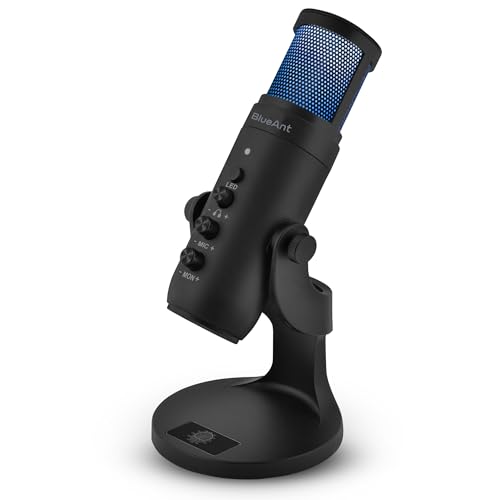
- BlueAnt Stream X USB Condenser Microphone about$49
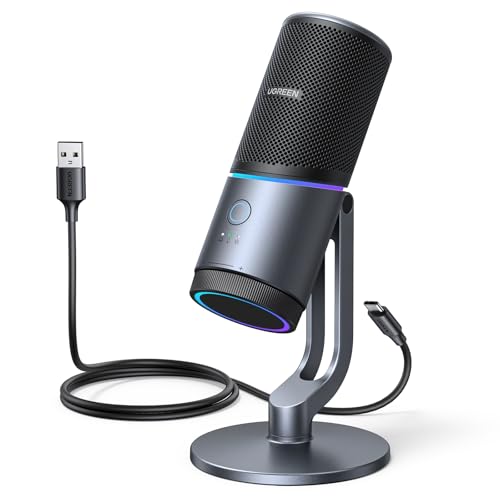
- UGREEN 24-bit/96kHz USB Condenser… about$79.99
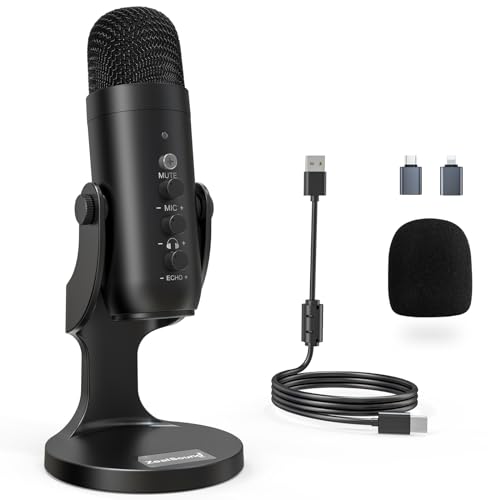
- ZealSound Podcast Microphone for PC about$67.9940 Hz refresh.
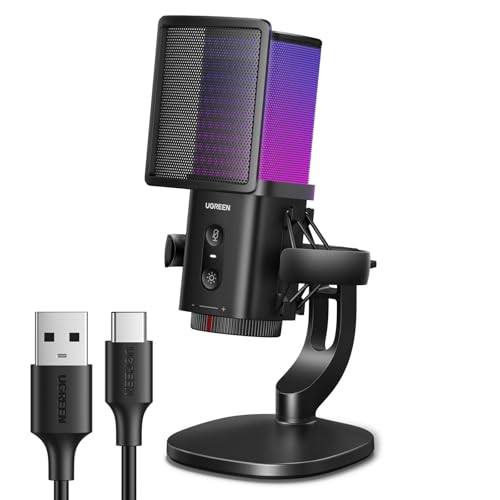
- Entry PickUGREEN USB Condenser Gaming Microphone for… about$47.1920Hz refresh.
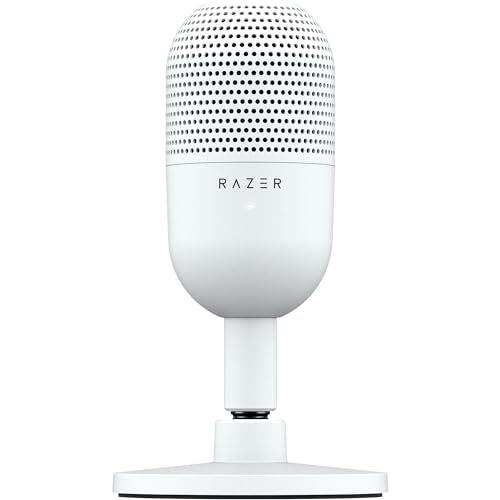
- Razer Seiren V3 Mini USB Microphone:… about$79
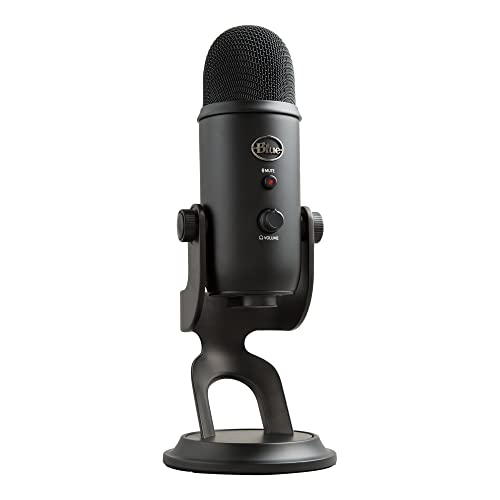
- Logitech Yeti Premium Multi-Pattern USB… about$158
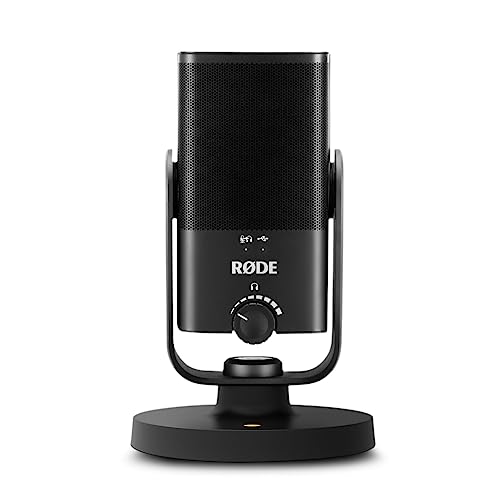
- RØDE NT-USB Mini Versatile Studio-Quality… about$149
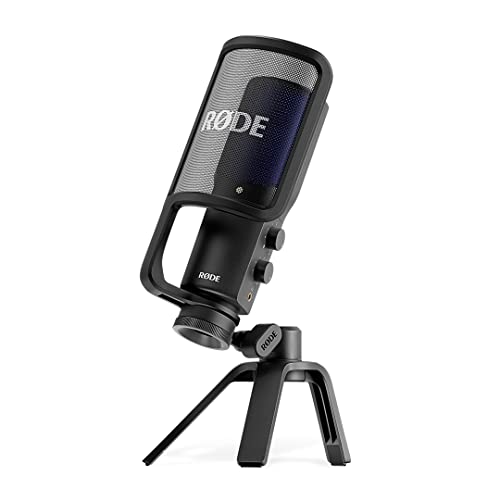
- Most PremiumRØDE NT-USB+ Professional-Grade USB… about$224
Nobody has ever left a meeting because the picture was soft
They leave because they had to ask "sorry, what?" three times in ten minutes and gave up. That asymmetry is the whole argument for this guide. iFix published a 4K webcam guide earlier this year that sells the camera hard and says almost nothing about audio, which was an honest omission at the time and a gap worth closing now. A soft 720p picture is mildly annoying. Bad audio is a tax on everyone else's attention, and people pay it for about four minutes before they stop listening properly.
Here is the part that surprises people. Your laptop camera is in a bad position, sitting above the screen looking up your nose in whatever light the window gives it. Your laptop microphones are in a worse one. They sit behind or beside the hinge, inches from the fan exhaust, and directly under the keyboard deck. That means the array is physically closest to the three loudest noise sources on the desk: the fan that ramps the moment a video call loads the CPU, the keys you are typing on, and the desk itself, which conducts every knock straight into the chassis.
Then the software has a go at it. Noise suppression on a laptop array is not gently subtracting hiss; it is aggressively gating and reshaping a signal that already has fan noise baked into it. The result is the sound everyone recognises: your voice goes hollow and slightly underwater, the first syllable of a sentence gets clipped off, and consonants smear. You sound tired even when you are not. Moving the capsule twenty centimetres from your mouth and half a metre from the fan solves more of that than any algorithm.
What actually matters: pattern, distance, and the room
Cardioid versus omnidirectional, in an untreated room
A polar pattern is a map of what the microphone listens to. Cardioid is a heart-shaped pattern, most sensitive straight ahead and progressively deaf towards the sides and rear. Supercardioid, which the Razer uses, is tighter at the front with a small rear lobe. Omnidirectional listens equally in every direction. In a spare bedroom with a hard floor, a window, a door to a hallway and no soft furnishings worth mentioning, cardioid is almost always the right answer, because rejecting the back half of the room is free acoustic treatment.
Buy omnidirectional only when the job genuinely calls for it: two or three people around one table, or a room recording where the space is part of the point. That is why the Yeti earns its place below. Everyone else, cardioid. And one instruction matters more than the pattern name on the box: point it at your mouth, not at your chest. Side-address microphones like the RODE and the Yeti take sound in through the front face of the body, not the top. Half the "my new mic sounds thin" complaints I hear are a capsule aimed at a sternum.
Above about $80, the room matters more than the microphone
This is the uncomfortable truth of the category. The gap between a $30 microphone and an $82 one is enormous. The gap between an $82 one and a $500 one, in a normal Australian bedroom or study, is much smaller than the price difference suggests, because what you are hearing is mostly the room. Hard walls, a bare desk, a window and a flat ceiling send your voice back at the capsule a few milliseconds late, and that is what makes a recording sound like a recording made in a room.
Fixing it is low-cost and unglamorous. A rug. Curtains rather than blinds. A bookshelf on the wall behind you, filled unevenly. Do not sit with the microphone directly between you and a bare wall. If you are choosing between a $150 microphone in an empty room and an $82 microphone plus a rug and some curtains, take the rug.
Distance: a hand span, not across the desk
Put your thumb on your chin and stretch your little finger out. That distance, roughly 15 to 20 centimetres, is where the microphone should sit, angled slightly off to the side of your mouth rather than square in front of it. The physics is simple: direct sound falls away rapidly with distance while the room reflections stay roughly where they are, so doubling the gap makes the room a much bigger part of what you send. People who put the mic across the desk always end up winding the gain up, which raises the room noise they were trying to escape.
Boom arms, shock mounts, and why the supplied stand is the weak link
Every microphone here ships with a competent desk stand, and every one of those stands has the same flaw: it stands on the desk. A desk is a big stiff panel that couples beautifully to a keyboard, and each keystroke sends a thump up through the stand and into the capsule. Internal shock mounting takes the edge off, and all three picks have some version of it, but it will not save you if you type while you talk.
A clamp-on boom arm fixes two problems at once. It decouples the microphone from the typing surface, and it lets you get the capsule close to your mouth without parking it in front of your monitor. Pair it with an elastic shock mount if the microphone supports one. On a shared desk this stacks well with the mounting hardware in our monitor arms guide, published the same day as this one, since both jobs compete for the same desk edge and it pays to plan the clamps together.
Gain staging, and the mistake almost everybody makes
Gain too high. That is the number one fault, and it is not close. The pattern is always the same: someone buys a decent microphone, notices it sounds quieter than their laptop did, drags the input slider to 100 percent, then speaks up because they are excited to be heard. Every peak past the converter's ceiling clips into a hard square edge, and no plugin, no meeting platform and no amount of post-processing puts that back.
Do it the other way round. Sit at your hand-span distance, talk at the volume you actually use in a meeting, and set the gain so normal speech sits comfortably below the top of the meter with room left for a laugh or a raised voice. If it looks too quiet, that is fine. Quiet and clean can be lifted afterwards. Clipped is gone.
Monitoring: the headphone jack is not a bonus feature
Two of the three picks have a 3.5mm headphone output that plays the microphone signal straight back at you with no round trip through the computer. It sounds like a small thing. It is the difference between finding out you were muted, off-axis, or crunching a packet of chips near the capsule now, versus finding out an hour later. Plug your headphones into the microphone rather than the laptop and you also sidestep the classic USB headset problem where the operating system silently switches your input to the headset's own dreadful microphone. If you use active noise cancelling cans for calls, the pairing rules in the noise cancelling headphones guide apply here too: wired into the mic beats Bluetooth for monitoring, every time.
The three picks, from $82 to $152
Prices are Amazon AU at time of writing (10 August 2026) and move week to week. Sales ranks are the Amazon AU category rank shown on each listing, checked the same day.

Razer Seiren V3 Mini USB Condenser Microphone
ASIN B0CMTRDWLL • $79 • Ships from Amazon AU
At $58.32 this is the point where a USB microphone stops being a novelty and starts being equipment, and it sits at #12 in Amazon AU's PC Microphones category because a lot of people have worked that out. The capsule is supercardioid, which is a tighter front lobe than standard cardioid, so it leans harder on rejecting the keyboard and the room behind you. For one person at one desk in a room with a bit of echo, that tight pattern does more real work than a bigger capsule would.
The details are better than the price suggests. The top plate is a tap-to-mute sensor with an LED that tells you the state at a glance, which beats hunting for a software mute button while someone is talking. The tiltable stand has a shock absorber built in and detaches for a boom arm. It connects over USB-C and needs no driver to work, with Razer Synapse available if you want higher sample rates and separate playback and broadcast mixes.
Honest caveats: there is no headphone jack, so monitoring has to come from your computer with whatever latency that adds. It is also very light, which is a virtue on a shelf and a problem on a desk, because a light microphone is easy to knock and transmits desk noise more readily than a heavy one. Physically small capsules sound slightly less full than larger ones on deep voices. None of that is disqualifying at this price.
Best for: Meetings, Discord, first-time buyers, and anyone who wants the single biggest audio upgrade for the least money.
Pattern: Supercardioid • Connection: USB-C, driver-free • Monitoring: None on-mic • Mount: Tilting desk stand with built-in shock absorber, detachable for boom arm • Controls: Tap-to-mute with LED • Rank: #12 in PC Microphones (Amazon AU)
View on Amazon AU
RODE NT-USB Mini Studio-Quality Condenser USB Microphone
ASIN B084P1CXFD • $149 • Ships from Amazon AU
The NT-USB Mini is the one I would buy with my own money, and it sits at #6 in Condenser Microphones on Amazon AU. It takes the voicing RODE developed for its studio microphones and puts it in a puck the size of a coffee cup: cardioid, tuned with a slight lift in presence so speech cuts through without sounding brittle, and forgiving of the fact that you are recording in a spare room rather than a booth.
Two hardware choices lift it above the Razer. There is a proper studio-grade headphone amplifier feeding a 3.5mm output with its own volume knob, so you hear yourself directly with no processing delay. And the desk stand is magnetic, so the microphone lifts off cleanly and clicks back on, with an integrated 360-degree swing mount for angling it at your mouth and a thread underneath for a stand or boom arm. Free RODE Connect software adds a noise gate and compressor if you want them, and the microphone works fine without ever installing it.
The Australian angle, factually: RODE is owned by Freedman Electronics, headquartered in Sydney, where it designs its microphones and operates a substantial manufacturing plant that includes its own capsule production. Not every part of every product is made locally and RODE has never claimed otherwise. What it buys you as an Australian purchaser is practical: warranty and support handled in this country and this time zone, and spares that exist. On gear you expect to keep for a decade, that beats a marginally better spec sheet from a brand with no local presence.
Honest caveats: cardioid only, so it is the wrong tool for two people sharing one microphone. It records at a fixed 24-bit / 48kHz rather than higher studio rates, which matters to nobody making calls or podcasts and might matter to a musician. And $149 is nearly double the Razer for gains that are real but incremental.
Best for: Podcasts, client calls that matter, voiceover, anyone who wants to buy one microphone and stop thinking about microphones.
Pattern: Cardioid • Connection: USB-C • Monitoring: 3.5mm headphone output with volume control, zero latency • Mount: Magnetic desk stand, 360-degree swing mount, thread for boom arm • Resolution: 24-bit / 48kHz • Rank: #6 in Condenser Microphones (Amazon AU)
View on Amazon AU
Logitech Yeti Premium Multi-Pattern USB Microphone
ASIN B08F82B7LJ • $158 • Ships from Amazon AU
The Yeti has been the default studio-looking desk microphone for over a decade, and at #10 in Condenser Microphones it is still selling on one genuine capability the other two do not have: a pattern selector on the back that switches between cardioid, omnidirectional, bidirectional and stereo. That is three separate microphone capsules inside the body, and it turns one purchase into four different tools.
Buy it for the interview case. Cardioid for you alone. Omnidirectional when three people are sitting around the desk and you want them all captured evenly. Bidirectional for two people facing each other across the microphone, which is the classic two-handed podcast setup and something a cardioid mic simply cannot do. Physical controls are all present: a real gain knob, a mute button, and a 3.5mm headphone jack with zero-latency monitoring. Blue Voice processing in the G Hub software adds EQ and a limiter for clipping protection, and there is an internal shockmount in the body.
Honest caveats: two of them are physical. It is by far the heaviest thing here, which is stabilising on a desk but awkward on a boom arm that was not rated for it, and the supplied stand plants it in front of your monitor. It connects with a USB-A cable into a micro-USB socket on the microphone, which is the oldest and most failure-prone port of the three (see the workshop section below). It records at 16-bit / 48kHz. And the omnidirectional pattern that makes it flexible is also the pattern that makes an untreated room sound like one, so use it deliberately rather than by default.
Best for: Interviews, two-person podcasts, family or team desks where more than one voice needs to be heard.
Patterns: Cardioid, omnidirectional, bidirectional, stereo • Connection: USB-A cable to micro-USB on mic • Monitoring: 3.5mm headphone jack, zero latency, with gain knob and mute • Mount: Heavy fixed desk stand, thread for boom arm, internal shockmount • Resolution: 16-bit / 48kHz • Rank: #10 in Condenser Microphones (Amazon AU)
View on Amazon AUSide-by-side comparison
What we see fail in the workshop: desk microphones and the ports they live on
Microphones themselves rarely come into the workshop. What comes in is the laptop the microphone was plugged into, and the fault is almost always at the join. After 16 years the pattern is boringly consistent, and it is worth knowing before you choose between these three.
USB ports wear out on gear that lives plugged in and gets knocked
A USB connector is a mechanical part with a rated insertion life, and desk microphones sit in the worst possible duty cycle: plugged in permanently, never inspected, and levered sideways every time somebody reaches past for a coffee. The wear does not show up as a clean failure. It shows up as the device disconnecting and reconnecting mid-call, the recording software dropping its input, or audio that cuts out when the desk gets bumped. On the microphone end that is usually a loosened socket. On the laptop end, where the socket is soldered directly to the mainboard, repeated levering cracks the solder joints under the connector shell and that becomes a board-level repair rather than a plug-in fix.
USB-A, USB-C and micro-USB are not equally durable
The two USB-C picks have the mechanical advantage here and it is not marketing. USB-C is reversible, so nobody forces it in upside down, and the latching is symmetric so side load spreads more evenly. USB-A is a friction fit that goes slack with age; the classic symptom is a plug that only works when you push it slightly upwards. The Yeti's micro-USB socket is the weakest link of the three by a wide margin. Micro-USB was designed with a deliberately weak connector so the cable fails before the port does, which is sensible engineering and cold comfort when the cable is proprietary in length and stiffness. If you buy the Yeti, treat that cable as a consumable and buy a spare early.
Cable strain relief is where the failure actually starts
Nearly every dead USB cable I cut open failed in the same 15 millimetres: the point where the flexible cable enters the rigid moulded plug. Repeated bending at that transition work-hardens the conductors until strands break, giving you intermittent audio long before total failure. The habits that prevent it are the same ones covered in our explainer on how bad cables and chargers destroy ports: leave a service loop of slack so the cable is never under tension, never wrap it tightly around the microphone base, and pull the plug rather than the lead. Do that and the same cable lasts years.
A condenser microphone is a rare buy-once accessory
The good news to balance all of that. There is nothing inside a condenser capsule that spins, slides or rubs. No motor, no bearings, no wear surface, no battery to swell. It is a thin diaphragm suspended a fraction of a millimetre from a backplate, plus a small amount of electronics, and neither of those things degrade on a normal desk timescale. A properly looked after condenser microphone will comfortably outlive the laptop it is plugged into, probably the one after that, and very likely the desk. The three failure modes worth guarding against are all mechanical and all external: the connector, the cable, and dropping it. Look after those and this is one of the very few desk purchases you make once. That is a different economic proposition from the machine driving it, where the calculus in our business laptop picks assumes a three to five year replacement cycle.
Decision tree: which USB microphone should you buy?
- Meetings, calls and Discord, and you want the biggest jump for the least money? → Razer Seiren V3 Mini at $81.97. Supercardioid, tap-to-mute, USB-C, no drivers.
- Recording anything that gets published, or client calls where you want to sound like a professional? → RODE NT-USB Mini at $149. Real headphone monitoring and Australian warranty support.
- Two or three people sharing one microphone for interviews? → Logitech Yeti Premium at $152.21. Four patterns, including the bidirectional mode nothing else here offers.
- You type constantly while you talk? → Any of the three plus a clamp-on boom arm. Getting the microphone off the desk surface beats spending the same money on a better capsule.
- Your room is bare, echoey and hard-floored? → Buy the Razer and spend the difference on a rug and curtains. Above $80, the room is the bigger variable.
- Audio already dropping out mid-call on the current setup? → That is a port or cable fault, not a shopping trip. Bring the laptop in to our Erina workshop for a same-day diagnosis before you buy anything.
Frequently asked questions
Do I really need a separate microphone if my laptop already has one?
For a five-minute stand-up, no. For anything longer or anything recorded, yes, and the reason is physical rather than electronic. Laptop microphone arrays sit behind or beside the hinge, inches from the fan exhaust and directly under the keyboard. They hear the fan ramp when the video call loads the CPU, they hear every keystroke through the chassis, and they hear the desk knock when someone leans on it. The noise suppression then attacks all of that, and your voice is collateral damage: it goes hollow, syllables drop, and people start asking you to repeat things. A separate microphone on a stand does not fix your room, but it moves the capsule away from the three loudest things on your desk.
Cardioid or omnidirectional for a home office?
Cardioid, almost always. A cardioid pattern is most sensitive to whatever is directly in front of it and progressively rejects sound from the sides and rear, so an untreated room with hard floors, a window and a hallway behind you gets quieter without you doing anything to it. Omnidirectional hears everything equally in all directions, which is the right choice for two or three people around one table and the wrong choice for one person in a reflective spare bedroom. The rule that matters more than the pattern name: point the mic at your mouth, not at your chest. A cardioid capsule aimed at your sternum gives you all the room noise and none of the clarity it was designed to deliver.
How far should the microphone be from my mouth?
A hand span, roughly 15 to 20 centimetres, off to one side rather than square in front of your lips. Across the desk at arm's length is the single most common setup mistake I see. Every time you double the distance, the direct sound of your voice drops sharply while the room reflections stay where they are, so the ratio of you to room gets worse fast and you compensate by winding the gain up, which raises the room again. Close and quiet beats far and loud every time. The side-address angle keeps plosives, the burst of air on hard P and B sounds, from hitting the capsule straight on.
Do I need a boom arm, or is the supplied desk stand fine?
The supplied stand is fine acoustically and poor mechanically. The problem is that a desk is a large, stiff, well-coupled surface, so every keystroke, mouse click and knock travels through the timber and up the stand into the capsule as a dull thud. Internal shock mounting, which all three picks have in some form, takes the edge off it but does not eliminate it. A boom arm clamped to the desk edge helps mostly because it lets you get the mic close to your mouth without it sitting in front of your screen, and a proper elastic shock mount handles the rest. If you type during calls, the arm is worth more than the next $70 of microphone.
Why does my voice sound distorted even though the microphone was expensive?
Gain set too high, nine times out of ten. People buy a good microphone, hear that it is quiet, turn the gain to maximum and then talk loudly into it. Every peak past the converter's ceiling clips, and digital clipping is a hard square edge that no amount of processing will undo. Set it properly instead: with the mic at a hand span, talk at the volume you will actually use, and adjust until your normal speech sits well below the top of the meter with headroom left for a laugh. If a computer sees the microphone as quiet after that, raise the level after recording, not before. Quiet and clean is fixable; clipped is not.
Is the RODE NT-USB Mini actually made in Australia?
RODE is an Australian company, owned by Freedman Electronics and headquartered in Sydney, where it designs its microphones and runs a large manufacturing operation including its own capsule production. Not every component in every product is made locally, and RODE does not claim that, but the engineering and a substantial share of the manufacturing genuinely happen here. The practical benefit for an Australian buyer is unglamorous: local warranty and support, a company that answers the phone in this time zone, and firmware and software support that does not treat this market as an afterthought. That is worth something on a device you expect to keep for a decade.
Related buying guides
Microphone cutting out mid-call, or a USB port that only works at an angle?
Do not replace the microphone until you know which end is faulty. Dropouts are usually a worn socket or a cable that has broken inside its strain relief, and a cracked USB port on a laptop mainboard is a board-level repair we do in house rather than a reason to buy a new machine. Sixteen years in the workshop means the diagnosis takes minutes.
Visit our Erina workshop Book Online