Prices from Amazon AU, updated daily. Swipe or use the arrows for more.
Disclosure: This article contains affiliate links to amazon.com.au. If you buy through one of these links iFix may earn a small commission at no extra cost to you. It doesn't change which products we recommend. We focus on what actually lasts based on 16 years of repair-shop experience.
Quick summary8 picks
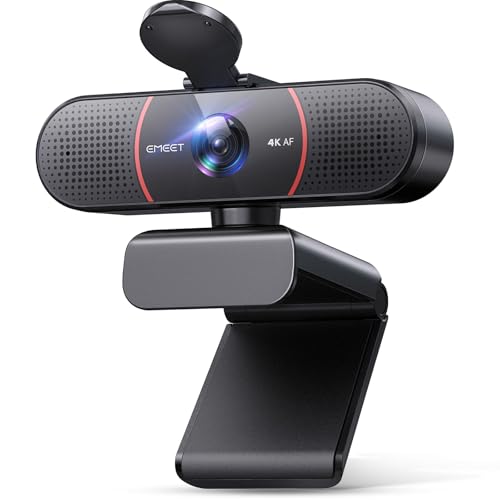
- Entry PickEMEET C960 4K Webcam for PC about$75.98
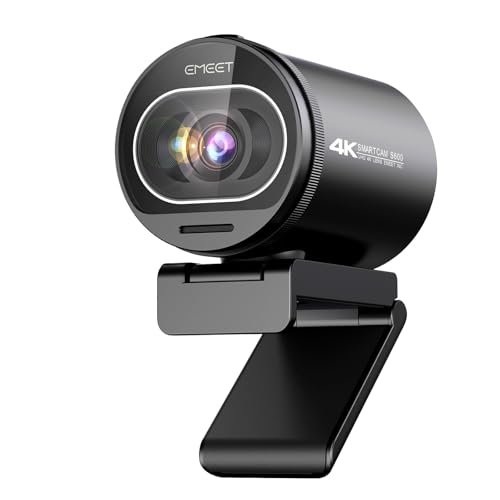
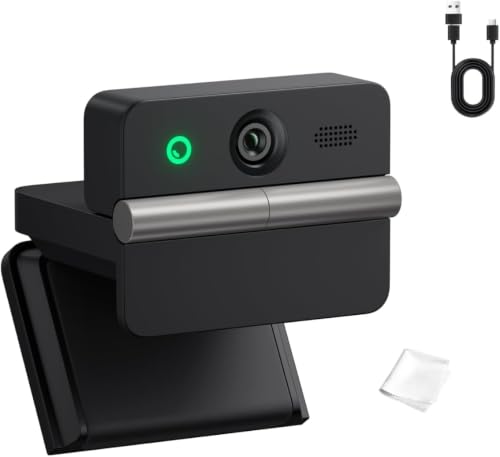
- EMEET S600 4K Webcam for Streaming -… about$119.99
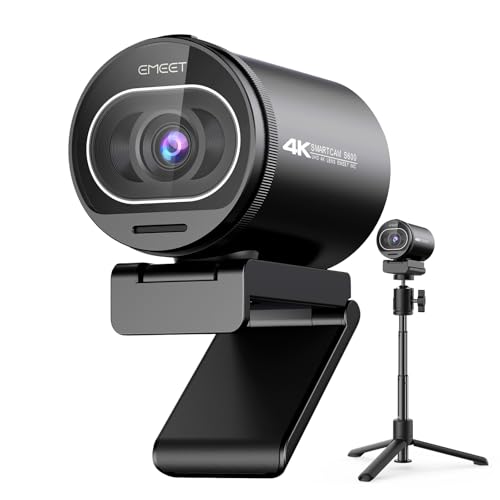
- EMEET S600 4K Webcam with Tripod for… about$129.99
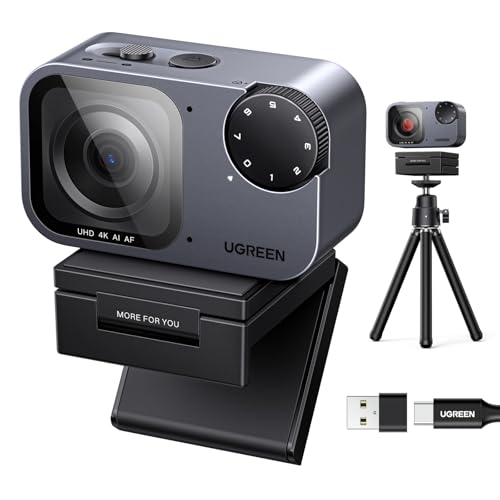
- UGREEN FineCam Pro 4K Webcam with AI… about$135.99
- OBSBOT Meet Flip 4K AI Webcam about$159
- Logitech MX Brio Ultra HD 4K Collaboration… about$220.44
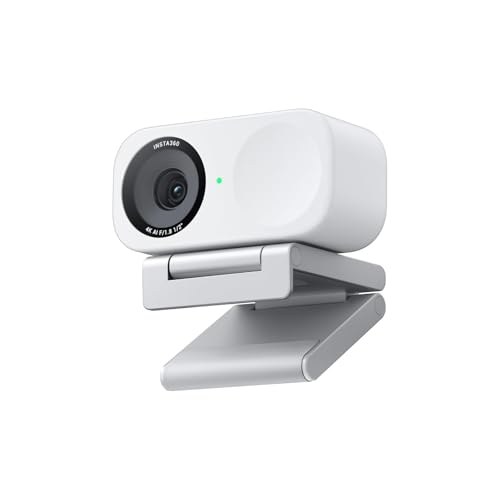
- Insta360 Link 2C - 4K Webcam for PC/Mac about$249.99
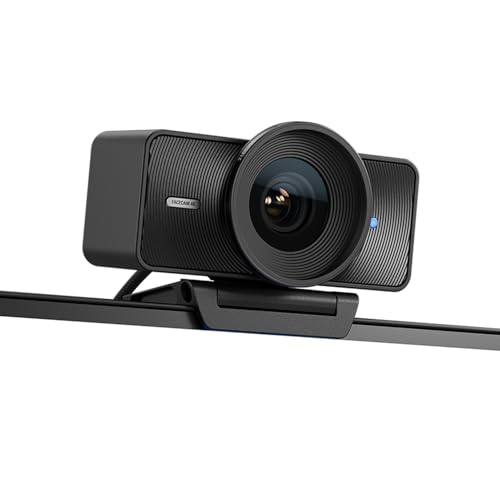
- Most PremiumElgato Facecam 4K about$259
The repair I talk customers out of every week
A dead laptop camera is one of the most common small faults in the workshop, and it is the repair I talk people out of most often. The module itself might be a $40 part. Getting to it is the problem. On most laptops built since about 2020 the camera lives in a lid that is glued or clipped shut, fed by a ribbon cable threaded through the hinge. That cable flexes every time the lid opens. A few thousand cycles later it fatigues, and the camera drops off the bus for good.
Cost the part, the freight from overseas, an hour or two of careful bezel work and the genuine risk of marking the lid, and the quote often lands north of $250. And what does that money buy? The same grainy 720p module the laptop shipped with. A $200 external 4K webcam beats it in every measurable way, mounts on any monitor, and moves to your next laptop when this one retires. That is why this guide exists: for most people the practical fix for a dead laptop camera is not a repair, it is a better camera.
One exception worth flagging. If your camera died the same week as a screen or hinge replacement, that is probably a disturbed connector rather than a dead module, and it is worth a second opinion from a computer repair workshop on the Central Coast before you spend anything.
Why built-in laptop cameras are still rubbish in 2026
The lid of a modern laptop is four to six millimetres thick, and the camera has to share that space with the display panel, the antennas and the structure holding it all flat. The sensor that fits in the leftover gap is around 1/6 of an inch across, behind a plastic lens the size of a match head. No firmware update fixes physics.
Megapixels are the number that sells; sensor area is the number that matters. Slice a fixed amount of incoming light into more, smaller pixels and each pixel collects less, so the camera compensates with gain and heavy noise reduction, which is why laptop video has that smeared, waxy look the moment the sun goes down. A 1080p image from a big sensor beats a 4K image from a tiny one every single time. The 1/2 inch sensor in the UGREEN FineCam Pro below has roughly nine times the area of a typical lid module. You can see that difference before anyone mentions resolution.
Even the $3,000-plus machines in our business laptops guide mostly ship 1080p lid cameras, because the physics does not care what the laptop costs. Thin lids won. The camera lost.
What 4K actually buys you on a video call
Here is the honest version of the 4K pitch. Zoom, Teams and Meet transmit 720p to 1080p on most calls, so you will almost never send 4K to anyone. The resolution still earns its keep in three ways. Cropping headroom: with four times the pixels, the camera can punch in on your face or track you around the frame without going soft. Cleaner output: downscaling 4K to 1080p averages away sensor noise, so the 1080p your colleagues receive looks better than a native 1080p camera can manage. And hardware class: manufacturers reserve their best sensors and optics for their 4K models, so the 4K badge is a proxy for the parts you actually care about.
Spend your last dollar on light, not resolution. A soft lamp in front of your face improves a call more than any camera upgrade, and a bright window behind you will ruin the image from all three picks equally. More on that in the FAQ.
The three picks
Prices accurate at time of writing (26 October 2026). The Amazon AU buybox shifts week to week. All three ship to Australian addresses including the Central Coast.

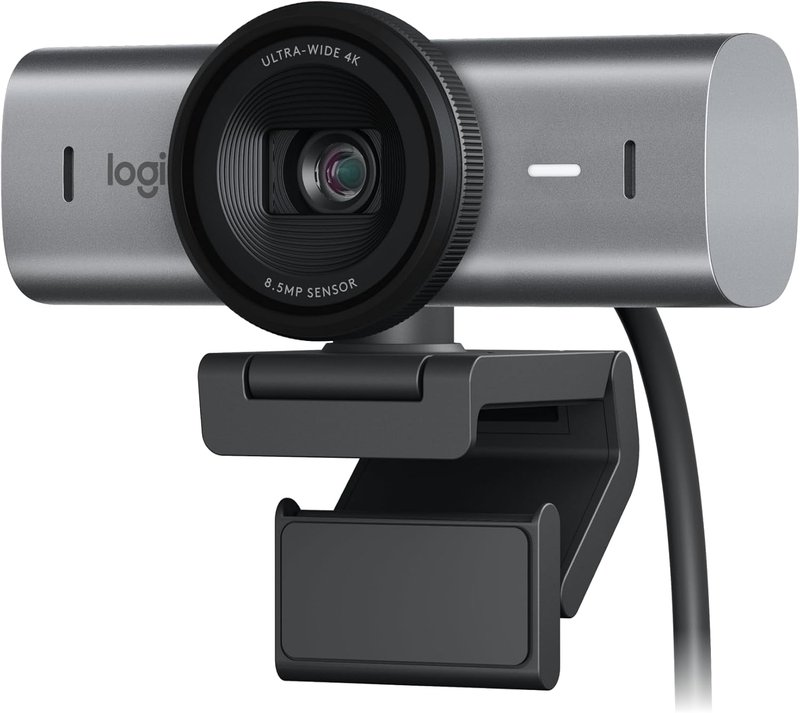
Logitech MX Brio Ultra HD 4K Webcam
ASIN B0CX8S8JLX • $220.44 • Ships from Amazon AU
The MX Brio is the #1 best-selling webcam on Amazon AU as I write this, and for once the sales chart and the engineering agree. It is built around the largest sensor Logitech has ever put in a webcam, with 70 per cent larger pixels than their previous flagship, and the difference shows exactly where laptop cameras fall apart: ordinary bad rooms. Downlights, one window off to the side, a dim winter afternoon. Logitech quotes twice the face visibility in difficult light, and difficult light is where most Australian home offices live.
You get real manual control when you want it (ISO, shutter speed, tint and vibrance through the Logi software), auto everything when you do not, dual beamforming noise-reducing mics that are genuinely usable for calls, USB-C, and a privacy cover in the box. Show Mode is the sleeper feature: tilt the camera down and it flips the image so you can show a document or a device on your desk without touching a single setting.
Honest caveats: 4K is capped at 30fps; 60fps means dropping to 1080p. If you need 4K60 for recording, that is the Elgato below. And the marketing leans hard on AI; the bigger sensor is doing the real work.
Best for: Anyone on video calls daily who wants the best image with the least fiddling, and anyone replacing a dead laptop camera with one purchase.
Max video: 4K at 30fps, 1080p at 60fps • Sensor: Logitech's largest webcam sensor, 70% larger pixels • Mics: dual beamforming, noise-reducing • Connection: USB-C • Privacy: cover included • Amazon AU webcams rank: #1
View on Amazon AU
UGREEN FineCam Pro 4K Webcam
ASIN B0H25YKRXX • $135.99 • Ships from UGREEN’s AU store
The spec that matters here is the 1/2 inch Sony sensor. That is a sensor class you normally meet well above this price, and it is precisely what you want for the dim rooms where most video calls actually happen. UGREEN quotes 4K at 30fps, dropping back to 1080p at 60fps when you want smoother motion instead of more pixels.
Focus is phase detection rather than the contrast hunting most webcams use, so it locks instead of pulsing, and a Face AE mode lifts exposure on your face when you are sitting in front of a window. Framing is handled by an AI auto-frame that pans and zooms to keep you centred, and the dual microphone array runs AI noise reduction to cut background chatter. There are also seven filter modes, and a 2K portrait mode if you rotate the camera 90 degrees for vertical streams.
Honest caveats: it sits at #52 in Amazon AU webcams and ships from UGREEN’s own AU storefront rather than Amazon itself, so allow a few extra days for delivery. 4K tops out at 30fps here too, and UGREEN does not publish an aperture figure for the lens.
Best for: Poorly lit home offices, and anyone who wants the most sensor per dollar under $200.
Max video: 4K at 30fps, 1080p at 60fps • Sensor: 1/2 inch Sony • Autofocus: PDAF with Face AE • Framing: AI auto-framing • Audio: dual noise-cancelling mics • Extras: 7 filter modes, 2K 9:16 portrait mode • Amazon AU webcams rank: #52
View on Amazon AU
Elgato Facecam 4K
ASIN B0DVZG36J8 • $259 • Ships from Amazon AU
The only pick that shoots 4K at 60 frames per second, and the only one that treats itself as a camera rather than an accessory. Sony STARVIS 2 sensor, Elgato's fixed prime lens, uncompressed video output, and Camera Hub software that hands you DSLR-style control over ISO, shutter and white balance. Settings save to flash memory inside the camera itself, so your exposure and framing survive reboots and follow the camera to another machine.
The 49mm filter thread is a small detail that tells you exactly who this is for: you can screw on a polariser or a diffusion filter like on a proper lens. If you record locally for YouTube, stream on Twitch, or want footage clean enough to crop and grade in an editor, this is the pick, and the 4K60 stream gives cropping and motion headroom neither of the others can match.
Honest caveats: there is no microphone in it at all. Elgato assumes you already own one, which is correct for streamers and annoying for everyone else. It wants a genuine USB 3.0 port for uncompressed 4K60. And at $259 it is the dearest camera here while sitting at #15 in Amazon AU webcams: a specialist's ranking, not a flaw.
Best for: Streamers, YouTubers, and anyone who wants manual control that actually sticks between sessions.
Max video: 4K at 60fps, uncompressed • Sensor: Sony STARVIS 2 CMOS • Control: Camera Hub, ISO / shutter / white balance • Settings: stored in onboard flash • Lens: 49mm filter support • Microphone: none • Amazon AU webcams rank: #15
View on Amazon AUSide-by-side comparison
| Product | Price | Best for |
|---|---|---|
| EMEET C960 4K Webcam for PC | ~$75.98 | 4K with PDAF autofocus |
| EMEET S600 4K Webcam for Streaming -… | ~$119.99 | 1/2.55 inch sensor, PDAF autofocus |
| EMEET S600 4K Webcam with Tripod for… | ~$129.99 | The S600 with a tripod included |
| UGREEN FineCam Pro 4K Webcam with AI… | ~$135.99 | B: Value Pick |
| OBSBOT Meet Flip 4K AI Webcam | ~$159 | AI auto framing, 1/2 inch sensor |
| Logitech MX Brio Ultra HD 4K Collaboration… | ~$220.44 | A: Best Overall |
| Insta360 Link 2C - 4K Webcam for PC/Mac | ~$249.99 | Auto framing, 1/2 inch sensor |
| Elgato Facecam 4K | ~$259 | C: Creator and Streaming Pick |
What we see fail at the bench: cameras, cables and clips
Webcams and laptop cameras cross the bench for different reasons. The laptop ones die of engineering compromise; the external ones die of handling. Sixteen years of both, condensed:
The hinge is where laptop cameras go to die
The camera ribbon shares the hinge gap with the display cable and the antenna leads, and every lid cycle flexes all of them. We see two versions of the failure: the slow one, where the camera drops out at certain lid angles for weeks before dying outright, and the sudden one, usually straight after screen or hinge work, where a connector was left half-seated or a cable got pinched. If yours died the same week as other repair work, get that work checked first. If it died of old age, compare what we charge for common laptop repairs against the price of any pick above. The webcam usually wins, and I say that as the person quoting the repair.
Cable and connector wear kills more webcams than sensors do
I cannot remember the last webcam sensor that died of natural causes. What fails is the wiring: the USB cable cracks at the strain relief after a year of being packed into a laptop bag, or the connector goes intermittent after thousands of insertions. A detachable cable is a genuine buying feature, because a $10 lead is a repair and a captive cable is e-waste. If your image starts cutting in and out, try a different cable and a different port before you blame the camera. That one test resolves most of the webcam complaints that reach us.
Autofocus hunting is usually a light problem, not a fault
Focus systems need contrast to lock onto, and contrast is the first casualty of a dim room. A webcam that pulses in and out of focus at night but behaves in daylight is not faulty; it is starving. The FineCam Pro's phase detection focus sidesteps this by reading phase differences straight off the sensor instead of hunting for contrast, which is one of the reasons it earns the value slot. The better fix for any camera, though, is the same lamp I keep recommending. Light the face, and the focus settles.
Mounting clips crack years before optics wear out
The plastic monitor clip is the consumable part of every webcam. Clamped, re-adjusted and knocked off the desk, it goes brittle and snaps, and suddenly a perfectly working camera has nowhere to sit. A 1/4 inch tripod thread is the escape hatch: a $15 desk tripod outlives every clip ever moulded. Check for the thread before you buy, and treat the clip gently in the meantime. Superglue on a snapped clip holds for about a fortnight, then fails during a meeting. Ask me how I know.
Privacy: covers, LEDs and the scam we clean up after
Cover the lens when you are not using it. A physical shutter is the only privacy control that does not depend on software behaving itself, and the Logitech pick includes one. The activity LED is honest hardware on all three, but an LED only protects you while you are sitting there looking at it.
The camera fear we actually deal with at the shop is scam calls. A caller claims to have webcam footage of you, quotes an old password from a data breach as proof, and demands payment. That specific threat is nearly always a bluff. The real damage happens when a scammer talks someone into installing remote access software, because at that point the camera is a footnote: they have the banking, the email, the files, the lot. I wrote up what a scammer can actually do with remote access to your device after seeing too many of these cases. If a stranger has ever had control of your machine, read it before you trust that machine again.
Decision tree: which webcam is right for you?
- On video calls every day and want the best image with no fiddling? → Logitech MX Brio at $220.44. Plug it in, let auto mode work, forget it exists.
- Dim room, or want the most sensor for the least money? → UGREEN FineCam Pro at $135.99. The 1/2 inch Sony sensor is unmatched at the price.
- Recording, streaming or editing footage? → Elgato Facecam 4K at $259. 4K60, manual control that sticks, bring your own microphone.
- Laptop camera just died and you want a straight answer on repair versus replace? → Walk in to our Erina workshop for a look. If the module swap makes sense on your model, we will say so.
- Camera looks fine at noon and terrible at night? → Spend $30 on a lamp before spending $300 on anything in this guide.
Frequently asked questions
Can you replace a built-in laptop camera instead of buying a webcam?
Usually we can, but it rarely makes financial sense. The camera module sits in the lid behind a bezel that is glued or clipped on most laptops built since about 2020, and its ribbon cable runs through the hinge. Opening the lid without marking it is slow, careful work, and the module itself is often a proprietary part ordered from overseas. Parts plus labour regularly lands between $180 and $350 depending on the model, and the repaired camera is still a tiny 720p unit. Any webcam in this guide costs about the same or less and produces a dramatically better image. We still do the repair when a customer needs the machine back to original condition, but for a laptop that lives on a desk, an external camera is the better outcome.
Is a 4K webcam worth it when video calls only run at 1080p?
Yes, for three reasons that have nothing to do with transmitting 4K. First, cropping headroom: a 4K sensor lets the camera punch in on your face or follow auto-framing without the image going soft, because there are four times the pixels to crop from. Second, downscaling: a 4K feed scaled down to 1080p averages out sensor noise, so the picture your colleagues see is cleaner than the output of a native 1080p camera. Third, the market reality: manufacturers put their best sensors, optics and processing in their 4K models, so buying 4K buys the good hardware even if your calls cap at 1080p. Zoom, Teams and Meet typically send 720p to 1080p depending on bandwidth and licence, and that will not change soon.
Do I need a fast computer or special USB port for a 4K webcam?
For video calls, no. All three picks present as standard USB video devices and the conferencing app does the heavy lifting at 1080p or below, so any laptop from the last eight years or so copes fine. The exception is recording or streaming uncompressed 4K60 from the Elgato Facecam 4K, which needs a USB 3.0 port and a reasonably current machine to encode the footage. Check which of your ports are actually USB 3.0: on a lot of budget laptops only one port is, and plugging a 4K camera into a USB 2.0 port will silently limit it to lower resolutions or frame rates. A direct connection beats an unpowered hub every time.
Why does my webcam look grainy at night?
Light, not the camera, is almost always the problem. Every sensor collects less light in a dim room, so the camera raises its gain, and gain is noise. The fix costs less than any webcam upgrade: put a soft light source in front of your face, ideally bounced off a wall behind the monitor, and never sit with a bright window behind you, because the camera will expose for the window and turn you into a silhouette. The bigger sensors in this guide help, particularly the 1/2 inch Sony unit in the UGREEN FineCam Pro, but a $30 lamp improves a video call more than $300 of camera. Sort the light first, then judge the webcam.
Do these webcams work with Zoom, Teams and Google Meet on Mac and Windows?
All three are UVC devices, meaning they identify themselves as standard USB video hardware, so Windows 10 and 11 and macOS pick them up without drivers and every mainstream conferencing app sees them immediately. The manufacturer software is optional and only needed for tuning: Logi Options+ for the MX Brio and Camera Hub for the Facecam 4K. The Elgato has one genuinely useful trick here: it stores your settings in onboard flash memory, so your exposure and framing survive reboots and follow the camera between machines. Linux users are mostly fine too, since UVC support is built into the kernel, though the tuning apps are Windows and Mac only.
Should I cover my webcam when I am not using it?
A physical cover costs nothing and ends the question. The Logitech pick ships with one; a small slide cover or even tape does the same job on any camera. What we deal with more often at the shop is the other side of camera anxiety: scam callers who claim they have recorded you through your webcam and demand payment. In almost every case we have examined, that claim is a bluff built from an old leaked password. The genuine risk is remote access software installed during a scam call, which hands over the whole machine, camera included. If that has happened to you, disconnect the device from the internet and get it looked at before you use it for banking again.
Related guides
Dead laptop camera? Get a straight answer before you spend
Book the laptop in to the workshop. We will tell you plainly whether a camera module replacement is worth it on your model, and if a webcam is the smarter fix, we will say exactly that. Sixteen years in the workshop; the honest quote costs you nothing.
Book Online